Best AI photo to painting tools in 2026: 8 picks for every budget
The best AI photo to painting tools in 2026, from ChatGPT and Gemini to one-tap filter apps, with prices, print terms and the catch with each.
 Written byBurhan AqibSenior writer, policy and analysis
Why you can trust The AI Future
Our writers research every product, link each claim to its source and correct mistakes openly. Companies can't pay for coverage or see reviews before they're published.
Read our editorial policy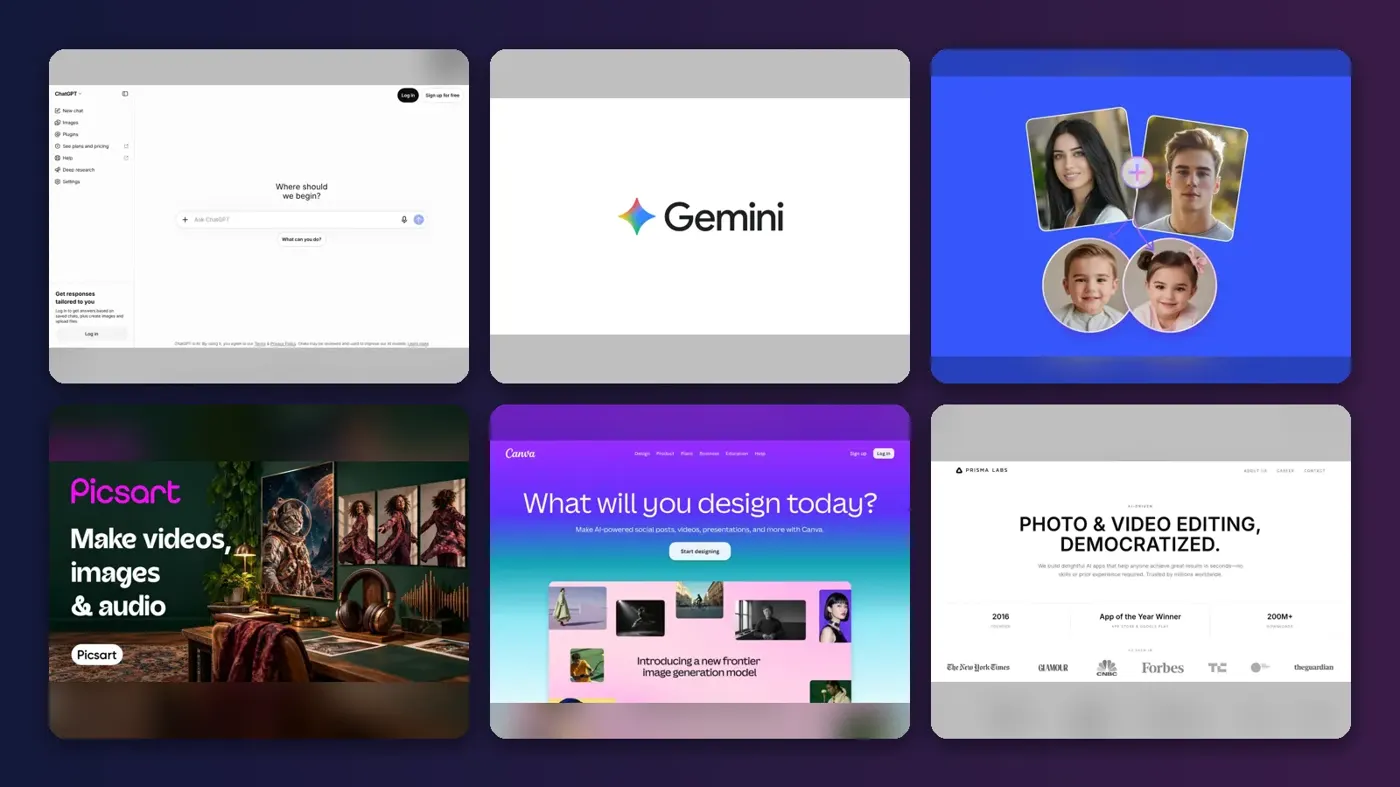
Short answer: for most people in 2026 I'd pick ChatGPT to turn a photo into a painting, because you can upload a photo, ask for "an oil painting with thick brushstrokes" or "a loose watercolour", and keep refining it in plain English. If you want the cheapest good option, I think Google Gemini is it, since its free plan already includes image generation and editing. For one-tap filters on your phone, go with Picsart or Prisma.
The rest are specialists. Fotor and OpenArt give you a menu of AI models in one place. Canva is probably the easiest route from a painted photo to a card, poster or print. BeFunky is old-school: classic painting filters, no generative AI. Below, you'll find what each tool does, what it costs and its catch, all checked against official pages in late October 2026.
Key takeaways
- General AI assistants seem to do this best now, since ChatGPT and Gemini can turn a photo into a painting from a simple text request, and both have free tiers.
- Filter apps are faster but less flexible: Picsart, Prisma and BeFunky apply a style in one tap, so you give up control for speed.
- Read the commercial terms before you sell prints; OpenArt, for example, lists commercial use rights only on its Plus plan and above.
- Artist names work as style labels only. "In the style of Van Gogh" is fine as a prompt, but copying a specific artwork is a different matter, and photos of other people need their consent.
Ranking method
Nobody at The AI Future ran hands-on tests for this roundup. We compared each tool using its official product, pricing and terms pages, published independent tests and user ratings on sites such as Trustpilot, as of late October 2026. Seven criteria decided the order.
- Painting quality: how convincing the brushwork, texture and colour look in published examples and tests.
- Likeness: how well the result keeps faces, pets and places recognisable.
- Style range: oil, watercolour, impressionist, pop art and how easy it is to switch between them.
- Control: whether you can steer the result with prompts, sliders or reference images.
- Ease of use: how quickly a beginner gets a good result.
- Price and free tier: what you get before you pay, and what the cheapest paid plan costs.
- Rights and printing: output ownership, commercial terms and how easy it is to print.
Prices are in US dollars and can change by country, app store and promotion, so check the vendor's pricing page before you buy.
The 8 best AI photo to painting tools at a glance
| # | Tool | Category | Best for | Free tier | Starts at |
|---|---|---|---|---|---|
| 1 | ChatGPT | AI assistant | Custom paintings from a prompt | Yes (limited) | $8/mo |
| 2 | Google Gemini | AI assistant | Best value | Yes (limited) | $4.99/mo |
| 3 | Fotor | Online photo editor | Many AI models in one editor | Yes (limited) | $3.99/mo |
| 4 | Picsart | Mobile and web editor | One-tap AI filters on your phone | Yes (limited) | $10.50/mo |
| 5 | Canva | Design platform | Turning paintings into prints and designs | Yes (limited) | $12/mo |
| 6 | Prisma | Mobile app | Classic art filters | Yes (limited) | $7.99/mo |
| 7 | OpenArt | AI creative studio | Power users and commercial work | No | $13/mo |
| 8 | BeFunky | Online photo editor | Traditional painting filters | Yes (limited) | $6.99/mo |
The AI photo to painting tools in 2026, ranked
ChatGPT – best for custom paintings from a prompt
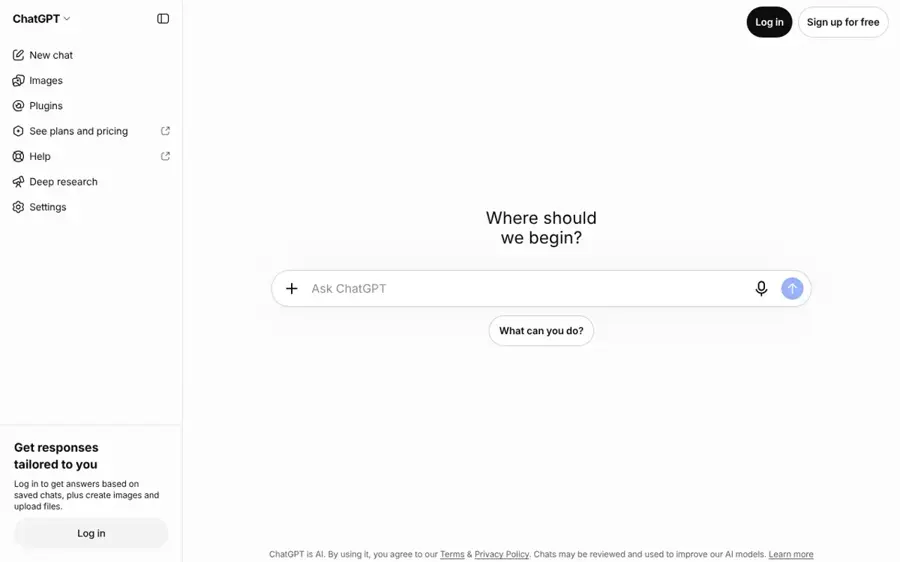
ChatGPT is OpenAI's assistant, and its built-in ChatGPT Images feature can repaint any photo you upload in the style you describe, then edit it again in conversation.
Standout points
Filter apps can't match the control you get from describing what you want. You can ask for "an impressionist oil painting, visible brushstrokes, warm evening light" and then say "keep the face exactly the same, make the sky looser". OpenAI released ChatGPT Images 2.5 on September 8, 2026, promising sharper details, more precise editing and faster generation, plus templates and a sketch-to-image option on mobile.
Likeness is where ChatGPT earns the top spot, I think. In a photo-editing comparison by TechRadar, the previous model, ChatGPT Images 2.0, beat Google's Nano Banana 2 overall; the reviewer concluded that "Nano Banana 2 makes images that look great, but ChatGPT Images 2.0 makes images that feel more real." That attention to faces and light matters when you're turning a family portrait into a painting (my own priority, honestly).
Key features
- Prompt-based styles: describe any medium, from oil and gouache to charcoal or watercolour.
- Conversational edits: fix one detail without starting again.
- Templates: a starting point under Images, then customise the details.
- You own the output: OpenAI's terms of use assign you its rights in the output, to the extent the law allows.
Pros
- Most flexible tool on this list
- Strong at keeping people recognisable
- Works on web, iOS and Android
Cons
- Image limits on Free and Go plans, and those plans show ads
- Slower than a one-tap filter
- You need to write a decent prompt
ChatGPT pricing: Free, then paid plans from $8/month for Go, $20/month for Plus (checked October 2026, via AI Business Weekly, since OpenAI's pricing page did not load for us). See pricing
Related: ChatGPT with GPT-6 review Best AI image generators
Verdict: if you only pick one, I'd pick ChatGPT.
Google Gemini – best value
Google Gemini is Google's AI assistant, and its Nano Banana image model lets you upload a photo and ask for a painted version on every plan, including the free one.
Standout points
Price, mostly. Google lists "image generation and editing" in its free Gemini plan, and the paid entry tier is unusually cheap: Google cut Google AI Plus to $4.99 a month in June 2026 and doubled its storage to 400GB, according to Engadget. Plus also includes Nano Banana Pro.
Independent tests give it a split decision against ChatGPT. TechRadar found Nano Banana 2 "usually faster" but more stylised, while an eWeek comparison found Google's model followed several prompts more faithfully. For painting, a slightly stylised look isn't a problem. It might even help.
Key features
- Free image editing: upload a photo and describe the painting you want.
- Nano Banana Pro on paid plans: higher-quality generation from Google AI Plus upward.
- Fast results: quicker turnaround in TechRadar's side-by-side test.
- Bundled storage: 400GB of Google storage on AI Plus.
Pros
- Capable free tier
- Cheapest paid upgrade on this list
- Good prompt-following in eWeek's tests
Cons
- Can drift into a stylised, smoothed look on faces
- Usage limits on lower plans aren't spelled out in numbers
Google Gemini pricing: Free, then paid plans from $4.99/month for Google AI Plus (checked October 2026). See pricing
Related: Gemini vs ChatGPT compared How to write AI photo prompts
Verdict: on a tight budget, this is probably the one to try first.
Fotor – best for many AI models in one editor
Fotor is an online photo editor whose AI image generator accepts reference photos and gives you access to several leading image models in one place.
Standout points
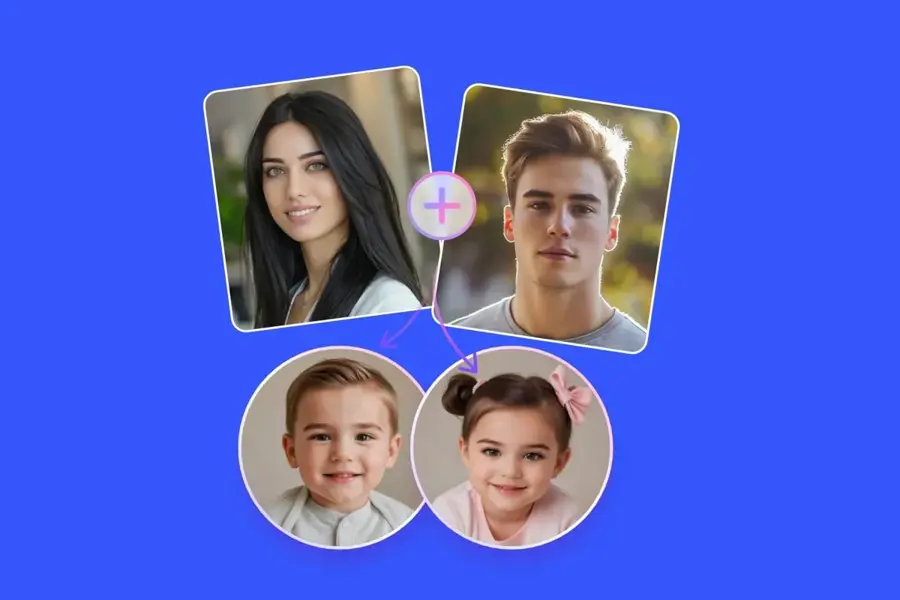
Fotor is a shortcut if you don't want separate subscriptions. Its AI image generator page says you can type a prompt or upload reference images, and lists models including Nano Banana, Midjourney, FLUX and GPT Image. It also says it handles styles "from realistic photography and paintings to anime". You also get a full photo editor for touch-ups before or after.
Users are mixed. Fotor holds 3.5 out of 5 on Trustpilot from about 1,600 reviews, and Trustpilot's AI summary says reviewers praise the easy editing but flags frustration over unexpected annual renewals and refunds. If you only need it for one project, I'd turn off auto-renew straight away.
Key features
- Multi-model generator: switch between models such as Nano Banana and GPT Image.
- Reference images: start from your own photo instead of a blank prompt.
- Prompt rewriting: expands short prompts for you.
- Full photo editor: improve, remove backgrounds and retouch in the same app.
Pros
- Several top models under one subscription
- Free Basic plan to try it
- Low annual price
Cons
- Credit system takes some working out
- Billing and renewal complaints on Trustpilot
Fotor pricing: Free, then paid plans from $3.99/month billed annually, or $10.99 billed monthly, for Fotor Pro (checked October 2026, via PricingSaaS; Fotor's own page loads prices dynamically). See pricing
Related: Best AI picture editing tools Best AI image generators
Verdict: likely a good-value all-rounder if you like trying different models.
Picsart – best for one-tap AI filters on your phone
Picsart is a mobile and web photo editor whose AI filters rebuild your photo as a painting, illustration or cartoon at the press of a button.
Standout points
Picsart is probably the fastest way to a painted photo without writing a prompt. Its AI filters page explains that, unlike regular filters, these "use AI generative art to build a new visual from scratch based on your original image". You pick a style such as Fine Art for a classical look, Abstract or Pop Art.
It's also the best-rated tool here: Picsart scores 4.4 out of 5 on Trustpilot from about 1,800 reviews; one September 2026 reviewer called it the "Best overall graphic design and photo editor available for sure".
Key features
- AI art filters: Fine Art, Abstract, Pop Art and more.
- Full editor: templates, fonts, stickers and background tools.
- Nano Banana Pro generations: included in paid plans for prompt-based edits.
- Batch editor: edit up to 50 images at once on paid plans.
Pros
- Very quick, no prompt needed
- Strong user ratings
- Works on phone and web
Cons
- Filters give you less control than a prompt
- Best features sit behind the paid plans
Picsart pricing: Free, then paid plans from $10.50/month billed yearly ($15 list price) for Pro (checked October 2026). See pricing
Related: Best AI picture editing tools Best AI photo booth tools
Verdict: the pick for social posts made on your phone, and not much else.
Canva – best for turning paintings into prints and designs
Canva is a design platform whose AI Image Generator can start from a reference photo, and its editor turns the result into cards, posters and other printable designs.
Standout points
Canva isn't the strongest painter here. It's the best at what comes next. Its AI Image Generator can start "with a text prompt or a reference photo", with more than 10 prebuilt styles including Pop Art and Sketch. Then you can drop the image straight into a birthday card, poster or wall-art layout. Canva's pricing page notes a 10% discount on print orders on Business and Enterprise plans, where Canva Print is available.
Users like it. Canva rates 4.0 out of 5 on Trustpilot from more than 8,000 reviews, with Trustpilot's AI summary highlighting how easy reviewers find the platform.
Key features
- Reference-photo generation: base a new image on your photo.
- 10+ prebuilt styles: including Pop Art, Sketch and Minimalist.
- Templates: millions of layouts for cards and posters.
- Print ordering: where Canva Print is offered.
Pros
- Easiest route from painting to finished product
- Generous free plan
- Well-liked by users
Cons
- Fewer painting-specific styles than dedicated tools
- AI usage on Free is limited; Pro gives "10x more AI"
Canva pricing: Free, then paid plans from US$144/year (about $12/month) for Pro, before tax (checked October 2026). See pricing
Related: Best AI cover art generators Best AI image generators
Verdict: I'd choose Canva if the painting is just a means to a gift or a poster.
Prisma – best for classic art filters
Prisma is the Prisma Labs mobile app that popularised AI art filters, with a library of hundreds of painting and art styles for photos and selfies.
Standout points
Prisma does one job. Going by its App Store listing, it offers "more than 500 various styles", adds new ones regularly and can apply a style to the person or the background separately with Portrait Segmentation. The listing also says it was App of the Year in 2016 and claims more than 120 million users.
The catch: most of the good stuff is paid. Prisma Premium includes every style and HD saving, and the listing offers a three-day free trial before you choose a plan.
Key features
- 500+ styles: painterly, sketch and abstract looks.
- Portrait Segmentation: style the subject and background separately.
- Background replacement: swap the backdrop on selfies.
- HD export: with Premium.
Pros
- Fast and simple
- Huge style library
- Cheap weekly option for one-off use
Cons
- Filters, not prompts, so limited control
- HD saving needs Premium
- Mobile only
Prisma pricing: Free download, then Premium from $1.99/week or $7.99/month, with annual options in the App Store (checked October 2026). See pricing
Related: Best AI avatar generators from photos Best AI picture editing tools
Verdict: the classic filter app, and it seems to still be handy for quick phone edits.
OpenArt – best for power users and commercial work
OpenArt is an AI creative studio with access to more than 100 image, video and audio models, plus image-to-image apps that restyle your photos.
Standout points
OpenArt suits you if you want to experiment seriously. Think models, consistent characters and lots of generations. different models, consistent characters and lots of generations. Its pricing page lists 4,000 credits a month on Starter and "Access to 100+ premium image, video, and audio models". It is also clear on rights, which matters if you plan to sell prints: commercial use rights are listed on Plus and above, not on Starter.
Reviews are mixed. OpenArt sits at 3.5 out of 5 on Trustpilot from about 1,660 reviews. One reviewer wrote: "Great tools when they work. The app is often down or so buggy its unusable."
Key features
- 100+ models: compare styles across image models.
- Consistent characters: up to about 13 on Starter.
- Parallel generations: 8 at once on Starter.
- Watermark-free output: on all paid plans.
Pros
- Widest model choice here
- Clear commercial terms by plan
- Plenty of credits for the price
Cons
- Starter plan has no commercial use rights listed
- Bug complaints from users
- Overkill for one family portrait
OpenArt pricing: No free plan on the pricing page, then paid plans from $13/month billed annually for Starter, $27/month for Plus with commercial rights (checked October 2026). See pricing
Related: OpenArt AI review
Verdict: pay for Plus if you want to sell what you make; Starter probably isn't enough.
BeFunky – best for traditional painting filters
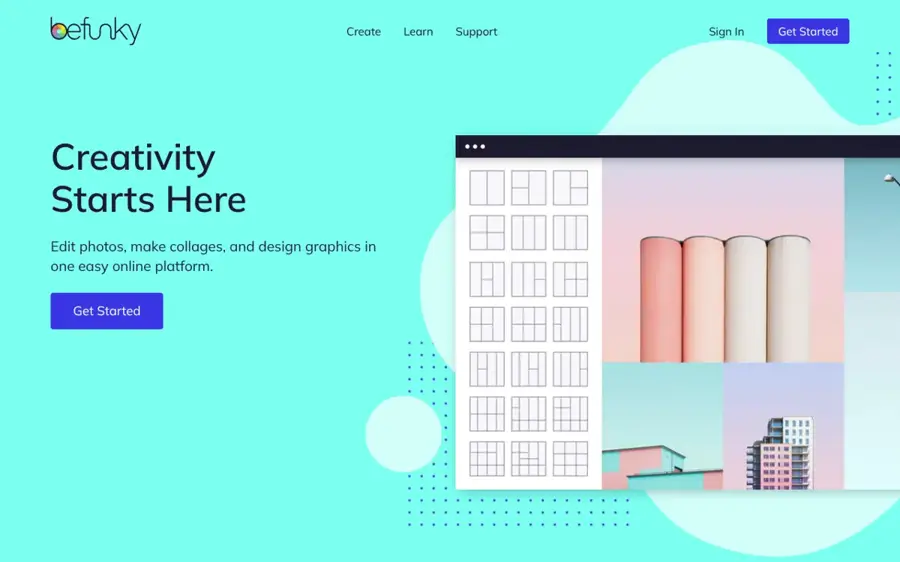
BeFunky is a browser photo editor with a library of photo-to-painting filters, including oil painting, watercolour and underpainting effects.
Standout points
BeFunky keeps your photo intact and paints over it instead of generating a new image. Its photo to art page describes oil painting filters "from classic realism to a modern impasto effect", plus watercolour and underpainting. That's useful when you want the exact composition of your photo, with no surprise changes to faces or backgrounds.
User feedback is poor, though; that put me off. BeFunky has 1.8 out of 5 on Trustpilot from just 37 reviews, many about billing and cancellation. Trustpilot notes the company has not invited reviews recently, so the sample may not be representative.
Key features
- Oil painting filters: realism to impasto.
- Watercolour and underpainting: softer, simplified looks.
- Cartoonizer: cartoon and graphic novel effects.
- AI credits: 1,000 a month on Plus for the AI Image Generator.
Pros
- Keeps your original composition
- Many filters free to try or preview
- Cheap annual plan
Cons
- Looks more like a filter than a real painting
- Weak Trustpilot score with billing complaints
BeFunky pricing: Free, then paid plans from $6.99/month billed annually for Plus (checked October 2026, via PricingSaaS). See pricing
Related: Best AI picture editing tools
Verdict: fine for quick filter effects, but I'd check how to cancel before subscribing.
Choosing the right tool
Decide between a prompt and a filter
Go with ChatGPT or Gemini if you want a specific look and are happy to type a sentence or two. Go with Picsart, Prisma or BeFunky if you want a result in seconds and don't mind picking from a menu.
Prompt tools reimagine the photo. Filter tools mostly repaint the pixels you already have.
Start with a good photo
A sharp, well-lit photo with a clear subject will probably paint better than a dark, busy one. Crop out clutter first. Then name the medium, the brushwork and the mood in your prompt: "watercolour, soft edges, muted palette, white paper showing through". Our guide to writing AI photo prompts has more examples, and our explainer on AI art styles covers the vocabulary.
Use public-domain artists as style labels
Prompts like "in the style of Van Gogh" or "like a Monet landscape" describe a look. Both painters died long ago and their work is in the public domain. Even so, ask for the style, not a copy of a particular painting, and be careful with living artists' names if you plan to sell the results.
Check the rights before you sell or print
If you want to sell prints, read each tool's terms. OpenAI assigns you its rights in ChatGPT output, and OpenArt lists commercial use only on Plus and above. Whether the image itself can be copyrighted is a separate question: the US Copyright Office covers AI output in Part 2 of its AI report, and our explainer on whether you can copyright AI art walks through it.
Respecting the people in your photos
Use photos of yourself, your family with their agreement, your pets or your own places. Making deceptive or intimate images of real people without consent is harmful and illegal in many places. The tools on this list are mainstream, safe-for-work products.
Free versus paid plans
Free plans are probably good enough to try an AI painting once or twice. Gemini's free plan includes image generation and editing. ChatGPT's free plan has separate limits for image creation. Canva Free gives you "limited access" to its AI tools. Fotor Basic gives you limited free credits.
Paying usually buys you three things: more generations, higher resolution and fewer restrictions on use. Prisma saves HD images only with Premium. Picsart adds Nano Banana Pro generations and batch editing. OpenArt adds commercial rights from its Plus plan. If you want a few paintings for a gift, stay free or buy one month. If you make them every week, a $5 to $13 plan is likely the sweet spot.
| If you want... | Choose | Cost |
|---|---|---|
| The best result from a prompt | ChatGPT | Free, or $8/mo for Go |
| The cheapest good upgrade | Google Gemini | $4.99/mo for AI Plus |
| One-tap results on your phone | Picsart or Prisma | From $7.99/mo |
| A printed card or poster | Canva | Free, or $144/yr |
| Prints you plan to sell | OpenArt Plus | $27/mo billed annually |
Final verdict
Honestly, I think most people should start with ChatGPT.
It gives you the most control and keeps faces recognisable, and the free plan is enough to try it. If budget matters more, Gemini does much the same job for less. Want a painted selfie in five seconds? Open Picsart. And if the painting's heading for a wall or a card, finish it in Canva.
If you're wondering whether these images count as art, our comparison of AI art vs real art looks at the craft, value and debate. For more creation tools, see our roundup of the best AI image generators, or our Opendream AI review if you prefer generating art from text.
FAQ
What is the best free AI photo to painting tool?
Google Gemini is the strongest free option, because its free plan includes image generation and editing. Upload your photo and ask for the painting style you want. ChatGPT's free plan also works but has image limits. For one-tap filters, Picsart and BeFunky let you try many effects for free.
Can AI turn a photo into a Van Gogh-style painting?
Yes. In ChatGPT or Gemini, upload the photo and ask for "a painting in the style of Van Gogh, thick swirling brushstrokes, bold colour". Treat the artist's name as a style label; I'd guess swirling skies are about the easiest look to ask for. Ask for the look, not a copy of a specific painting, and use photos you have the right to use.
Can I sell prints made with an AI photo to painting tool?
Often, but check the terms. OpenAI assigns you its rights in ChatGPT output, while OpenArt lists commercial rights only on Plus and above. You also need rights to the original photo and consent from anyone in it. Copyright protection for AI images is limited in the US.
Why does my AI painting not look like the person in the photo?
Generative tools redraw the image, so faces can drift. Use a sharp, front-facing photo and add "keep the face and features exactly the same" to your prompt. If likeness matters most, a filter tool such as BeFunky keeps your original composition.
Is it legal to turn someone else's photo into a painting?
It depends on the photo's copyright and the person's consent. Use your own photos, or photos you are licensed to use, and ask people before you paint them. Never create deceptive or intimate images of real people, which is harmful and illegal in many places.
Sources
- ChatGPT release notes (OpenAI Help Center)
- Terms of Use (OpenAI)
- ChatGPT Pricing 2026: Free, Go $8, Plus $20 & Pro $100 to $500 (AI Business Weekly)
- I compared ChatGPT Images 2.0 and Google's Nano Banana 2 using real-world prompts (TechRadar)
- ChatGPT Images 2.0 vs Nano Banana 2: Which AI Image Tool Wins? (eWeek)
- Google AI Pro & Ultra plans (Google)
- Google cuts the price of its AI Plus plan and doubles the storage (Engadget)
- Free AI Image Generator (Fotor)
- Fotor Pricing (Fotor)
- Fotor Pricing: Free plan, from $3.99/mo (PricingSaaS)
- Fotor Reviews (Trustpilot)
- AI Filters - AI Generative Art Filters & Effects (Picsart)
- Picsart pricing (Picsart)
- Picsart Reviews (Trustpilot)
- Free AI Image Generator: Text to Image (Canva)
- Canva Pricing: Compare Free, Pro, Business and Enterprise plans (Canva)
- Canva Reviews (Trustpilot)
- Prisma: Photo Editor, Filters (App Store)
- OpenArt Pricing (OpenArt)
- OpenArt Reviews (Trustpilot)
- Photo to Art: One Click Turns Your Photo Into Art (BeFunky)
- BeFunky Pricing (BeFunky)
- BeFunky Reviews (Trustpilot)
- Copyright and Artificial Intelligence (U.S. Copyright Office)