7 best AI music extender tools in 2026: make any song longer
The best AI music extender tools for 2026, from free beat-matched song extenders to Suno and Adobe Remix, with prices and the copyright limits to know.
 Written byMuhammad Usman SiddiquiFounder and editor-in-chief
Why you can trust The AI Future
Our writers research every product, link each claim to its source and correct mistakes openly. Companies can't pay for coverage or see reviews before they're published.
Read our editorial policy
Short answer: if the song is one you made in an AI generator, use Suno to extend it, because extend is built into its Remix tools and paid plans include downloads and commercial rights. If you need an existing track to run to an exact length for a video, use Audjust, a free browser-based song extender that repeats sections on the beat instead of looping the whole file. Adobe users already have a similar Remix feature in Audition and Premiere Pro. Honestly, I'd start with Audjust unless you've got a reason not to, since it's free and covers the most common job.
An AI music extender does one of two jobs. Some tools rearrange the audio you already have, finding loops and joins so a 2:30 track reaches 3:15. Others generate brand-new bars that continue the song in the same style. Below are the seven AI song extender and audio extender tools worth your time in 2026, with prices checked in October 2026 and a plain-English note on what you can legally extend.
Key takeaways
- Rearranging and generating are different jobs: Audjust, Adobe Remix and Epidemic Sound Adapt re-cut existing music, while Suno, Udio and Soundverse write new material.
- The cheapest route is free, and it probably covers most one-off video edits: Audjust gives you 3 full exports a month without an account.
- Downloads matter more than features. Udio can extend songs on its $10 Standard plan, but it has blocked downloads on every plan since late 2025.
- Extending a song you don't own counts as an adaptation, and under US law that right belongs to the copyright owner. A licensed library or your own tracks are the safe inputs.
Ranking method
Nobody at The AI Future ran hands-on tests for this roundup, and we have no original screenshots. We compared each tool using official product, pricing and help pages, published third-party coverage and user feedback, as of late October 2026. The scoring criteria were:
- Extension method: whether it rearranges your audio or generates new music, and how well that suits the job.
- Length control: whether you can set an exact target duration or only add chunks.
- Input flexibility: whether you can upload your own track or only use the tool's own music.
- Export access: whether you can actually download the longer version, and in what quality.
- Licensing clarity: what the plan says about commercial use of the result.
- Price: the cost of the cheapest plan that lets you extend and export.
- Ease of use: how many steps it takes for someone who isn't an audio engineer.
Prices are in US dollars and can change by country and billing period. Where a vendor didn't show prices to our page reader, we say so instead of guessing.
The 7 best AI music extender tools at a glance
| # | Tool | Category | Best for | Free tier | Starts at |
|---|---|---|---|---|---|
| 1 | Suno | AI song generator | Extending AI-made songs | Yes (limited) | $8/mo |
| 2 | Audjust | Song extender | Hitting an exact length | Yes (limited) | Not listed |
| 3 | Adobe Audition | Audio editor | Audio pros on Creative Cloud | No | $33.99/mo |
| 4 | Epidemic Sound | Licensed music library | Cleared music for creators | No | Not listed |
| 5 | Udio | AI song generator | Building songs section by section | Yes (limited) | $10/mo |
| 6 | Soundverse | AI music platform | Adding new intros and outros | Yes (limited) | Not listed |
| 7 | Adobe Premiere Pro | Video editor | Fitting music to a video edit | No | $22.99/mo |
Notes: Suno's $8 is the Pro plan billed yearly. Udio's $10 is the Standard plan, the cheapest tier that includes extend. "Not listed" means the vendor's pricing page didn't show a dollar figure when we checked. Audition's price comes from Capterra because Adobe's own page blocked our reader.
The best AI music extenders in 2026, ranked
Suno – best for extending AI-made songs
Suno is an AI song generator that can extend, cover and re-speed tracks you make or upload, all from suno.com or its mobile apps.

Strengths
Suno lists "Remix songs (extend, cover, adjust speed)" among its creation features on its pricing page, alongside replace-section and add-section editing on paid plans. I think that makes it the most complete option if you want a song to keep going with new verses rather than repeated ones. You can also upload audio: up to 8 minutes on the free plan and up to 30 minutes on Premier.
The catch is quality and trust. Suno's v6 models, launched in September, drew heavy criticism, with users calling the update "muffled", "generic" and worse, as MusicRadar reports. Suno also says it has introduced safeguards to screen uploaded audio files and lyrics for unauthorised use, so don't expect it to extend a chart hit for you. For the full picture, read our Suno AI review.
Key features
- Suno's feature table lists extend, cover and speed changes under Remix.
- You can upload 8 minutes of audio on the free plan and 30 minutes on Premier.
- Paid plans can replace or add a section.
- Stem separation comes in two types on Pro and three on Premier.
- Suno Studio, a browser workstation with MIDI, effects and automation, comes with Premier.
Pros
- Generates genuinely new sections, not loops
- Commercial use rights on paid plans
- Works with your own uploaded audio
- Generous free credits (50 a day) for trying it
Cons
- Free plan has no downloads and no commercial rights
- Pro caps you at 20 song downloads a month
- v6 sound quality is divisive among existing users
Suno pricing: Free, then paid plans from $8/month billed yearly, or $10 billed monthly (checked October 2026). See pricing
Verdict: the best pick when the song is your own AI creation and you want it to grow, not repeat.
Related: Suno AI review
Audjust – best for hitting an exact length
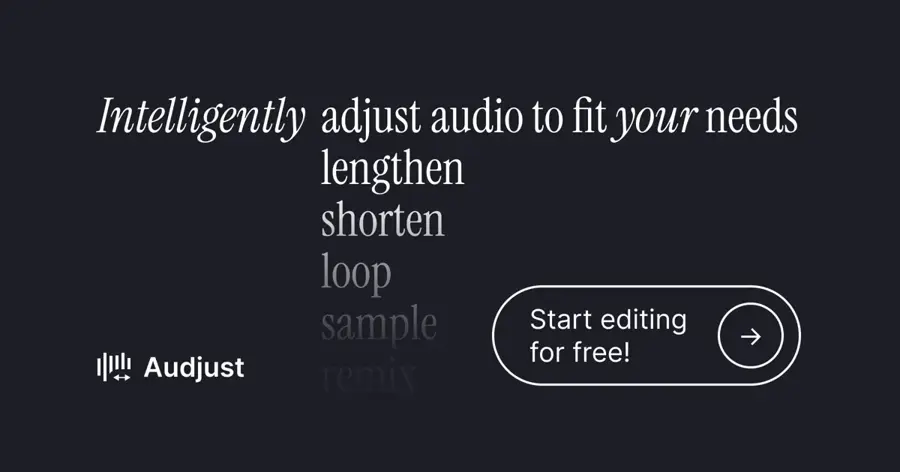
Audjust is a free web app that stretches or shortens an MP3 or WAV to the exact duration you type, by repeating sections on the beat. Use it at audjust.com.
Strengths
Audjust's AI Song Extender detects beats and section boundaries, then repeats internal sections so the added time "joins on natural musical seams rather than an obvious restart or a hard splice", in the company's words. You set a target length, preview the full result and export. No account or email is required.
Audjust is also honest about limits, which I like. It says going from 3:00 to about 4:00 works cleanly, while doubling a short clip "forces heavy internal repetition and sounds more obviously looped". That makes it the right tool for a dance routine, presentation or video that runs a little longer than the track, and the wrong one for turning a 30-second jingle into a 5-minute piece.
Key features
- Type the length you need and it targets that exact duration.
- It repeats sections on the beat instead of looping the file.
- You can mark parts to prefer, avoid or loop.
- It can extract a loop for short-form video.
- Studio tools cover trim, combine, pitch, speed, EQ and reverb.
Pros
- Free with no sign-up
- Keeps the original recording intact, no AI artifacts
- Exact-length control suits video work
Cons
- Free exports are basic quality and non-commercial
- Only 3 full exports a month before 60-second previews
- Cannot create new musical material
Audjust pricing: Free (3 full exports a month, no commercial use), then a paid plan with unlimited high-quality exports and commercial usage; the price was not shown to our reader (checked October 2026). See pricing
Verdict: if you only need a track to last longer, start here before you pay for anything.
Adobe Audition – best for audio pros on Creative Cloud
Adobe Audition is Adobe's professional audio editor, and its Remix feature rearranges any song to a target duration inside a multitrack session. Details at adobe.com.
Strengths
Remix started in Audition. In Adobe's write-up on the feature, the company explains that it analyzes a song using beat detection and source separation, identifying "hundreds of loops, transitions, and important segments". Analysis takes around 4 seconds per minute of music. You then type a target duration or drag the clip edge, and Audition shows each join as a zig-zag you can audition.
When the musical result lands a little off your target, a "Stretch to exact duration" option applies a time-stretch to make it sample-accurate. That's the level of control broadcast and podcast editors expect. Capterra lists the Audition single-app plan at $33.99 a month; Capterra's review summary says many reviewers find it "quite expensive" on a subscription.
Key features
- Remix lengthens or shortens a song to any duration in a multitrack session.
- Every edit point is marked, so you can check each join.
- Advanced parameters let you tune segment length and arrangement.
- An exact-duration stretch closes the last few seconds' gap.
- Restoration, mixing and mastering tools sit around it in a full audio editor.
Pros
- Precise, professional control
- Desktop app that works on your own files
- Included in Creative Cloud All Apps
Cons
- No free plan beyond a trial
- Expensive as a standalone app
- Steeper learning curve than web tools
Adobe Audition pricing: No free plan; $33.99/month for the single app, per Capterra (checked October 2026). See pricing
Verdict: the right choice if you already pay for Creative Cloud and want full control over every join.
Epidemic Sound – best for cleared music for creators
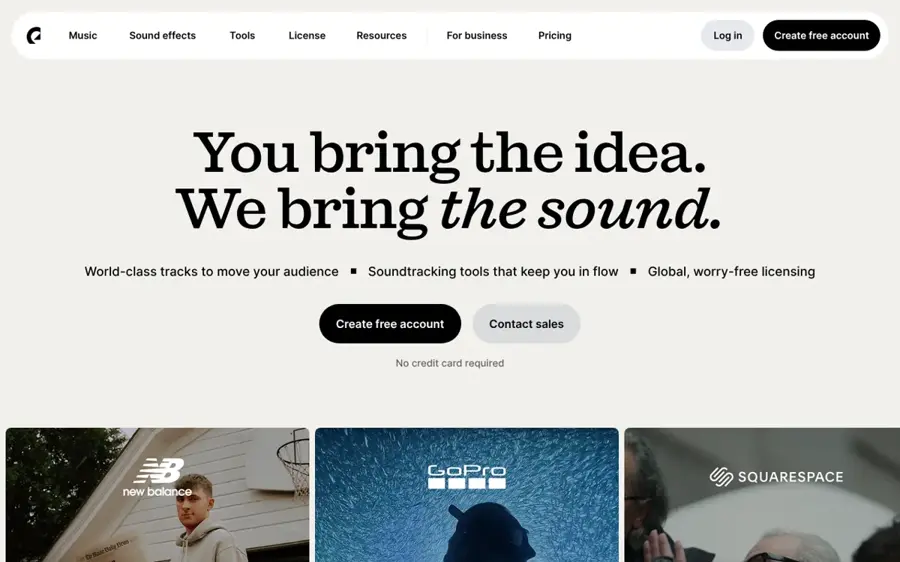
Epidemic Sound is a royalty-free music library whose AI editor, Adapt, changes a track's length, mood and instruments while keeping it licensed. Browse it at epidemicsound.com.
Strengths
Copyright is the hardest part of extending music, and Epidemic Sound removes it. According to the Adapt page, you can change length with 15, 30 or 60-second presets or set any custom duration up to 5 minutes, and "all adapted tracks are covered by the licensing included in your Epidemic Sound plan". The trade-off is that you can't upload your own songs. Adapt works only on Epidemic's catalogue.
Adapt moved out of the experimental Labs area and into the main platform on March 4, 2026, with better prompt handling and an adaptation history, the company said in a press release. It also set up a $1M pool to pay artists for AI-related adaptations. Each adaptation costs credits from a monthly allowance, per Epidemic's Adapt guide.
Key features
- Length presets run 15, 30 or 60 seconds, or a custom length up to 5 minutes.
- You can rearrange sections to match your video's pacing.
- You can mute vocals or swap instruments.
- Prompt editing lets you describe the mood change in plain words.
- Adapted tracks are covered by your plan's licence.
Pros
- No copyright guesswork
- Human-made source music
- Royalty-free with unlimited downloads
Cons
- Cannot extend your own uploads
- Free trial only, no free plan
- Ads use needs a Pro or Enterprise plan
Epidemic Sound pricing: No free plan (free trial available); Creator and Pro subscriptions; prices were not shown to our reader (checked October 2026). See pricing
Verdict: probably the safest pick for YouTubers and brands who just need background music that fits.
Related: How to make AI videos for YouTube
Udio – best for building songs section by section
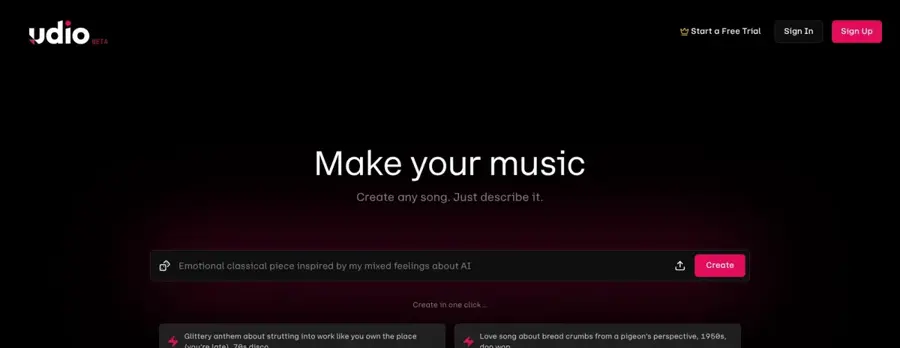
Udio is an AI song generator known for audio fidelity, with an extend feature on its paid plans. Find it at udio.com.
Strengths
Udio's Standard plan includes "Extend songs", "Remix songs" and uploading your own audio, according to CostBench's plan breakdown, verified against Udio's pricing page on October 31, 2026. Producers praise its "cleaner 48 kHz stereo output, stronger instrumentals" and orchestral work, per OrcaRouter's Suno v6 vs Udio comparison.
The problem is getting your music out. Udio disabled downloads on every plan in late October 2025 after settling with Universal Music Group, and they were still off as of September 2026, OrcaRouter reports. Udio says downloads will return with a licensed relaunch platform, with no confirmed date. You can extend a song on Udio today, but you can only play it inside Udio. Our Suno vs Udio comparison covers the split in more detail.
Key features
- Standard and Pro plans can add sections to a track.
- You can build around your own recordings.
- Inpainting regenerates a selected section of the waveform.
- A musical reference can guide the sound.
Pros
- Strong reputation for sound quality
- Extend included from $10 a month
- Free tier for trying the generator
Cons
- No downloads on any plan right now
- Free tier lacks extend
- Relaunch timing is unknown
Udio pricing: Free, then paid plans from $10/month, or $8/month billed annually (checked October 2026). See pricing
Verdict: great for experimenting, but skip it if you need a file for a video this week.
Soundverse – best for adding new intros and outros
Soundverse is an AI music platform whose Extend Music tool continues an uploaded track with new sections in the same style, tempo and key. Try it at soundverse.ai.
Strengths
Soundverse's Extend Music page says you can upload a track or start from a Soundverse generation and add "an intro, outro or a new section", then download the result as WAV plus stems. Its own guide says each generation adds between 15 seconds and three minutes, with a loop option for repetition without a gap, per a Soundverse blog post.
Licensing is tiered. On the pricing page, Creator includes a royalty-free licence for your own content, Pro adds a sample licence and Max adds a distribution licence for streaming release. We found no independent tests of Extend Music, so the quality claims are the vendor's own.
Key features
- Extend Music generates new sections that match the original.
- It works on your own track or a Soundverse song.
- Paid plans give you WAV and stems, ready for a DAW.
- Licences are tiered, from royalty-free to distribution.
Pros
- Generates new material for your own uploads
- Stem downloads for further mixing
- Clear licence tiers
Cons
- Free tokens are one-time, enough for about 3 songs
- Free downloads are MP3 with a personal licence only
- Paid prices were not shown publicly when we checked
Soundverse pricing: Free (1,000 one-time tokens), then Creator, Pro and Max plans with 4,000, 10,000 or 25,000 monthly tokens; dollar prices were not shown to our reader (checked October 2026). See pricing
Verdict: a solid generator-style extender for your own music if Suno's upload screening or caps get in the way.
Adobe Premiere Pro – best for fitting music to a video edit
Adobe Premiere Pro is Adobe's video editor, and it includes the same Remix technology to retime music clips on your timeline. Details at adobe.com.
Strengths
When Remix arrived in Premiere Pro, Adobe said it "uses artificial intelligence to analyze the song and generate a new mix that fits the desired duration, whether shorter or longer than the original", in its launch post. You adjust the result with sliders in the Essential Sound panel, without leaving your edit.
Independent testing found limits. Editor Larry Jordan wrote in his v22.2 walkthrough that Remix could only hit about plus or minus 5 seconds of a target, could not make shorter tracks longer in that release, and was not recommended for songs with lyrics. Adobe has updated Premiere many times since, but if lengthening is your main job, check the result carefully or use Audition.
Key features
- Remix retimes music right next to your video.
- Segments and variations sliders let you try different arrangements fast.
- Marked edit points show where the music was cut.
- Captions, colour and export live in the same app.
Pros
- No round trip to another app
- Fast enough to try many versions
- Works on any music file you have rights to
Cons
- Lengthening has been less reliable than shortening
- Struggles with vocal tracks
- No free plan
Adobe Premiere Pro pricing: No free plan; $22.99/month billed annually, per CostBench (checked October 2026). See pricing
Verdict: handy if you already edit in Premiere, but not the best dedicated song extender.
Related: How to make AI videos for YouTube
Choosing the right AI music extender
Decide whether you need more of the same or something new
If the song already sounds right and only needs to last longer, a rearranging tool such as Audjust or Adobe Remix keeps the original recording intact. If you want a new bridge, a longer outro or a fresh verse, you need a generator such as Suno or Soundverse. Our explainer on how AI music works covers why generated extensions can drift in tone.
Check who owns the song first
I'd guess this is the step most people skip. The US Copyright Office states that "only the owner of copyright in a work has the right to prepare, or to authorize someone else to create, an adaptation of that work", and that "the unauthorized adaptation of a work may constitute copyright infringement", in Circular 14.
A longer edit of a commercial song is an adaptation. A personal edit you never share is low risk in practice, but posting it, using it in a monetized video or selling it can trigger claims. Safe inputs are your own music, AI songs you have commercial rights to, or a licensed library like Epidemic Sound. This is general information, not legal advice. For the related question of who owns AI output, see can you copyright AI art.
Make sure you can export
An extended track is useless if it stays locked inside an app. Suno's free plan has no downloads, Udio has none on any plan right now, and Audjust's free exports are basic quality. Read the download line on the pricing page before you spend an hour on edits.
Match the licence to where the music will go
Personal, royalty-free, ads and streaming distribution are different permissions. Soundverse splits them across tiers, Epidemic Sound requires Pro for ads, and Audjust's free plan excludes anything monetized, including videos that run ads.
Don't confuse speech tools with music tools
Adobe Podcast is often mentioned alongside Audition, but it's built for voice. Going by its own page, it focuses on Enhance Speech, transcript editing and remote recording, with ready-made intro and outro music rather than a song extender. Our Adobe Podcast AI review covers what it does well. If you need narration instead of music, see our best AI voice generators.
Free vs paid: what you actually get
| Tool | Free plan | What paying adds |
|---|---|---|
| Suno | 50 credits a day, uploads up to 8 minutes, no downloads, no commercial rights | 20 downloads a month and commercial rights from $8/month billed yearly |
| Audjust | 3 full exports a month, basic quality, non-commercial | Unlimited high-quality exports and commercial use |
| Udio | 10 daily credits, no extend | Extend, remix and uploads from $10/month (no downloads currently) |
| Soundverse | 1,000 one-time tokens, MP3, personal licence | Monthly tokens, WAV and stems, commercial licence tiers |
| Epidemic Sound, Audition, Premiere Pro | Trials only | Full access by subscription |
The pattern seems clear. Free plans let you hear the result, but downloads and commercial rights almost always sit behind a paywall. If your project is a one-off personal video, Audjust's free tier is enough. If you post music to monetized channels every week, budget for a paid plan with an explicit commercial licence.
Final verdict
Most people should probably start with Audjust. It's free, needs no account and handles the most common job: making a track last as long as your video. I'd pick Suno if you want an AI music extender that writes new sections for songs you created, and Epidemic Sound if you don't want to think about copyright claims at all. Audition makes sense if you already pay for Creative Cloud and want precise control. Whatever you pick, extend only music you own or have licensed.
FAQ
What is an AI music extender?
It's a tool that makes a song or audio file longer. Rearranging extenders such as Audjust and Adobe Remix analyze beats and sections, then repeat parts on musical seams. Generative extenders such as Suno and Soundverse create new bars that continue the song in the same style.
Is there a free AI song extender?
Yes. Audjust gives you 3 full exports a month for free with no account, though free exports are basic quality and not for commercial use. Suno, Udio and Soundverse have free tiers, but Suno's free plan has no downloads and Udio's free tier doesn't include extend.
Can I extend a copyrighted song and post it on YouTube?
Not safely without permission. The US Copyright Office says only the copyright owner can prepare or authorize an adaptation, and an unauthorized one may be infringement. Use your own music, AI songs you hold commercial rights to, or a licensed library such as Epidemic Sound, whose adapted tracks stay covered by your plan.
Will an extended song sound looped?
It depends on how far you push it. Audjust says a modest extension, such as 3:00 to about 4:00, sounds clean, while doubling a short clip sounds more obviously repeated. Generative tools avoid repetition but can drift in tone or vocal quality.
Can Udio still extend songs?
Yes, extend is part of Udio's Standard and Pro plans. However, Udio has disabled downloads on every plan since late October 2025, so extended songs can only be played inside Udio until its licensed relaunch arrives.
Sources
- Suno | Pricing (Suno)
- Introducing v6 (Suno)
- Suno Pricing 2026 (CostBench)
- Suno users slam its v6 update (MusicRadar)
- AI Song Extender (Audjust)
- Audjust - Pricing (Audjust)
- Audition Deep Dive: REMIX (Adobe Blog)
- Adobe Audition Pricing 2026 (Capterra)
- Adapt: Customize Music with our AI Editor (Epidemic Sound)
- Epidemic Sound updates Adapt (Epidemic Sound)
- How to use Adapt (Epidemic Sound)
- Pricing & Licensing (Epidemic Sound)
- Udio Pricing 2026 (CostBench)
- Suno v6 vs Udio: which lets you keep your music (OrcaRouter)
- Extend Music - Make Songs Longer (Soundverse)
- How to Extend Songs with AI (Soundverse)
- Pricing (Soundverse)
- New in Premiere Pro: Remix for music (Adobe Blog)
- Remix Comes to Adobe Premiere Pro (v22.2) (Larry Jordan)
- Adobe Premiere Pro Pricing 2026 (CostBench)
- Circular 14: Copyright in Derivative Works and Compilations (U.S. Copyright Office)
- Adobe Podcast | AI audio recording and editing (Adobe)