AI Cleaner app review 2026: is it safe, and is it worth the weekly fee?
The AI Cleaner app finds duplicate photos fast, but weekly plans of up to $11.99 make it poor value next to free tools built into iOS and Android.
 Written byBurhan AqibSenior writer, policy and analysis
Why you can trust The AI Future
Our writers research every product, link each claim to its source and correct mistakes openly. Companies can't pay for coverage or see reviews before they're published.
Read our editorial policy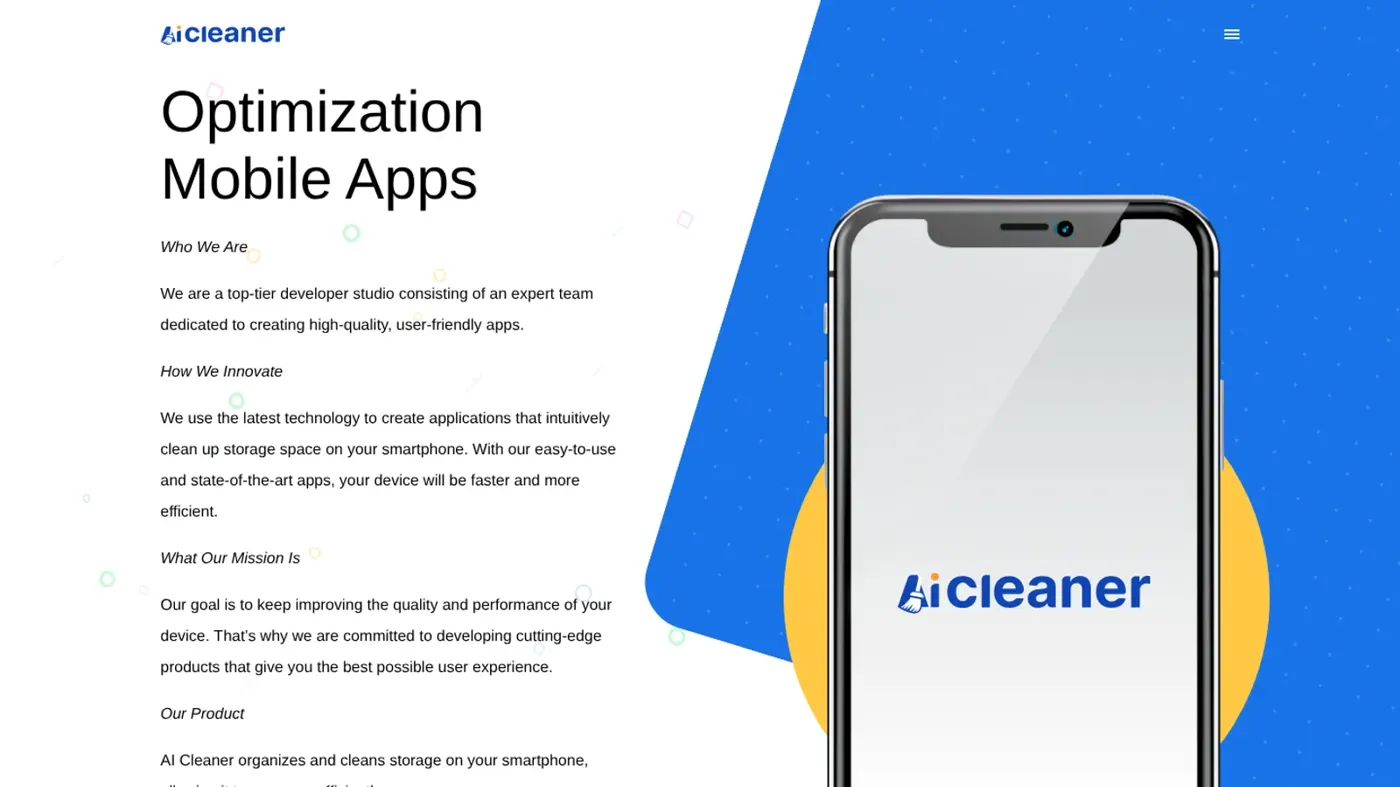
Our verdict on AI Cleaner: Clean Up Storage (Grimlax Trade)
AI Cleaner finds duplicate photos quickly, but weekly subscriptions of up to $11.99 make it poor value for a job iPhone and Android tools already do free. Try the built-in Duplicates album or Files by Google first; if you still want it, pick the annual plan or cancel inside the trial.
Pricing Free with daily cleanup limit; weekly plans $6.99 to $11.99/week (3- or 7-day trials); 1 Year Ultimate $34.99/yr (US App Store, October 2026)
Visit AI Cleaner: Clean Up Storage (Grimlax Trade)AI Cleaner: Clean Up Storage is a free-to-download iPhone app that finds duplicate photos, similar shots, screenshots and large videos and deletes them for you. It works. But the free version caps how much you can clean each day, and the paid plans are mostly weekly subscriptions of $6.99 to $11.99, as the App Store listing shows. I think most people are better off with the free tools already built into iOS and Android, which do the core job at no cost.
The app is made by Grimlax Trade, S.L., a Barcelona company, as its website tells it. The App Store page showed a 4.6 average from more than 210,000 ratings in late October 2026. Popular, then. But that popularity sits next to a steady stream of complaints about weekly charges and over-eager deletions.
The AI Future didn't test the app hands-on for this review. We compared it using the official App Store listing and terms, published hands-on reviews by other outlets, Apple and Google support documents and user reviews, as of late October 2026.
The AI Cleaner app
"AI Cleaner" is a crowded name, and searching the App Store turns up dozens of storage cleaners with almost identical titles and icons. This review focuses on the biggest one: AI Cleaner: Clean Up Storage by Grimlax Trade, first released in October 2023 and updated to version 6.2 on October 26, 2026.
A second app is easy to confuse with it: AI Cleaner: Clean Up Storage+ (note the plus sign) comes from Begamob Global Limited, a Hong Kong-registered company. It had a 4.5 average from about 9,000 ratings on iOS. Begamob also publishes an Android version that shows 10M+ downloads and 75.2K reviews on Google Play. Grimlax's app is iPhone only.
Both apps follow the same playbook: they're free to install, scan your photo library, then put the bulk of the cleanup behind a paywall with a short free trial. Check the developer name before you download. Prices and policies differ.
The "AI" part is mainly image matching, as far as I can tell: the app groups photos that look alike and suggests which to delete. Apple's own Photos app now does the same basic job for duplicates. If you want to know more about how this kind of software handles images, see our explainer on how AI is used for photos.
Key features
Duplicate and similar photo cleanup
The core feature scans your library for duplicate and similar photos and videos, screenshots, screen recordings and blurry shots. Macgasm, which ran the app on its own device, said you can sort these groups by date range and file size. In a hands-on test published by MacPaw, which makes the rival CleanMyPhone app, the scan of about 18,000 photos and videos freed just over 3GB.
Swipe to clean
A swipe mode shows photos one by one. Swipe left to delete and right to keep, per the App Store description. It's a faster way to review a camera roll. Still manual work, though.
Photo and video compression
The app can shrink photos and videos to save space without deleting them, and the listing says you can pick high, medium or low compression.
Contacts, calendar and email
AI Cleaner also merges duplicate contacts, removes incomplete ones, deletes past calendar events and cleans your email inbox by spotting newsletters and spam. Macgasm recommended using the built-in backup tool before merging contacts. Good advice, given the reviews below.
Private storage and "Boost"
A PIN-locked private space hides selected photos, videos and contacts. A "Boost" tab offers tips such as offloading apps and clearing browser caches. Macgasm described these tips as better suited for a blog post than as a "feature" in an app.
AI Cleaner pricing and plans
The app is free to download. Without paying, though, you get few cleanups per day. In Grimlax's terms of use, the free tier includes "a determined number" of actions such as event removals per day. Several App Store reviewers reported hitting a cap of 10 cleans per day, after which a subscription screen appears.
The paid tiers listed on the App Store, checked October 2026:
| Plan (as listed) | Price | Notes |
|---|---|---|
| Free | $0 | Daily cap on cleanups; ads shown |
| 1 Week Standard / Lite / Elite | $6.99 to $9.99 per week | Several weekly variants |
| 1 Week Plan with 3- or 7-day free trial | $6.99 to $11.99 per week | Renews weekly after the trial |
| 1 Year Ultimate | $34.99 per year | Cheapest per week by far |
Source: App Store listing, US store, checked October 2026. Prices vary by country, and the terms say the company can change them "without prior notice".
The weekly price is the main issue, and honestly it's hard to defend. At $9.99 a week, a subscription costs about $520 a year, roughly 15 times the annual plan. Macgasm found that opting into the free trial subscribes you to the weekly plan, and that the trial lasts only three days. You have to cancel at least 24 hours before it ends, which is easy to forget.
Deleting the app doesn't cancel the subscription. Grimlax's terms state this directly and say refund requests are "exclusively handled by Apple/Google". If Apple says no, there's no refund.
Begamob's lookalike app lists similar in-app purchases, from $3.99 to $13.99, including several weekly plans.
Performance and independent testing
Hands-on reviews by other outlets agree on one point: the app finds duplicates quickly. Whether it's worth paying for is where they split.
Macgasm called its experience positive overall and said the features "reasonably justify its price". It praised the depth of the library tools but found the Boost feature disappointing.
MacPaw's reviewer liked the fast scans and simple layout but criticised "frequent Pro upgrade prompts" and the lack of side-by-side previews for flagged items. The review concluded that after a short trial, "it jumps to €9.99 per week, which is a lot, considering how limited the features are." Bear in mind that MacPaw sells a competing app, which the review promotes.
Both reviews note the scope is narrow. The app works on the Photos library, contacts, calendar and email, but it doesn't clear system data or most app storage, which iOS manages itself.
Is the AI Cleaner app safe?
Nothing in the sources reviewed suggests AI Cleaner is malware. It's distributed through Apple's App Store and uses Apple's standard photo permissions, so you can grant access to selected photos only.
Its App Store privacy label says identifiers may be used to track you across other companies' apps and websites. Purchases, identifiers, usage data and diagnostics may be linked to your identity. The listing says the app "does not store your personal information".
The real risks are deletions and billing. One App Store reviewer wrote that the app deleted the majority of what I had in contacts, calendar and photos, and that the backup did not restore everything. Another said a contact merge put every person at the same company under one name. These are individual reports, not verified tests, but I'd take them seriously: back up first and review every suggestion.
On billing, a user in an Apple Community thread said they found weekly $9.99 charges totalling $149.85 months after installing the app. They wrote that Apple twice denied a refund and that Grimlax referred them back to the App Store.
Common user reports
Praise centres on speed and convenience. One reviewer wrote that the app did in minutes "what would’ve taken me 3-5 business days". Complaints centre on the daily free cap, the weekly charges and confusion about what "free" means. A user on an independent forum described the app as more like a funnel than a cleaner, though that thread also promotes a rival app.
The same pattern shows up for Begamob's version. A Google Play reviewer with 218 "helpful" votes complained about getting only 10 free deletions. Another said the subscription was $14.99 per week.
Do you need a phone cleaner app at all?
For most people, probably not. Both iOS and Android now include free tools that cover the main job these apps sell.
- iPhone duplicates: The Photos app collects duplicates in a Duplicates album. Go to Photos, then Collections, Utilities and Duplicates, and tap Merge, according to Apple Support.
- iPhone storage: Settings, General, iPhone Storage lists apps by size and offers recommendations. Apple says iOS also frees up space automatically by removing temporary files and items you can download again.
- Android: Files by Google has a Clean tab that finds duplicate files, temporary app files, screenshots and unused apps. It's free and works on Android 8.0 and up.
My take: a paid cleaner can save time if you have tens of thousands of photos and want similar-shot grouping or contact merging in one place. If you try one, set a calendar reminder to cancel before the trial ends, or choose the annual plan. I wouldn't pay weekly for a job you'll do once or twice a year.
To cancel on iPhone, open Settings, tap your name, then Subscriptions, per Apple's instructions. On Android, use Payments and subscriptions in the Play Store. Google notes that uninstalling an app won't cancel a subscription, so deleting the app alone isn't enough.
Who it's for
AI Cleaner suits iPhone users with very large, messy photo libraries who want one app for photos, contacts and calendar, and who'll either cancel within three days or pay for a year upfront. It's a poor fit for anyone who only needs to remove duplicates, since Apple's Photos app does that free. It's also risky for people who don't keep a backup of their contacts and photos.
If you're exploring other phone apps, our review of AI apps for iPhone covers broader options.
AI Cleaner alternatives worth considering
- Apple Photos (built in): Free duplicate detection and merging on iPhone through the Duplicates album. No similar-shot grouping or contact tools.
- Files by Google (free): Google's free Android file manager finds duplicates, junk files and large items without a subscription.
- CleanMyPhone by MacPaw: A paid iPhone cleaner with side-by-side duplicate review. MacPaw lists it at $9.99 a month or $44.99 a year after a free trial, which is cheaper than AI Cleaner's weekly plans.
Verdict
AI Cleaner: Clean Up Storage does what it says. It finds duplicate and similar photos fast, and reviewers who used it rate the tools well. The problem is the price model. A three-day trial that rolls into a weekly charge of up to $11.99. That's a lot to pay for a task the iPhone already handles free.
I'd use the built-in Duplicates album or Files by Google first. Only consider AI Cleaner if those fall short, and then pick the $34.99 annual plan or cancel inside the trial. Back up before you let any app merge contacts or delete photos. For more on spotting risky tech, read our piece on the dangers of AI.
FAQ
Is AI Cleaner app safe?
Nothing in the sources suggests it's malware, and it's distributed through the App Store with standard photo permissions. The risks are practical: some users report unwanted deletions and contact merges, and the weekly subscription can run up large charges. Back up first. Review every deletion, and cancel the trial on time if you don't want to pay.
Is AI Cleaner a good app?
It's good at finding duplicates and similar photos quickly, and it holds a 4.6 App Store average from over 210,000 ratings. On weekly plans of $6.99 to $11.99, though, it's poor value. Free tools in iOS Photos and Files by Google cover most of the same work, so many people probably don't need it.
Is AI Cleaner legit?
Yes, it's a real app from a registered company, Grimlax Trade, S.L., in Barcelona, sold through Apple's App Store. "Legit" doesn't mean cheap, though. The terms allow automatic weekly renewal and leave refunds entirely to Apple or Google.
How do I cancel an AI Cleaner subscription?
On iPhone, go to Settings, tap your name, then Subscriptions, choose AI Cleaner and tap Cancel Subscription. On Android, open the Play Store, tap your profile and go to Payments and subscriptions. Deleting the app alone doesn't stop billing. Cancel at least 24 hours before the renewal date.
What is the best free alternative to AI Cleaner?
On iPhone, the Duplicates album in the Photos app merges identical photos and videos free. On Android, Files by Google finds duplicate files, junk files and unused apps at no cost. Settings on both platforms also show which apps take up the most space.
Ratings around the web
Ratings as of 7 Nov 2026. Scores change over time; follow the links for the latest.
What users are saying
We read 23 recent user reviews: 10 shown on the App Store for Grimlax's AI Cleaner, 10 for Begamob's lookalike, and the 3 most helpful Google Play reviews of Begamob's Android app, plus an Apple Community thread and a forum discussion. The App Store's displayed reviews are a curated selection, so this small sample is indicative only and is more negative than the high star averages.
Common praise
- Finds duplicate and similar photos very quickly
- Saves hours compared with sorting a camera roll by hand
- Simple, clear interface
Common complaints
- Small daily cap on free cleanups
- Expensive weekly subscriptions and surprise charges
- Unwanted deletions or bad contact merges
Based on: App Store reviews of AI Cleaner: Clean Up Storage, App Store reviews of AI Cleaner: Clean Up Storage+, Google Play reviews of AI Cleaner: Clean up Storage, Apple Community thread on weekly AI Cleaner charges
What we like
- Fast scans that find duplicate and similar photos, screenshots and blurry shots
- Handles photos, videos, contacts, calendar events and email in one app
- Swipe mode and compression levels make manual cleanup quicker
- Annual plan ($34.99) is reasonably priced
What could be better
- Free version capped at a small number of cleanups per day
- Trials roll into weekly plans that can cost over $500 a year
- Some users report unwanted deletions and bad contact merges
- Refunds left entirely to Apple or Google
- Core duplicate cleanup is already free in iOS Photos and Files by Google
Sources
- AI Cleaner: Clean Up Storage (App Store)
- AI Cleaner: Clean Up Storage ratings and reviews (App Store)
- Apps company | AI Cleaner (Grimlax Trade)
- Terms of use (AI Cleaner)
- AI Cleaner: Clean Up Storage+ (App Store, Begamob)
- AI Cleaner: Clean up Storage (Google Play, Begamob)
- AI Cleaner: Clean Up Storage+ pricing and IAP (App Pricing Lab)
- AI Cleaner: Clean up Storage Android analytics (AppGoblin)
- AI Cleaner: Clean Up Storage app review and user guide (Macgasm)
- AI Cleaner: Clean Up Storage review (MacPaw / CleanMyMac blog)
- Denied refund or credit for automatic weekly charges by app store (Apple Community)
- AI Cleaner app legit or scam? (NIA Forum)
- Merge duplicate photos and videos on iPhone (Apple Support)
- How to check the storage on your iPhone and iPad (Apple Support)
- Cancel a subscription from Apple (Apple Support)
- Delete duplicate files (Files by Google Help)
- How to use Files by Google (Files by Google Help)
- Cancel, pause, or change a subscription on Google Play (Google Play Help)