6 best motorcycle photo editing AI tools in 2026: backgrounds, blur and listings
The best motorcycle photo editing AI tools for background swaps, motion blur, colour grading and honest sale listings, with prices checked October 2026.
 Written byFahad HashmiContributing writer, AI in energy and industry
Why you can trust The AI Future
Our writers research every product, link each claim to its source and correct mistakes openly. Companies can't pay for coverage or see reviews before they're published.
Read our editorial policy
For most riders, I think the best motorcycle photo editing AI is Adobe Photoshop if you want full control over backgrounds, motion blur and composites, and Photoroom if you just need clean, honest photos to sell a bike. Lightroom and Luminar handle colour grading, while Picsart and Canva cover quick social posts and listing graphics. (If you only edit a few bikes a year, I'd try the free tiers before paying for anything.)
Motorcycles are hard subjects for AI editors. They've got thin spokes, cables, mirrors and chrome that reflects everything around them. A tool that cuts out a person perfectly can still leave a halo around a brake lever or invent an extra fork tube. So this roundup looks at six tools through that lens: how they handle background replacement, motion blur, colour grading, reflections and listing photos, and what each one costs as of late October 2026.
Key takeaways
- Photoshop is still the most complete option for composites, with Generative Fill, selectable partner models and a Harmonize tool that blends light and colour between layers.
- For selling a bike, Photoroom looks like the fastest path to clean, consistent listing photos, but marketplace rules still require photos that show the real condition.
- Colour grading is a separate job, and Lightroom and Luminar are built for it, with presets, LUTs and batch edits across a whole shoot.
- Generative edits cost credits: Adobe, Photoroom, Picsart and Canva all meter their AI features, so heavy use can push you onto a bigger plan.
- Don't use AI to hide damage on a bike you're selling, since eBay bans photos that don't accurately represent the item.
Our ranking method
Nobody at The AI Future ran hands-on tests for this roundup. We compared each tool using official product and pricing pages, release notes, published independent coverage and user ratings, as of late October 2026. Where an official page blocked our reader, we used a recent write-up that quotes the vendor's own figures and say so. We scored each tool on six criteria:
- Cutout quality on fine detail: how well the tool handles spokes, cables, mirrors and exhaust edges, based on its masking and selection features.
- Background replacement: whether it can generate or swap a background with matching light and shadows.
- Motion and depth effects: tools for motion blur, lens blur and speed effects.
- Colour grading: presets, LUTs, local adjustments and batch editing across many photos.
- Listing workflow: batch exports, marketplace-ready backgrounds and speed for sellers.
- Value: the real monthly cost once credits and annual commitments are counted.
Prices are in US dollars and can vary by country and promotion. Check each vendor's page before you buy.
The 6 best motorcycle photo editing AI tools at a glance
| # | Tool | Category | Best for | Free tier | Starts at |
|---|---|---|---|---|---|
| 1 | Adobe Photoshop | Pro image editor | Composites and motion blur | No | $19.99/mo |
| 2 | Adobe Lightroom | Photo editor and organiser | Colour grading a whole shoot | No | $19.99/mo |
| 3 | Luminar | Desktop and mobile editor | One-time purchase | No | $99 one-time |
| 4 | Photoroom | Product photo editor | Bike sale listings | Yes (limited) | $12.99/mo |
| 5 | Picsart | Mobile and web editor | Quick creative edits on a phone | Yes (limited) | $10.50/mo |
| 6 | Canva | Design platform | Social posts and listing graphics | Yes | $144/yr |
The best motorcycle photo editing AI tools in 2026, ranked
Adobe Photoshop – best for composites and motion blur
Adobe Photoshop is the industry-standard image editor, with generative AI tools for removing, adding and replacing parts of a photo alongside its classic blur and masking tools.

Strengths
Photoshop is the one tool here that comes close to covering every motorcycle job in one place. Photoshop 27.0 added Harmonize, which Digital Production reports is designed to blend the lighting, colour and shadows of an inserted element into a background, and costs 5 generative credits per generation. That matters when you drop a cut-out bike onto a new road scene: the usual giveaway is light coming from the wrong side, and I think that's the right problem for Adobe to be tackling. The same release let Generative Fill use partner AI models as well as Adobe Firefly, and added Generative Upscale powered by Topaz Labs.
For reflections, PetaPixel reported in June 2026 that Photoshop's Reflection Removal now puts reflections on a separate layer so you can dial opacity, and the Remove Tool can now run offline on the device. Motion blur still comes from Photoshop's long-standing Blur Gallery (Path Blur and Spin Blur are the ones riders use for wheel spin and panning effects), which isn't generative and costs no credits. On ratings, Photoshop averages 4.6 out of 5 from 13,416 G2 reviews, according to Dupple citing Toolradar.
Key features
- Generative Fill extends roads, replaces skies or swaps backgrounds from a text prompt, with a choice of models.
- Harmonize matches light, colour and shadows between a pasted bike and its new scene.
- Reflection Removal on its own layer reduces window or glass reflections without wiping them out completely.
- Blur Gallery offers Path Blur and Spin Blur for speed and wheel effects.
- Select Subject and Remove Background make fast masks you can refine around spokes and cables.
Pros
- Handles every job in this article in one app
- Non-generative tools like blur and masking use no credits
- Partner models give you a second option when Firefly's output looks wrong
Cons
- Steepest learning curve on this list
- Generative features draw on a credit allowance
- Plans are annual commitments billed monthly
Adobe Photoshop pricing: No free plan: the Photography plan (Photoshop plus Lightroom) is $19.99/month and Photoshop alone is $22.99/month, both billed annually, per Dupple's reading of Adobe's US list prices (checked October 2026). See pricing
Adobe Lightroom – best for colour grading a whole shoot
Adobe Lightroom is Adobe's photo editor and library for desktop, mobile and web, built for adjusting and grading many photos at once, with AI tools for removal, blur and prompt-based edits.

Strengths
If you shoot 200 frames at a track day, you need consistent colour across all of them, not one perfect composite. That's Lightroom's job. Its Lens Blur, which The Decoder explains estimates the depth of a photo to create a more natural background blur, separates a parked bike from a busy car park. Generative Remove clears cones, bins and bystanders.
The September 2026 update (version 9.6) added Prompt to Edit, which Adobe's release announcement says is powered by the Nano Banana model, plus cleaner Reflection Removal "on windows, glass, and water". Note the scope: that list doesn't include chrome or paint, so I wouldn't expect it to clean the reflections on a tank or exhaust. PetaPixel also notes AI-assisted culling that stacks similar frames and suggests the strongest one, and a Photo to Video feature that uses Firefly and Google Veo.
Key features
- Presets and batch sync apply one grade across a full shoot.
- Lens Blur gives depth-aware background blur with presets and manual controls.
- Generative Remove clears distractions from the frame.
- Prompt to Edit lets you describe an edit in plain words.
- Assisted Culling groups similar shots and picks the sharpest.
Pros
- Best tool here for consistent colour across many photos
- Included in the same Photography plan as Photoshop
- Works across desktop, mobile and web
Cons
- Not built for full background replacement or composites
- Reflection Removal targets glass and water, not chrome
- Generative tools use credits
Adobe Lightroom pricing: No free plan confirmed: the Photography plan with Lightroom and Photoshop is $19.99/month billed annually, per Dupple's reading of Adobe's list prices (checked October 2026). See pricing
Related: Best AI picture tools
Luminar – best for a one-time purchase
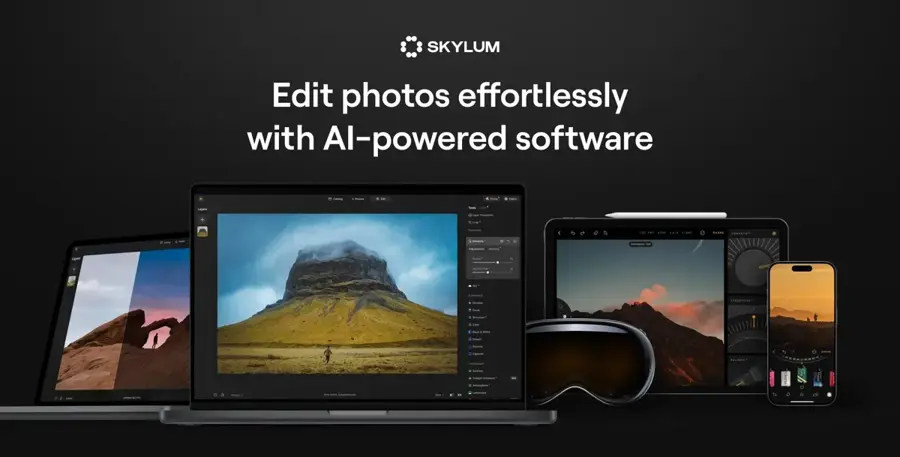
Luminar is Skylum's AI photo editor for desktop, mobile and web, sold as a perpetual licence with a year of generative AI tools included.
Strengths
Luminar probably suits riders who dislike subscriptions best. Looking at the pricing page, the Desktop Only licence is one you keep forever, and core AI tools such as Sky AI, Light Depth and Background Removal AI stay usable as long as the licence is active. The generative tools (GenErase, GenSwap and GenExpand), Restoration and the AI Assistant are included for one year, then need a Luminar Prime renewal. For moody bike shots, the asset library lists 500+ LUTs and 550+ skies, and Luminar also works as a plug-in for Photoshop and Lightroom.
Users seem to rate it well: the Skylum profile on Trustpilot (listed as Luminar Neo) shows 4.6 from 7,095 reviews, and one recent reviewer wrote that "they make complex tasks easy to do."
Key features
- Sky AI and Light Depth replace dull skies and shape light around the bike.
- GenErase and GenSwap remove or replace objects in the frame.
- GenExpand widens a tight crop for banners or wallpapers.
- A large library of LUTs and presets makes colour grading quick.
- Plug-in mode runs inside Photoshop, Lightroom and Apple Photos.
Pros
- Perpetual licence, no forced subscription
- Strong sky and atmosphere tools for outdoor bike shots
- High Trustpilot score
Cons
- Generative tools stop after a year unless you renew
- Advertised prices are heavy discounts that may change
- Less precise for composites than Photoshop
Luminar pricing: No free plan (30-day money-back guarantee): Desktop Only licence $99 one-time, All Platforms $139 (checked October 2026). See pricing
Photoroom – best for bike sale listings
Photoroom is an AI product photo editor for web and mobile that removes backgrounds, adds studio or generated backdrops and exports listing-ready images in batches.
Strengths
Photoroom is built for sellers, and a motorcycle for sale is a product. On the Background Remover page, Photoroom describes clean cutouts that you can keep transparent, white or a chosen colour, and AI Backgrounds that match the lighting and perspective of the original photo. Since July 2026, UsagePricing reports, Background Remover, Retouch, Shadows, AI Fill, AI Expand and Image Enhancer have no credit cost on paid plans within fair use, while AI Backgrounds Studio and Edit with AI draw on credits.
User feedback is mixed. Photoroom scores 2.2 on Trustpilot from 275 reviews, with complaints about batch editing changes and subscription terms. That's a rough score, and I'd read the recent reviews before paying for a year. Even so, one reviewer wrote that "When the image generation works, it works fantastic".
Key features
- Background Remover makes one-tap cutouts with transparent, white or colour backgrounds.
- AI Backgrounds generates scenes matched to the photo's light and perspective.
- Batch editing processes a full set of listing photos at once.
- Exports come in PNG, JPEG or WEBP, ready for marketplaces.
- An API is there for dealers processing large stock lists.
Pros
- Fastest route from phone photo to clean listing image
- Core tools carry no credit cost on paid plans
- Monthly billing, no annual lock-in required
Cons
- Low Trustpilot score and complaints about plan changes
- Credit allowances vary by region
- Not a colour grading or motion blur tool
Photoroom pricing: Free plan: Pro from $12.99/month or $89.99/year, as recorded from Photoroom's page by Costbench on 29 October 2026 (checked October 2026). Prices and credits vary by country. See pricing
Picsart – best for quick creative edits on a phone
Picsart is a mobile and web photo and video editor with generative tools for replacing objects, backgrounds and skies, plus templates and stickers.

Strengths
Picsart is the tool for the rider who edits on a phone in the car park after a ride. With AI Replace, you select clothes, sky, background or any object and describe a replacement, and the tool rebuilds the surrounding area. That's handy for swapping a grey sky or removing a stranger walking behind the bike. Going by the pricing page, paid plans add a Batch Editor that edits up to 50 images at once.
Picsart scores 4.4 on Trustpilot from 1,773 reviews. One recent reviewer called it the "Best overall graphic design and photo editor available for sure".
Key features
- AI Replace swaps sky, background or objects from a prompt.
- The Batch Editor handles bulk edits on up to 50 images.
- Templates, fonts and stickers suit social posts and ride recaps.
- AI image and video generation runs on credits for Nano Banana Pro and Seedance models.
- Pro includes 100 GB of cloud storage.
Pros
- Fast, phone-first workflow
- Strong user ratings
- Cheap entry plan on yearly billing
Cons
- Less control over fine masks around spokes and cables
- Generative features run on monthly credits
- Headline price needs a yearly commitment
Picsart pricing: Free: Pro from $10.50/month billed yearly ($15 list), Ultra from $60/month billed yearly (checked October 2026). See pricing
Canva – best for social posts and listing graphics
Canva is a design platform with built-in AI photo tools, including background removal and prompt-generated backgrounds, plus templates for posts, flyers and ads.

Strengths
Canva isn't a photo editor first, but it's often where a bike photo ends up: a club ride poster, an Instagram carousel or a "for sale" flyer for a dealership window. The Background Remover isolates the subject, lets you refine edges with Erase and Restore, and can generate a new scene from a prompt describing lighting, colours and mood. Magic Resize then adapts the design to other formats.
Canva scores 4.0 on Trustpilot from 8,095 reviews. One gripe shows up in a recent review: "I Love using Canva i just wish there were less premium required things such as having no background when downloading pictures".
Key features
- Background Remover makes one-click cutouts, with Erase and Restore refinement.
- Prompt backgrounds generate a new scene around the bike.
- Magic Resize turns one design into many formats.
- Pro comes with 3.6M+ templates, per the pricing page.
- Pro gets 10x the AI usage of Canva Free, from a shared allowance.
Pros
- Easiest tool here for beginners
- Best for turning a photo into a finished graphic
- Generous free plan for basic design
Cons
- Transparent-background downloads need a paid plan
- Limited colour grading and no real motion blur tools
- AI use is capped by a shared allowance
Canva pricing: Free: Pro $144/year for one person (checked October 2026). See pricing
Related: Best AI picture tools
Choosing the right motorcycle photo editing AI tool
Start from the job, not the tool
A bike photo edit is really four separate jobs: cutout, background, effects and grade, and I don't think any single tool is best at all four. The table below works as a quick guide.
| Your job | First choice | Budget option |
|---|---|---|
| Replace the background with a realistic scene | Photoshop | Photoroom or Canva |
| Add motion blur or wheel spin | Photoshop | Luminar |
| Grade 100+ photos from one shoot | Lightroom | Luminar |
| Clean listing photos for a sale | Photoroom | Canva or Picsart free |
| Quick social post from your phone | Picsart | Canva |
Check how it handles fine detail
Spokes, brake lines, mirror stalks and gaps in the frame are where automatic masks tend to fail. A cutout tool that lets you refine edges by hand (Photoshop's selection tools, Canva's Erase and Restore) saves more time than one that's slightly faster but leaves a halo you can't fix.
Count the credits, not just the plan price
Here's a worked example. Say you're selling one bike and need 12 listing photos with a plain grey background. On Photoroom, background removal has no credit cost on paid plans, so one month of Pro at $12.99 covers it. On Adobe, the Photography plan is $19.99 a month but billed as an annual plan, so the real commitment is $239.88 a year, per Dupple.
If you also ran Harmonize three times on each of the 12 photos to fix lighting, that is 36 generations at 5 credits each, or 180 credits, before any Generative Fill. For a one-off sale, the cheaper tool probably wins. For a year of riding photos, the Adobe plan starts to make sense.
Write prompts that describe light and lens
Generative tools respond best when you describe the scene the way a photographer would. Our guide to writing AI photo prompts covers the basics, and the examples below show the idea in practice:
Example to adapt (background replacement): "Empty mountain road at golden hour, low sun from the left, asphalt slightly wet, soft shadows under the motorcycle, shallow depth of field, 50mm lens look."
Example to adapt (colour grade): "Warm, muted film look, lift shadows slightly, keep the red tank paint accurate, cool blue tint in the sky only."
Example to adapt (listing cleanup): "Remove the bin and the traffic cone behind the bike. Do not change the motorcycle, its paint, its tyres or any marks on it."
Know where it breaks
AI editors fail in predictable ways on motorcycles. Generative fill can invent parts: an extra spoke, a mirror that doesn't exist, or a mangled brand logo. Chrome and polished paint reflect the old background, so a bike pasted onto a sunset scene may still show a grey garage in its tank. Lightroom's Reflection Removal is listed for windows, glass and water, not chrome.
Shadows are another giveaway: if the tyres float above the road with no contact shadow, viewers will probably notice. Zoom to 100% and check wheels, levers, number plates and badges before you publish. If you're unsure whether an edit looks real, our guide on how to tell if a photo is AI generated lists the same tells buyers look for.
Editing photos of a bike for sale: the honesty line
Cleaning up a listing photo is fine. Changing what the buyer is buying is not. eBay's picture policy bans "Photos that don't accurately represent the item" and stock photos for used, damaged or defective items, and also disallows added borders, text, artwork, marketing material and watermarks. eBay says it may remove listings or restrict accounts that break the policy. Other marketplaces have their own rules, so check the one you use.
A practical rule set for sellers:
- Fine: removing a cluttered background, correcting white balance and exposure, cropping, removing a bin or a passer-by.
- Not fine: removing scratches, dents, rust, oil leaks or worn tyres; changing paint colour; adding parts or accessories that are not included; using a generated scene that implies a location or condition that is not real.
- Best practice: keep at least one unedited photo of each side, and close-ups of any damage, so buyers can trust the rest.
Misleading photos can also cost you after the sale, through returns, disputes or worse, and I'd say that's reason enough to keep edits light. For more on how sellers use these tools, see our explainer on generative AI in ecommerce.
Free versus paid plans
Free plans are probably enough for a single listing or the odd social post, but they hold back the features that matter most for motorcycles.
- Canva Free gives you templates, 5GB of storage and limited AI, but its own users note that transparent-background downloads need a paid plan. Pro is $144 a year with 10x the AI allowance, per Canva's pricing page.
- Photoroom Free covers basic background removal. Paid plans add HD exports, higher export limits and more AI credits.
- Picsart offers its AI Replace tool free to try, with credits, premium templates and the Batch Editor on paid plans.
- Adobe and Luminar have no free plan we could confirm. Luminar is the only one-time purchase, but its generative tools need renewal after a year.
I'd guess a free plan plus one month of a paid plan is enough if you edit fewer than 20 bike photos a year. If you shoot most weekends, an annual plan likely pays for itself in time saved. For a wider look at free options, see our roundup of AI picture tools for editing photos.
Final verdict
My pick for most riders is Adobe Photoshop, paired with Lightroom through the same Photography plan for colour grading, if you want full control over backgrounds, motion blur and composites. Photoroom is the better call if you're selling a bike and want clean, consistent photos (honest ones, please). Luminar is the one I'd look at if you'd rather pay once, though its generative tools need a renewal after a year. Picsart and Canva seem like the easiest ways to turn a ride photo into a social post. Whatever you choose, check every edit at full size around the wheels, levers and chrome, because that's where AI still slips.
FAQ
What is the best AI tool for editing motorcycle photos?
For most riders, Adobe Photoshop is probably the most complete option because it covers background replacement, motion blur, reflections and colour in one app. If you only need listing photos, Photoroom is faster and cheaper. For colour grading a full shoot, Lightroom or Luminar fit better.
Can AI add motion blur to a motorcycle photo?
Yes, but the most reliable motion blur still comes from non-generative tools like Photoshop's Path Blur and Spin Blur, which use no credits. Mask the bike first so the blur affects only the background and wheels. Lightroom's Lens Blur adds depth blur, not motion.
Can AI remove reflections from chrome and paint?
Only partly. Adobe's Reflection Removal is described for windows, glass and water, and Photoshop now puts reflections on a separate layer you can fade. Chrome and polished paint reflect their surroundings by design, so you'll often need manual cloning or a reshoot with better positioning.
Is it allowed to edit photos of a motorcycle I am selling?
Basic edits such as cropping, exposure fixes and background cleanup are generally fine. Hiding damage or changing the bike isn't. eBay's picture policy bans photos that don't accurately represent the item and bans stock photos for used or damaged items.
Is there a free motorcycle photo editing AI?
Yes, with limits. Canva, Photoroom and Picsart all have free tiers that include background removal or basic AI edits. Generative features, HD exports and batch editing usually need a paid plan.
Sources
- How Much Does Photoshop Cost in 2026? Every Plan Compared (Dupple)
- Photoshop 27.0: Now with Harmonise, Upscale & Firefly Video (Digital Production)
- Adobe Adds More User Control to AI Features Inside Lightroom and Photoshop (PetaPixel)
- Lightroom v9.6 Is Live! Transform Photos with Prompt to Edit and Enhanced Reflection Removal (Adobe Community)
- Adobe introduces AI-powered Generative Remove and Lens Blur features in Lightroom (The Decoder)
- Luminar Price: Buy Luminar Right Now (Skylum)
- Luminar Neo Reviews (Trustpilot)
- Instant Background Remover (Photoroom)
- Photoroom drops Free from its plan comparison and publishes absolute AI-credit and export allowances (UsagePricing)
- Photoroom Pricing 2026 (Costbench)
- Photoroom Pricing: Pro, Max, Ultra & Enterprise Plans (Photoroom)
- photoroom.com Reviews (Trustpilot)
- AI Replace (Picsart)
- Picsart pricing (Picsart)
- Picsart Reviews (Trustpilot)
- Background Remover: Remove image background for free (Canva)
- Canva Pricing: Compare Free, Pro, Business and Enterprise plans (Canva)
- Canva Reviews (Trustpilot)
- Picture policy (eBay)