8 best AI picture tools in 2026 for editing, enhancing and upscaling photos
The best AI picture tools for editing, enhancing and upscaling your own photos in 2026, from free phone apps like Google Photos to Photoshop and Topaz.
 Written byRahis SaifiCo-founder and news editor
Why you can trust The AI Future
Our writers research every product, link each claim to its source and correct mistakes openly. Companies can't pay for coverage or see reviews before they're published.
Read our editorial policy
Short answer: if you want to fix, restyle or remix an AI picture of something you already shot, start with Google Gemini. You upload a photo, type what you want changed, and its Nano Banana model does the rest for free within daily limits. If your phone runs Google Photos, you already have most of that power built in at no cost.
This guide is not about generating images from scratch. We cover that in our separate best AI image generators roundup. Here we focus on what most people actually do with AI and pictures: editing, enhancing, upscaling, restoring old photos and cleaning up product shots, usually on a phone. We compared eight tools using official product pages, recent pricing trackers, published independent ratings and user reviews, as of late October 2026.
Key takeaways
- Chat-based editing is the new default. Gemini and ChatGPT let you edit a photo by describing the change, no sliders needed.
- Your phone may already be enough. Google Photos added Nano Banana editing and natural-language edits, free inside the app.
- Specialists still win their niche. Remini for old or blurry faces, Topaz Gigapixel for print-size upscaling, Photoroom for product photos.
- Watch the weekly subscriptions. Some phone apps bill by the week, which adds up to far more than a $20 monthly plan.
- Edit people only with consent. Altering photos of real people to deceive or sexualise them is harmful and illegal in many places.
How we ranked them
To be clear about method: we did not run our own hands-on tests for this piece. We compared each tool using its official pages, dated pricing snapshots from independent trackers, published ratings on G2, Capterra and the App Store, and the editorial tests other outlets have published, as of late October 2026. Every price below links to where we found it. We ranked on:
- Real-photo results: how well the tool handles photos you took, not just generated images.
- Ease of use: how simple it is for a non-designer, especially on a phone.
- Free tier: what you can actually do without paying.
- Value: whether the paid price is fair for the job.
- Breadth: how many everyday photo tasks it covers.
- Independent ratings: published scores and reviews on G2, Capterra and the App Store.
General editors that cover the most everyday tasks rank highest. Specialists rank lower, but each is the best pick for its single job. Prices are in US dollars and vary by country, app store and promotion. Check the vendor before you pay.
The 8 best AI picture tools at a glance
| # | Tool | Category | Best for | Free tier | Starts at |
|---|---|---|---|---|---|
| 1 | Google Gemini | AI assistant | Editing photos by chat | Yes (limited) | $4.99/mo |
| 2 | ChatGPT | AI assistant | Multi-step edits and remixes | Yes (limited) | $8/mo |
| 3 | Google Photos | Gallery app | Free edits on your phone | Yes | Free |
| 4 | Adobe Photoshop | Pro photo editor | Precise, professional retouching | No | $19.99/mo |
| 5 | Picsart | Mobile editor | All-in-one phone editing | Yes (limited) | $5/mo |
| 6 | Remini | Photo enhancer | Enhancing blurry and old photos | Yes (limited) | $9.99/week |
| 7 | Topaz Gigapixel | Desktop upscaler | Upscaling for print | No | $149/yr |
| 8 | Photoroom | Product photo editor | Product photos and backgrounds | Yes (limited) | $12.99/mo |
Notes: Photoshop and Topaz Gigapixel offer free trials rather than free plans. Photoshop's $19.99 is the Photography plan on an annual commitment. Remini's $9.99 is a weekly plan on the US App Store.
The 8 best AI picture tools in 2026, ranked
Google Gemini – best for editing photos by chat
Gemini lets you upload a photo and edit it by typing a request, such as "remove the people in the background" or "turn my dog into an oil painting". Try it at gemini.google.com.
Why it stands out
For an AI picture of your pet, family or room, Gemini is the easiest place to start. Character consistency matters here: you can make several edits to the same photo and the subject still looks like itself. The catch is the heavier Pro model. Google cut free Nano Banana Pro generation to two images a day in late 2025, so free users mostly get the standard model. On G2, Nano Banana 2 rates 4.4 out of 5 from 566 reviews, with one reviewer calling it "A Smarter Way, Better Design." If you only install one AI picture tool, make it this one.
Key features
- Edit by description: type the change you want instead of using sliders
- Nano Banana 2.1: released October 6, 2026, with better prompt adherence, character consistency and text rendering
- Up to 4K output: large enough for most prints and screens
- Multi-image blending: combine up to 14 reference images in one edit
- Free daily allowance: standard model free within daily limits
Pros
- Edits real photos by plain-language request
- Strong subject consistency across edits
- Cheapest paid upgrade on this list
Cons
- Free Pro-model allowance is tiny
- Daily limits change often
- Less fine control than Photoshop
Google Gemini pricing: Free → paid plans from $4.99/month for Google AI Plus, with Google AI Pro at $19.99/month, per Zapier (checked October 2026). See pricing
ChatGPT – best for multi-step edits and remixes
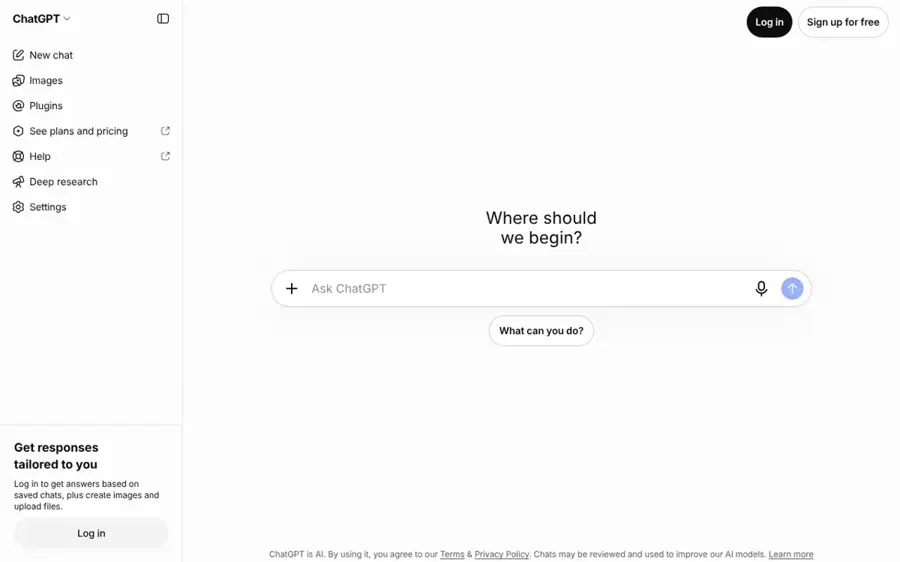
ChatGPT edits and remixes uploaded photos through conversation, and handles writing in the same chat. Try it at chatgpt.com.
Why it stands out
ChatGPT is the best chat image generator when the job needs back-and-forth: "make the sky warmer, now crop it square, now add a birthday message." Gemini is slightly better value for pure photo edits, but ChatGPT is stronger when you also want a caption or product description in the same chat. OpenAI's older DALL·E listing on G2 holds 4.1 out of 5 from 65 reviews, with one headline reading "DALL-E Saves Me Time with Fast, Logo-Free Image Generation." Our full ChatGPT review covers the rest of the app.
Key features
- Images 2.5: released September 8, 2026 and rolled out across all tiers
- Subject preservation: OpenAI says it is "better at preserving the subjects in your reference photos"
- Multi-turn editing: it "follows editing instructions more reliably across multiple turns"
- Writing and images together: captions, posts and descriptions alongside the edit
Pros
- Holds edits well across many turns
- Better at keeping people recognisable than before
- One app for words and pictures
Cons
- Highest limits need a paid plan
- Not built for batch or pro retouching
- Faces in close-up can still show artifacts
ChatGPT pricing: Free → paid plans from $8/month for Go, with Plus at $20/month and Pro from $100/month, per CometAPI (checked October 2026). See pricing
Related: ChatGPT review Best AI like ChatGPT
Google Photos – best for free edits on your phone
Google Photos builds AI editing into the gallery app you may already use, at no extra cost. Open it at photos.google.com or in the app.
Why it stands out
For most casual edits, this is the AI picture app you already own. Removing a photobomber, opening closed eyes in a group shot or restyling a pet photo now takes a sentence. The limits are geographic: several features started in the US first, so check what your account shows. Pulse 2.0's report on the rollout does not say any feature costs extra. We could not verify a current independent rating for the Google Photos app, so we have not listed one. Start here before paying for any phone editing app.
Key features
- Nano Banana restyling: added in November 2025 inside the editor
- Help me edit: can "remove sunglasses, open eyes, or adjust facial expressions" using your private face groups
- Natural-language editing: describe the change, on iOS in the US first
- Create with AI: templates for headshots and holiday cards on Android in the US and India
- Ask Photos: expanded to more than 100 new countries in the same update
Pros
- Free and already on many phones
- Edits right inside your gallery
- Face-aware fixes using your own library
Cons
- Features roll out unevenly by country
- Less control than a dedicated editor
- Some tools Android-only at first
Google Photos pricing: Free in the app; availability varies by country and device (checked October 2026). See Google Photos
Adobe Photoshop – best for precise, professional retouching
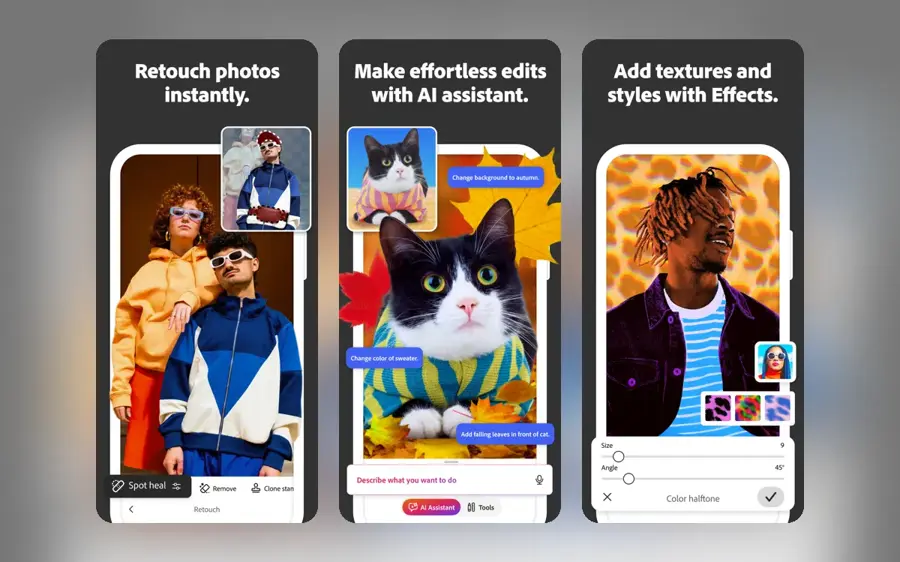
Photoshop combines traditional pixel-level editing with Adobe's generative tools, on desktop, web and mobile. See it at adobe.com.
Why it stands out
Chat editors are quick, but they decide where the change goes. Photoshop lets you mask exactly the area you want, and you keep layers to undo or refine later. For client work that control is the point. The Photography plan is the better deal for most people, since it bundles Lightroom. On G2, Adobe Photoshop rates 4.6 out of 5 from 13,409 reviews. Pay for it if editing photos is part of your job; skip it if it is not.
Key features
- Generative Fill: add, remove or replace content inside a selection
- Generative Expand: extend backgrounds beyond the original frame
- Masks and layers: target exact areas and undo or refine later
- Desktop, web and mobile: the same tools across devices
- Lightroom bundle: the Photography plan adds organising and batch correction
Pros
- Precise, repeatable results
- Generative tools inside a pro workflow
- Photography plan is good value for photographers
Cons
- Annual commitment
- Steep learning curve
- Overkill for occasional edits
Adobe Photoshop pricing: No free plan (7-day free trial) → Photography plan (Photoshop plus Lightroom, 1TB) at $19.99/month, Photoshop alone at $22.99/month, both annual plans billed monthly, per Dupple, which found no month-to-month option on individual plans (checked October 2026). See pricing
Picsart – best for all-in-one phone editing
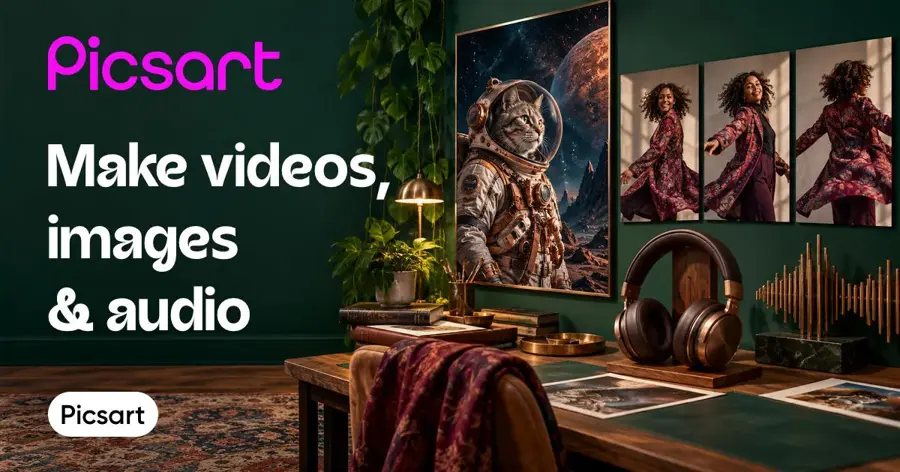
Picsart is a phone-first editor that mixes filters, templates, retouching and AI tools in one app. Get it at picsart.com.
Why it stands out
Picsart is the most complete AI picture app for people who post to Instagram or TikTok every day. You get AI edits plus the design layer around them. The free tier is small at five credits a week, so heavy AI use pushes you to a paid plan quickly. Prices also move often; PricingSaaS notes the Pro credit allowance doubled to 500 a month in August 2026. On G2, Picsart rates 4.5 out of 5 from 788 reviews. It is the best all-rounder for phone creators, as long as you check the current price before subscribing.
Key features
- AI edits: background removal and generative edits
- Design layer: text, collages, stickers and templates
- 200+ models on Ultra: the top tier advertises access to 200+ AI video, image and audio models
- Credit system: from 5 credits a week free up to 35,000 a month on higher tiers
Pros
- Huge template and sticker library
- AI tools and manual editing together
- Cheap entry paid plan
Cons
- Tiny free AI allowance
- Pricing changes frequently
- Busy interface
Picsart pricing: Free → paid plans from $5/month (Plus, 200 credits), with Pro from $7/month (500 credits), per Toolradar. PricingSaaS logged Pro at $10.50/month billed annually in mid-October, so prices vary by region and offer (checked October 2026). See pricing
Remini – best for enhancing blurry and old photos
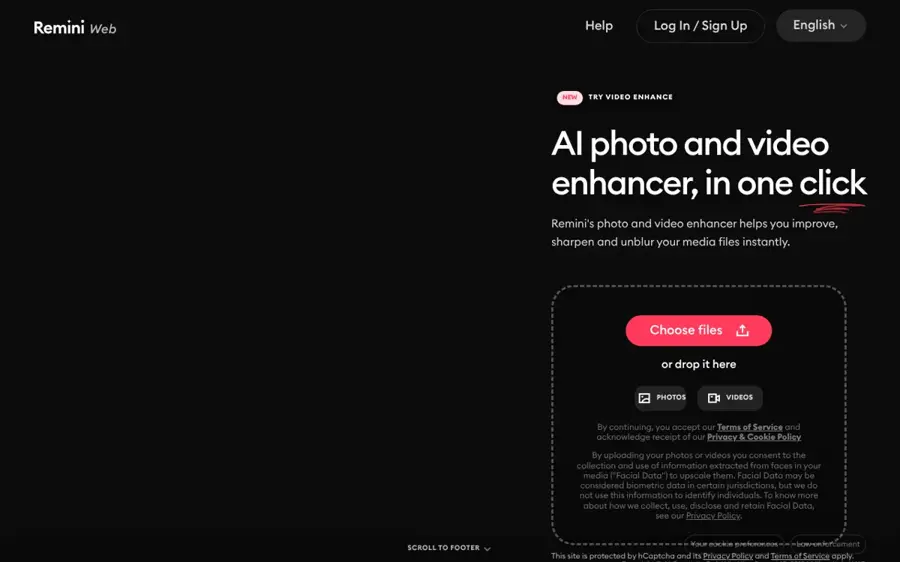
Remini, made by Bending Spoons, specialises in AI photo enhancement for faces and old pictures. Find it at remini.ai.
Why it stands out
Remini does one thing very well, and it is popular for it: the iPhone app holds 4.6 stars from about 332,200 ratings. The pricing deserves attention, though. A weekly plan at $9.99 works out to more than $500 a year if you forget to cancel. If you only have a box of old photos to restore, subscribe for a week, do them all, then cancel. Enhancement models can also invent facial detail that was never in the original, so treat results as a pleasant restoration, not a historical record.
Key features
- Face sharpening: rescues blurry phone shots of people
- Old photo restoration: cleans up scanned prints
- Low-resolution fixes: improves small or compressed pictures
- One-tap workflow: no editing skills needed
Pros
- Excellent at faces and old photos
- Very simple to use
- Strong App Store rating
Cons
- Weekly billing gets expensive
- Can invent facial detail
- Narrow feature set
Remini pricing: Free download with in-app purchases → Remini Pro Weekly at $9.99, with a one-month option at $9.99 on the US App Store, per AppPricingLab (data from March 2026; checked October 2026). See pricing
Topaz Gigapixel – best for upscaling for print
Gigapixel is a desktop AI upscaler that enlarges photos while recovering detail, so a small image can be printed large. See it at topazlabs.com.
Why it stands out
Phone apps upscale for screens. Gigapixel upscales for walls. If you sell prints or need to enlarge a cropped shot, this is the specialist to pay for. The move to subscription-only stings for buyers used to one-off licences, and the Pro tiers are required for organisations with $1M or more in annual revenue. On Capterra, Gigapixel AI rates 4.8 out of 5 from 18 reviews, with one reviewer's headline reading "Great program which saves us time and fixes low res photos." It is overkill for social posts.
Key features
- Detail-recovering upscaling: enlarges photos for print
- Runs locally: your photos stay on your computer
- Topaz Photo AI: sibling app for denoising and sharpening
- Topaz Studio bundle: all Topaz apps in one subscription
Pros
- Print-quality enlargements
- Private, offline processing
- Free trial to check results
Cons
- Subscription only now
- Desktop, not phone
- Separate apps for separate jobs
Topaz Gigapixel pricing: No free plan (free trial) → Gigapixel Personal at $149/year paid upfront or $29/month; Photo AI at $199/year; Topaz Studio at $399/year, per Render a House. Topaz has ended perpetual licences (checked October 2026). See pricing
Photoroom – best for product photos and backgrounds
Photoroom removes backgrounds and generates clean product scenes, aimed at online sellers who photograph items on their phone. See it at photoroom.com.
Why it stands out
If your AI picture needs are mostly "put this shoe on a white background," Photoroom is faster than any general editor. On Capterra it rates 4.6 out of 5 from 17 reviews, with one reviewer writing "Photoroom is consistently the best photo editing app available for over 4 years." That is a small review sample, and the tool does little beyond product shots, but it is the best pick for that job.
Key features
- Background removal: clean cut-outs from phone photos
- Generated product scenes: place items in new settings
- Bulk API: background removal at about $0.02 per image
- Higher tiers: Max, Ultra and Enterprise plans above Pro
Pros
- Fast, clean results
- Built for sellers
- Cheap API for hundreds of listings
Cons
- Watermark on free exports
- Narrow focus
- Small review sample on Capterra
Photoroom pricing: Free (5 exports a day, watermarked) → Pro at $12.99/month, per Toolradar (checked October 2026). See pricing
How to choose the right AI picture tools
Start with the job, not the brand
Most people need one general editor and, at most, one specialist.
- Choose Gemini if you want to describe a change and get it, for free, on any device.
- Choose ChatGPT if you want an AI image chat that also writes captions, descriptions or posts.
- Choose Google Photos if you just want quick fixes inside your phone gallery.
- Choose Photoshop if you need exact masks, layers and client-ready results.
- Choose Picsart if you post to social media daily and want templates with your AI edits.
- Choose Remini if you have old or blurry photos of people to restore.
- Choose Topaz Gigapixel if you are printing large.
- Choose Photoroom if you sell products online.
See where your photos go
Cloud tools upload your images, while Gigapixel runs locally on your computer.
Read the billing period
Weekly plans hide high annual costs. Check whether a price is per week, per month or billed yearly.
Check commercial-use terms
If the images are for a business, read each tool's terms before you publish them.
If you want to try on outfits in your own photos, see our AI clothes changer guide. To animate a still picture, try our image to video AI roundup.
A note on editing photos of people
Edit photos of yourself, of people who have agreed, or of content you have rights to. Making intimate or deceptive images of real people without their consent causes real harm and is illegal in many places. None of the tools here are recommended for that, and we do not cover apps built for it.
Free vs paid: what you actually get
| Tool | What free gets you | What paying adds |
|---|---|---|
| Gemini | Standard Nano Banana edits within daily limits | More Pro-model images and higher limits from $4.99/month |
| ChatGPT | Images 2.5 with tight limits | Higher limits from $8/month |
| Google Photos | AI edits in the app, region permitting | Nothing required |
| Picsart | 5 AI credits a week | 200 to 35,000 credits a month by tier |
| Photoroom | 5 watermarked exports a day | No watermark from $12.99/month |
| Topaz Gigapixel | Trial only | Full app from $149/year |
The budget answer: Gemini plus Google Photos covers most people for $0. If you hit limits, Google AI Plus at $4.99 a month is the cheapest meaningful upgrade here. Pay for a specialist only when a specific job, such as printing or product listings, keeps coming up.
Final verdict
Most people should start with Gemini. It edits real photos by chat, keeps subjects consistent and costs nothing to try. Use Google Photos for fast fixes on your phone, and ChatGPT when you want words and pictures in one place. Pay for Photoshop if editing is your job, Remini for a one-off restoration project, Gigapixel for prints and Photoroom for product shots. Everything else is a nice-to-have.
FAQ
What is the best AI picture app for phones?
For most people, Google Photos or the Gemini app. Both offer free AI editing by text request. Picsart is the pick if you also want templates and social design tools.
How do I make an AI dog picture from my own photo?
Upload your dog's photo to Gemini or ChatGPT and describe the result, such as "turn this into a watercolour portrait." Both are good at keeping the subject recognisable across edits. Google Photos also offers Nano Banana restyling inside its editor.
What is the best AI chat and image generator?
ChatGPT and Gemini are the two strongest options. Pick ChatGPT if you want writing help alongside images; pick Gemini for the cheaper paid plan and strong photo editing. For generating images from scratch, see our AI image generator rankings.
Can AI improve the quality of an old or blurry picture?
Yes. Remini is built for faces and old photos, and Topaz Gigapixel for enlarging images. Be aware that enhancement can add detail that was not in the original.
Is it legal to edit photos of other people with AI?
Editing your own photos or photos with permission is generally fine. Creating intimate or deceptive images of real people without consent is harmful and illegal in many places.
Sources
- Google Photos Rolls Out Six New AI Features, Including Nano Banana Image Editing (Pulse 2.0)
- Google rolls out Nano Banana 2.1 image model (Let's Data Science)
- Google cuts free Nano Banana Pro generation to two images per day (Let's Data Science)
- The best AI image generators (Zapier)
- Best AI Image Generators (G2)
- OpenAI releases ChatGPT Images 2.5 with sharper details and more precise editing (9to5Mac)
- ChatGPT Pricing 2026: Free vs Go vs Plus vs Pro (CometAPI)
- How Much Does Photoshop Cost in 2026? Every Plan Compared (Dupple)
- Compare Adobe Photoshop and Picsart (G2)
- Picsart pricing changes, week 42 2026 (PricingSaaS)
- Picsart pricing (Toolradar)
- Remini - AI Photo Enhancer pricing (AppPricingLab)
- Topaz AI Pricing 2026: Gigapixel, Photo AI and Video AI Compared (Render a House)
- Gigapixel AI reviews (Capterra UK)
- Photoroom pricing (Toolradar)
- Photoroom (Capterra Ireland)
- Google AI plans (Google)
- ChatGPT pricing (OpenAI)