AI slop in 2026: what it is, examples and 7 tools to make or filter it
What is AI slop? The meaning, real examples, the meme, and the 7 best tools in 2026 for making AI clips for fun or filtering slop out of your feeds.
 Written byRahis SaifiCo-founder and news editor
Why you can trust The AI Future
Our writers research every product, link each claim to its source and correct mistakes openly. Companies can't pay for coverage or see reviews before they're published.
Read our editorial policy
Short answer: AI slop is low-quality content mass-produced with generative AI, the stuff that floods your feeds with uncanny videos, fake recipes, junk news sites and soulless images. Merriam-Webster made "slop" its 2025 word of the year, defining it as "digital content of low quality that is produced usually in quantity by means of artificial intelligence." So when people search for the "best AI slop," they usually mean one of two things: the apps that make the viral stuff, or the tools that keep it out of their lives.
This guide covers both. If you want to make funny, meme-style AI clips, most people should start with Google's Gemini app and Flow, which put video generation in reach from $4.99 a month. If you want less slop on your screen, start with DuckDuckGo's free AI image filter and, if you pay for search, Kagi's SlopStop. Everything else on this list is a specialist.
One honest note on the meme itself. "Which AI is the best AI slop?" started as a joke, and "your AI slop" is a common insult online. We treat the question seriously, but with a clear line: making silly clips for fun is fine. Passing off machine-made content as your own work, or as real news, is where slop does damage.
Key takeaways
- AI slop has an official definition now. Macquarie Dictionary named "AI slop" its 2025 word of the year, and Merriam-Webster picked "slop."
- The biggest slop app is gone. OpenAI closed the Sora app on April 26, 2026 and switched off the API on September 24, so older "best AI slop" lists are out of date.
- Gemini and Flow are the easiest place to make AI video in 2026. Video starts on the $4.99 Google AI Plus plan; the free plan does not list it.
- Filters work, but none catch everything. DuckDuckGo, Kagi and Pinterest all let you hide AI content, using blocklists, community reports or detection that will miss some items.
- Budget $0 to $30 a month. Free tiers cover filtering and light remixing. Making video regularly costs $5 to $30 a month.
How we ranked them
Nobody at The AI Future ran these tools hands-on for this article, and we have no original screenshots to show. Instead, we compared them using official plan pages, help documentation, app store listings, news coverage and our own full reviews where they exist, as of late October 2026. We judged them on:
- Speed to result: how quickly makers go from idea to shareable clip.
- Cost: what the cheapest useful plan costs, and what the free tier really includes.
- Labelling and limits: how clearly makers label or restrict what they produce.
- Detection method: how filters decide what counts as AI.
- Control: how much say you get over what is hidden or shown.
We did not rank any tool on its ability to pass AI content off as human-made. If you want to understand why spotting AI content is hard, read our explainer on how AI detectors work. The short version: every method misses some items and flags some real ones.
The 7 best AI slop tools at a glance
| # | Tool | Category | Best for | Free tier | Starts at |
|---|---|---|---|---|---|
| 1 | Gemini app and Google Flow | AI video maker | Making AI video, best overall | Yes (limited) | $4.99/mo |
| 2 | Grok Imagine | AI video maker | Fast meme clips with sound | Yes (limited) | $10/mo |
| 3 | Meta AI Vibes | AI video feed | Remixing clips in a feed | Yes | Free |
| 4 | Viggle AI | Meme maker | Dance and motion memes | Yes (limited) | $9.99/mo |
| 5 | Suno | AI music | AI songs and parody tracks | Yes (limited) | $10/mo |
| 6 | DuckDuckGo AI image filter | Slop filter | Hiding AI images for free | Yes | Free |
| 7 | Kagi SlopStop | Slop filter | Downranking slop sites in search | Yes (limited) | $5/mo |
Prices are US dollars, monthly, checked in October 2026. Grok's $10 Lite plan does not cover regular video; that needs the $30 SuperGrok plan. Our ratings in each pick are editorial scores based on the research below, not lab benchmarks.
The 7 best AI slop tools in 2026, ranked
Gemini app and Google Flow – best for making AI video
Google's consumer AI plans bundle video generation in the Gemini app with Flow, Google's AI creative studio. Plans are listed at gemini.google.
Why it stands out
Google's Veo models were among the tools named in Merriam-Webster's coverage of the AI content boom, next to Sora. With Sora gone, Google is the obvious mainstream choice for anyone who wants short clips for fun or social posts without learning a complex tool. The $4.99 plan is the cheapest way into serious video generation on this list, and the credit counts are published clearly. For a deeper comparison with Kling, Runway and others, see our guide to the best AI video generators. If you only pick one tool to make AI clips, pick this one. Our rating: 4.5/5.
Key features
- Video in Gemini and Flow: one plan covers both apps
- Gemini Omni Flash: included in Flow on paid plans
- Veo 3.1: added on the top Ultra tier
- Published credits: 200 to 25,000 Flow credits a month, by plan
- Bundled extras: the same plan covers chat, images and storage
Pros
- Cheapest paid entry point at $4.99 a month
- Clear, published credit limits
- Simple enough for casual clip makers
Cons
- No video on the free plan
- 200 credits on AI Plus do not go far if you generate a lot
- Flow is a creative studio, not a social feed
Gemini app and Google Flow pricing: Free (limited Flow access, video not listed) → paid plans from $4.99/month (Google AI Plus, 200 Flow credits); AI Pro $19.99/month (1,000 credits); AI Ultra from $99.99/month (10,000 credits) or $199.99/month (25,000 credits) (checked October 2026). See pricing
Related: Best AI video generators
Grok Imagine – best for fast meme clips with sound
Grok Imagine is xAI's image and video generator, built into Grok and X at grok.com.

Why it stands out
Grok Imagine is fast and very much built for the meme economy, which is exactly why it shows up so often in slop threads, and it suits X users who want loud clips with audio. The catch is price. Free video access was effectively removed around March 2026, according to a March 2026 CometAPI guide, so you now need a $30 plan for regular use, six times Google's entry price. CometAPI resells access to the model, so treat its claims with care. Our rating: 3.5/5.
Key features
- Short clips: roughly 1 to 15 seconds long
- Synced audio: sound effects, music and speech in one step
- Style modes: "Normal," "Fun" and "Spicy"
- Built into X: share straight to your feed
Pros
- Video with sound in one step
- Instant sharing on X
- Several style modes to play with
Cons
- Video effectively requires a $30/month plan
- The "Spicy" mode, which CometAPI says is moderated and asks for age verification, makes it a poor fit for schools or shared family devices
- Most plan details come from third-party trackers
Grok Imagine pricing: Free (capped image generation, no listed video) → paid plans from $10/month (SuperGrok Lite); SuperGrok $30/month (includes Imagine image and video); SuperGrok Plus $100/month (adds 1080p video); SuperGrok Heavy $300/month; X Premium+ $40/month, per Krater's pricing page, verified October 3, 2026. xAI's own page confirms SuperGrok at $30 (checked October 2026). See pricing
Meta AI Vibes – best for remixing clips in a feed
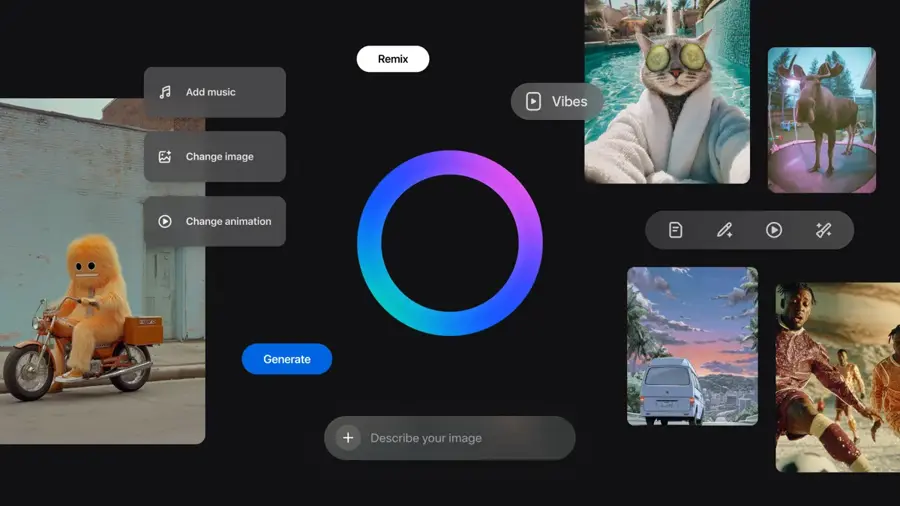
Vibes is a feed of short AI-generated videos inside the Meta AI app and on meta.ai.
Why it stands out
If any product embraces the label, it is this one. TechCrunch's launch headline called Vibes a short-form video feed of AI slop. In February 2026 Meta said it was "testing a standalone app" to give Vibes "a more focused and immersive environment," per Engadget. The appeal is low effort for casual users: remixing someone else's clip is easier than prompting from scratch. It is the most "slop-native" app on the list, best for pure play. Our rating: 3.5/5.
Key features
- AI video feed: watch short generated clips
- Remix: take a clip you like and change it
- Visuals, music and styles: add or swap them on a remix
- Cross-posting: share to Instagram and Facebook
- Partner models: the first version was built with Midjourney and Black Forest Labs
Features are as The Tech Outlook explained at launch.
Pros
- Remixing lowers the effort to near zero
- Easy sharing across Meta's apps
- No paid plan announced
Cons
- You are feeding the very kind of content many people want less of
- Your creations live inside Meta's ecosystem
- Standalone app was still in testing in our sources, with little published detail on limits
Meta AI Vibes pricing: Free. No price was listed in the launch coverage we reviewed, and we found no announced paid tier (checked October 2026). Official site
Viggle AI – best for dance and motion memes
Viggle animates a character or photo using motion from a reference video, which is how many dancing-celebrity memes get made. Find it at viggle.ai.
Why it stands out
Viggle is the most popular pure meme tool we looked at, aimed at meme makers who want motion transfer rather than cinematic scenes. Its iOS app holds a 4.8 out of 5 rating from about 28,000 ratings, and one App Store reviewer wrote: "I just downloaded this app AND ITS LEGIT AMAZING" (App Store). The ethical issue is obvious: "remix anyone" includes real people who never agreed to it. Stick to yourself, friends who say yes, or fictional characters. It is the best dedicated meme maker, at a fair $9.99 a month. Our rating: 4/5, as in our full review.
Key features
- Motion transfer: apply movement from a reference video to a photo or character
- Meme focus: the App Store subtitle is "Remix Anyone into Viral Memes"
- Free plan: usable, with watermarked videos
- Live plans: extra tiers above Pro
Pros
- Purpose-built for memes and motion
- Strong App Store rating
- Usable free plan
Cons
- Free videos carry a watermark
- Easy to misuse with real people's photos
- The $4.99 weekly plan works out far higher than the monthly price
Viggle AI pricing: Free (watermarked) → paid plans from $9.99/month (Pro); App Store also lists $4.99 weekly Pro, $95.90 yearly Pro, Live $24.99/month and Live Max $79.99/month, per the App Store listing. Web prices differ slightly; see our Viggle AI review (checked October 2026). See pricing
Related: Viggle AI review
Suno – best for AI songs and parody tracks
Suno generates full songs, vocals included, from a text prompt at suno.com. It is behind a lot of the parody tracks and AI "bangers" on social media.
Why it stands out
Music is one of the clearest cases of AI slop at scale. Spotify alone removed 75 million bulk uploads and other spam in 2025. That is not Suno's fault by itself, but it shows why streaming platforms are wary of mass-produced tracks. For joke songs, birthday tracks or soundtracks for your own clips, Suno is excellent value; pay $10 only if you need downloads. Our rating: 3.5/5, mostly because the free plan cannot download songs.
Key features
- Text to song: complete tracks with vocals from one prompt
- Daily free credits: 50 a day on the free plan
- Monthly credits: 2,500 on Pro, 10,000 on Premier
- Downloads: on paid plans only
Pros
- Free credits every day
- Full songs in one step
- Cheap Pro plan
Cons
- No downloads on the free plan
- Uploading bulk tracks to streaming services is exactly what platforms fight
- Quality varies a lot between generations
Suno pricing: Free (50 credits a day, no downloads) → paid plans from $10/month or $8/month billed yearly (Pro, 2,500 credits); Premier $30/month or $24/month yearly (10,000 credits), as covered in our Suno AI review (checked October 2026). See pricing
Related: Suno AI review
DuckDuckGo AI image filter – best for hiding AI images for free
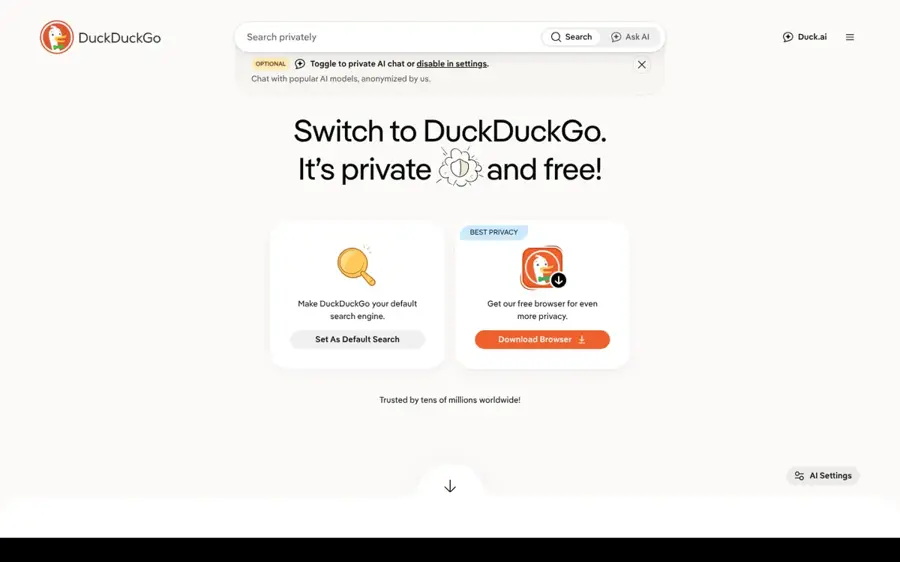
A setting in DuckDuckGo image search that hides AI-generated images.
Why it stands out
This is the easiest anti-slop win on the list. Search for images, open the new drop-down, and choose to hide AI images. DuckDuckGo is honest about the limit: the filter "will greatly reduce the number of AI-generated images you see," not remove them all (TechRadar). Because it relies on blocklists of sites rather than checking each image, AI images hosted on unlisted sites still slip through. Turn it on today; it costs nothing. Our rating: 4/5.
Key features
- Hide AI images: a drop-down setting in image search
- Open blocklists: community-maintained, including uBlock Origin's "nuclear" list
- Huge AI Blocklist: the uBlacklist list is also used, per TechRadar
- No account needed: fully free
Pros
- Completely free
- One-click setting
- Transparent, community-maintained lists
Cons
- Images only, not web pages or video
- Misses AI images on sites not on the lists
- Only works in DuckDuckGo search
DuckDuckGo AI image filter pricing: Free (checked October 2026). Official site
Kagi SlopStop – best for downranking slop sites in search
Kagi describes SlopStop as its "community-driven feature for reporting low-quality, mass‑generated AI content" inside its paid search engine at kagi.com.
Why it stands out
SlopStop tackles the text side of slop that image filters miss, which suits people who already pay for search or researchers tired of AI content farms. Kagi reviews each report, flags domains that are mostly AI-generated (typically over 80% of pages) and downranks them; reviews usually finish within a week, per Kagi's help page. The trade-off is that it depends on human reports, so new slop sites can rank for a while before anyone flags them. It is the strongest slop filter for search, if you are willing to pay for Kagi. Our rating: 4/5.
Key features
- One-click reports: the shield icon next to each result
- Human review: every report is checked
- Domain downranking: flagged results drop rather than disappear
- Image and video filters: show or hide AI content
Pros
- Covers web pages, not just images
- Reports open to all Kagi users
- Hide-or-show controls for AI images and video
Cons
- Requires a paid search engine
- Lags behind brand-new slop sites
- Downranks rather than removes
Kagi SlopStop pricing: Free trial (100 searches) → paid plans from $5/month (Starter, 300 searches); Professional $10/month (unlimited); Ultimate $25/month, per Kagi's pricing page (checked October 2026). See pricing
Related: Best AI search engines
How to choose the right AI slop tools
Decide whether you want more slop or less
Start with what you actually want.
- Choose Gemini and Flow if you want to make AI clips and keep costs low. $4.99 gets you in.
- Choose Viggle if your goal is dance or motion memes rather than scenes.
- Choose Meta AI Vibes if you just want to remix and share without writing prompts.
- Choose Grok Imagine if you live on X and want clips with sound, and $30 a month is fine.
- Choose Suno if the joke is a song.
- Choose DuckDuckGo's filter if you want fewer AI images for free, today.
- Choose Kagi if AI content farms are ruining your search results and you will pay to fix it.
Use the free platform filters too
Pinterest added a tuner that lets you "dial down the AI" on image Pins in beauty, art, fashion and home decor, plus labels on AI-generated or modified Pins, per MediaPost. LinkedIn added a button to report AI slop, according to Reno News & Review.
Skip outdated picks
Sora appears in a lot of older lists, but the app closed on April 26, 2026, as we cover in our Sora AI review. Model aggregators such as Higgsfield can be useful for heavy creators, but we rated it 3.5 out of 5 in our Higgsfield AI review because of confusing credits and billing complaints.
Label whatever you make
Several platforms already add AI labels, and plenty of schools and employers treat undisclosed AI work as misconduct. A clip that is obviously a joke is fine. A fake news clip or a "real" photo that is not real is the kind of slop that misleads people.
What is AI slop? Examples and the meme
The term describes content that exists because it is cheap to make, not because anyone asked for it. Macquarie's definition puts it well: "Low-quality content created by generative AI, often containing errors, and not requested by the user." The committee added that "we now need to become prompt engineers in order to wade through the AI slop," per The New Daily.
Common AI slop examples you have probably seen:
- Short AI videos of animals doing impossible things, fake bodycam clips and surreal mashups, often pushed by feeds built for them.
- Fake local news sites. An Israel-based start-up called Prism News saw roughly 200 AI-generated publications go dark in 2026 after reporters found plagiarism and AI personas posing as reporters, as Reno News & Review reported.
- Bulk music uploads. The same report notes Spotify removed 75 million bulk uploads and other spam in 2025, citing the New York Times.
- AI images on search and Pinterest, especially in beauty, fashion, art and home decor, the categories Pinterest singled out for its AI filter.
- Workplace slop: padded reports, essays and briefs that look finished but say little. Merriam-Webster's coverage mentions slop in cybersecurity reports, legal briefings and college essays.
The AI slop meme grew out of that fatigue. Merriam-Webster said the word carries a tone that is "less fearful, more mocking" of AI. That is why "which AI is the best AI slop" works as a joke: it ranks the junk like a product category.
Free vs paid: what you actually get
| Goal | Free gets you | Paid gets you |
|---|---|---|
| Make AI video | Remixing in Meta AI Vibes; limited Flow access without listed video | Gemini video from $4.99/mo; Grok Imagine video from $30/mo |
| Make memes | Watermarked Viggle clips | No watermark on Viggle Pro, $9.99/mo |
| Make AI songs | 50 Suno credits a day, no downloads | Downloads and 2,500 credits for $10/mo |
| Block AI images | DuckDuckGo filter, Pinterest tuner | Kagi image and video filters |
| Block AI web pages | Reporting tools on LinkedIn and Kagi | Kagi search with SlopStop downranking |
The pattern is simple. Filtering slop is mostly free. Making it well costs money, because video generation is expensive to run. If you are on a tight budget, spend $0 on filters and at most $5 to $10 a month on one creative tool.
Final verdict
If you want to make AI clips, pick Gemini and Flow: the $4.99 Google AI Plus plan is the cheapest serious option now that Sora is gone. Add Viggle if memes are your thing. If you want less AI slop in your life, switch on DuckDuckGo's free image filter today and consider Kagi if you pay for search.
The real answer to "which AI is the best AI slop" is the one you use with a bit of care. Make things for fun, label them, leave real people out of it without consent, and never pass machine output off as reporting or as your own graded work.
FAQ
What is AI slop?
AI slop is low-quality content mass-produced with generative AI, such as junk videos, fake news sites, spam songs and padded text. Merriam-Webster defines slop as "digital content of low quality that is produced usually in quantity by means of artificial intelligence." Macquarie Dictionary adds that it often contains errors and was "not requested by the user."
Which AI is the best AI slop?
The question began as a meme, but if you mean which tool makes AI video most easily, Google's Gemini app and Flow are our pick, starting at $4.99 a month. For dance and motion memes, Viggle is the specialist. Meta AI Vibes is the most slop-focused feed, and Sora no longer exists.
What does "your AI slop" mean?
It is an insult used online to dismiss someone's post, image or essay as lazy, machine-made content. People use it whether or not AI was actually involved, so it is more a judgment of quality than a technical claim. Detection is unreliable, so be careful accusing real people.
How do I see less AI slop?
Turn on DuckDuckGo's free AI image filter, use Pinterest's tuner to see fewer AI Pins, and report slop where platforms such as LinkedIn and Kagi allow it. Kagi's SlopStop downranks sites that are mostly AI-generated. None of these filters is perfect, so expect some content to slip through.
Sources
- Merriam-Webster names 'slop' the word of the year (TechCrunch)
- AI slop is word of the year (The New Daily)
- From the RN&R: Despite one notable shutdown, AI slop proliferates mercilessly (Reno News & Review)
- OpenAI sets two-stage Sora shutdown with app closing April 2026 and API following in September (The Decoder)
- Google AI plans (Google Gemini)
- How to get Grok Imagine for free: access, pricing and alternatives (CometAPI)
- Grok Pricing 2026: Free, SuperGrok, Heavy and the X Bundle (Krater)
- Meta introduces Vibes, a new feed of AI videos in the Meta AI app and on meta.ai (The Tech Outlook)
- Meta launches Vibes, a short-form video feed of AI slop (TechCrunch)
- Meta is giving its AI slop feed an app of its own (Engadget)
- Viggle AI: Meme Maker (Apple App Store)
- Sick of seeing AI images everywhere online? DuckDuckGo will let you filter out the slop from your search results (TechRadar)
- SlopStop (Kagi Help Center)
- Pinterest updated tool, features help users reduce 'AI slop' (MediaPost)
- Pricing (Kagi)
- Pricing (Suno)
- Pricing (Viggle AI)
- Pricing (xAI)