Bing AI review 2026: Copilot Search, Image Creator and is it worth it?
Bing AI bundles Copilot Search, the Copilot chatbot and Bing Image Creator for free. We look at features, pricing, limits and how it compares in late 2026.
 Written byAlap ZahidReviews and guides editor
Why you can trust The AI Future
Our writers research every product, link each claim to its source and correct mistakes openly. Companies can't pay for coverage or see reviews before they're published.
Read our editorial policy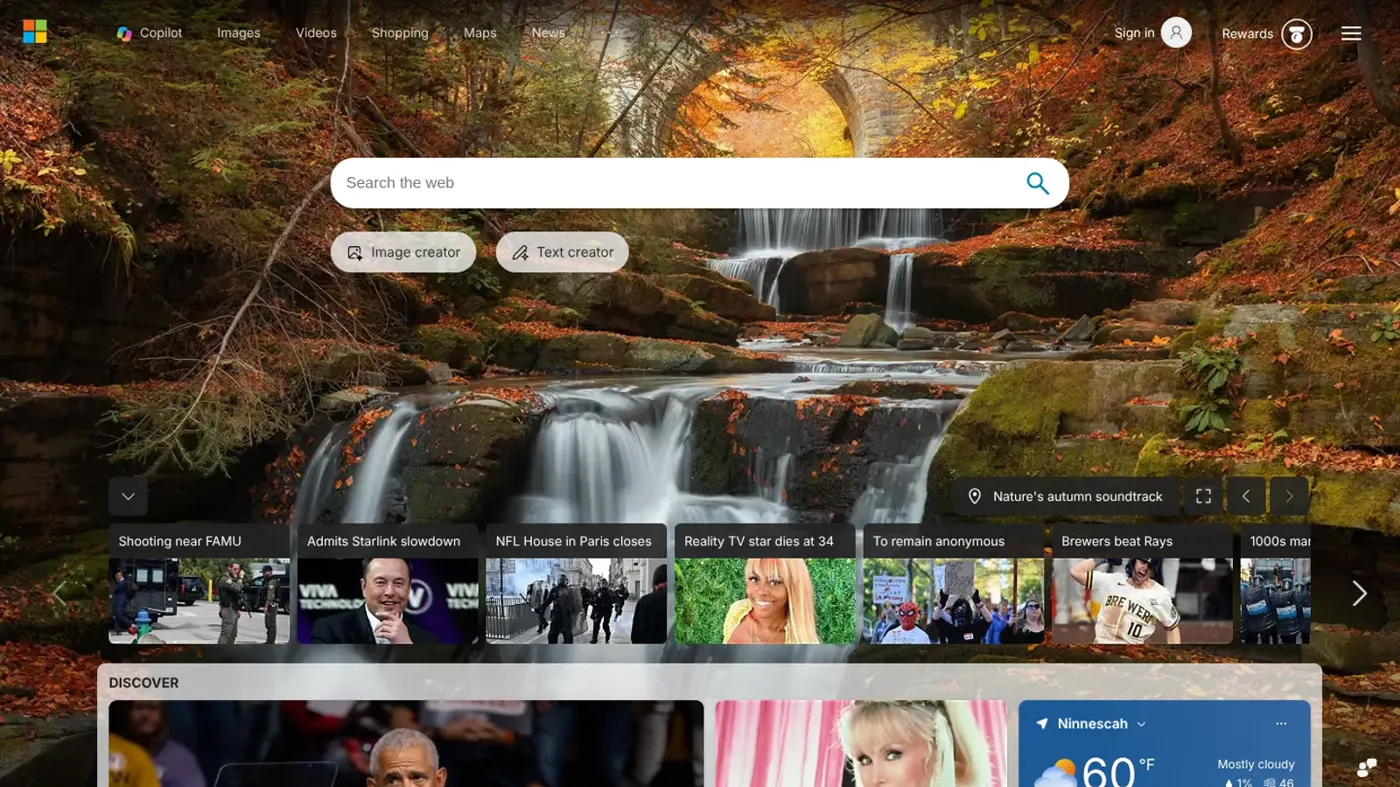
Our verdict on Bing AI (Copilot Search, Copilot and Bing Image Creator)
Bing AI is one of the best free AI bundles in late 2026: cited search answers, a capable Copilot chatbot and an image generator running on Microsoft's own top-tier models. Casual searchers, students and hobbyists should use it; skip it if you need commercial image rights or a heavy-duty writing assistant.
Pricing Free; Microsoft 365 Personal $9.99/mo ($99.99/yr); Family $12.99/mo ($129.99/yr); Premium $19.99/mo ($199.99/yr); Pro $99.99/mo, for larger Copilot and image allowances
Visit Bing AI (Copilot Search, Copilot and Bing Image Creator)I wanted Bing AI to do three things for me: answer a messy question with real sources, draw a picture worth keeping, and not ask for my credit card. On paper, it does all three. Here's the short answer: Bing AI is Microsoft's name-in-practice for the AI built into Bing, which today means Copilot Search for answers, Copilot for chat and Bing Image Creator for pictures. It's free, it's decent, and its image generator is now much stronger than its reputation.
A quick honesty note before the fun part. Nobody at The AI Future ran hands-on tests for this review, so I won't pretend I sat there timing generations. We reviewed Bing AI as it stands in late October 2026 using Microsoft's own pages, news coverage, other people's tests and a stack of user reviews. When someone else did the testing, I'll name them.
The verdict up front: Bing AI earns 4 out of 5. It's best for casual searchers and anyone who wants free AI images without a subscription. It's free to use, with more allowance if you pay for Microsoft 365, and it lives at bing.com and copilot.microsoft.com.
What is Bing AI?
"Bing AI" isn't an official product name any more, which is half the confusion. It started as Bing Chat, which launched on February 7, 2023 running GPT-4 with a Microsoft orchestrator called Prometheus. On November 15, 2023, it was renamed Microsoft Copilot, according to that same 2026 Bing Copilot guide. So when people ask "which AI is Copilot?", the answer is: the grown-up version of Bing Chat.
Today, Bing AI shows up in three places:
- Copilot Search in Bing: AI answers at the top of search results. Microsoft officially launched it in April 2025, saying it "seamlessly blends the best of traditional and generative search."
- Copilot (the Bing AI chatbot): the chat assistant at copilot.microsoft.com, in Edge, in Windows and in the Bing app.
- Bing Image Creator: the free Bing AI image generator at bing.com/create, also built into Copilot and the Bing mobile app.
The Bing iOS app, updated on October 16, 2026, bundles all of it, listing Copilot Search, Image Creator, visual search, voice search and Microsoft Rewards as headline features. If you want the bigger Microsoft picture, including Copilot inside Word and Excel, read our Microsoft AI review. This piece sticks to the Bing side.
Key features
Copilot Search in Bing
This is the part most people meet by accident. Ask Bing a question and Copilot Search can return a short summary, a direct answer or a structured layout, with "clearly cited sources" pulled from publishers. You can reach it from the Bing.com navigation bar, from suggested related topics, or from a direct link Microsoft shares, as Search Engine Land reported.
Citations are the point here. A chatbot that tells you where it got something is far easier to fact-check than one that just sounds sure of itself. Microsoft is still fiddling, though: SEO Vendor noted a Copilot AI Overviews test in September 2026 that it called "thinly defined." Expect the layout to keep shifting.
If you're comparing AI search engines, our AI search tools roundup and Google AI Mode review cover the main rivals.
Copilot chat: the Bing AI chatbot
The chat side is where Bing AI behaves like ChatGPT. According to the Bing Copilot guide, it offers three modes: Quick Response for simple questions, Think Deeper for slower, more structured reasoning (free since February 2025), and Smart Mode, which routes between the two automatically. The same guide says GPT-5 reached all users in October 2025, with GPT-5.5 rolling out by mid-2026, and that voice mode and Copilot Vision (it looks at your screen when you ask) are free.
A caveat I'd want a friend to tell me: Microsoft changes Copilot's models and features often, and with automatic routing you won't always know which model answered. That's fine for "what's a good substitute for buttermilk." Less fine for anything you'd cite.
Bing Image Creator
This is the feature that surprised me most while researching. For years, Bing Image Creator meant DALL-E 3 and a lot of rejected prompts. It has changed a lot:
- In August 2025, Microsoft added GPT-4o alongside DALL-E 3 in Image Creator.
- In March 2026, Microsoft's own MAI-Image-2 model began "rolling out on both Copilot and Bing Image Creator", PCWorld reported. Microsoft pitches it at photorealism ("natural light, accurate skin tones, environments that feel lived-in") and readable text inside images, and says it ranked as the third best text-to-image lab on the Arena leaderboard. That's Microsoft's claim, not an independent one.
- By late summer, OrcaRouter reported that "MAI-Image-2.5 already runs 100% of Bing Image Creator's generation", with the same model family also powering PowerPoint and OneDrive.
An AI Indigo review last updated on October 21, 2026 lists two model choices in Image Creator: MAI-Image-2.5-Flash for detailed results and MAI-Image-2e for quick, stylised art. It also lists five aspect ratios (1:1, 7:4, 4:7, 3:2 and 2:3), one, two or four images per prompt, and photo tools such as a background remover, old-photo restore and image expander.
One thing to watch: guides disagree on details. A Templated guide updated in July 2026 still describes a DALL-E model, a fixed 1024×1024 size and 15 daily boosts, while the newer AI Indigo piece describes MAI models and several aspect ratios. Even the AI Tools Atlas changelog still talks about DALL-E. My read: Microsoft has moved faster than the guides, so check what you see on bing.com/create rather than trusting any one article (including this one) for exact numbers.
Getting good results from Bing Image Creator
Every image model rewards the same habits, and Bing's is no exception. Describe the subject first, then the setting, the lighting and the style ("a ceramic coffee mug on a wooden table, soft morning window light, product photo"). If you want words in the picture, put them in quotation marks and keep them short, since text rendering is one of the things Microsoft says MAI-Image-2 was built to handle. Pick your aspect ratio before you generate rather than cropping later, and use Standard mode for experiments so you save your fast creations for the final version.
If a harmless prompt gets blocked, rephrase it instead of retrying the same words. Several Capterra reviewers say prompts about famous people, and even some everyday subjects, were rejected. And if a result is nearly right, it's often quicker to write a fresh, more specific prompt than to ask for small edits; one Capterra reviewer found iterating on an image frustrating.
Bing AI vs Copilot: are they the same?
Mostly, yes. "Bing AI", "Bing Copilot", "Microsoft Bing AI" and "Copilot" all point to the same family of Microsoft AI features. The difference is where you meet them: inside Bing results (Copilot Search), in a chat window (Copilot) or on the image page (Image Creator). Your Microsoft account ties them together.
Visual search, voice and Rewards
The Bing app also does visual search (point your camera or upload a picture), voice search and Microsoft Rewards, per its App Store listing. Rewards matters more than it sounds: AI Indigo notes that "Free upgrades are available through Microsoft Rewards" for Image Creator, so regular Bing users can earn extra fast generations.
Bing AI pricing and plans
Bing AI itself costs nothing. Search, chat and Image Creator all work with a free Microsoft account. Paying gets you bigger allowances in Copilot and image creation, bundled into Microsoft 365. Here are the US prices on Microsoft's individual Copilot pricing page (checked October 2026):
| Plan | Price | What you get for Bing AI and Copilot |
|---|---|---|
| Free | $0 | Copilot Search, Copilot chat, Image Creator, within Microsoft's capacity limits |
| Microsoft 365 Personal | $9.99/mo or $99.99/yr | Larger Copilot chat and image creation allowance than free |
| Microsoft 365 Family | $12.99/mo or $129.99/yr | Same as Personal, but AI features for the subscription owner only |
| Microsoft 365 Premium | $19.99/mo or $199.99/yr | "Extensive" chat and image usage, limited agentic AI |
| Microsoft 365 Pro | $99.99/mo | Highest Copilot, image and agentic usage; monthly billing only |
What the free plan really includes
Microsoft doesn't publish hard numbers. Its only description of the free tier is "a limited free version of Copilot subject to available capacity and limits." That's vague, and it's the thing I'd most like Microsoft to fix.
For Image Creator, AI Indigo cites 10 free creations in Fast mode and unlimited creations in Standard mode, which is slower. In its words: "Fast mode gives you priority but caps at 10 creations. Standard mode is unlimited but slower." It also says signing in unlocks more models and creations than using it as a guest.
Two catches. First, commercial use: the Templated guide says "Microsoft's terms limit the Bing AI Image Creator to personal projects only", and several Capterra reviewers complain they can't sell what they make. Check Microsoft's current terms before using images in ads or client work. Second, AI Indigo warns that "Content policy violations can suspend access", and a suspended account can mean losing your image history.
Performance and independent testing
Since we didn't run our own tests, here's what others found.
Image quality. The strongest evidence is leaderboard data, not anecdotes. OrcaRouter reports that MAI-Image-2.5-Pro reached No. 1 on the Artificial Analysis Image Editing Arena and No. 7 on its text-to-image board, and that the MAI-Image-2.6 Preview sat at No. 2 on Arena's text-to-image board. OrcaRouter itself warns these are early, low-vote figures from different leaderboards. Also note that Pro and 2.6 aren't the exact models free Bing users get. Still, it's a sign that the engine under Bing Image Creator is now in the top tier rather than a hand-me-down.
Reliability. Microsoft has a history of tinkering here. It once reverted an Image Creator model update amid complaints from users, which tells you two things: Microsoft listens, and model changes can land without warning.
What everyday users report. On Capterra, Bing Image Creator scores 4.0 out of 5 from 15 reviews, with 4.4 for ease of use. One June 2026 reviewer wrote that "The image generation is always so creative, it is so easy to use." Older reviews are tougher. A 2024 reviewer said "Trying to iterate with generated images is a total failure," and another complained "there's a lot of censorship." Most Capterra reviews date from 2023 and 2024, before the MAI models, so some of those gripes may be out of date.
Search. Bing as a whole gets a rough ride on Trustpilot, at 1.6 out of 5 from 632 reviews, though much of that is about ads, business listings and accounts rather than AI answers. Meanwhile, the Bing iOS app holds 4.7 stars from about 298,000 ratings. My take: people who just use the app are fairly happy, and the angry reviews come from edge cases and businesses.
So, is Copilot a good AI? For everyday search and free images, yes. For deep research, long writing or coding, I'd still point you to a dedicated assistant like ChatGPT or Claude, mainly because those tools are built around long sessions and Bing AI is built around search. Quick, cited answers are Bing AI's sweet spot.
Who it's for
- Casual searchers who want a cited summary before clicking links.
- Hobbyists and students who want free AI images for presentations, social posts or fun, and don't need commercial rights.
- Windows and Edge users, because Copilot is already one click away.
- Microsoft 365 subscribers, who get bigger allowances without paying for a separate AI tool.
Skip it if you need images for paid client work, want precise control (seeds, exact resolutions, consistent characters across prompts), or need an assistant you can rely on for long, careful writing.
Bing AI alternatives worth considering
- ChatGPT: stronger for long conversations, writing and image editing in one place. See our ChatGPT review.
- Google AI Mode: the closest rival for AI-powered search answers. Our AI Mode review breaks it down.
- Leonardo AI: better if you want more control over image styles and settings. Read our Leonardo AI review.
For a wider list, our best AI image generators guide compares free and paid options side by side.
Verdict
Bing AI is better than its reputation. Copilot Search gives you cited answers right in the results, the Copilot chatbot is free with reasoning and voice included, and Bing Image Creator now runs on Microsoft's own MAI image models, which rank near the top of public leaderboards. All of that for $0 is a good deal.
What holds it back is the fog. Free limits aren't spelled out, commercial use is restricted, features keep changing and guides can't keep up, and content filters still frustrate some people. I'd use Bing AI as my free everyday helper and free image generator, and I'd reach for something else for serious writing or commercial artwork. Whatever you pick, better prompts get better results, so try our guide to writing better AI prompts.
FAQ
Is Copilot a good AI?
Yes, for everyday tasks. Copilot gives free cited answers in Bing, includes reasoning and voice modes at no cost, and its image generator now runs on Microsoft's MAI models. For long writing and complex work we'd choose ChatGPT or Claude, and Copilot's free usage limits aren't published.
Is Copilot AI good?
It's good value. The Bing app averages 4.7 stars on the App Store from about 298,000 ratings, and Bing Image Creator scores 4.0 on Capterra. Complaints focus on content filters, vague limits and frequent changes rather than the core answers.
What is Bing AI?
Bing AI is the AI built into Microsoft's Bing search engine. It includes Copilot Search (AI answers with sources at the top of results), the Copilot chatbot that replaced Bing Chat in 2023, and Bing Image Creator for free AI images.
Is Copilot the best AI?
Not overall, in our view. It's one of the best free options for search and images, but for long writing, reasoning and coding we'd pick ChatGPT or Claude. Copilot's big advantage is convenience if you already use Windows, Edge or Microsoft 365.
Which AI is Copilot?
Copilot is Microsoft's AI assistant, formerly Bing Chat. It runs on models that include OpenAI's GPT family, with Microsoft's own MAI models handling image generation in Bing Image Creator and Copilot.
Ratings around the web
Ratings as of 27 Oct 2026. Scores change over time; follow the links for the latest.
What users are saying
A small, older sample: we read 38 reviews, all 15 on Capterra for Bing Image Creator and 23 on one page of Bing's Trustpilot profile, and set aside 3 that were about other businesses. Most date from 2023 and 2024, before the MAI image models, so this leans negative and may understate current satisfaction; app-store ratings near 4.7 suggest everyday app users are much happier.
Common praise
- Creative, good-looking images from short prompts
- Easy to use and quick
- Free, with several image options per prompt
Common complaints
- Content filters reject harmless prompts
- Images can't be used commercially
- Search results and ads that miss what users wanted
Based on: Capterra reviews of Bing Image Creator, Trustpilot reviews of Bing
What we like
- Search, chat and image generation are all free with a Microsoft account
- Copilot Search answers come with cited sources
- Image Creator now runs on Microsoft's MAI image models, which rank near the top of public leaderboards
- Think Deeper reasoning and voice mode are free
- Microsoft Rewards can unlock extra fast image generations
What could be better
- Free usage limits are not published
- Image Creator output is restricted to personal, non-commercial use, according to guides
- Content filters reject some harmless prompts and can suspend accounts
- Features and models change often, and guides disagree on current limits
Sources
- Microsoft Bing Copilot: What It Is, How It Works and Pricing in 2026 (Pasquale Pillitteri)
- Microsoft officially launches Copilot Search in Bing (Search Engine Land)
- Microsoft Bing Search iOS app (Tech Dev Notes)
- Microsoft launches its new image generator MAI-Image-2 (PCWorld)
- MAI-Image-2.5-Pro vs MAI-Image-2.6 Preview (OrcaRouter)
- Honest Review: Bing Image Creator in 2026 (AI Indigo)
- Bing Image Creator guide (Templated)
- Bing Image Creator adds GPT-4o alongside DALL-E 3 (Microsoft Bing Blogs)
- Microsoft reverts Bing Image Creator update amid complaints (Search Engine Land)
- Bing algorithm updates, September 2026 (SEO Vendor)
- Bing Image Creator changelog (AI Tools Atlas)
- Copilot Pricing Plans for Individuals (Microsoft)
- Bing Image Creator Reviews 2026 (Capterra)
- Bing Reviews (Trustpilot)