7 best AI reader tools in 2026, compared side by side
The best AI reader apps for 2026 compared: free limits, pricing and ratings for ElevenReader, Speechify, NaturalReader, Edge, Chrome, Voice Dream and ElevenLabs.
 Written byFahad HashmiContributing writer, AI in energy and industry
Why you can trust The AI Future
Our writers research every product, link each claim to its source and correct mistakes openly. Companies can't pay for coverage or see reviews before they're published.
Read our editorial policy
Here is the short version. An AI reader is an app that takes text you already have, such as a web page, PDF, ebook or email, and reads it aloud with a synthetic voice. For most people the best AI reader in 2026 is ElevenReader, because its free tier gives you 10 hours of listening a month with high-quality voices. If you read for hours every day, Speechify has the most polished apps. If you just want something free right now, the read-aloud tools built into Microsoft Edge and Google Chrome cost nothing and need no account.
Think of an AI reader as a two-stage pipeline. Stage one pulls clean text out of a messy source: it strips menus, headers, footnotes and page numbers, or runs OCR on a photo of a page. Stage two is text to speech AI: a neural model turns that text into audio, deciding on pronunciation, pauses and emphasis. Most complaints about these tools come from stage one (it read the footer on every page) rather than stage two (the voice sounded robotic). Keep that in mind when you compare them.
Below are seven tools compared side by side, with current pricing, free-plan limits and a third-party rating or user review for each. We built this comparison from official app listings, published reviews and user ratings as of late October 2026. We did not run our own hands-on tests for this piece, so where we describe how a tool performs, we say whose findings they are.
Key takeaways
- Start free. Edge and Chrome both read web pages aloud at no cost, and ElevenReader's free tier covers roughly a 400-page book a month according to its directory listing.
- Paid AI readers cluster around $100 to $160 a year. ElevenReader, NaturalReader and Speechify all land in that band on annual billing. Monthly billing costs far more per month.
- A reader is not a voice generator. If you need an MP3 you can publish, you want a tool like ElevenLabs with a commercial licence, not a personal reading app.
- Text extraction matters as much as the voice. Check how a tool handles PDFs, scanned pages and logged-in sites before you pay.
How we ranked them
To be precise about method: nobody at The AI Future ran these apps through a formal hands-on test for this article. We compared them using official app store listings, pricing pages summarised by independent reviewers, published reviews and user ratings, all checked in late October 2026. Where a figure comes from a third party rather than the vendor, we link to it so you can check it yourself.
We ranked each AI text reader on five criteria:
- Free tier usefulness. How much real listening you get before paying, measured in hours or characters.
- Input coverage. Web pages, PDFs, EPUB, Word files, scanned paper and email.
- Voice quality and control. Neural voices, speed range, pronunciation fixes.
- Price per year for a typical individual on annual billing.
- Trust signals. User ratings, billing complaints and how clearly limits are disclosed.
A quick mental model for listening budgets helps here. People speak at roughly 150 words per minute, and an average English word plus its space is about 6 characters. So one minute of audio is roughly 900 to 1,000 characters. That is why services that bill by characters or credits translate neatly into minutes.
The 7 best AI reader tools at a glance
| # | Tool | Category | Best for | Free tier | Starts at |
|---|---|---|---|---|---|
| 1 | ElevenReader | Reading app | Best overall, most generous free tier | Yes (limited) | $8.25/mo (annual) |
| 2 | Speechify | Reading app | Heavy daily listening, dyslexia support | Yes (limited) | $139/yr |
| 3 | NaturalReader | Reading app (desktop and web) | Documents on desktop, pronunciation control | Yes (limited) | $119/yr |
| 4 | Microsoft Edge Read Aloud | Built-in browser reader | Free reading of web pages and PDFs on a PC | Yes | Free |
| 5 | Google Chrome "Listen to this page" | Built-in browser reader | Free listening to articles on Android and desktop | Yes | Free |
| 6 | Voice Dream Reader | iOS reading app | Offline reading and deep settings on iPhone | No | Subscription (varies by store) |
| 7 | ElevenLabs | AI voice generator | Downloadable voiceovers you can publish | Yes (limited) | $6/mo |
Each pick below quotes a third-party rating where one exists. Ratings come from different platforms with very different sample sizes, so treat them as a rough signal, not a league table. A 4.7 from half a million app users and a 1.5 from 59 Trustpilot reviewers measure different things: app stores collect quick in-app ratings from happy users, while Trustpilot skews toward people with billing or support problems.
The 7 best AI reader tools in 2026, ranked
ElevenReader – best for free, high-quality listening
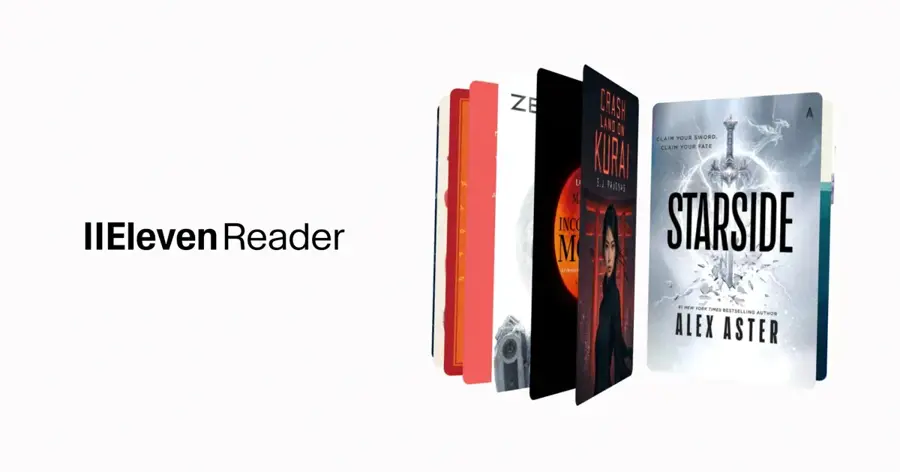
ElevenReader is the consumer reading app from ElevenLabs. It reads PDFs, ePubs, articles, web pages and scanned images aloud. Get it at elevenreader.io.
Why it stands out
The standout here is the free tier. Ten hours a month is far more than most rivals give you on their best voices, and the voices come from the same engine as ElevenLabs' paid studio, with over 1,000 voices, 800 or more of them premium, and licensed "Iconic Voices" such as Richard Feynman and Judy Garland, according to its listing on Tool Directory. One user on the German App Store put it simply: "Die free limits sind SEHR großzügig" (the free limits are very generous), in a review titled "Ein echter Geheimtipp" (App Store). The app holds a 4.6 average from 993 ratings there.
Key features
- Smart import that skips headers and footers
- GenFM, which turns a document into a multi-speaker AI podcast
- Wide input support: PDFs, ePubs, articles, web pages and scanned images
- Offline listening and sync across devices
- Playback up to 4x, plus a sleep timer
Pros
- 10 hours a month free on high-quality voices
- GenFM podcast mode is useful for revising dense material
- Huge voice library, including licensed Iconic Voices
Cons
- No audio export inside the app; that workflow lives on the main ElevenLabs platform (Tool Directory)
- Premium audiobook catalogue requires Ultra
- Pricing differs by country and app store
ElevenReader pricing: Free (10 hours of text-to-audio a month) → paid plans from $8.25/month: Ultra costs $11/month or $8.25/month billed annually and adds unlimited conversion and the premium audiobook catalogue (Tool Directory). The German App Store lists Ultra at €12/month or €99/year, plus a Plus tier and one-off hour packs from €6 (App Store) (checked October 2026). See pricing
Speechify – best for heavy daily listening
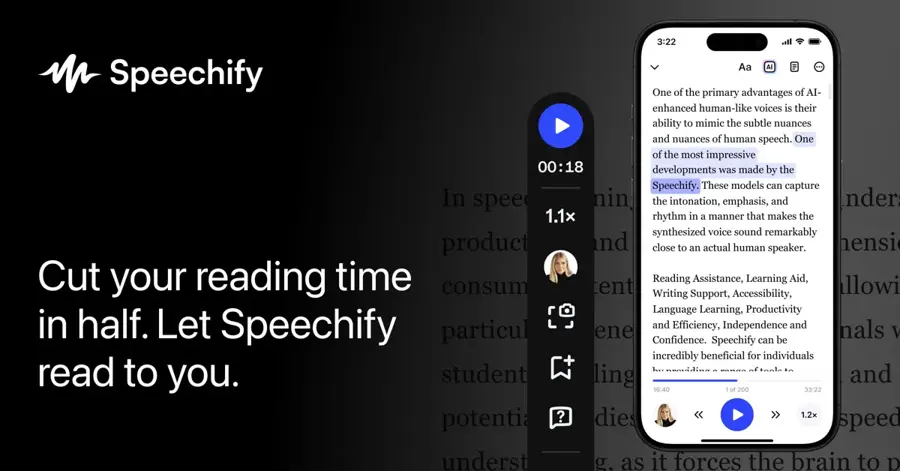
Speechify converts PDFs, web articles, email threads, Google Docs and text scanned with your phone camera into audio, with highlighted text that follows along on screen. Visit speechify.com.
Why it stands out
Speechify has the largest user base of any AI reader here: a 4.7 average from 527K ratings on the US App Store (App Store). It suits people who listen for hours each day, including readers with dyslexia or ADHD, who will use the polish of the apps and extensions every day. One reviewer wrote that "Speechify has legitimately changed my life." The same listing also carries a critical review warning that "there is a monthly word limit at which point you are unable to use most of the voice options", so read the plan terms before you subscribe.
Key features
- Camera scanning of printed pages
- Live text highlighting as it reads
- Many inputs: PDFs, web articles, email threads and Google Docs
- AI summaries and sync across devices on Premium, per a 2026 review by RoboRhythms
- 1,000+ voices and 60+ languages on Premium
Pros
- Very polished apps across phone, browser and desktop
- Huge user base and strong app store rating
- Good fit for readers with dyslexia or ADHD
Cons
- Monthly price ($29) is hard to justify for casual readers, per RoboRhythms
- Reported billing complaints about free trials converting to paid plans on Trustpilot and Reddit
- Headline 5x speed is overstated; RoboRhythms says most users settle around 2x to 2.5x
- Free tier is too narrow to judge the premium voices before paying
Speechify pricing: Free (10 basic voices, 1.5x speed cap) → paid plans from $139/year (about $11.58/month), or $29/month for Premium (RoboRhythms). The US App Store lists a Premium in-app purchase at $139.99 (App Store) (checked October 2026). Official site
Related: Best free AI tools for students
NaturalReader – best for documents on desktop
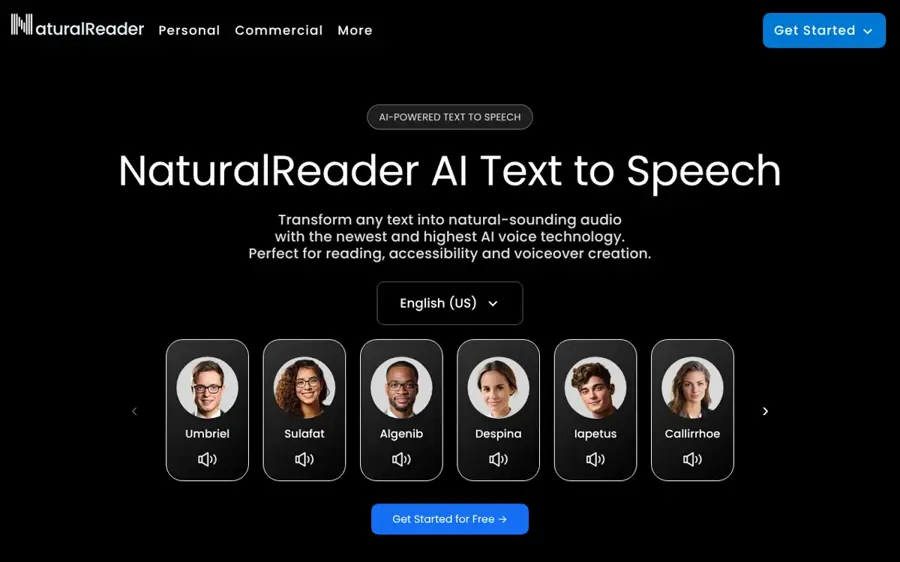
NaturalReader is a long-running text to speech reader with a web app, browser extension, Windows and Mac desktop apps and mobile apps. Visit naturalreaders.com.
Why it stands out
NaturalReader's three voice tiers map neatly onto our mental model. Basic voices are free and unlimited but robotic, premium voices are neural and decent, and the Plus and Pro AI voices are the most natural. On the free plan, 20 minutes a day of premium voices is about 20,000 characters, or roughly a 3,000-word article, according to a June 2026 review by CastReader (a competitor, which it discloses). User sentiment on Trustpilot is poor: a 1.5 TrustScore from 59 reviews, with one reviewer complaining "There are no phone numbers or way to chat with a human" (Trustpilot). Another reviewer on the same page was "100% satified with the software", so experiences vary, but support is a known weak point.
Key features
- File parsing for PDF, DOCX and EPUB
- OCR on photographed pages
- Word highlighting while it reads
- Saved pronunciation fixes for names and technical terms
- HD voices with emotion control on Pro
Pros
- Desktop apps for Windows and Mac, plus web and mobile
- Pronunciation editing suits technical documents
- Unlimited basic voices on the free plan
Cons
- Low Trustpilot score, support complaints
- Tight daily caps on the better free voices
- Exported MP3s on personal plans are for personal use only; publishing needs a commercial tier (CastReader)
NaturalReader pricing: Free (unlimited basic voices, about 20 minutes a day of premium voices, about 5 minutes a day of AI voices) → paid plans from $119/year: Plus at $20.90/month or $119/year (500,000 characters a day); Pro at $25.90/month or $159/year (CastReader) (checked October 2026). Official site
Related: Best AI voice generators
Microsoft Edge Read Aloud – best for free PDF and web reading on a PC
Read Aloud is built into the Edge browser and reads web pages and PDF files out loud. Get Edge at microsoft.com/edge.
Why it stands out
It is "part of Edge itself, so there is nothing to install and no account to sign in to," according to a Geek Rewind guide updated in October 2026. The PDF support is the real draw: you can open a lecture handout in Edge and listen to it without uploading it to a third-party service, which also matters for privacy. RoboRhythms names Edge's Read Aloud as a free alternative that is less restricted than Speechify's free plan (RoboRhythms). There is no aggregate user rating for a browser feature, so we cannot give one here.
Key features
- Three ways to start: toolbar button, right-click menu or Ctrl+Shift+U
- Speed and narrator controls
- Natural voices, neural voices that, per the same guide, "sound the most human"
- PDF reading as well as web pages
Pros
- Completely free, no account
- Reads PDFs as well as web pages
- Natural neural voices included
Cons
- Tied to the Edge browser
- No library, sync or audio export
- Natural voices "can need an internet connection," and you may need to switch voice if one fails to load (Geek Rewind)
Microsoft Edge Read Aloud pricing: Free with the Edge browser; there is no paid plan (checked October 2026). Get Edge
Related: Best free AI tools for students
Google Chrome "Listen to this page" – best for listening to articles on Android
Chrome on desktop and Android can read a text-heavy page aloud from the three-dot menu, with no extension needed. Get Chrome at google.com/chrome.
Why it stands out
This is the lowest-friction option on the list: on Android the audio keeps playing with the screen locked, according to Chrome Story (June 2026). Its limits are about stage one of the pipeline: the option does not appear on mostly-image pages, login screens or sites that block text extraction, and as of that June 2026 report it was "not yet available on Chrome for iPhone." As with Edge, there is no separate user rating for this feature.
Key features
- Media bar with play, pause and 10-second skips
- Speed control and voice picker
- Background playback on Android
- Several languages, which you can change in settings if the wrong one is detected
Pros
- Free and built in
- Keeps playing with the screen locked on Android
- Several languages supported
Cons
- Not available on iPhone (per June 2026 report)
- Web pages only, no files or library
- Won't work on many logged-in or image-heavy pages
Google Chrome "Listen to this page" pricing: Free in Chrome; there is no paid plan (checked October 2026). Get Chrome
Voice Dream Reader – best for offline reading on iPhone and iPad
Voice Dream (listed on the App Store as "Voice Dream - Read Aloud") reads PDFs, web articles, EPUB books, Word and PowerPoint files aloud (App Store). Visit voicedream.com.
Why it stands out
Voice Dream is a different design philosophy from the cloud-first apps above. Many of its voices, including built-in iOS voices and optional Acapela voices, can run on the device, so it keeps working on a flight. It supports VoiceOver and Voice Control, which is why it has long been popular with blind and low-vision users. One App Store reviewer said it "Has a lot of settings for a customised experience" (App Store). The 2024 move to subscriptions angered long-time users, though: another review on the same listing called it "an unacceptable decision," and the app's rating there is 4.2 from 99 ratings.
Key features
- Offline and background playback
- On-device scanner for paper documents
- Word highlighting and a speed-reading mode
- Notes and full-text search
- VoiceOver and Voice Control support
Pros
- Works offline, including scanning
- Strong accessibility support
- Deep reading controls
Cons
- Apple platforms focus
- Subscription change upset existing users
- Voices sound less natural than the newest cloud models
Voice Dream Reader pricing: No free plan: the Saudi App Store listing says a subscription is required and lists monthly and annual options (App Store). Voice Dream's own page from its 2024 switch to subscriptions quotes a regular price of $79.99, with $59.99 for existing users, and says existing features stayed free for people who had already bought the app. Check your local App Store for the current price (checked October 2026). See pricing
ElevenLabs – best for downloadable voiceovers
ElevenLabs is an AI voice generator: you paste or upload text and it produces downloadable speech, with voice cloning and a large voice library. Visit elevenlabs.io.
Why it stands out
It is the creator-side sibling of ElevenReader and the tool to use when you need text to voice AI output you can publish, for videos, courses or podcasts. It holds a 4.5 rating from 1,295 reviews on G2, and a question on G2's community board captures the main trade-off: "ElevenLabs voices sound very human, but is the pricing worth it for article narration?" For personal listening the answer is usually no; use ElevenReader instead. For publishable audio, the free plan's 10 minutes is enough to test, and Starter at $6 is the cheapest way to get a commercial licence among the tools here.
Key features
- Downloadable audio files from pasted or uploaded text
- Voice cloning
- Large voice library
- Commercial licence from the Starter plan up
Pros
- Very natural voices and voice cloning
- Commercial licence from $6/month
- Audio you can download and publish
Cons
- Credits run out fast for long documents
- Free plan is for testing only, no commercial use
- Overkill if you only want to listen
ElevenLabs pricing: Free (10,000 credits a month, about 10 minutes of speech, no commercial licence) → paid plans from $6/month: Starter $6 (about 30 minutes, commercial licence), Creator $22 (about 121 minutes), Pro $99 (about 600 minutes), according to a September 2026 pricing breakdown by HappyRobot (checked October 2026). Official site
Related: Best AI voice generators
A worked example: what does one textbook chapter cost?
Say you need to listen to a 9,000-word textbook chapter every week. At roughly 150 words per minute, that is about 60 minutes of audio, or about 4 hours a month. In characters, 9,000 words is around 54,000 characters per chapter.
| Tool | Fits on the free plan? | Cheapest plan that fits |
|---|---|---|
| ElevenReader | Yes: 4 hours is under the 10-hour monthly allowance | Free |
| NaturalReader | Partly: premium voices cap at about 20 minutes a day, so one chapter takes three days; basic voices are unlimited | Free (with patience) or Plus at $119/year |
| Edge / Chrome | Yes, if the chapter is a PDF (Edge) or web page (both) | Free |
| Speechify | Only with basic voices at up to 1.5x | Premium at $139/year |
| ElevenLabs | No: about 10 minutes free per month versus 240 minutes needed | Pro tier territory ($99/month for about 600 minutes) |
The lesson: a voice generator billed per character gets expensive fast for reading. A reader app with an hours-based allowance, or a free browser tool, is the right fit for study and personal listening. Figures above come from the pricing sources linked in each pick.
How to choose the right AI reader tools
Work through these questions in order. Each one narrows the field.
Decide whether you need to publish the audio
If yes, you need a commercial licence: ElevenLabs Starter or above, or a commercial tier from NaturalReader. Personal reader apps are not licensed for this.
Match the tool to what you read
Web articles only: start with Chrome or Edge. PDFs on a PC: Edge. Mixed files, EPUB and scanned paper: ElevenReader, Speechify, NaturalReader or Voice Dream.
Check your devices and offline needs
iPhone users can't use Chrome's feature yet. Voice Dream is built around Apple devices, and NaturalReader has the strongest desktop apps. For offline listening, Voice Dream's on-device voices and ElevenReader's offline mode both help; browser tools generally need the page open and, for natural voices, a connection.
Look for pronunciation fixes if you read specialist material
If names, drug names or code terms get mangled, look for saved pronunciation fixes, which NaturalReader offers.
Count your hours a month
Under 10: ElevenReader free. Several hours a day: a paid annual plan is cheaper than any monthly plan.
Where AI readers break
Every AI reader fails in predictable places, and almost all of them sit in text extraction rather than the voice model.
- Multi-column PDFs and academic papers. Readers can jump between columns or read figure captions, footnotes and page numbers in the middle of sentences. Smart import features, like ElevenReader's header and footer skipping, reduce this but don't remove it.
- Scanned pages. OCR errors become spoken errors. A misread "rn" as "m" turns into a wrong word you may not notice while listening.
- Logged-in and dynamic sites. Chrome's feature won't appear on login screens or sites that block extraction (Chrome Story), and paste-in tools struggle with content behind logins (CastReader).
- Maths, tables and code. Equations and tables rarely read well. Expect to look at the screen for these parts.
- Proper nouns and abbreviations. Neural voices guess. Without pronunciation editing, you will hear the same mistake every time.
- Speed claims. High maximum speeds look good on a feature list, but RoboRhythms notes most Speechify users settle around 2x to 2.5x (RoboRhythms).
If you want to understand why these voices sound human at all, our explainer on what an AI model is covers the basics of how such models are trained.
Free vs paid: what you actually get
Free AI text to speech is better in 2026 than it has ever been, but each free plan limits something different.
| Tool | What the free plan limits | What paying unlocks |
|---|---|---|
| ElevenReader | Hours (10 a month) | Unlimited conversion, premium audiobooks |
| Speechify | Voices (10 basic) and speed (1.5x) | 1,000+ voices, AI summaries, sync, up to 5x |
| NaturalReader | Daily minutes on premium and AI voices | AI voices, OCR, 500,000 characters a day |
| Edge / Chrome | Features (no library, no export, browser only) | Nothing to unlock |
| ElevenLabs | Minutes (about 10) and no commercial use | More credits, commercial licence, cloning |
Our read: most students and casual listeners never need to pay. Combine a browser tool for web articles with ElevenReader's free tier for PDFs and ebooks, and you cover most needs. Paying makes sense when you listen for more than about 10 hours a month, when you need sync across many devices, or when you need publishable audio. If you are building a wider free toolkit, see our list of the best free AI tools for students, and for work-focused picks, the best AI tools for productivity.
One billing note: annual plans are much cheaper per month, but several of these apps auto-renew trials into paid plans. Set a reminder before any trial ends, given the billing complaints reported for Speechify (RoboRhythms).
If you came here for AI-generated music rather than speech, that is a different category; our Suno AI review covers it.
Final verdict
For most people, ElevenReader is the AI reader to try first: 10 free hours a month of high-quality voices across PDFs, ebooks and web pages is hard to beat. If you listen for hours every day and value polished apps, Speechify is worth its $139 annual price, but avoid the $29 monthly plan. NaturalReader suits desktop document work and pronunciation control, despite weak support reviews. Edge and Chrome are the best free options for web pages, and Edge adds PDFs. Voice Dream Reader remains the pick for offline listening on Apple devices. And when you need audio files to publish, use ElevenLabs, not a reader app.
Prices and limits in this category change often and vary by country. Check the current plan in your app store before you pay.
FAQ
What is an AI reader?
An AI reader is software that reads existing text aloud using neural text to speech. It extracts text from a web page, PDF, ebook or photo, then generates natural-sounding speech, usually with word highlighting and speed controls.
What is the best free AI text to speech reader?
ElevenReader has the most generous free tier we found, at 10 hours a month (Tool Directory). For web pages and PDFs on a computer, Microsoft Edge's Read Aloud is completely free with no account (Geek Rewind).
Can I use AI reader audio on YouTube or in a course?
Usually not from a personal reading plan. NaturalReader's personal-plan MP3s are for personal use only (CastReader), and ElevenLabs' free plan has no commercial licence; its Starter plan at $6/month does (HappyRobot).
Is Speechify worth paying for?
For heavy daily listeners, the annual plan at $139 can be worth it. For occasional use, free tools cover most needs, and reviewers flag the $29 monthly price and trial billing as drawbacks (RoboRhythms).
Does Chrome read pages aloud on iPhone?
Not as of June 2026, when Chrome Story reported the "Listen to this page" feature was available on desktop and Android but "not yet available on Chrome for iPhone" (Chrome Story). iPhone users can try ElevenReader, Speechify or Voice Dream instead.
Why does my AI reader read page numbers and footnotes?
That is a text extraction problem, not a voice problem. PDFs store layout, not reading order. Tools with smart import handle it better, but complex multi-column layouts still trip up most readers.
Sources
- ElevenReader – Reviewed (Tool Directory)
- ElevenReader (Apple App Store, Germany)
- Speechify Review 2026: Is the Premium Plan Worth $139 a Year? (RoboRhythms)
- Speechify – Text to Speech (Apple App Store)
- NaturalReader Review 2026: Pricing, Voices & Alternatives (CastReader)
- Naturalreaders Reviews (Trustpilot)
- How to Start and Close the Read Aloud Feature in Microsoft Edge (Geek Rewind)
- How to Use “Listen to This Page” in Chrome (Read Aloud) (Chrome Story)
- Voice Dream - Read Aloud (Apple App Store, Saudi Arabia)
- Subscription Pricing Update (Voice Dream)
- ElevenLabs Pricing in 2026: Plans, Credits, and Real Per Minute Costs (HappyRobot)
- ElevenLabs Reviews (G2)
- ElevenReader pricing (ElevenReader)