Best image to video AI tools in 2026: 10 picks compared
Kling, Google Flow, Hailuo and seven more image to video AI tools compared on motion quality, control, free plans and real cost per clip.
 Written byFahad HashmiContributing writer, AI in energy and industry
Why you can trust The AI Future
Our writers research every product, link each claim to its source and correct mistakes openly. Companies can't pay for coverage or see reviews before they're published.
Read our editorial policy
Here is the short version. Image to video AI takes one still picture, such as a photo, a product shot or a piece of art, and generates a few seconds of motion from it, guided by a short text prompt. For most people in late 2026, the best image to video AI is Kling for realistic motion and Google Flow for free daily use. If you want the highest-rated model on independent leaderboards right now, try MiniMax's Hailuo.
Everything else on this list is a specialist. Midjourney is best for animating artwork, Runway for editors, Viggle for making a character copy a dance. Below we compare 10 picks on how they handle a starting image, what a usable clip really costs, and where each one breaks.
A quick note on Sora: OpenAI shut the Sora app down in 2026, so any list that still ranks it is out of date. For text-to-video and avatar tools, see our wider guide to the best AI video generators.
Key takeaways
- Kling is the best all-round AI image to video tool. Its new Kling 4.0 model launched on October 15, 2026 with single-pass clips of up to 30 seconds and up to 10 keyframes.
- Google Flow is the best free image to video AI. A free Google account gets 50 credits a day, enough for several short clips.
- Leaderboards have shifted. On Artificial Analysis's image-to-video board with audio, MiniMax H3 ranks first, with ByteDance's Seedance and Google's Gemini Omni Flash close behind.
- Count cost per kept clip, not price per month. You will usually generate two to four versions for every clip you keep, and failed attempts still burn credits.
- Free plans are for testing. Expect watermarks, 720p or lower, and no commercial rights until you pay.
How we ranked them
To be precise about method: nobody at The AI Future ran these tools hands-on for this article, so there are no original screenshots or timings here. We compared them using official pricing and help pages, an independent leaderboard, published side-by-side tests and app store and Trustpilot ratings, all checked in late October 2026. Where someone else did the testing, we say who.
Each tool was scored on five things:
- Image fidelity: does the clip keep the face, product or art style from your picture, or drift away from it?
- Motion quality: realistic physics and camera movement, based on the Artificial Analysis image-to-video leaderboard, where people vote blind between clips, and on an independent test that ran the same cinematic prompt through 11 generators.
- Control: start and end frames, keyframes, reference images and prompt adherence.
- Cost per kept clip: credits per second at your resolution, multiplied by realistic retries.
- Free access and rights: whether you can try it properly, and when commercial use starts.
One caveat on leaderboards. They rank underlying models, not apps, and new models land every few weeks. Kling 4.0, for example, launched days before we checked and did not yet appear in that board's top 12.
The 10 best image to video AI tools at a glance
| # | Tool | Category | Best for | Free tier | Starts at |
|---|---|---|---|---|---|
| 1 | Kling AI | Image and text to video | Realistic motion, best overall | Yes | $10/mo |
| 2 | Google Flow | Google video studio | Best free image to video AI | Yes | $4.99/mo |
| 3 | Hailuo | MiniMax video app | Top leaderboard quality | Yes (limited) | $14.99/mo |
| 4 | Dreamina | ByteDance Seedance studio | Most daily free attempts | Yes | Varies by region |
| 5 | Runway | Creative suite | Editors and studios | Yes (limited) | $15/mo |
| 6 | Midjourney | Image generator with video | Animating artwork | No | $10/mo |
| 7 | Luma Dream Machine | Image and text to video | Film-like lighting | Yes (limited) | $9.99/mo |
| 8 | Pika | Effects-led video app | Playful effects for social | Yes (limited) | $10/mo |
| 9 | Leonardo AI | Image platform with video | Make the image and animate it | Yes | $12/mo |
| 10 | Viggle AI | Motion transfer | Making a character copy a dance | Yes | $9.99/mo |
Prices are US dollars and monthly billing unless noted, checked in October 2026. Runway’s $15 Standard plan is per user, billed annually. Hailuo, Runway and Pika give free credits that are one-time or very small. The rating in each pick is an editorial score based on the research above, not a lab benchmark.
The 10 best image to video AI tools in 2026, ranked
Kling AI – best for realistic motion
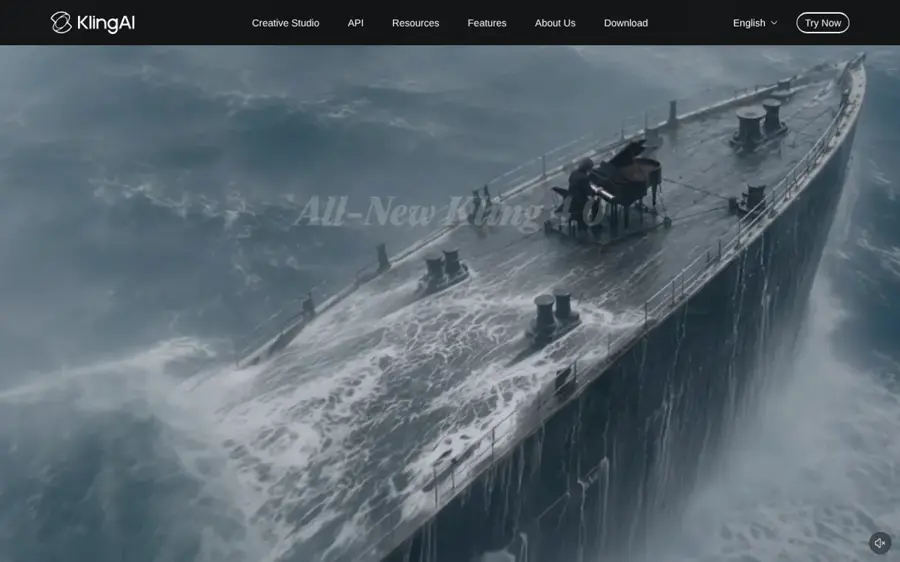
Kling, from Kuaishou, animates a still image or generates from text, with optional native audio on newer models. Start at klingai.com.
Why it stands out
Kling keeps winning side-by-side comparisons, which is why we rate it 4.5/5. In an independent 11-tool test, the author concluded that "Kling was the standout" for shots that look intentionally directed. Keyframes matter most for image to video: pin a start and end frame and let the model fill the motion between them. Watch the credit maths, though. A 5-second clip costs roughly 20 to 35 credits in standard modes, Professional mode about 3.5 times more, and audio can push a clip to 50 to 200 credits, CrePal reports. The iOS app holds 4.7 out of 5 from about 15,000 ratings.
Key features
- Kling 4.0: launched October 15, 2026, with clips of up to 30 seconds in one pass
- Omni Reference: up to 15 reference assets per generation
- Keyframes: up to 10, plus start and end frames
- Native audio: optional sound on newer models
- Text to video: also generates without a starting image
Pros
- Strong realism and camera movement in independent tests
- Daily free credits
- Cheap $10 entry plan
Cons
- Pro mode and audio burn credits fast
- Free output is 720p with a Kling logo
- Credit costs for 4.0 may differ from older guides
Kling AI pricing: Free daily credits of about 66, per Krea → paid plans from $10/month: Standard $10 (660 credits), Pro $37, Premier $92, as listed on Kling’s App Store page; Ultra is $180, per eesel AI (checked October 2026). See pricing
Google Flow – best for free daily use
Flow is Google’s browser-based video tool: upload an image as a starting frame or ingredient, describe the motion, and it generates clips with sound using Veo 3.1 or Gemini Omni Flash. Try it at labs.google/flow.
Why it stands out
Flow is the best free AI image to video option with no card required, and earns 4.5/5. The numbers are generous: a standard Veo 3.1 Lite generation costs 10 credits, and a 10-second Omni Flash clip costs 15 credits at 720p or 7 at 360p, per Google. On quality, Gemini Omni Flash 1.1 ranks fourth on the with-audio image-to-video board and leads the separate silent board. We found no G2, Trustpilot or App Store score for Flow, since it is a Google Labs web product.
Key features
- Two model families: Veo 3.1 and Gemini Omni Flash
- Image as frame or ingredient: use your picture as the opening shot or as a reference
- 360p drafts: half the credits of 720p for testing prompts
- Native audio: clips come with sound
- 1080p upscaling: for subscribers
Pros
- Daily free credits with top-ranked models
- Cheap drafts before you spend on 720p
- Low-cost AI Plus upgrade
Cons
- Free users can be blocked at peak times
- No 1080p on free, and Krea notes free output is watermarked
- Credits do not roll over and costs vary by model
Google Flow pricing: Free 50 credits a day → paid plans from $4.99/month: Google AI Plus adds 200 credits a month, AI Pro 1,000 and Ultra 10,000 or 25,000, per Google’s Flow help page; AI Plus costs $4.99 a month in the US (checked October 2026). See pricing
Related: Best free AI video generators Best AI video generators
Hailuo – best for top leaderboard quality
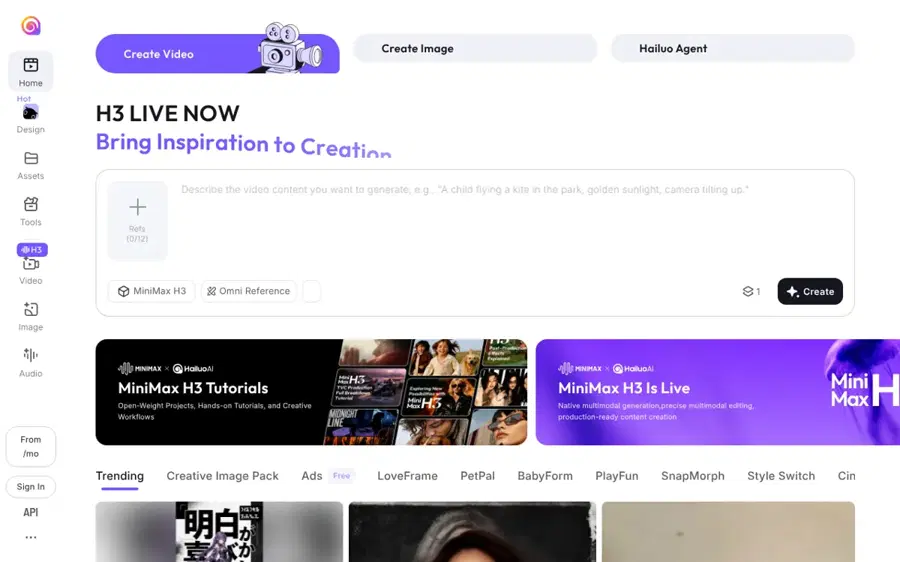
Hailuo is MiniMax’s video app, built around its newest model, MiniMax H3. Find it at hailuoai.video.
Why it stands out
Hailuo is for people who want the model currently ranked highest by blind voters (our rating: 4/5). MiniMax H3 (768p) sits at the top of the Artificial Analysis image-to-video board with audio, with an Elo of 1140. An H3 clip costs about 30 to 80 credits, so the $14.99 plan buys roughly 12 to 33 generations. The independent 11-tool test, run on an earlier model, called Hailuo "Budget-friendly testing via credits, decent results". We could not find a verifiable app store or Trustpilot score to quote.
Key features
- MiniMax H3: 4 to 15 second clips at up to 2K, per Aiarty’s August 2026 guide
- Start and end frames: via the older Hailuo 2.0 Frames model
- Model choice: H3, Hailuo 2.3 and Hailuo 2.0 for different budgets
- Native audio: H3 ranks on the with-audio leaderboard
Pros
- Top-ranked model in blind voting
- Longer, sharper clips than most rivals
- Several price points within one app
Cons
- Free credits are one-time and do not refill
- Aiarty says free users can face watermarks and slower processing
- Fewer editing tools than Runway
Hailuo pricing: Free 200 one-time credits → paid plans from $14.99/month: Standard $14.99 (1,000 credits), Pro $54.99 (4,500), Master $119.99 (10,500), Max $216 (27,000), per Aiarty (checked October 2026). We could not confirm an official pricing page. See pricing
Related: Best AI video generators
Dreamina – best for lots of free daily attempts
Dreamina is ByteDance’s image and video studio from the CapCut team, running ByteDance’s Seedance models. Find it at dreamina.capcut.com.
Why it stands out
Dreamina suits iterating on one image many times a day, and we rate it 4/5. Seedance is strong on the leaderboards: Seedance 2.5 ranks third and Seedance 2.0 seventh on the Artificial Analysis with-audio board. Check which version your account offers, as the app and the API do not always match. Treat Dreamina’s own credit figure as a vendor claim, and note we found no independent user rating to quote.
Key features
- Seedance 2.0: ByteDance’s video model, per Dreamina’s own guide
- Seedance 2.0 Mini: a cheaper model for drafts
- Daily free credits: refill each day
- Image and video in one studio: from the team behind CapCut
Pros
- Generous daily free allowance
- Highly ranked Seedance models
- Cheap draft model
Cons
- Cost per clip not published
- Regional, promotion-heavy pricing
- Watermark-free export depends on plan and model
Dreamina pricing: Free daily credits (Dreamina cites a baseline of "120 daily credits" but tells you to confirm the amount in your account) → paid Basic, Standard and Advanced plans that vary by region (checked October 2026). We could not find an official public price list. See pricing
Related: Best free AI video generators
Runway – best for editors and studios
Runway is a browser-based creative suite built around its Gen-4 family, where image to video is one tool among many. Start at runwayml.com.
Why it stands out
Runway is a toolkit for editors and agencies, not a one-click animator. The independent test found it "Not always the most realistic" but very creator-friendly. Consumer feedback is the weak point: Runway’s Trustpilot score is 1.2 out of 5 from 362 reviews, and one October 2026 reviewer wrote that they "Used all my Pro credits within the space of 20 minutes". Credits drain quickly if you retry a lot, so we lowered its score to 3.5/5.
Key features
- Gen-4.5: the flagship model on paid plans
- Gen-4 Turbo: the faster model behind the free credits
- Editing tools: extend, restyle and edit footage around the generator
- Team plans: per-user billing for studios
Pros
- Generation inside a production workflow
- Good for stylised and motion-heavy shots
- Scales to teams
Cons
- Free credits are one-time
- Very poor Trustpilot rating, mostly about credits
- Not top-ranked for realism
Runway pricing: Free 125 one-time credits (about 25 seconds of Gen-4 Turbo, watermarked) → paid plans from $15/user/month billed annually: Standard $15, Pro $35, Enterprise custom, per Creatify’s 2026 guide (checked October 2026). See pricing
Midjourney – best for animating artwork
Midjourney’s video model is image-to-video only: you animate an image you made in Midjourney or uploaded. Start at midjourney.com.
Why it stands out
Midjourney keeps an image’s art style well, which makes it the pick for illustrators and designers (our rating: 4/5). The trade-off is resolution and cost. Video is 480p by default, 720p needs Standard or higher in Fast mode, and a video job costs about 8 times an image job in GPU time, per Krea’s October 2026 guide. So it suits stylised loops and art pieces, not crisp product ads. We could not find a verifiable Trustpilot or app store score to quote.
Key features
- 5-second clips: from any image
- Extensions: about 4 seconds at a time, up to 21 seconds
- 720p option: on Standard and up in Fast mode
- Relax mode video: unlimited at 480p on Pro and Mega
Pros
- Keeps an image’s art style
- Seamless from image creation to animation
- Clip extensions up to 21 seconds
Cons
- No free trial
- Low default resolution
- No text-to-video
Midjourney pricing: No free plan → paid plans from $10/month: Basic $10, Standard $30, Pro $60, Mega $120, with 20% off annually, per Krea (checked October 2026). See pricing
Luma Dream Machine – best for film-like lighting
Luma’s Dream Machine animates images and text prompts with its Ray models; Ray 3.14 is the top model, per eesel AI. Start at lumalabs.ai.
Why it stands out
Luma is our pick for product shots, fashion and mood pieces where lighting sells the shot (4/5). The independent test said Luma Ray gave "the most high-end, film-like finish", with strong reflections and lighting. The iOS app holds 4.5 out of 5 from about 1,800 ratings; one reviewer simply wrote, "it is a really great app!" The main catch is licensing: free and Lite output is watermarked and non-commercial.
Key features
- Ray 3.14: Luma’s top video model
- Image and text input: animate a still or start from a prompt
- Daily draft credits: 720p drafts on the free tier
- Unlimited plan: for heavy users
Pros
- Excellent lighting and finish
- Usable free drafts
- Strong app store rating
Cons
- Commercial use from $29.99
- Less control for complex action
- Credits do not roll over
Luma Dream Machine pricing: Free tier with daily draft credits (720p, watermarked) → paid plans from $9.99/month: Lite $9.99, Plus $29.99, Unlimited $94.99, per eesel AI’s 2026 guide (checked October 2026). See pricing
Pika – best for playful social clips
Pika turns images into short clips and is known for Pikaffects, playful effects that squash, melt or inflate objects in a photo. Try it at pika.art.
Why it stands out
Pika is for social posts and memes where fun matters more than realism (3.5/5). The independent test found "Beautiful moments and lighting, but sometimes misses key prompt details." A 10-second 1080p clip costs about 80 credits, so Standard covers roughly eight to nine clips a month before retries. We found no verifiable user rating to quote.
Key features
- Pikaffects: squash, melt or inflate objects in a photo
- Image to video: short clips from a single still
- 1080p output: on paid credits
- Simple interface: built for quick social content
Pros
- Fun, distinctive effects
- Easy for beginners
- Cheap entry plan
Cons
- Tiny free allowance
- Weaker prompt adherence
- Not built for realism
Pika pricing: Free 80 credits a month (watermarked) → paid plans from $10/month: Standard $10 (700 credits), Pro $35 (2,300), Fancy $95 (6,000), per GPTPrompts’ June 2026 breakdown (checked October 2026). See pricing
Leonardo AI – best for making the image and animating it
Leonardo, owned by Canva, is an image platform with video built in: create a clean first frame, then animate it. Start at leonardo.ai.
Why it stands out
Starting from a generated image often gives better results than a pure text prompt, because you lock the look first. The trade-off is cost: video eats tokens fast, especially third-party models, which keeps it at 3.5/5. Our full Leonardo AI review covers the token maths. Users rate it well, with a 4.5 TrustScore on Trustpilot and 4.8 out of 5 on the US App Store.
Key features
- Image models: make the first frame in the same account
- Own video models: animate without leaving Leonardo
- Third-party video models: including Veo, Kling and Seedance
- Daily free tokens: 150 a day
Pros
- Images and video in one place
- Access to several leading video models
- Strong user ratings
Cons
- Video burns tokens quickly
- Busy interface for beginners
- Best models on paid tiers
Leonardo AI pricing: Free 150 tokens a day → paid plans from $12/month, up to $60, per Leonardo’s pricing page (checked October 2026). See pricing
Related: Leonardo AI review Best AI image generators
Viggle AI – best for making a character copy a dance
Viggle does motion transfer: give it a picture of a character and a reference video, and it animates the character to copy the moves. Try it at viggle.ai.
Why it stands out
Viggle is not a general image to video AI generator. It is a puppet tool for dance clips, memes and character swaps, and it works best with clean, front-facing poses; fast moves and hidden limbs cause glitches. We rated it 4 out of 5 in our full Viggle AI review, which also collects user feedback.
Key features
- Motion transfer: copies moves from a reference video
- Character from a photo: one still image is enough
- Template library: a large set of ready-made moves
- Daily free videos: 5 a day, watermarked
Pros
- Best at making a photo copy a dance
- Usable free allowance
- Cheap Pro plan
Cons
- Narrow use case
- Artifacts on complex poses
- Short clips, one job at a time on free
Viggle AI pricing: Free 5 videos a day, watermarked → Pro $9.99/month or $7.99/month billed yearly, per Viggle’s pricing page (checked October 2026). See pricing
How to choose the right image to video AI tools
Start with the image you have and the job it needs to do. This decision table covers most cases:
| If you want to... | Choose |
|---|---|
| Animate a real photo of a person or product realistically | Kling or Hailuo |
| Try image to video for free, daily | Google Flow, then Dreamina |
| Bring artwork or illustrations to life | Midjourney |
| Get premium lighting for ads | Luma Dream Machine |
| Edit and extend clips inside a pro workflow | Runway |
| Make a character dance or copy a video | Viggle |
| Create the image first, then animate it | Leonardo or an AI image generator plus Kling |
Then think of every generation as a loop: image in, prompt describes the motion, model predicts frames, you judge and retry. Each loop costs credits, so the real price is cost per kept clip. A worked example:
- Kling Standard is $10 for 660 credits. At about 30 credits per 5-second standard clip, that is 22 generations.
- If you keep one in three, you get about 7 usable clips, or roughly $1.40 each.
- On Pika Standard, 700 credits at about 80 per 10-second 1080p clip is 8 generations. Keep one in three and you get 2 or 3 clips, about $3.30 to $5 each, though each one is twice as long.
Your keep rate depends on your prompts. Describe the motion, not the picture: the model can already see the picture. "Slow push-in, hair moving in a light breeze, she turns her head left" beats "a beautiful woman in a field". Our guide to writing better AI prompts covers the basics.
Where it breaks
- Identity drift: faces change as the clip goes on, especially past 5 to 10 seconds or when the head turns away.
- Hidden detail: the model has to invent what your photo does not show, such as the back of a product or a hand behind a body.
- Text and logos: lettering on packaging often warps in motion.
- Fast action: spins, jumps and crowds produce extra limbs and smeared frames.
- Real people: animating someone's photo without permission can break platform rules and, in many places, the law. Do not pass synthetic clips off as real footage.
Free vs paid: what you actually get
Free image to video AI exists, but it is a trial, not a production tool. Here is what a free account gets you in October 2026:
| Tool | Free allowance | Main catch |
|---|---|---|
| Google Flow | 50 credits a day | Watermark, peak-hour limits, no 1080p |
| Dreamina | Daily credits (vendor says 120) | Cost per clip not published |
| Kling AI | About 66 credits a day | 720p, logo, Pro mode costs more |
| Viggle AI | 5 videos a day | Watermark, one job at a time |
| Leonardo AI | 150 tokens a day | Video burns tokens fast |
| Hailuo | 200 credits, once | Does not refill |
| Runway | 125 credits, once | About 25 seconds, watermarked |
| Pika | 80 credits a month | About one 10-second clip |
| Midjourney | None | Paid only |
For personal photos there is one more free option: Google Photos has a Photo to video feature in its Create tab. In January 2026 Google added text prompts and audio by default, for users over 18. Earlier coverage said free users get a limited number of generations, with more on AI Pro and Ultra.
Paying buys you three things: no watermark, commercial rights and higher resolution. The first paid tier, usually $5 to $15 a month, is the jump that matters. Go higher only if you publish video every week. For more free options, see our roundup of the best free AI video generators.
Final verdict
For most people, Kling is the best image to video AI in 2026: realistic motion, real keyframe control and a $10 entry plan. Use Google Flow as your free daily sandbox, and test Hailuo's H3 if you want the model blind voters currently rank first. Pick Midjourney for art, Luma for lighting, Runway for editing work and Viggle for dances.
Whatever you choose, run the free plan for a week, count how many clips you actually keep, and pay for the tier that covers that number with some room for retries.
FAQ
What is image to video AI?
It is a type of generative AI that takes a still image as the first frame and predicts the frames that follow, guided by a text prompt about motion. The result is usually a 4 to 15 second clip. Some tools, like Kling and Hailuo, also accept an end frame so you control where the motion lands.
Is there a free image to video AI?
Yes. Google Flow gives 50 credits a day, Kling and Dreamina hand out daily credits, Viggle allows 5 videos a day and Google Photos has a limited free Photo to video feature. Expect watermarks, 720p or lower and no commercial rights on free plans.
What is the best image to video AI?
For realistic results and control, Kling. For free use, Google Flow. On the Artificial Analysis blind-vote leaderboard with audio, MiniMax H3 (in Hailuo) currently ranks first, with Seedance and Gemini Omni Flash close behind.
How do I animate a photo with AI?
Upload the photo to a tool such as Kling or Flow, choose image to video, and write a prompt that describes movement and camera: what moves, how fast and where the camera goes. Generate a short clip at low resolution first, refine the prompt, then render your best version at full quality.
Can I use AI-animated photos commercially?
Usually only on paid plans. Free tiers from Luma, Pika and others are watermarked or non-commercial. Check each tool's terms, and get permission before animating photos of real people.
Sources
- Kuaishou launches Kling 4.0 (Bernama)
- Flow credits and plans (Google Flow Help)
- Image to Video Leaderboard (Artificial Analysis)
- Which AI video generator looks the most realistic? (Substack)
- Best free AI video generators in 2026 (Krea)
- Kling AI: AI Image&Video Maker (Apple App Store)
- Kling AI pricing (eesel AI)
- Is Kling AI free? Pricing (CrePal)
- Google AI plans (Google Gemini)
- Hailuo AI Pricing 2026: Plans, Credits, Costs and Video Limits (Aiarty)
- Free AI video generator usable clips guide 2026 (Dreamina)
- Runway pricing (2026): plans, credits and what you will actually pay (Creatify)
- runwayml.com reviews (Trustpilot)
- Is Midjourney free? Pricing, video and free alternatives in 2026 (Krea)
- Luma AI pricing (eesel AI)
- Luma Dream Machine (Apple App Store)
- Pika pricing (GPTPrompts.AI)
- Pricing (Leonardo.Ai)
- Leonardo.ai reviews (Trustpilot)
- Leonardo AI Image Generator (Apple App Store)
- Pricing (Viggle AI)
- Google Photos now lets you use text prompts to turn your images into videos (GSMArena)
- Google Photos adds AI video generation with Veo 3 (TechCrunch)
- Runway Pricing: Choose the Right Plan for You (Runway)
- Subscription Pricing (Pika)
- Comparing Midjourney Plans (Midjourney)
- Dream Machine support: pricing information (Luma AI)