AI baby generators in 2026: 8 tools compared side by side
What would your baby look like? We compare 8 AI baby generators, from Remini to Gemini, on price, free limits, privacy and the AI baby meme.
 Written byFahad HashmiContributing writer, AI in energy and industry
Why you can trust The AI Future
Our writers research every product, link each claim to its source and correct mistakes openly. Companies can't pay for coverage or see reviews before they're published.
Read our editorial policy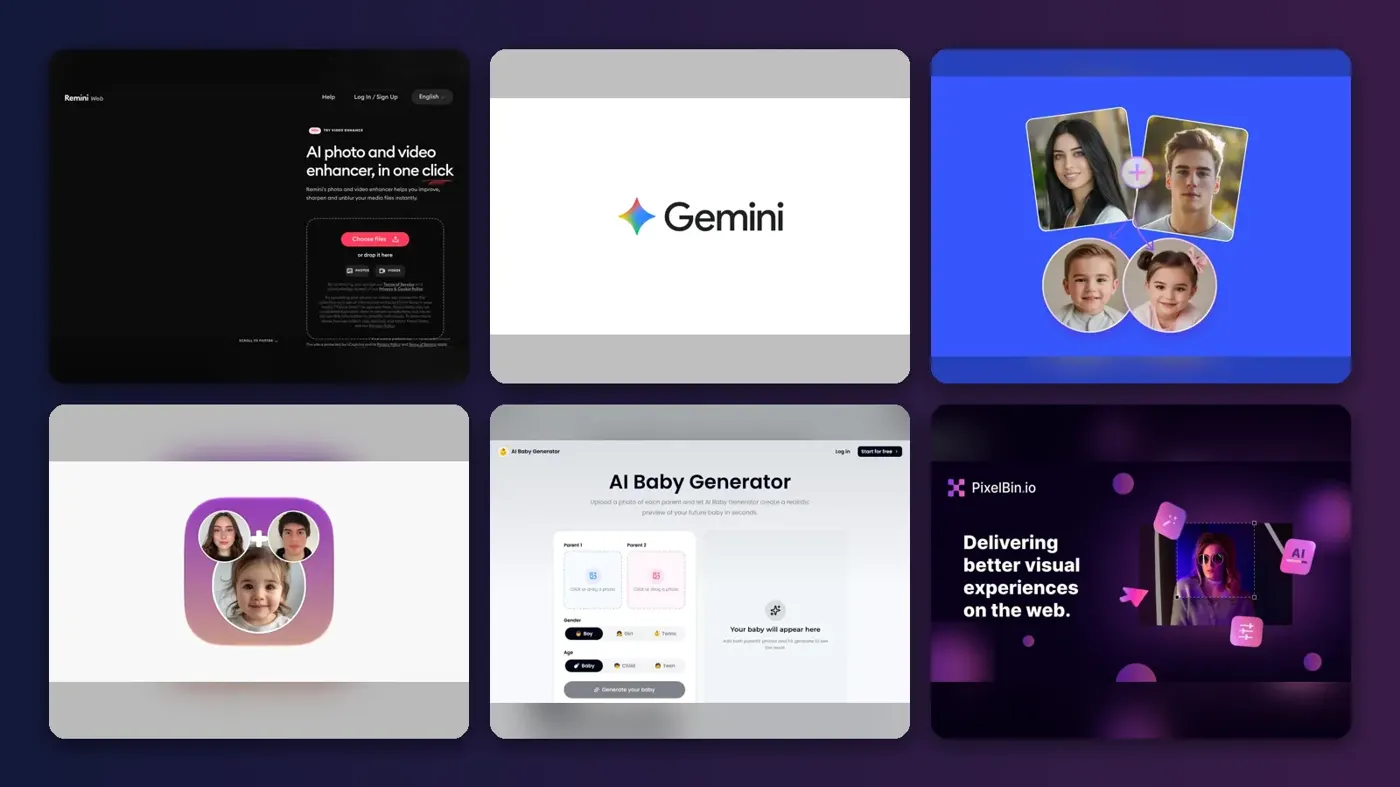
Here is the short version: an AI baby generator takes one photo of each parent, blends their facial features with an image model, and returns a picture of a child who could plausibly be yours. It is a fun visual guess, not a genetic prediction. For most people, a dedicated app like Remini or a free web tool like Fotor is the fastest route, while ChatGPT and Google Gemini give you the most control if you are willing to write a prompt.
Below we compare eight tools, from one-tap baby filters to the setups people use for the talking "AI baby meme" videos. We did not run our own hands-on tests for this piece. Instead we compared each tool using its official pages, app store listings, published reviews and user feedback, as of late October 2026. Prices are in US dollars and can change by country and app store.
Key takeaways
- No AI baby maker can predict your child's real face. Facial traits come from many genes interacting. These tools average two faces and add "baby" features on top.
- Free usually means limited. Expect a few free generations, watermarks or low resolution before a paywall appears.
- Weekly subscriptions are the main cost trap. Several apps default to weekly billing that adds up fast if you forget to cancel.
- General image models are the flexible option. ChatGPT and Gemini accept both parents' photos plus a prompt, so you control age, style and setting.
- Read the privacy terms first. You are uploading biometric-quality face photos, sometimes of other people.
How we ranked them
To be clear about method: we did not upload our own photos to these services. We ranked them from documented evidence (official pages, app store listings, published reviews and user feedback), using five criteria:
- Inputs and control. Can you upload two parents? Choose gender, age or twins? Adjust the result with a prompt?
- Ease of use. How much setup or prompt writing you need before you get a usable image.
- Real cost. What the free tier actually allows, and what the cheapest useful paid option costs, using pricing published in 2026.
- Reputation. App store ratings, independent reviews and user complaints where we could find them. We did not invent scores for tools without a published rating.
- Privacy. Whether the vendor says it deletes, stores or trains on your uploads.
Dedicated apps rank higher for convenience. General-purpose models rank high for control and value, because you may already pay for one. If you want a wider view of image tools, see our guide to the best AI image generators.
The 8 best AI baby generators at a glance
| # | Tool | Category | Best for | Free tier | Starts at |
|---|---|---|---|---|---|
| 1 | Remini | Photo app | Polished results on your phone | Yes (limited) | $4.99/week |
| 2 | Google Gemini | AI assistant | Free, prompt-controlled baby photos | Yes (limited) | Google AI Plus |
| 3 | ChatGPT | AI assistant | Custom scenes and meme images | Yes (limited) | $8/mo |
| 4 | Fotor | Web photo editor | Quick browser-based blend | Yes (limited) | Not listed on tool page |
| 5 | Face Maker | iOS app | iPhone users who want trait guesses | Yes (limited) | $4.00/week |
| 6 | BabyGenerator.ai | Web tool | Age ranges and twins | Yes | Not listed |
| 7 | Pixelbin | Web filter | Turning one adult photo into a baby | Yes (limited) | Not listed |
| 8 | Hedra | Video animation | Talking AI baby meme videos | No | Around $10 (per one guide) |
The 8 best AI baby generators in 2026, ranked
Remini – best for polished results on your phone
Remini is a photo enhancement app owned by Bending Spoons whose Baby AI feature turns a photo of you and a partner into images of a possible future child. Get it at remini.ai.
Why it stands out
Remini drew wide news coverage for its baby feature, and it is built for people who want a finished-looking portrait without writing a prompt. ABC7 Chicago reported that it can also show what existing children might look like when older. The trade-off is cost and privacy. AI Chat Daily gives it 3.7/5 and calls the baby feature a novelty whose quality varies. Bending Spoons told ABC7 that it does not use facial recognition, encrypts images and does not sell them. Even so, cybersecurity expert David Barton told the station: "My gut says, I wouldn't do it."
Key features
- Baby AI: generates a possible future child from two parent photos
- Two-parent flow: guided upload of you and a partner
- Older-child previews: shows what existing children might look like when older
- Photo enhancement: the same app fixes old or blurry photos
Pros
- Very little effort: upload two photos and wait
- Finished-looking portraits with no prompt writing
- One app for baby images and photo repair
Cons
- Weekly billing is easy to forget
- Free exports carry a watermark
- Face data leaves your device
Remini pricing: Free (limited daily credits, watermarked) → Pro from $4.99/week, $9.99/month or $59.99/year, according to an April 2026 pricing overview (checked October 2026). Store pricing varies by region, so confirm in the app. Official site
Google Gemini – best for free, prompt-controlled baby photos
Gemini has no dedicated baby button, but its Nano Banana image models take reference photos plus a text prompt, so you can ask for a newborn, toddler or five-year-old that combines both parents. Try it at gemini.google.com.
Why it stands out
Because you write the prompt, you can fix the usual problems yourself, for example asking for a different hair color or a neutral background. Gemini accepts up to 10 files per prompt, per a 2026 limits guide, which is plenty for two parents and a style reference. Free accounts get 1K-resolution downloads, fine for a phone screen or social post. If prompting is new to you, our guide to writing better AI prompts covers the basics.
Key features
- Reference photos: up to 10 files per prompt
- Prompt control: set age, style, hair color and setting in plain text
- Nano Banana models: general image models rather than a fixed baby pipeline
- Free downloads: 1K resolution on free accounts
Pros
- Free tier is usable for a handful of images
- Full control through prompts
- Multiple reference photos per prompt
Cons
- No guided baby workflow
- Free limits are not published as image counts
- Results vary more from run to run
Google Gemini pricing: Free with compute-based limits → Google AI Plus, Pro and Ultra raise the allowance (checked October 2026). Google does not publish a fixed free image count; usage "refreshes every 5 hours until you reach your weekly limit," according to the same guide. Official site
ChatGPT – best for custom scenes and meme images
ChatGPT's built-in image generation can work from uploaded photos, which makes it a flexible baby face generator and the most common starting point for the AI baby meme. Try it at chatgpt.com.
Why it stands out
ChatGPT is a sensible pick if you already pay for it, since the AI baby face generator use case costs nothing extra. You can ask for changes in the same conversation ("make the baby smile", "now show her at age eight") instead of starting over. A guide by Nowbam uses ChatGPT to render an adult headshot as a three-year-old in a podcast studio, then animates it with another tool. For a full look at the current model, see our ChatGPT GPT-6 review.
Key features
- Photo uploads: generate from your own reference images
- Conversational edits: change expression or age without starting over
- Custom scenes: place the child in a specific setting
- Meme-ready images: adult-to-toddler renders for the talking-baby trend
Pros
- Iterative edits in plain language
- No extra cost for existing subscribers
- Works for both baby predictions and meme images
Cons
- Free image limits tighten at busy times
- Not built for a two-parent blend, so prompts matter
ChatGPT pricing: Free (limited images) → paid plans from $8/month (Go); Plus at $20/month adds higher limits, according to Krater (checked October 2026). See pricing
Related: ChatGPT with GPT-6 review
Fotor – best for a quick blend in the browser
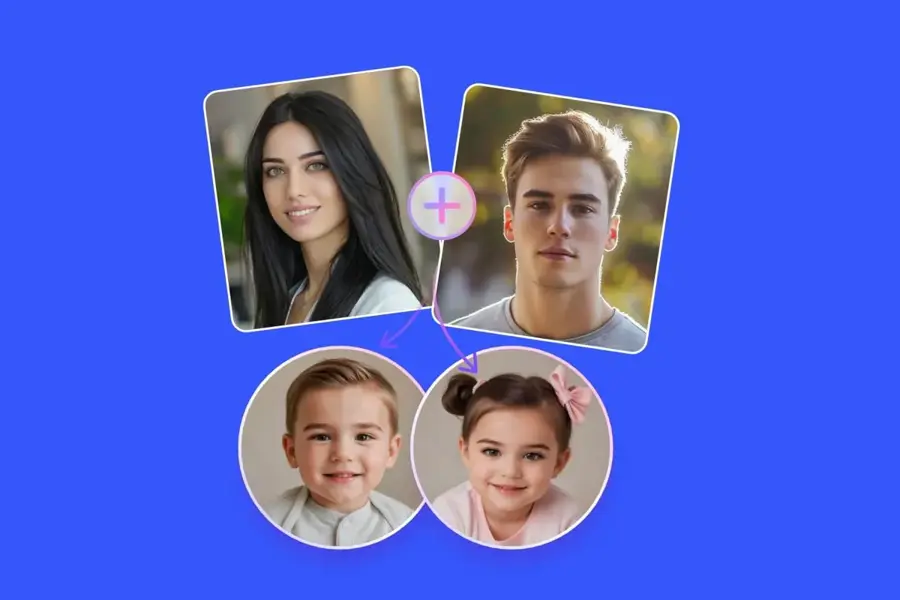
Fotor's Baby Generator is a web tool that blends a photo of you with one of a partner, crush or celebrity into a predicted baby image, with no app install needed. Try it at fotor.com.
Why it stands out
Fotor lets you upload photos of yourself and a partner, crush or celebrity, or skip photos and describe the baby in text. It is a full photo editor, so the baby generator sits alongside background removal and retouching, which helps if you want to clean up a parent photo before uploading it. Pixelbin also lists Fotor's two-photo blending and gender selection, and notes it works on desktop and mobile.
Key features
- Two-photo blend: combine you with a partner, crush or celebrity
- Text-only mode: describe the baby, including gender and appearance
- Gender selection: pick the child's gender
- Built-in editor: background removal and retouching in the same place
Pros
- Runs in any browser, desktop or mobile
- Text-only option if you do not want to upload faces
- Editing tools in the same place
Cons
- Free limits not clearly stated
- No published third-party rating for the baby tool
Fotor pricing: Free to try → the baby tool page does not list credit limits or prices; Fotor's wider subscription unlocks more features (checked October 2026). See pricing
Face Maker – best for iPhone users who want trait guesses
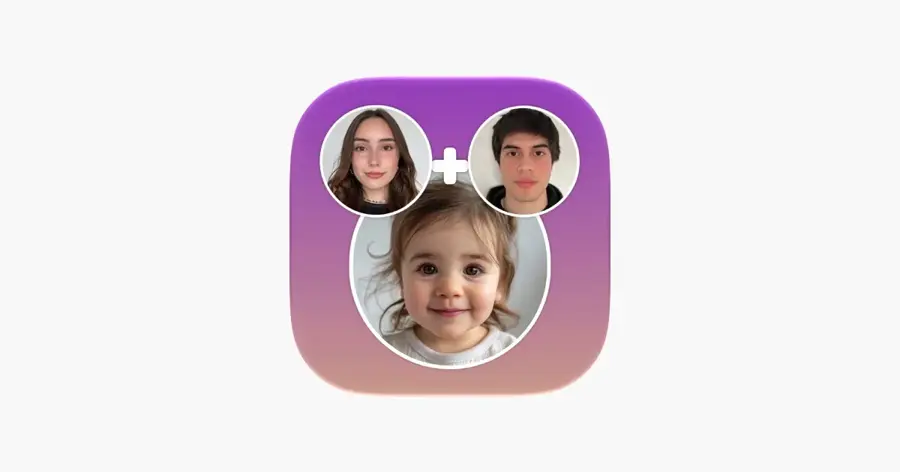
AI Baby Generator: Face Maker is a dedicated iPhone app from Wowoo that predicts a baby face from your photos. Get it on the App Store.
Why it stands out
The app holds 4.5/5 from about 13,000 ratings on the App Store, the strongest published rating we found. The reviews also point to the limits of this whole category. One user wrote: "each time the baby never changed its appearance." Another said: "It’s not accurate for mixed race couples though."
Key features
- Baby face prediction: upload photos and choose a gender
- Trait guesses: estimates eye color and hair type
- Resemblance check: says which parent the child resembles
- Guided flow: a simple, game-like experience
Pros
- Strong App Store rating with a large sample
- Extra trait estimates beyond the image
- Simple flow
Cons
- Confusing range of in-app purchase options
- Users report weaker results for mixed-race couples
- iOS only
Face Maker pricing: Free download → in-app purchases from $4.00 (weekly) up to $39.99 for All Access and $51.99 for a "Future Baby Predictor" option (checked October 2026). See pricing
BabyGenerator.ai – best for age ranges and twins
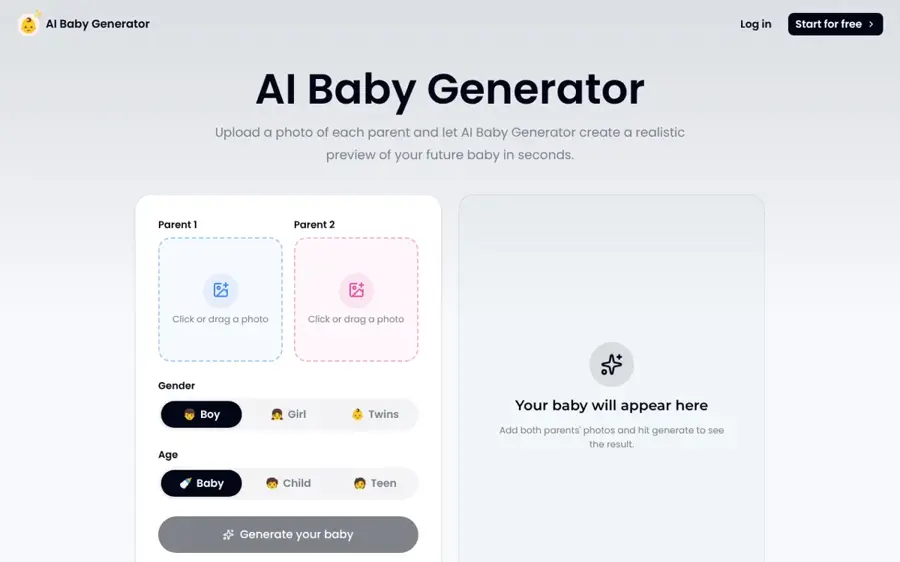
BabyGenerator.ai is a web tool that takes one front-facing photo per parent and lets you pick gender, twins and an age range. Try it at babygenerator.ai.
Why it stands out
The age and twin options make this one of the more flexible baby AI generator tools, according to its TopAI.tools listing. The catch is in the privacy terms: the listing says customer content may be used to train its models. It had no user reviews yet, so treat quality as unknown.
Key features
- Two-parent input: one front-facing photo per parent
- Age ranges: baby, child or teen
- Twins: generate twin results
- Comparisons: side-by-side views of results
Pros
- Age ranges up to teen
- Twin option
- Side-by-side comparisons
Cons
- Uploads may be used for model training
- No independent reviews found
BabyGenerator.ai pricing: Advertised as "free to use, with no credit card required," but the listing also notes subscriptions that renew until cancelled; no paid price listed (checked October 2026). Official site
Pixelbin – best for turning one adult photo into a baby
Pixelbin's Baby Face Filter is a one-click filter that turns a single adult photo into a baby version of that person. It is not a two-parent predictor. Try it at pixelbin.io.
Why it stands out
This is the tool for "what did I look like as a baby" posts and the single-face AI baby meme format. No sign-up is needed for the trial, and you get a before-and-after preview, according to Pixelbin's own roundup. There are no gender or age controls. Our only source for its details is the vendor's own blog, so weigh the claims accordingly.
Key features
- One-click filter: turns one adult face into a baby
- No-account trial: first three tries without sign-up
- Before-and-after preview: compare original and result
- HD export: uploads up to 10 MB
Pros
- No account for the first tries
- HD export
- Fast, single-step process
Cons
- One face only, no parent blending
- No gender or age controls
- Details come from the vendor
Pixelbin pricing: First three tries free → then paid plans; prices not stated in the vendor roundup (checked October 2026). Official site
Hedra – best for talking AI baby meme videos
Hedra animates a still image to an audio clip. In the talking-baby podcast trend, you generate a baby image elsewhere, then use Hedra to make it speak. See hedra.com.
Why it stands out
The workflow in the Nowbam guide is three tools: ChatGPT for the image, CapCut to trim the audio, and Hedra to animate. The guide notes Hedra "only supports clips up to 20 seconds," so plan short. For other ways to animate stills, see our list of image-to-video AI tools.
Key features
- Audio-driven animation: makes a still image speak to a clip
- Lip-synced talking heads: built for the podcast-style format
- Vertical output: 9:16 for TikTok, Reels and Shorts
- Short clips: up to 20 seconds, per the guide
Pros
- Built for lip-synced talking heads
- Vertical output for social
- Works with images from any generator
Cons
- Needs a separate image tool
- Short clip limit
- Using a real person's voice or face raises consent issues
Hedra pricing: No free plan, per the Nowbam guide → around $10 (checked October 2026; confirm on Hedra's site). Official site
How AI baby generators actually work
Think of an AI baby generator as three steps. First, it detects and aligns each face, locating eyes, nose, mouth and jaw. Second, it maps each face into the model's internal representation and mixes them, roughly a weighted average of the two parents. Third, it pushes that mix toward "infant" features: a rounder face, larger eyes relative to the head, a smaller nose and softer skin. Newer tools use general image models instead of a fixed pipeline, which is why ChatGPT and Gemini can do the same job from a prompt.
None of this models genetics. Real inheritance involves recessive traits, many interacting genes and plain chance. That is why two siblings can look nothing alike, and why an AI tool can show you a blue-eyed child when that outcome is unlikely for your family.
Where it breaks
- Bad inputs. Side angles, sunglasses, heavy filters or two faces in one frame confuse the face detection step. Use one clear, front-facing photo per parent.
- Skin tone and mixed heritage. Averaging tends to land on a middle value and can wash out features. App Store users report weaker results for mixed-race couples.
- Same face every time. Some apps lock in one output, so retrying gives the same baby. Prompt-based tools vary more.
- Uncanny results. Toddlers with adult expressions or jawlines are a common failure. Ask for a younger age or regenerate.
- Telling real from fake. Digitally generated AI baby images spread fast as memes. Most are clearly AI, but some are shared as real.
How to choose the right AI baby generator
Start with what you want to make, then pick the tool that matches.
| If you want... | Use | Why |
|---|---|---|
| A realistic "our future baby" photo, fast | Remini or Face Maker | Guided two-parent flow on your phone |
| A free baby generator, no install | Fotor or Gemini | Browser-based, free to try |
| Control over age, style and setting | ChatGPT or Gemini | Prompt-driven, editable in conversation |
| The same child at several ages, or twins | BabyGenerator.ai | Built-in age and twin options |
| A baby version of one person | Pixelbin | Single-face filter |
| A talking AI baby meme video | ChatGPT + Hedra | Image plus lip-sync animation |
Before you upload anything, run this quick checklist:
- Does the tool say how long it keeps uploads, and whether it trains on them?
- Do you have consent from your partner, or whoever else is in the photo?
- Is the default subscription weekly, monthly or yearly?
- Can you delete your images and account afterwards?
If the baby image is only step one and you want to turn it into a longer clip, our guide to AI video generators covers the general-purpose options.
Free vs paid: what you actually get
Free tiers in this category share the same pattern: a small number of generations, lower resolution and often a watermark. Paid tiers remove the watermark, raise the limits and unlock options like gender, age or HD output.
Here is a worked example with Remini's published prices from the April 2026 overview. Say you only want a few baby images for one evening.
- One week of Pro at $4.99 is the cheapest way to get watermark-free results.
- If you forget to cancel, weekly billing becomes 52 × $4.99 = $259.48 a year.
- The annual plan is $59.99, so a forgotten weekly plan costs about 4.3 times as much as paying yearly.
- The monthly plan at $9.99 sits in between: 12 × $9.99 = $119.88 a year.
The same logic applies to Face Maker, where a weekly option at $4.00 sits next to one-off purchases up to $51.99. The practical rule: if this is a one-time curiosity, use a free tier or a general model you already pay for. If you pay, set a cancellation reminder the same day.
Final verdict
For a quick, realistic AI baby photo on your phone, Remini remains the reference app, as long as you watch the billing. If you want a free option with more control, Gemini and ChatGPT do the job from a well-written prompt and two clear photos. For iPhone users who like a guided flow, AI Baby Generator: Face Maker has the strongest published rating we found. And if you are here for the AI baby meme, pair ChatGPT with Hedra.
Whatever you pick, treat the result as entertainment. It is a blend of two photos, not a forecast of your child's face.
FAQ
What would our baby look like AI?
An AI baby generator can show a plausible guess by blending both parents' facial features and adding baby traits. Upload one clear, front-facing photo of each parent to a tool like Remini, Fotor or Gemini. The result is for fun only. Real inheritance depends on many genes and chance, so your child may look quite different.
How to make AI baby?
Pick a tool, then upload a well-lit, front-facing photo of each parent with no sunglasses or filters. Choose options like gender or age if offered, and generate. With ChatGPT or Gemini, upload both photos and write a prompt such as "show a two-year-old who combines these two people's features, natural light, plain background."
Is there a free AI baby generator for couples?
Yes, with limits. Fotor and BabyGenerator.ai advertise free use, and Gemini and ChatGPT have free tiers that accept two photos. Expect caps on the number of images, lower resolution or watermarks. Check whether a "free" tool starts a subscription that renews automatically.
Are AI baby generators safe to use?
They are generally harmless as entertainment, but you are uploading face photos. Read the privacy policy before you start. Some vendors say they encrypt and do not sell images, while others say uploads may be used to train models. Avoid uploading photos of people who have not agreed to it.
Sources
- Remini Review and Pricing (AI Chat Daily)
- Popular app uses AI to show what your future children could look like - But, is it safe? (ABC7 Chicago)
- Gemini Free Image Limit: How Many Images You Can Make and Upload (LaoZhang AI Blog)
- ChatGPT pricing in 2026 (Krater)
- How to Make a Viral Talking Baby Podcast Clip with AI (Nowbam)
- AI Baby Generator (Fotor)
- AI Baby Generator: Face Maker (Apple App Store)
- What is BabyGenerator.ai? (TopAI.tools)
- 12 best free AI baby face generator tools (Pixelbin)
- Fotor Pricing (Fotor)