Best AI video generators in 2026: 8 picks for every budget
The best AI video generator for most people is Gemini Omni, with Kling for cinematic clips and HeyGen for avatars. Here are 8 picks, prices and free plans.
 Written byMuhammad Usman SiddiquiFounder and editor-in-chief
Why you can trust The AI Future
Our writers research every product, link each claim to its source and correct mistakes openly. Companies can't pay for coverage or see reviews before they're published.
Read our editorial policy
Short answer: the best AI video generator for most people in late 2026 is Google's Gemini Omni, which you get inside the Gemini app and Google Flow from $4.99 a month on Google AI Plus. If you want the most cinematic clips and do not mind learning a credit system, pick Kling. If you need a talking presenter rather than a movie scene, go straight to HeyGen or Synthesia.
Everything else on this list is a specialist. That matters, because "AI video generator" now covers three very different jobs: making short cinematic clips from a prompt, editing and directing footage, and producing avatar videos where a digital person reads your script. No single tool wins all three.
One big change before we start. OpenAI's Sora, the app that topped download charts in 2025, is gone. OpenAI closed the app in April and switched off the API on September 24, 2026, as we explain in our Sora AI review. If an older list still ranks Sora first, it is out of date.
Key takeaways
- Gemini Omni is the best value. Google AI Plus costs $4.99 a month and includes video in the Gemini app plus 200 Flow credits.
- Kling is the realism pick. Kling 4.0 launched on October 15 with single-pass clips of up to 30 seconds, and the free plan still hands out daily credits.
- Avatar videos are a separate category. HeyGen and Synthesia are built for training, marketing and explainer videos, not cinematic shots.
- Budget around $10 to $35 a month for regular use. Free plans are fine for testing, but most add watermarks, low resolution or tight caps.
- Credits are the hidden cost. Almost every tool charges per second of video, and failed attempts still burn credits.
How we ranked them
We want to be upfront. Nobody at The AI Future ran these tools through a hands-on test for this article. Instead, we compared them using official pricing and plan pages, launch announcements, published independent tests and user feedback, as of late October 2026. Where we describe how output looks, we say whose test it came from.
We scored each tool on five criteria:
- Output quality: realism, motion, prompt accuracy and audio, based on independent comparisons.
- Control: reference images, keyframes, camera direction and editing after generation.
- Price per usable clip: not the sticker price, but what a 5 to 10 second clip actually costs in credits.
- Free access: whether you can try it properly before paying.
- Fit for a real job: social clips, ads, training videos or film-style projects.
For output quality we leaned on comparisons like an independent test of 11 generators run with the same cinematic prompt and vendor-neutral roundups. Treat every quality claim with some care. Models update every few months, and a tool that looked weak in spring may have caught up by autumn.
The 8 best AI video generators at a glance
| # | Tool | Category | Best for | Free tier | Starts at |
|---|---|---|---|---|---|
| 1 | Gemini Omni | All-in-one video model | Best overall and best value | Yes (limited) | $4.99/mo |
| 2 | Kling AI | Text and image to video | Cinematic, realistic clips | Yes | $10/mo |
| 3 | Runway | Creative suite | Creative pros and editing control | Yes (limited) | $15/mo |
| 4 | Higgsfield AI | Model aggregator | Many top models in one place | No | $15/mo |
| 5 | Adobe Firefly | Creative Cloud AI | Adobe users and commercial work | Yes (limited) | $9.99/mo |
| 6 | Luma Dream Machine | Text and image to video | Polished, film-like finish | Yes (limited) | $9.99/mo |
| 7 | HeyGen | Avatar video | Avatar and marketing videos | Yes (limited) | $29/mo |
| 8 | Synthesia | Avatar video | Corporate training videos | Yes (limited) | $29/mo |
Prices are US dollars, monthly billing unless noted, checked in October 2026. Runway’s $15 Standard plan is per user, billed annually. Higgsfield has a free account but no usable credits. The rating in each pick is an editorial score based on the research above, not a lab benchmark.
The 8 best AI video generators in 2026, ranked
Gemini Omni – best for most people
Gemini Omni is Google’s newest video model, available inside the Gemini app and Google Flow. See the plans at gemini.google.
Why it stands out
Google unveiled Gemini Omni at Google I/O in May 2026, and the first version is Gemini Omni Flash. The standout is editing by conversation: instead of rerolling a whole clip because one detail is wrong, you ask Gemini to change it. The budget angle is hard to beat too. At $4.99 a month, AI Plus is the cheapest serious way into a frontier video model, and Google rolled Omni Flash out free inside YouTube Shorts and the YouTube Create app. A summer promotion also gave non-subscribers 10 free 10-second clips with audio until August 4, though the same report notes that in the EU, Switzerland, the UK and some US states you could not upload existing videos to edit. Our editorial rating: 4.5/5. If you only pick one AI video generator, pick this one.
Key features
- Any-input generation: builds clips from any mix of text, images, audio and video.
- Conversational editing: refine a clip over several turns without losing the original scene.
- Better physics: Google says Omni handles gravity and fluid motion better, according to GSMArena.
- Your voice and avatars: supports your own voice and digital avatars.
- SynthID watermark: every video carries an invisible watermark.
- Veo 3.1 on Ultra: higher Google AI Ultra plans also include Veo 3.1.
Pros
- Cheapest entry point to a top-tier model
- Bundled with Gemini, storage and other Google AI features
- Free route through YouTube Shorts and YouTube Create
Cons
- Daily limits on lower plans can run out quickly
- Video upload editing restricted in some regions
- Flow credit costs per clip are not spelled out simply
Gemini Omni pricing: Limited free Flow access → paid plans from $4.99/month (AI Plus, 200 Flow credits); AI Pro $19.99/month (1,000 credits); AI Ultra from $99.99/month (10,000 credits) or $199.99/month (25,000 credits) (checked October 2026). See pricing
Kling AI – best for cinematic, realistic clips
Kling, from the Chinese company Kuaishou, generates text-to-video and image-to-video clips with native audio. Try it at klingai.com.

Why it stands out
Kling keeps winning head-to-head comparisons. In one independent test that ran the same cinematic prompt through 11 generators, the author concluded that "Kling was the standout" for shots that look intentionally directed. Kuaishou’s own launch note says the 4.0 upgrades "center on three priorities: realism, control and professional quality." The numbers matter too: a 15-second 1080p clip with native audio costs 180 credits, according to eesel AI, so the $10 Standard plan covers roughly three or four of those a month. That is fine for testing ideas, but serious users end up on Pro. The pricing we cite was built around Kling 3.0, so check credit costs for 4.0 before you commit. Our editorial rating: 4.5/5.
Key features
- Kling 4.0: launched on October 15, 2026, with clips of up to 30 seconds in a single pass.
- References and keyframes: use up to 15 reference assets and 10 keyframes.
- Native audio: clips come with sound generated alongside the video.
- Text and image inputs: text-to-video and image-to-video in one tool.
- Daily free credits: 66 a day, which expire after 24 hours.
Pros
- Strong realism and camera movement in independent tests
- The most generous free plan on this list
- Best visual quality per dollar if you plan your credits
Cons
- Credits do not roll over
- Longer, higher-quality clips get expensive fast
- Pricing and model access can vary by region
Kling AI pricing: Free (66 credits a day) → paid plans from $10/month (Standard, 660 credits); Pro $37/month (3,000); Premier $92/month (8,000); Ultra $180/month (26,000). Annual billing saves 34% on most tiers, per eesel AI’s June 2026 breakdown (checked October 2026). Official site
Runway – best for creative pros and editing control
Runway is a browser-based creative suite built around its Gen-4 family of video models, with editing tools for reworking footage. Try it at runwayml.com.
Why it stands out
Runway’s strength is the workflow, not one magic model, which is why film and agency teams have used it for years. The same independent comparison found Runway good for motion-heavy and stylized scenes, though not always the most realistic. That fits how pros use it: generating plates, extending shots and stylizing footage they already have. Watch the free plan, though. The 125 credits are one-time, not monthly, and Gen-4 video needs a paid plan. Creatify, which itself sells a competing tool, estimates $30 to $50 a month for regular use, so budget for Pro if you generate often. Our editorial rating: 4/5. Choose Runway if you edit video for a living; skip it if you just want one great clip from a prompt.
Key features
- Gen-4.5: the current flagship model on paid plans.
- Editing tools: rework, extend and stylize footage around the generator.
- Browser-based: nothing to install.
- Team plans: per-user plans for agencies and studios.
Pros
- Generate and refine inside one professional tool
- Good with stylized and motion-heavy shots
- Long track record with film and agency teams
Cons
- Free credits are one-time only
- Not the most photorealistic in independent tests
- Retries eat credits quickly
Runway pricing: Free (125 one-time credits, about 25 seconds of Gen-4 Turbo, watermarked) → paid plans from $15/user/month billed annually (Standard); Pro $35/user/month; Enterprise custom. Annual billing is listed at 20% off, per Creatify’s 2026 Runway pricing guide (checked October 2026). See pricing
Higgsfield AI – best for many top models in one place
Higgsfield is a browser platform that bundles its own tools with third-party video models behind one login. Try it at higgsfield.ai.
Why it stands out
The appeal is choice. When a new model like Kling 4.0 lands, aggregators like Higgsfield often add it quickly, so you can compare models on the same prompt. Higgsfield even produced a full feature film with its tools in 2026. The downside is cost clarity. In our full review we rated it 3.5 out of 5, mainly because pricing is confusing and billing practices have drawn sustained criticism from users. Read the plan terms carefully before you upgrade. It suits power users who want every model at hand, not beginners.
Key features
- Third-party models: Kling, Veo and Seedance behind one login.
- Camera presets: ready-made camera moves for your shots.
- AI cinema studio: a workspace for longer, film-style projects.
- Social-video templates: starting points for short-form content.
Pros
- Compare several leading models on the same prompt
- Fast to add new models
- One subscription instead of several
Cons
- No meaningful free tier
- Confusing credit system
- Billing complaints from users
Higgsfield AI pricing: Free account with no usable credits → paid plans from $15/month (Starter); Plus $49/month ($39 annual); Ultra $129/month ($99 annual); team plans from $69/seat, as covered in our Higgsfield AI review (checked October 2026). Official site
Related: Higgsfield AI review
Adobe Firefly – best for Adobe users and commercial work
Firefly is Adobe’s generative AI app, with its own Firefly Video Model plus partner models, all paid for with the same generative credits. Try it at firefly.adobe.com.
Why it stands out
Do the maths before you buy. A 1080p clip costs 100 credits per second, so a five-second clip uses 500 credits and the $9.99 Standard plan gets you about four 1080p clips a month. The "up to 20 videos" headline only applies at 540p. Where Firefly shines is convenience. The independent 11-tool test called it convenient and fast and best suited to teams already working in Adobe. Our editorial rating: 4/5. It is the safe pick for Adobe shops; everyone else gets more video per dollar elsewhere.
Key features
- Firefly Video Model: text-to-video and image-to-video.
- Partner models: Veo 3.1 Fast and Kling 3.0 on the same credits.
- Creative Cloud integration: plugs into Premiere Pro and other Adobe apps.
- Clear credit rates: a published cost per second at each resolution.
- Unlimited video on Premium: unlimited Firefly Video Model on the top plan.
Pros
- Works inside the Adobe tools many teams already use
- No separate subscription needed to try Veo or Kling
- Suits businesses that care about commercially safe output
Cons
- Low-tier plans buy very few 1080p clips
- Unlimited video only on the $199.99 plan
- Less cinematic than Kling or Luma on its own model
Adobe Firefly pricing: Free daily generations → paid plans from $9.99/month (Standard, 2,000 credits); Pro $19.99/month (4,000); Pro Plus $49.99/month (10,000); Premium $199.99/month (50,000), per SaaS CRM Review, prices checked October 17, 2026 (checked October 2026). See pricing
Luma Dream Machine – best for a polished, film-like finish
Luma’s Dream Machine turns text and images into short clips using its Ray models. Try it at lumalabs.ai.
Why it stands out
In the same independent test, Luma Ray earned praise for the most polished, film-like finish, with strong lighting, reflections and realism. If your video is about how something looks rather than complex action, such as product shots and mood pieces, that matters. Pay attention to licensing: Free and Lite output is watermarked and non-commercial, according to eesel AI, so you need Plus at $29.99 for clean, commercial-use clips. Monthly credits do not roll over either. Our editorial rating: 4/5. Choose Luma if the look of the shot is the whole point.
Key features
- Ray 3.14: Luma’s top model, released on January 26, 2026.
- Text and image to video: start from a prompt or a still image.
- Luma Agents: a newer product that bundles several models for bigger projects.
- Unlimited plan: a relaxed-mode plan for heavy users.
Pros
- Beautiful lighting and finish
- Usable free tier for drafts
- Strong fit for product, fashion and mood pieces
Cons
- Commercial use starts at $29.99/month
- Two product lines (Dream Machine and Agents) are confusing
- Less control than Kling for complex action
Luma Dream Machine pricing: Free (about 250 daily credits, draft-only, 720p, watermarked) → paid plans from $9.99/month (Lite); Plus $29.99/month; Unlimited $94.99/month. Luma Agents plans run $30, $90 and $300 a month, per eesel AI’s June 2026 guide (checked October 2026). See pricing
HeyGen – best for avatar and marketing videos
HeyGen makes avatar videos: you type a script, pick or create a digital presenter, and it produces a talking-head video. Try it at heygen.com.

Why it stands out
HeyGen is the best AI avatar video generator for marketers, creators and small businesses making explainers, ads, product demos and multilingual content. User opinion is split, though. Creatify reports HeyGen at 4.8/5 on G2 across 1,589+ reviews but only about 2.3 to 2.4 on Trustpilot. Business buyers like the output; some individual subscribers complain, often about billing and credits. Keep in mind Creatify sells a competing product. If you need a voiceover on its own, our guide to the best AI voice generators covers dedicated tools. Our editorial rating: 4/5.
Key features
- 700+ stock avatars: on paid plans, according to Creatify.
- Translation and dubbing: translate existing videos into 175+ languages with lip sync.
- Voice cloning: unlimited voice clones from a 30-second sample on Creator and higher.
- Integrations: Zapier, HubSpot, Make and n8n on Business.
Pros
- Fast, realistic talking-head videos from a script
- Strong for multilingual marketing content
- Highly rated by business buyers on G2
Cons
- Free videos capped at one minute with a watermark
- Newer avatar models burn credits faster
- Mixed consumer reviews
HeyGen pricing: Free (3 videos a month, 1-minute cap, watermarked) → paid plans from $29/month (Creator, or $24 billed annually); Pro from $49/month; Business $149/month plus $20 per extra seat; Enterprise custom, per Creatify’s HeyGen vs Synthesia comparison (checked October 2026). Official site
Synthesia – best for corporate training videos
Synthesia is the enterprise-focused avatar platform, turning scripts into presenter videos for training, onboarding and internal communications. Try it at synthesia.io.
Why it stands out
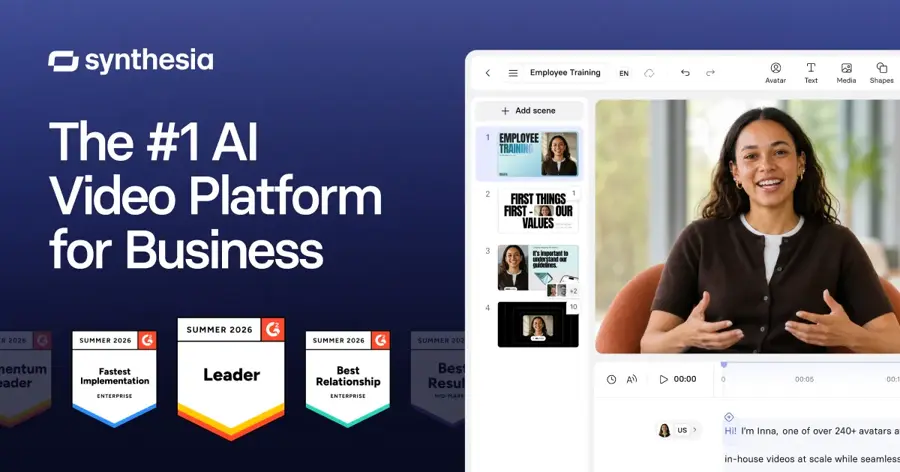
Synthesia is built for L&D and HR teams producing training videos at scale, especially in many languages. The minute caps are the main limit: ten minutes a month on Starter is enough for a few short modules, not a full course. Arcade cites industry estimates of $20,000 to $100,000+ a year for Enterprise, so it is not cheap at scale. If you are a solo creator, HeyGen is usually the better fit. Our editorial rating: 4/5. Choose Synthesia for corporate training and HeyGen for marketing.
Key features
- Script-to-presenter video: avatar videos built around training workflows.
- 140+ languages: broad language coverage for global teams.
- Creator plan extras: multiple avatars per scene, interactive video and API access.
- Enterprise controls: SSO and SCORM export, the format most learning platforms need.
Pros
- Designed around corporate training and onboarding
- Free plan lets you test properly
- Simple minute-based plans
Cons
- Tight minute caps on Starter
- Enterprise pricing is opaque and high
- Not designed for cinematic or creative video
Synthesia pricing: Free (10 minutes a month, watermarked, 9 avatars) → paid plans from $29/month (Starter, 10 minutes); Creator $89/month (30 minutes); Enterprise custom, per Arcade’s April 2026 pricing breakdown (checked October 2026). Official site
How to choose the right AI video generator
Start with the job, not the brand
Here is the quick decision guide:
- Choose Gemini Omni if you want good results fast, on a small budget, and like editing by describing changes.
- Choose Kling if visual realism and camera movement matter most and you will learn its credit system.
- Choose Runway if you already edit video and want AI inside a professional workflow.
- Choose Higgsfield if you want to compare several top models on the same prompt.
- Choose Adobe Firefly if your team lives in Premiere Pro and Photoshop.
- Choose Luma if you make product, fashion or mood pieces where lighting sells the shot.
- Choose HeyGen or Synthesia if you need a presenter talking to camera.
Work out the cost per clip
Divide monthly credits by the credits a clip at your resolution costs. A plan that sounds generous can buy only four 1080p clips.
Check commercial rights
Several free and entry plans are non-commercial or watermarked. Read the licence before you publish anything for a client.
Match clip length and input type
Most tools produce 5 to 15 second shots. Kling 4.0 reaches 30 seconds in one pass. Longer videos are stitched together from shots. If you are animating your own photos, see our guide to image to video AI. If you need still images first, start with an AI image generator.
Free vs paid: what you actually get
Free plans exist for almost every tool, but they are trial versions, not production tools. Here is what you realistically get for free in October 2026:
| Tool | Free plan | Main catch |
|---|---|---|
| Kling AI | 66 credits a day | Credits expire daily; good clips cost much more |
| Luma Dream Machine | About 250 daily credits | 720p drafts only, watermarked, non-commercial |
| Gemini Omni | Free in YouTube Shorts and YouTube Create; limited Flow access | Gemini app video needs AI Plus or higher |
| Adobe Firefly | Daily free generations | Adobe does not state the daily count |
| Runway | 125 credits, once | About 25 seconds of video, then you must pay |
| HeyGen | 3 videos a month | 1-minute cap, watermark |
| Synthesia | 10 minutes a month | Watermark, only 9 avatars |
| Higgsfield AI | Account only | No meaningful credits |
The pattern is clear. Paid plans buy you three things: no watermark, commercial rights and higher resolution. For most people, the jump from free to the first paid tier ($4.99 to $15 a month) is the one that matters. Going higher only makes sense if you publish video every week.
If you want the best free AI video generator specifically, our dedicated roundup of the best free AI video generators goes deeper on limits and workarounds.
Limits and responsible use
AI videos still struggle with hands, text on screen, fast action and keeping a character consistent across shots. Expect to generate several versions for every clip you keep, and budget credits for that.
Be careful with real people. Using someone's face or voice without permission can break platform rules and, in many places, the law. Google marks Omni output with SynthID watermarks, and many platforms now label AI generated video, so do not try to pass synthetic footage off as real.
Final verdict
Most people should start with Gemini Omni on Google AI Plus at $4.99 a month. It is cheap, capable and easy to steer. If you outgrow it and want the most cinematic results, add Kling. If you are a working editor, Runway earns its place. For presenter-style videos, HeyGen suits marketing and Synthesia suits corporate training.
And whatever you choose, start on the free plan for a week. Count how many clips you actually keep, then pick the paid tier that covers that number with room to spare.
FAQ
How to make AI videos?
Pick a tool, write a prompt that describes the subject, action, setting, camera movement and mood, then generate a short clip. Most tools also let you upload a reference image to control how things look. Generate a few versions, keep the best, and stitch shots together in an editor. Better prompts make a big difference; our guide to writing better AI prompts covers the basics.
What's the best AI video generator?
For most people in 2026, Google's Gemini Omni is the best all-round AI video generator, because it combines strong quality with conversational editing and a $4.99 entry price. Kling is the best for cinematic realism, and HeyGen is the best for avatar videos.
How to make an AI video?
Sign up for a tool such as Gemini, Kling or Luma, choose text-to-video or image-to-video, type your prompt and set the length and aspect ratio (9:16 for Shorts and Reels, 16:9 for YouTube). Generate, review, and refine by editing the prompt or, in Gemini, by asking for specific changes. Download the result and check the plan allows commercial use before publishing.
Is there a free AI video generator?
Yes. Kling gives 66 free credits a day, Luma offers daily draft credits, and Gemini Omni Flash is free inside YouTube Shorts and YouTube Create. Expect watermarks, lower resolution or tight caps on free plans.
What happened to Sora?
OpenAI discontinued Sora in 2026. The app closed in April and the API shut down on September 24, so you cannot make new Sora videos. Our Sora AI review explains what happened and what to use instead.
Sources
- Google AI plans (Google Gemini)
- Google launches Gemini 3.5 Flash and Gemini Omni AI models (GSMArena)
- Gemini Omni: 10 Free Videos, but the Window Closes August 4 (Pasquale Pillitteri)
- Kling AI Officially Launches Next-Generation Kling 4.0 (Bernama)
- Kling AI pricing (2026): A complete guide to all plans, credits, and real costs (eesel AI)
- Runway pricing (2026): plans, credits, and what you'll actually pay (Creatify)
- Adobe Firefly Pricing 2026: How Much Does Adobe Firefly Cost? (SaaS CRM Review)
- Luma AI pricing (2026): Dream Machine, Luma Agents, and the real cost per clip (eesel AI)
- HeyGen vs Synthesia (2026): pricing, avatars, and which one fits your team (Creatify)
- Synthesia Pricing in 2026: Plans, Costs, and Alternatives (Arcade)
- Which AI Video Generator Looks the Most Real in 2026? I Tested 11 With the Same Cinematic Prompt (Substack)
- Runway pricing (Runway)
- Adobe Firefly plans and pricing (Adobe)
- Dream Machine pricing information (Luma AI)