10 best AI image generators in 2026: free and paid picks compared
The best AI image generator for most people is ChatGPT. Here are 10 free and paid picks, from Midjourney to Firefly, with prices checked October 2026.
 Written byMuhammad Usman SiddiquiFounder and editor-in-chief
Why you can trust The AI Future
Our writers research every product, link each claim to its source and correct mistakes openly. Companies can't pay for coverage or see reviews before they're published.
Read our editorial policy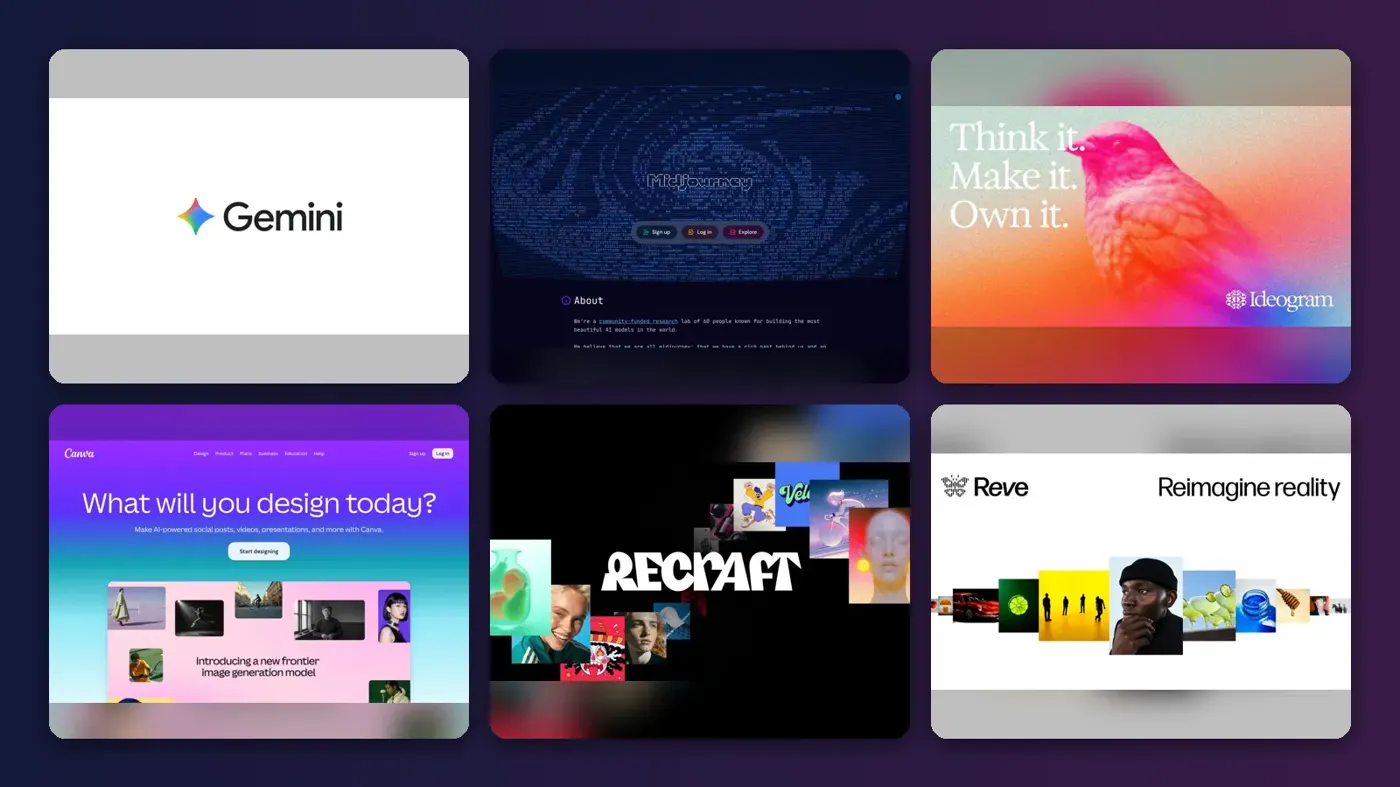
Short answer: the best AI image generator for most people in late 2026 is ChatGPT, now running Images 2.5, because it understands plain-English requests, edits over several turns and is available on every ChatGPT tier, including free. If you want the most striking artistic results, pay for Midjourney. If you need images you can safely drop into client work, look at Adobe Firefly.
Everything else on this list is a specialist. Ideogram is the pick for text inside images, Recraft for vectors and brand graphics, Canva for quick social posts, and FLUX for developers who want open weights. Below you get a comparison table, a clear "best for" label on each tool, current prices and an honest note on what each one does badly.
One thing up front: nobody at The AI Future ran hands-on tests for this guide. We compared these tools using official announcements, pricing pages, published independent roundups and third-party user ratings, as of late October 2026. Where someone else tested a tool, we say who.
Key takeaways
- ChatGPT is the safest first choice. Images 2.5 arrived in September with sharper detail, faster generation and better multi-turn editing, rolled out across all ChatGPT tiers.
- The best free AI image generator is the one you already have. ChatGPT, Gemini, Canva, Firefly, Ideogram, Recraft and Leonardo all offer some free generations, but limits are tight.
- Midjourney has no free tier. Plans start at $10 a month, and it is still the go-to for art direction and mood.
- Text in images is mostly solved. Ideogram, ChatGPT and Google's Nano Banana models all render readable text far better than tools did two years ago.
- Read the licence on free plans. Some free tiers make your images public, and at least one does not include a commercial licence.
How we ranked them
We did not generate test images ourselves for this guide, and we will not pretend otherwise. We built the ranking from official product news and pricing, independent roundups from publishers that did run their own tests, including Zapier and Dupple, and star ratings from G2's AI image generator category, all checked in October 2026. We scored each tool on:
- Image quality and style: how polished and distinctive the output is, according to independent roundups.
- Prompt accuracy: how closely results follow what you asked for, including object counts and layout.
- Text rendering: whether words inside images come out readable and spelled correctly.
- Editing: multi-turn edits, photo editing and generative fill.
- Free plan: what you actually get without paying, and whether free images are public.
- Value and usage rights: how much $10 to $20 a month buys, and whether the plan includes commercial use.
General-purpose tools that handle the widest range of requests rank highest. Specialists rank lower overall, even when they are the best in their niche. The editorial scores out of 5 in each entry come from this research. Prices are US dollars and can vary by country, app store and promotion, so check the vendor page before you pay.
The 10 best AI image generators at a glance
| # | Tool | Category | Best for | Free tier | Starts at |
|---|---|---|---|---|---|
| 1 | ChatGPT | General assistant | Most people | Yes (limited) | $8/mo |
| 2 | Google Gemini | General assistant | Photo edits and Google users | Yes (limited) | $4.99/mo |
| 3 | Midjourney | Art generator | Artistic, stylised images | No | $10/mo |
| 4 | Adobe Firefly | Creative suite | Commercial and photo work | Yes (limited) | $9.99/mo |
| 5 | Ideogram | Design and text | Text, logos and posters | Yes (limited) | $15/mo |
| 6 | Canva | Design platform | Social posts and quick designs | Yes (limited) | $12/mo |
| 7 | Leonardo.Ai | Creative platform | Model variety and game art | Yes (limited) | $12/mo |
| 8 | Recraft | Vector and brand design | Vectors and brand graphics | Yes (limited) | $10/mo |
| 9 | Reve | Image generator | Prompt accuracy on a budget | Yes (limited) | $7.99/mo |
| 10 | FLUX.2 | Open-weight models | Developers and self-hosting | Yes | $0.03/image |
Notes: ChatGPT's $8 price is the Go plan and Gemini's is Google AI Plus. Ideogram's and Recraft's prices are billed annually ($20 and $12 monthly). Canva Pro is $144 a year. FLUX.2 is free to self-host as open weights; $0.03 is the low end of API pricing.
The 10 best AI image generators in 2026, ranked
ChatGPT – best for most people
ChatGPT turns a plain-language request into an image, then lets you refine it by chatting. If you only pick one AI image generator, pick this one. Try it at chatgpt.com.
Why it stands out
OpenAI released ChatGPT Images 2.5 on September 8, 2026, promising sharper details, more natural lighting, better preservation of people from reference photos and faster generation than Images 2.0, rolling out across all tiers. The previous model, Images 2.0 (gpt-image-2), launched in April with a thinking mode that plans composition and checks object counts before drawing. That reasoning mode is reserved for Plus, Pro and Business users, while free users get standard mode. Neurohive also flagged real limits: close-up faces can still show artifacts, brand logos are unreliable and long blocks of text break down after a few hundred characters.
Zapier ranks ChatGPT best for ease of use and overall quality. On G2, OpenAI's older DALL·E listing holds 4.1 out of 5 from 65 reviews, with one reviewer's headline reading "DALL-E Saves Me Time with Fast, Logo-Free Image Generation." Our editorial score: 4.7 out of 5.
Key features
- Images 2.5: sharper detail, more natural lighting and faster generation
- Multi-turn editing: refine an image over several chat turns
- Sketch: draw a rough layout and use it as a reference
- Thinking mode: plans composition and checks object counts (paid plans)
- Output and text: up to 2,000 pixels on the long edge, with multilingual text rendering
Pros
- Best-in-class at following long, conversational instructions
- Edits hold up across several turns
- Available on the free tier
Cons
- Thinking mode and the highest limits require a paid plan
- Close-up faces and exact logos remain weak spots
- Fewer fine-grained style controls than Midjourney
ChatGPT pricing: Free → paid plans from $8/month (Go); Plus at $20/month; Pro from $100/month (checked October 2026). See pricing
Related: ChatGPT with GPT-6 review
Google Gemini – best for photo edits and Google users
Google's image models, nicknamed Nano Banana, live inside the Gemini app. It is the best free AI photo generator for editing real pictures, and the cheapest paid upgrade on this list. Try it at gemini.google.com.
Why it stands out
On October 6, 2026, Google released Nano Banana 2.1, an update to Nano Banana 2 (Gemini 3.1 Flash Image) with better prompt adherence, character consistency and text rendering. The heavier Gemini 3 Pro Image (Nano Banana Pro) sits above it. The free tier is generous for the standard model but tight for the Pro model: Google cut free Nano Banana Pro generation to two images a day in late 2025, citing demand, while AI Pro and Ultra subscribers kept far higher allowances. Check the Gemini app for today's numbers, since Google adjusts them often.
On G2, Nano Banana 2 rates 4.4 out of 5 from 566 reviews. One reviewer summed it up as "A Smarter Way, Better Design." Our editorial score: 4.6 out of 5.
Key features
- Nano Banana 2.1: better prompt adherence, character consistency and text rendering
- Up to 4K output: 1K, 2K and 4K resolutions
- Multi-image blending: combine up to 14 reference images
- Nano Banana Pro: the heavier Gemini 3 Pro Image model for paid users
Pros
- Excellent at photo editing and multi-image blending
- Keeps a character consistent across a series
- Cheap AI Plus entry plan
Cons
- Free Pro-model allowance is very small
- Daily limits change without much notice
- Less stylised than Midjourney
Google Gemini pricing: Free → paid plans from $4.99/month (Google AI Plus); Google AI Pro at $19.99/month, per Zapier (checked October 2026). See pricing
Midjourney – best for artistic, stylised images
Midjourney is the AI art generator designers reach for when mood and style matter more than literal accuracy. Pay for it when the image itself is the product. See midjourney.com.
Why it stands out
Its V8.2 model became the default in recent months, with Midjourney describing the look as "more creative, bold, edgy and fresh" and claiming better personalization. It replaced V8.1. The pricing detail matters: unused fast time expires every billing cycle, even on annual plans, and refunds only apply if you have used under 20 GPU minutes.
G2 users give Midjourney 4.2 out of 5 from 286 reviews, and one headline captures the trade-off well: "great for exploring creative ideas, but takes some trial and error." Our editorial score: 4.5 out of 5.
Key features
- V8.2 default model: a bolder look with better personalization
- Style controls: strong personalization for mood boards and hero images
- Fast GPU time: roughly 200 minutes a month on Basic
- Relax mode: unlimited relaxed images on Standard and above
- Commercial rights: included from the Basic plan, per Zapier
Pros
- The most distinctive, polished aesthetic
- Standard plan adds unlimited relaxed generations
- Commercial use included on paid plans
Cons
- No free tier at all
- Basic plan runs out of fast time quickly
- More trial and error than chat-based tools
Midjourney pricing: No free plan. Paid plans from $10/month (Basic); Standard $30, Pro $60, Mega $120; about 20% off with annual billing, per eesel (checked October 2026). See pricing
Adobe Firefly – best for commercial and photo work
Firefly is Adobe's image generator, available on the web and built into Photoshop and Express. It is the sensible choice when legal comfort matters more than wow factor. Try it at firefly.adobe.com.
Why it stands out
Adobe's FAQ says outputs from its own Firefly models are "safe for commercial use", which is the main reason businesses pick it over louder rivals. Generative fill and expand are where it shines: adding or removing elements in real photos. Zapier ranks Firefly best for adding AI elements to photos. The free allowance is described only as "Limited, refreshed every day," with no published count.
On G2, Firefly scores 4.4 out of 5 from 371 reviews, with one reviewer praising "Effortless Creativity and Instant Results with Firefly." Our editorial score: 4.3 out of 5.
Key features
- Text-to-image: on the web at firefly.adobe.com
- Generative fill and expand: add, remove or extend elements in real photos
- Adobe integration: built into Photoshop and Express
- Commercial positioning: Adobe calls its Firefly model outputs safe for commercial use
- Credit plans: from 2,000 to 50,000 monthly credits
Pros
- Clear commercial-use positioning
- Deep integration with Photoshop and Express
- Cheap entry plan
Cons
- Free allowance is vague
- Pure text-to-image results are less striking than Midjourney
- Credit tiers get expensive fast
Adobe Firefly pricing: Free → paid plans from $9.99/month (Standard, 2,000 credits); Pro $19.99 (4,000); Pro Plus $49.99 (10,000); Premium $199.99 (50,000), per Dupple (checked October 2026). See plans
Ideogram – best for text, logos and posters
Ideogram built its name on getting words right inside images, from posters to logos to T-shirt designs. Choose it when the words matter as much as the picture. Try it at ideogram.ai.
Why it stands out
Zapier names Ideogram the best for accurate text in images. The gap has narrowed, since ChatGPT and Nano Banana both render text well now, but Ideogram's typography and layout tools still make it the faster route for design-led work. We could not find a current G2 or Trustpilot rating for Ideogram during our research, so we have not quoted one. Our editorial score: 4.2 out of 5.
Key features
- Ideogram 4.0: the current model
- Text rendering: reliable spelling and typography inside images
- Layout tools: for posters, social graphics and merch
- Free queue: 10 credits a week with slower generations
Pros
- Reliable text and typography
- Good for logos, posters and merch
- Usable free tier
Cons
- Free credits run out in a single session
- Less suited to photorealism
- Rivals have caught up on text
Ideogram pricing: Free → paid plans from $15/month billed annually (Plus, $20 monthly, 1,000 priority credits), per Zapier; Dupple lists Pro at $60/month (checked October 2026). See pricing
Canva – best for social posts and quick designs
Canva's AI image generator, Dream Lab, sits inside the design editor, so you can generate a picture and drop it straight into a template. It is the best choice if you need a finished design in five minutes. See canva.com.
Why it stands out
Dream Lab is built on the Leonardo.Ai Phoenix architecture, following Canva's acquisition of Leonardo in 2024. The free allowance is the weakest on this list, and image generation draws from a shared Premium AI pool that other tools also use. The upside is speed: you go from prompt to finished, on-brand post in one place.
Canva as a whole holds 4.7 out of 5 from 6,546 G2 reviews, with one headline calling it "Easy and quick visual design without any error." That rating covers all of Canva, not only its AI image tool. Our editorial score: 4.1 out of 5.
Key features
- Dream Lab: text-to-image inside the Canva editor
- Templates: generated images land straight in finished designs
- Leonardo Phoenix: the model architecture behind Dream Lab
- Shared AI pool: one Premium AI allowance across Canva's AI tools
Pros
- Images land straight in templates
- Easy for non-designers
- Pro plan covers far more than AI
Cons
- Only 5 free generations a month
- Image quality trails the leaders
Canva pricing: Free (5 Dream Lab generations a month) → paid plans from $144/year (Pro, about $12/month); Business at $250 per person per year, per eesel (checked October 2026). Official site
Leonardo.Ai – best for model variety and game art
Leonardo is a creative platform that bundles its own models with third-party ones in one dashboard. It is the best playground if you like trying every new model without five subscriptions. Try it at leonardo.ai.
Why it stands out
Alongside its own models (Lucid Origin, Lucid Realism, Phoenix), Leonardo offers Nano Banana, Ideogram, FLUX and GPT-Image, plus video models, according to eesel. Premium unlocks unlimited relaxed generations on Leonardo's own models, which is strong value for heavy users. Third-party models always cost tokens, though, and free-plan creations are public. Our full Leonardo.Ai review gives it 4 out of 5 and found a 4.5 TrustScore on Trustpilot, with many reviewers praising fast support.
Key features
- Own models: Lucid Origin, Lucid Realism and Phoenix
- Third-party models: Nano Banana, Ideogram, FLUX and GPT-Image
- Video models: in the same dashboard
- Unlimited relaxed generations: on Premium, for Leonardo's own models
Pros
- Huge model choice in one place
- Daily free tokens
- Strong value for heavy users on Premium
Cons
- Third-party models burn tokens fast
- Free creations are public
- Interface can feel busy
Leonardo.Ai pricing: Free (150 tokens a day) → paid plans from $12/month (Essential); Premium $30; Ultimate $60; up to 20% off yearly, per eesel (checked October 2026). See pricing
Related: Leonardo.Ai review
Recraft – best for vectors and brand graphics
Recraft focuses on graphic design: vector illustrations, icons, brand-consistent asset sets and mockups, not just raster images. It is the specialist to pick when you need vectors, not pixels. Try it at recraft.ai.
Why it stands out
Zapier ranks Recraft best for graphic design. Sources disagree on the free allowance: Zapier lists 30 credits a day, while Dupple lists 50 daily credits, with public images and no commercial licence. Either way, plan on paying if the work is for a client. Recraft scores 4.7 out of 5 from 456 G2 reviews, and one reviewer calls it "My Go-To for Brand-Consistent Visual Assets." Our editorial score: 4.0 out of 5.
Key features
- Vector output: native, editable vector illustrations
- Icons: for apps, sites and brand sets
- Brand consistency: keep one visual style across an asset set
- Mockups: place designs into product mockups
Pros
- Native vector output
- Strong brand-style consistency
- High user ratings
Cons
- Free plan lacks a commercial licence, per Dupple
- Less useful for photorealistic scenes
Recraft pricing: Free (daily credits) → paid plans from $10/month billed annually (Basic, $12 monthly); Pro $20/month ($16 annual), per Dupple (checked October 2026). See pricing
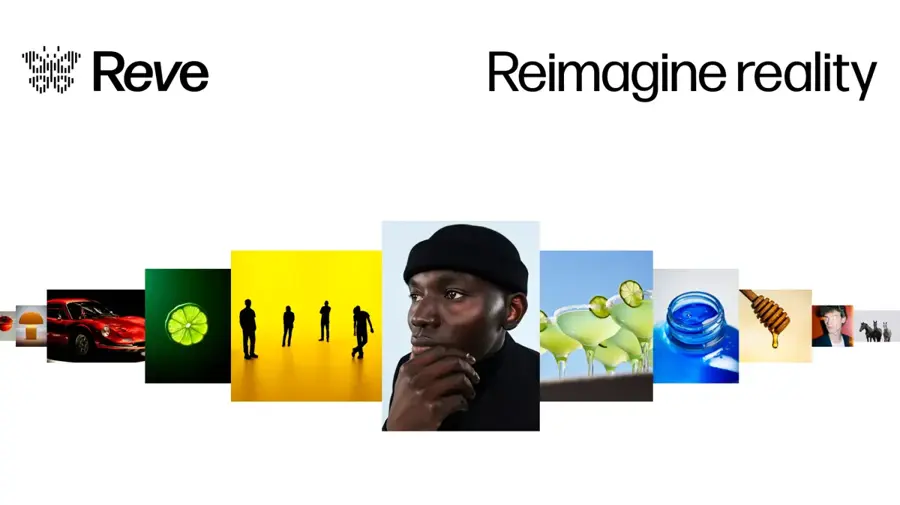
Reve – best for prompt accuracy on a budget
Reve Image is a newer generator known for sticking closely to what you actually asked for. It is a smart budget pick if ChatGPT's limits frustrate you. See reve.com.
Why it stands out
Zapier picked Reve as best for prompt adherence, and it is the cheapest paid plan on this list after Google AI Plus. It has a smaller community and fewer extras than the big names, and we found no G2 or Trustpilot rating to quote. Our editorial score: 3.8 out of 5.
Key features
- Prompt adherence: results follow your prompt closely
- Free generations: a limited free allowance to try it
- Two paid tiers: Lite and Pro
Pros
- Low-cost paid plan
- Follows prompts closely
- Free generations to try it
Cons
- Smaller ecosystem and fewer tools
- Little independent user feedback yet
Reve pricing: Free (limited) → paid plans from $7.99/month (Lite); Pro $19.99/month, per Zapier (checked October 2026). Official site
FLUX.2 – best for developers and self-hosting
FLUX is a family of image models from Black Forest Labs, and some versions ship as open weights you can run yourself. It is the right pick if you would rather own the pipeline than rent it. See bfl.ai.
Why it stands out
FLUX is less a single app than an engine. You will meet it inside other tools, including Leonardo, or run it on your own hardware. Zapier ranks it best for customization and control. We found no consumer rating that applies to FLUX as a product. Our editorial score: 3.8 out of 5.
Key features
- Model family: FLUX.2 Max, Pro, Flex and Klein
- Open weights: some versions run locally for free
- API access: pay per image through APIs
- Custom fine-tuning: for studios that want their own style
- Third-party apps: built into tools such as Leonardo
Pros
- Open weights for local use
- Cheap per-image API pricing
- Widely available inside other apps
Cons
- No polished first-party consumer app
- Self-hosting needs a capable GPU and setup time
FLUX.2 pricing: Free to self-host the open-weight versions → about $0.03 to $0.06 per image through APIs, per Dupple; many third-party apps also offer free FLUX credits (checked October 2026). Official site
How to choose the right AI image generator
Most people overthink this. Start with what you will do with the image, then match the tool.
Match the tool to the job
- Choose ChatGPT if you want one tool for everything and like describing images in normal sentences.
- Choose Gemini if you mostly edit your own photos or already pay for Google storage.
- Choose Midjourney if style is the point and you are happy to iterate.
- Choose Firefly if the images go into paid client or brand work.
- Choose Ideogram if text has to be spelled correctly on a poster, logo or shirt.
- Choose Canva if you need a finished social post, not just a picture.
- Choose Recraft if you need vectors and icons.
- Choose FLUX if you are a developer or want to run models locally.
Check who owns the output
Look at who owns what you make and whether the free plan publishes your images. Some free tiers make images public, and Dupple reports Recraft's free plan has no commercial licence.
Read how credits work
Some plans expire unused time every month, as Midjourney does with fast GPU time, and third-party models on platforms like Leonardo cost extra tokens.
Learn to prompt well
Our guide to writing better AI prompts applies to images too. If you want your pictures to move, see our roundups of the best AI video generators and image-to-video AI tools.
Free vs paid: what you actually get
A free AI image generator is fine for occasional use. It is rarely enough for regular work. Here is how the free plans compare, based on the sources linked above.
| Tool | Free allowance | Main catch |
|---|---|---|
| ChatGPT | Limited images in standard mode | No thinking mode on free |
| Gemini | Daily limit; 2 Nano Banana Pro images/day after the late-2025 cut | Limits change often |
| Adobe Firefly | Daily generations, count not published | Vague allowance |
| Ideogram | 10 credits/week | Slow queue |
| Canva | 5 Dream Lab generations/month | Very small |
| Leonardo.Ai | 150 tokens/day | Creations are public |
| Recraft | 30 to 50 credits/day | No commercial licence, per Dupple |
| Midjourney | None | Paid only |
Paying around $10 to $20 a month buys you three things: more images, faster generation and clearer usage rights. If you make images every week, the $8 ChatGPT Go plan or $4.99 Google AI Plus are the cheapest serious upgrades. If images are central to your job, Midjourney Standard at $30 or Firefly Pro at $19.99 earn their cost.
A quick word on ethics. AI-generated images can mislead, and many platforms now label or restrict them. Do not use these tools to imitate real people without consent, and disclose AI images where your school, client or platform asks you to.
Final verdict
If you only pick one, pick ChatGPT. Images 2.5 is fast, it follows instructions well and you can start free. Add Midjourney when you need images with real artistic presence, or Firefly when commercial safety matters. On a tight budget, Google AI Plus at $4.99 a month is the cheapest way to get a strong paid image model. The specialists, Ideogram, Recraft, Canva, Leonardo, Reve and FLUX, are worth it only when their one strength matches your one job.
FAQ
What is the best AI image generator in 2026?
For most people, ChatGPT with Images 2.5 is the best AI image generator because it is easy to use, edits well over several turns and works on the free plan. Midjourney is better for artistic, stylised work, and Adobe Firefly suits commercial projects where usage rights matter.
Is there a completely free AI image generator?
Yes, several have free plans: ChatGPT, Gemini, Adobe Firefly, Ideogram, Canva, Leonardo.Ai and Recraft. All of them cap how many images you can make, and some make free images public. Open-weight FLUX models are free to run if you have your own hardware. Midjourney has no free tier.
Which AI image generator is best for text in images?
Ideogram is the specialist for readable text, and Zapier ranks it best for that job. ChatGPT Images 2.5 and Google's Nano Banana models have closed much of the gap, with multilingual text support. All of them still struggle with long paragraphs of text inside a single image.
Can I use AI-generated images commercially?
Often, but it depends on the plan. Midjourney's paid plans include commercial use, Adobe describes its Firefly model outputs as safe for commercial use, and Dupple reports Recraft's free plan has no commercial licence. Always read the current terms before using AI images in paid or client work.
Is Midjourney better than ChatGPT for images?
For pure aesthetics, many creators still prefer Midjourney's style. For following detailed instructions, editing an image over several turns and convenience, ChatGPT usually wins. ChatGPT also has a free tier, while Midjourney starts at $10 a month, so try ChatGPT first and upgrade if you need more style.
Sources
- ChatGPT Images 2.5 release (9to5Mac)
- ChatGPT Images 2.0 launch (Neurohive)
- The best AI image generators (Zapier)
- The 8 Best AI Image Generators in 2026 (Dupple)
- Midjourney pricing in 2026 (eesel)
- Midjourney releases V8.2 as default model (Digg)
- V8.1 is now the default model (Midjourney)
- Google releases Nano Banana 2.1 image model (Let's Data Science)
- Google cuts free Nano Banana Pro generation to two images per day (Let's Data Science)
- Is Adobe Firefly free in 2026? (Dupple)
- Leonardo.AI pricing: every plan, token and hidden cost (eesel)
- Canva AI pricing in 2026 (eesel)
- Best AI Image Generators (G2)
- Comparing Midjourney Plans (Midjourney)
- Adobe Firefly plans (Adobe)
- Plans & Pricing (Ideogram)
- Paid plans (Recraft)
- ChatGPT pricing (OpenAI)
- Gemini plans (Google)
- Leonardo.Ai pricing (Leonardo.Ai)