Best free AI video generators in 2026: 7 picks for every budget
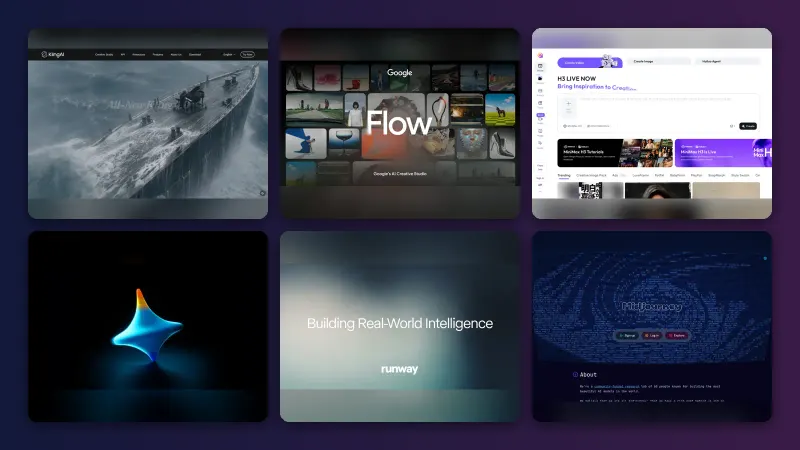
The best free AI video generator right now is Google Flow, with 50 credits a day. Here are 7 free picks, their real limits, and when it is worth paying.
 Written byMuhammad Usman SiddiquiFounder and editor-in-chief
Why you can trust The AI Future
Our writers research every product, link each claim to its source and correct mistakes openly. Companies can't pay for coverage or see reviews before they're published.
Read our editorial policy
Short answer: the best free AI video generator in late 2026 is Google Flow. Anyone with a Google account gets 50 free Flow credits a day, enough for a handful of short clips with Veo 3.1 Lite or Gemini Omni Flash, no card required. If you make Shorts, use Omni Flash inside the YouTube Create app, which Google made free for everyone. If you want the most daily generations, add Dreamina or Kling as a second account.
Everything else on this list is a specialist. Some tools give you a few watermarked seconds a day; others give you a polished editor but almost no generation. Below we compare seven picks on what the free plan really includes, where the catches are, and when it is worth paying.
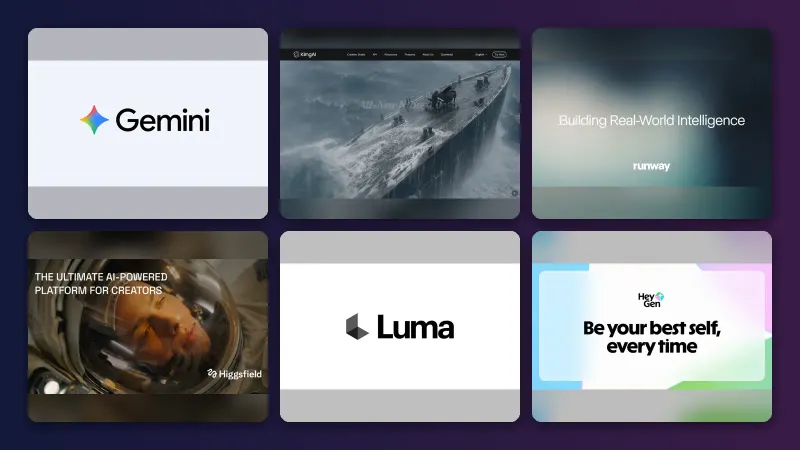
One correction to a lot of older advice: Sora is no longer an option. OpenAI shut the Sora app down in April 2026, so any list that still ranks it as a free AI video maker is out of date. For the paid end of the market, see our wider guide to the best AI video generators.
Key takeaways
- Google Flow is the best free AI video generator overall. 50 credits a day, refreshed daily, with access to Veo 3.1 Lite and Gemini Omni Flash, according to Google’s Flow help page.
- Daily credits beat one-time trials. Flow, Dreamina, Kling and Leonardo refill every day. Runway and Hailuo mostly give you a single welcome batch.
- Expect watermarks and short clips. Free output is usually 4 to 10 seconds, often 720p or lower, and frequently branded.
- Free plans rarely cover commercial use. If a client is paying you, budget for a paid plan, usually $8 to $15 a month.
- Generation is only half the job. Pair a generator with a free editor like CapCut or Canva to turn clips into a finished video.
How we ranked them
Here is the honest version. Nobody at The AI Future ran these tools hands-on for this article. We compared them using official help and pricing pages, published independent tests and roundups, and user ratings, all checked in late October 2026. Where a number comes from a vendor or a third party, we say so and link to it.
We scored each free AI video generator on five things:
- Free allowance: how many clips a free account can realistically make, and whether credits refill daily or vanish after a trial.
- Output quality: resolution, clip length, audio, and how the underlying model performs in published comparisons.
- Restrictions: watermarks, commercial-use rules, queues and peak-hour blocks.
- Ease of use: whether a beginner can get a usable clip in minutes.
- Upgrade value: what the cheapest paid tier adds, and whether it is worth it.
The editorial scores out of 5 mentioned in each pick reflect how much useful free generation you get and how good the output is in published tests. Prices are the cheapest paid tier we could verify and may vary by region.
We left out tools that are free only in name. Higgsfield, for example, bundles strong models but has no meaningful free tier, as our Higgsfield AI review explains. Sora was excluded because it no longer exists.
The 7 best free AI video generators at a glance
| # | Tool | Category | Best for | Free tier | Starts at |
|---|---|---|---|---|---|
| 1 | Google Flow | AI filmmaking tool | Best overall free quality | Yes (limited) | Google AI Plus (regional pricing) |
| 2 | YouTube Create | Mobile Shorts generator | YouTube Shorts creators | Yes | Free |
| 3 | Dreamina | AI image and video studio | Most daily generations | Yes (limited) | Regional, see site |
| 4 | Kling AI | AI video generator | Realistic motion | Yes (limited) | About $6.99 intro, then about $8.80/mo |
| 5 | Leonardo AI | Image and video platform | Images and video in one place | Yes (limited) | $12/mo |
| 6 | CapCut | Video editor | Editing AI clips into finished videos | Yes | About $9.99/mo |
| 7 | Canva | Design platform | Marketing and social templates | Yes (limited) | $12.99/mo |
The 7 best free AI video generators in 2026, ranked
Google Flow – best for the best-looking free text-to-video
Flow is Google’s browser-based AI filmmaking tool: type a prompt or start from an image, and it generates short clips with Google’s video models, including Veo 3.1 and Gemini Omni Flash. Try it at labs.google/flow.
Why it stands out
Our editorial score is 4.5 out of 5. Omni Flash, the model Google introduced at I/O 2026, takes text, images, audio and video as input and generates clips with sound, per MobileSyrup’s launch coverage. The free maths is simple: on Google’s help page, a standard Veo 3.1 Lite generation costs non-Ultra users 10 credits, so 50 free daily credits buys about five clips. Omni Flash is priced by length: a 10-second clip costs 15 credits at 720p or 7 credits at 360p, and a 4-second 360p draft costs just 4. The premium Veo 3.1 Quality mode costs 100 credits, more than a full free day. Note that the Gemini app is a different story: outside a short 10-video promotion that ended on August 4, 2026, video generation in Gemini is a paid feature. We did not find a review score for Flow on G2, Trustpilot or the App Store; it is a Google Labs product rather than a standalone app.
Key features
- 50 free credits a day, refreshed daily after your first generation
- Veo 3.1 Lite for standard text-to-video clips
- Gemini Omni Flash with text, image, audio and video input and native sound
- Image-to-video: start a clip from a still
- 360p and 720p output, with 1080p upscaling for subscribers
Pros
- Daily refill with no card needed
- Access to top-tier Google models, including clips with native audio
- Cheap 360p drafts let you iterate before spending credits on 720p
Cons
- Google warns non-subscribers may be unable to generate at peak times, roughly 2 PM to 5 PM UTC
- No 1080p upscaling on free; free output is watermarked, per Krea’s October 2026 roundup
- Unused credits do not roll over
Google Flow pricing: Free (50 credits a day) → paid via Google AI Plus (200 credits a month), Pro (1,000) or Ultra (10,000 or 25,000), per Google. Prices vary by country; one European report lists Plus at €4.99 a month and Pro at €21.99 (checked October 2026). See pricing
Related: Best AI video generators
YouTube Create – best for YouTube Shorts creators
Google put Gemini Omni Flash directly into YouTube Shorts and the YouTube Create mobile app: you describe a clip, or remix one, and it lands on your Shorts timeline, ready to post. Find it via youtube.com.

Why it stands out
Our editorial score is 4.0 out of 5. Google said Omni Flash was coming to YouTube Shorts and YouTube Create “this week as well, for free,” as quoted by MobileSyrup in May 2026, and a later report confirmed it stays free on YouTube Shorts and the YouTube Create app after the Gemini app promotion ended. This is the easiest way to make AI videos for free if YouTube is your main channel: the same Omni Flash model that costs credits in Flow, generated in the app where you edit and publish. The trade-off is control. If you need horizontal video, longer scenes or files to edit elsewhere, use Flow instead.
Key features
- Gemini Omni Flash built into Shorts and YouTube Create
- Text prompts or remixes of existing clips
- Clips land on your Shorts timeline, ready to post
- No separate account or credit dashboard
Pros
- Free access to Google’s newest video model
- Generate, edit and post in one app
- No credit system to learn
Cons
- Built for vertical Shorts, not general video work
- Google has not published a clear cap on free generations
- Mobile-first, with less control than Flow
YouTube Create pricing: Free; there is no paid tier for Omni Flash in YouTube Create (checked October 2026). See YouTube
Related: Best AI video generators
Dreamina – best for the most daily generations
Dreamina is ByteDance’s AI image and video studio, built by the team behind CapCut, running Seedance 2.0, a cheaper Seedance 2.0 Mini and third-party models such as Veo 3.1. Try it at dreamina.capcut.com.
Why it stands out
Our editorial score is 4.0 out of 5. Dreamina’s strength is volume: credits refill daily, and Seedance 2.0 Mini is designed as a lower-cost option for quick, iterative clips, according to Dreamina’s October 2026 guide. That makes it a good free AI video generator from text when you need lots of attempts to land one good shot. Keep in mind the 120-credit figure is a vendor claim, and Dreamina does not publish a fixed credit cost per clip, because it depends on model, length, resolution and audio. We could not find an independent, verifiable user rating for Dreamina to quote.
Key features
- Daily free credits (120 a day as of August 2026, per Dreamina)
- Seedance 2.0 and Seedance 2.0 Mini for full-quality or cheap draft clips
- Third-party models such as Veo 3.1
- Text-to-video and image-to-video in one place
Pros
- Generous daily credits on the free plan
- Cheap Mini drafts stretch the allowance
- Sister product to CapCut for easy editing
Cons
- Credit cost per clip is not published
- Branding-free export depends on plan and model, so assume free downloads may carry a watermark
- Pricing is regional and promotion-heavy
Dreamina pricing: Free (daily credits; Dreamina cites a baseline of “120 daily credits” from August 2026 and tells you to confirm the current amount in your account) → paid Basic, Standard and Advanced plans, priced by region and promotion (checked October 2026). See pricing
Related: Best image to video AI tools
Kling AI – best for realistic motion
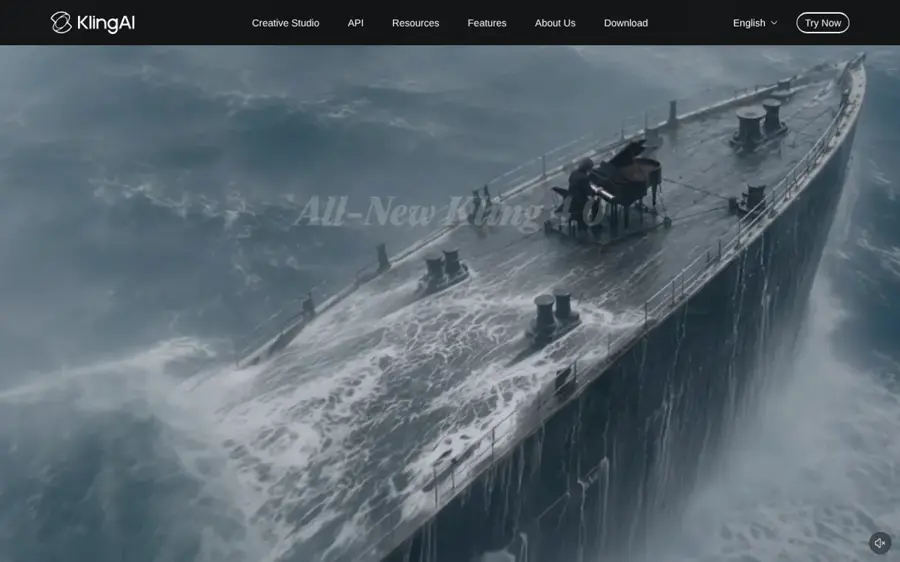
Kling is Kuaishou’s video generator, known for realistic human motion and physics, with text-to-video, image-to-video and optional native audio on newer models. Try it at klingai.com.
Why it stands out
Our editorial score is 4.0 out of 5. Kling is the free AI image to video generator many creators reach for first. Free users get a daily login drop of about 66 credits, enough for roughly six standard-mode clips, per Krea’s roundup. A 5-second clip costs roughly 20 to 35 credits depending on mode, while Professional mode costs about 3.5 times more and native audio can push a clip to 50 to 200 credits, CrePal reports. So the free tier is best for standard-mode tests. Even sources tracking Kling disagree on whether the free credits refill daily, so check your dashboard. If you mainly animate photos, our guide to image-to-video AI tools goes deeper.
Key features
- About 66 free credits a day at login
- Text-to-video and image-to-video
- Standard and Professional modes at different credit costs
- Optional native audio on newer models
Pros
- Strong, realistic motion
- Daily free credits
- Cheap first month if you upgrade
Kling AI pricing: Free (about 66 credits a day) → paid plans from about $6.99 for the first month, then about $8.80 a month for 660 credits, per CrePal’s June 2026 pricing breakdown (checked October 2026). See pricing
Related: Best image to video AI tools
Leonardo AI – best for images and video in one place
Leonardo, owned by Canva, is an image platform that has grown into a model marketplace, with its own models plus third-party video options such as Veo, Kling and Seedance in one workspace. Try it at leonardo.ai.
Why it stands out
Our editorial score is 3.5 out of 5. Leonardo’s daily tokens are useful for building a clean first frame and then animating it, which often gives better results than pure text prompts. The catch is that third-party video models always burn tokens, and video is expensive in tokens, so the free plan suits a few experiments, not a series. Users rate it well: Leonardo holds a 4.5 TrustScore on Trustpilot and 4.8 out of 5 on the US App Store from about 11,000 ratings, both checked in October 2026.
Key features
- 150 free tokens a day shared across images and video
- Third-party video models including Veo, Kling and Seedance
- Image generation for building first frames
- Image-to-video from your own stills
Pros
- Daily tokens across images and video
- Access to several leading video models
- Strong user ratings
Cons
- Video eats tokens quickly
- Interface asks a lot of beginners
- Best models sit behind paid tiers
Leonardo AI pricing: Free (150 tokens a day) → paid plans from $12/month up to $60, with up to 20% off yearly (checked October 2026). See pricing
Related: Leonardo AI review Best image to video AI tools
CapCut – best for editing AI clips into finished videos
CapCut is ByteDance’s free video editor for desktop, web and mobile: not mainly a generator, but where you assemble AI clips, add captions, music and voiceover, and export the finished video. Get it at capcut.com.
Why it stands out
Our editorial score is 3.5 out of 5. CapCut AI tools are the reason so many people search for it, but on the free plan you mostly get the editor plus basic AI voiceover. After CapCut’s 2025 restructure some previously free templates were reclassified as paid, which can add a surprise watermark, BIGVU notes. For generation, sister product Dreamina is the better free route. The workflow that works: generate clips in Flow, Dreamina or Kling, then cut them together in CapCut with captions and a voiceover. That gets you a complete video for $0, as long as you stay away from Pro-marked templates and effects.
Key features
- Free 1080p export
- Desktop, web and mobile apps
- Captions, music and templates
- Basic AI voiceover on free; full AI toolkit on Pro
Pros
- Full-featured free editor
- Runs on desktop, web and phone
- Easy captions and templates
Cons
- Full AI toolkit needs Pro
- Pro-marked templates export with a watermark
- More features were paywalled in 2025
CapCut pricing: Free (1080p export) → Standard about $9.99/month, removing watermarks; Pro about $19.99 a month or $179.99 a year, adding 4K export and the full AI toolkit, per BIGVU’s July 2026 breakdown (checked October 2026). See pricing
Canva – best for marketing and social templates
Canva is a design platform with an AI video generator built in: on paid plans, “Create a Video Clip” uses Google’s Veo 3 to produce short clips with audio that drop straight into a Canva video design. Try it at canva.com.
Why it stands out
Our editorial score is 3.5 out of 5. The free plan is a taste, not a tool: according to Morphed, free users get five lifetime clips of 4 seconds, silent, from Canva’s own model, while Pro users get Veo 3 clips of 8 seconds with audio, roughly 20 a month from the shared AI allowance. Tom’s Guide found Veo 3 in Canva produced “clean, 1080p video” in about two minutes. Where Canva wins is everything around the clip: free exports are watermark-free as long as you only use free templates and elements, Arcade points out, so you can build a full branded video around clips made elsewhere.
Key features
- Create a Video Clip with Veo 3 on Pro
- 8-second clips with audio on Pro, about 20 a month
- Huge template library for social and marketing
- Clips drop straight into a video design
Pros
- Large template library for branded posts
- Watermark-free exports with free elements
- Veo 3 clips with audio on Pro
Cons
- Only 5 lifetime AI clips on free
- Free clips are short and silent
- Veo 3 requires Pro
Canva pricing: Free (5 AI video clips in total, not per month) → Pro from $12.99/month or $119.99 a year, per Morphed’s April 2026 pricing guide (checked October 2026). See pricing
Related: Best AI video generators
Worth a look
A few more free AI video generators came close. Pika’s free Basic plan gives 80 credits a month, about one 10-second clip, and Krea says free output is 480p, watermarked and not for commercial use. Hailuo offers a small daily allowance of 6-second 720p clips with a watermark. Runway gives 125 one-time credits at signup, with watermarks, which makes it a trial rather than a free plan.
How to choose the right free AI video generator
Start with where the video is going
Then work backwards. Most people need a generator and an editor, not one tool that does both badly.
- Choose Google Flow if you want the best quality from free text-to-video and can live with short, watermarked clips.
- Choose YouTube Create if you publish Shorts and want generation inside your posting app.
- Choose Dreamina or Kling if you need lots of attempts per day, or you mainly animate photos.
- Choose Leonardo if you make the starting images too and want one account for both.
- Choose CapCut or Canva if you already have footage and need captions, music, branding and export.
Draft cheap, render once
Draft at the lowest resolution, such as Flow’s 360p Omni Flash clips at 4 to 7 credits, and only render your best prompt at 720p. Start from an image when you can, because it fixes the look before you spend credits on motion.
Write specific prompts
Cover subject, action, camera move, lighting and style. Our guide to writing better AI prompts applies to video too.
Skip no-sign-up sites
Searches for an “AI video generator free no sign up” turn up plenty of pages, but every reputable option we found needs at least a free account. Anonymous sites rarely say what model they use or what happens to your uploads, so we would not put your photos into them.
Free vs paid: what you actually get
The gap between free and paid is less about quality and more about volume, length and rights. Here is the typical trade.
| Feature | Typical free plan | Typical entry paid plan |
|---|---|---|
| Clips | A few per day, or a one-time batch | Dozens to hundreds per month |
| Length | 4 to 10 seconds | Up to 10 seconds or more, with extensions |
| Resolution | 360p to 720p | 1080p, sometimes 4K |
| Watermark | Usually yes | Usually removed |
| Commercial use | Often excluded | Usually included |
| Priority | Queues and peak-hour limits | Faster generation |
In numbers: Kling’s entry plan costs about $8.80 a month for 660 credits after the intro month, per CrePal. Pika Standard is $10 a month for 700 credits and removes the watermark, per GPTPrompts’ June 2026 breakdown. Canva Pro at $12.99 adds Veo 3 clips alongside the full design suite. Google AI Plus adds 200 Flow credits a month on top of the free 50 a day, per Google.
Our rule: stay free while you are learning or posting for yourself. Pay the moment a client is involved, because watermarks and missing commercial rights become a real problem. One $10 plan is usually enough. Stacking subscriptions rarely is.
Final verdict
Most people should start with Google Flow. It gives you Google’s newest video models and a daily refill of 50 credits for nothing. Add YouTube Create if you post Shorts, and Dreamina or Kling when you need more attempts per day. Finish everything in CapCut or Canva. That stack costs $0 and covers most personal and social projects.
When you outgrow it, pay for one tool, not five. And keep an eye on terms: Gemini’s free video promotion lasted less than a week, and Sora disappeared entirely this year. Free plans in this category change fast.
FAQ
How to make AI videos for free?
Sign in to Google Flow with a Google account and use the 50 free daily credits to generate short clips from a text prompt or image. Draft at 360p, then render your best prompt at 720p. Combine the clips in a free editor like CapCut or Canva, add captions and music, and export your finished video.
What's the best free AI video generator?
For most people in late 2026, Google Flow is the best free AI video generator. It refills 50 credits every day and gives free users access to Veo 3.1 Lite and Gemini Omni Flash. Dreamina and Kling are strong runners-up for daily volume, while YouTube Create is the easiest free option for Shorts.
How to create AI video?
Pick a generator, write a specific prompt that covers subject, action, camera movement and style, and generate a short clip. Starting from an image gives you more control over the look. Review the result, refine the prompt, then edit the clips together with captions, voiceover and music before you export.
Sources
- Manage your Google Flow credits (Google Flow Help)
- Google launches Gemini Omni video generation tool, here's how to try it (MobileSyrup)
- Gemini Omni: 10 Free Videos, but the Window Closes August 4 (Pasquale Pillitteri)
- Best free AI video generators in 2026 (Krea)
- Is Dreamina the Best Free AI Video Generator? Free Credits and Paid Plans Explained (Dreamina)
- Is Kling AI Free? Full Pricing & Credits Breakdown 2026 (CrePal)
- Pricing (Leonardo.Ai)
- Leonardo.Ai reviews (Trustpilot)
- Leonardo AI Image Generator (Apple App Store)
- CapCut Free vs Pro: What 2026's Restructure Gives You (BIGVU)
- Canva AI Video Generator Pricing in 2026: What Each Plan Really Gets You (Morphed)
- This $12.99/month hack gives you access to Google's Veo 3 AI video tool (Tom's Guide)
- Best AI Video Generator Free Plans in 2026: 7 Tools Ranked (Arcade)
- Pika Pricing in 2026: Free, Standard, Pro, and Fancy Credit Costs (GPTPrompts)
- Kling AI: Membership Plans, Benefits & Account Options (Kling AI)
- How Much Does CapCut Pro Cost? (CapCut Help)
- Canva Pricing: Compare Free, Pro, Business and Enterprise plans (Canva)