7 best AI face swap video tools in 2026: free and paid, ranked
The best AI face swap video tools for 2026, compared on free plans, clip limits, pricing and consent safeguards. Akool leads; Magic Hour is the best free test.
 Written byMuhammad Usman SiddiquiFounder and editor-in-chief
Why you can trust The AI Future
Our writers research every product, link each claim to its source and correct mistakes openly. Companies can't pay for coverage or see reviews before they're published.
Read our editorial policy
Short answer: if you want the best AI face swap video tool for work, start with Akool. It has a real free plan, video swaps up to five minutes on paid tiers, and plans from $12 a month. If you only need a quick 10-second clip for free, Magic Hour's guest tool is the easiest place to start. If you are technical and want full control on your own computer, FaceFusion is the free, open-source option.
We compared seven AI video face swap tools using official product pages, published pricing and limits, independent write-ups and user ratings, as of late October 2026. Nobody at The AI Future ran hands-on tests for this piece. Where a ranking or test comes from someone else, we say so and link to it.
One rule before you start: only swap faces you have permission to use. That means your own face, people who have agreed to it, or footage and likenesses you have licensed. Making intimate or deceptive videos of real people without their consent causes real harm, and in a growing number of countries it is a crime.
Key takeaways
- Akool is the best all-rounder. It has a free plan, paid face swaps up to five minutes and team plans, with paid plans starting at $12 a month.
- Free means short, low-res and watermarked. Most free tiers cap you at a few seconds, 480p or 720p, and add a watermark.
- Credit packs beat subscriptions for occasional use. Remaker charges one credit per second of video, and its paid credits do not expire.
- Consent is now a legal issue, not just good manners. The US TAKE IT DOWN Act and the EU AI Act both put new rules around deepfakes in 2026.
How we ranked them
To be clear about method: we did not upload footage to these tools ourselves. We ranked them on what we could verify from public sources in October 2026, and we weighted five things.
- Video limits. Maximum clip length, resolution, file size and whether you can swap more than one face.
- Free plan value. What you can actually do before paying, and whether the output is watermarked.
- Price per minute. Subscriptions versus credit packs, and how fast credits run out on video.
- Quality signals. Independent comparisons, such as the qualitative ratings in Techloy's August 2026 roundup, plus app store ratings where available.
- Safety and consent controls. Content filters, published moderation policies and licensing terms.
Two caveats. Several of the most detailed comparisons online are published by face swap vendors themselves, including Magic Hour. We use them for facts such as prices and limits, not for quality verdicts. And none of the sources we found ran a controlled, head-to-head quality benchmark. Magic Hour's own comparison says plainly that it claims no head-to-head quality ranking. So treat any "most realistic" claim you see, including in ads, with care.
We left out tools whose marketing leans on adult content or that offer to "undress" people. We do not cover or link them.
The 7 best AI face swap video tools at a glance
| # | Tool | Category | Best for | Free tier | Starts at |
|---|---|---|---|---|---|
| 1 | Akool | Business AI video platform | Marketing and business video | Yes (limited) | $12/mo |
| 2 | HeyGen | AI avatar video | Presenter avatars with your face | Yes (limited) | $24/mo |
| 3 | Magic Hour | AI video and image suite | Free tests, multi-face clips | Yes (limited) | $19/mo |
| 4 | Remaker | AI image and video editor | Pay-as-you-go swaps (free tier is photos only) | Yes (limited) | $5.99 credit pack |
| 5 | Vidnoz | Browser AI video platform | Longer clips on a small budget | Yes (limited) | $9.99/mo |
| 6 | Higgsfield | AI video generation platform | Creators who also generate AI video | Yes (limited) | $15/mo |
| 7 | FaceFusion | Open-source desktop app | Local, private, technical users | Yes | Free |
The 7 best AI face swap video tools in 2026, ranked
Akool – best for business and marketing video
Akool is a business-focused AI video platform where face swap sits alongside avatars, video translation and live face swap for streaming. Find it at akool.com.

Why it stands out
Techloy describes Akool as aimed at marketing, localization and avatars, with integrations for teams, and rated it "Very good" for quality and "Moderate" for speed. That is a qualitative judgement, not a measured test. According to a May 2026 breakdown by Vidmetoo, the free plan includes 100 credits that never expire, but output carries a full-screen watermark, tops out at 720p, and face swaps are limited to 30 seconds. Video face swap costs 10 credits per 10 seconds, so the free credits cover roughly 100 seconds of testing. It is the safest pick for marketers, agencies and brands localizing licensed ads or reusing footage with talent who have signed off on it.
Key features
- Long video swaps: face swaps of up to five minutes on paid Pro, per Vidmetoo
- Up to 4K output: watermark-free exports on Pro
- Live face swap: swap faces in real time for streaming
- Avatars and video translation: in the same platform as face swap
- Team plans: Business and Enterprise tiers for agencies and brands
Pros
- Real free plan with non-expiring credits
- Long swaps and 4K on paid tiers
- Built for team and client work
Cons
- Free output is heavily watermarked and capped at 720p
- Pricing shifted during 2026: Vidmetoo listed slightly lower Pro prices in May than the September capture
- More platform than a casual user needs
Akool pricing: Free → paid plans from $12/month (Starter); Pro $30/month ($21/month billed annually); Pro Max $59/month; Business $249/month; Enterprise on request, per PricingSaaS's capture of Akool's pricing page (September 2026) (checked October 2026). See pricing
HeyGen – best for putting your face on a presenter avatar
HeyGen is best known for AI presenter avatars, and its face swap can map your face onto an avatar or swap a face directly into a short clip. Find it at heygen.com.

Why it stands out
HeyGen's face swap page says direct video swaps are limited to clips of up to 15 seconds and are powered by Seedance. That makes it a tool for short hooks and avatar setup rather than full scenes. Where it shines is building a reusable presenter with your own face for training, sales or social videos. HeyGen says face swap is "available across plans", but it does not publish a face swap quota for the free tier. For the wider platform, see our full HeyGen review.
Key features
- Avatar face mapping: put your face on a HeyGen avatar to build a reusable presenter
- Direct video swap: clips of up to 15 seconds, powered by Seedance
- Source photo guidance: HeyGen recommends one recent, front-facing, well-lit photo with a neutral expression
- Quick renders: HeyGen says most videos "render in under five minutes", without a guaranteed time
- Video translation: part of the same avatar platform
Pros
- Pairs face swap with a mature avatar and translation platform
- Free plan without a credit card
- Clear advice on getting a good result
Cons
- Direct video swaps capped at 15 seconds
- No published face swap limit on the free plan
- Unclear whether multiple faces can be swapped
HeyGen pricing: Free (no credit card) → paid plans from $24/month; Enterprise on request (checked October 2026). See pricing
Related: HeyGen AI review
Magic Hour – best for free tests and multi-face clips
Magic Hour is an AI video and image suite with a browser-based face swap that works on your own uploaded clip. Find it at magichour.ai.

Why it stands out
It is the easiest place to try a video face swap before you spend anything: the free guest tool gives you three attempts a day, with no account, up to 10 seconds at 480p and a watermark. Keep in mind that these figures come from Magic Hour's own comparison page, so the vendor is describing itself. The same page cites a June 2026 G2 review that praised the blending but noted slow processing.
Key features
- Guest video swap: three free tries a day with no sign-up
- Multiple Face Swap Video: maps a different source face to each person it detects
- Free multi-face: up to three face mappings on the free tier
- Paid exports: watermark-free output and commercial use
- Credit packs: one-time packs if you do not want a subscription
Pros
- Genuinely free video tests
- Multi-face swapping for group clips
- Cheap one-time credit packs
Cons
- Free output is low resolution and watermarked
- Processing can be slow, per user feedback
- Most published detail comes from the vendor
Magic Hour pricing: Free guest use → paid plans from $19/month (Creator, or $144/year); Pro $39/month or $300/year; Business $99/month or $792/year; one-time packs from $10 for 4,000 credits, per Magic Hour's comparison page, which says pricing was checked October 6, 2026 (checked October 2026). See pricing
Remaker – best for pay-as-you-go swaps
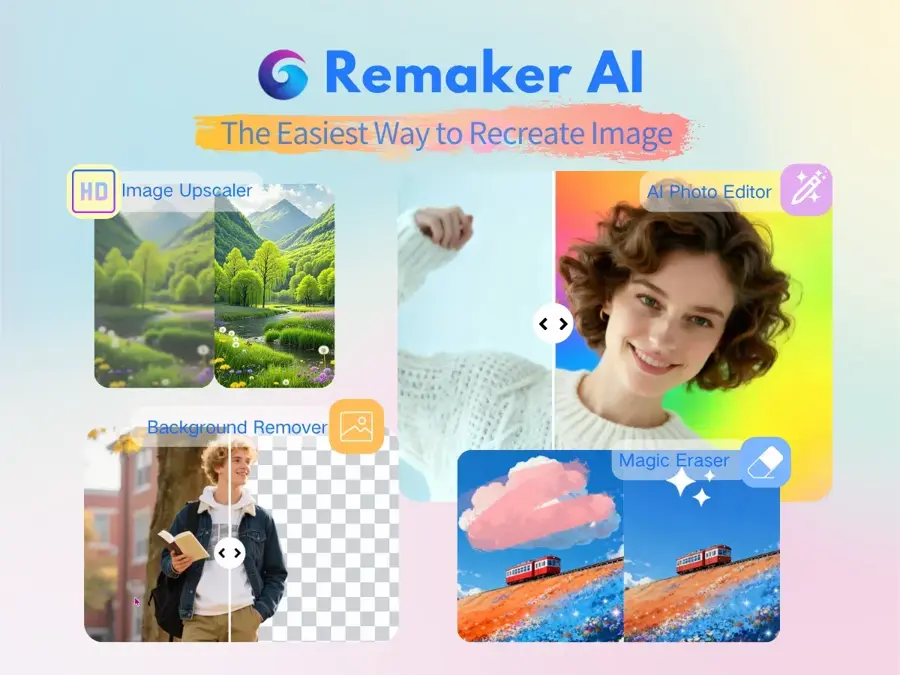
Remaker is an all-in-one AI image and video editor with single-face, multi-face, batch, GIF and video face swap modes. Find it at remaker.ai.
Why it stands out
The maths is simple. A single-face video swap costs one credit per second, so a 30-second clip uses 30 credits, and purchased credits do not expire. That makes it the best value if you swap a few clips a year rather than every week. One warning from a summary of Remaker's pricing page checked October 21, 2026: Remaker's terms and its pricing FAQ give conflicting statements on refunds, so read them before you pay. On iPhone, the Remaker: AI Face Swap app holds a 4.4 out of 5 rating from 289 ratings on the App Store.
Key features
- Several swap modes: single-face, multi-face, batch, GIF and video
- Per-second pricing: one credit per second, two for multi-face video
- Long uploads: video files of up to 30 minutes and 500 MB
- Non-expiring credits: buy once, use whenever
- iPhone app: App Store credit packs from $3.89
Pros
- Transparent per-second pricing
- Free photo face swap
- Long upload limit
Cons
- No free video face swap
- Unclear refund policy
- Long clips burn credits fast at 60 credits a minute
Remaker pricing: No free video plan (photo face swap is free) → one-time credit packs from $5.99 for 200 credits; 530 for $9.99, 1,100 for $19.99, 3,000 for $49.99 and 20,000 for $299 on the web, per the summary above. App Store packs are priced differently (checked October 2026). See pricing
Vidnoz – best for longer clips on a small budget
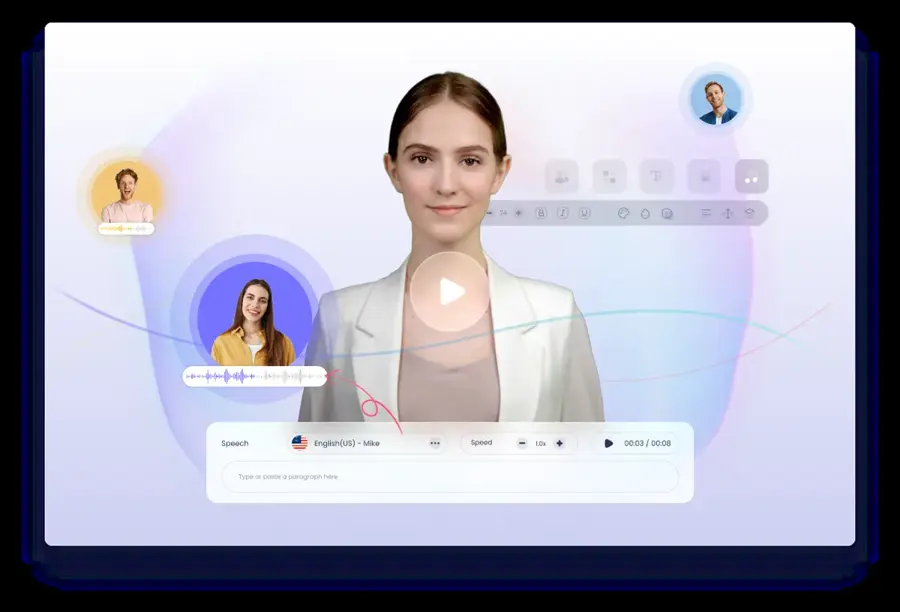
Vidnoz is a browser-based AI video platform with a free face swap tool. Find it at vidnoz.com.
Why it stands out
Techloy rated Vidnoz "Good" for quality and "Very fast" for speed, while noting that quality is more variable on complex motion. The catch is the fine print. Vidnoz describes the free allowance only as "daily free usage" without a number, and face swap does not appear in its credit cost table, per Atlas Cloud's August 2026 analysis. Atlas Cloud sells a competing API, so weigh its framing accordingly. Fine for casual clips, but you will not know your limits until you hit them.
Key features
- Browser-based: nothing to install
- Free daily use: no published quota
- Long clips advertised: up to 50 minutes of video
- 100 MB upload cap: roughly three minutes of 1080p footage, by Atlas Cloud's estimate
- Paid exports: watermark-free export is a paid feature, which suggests free output is watermarked
Pros
- Free to try
- Fast processing, per Techloy
- Cheap entry plan
Cons
- Free limits and per-swap costs are not published
- The 100 MB cap, not the 50-minute figure, is the real limit
- Weaker on fast or complex motion
Vidnoz pricing: Free daily use → paid plans from $9.99/month (180 credits); 500 credits for $23.99 and 800 credits for $24.99 a month (discounted prices retrieved July 29, 2026), per Atlas Cloud (checked October 2026). See pricing
Higgsfield – best for creators who also generate AI video
Higgsfield is a creator platform for AI video and image generation, with access to models such as Veo 3.1 and Kling 3.0, and face swap is one tool in the toolbox. Find it at higgsfield.ai.
Why it stands out
According to Magic Hour's comparison, photo face swap is free, video face swap requires a paid plan, and you cannot swap multiple faces in one operation. The catch is credits. Creatify's 2026 Higgsfield pricing guide says premium video models cost 40 to 70 credits per generation, so 200 Starter credits go quickly if you also generate footage. Creatify is a competitor and did not date its price check, so confirm on Higgsfield's site. It is worth it only if you will use the video generation too. Read our Higgsfield review for the full platform picture.
Key features
- Face swap plus generation: swap faces in the same workspace where you generate video
- Top video models: access to Veo 3.1 and Kling 3.0
- Free photo swaps: 10 free credits a day on basic models
- Video face swap: on paid plans
- Teams plan: per-seat billing for groups
Pros
- Face swap sits next to leading video models
- Free daily credits for photo swaps
- Good fit for short-form creators
Cons
- Video face swap needs a paid plan
- One face per operation
- Credits run out fast on premium models
Higgsfield pricing: Free tier (10 credits a day) → paid plans from $15/month (Starter, 200 credits); Plus $34/month (1,000 credits); Ultra $84/month (3,000 credits); Teams $49 per seat per month billed annually, per Creatify (checked October 2026). See pricing
Related: Higgsfield AI review
FaceFusion – best for local, private swaps for technical users
FaceFusion is an open-source face swap and face editing app that runs locally on your computer through a browser interface. Find it at facefusion.io.
Why it stands out
Because it runs on your machine, your footage never leaves it, and there are no per-clip fees. Version 3.9.0 was released on September 3, 2026, with a 3.9.1 patch on September 30, according to Magic Hour's FaceFusion setup guide. The same guide reports that the official FAQ states "NSFW content is declined", so copies advertised as "uncensored" are unofficial and should be avoided. The licence caveat matters too: several face swap models it uses, including INSwapper, are licensed for non-commercial use only, so client work needs separate licensing.
Key features
- Runs locally: private processing on your own hardware
- Batch and command line: for processing many files
- Built-in content filter: the official FAQ says NSFW content is declined
- Hardware flexible: a GPU helps, but CPU is supported
- Optional installers: official one-click installers for Windows and macOS
Pros
- Free and unlimited on your own computer
- No watermark
- Active development in 2026
Cons
- Needs Python, Git and FFmpeg to set up
- Many models are non-commercial only
- Speed depends entirely on your hardware
FaceFusion pricing: Free open-source code → optional one-time official installers at $20 (Windows) and $30 (macOS); no subscription (checked October 2026). See pricing
Related: Best free AI video generators
How to choose the right AI face swap video tool
Start with what you are making, then match the tool.
Match the tool to the job
- Choose Akool if you are making business video, need clips longer than a minute, or want watermark-free 4K.
- Choose HeyGen if you want your own face on a reusable presenter avatar.
- Choose Magic Hour if you want to test for free today, or swap several people in one short clip.
- Choose Remaker if you swap a handful of clips a year and hate subscriptions.
- Choose Vidnoz if you want a free browser tool and can live with unclear limits.
- Choose Higgsfield if you already generate footage with AI. Our guide to the best AI video generators covers that side.
- Choose FaceFusion if privacy matters most and you have a decent GPU.
Check your source footage
Every tool does better with a sharp, front-facing, evenly lit photo. HeyGen's own guidance says the same. Motion matters too: fast head turns, hands over the face and low light cause flicker. Techloy notes that a lightweight mobile app it reviewed handled high-motion footage less well than desktop-grade tools.
Check rights and data handling
Free tiers often exclude commercial use, and open-source models may be non-commercial only. Read where your uploads are stored and for how long. If you cannot find it, assume your face data is kept.
Use face swap only with consent
Legitimate uses are easy to list: putting yourself into a scene, localizing an ad with an actor's written permission, a film or parody with a cast that agreed, or training videos with a consenting presenter. If a real person in the final video has not agreed, stop.
The law is catching up. In the US, the TAKE IT DOWN Act makes it unlawful to knowingly publish non-consensual intimate images, including AI-generated "digital forgeries", and since May 19, 2026, covered platforms must remove such content "within 48 hours of a valid request", according to WilmerHale. In the EU, the AI Act's transparency rules have applied since 2 August 2026, and people who publish deepfakes must disclose that the content is "artificially generated or manipulated", as CEPIC explains. Clearly artistic or satirical work gets a lighter disclosure duty, but not an exemption. For a wider view, see our explainer on AI regulation.
Good habits cost nothing. Get consent in writing, label swapped videos as AI-made, and never use a swap to make someone appear to say or do something they did not.
Free vs paid: what you actually get
Free AI face swap video online tools are fine for testing an idea. They are rarely good enough to publish. Here is the typical gap, based on the plans above.
| Free tiers | Paid tiers | |
|---|---|---|
| Clip length | 10 to 30 seconds (Magic Hour, Akool) | Up to 5 minutes (Akool Pro) or 30-minute uploads (Remaker) |
| Resolution | 480p to 720p | 1080p to 4K |
| Watermark | Usually yes | No |
| Commercial use | Often excluded | Often included, check terms |
| Multi-face | Limited (3 faces on Magic Hour) | Wider support, often at double the credit cost |
On budget, the numbers are modest. Remaker's $5.99 pack covers about three minutes of single-face video at one credit per second. Akool's free 100 credits cover roughly 100 seconds. For a few clips a year, credit packs keep costs low. If you swap every week, compare a subscription's monthly credits against your real usage before you commit.
The one truly free and unlimited route is FaceFusion, but you pay in setup time and hardware, and many of its models cannot be used commercially.
Final verdict
If you only pick one, pick Akool. It has the strongest mix of free testing, long paid swaps and business features, and it is clearly built for licensed, commercial work. Use Magic Hour to test for free first, Remaker if you want to pay per clip, and FaceFusion if you want everything on your own machine.
Whatever you choose, the tool is the easy part. Consent is the part that matters. Swap your own face, or faces you have permission to use, and label the result. If you also work with still images, our roundup of the best AI image generators is a good next stop.
FAQ
What is the best AI face swap video tool in 2026?
For most people and businesses, Akool. It offers a free plan, face swaps up to five minutes on paid tiers and team features. Magic Hour is the easiest free test, and FaceFusion is the best free local option.
Is there a free AI video face swap with no watermark?
Rarely. Most free tiers watermark video output, including Akool and Magic Hour. FaceFusion, which runs on your own computer, does not add a watermark, but it takes technical setup.
How long can a face swap video be?
It depends on the tool and plan. HeyGen caps direct swaps at 15 seconds, Akool's free plan at 30 seconds and its Pro plan at five minutes, and Remaker accepts uploads of up to 30 minutes.
Is AI face swap legal?
Swapping your own face, or a face you have permission to use, is generally legal. Creating intimate or deceptive videos of real people without consent is harmful and illegal in many places, including under the US TAKE IT DOWN Act. In the EU, published deepfakes must be disclosed as AI-generated. This is not legal advice.
Can I use face swap videos commercially?
Only on plans that grant commercial rights and only with the consent of everyone whose face appears. Free tiers often exclude commercial use, and some open-source models are licensed for non-commercial use only.
Sources
- Best AI face swap video tools in 2026: quality, speed and price compared (Techloy)
- 13 Best AI Face Swap Tools in 2026 (Magic Hour)
- Akool Pricing Plans & History (2026) (PricingSaaS)
- Akool Pricing 2026: Plans, Credits, Hidden Costs and API Explained (Vidmetoo)
- AI face swap for polished, studio-grade videos (HeyGen)
- Remaker AI Face Swap: How It Works, Free Plan Limits, and Best Alternatives (Magic Hour)
- Remaker: AI Face Swap (Apple App Store)
- Vidnoz Will Swap Faces Free. Good Luck Finding the Limit (Atlas Cloud)
- Higgsfield pricing (2026): plans, credits, and what you'll actually pay (Creatify)
- How to Use FaceFusion 3.6.0: Complete Setup, Settings, and Best Results Guide (Magic Hour)
- The TAKE IT DOWN Act Goes Live (WilmerHale)
- The transparency obligations of the AI Act take effect on 2 August 2026 (CEPIC)
- Akool Pricing (Akool)
- HeyGen Pricing (HeyGen)