Best grammar AI tools in 2026: 7 checkers compared on accuracy and price
The best grammar AI tools in 2026, compared on published accuracy tests, real annual vs monthly cost, free plan limits and user ratings.
 Written byFahad HashmiContributing writer, AI in energy and industry
Why you can trust The AI Future
Our writers research every product, link each claim to its source and correct mistakes openly. Companies can't pay for coverage or see reviews before they're published.
Read our editorial policy
Here is the short version. If you want one grammar AI tool that works in most apps and you are happy to pay, Grammarly Pro is still the safest pick. If you want the strongest free AI grammar checker, start with QuillBot or LanguageTool, which caught 20 and 19 of 20 planted errors in Scribbr's published test. If you write long fiction or reports, ProWritingAid gives you the deepest style analysis for the money.
Below are seven tools compared on accuracy, where they work, privacy and real cost. Nobody at The AI Future ran these tools for this piece. We compared them using official pricing pages, published independent tests, user reviews on Capterra and the App Store, and recent pricing write-ups, as of late October 2026. Prices are in US dollars unless noted and change often, so check the vendor page before you buy.
Key takeaways
- The advertised price is usually the annual rate. Grammarly Pro is $12 a month billed yearly, but about $30 a month if you pay monthly. The same gap exists at ProWritingAid, LanguageTool and Wordtune.
- Free grammar checks are good enough for most people. In Scribbr's 20-error test, two free checkers scored 19/20 or better while Grammarly's free tier scored 11/20.
- Free plans are shrinking around browser use. LanguageTool is limiting its browser extension to Premium subscribers, and Microsoft retired its Editor browser extensions after October 31, 2025.
- Rewriting is not the same as correcting. Tools built around paraphrasing can change your meaning. Use a strict checker when accuracy matters.
How we ranked them
To be clear about method: we did not run our own error test. Instead we ranked each tool on five things we could check from public sources:
- Correction accuracy. The best published head-to-head we found is Scribbr's free grammar checker comparison. It used a 160-word text with 20 errors in grammar, spelling, word choice and punctuation. Each tool got +1 for every error fixed and -1 for every new error it introduced. That penalty matters, because a checker that "fixes" correct text costs you time.
- Where it works. Browser, Word, Google Docs, desktop and mobile.
- Real cost. Monthly price versus annual price, and what the free plan keeps.
- Privacy and language support. Important if you paste client or student work.
- User sentiment. Ratings and comments on Capterra and the App Store.
Two caveats on the Scribbr data. It tested free versions only, and it was last revised in October 2024, so paid tiers and newer AI features are not reflected. Scribbr also lists its own checker together with QuillBot's as one result, so weigh that top score with that in mind. We use it as a signal of baseline accuracy, not a final verdict.
A quick worked example of why the scoring method matters. Say a tool fixes 7 of the 20 errors but adds 4 new punctuation mistakes. Its score is 7 - 4 = 3/20, or 15%. That is exactly what happened to Writer in Scribbr's test. A tool that fixes only 11 errors but introduces none scores 11/20, which beats it comfortably. Fewer, safer fixes win.
The 7 best grammar AI tools at a glance
| # | Tool | Category | Best for | Free tier | Starts at |
|---|---|---|---|---|---|
| 1 | Grammarly | All-in-one writing assistant | Working in every app | Yes (limited) | $12/mo (annual) |
| 2 | QuillBot | Grammar checker and paraphraser | Best free grammar check | Yes | $8.33/mo (annual) |
| 3 | LanguageTool | Multilingual checker | Multilingual writers | Yes (limited) | $4.99/mo (2-year) |
| 4 | ProWritingAid | Grammar and style editor | Long-form and fiction | Yes (limited) | $10/mo (annual) |
| 5 | DeepL Write | Phrasing editor | Natural phrasing, EU languages | Yes (limited) | €6.99/mo (annual add-on) |
| 6 | Wordtune | AI rewriter | Rewording sentences | Yes | $4.89/mo (annual) |
| 7 | Hemingway Editor | Readability editor | Readability, no-AI checks | Yes | $8.33/mo |
The 7 best grammar AI tools in 2026, ranked
Grammarly – best for working in every app
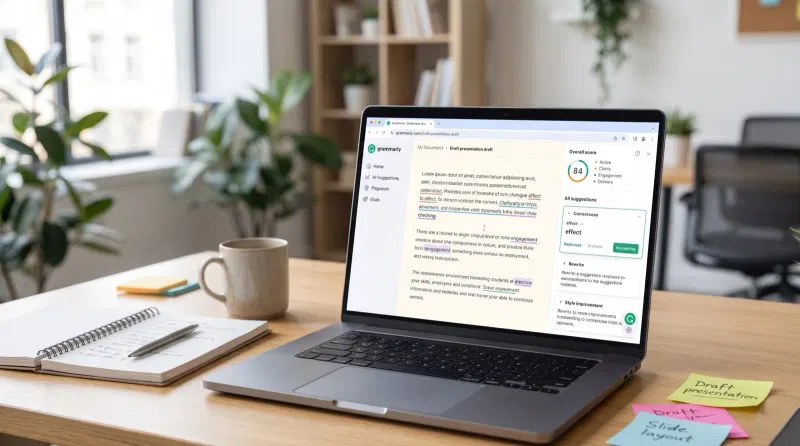
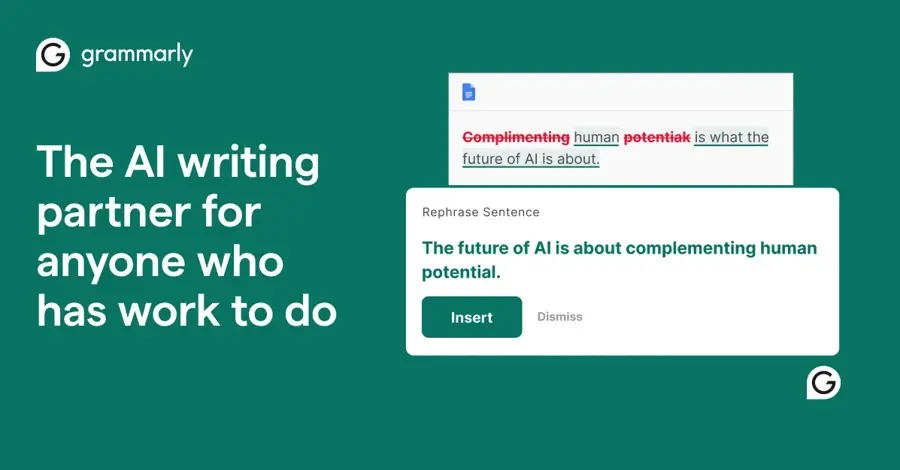
Grammarly checks spelling, grammar, punctuation and tone as you type across browsers, desktop apps and mobile keyboards. It is the safest paid pick if you write in many places (grammarly.com).
Why it stands out
Grammarly's strength is coverage, not raw free-tier accuracy: in Scribbr's test the free version scored 11/20, with many useful corrections held back for Premium. Paying users are broadly positive. Grammarly Business holds 4.7/5 from 7,225 reviews on Capterra, and one reviewer wrote that "The real-time feedback and style suggestions make it easier for employees to write clearly and professionally." Grammarly merged with Superhuman in October 2025, and its products now sit inside a wider suite with Superhuman Mail, Coda and an assistant called Superhuman Go, as eesel reports. That is useful for small teams, but if you only want grammar fixes you are paying for a lot you will not use. For a deeper look, read our full Grammarly review.
Key features
- Real-time checks everywhere: browsers, desktop apps and mobile keyboards.
- Full-sentence rewrites and tone adjustment on Pro, per Grammarly's plans page.
- Fluency suggestions for non-native speakers.
- Citation consistency checks, AI text detection and plagiarism detection in Pro.
- Team tools: style guide, brand tone, snippets and team analytics, now folded into Pro.
Pros
- Works almost everywhere you type
- Strong tone and clarity suggestions on Pro
- Plagiarism and AI-text checks in the same plan
Cons
- Free tier caught only 11 of 20 errors in Scribbr's test
- Monthly billing costs about 2.5x the annual rate
- Superhuman suite bundling adds features many users do not need
- A Capterra reviewer noted it can insert extra HTML tags when working in code
Grammarly pricing: Free with 100 AI prompts a month → Pro at $12/month billed annually ($144/year) or about $30/month billed monthly, with 2,000 prompts per member per month and a 7-day trial. Enterprise is quote-based (checked October 2026). See pricing
Related: Grammarly AI review
QuillBot – best for a free grammar check
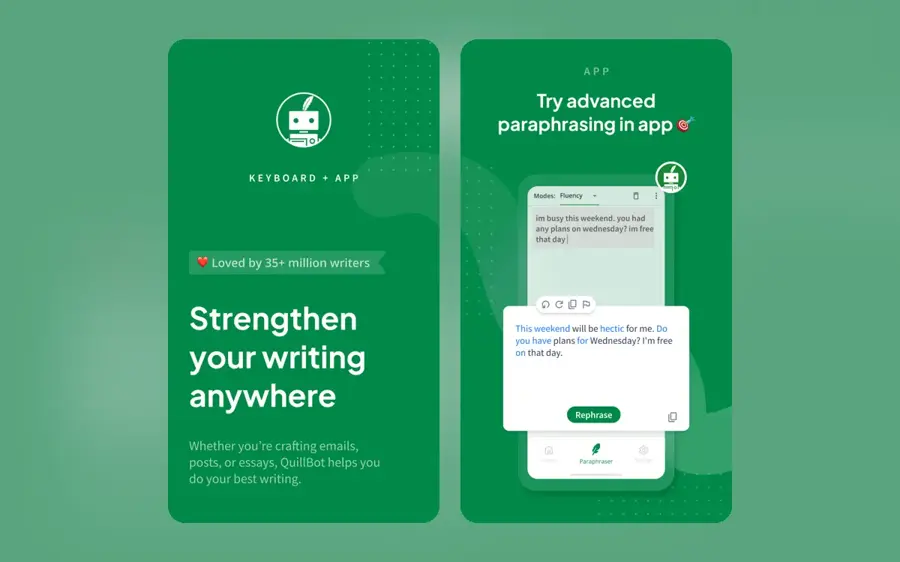
QuillBot started as a paraphraser and now bundles a free, unlimited grammar checker with a set of other writing tools. You can paste text without signing up (quillbot.com).
Why it stands out
QuillBot topped Scribbr's free test with 20/20, fixing every planted error without introducing new ones. On Capterra it holds 4.5/5 from 157 reviews, with one user saying: "I really like how it corrects grammar and punctuation without altering the tone of the message." The main complaint is practical: "It is not available offline and this can be quite limiting." Keep the checker and the paraphraser separate in your head. The checker makes minimal fixes; the paraphraser rewrites, and rewritten text is what many schools treat as a policy issue. If you are a student, check our guide to free AI tools for students and your institution's rules before using the rewriting features on graded work.
Key features
- Unlimited free grammar checks, according to eesel.
- No-account use: paste text and check straight away.
- Paraphraser: free with two modes, more modes and longer inputs on Premium.
- Student and team plans alongside individual Premium.
Pros
- Top score (20/20) in Scribbr's free grammar test
- Nothing to install for a quick check
- Cheap annual Premium and a student discount
Cons
- No offline use
- Free paraphraser capped at 125 words per input
- Paraphrasing can drift from your meaning
QuillBot pricing: Free grammar checks → Premium at $19.95/month, $79.95 per six months or $99.95/year (about $8.33/month). A verified student plan costs $74.95/year, and teams start at $7.50 per user per month, per Dupple's pricing breakdown (checked October 2026). See plans on quillbot.com
LanguageTool – best for multilingual writers
LanguageTool checks grammar, spelling and style in many languages, not only English. It began as an open-source, rule-based checker, with newer AI rephrasing features on top (languagetool.org).
Why it stands out
Accuracy is close to the top: 19/20 in Scribbr's test, missing one error. Because many corrections come from explicit grammar rules rather than a language model, it suits anyone who wants a checker that is not purely AI-driven. The bigger news is about access. LanguageTool says it will restrict its browser extension to Premium subscribers, citing rising generative AI server costs and low free-to-paid conversion. Users rate it 4.1/5 on Capterra from 50 reviews; one praised the "Simple and easy to use UI" but added that "The AI features are hit or miss."
Key features
- Multilingual checking of grammar, spelling and style.
- Rule-based core from its open-source roots, so flags are explainable.
- AI rephrasing layered on top of the rules.
- Self-hosting: the extension still works with self-hosted open-source servers.
- Free web editor for pasted text.
Pros
- 19/20 in Scribbr's test
- Self-hosting option for sensitive text
- Cheapest long-term Premium in this list
Cons
- Browser extension moving behind the paywall
- No "fix all" button in Scribbr's test
- Monthly plan costs about 4x the annual rate per month
LanguageTool pricing: Free web editor → Premium at $24.90 month to month, $49.90 per quarter, $69.90 per year (about $5.83/month) or $4.99/month on a two-year plan, as listed by eesel. Team pricing is per seat (checked October 2026). See plans on languagetool.org
ProWritingAid – best for long-form and fiction
ProWritingAid is a grammar checker plus a style editor that produces detailed reports on your writing, which is why novelists and long-form writers like it (prowritingaid.com).
Why it stands out
Here is the trade-off. ProWritingAid's free version scored only 3/20 in Scribbr's test, fixing 5 errors and introducing 2. That result reflects a free tier tested on short text, not the reports paying users buy it for. Paying users are happy: it holds 4.7/5 from 497 Capterra reviews, and one reviewer said "It does everything I need to expertly edit my writing." The same reviewer's complaint: "I do not like that you cannot upload a pdf file to be edited."
Key features
- Style reports on pacing, repeated words, sentence length and dialogue.
- Cliché and readability checks for polishing long drafts.
- Two paid tiers: Premium and Premium Pro.
- Lifetime licences as an alternative to subscriptions.
Pros
- Deep style analysis for documents longer than a few pages
- Lifetime licence avoids recurring fees
- Strong ratings from paying users
Cons
- Weak free-tier score (3/20) in Scribbr's test
- 500-word cap on free documents
- No PDF upload, per a Capterra reviewer
ProWritingAid pricing: Free tier capped at 500 words per document → Premium at $10/month billed annually ($120/year) or a $399 lifetime licence; Premium Pro at $12/month annually or $699 lifetime, per eesel (checked October 2026). Monthly prices differ between sources: eesel lists $30/month, while Capterra lists $20/month, so confirm at checkout. See plans on prowritingaid.com
DeepL Write – best for natural phrasing
DeepL Write comes from the DeepL translation team. It corrects spelling and grammar and suggests more natural phrasing, with a free basic version (deepl.com).
Why it stands out
DeepL Write sits between a strict checker and a rewriter. It is good at turning stiff, translated-sounding sentences into something more fluent, which suits non-native writers and European teams that care about where data is processed, but you should still read every change. DeepL was not part of Scribbr's test, so we have no matching accuracy score. The DeepL mobile app, which includes Write, has 4.8/5 from 101 ratings on that App Store listing; the reviews we saw were about translation, not Write. If data handling is your main concern, our piece on AI regulation covers the rules shaping European AI tools.
Key features
- Grammar and spelling correction in the free basic version.
- Natural phrasing suggestions for stiff or translated text.
- Write Pro style rules and higher limits, according to European Purpose's profile (last reviewed October 2026).
- Six Pro languages: English, German, French, Spanish, Italian and Portuguese.
- Mobile app combining Translate and Write.
Pros
- Very natural phrasing suggestions
- Free basic version
- Good fit across major European languages
Cons
- Fewer languages than LanguageTool
- No independent accuracy score in the test we used
- Pro is an add-on to another DeepL plan
DeepL Write pricing: Free basic version → Write Pro from €6.99 per user per month billed annually as an add-on to DeepL's Individual and Team plans, and included in the Business plan (checked October 2026). See plans on deepl.com
Wordtune – best for rewording sentences
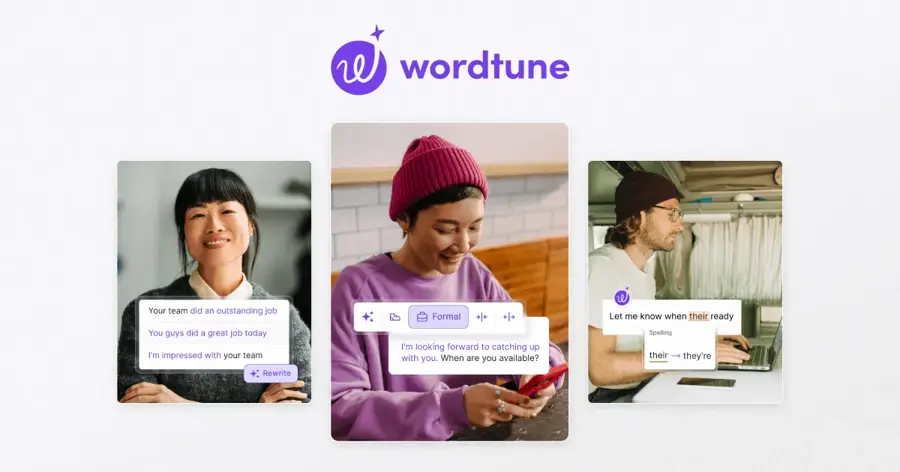
Wordtune is an AI sentence corrector and rewriter for writers who know what they want to say but struggle with how to say it (wordtune.com).
Why it stands out
Scribbr scored Wordtune 13/20 and flagged the core risk: it is mainly a paraphraser, so its suggestions can change your meaning. That makes it a good companion to a strict checker, not a replacement. We did not find a third-party rating for Wordtune we could verify for this article.
Key features
- Highlight-to-rewrite: select a sentence and get alternative versions.
- Length control: shorter or longer rewrites.
- Tone control: more formal or more casual in a couple of clicks.
- Basic grammar fixes along the way.
Pros
- Cheap annual plans
- Quick, useful rewrites for awkward sentences
- Free tier to try it
Cons
- 13/20 in Scribbr's test
- Rewrites can change meaning
- Not a thorough proofreader
Wordtune pricing: Free tier → Advanced at $9.99/month or $4.89/month billed annually; Unlimited at $14.99/month or $6.99/month annually, per eesel (checked October 2026). See plans on wordtune.com
Hemingway Editor – best for readability
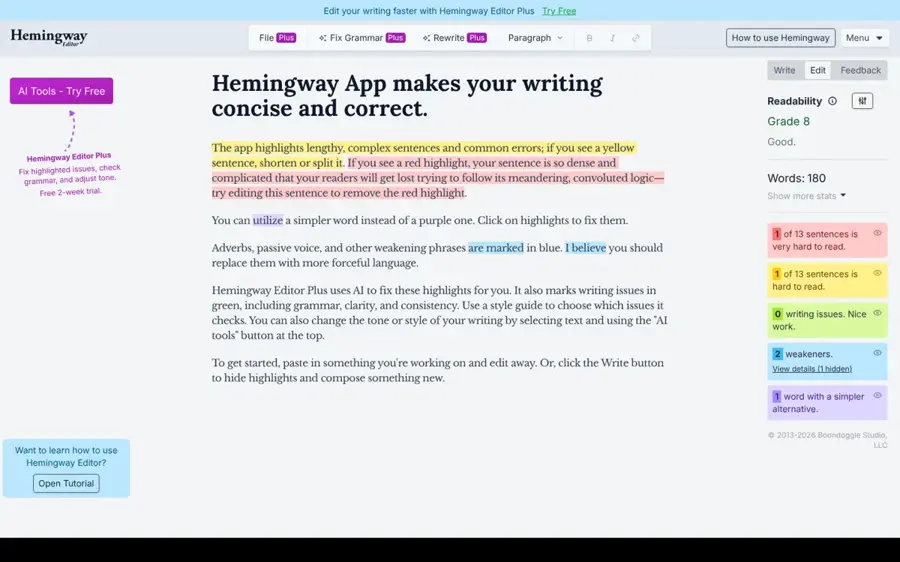
Hemingway highlights long sentences, passive voice, adverbs and complex words, and gives your text a readability grade (hemingwayapp.com).
Why it stands out
The free web version runs on readability rules, which makes it the closest thing here to a grammar checker with no AI. It does not try to catch every comma error, and it was not in Scribbr's test, so treat it as a clarity tool you run after a grammar check. It suits people who want clearer, shorter writing and prefer to make the edits themselves. We did not find a third-party rating we could verify for this article.
Key features
- Sentence highlights for long and hard-to-read sentences.
- Passive voice and adverb flags.
- Complex-word suggestions.
- Readability grade for the whole text.
Pros
- Free web version with no sign-up
- Rule-based highlights you can understand at a glance
- Makes you a more concise writer over time
Cons
- Not a full grammar or spelling checker
- Paid plans are priced by word allowance
- No independent accuracy data in the test we used
Hemingway Editor pricing: Free web version → Individual 5K at $8.33/month, Individual 10K at $12.50/month, and Team 10K at $12.50 per user per month on annual billing, per eesel (checked October 2026). See plans on hemingwayapp.com
How grammar AI works, and where it breaks
Think of a modern grammar AI tool as two layers. The first is a rule and pattern layer that flags things like subject-verb agreement, repeated words and common misspellings. The second is a language model that predicts what a fluent sentence should look like and proposes rewrites. Older tools such as LanguageTool and Hemingway lean on the first layer. Newer features in Grammarly, QuillBot and Wordtune lean on the second.
Each layer fails in its own way:
- Rules miss context. A rule-based checker cannot always tell whether "their" or "there" fits a sentence with unusual structure.
- Models over-correct. A language model may "fix" correct text, flatten your voice or change a technical term into a more common word. That is the -1 penalty in Scribbr's scoring.
- Rewrites change meaning. Paraphrasers optimise for fluency, not fidelity. In legal, medical or academic text that is a real risk.
- Length limits hide errors. Scribbr found Ginger ignored sentences over 350 characters. Long sentences are exactly where errors cluster.
- AI rewriting can trigger AI detectors. Heavy AI rewriting may get flagged by detection tools, and detectors also produce false positives on human text. Our explainer on how AI detectors work covers why.
The safe workflow is simple: accept spelling and clear grammar fixes quickly, read every rewrite before accepting it, and never let a tool make changes in bulk on text where precise wording matters.
How to choose the right grammar AI tools
Use this decision table. Find your main need and start there.
| If you mainly need... | Start with | Why |
|---|---|---|
| An accurate free check, pasted text | QuillBot | 20/20 in Scribbr's test, unlimited and no sign-up |
| One checker in every app | Grammarly Pro | Widest coverage of browsers, desktop and mobile |
| Several languages | LanguageTool | Multilingual, strong accuracy, self-hosting option |
| Novel or long-report editing | ProWritingAid | Style reports and a lifetime licence |
| More natural phrasing as a non-native writer | DeepL Write or Grammarly Pro | Fluency rewrites, not just corrections |
| Rewording a stuck sentence | Wordtune | Fast alternative versions |
| A grammar checker with no AI rewriting | LanguageTool (rules) or Hemingway free | Rule-based checks you can verify |
Then run this quick checklist before you pay:
- Where do you write? If it is mostly Google Docs or a browser, check that the tool's extension is included in the plan you are buying.
- What does it cost over 12 months? Multiply the monthly price by 12 and compare with the annual price.
- Who sees your text? For client, health or student data, read the vendor's privacy and data-retention terms, and consider self-hosted LanguageTool.
- Do your rules allow it? Many schools and publishers allow grammar checking but restrict AI rewriting. Check before you use paraphrasing on submitted work.
- Do you need extras? Plagiarism checks and AI-text detection are included in Grammarly Pro, so compare that against buying them separately.
If you also need help drafting, not only correcting, see our roundup of AI writing tools.
Free vs paid: what you actually get
For basic correctness, free is often enough. The Scribbr test shows that a free tool can catch every planted error in a 160-word text. What you pay for is everything around the check: rewrites, tone, integrations, longer limits, plagiarism detection and team features.
| Tool | Free plan keeps | Paid plan adds |
|---|---|---|
| Grammarly | Corrections, tone detection, 100 AI prompts/month | Rewrites, fluency, plagiarism and AI detection, 2,000 prompts |
| QuillBot | Unlimited grammar checks, 125-word paraphrases | Longer paraphrases, more modes |
| LanguageTool | Web editor checks | Browser extension, advanced style and AI rephrasing |
| ProWritingAid | 500 words per document | No 500-word cap, full style reports |
| DeepL Write | Spelling, grammar, basic phrasing | Style rules, higher limits |
Now the worked example with numbers. Say you want Grammarly Pro for a year.
- Annual billing: $12 x 12 = $144.
- Monthly billing at about $30: $30 x 12 = $360.
- Difference: $216, or 2.5x the annual cost.
Run the same maths on LanguageTool: $24.90 x 12 = $298.80 on monthly billing versus $69.90 on annual. That is more than 4x. If you know you will use a tool all year, pay annually. If you only need it for a thesis or one project, a single month or two of monthly billing can still be cheaper than a full year.
One more point on free plans: they are moving. LanguageTool is pulling its extension from free users, Microsoft retired its Editor browser extensions and now points people to the writing assistance built into Edge, and Grammarly folded team features into a single Pro tier. Expect free plans to keep shifting toward a web editor where you paste text, with in-app checking reserved for paying users.
Final verdict
For most people, the best grammar AI setup costs nothing: QuillBot's free checker for accuracy and Hemingway's free editor for clarity. If you need checking inside every app you use, Grammarly Pro on annual billing is the most complete option, though it now comes with a suite of extras. Multilingual writers should look first at LanguageTool, and long-form writers at ProWritingAid's lifetime licence. Use DeepL Write and Wordtune when you want help with phrasing, not proofreading, and read every rewrite before you accept it.
FAQ
What is the best free AI grammar checker?
Based on Scribbr's published test, QuillBot's free grammar checker scored 20/20 and LanguageTool scored 19/20. Grammarly's free tier scored 11/20 in the same test, which was last revised in October 2024.
Is Grammarly still worth paying for in 2026?
It is if you write in many apps and want rewrites, tone control and plagiarism checks in one place. At $12/month billed annually it is reasonable. On monthly billing, at about $30/month, it is expensive compared with the alternatives here.
Is there a grammar checker with no AI?
No modern checker is completely free of automation, but some lean on rules instead of generative models. LanguageTool's core is rule-based and open source, and Hemingway's free web version uses readability rules. Both let you see why something was flagged.
Can an AI grammar checker change my meaning?
Yes. Strict corrections rarely do, but rewrite and paraphrase features can. Wordtune and QuillBot's paraphraser are built to rephrase, so always compare the suggestion with your original before you accept it.
Can teachers tell if I used an AI corrector?
Simple spelling and grammar fixes are generally treated like spellcheck. Heavy AI rewriting is different: many schools restrict it, and it may be flagged by AI detectors, which are themselves imperfect. Check your school's policy first.
Which grammar AI is best for non-native English speakers?
Grammarly Pro includes fluency suggestions for non-native writers, and DeepL Write is designed to make phrasing sound natural. LanguageTool is a good choice if you also write in your first language.
Sources
- Grammarly Plans (Grammarly)
- The 7 best Grammarly alternatives in 2026 (tested and ranked) (eesel AI)
- 10 Best Free Grammar Checkers | Tested & Reviewed (Scribbr)
- LanguageTool Limits Browser Extension To Paid Users (Let's Data Science)
- MC1144651 - Retirement of Editor Browser Extensions for Microsoft Edge and Google Chrome (M365 Message Center archive)
- Grammarly Business Reviews 2026 (Capterra)
- QuillBot review and pricing (Dupple)
- QuillBot Reviews 2026 (Capterra)
- LanguageTool Software Pricing, Alternatives & More 2026 (Capterra)
- ProWritingAid Software Pricing, Alternatives & More 2026 (Capterra)
- DeepL Write (European Purpose)
- DeepL Translate & Write (Apple App Store)