6 best AI clothes changers in 2026: try‑on and outfit tools, ranked
The best AI clothes changer tools for virtual try-on and outfit edits in 2026, from Google's free Try On to bitStudio, with prices checked in October.
 Written byMuhammad Usman SiddiquiFounder and editor-in-chief
Why you can trust The AI Future
Our writers research every product, link each claim to its source and correct mistakes openly. Companies can't pay for coverage or see reviews before they're published.
Read our editorial policy
Short answer: if you want to see how a real product looks on you before you buy, use Google's free Try On button in Search. If you want an AI clothes changer for your own photos or for product shots, start with bitStudio. It has a usable free tier and a clear $15 entry plan. Everything else on this list is a specialist for one job.
We compared six tools using their official product and pricing pages, published third-party guides and app store ratings, as of late October 2026. Nobody at The AI Future ran hands-on tests for this piece, so we tell you where each fact comes from and link to it. One more thing up front: this guide covers virtual try-on and outfit editing of your own photos or licensed model images only. Apps marketed for removing clothes from photos of people are not here, and we explain why further down.
Key takeaways
- Shoppers should start free. Google's Try On works inside Search and Shopping with a selfie and costs nothing, but it only covers some countries and categories.
- Doppl is gone. Google closed its Doppl try-on app on April 30, 2026 and folded the feature into Search.
- Creators and small stores get the most from bitStudio. Plans start at $15 a month, and the free plan gives you 5 clothes changer uses per day.
- Logos and small text are the weak spot. Even vendors admit fine details on garments can come out wrong, so check every image before you publish it.
- Consent is not optional. Only edit photos of yourself, of people who agreed, or of models you have a licence to use.
How we ranked them
To be clear about method: we did not run our own photos through these tools. We researched them. That meant reading each vendor's product page, pricing page and help guides, checking app store and marketplace ratings, and reading independent coverage. Every price and limit below links to the page we took it from, checked in October 2026.
We ranked each AI outfit changer on five things:
- Job fit. Does it do clothes swap AI work well for a clear type of user: shoppers, creators or sellers?
- Free value. How much can you do before paying? Many people search for an AI clothes changer free option, so this matters.
- Price clarity. Can you work out what you will pay from the vendor's own page?
- Documented limits. Does the vendor say what goes wrong, such as logos, poses or excluded garment types?
- Safe design. We excluded any tool marketed for undressing people or sexual edits.
Prices are in US dollars and can change by country, app store and promotion. Our editorial scores are judgement calls based on features, price and documented limits, not lab tests.
The 6 best AI clothes changers at a glance
| # | Tool | Category | Best for | Free tier | Starts at |
|---|---|---|---|---|---|
| 1 | Google Try On | Shopping try-on | Trying real products on yourself before buying | Yes | Free |
| 2 | bitStudio | AI fashion studio | All-round outfit changes and try-on | Yes (limited) | $15/mo |
| 3 | Kling AI Virtual Try-On | Try-on and video | Try-on images that become model videos | Yes (limited) | Pay as you go |
| 4 | Photoroom Virtual Model | Product photo editor | Online sellers putting products on AI models | Yes (limited) | Max plan |
| 5 | Pincel | Clothes swap tool | Quick one-off outfit swaps | Yes (limited) | Credit packs |
| 6 | Fotor Clothes Color Changer | Photo editor | Free clothing recolors | Yes | Free |
The 6 best AI clothes changers in 2026, ranked
Google Try On – best for trying real products on yourself
Google's virtual try-on puts clothes from product listings onto a photo of you, straight from Search and Shopping. You tap "try it on" on apparel listings and image results across Google, according to Google Labs.

Why it stands out
It is free, it uses real products you can buy, and it replaced Doppl: Google says the Doppl app shut down on April 30, 2026 and its try-on now lives across Google instead. A guide by Pasquale Pillitteri reports that since December 2025 a selfie is enough, powered by Gemini 2.5 Flash Image. The feature has spread beyond the US: GMX reported expansion to the UK, Canada, India and Japan, and the Pillitteri guide also lists Australia and several Latin American countries. You must be 18 or older. The guide notes it "does not indicate fit, does not suggest the correct size," so treat it as a style check, not a fitting room. We could not find a third-party user rating for the Search feature itself, since it is not a separate app. Our editorial score: 4.5 out of 5.
Key features
- Selfie try-on: one photo of you is enough
- Built into Google: works on apparel listings and image results
- Gemini-powered: uses Gemini 2.5 Flash Image, per the Pillitteri guide
- Garment coverage: shoes, tops, bottoms and dresses
- Exclusions: lingerie, swimwear and accessories are not covered
Pros
- Free, with no subscription
- What you see is buyable
- Nothing to install
Cons
- Only in some countries
- No sizing or fit advice
- Can't edit your own photos freely, only try listed products
Google Try On pricing: Free, no paid plan, per the Pillitteri guide (checked October 2026). See details
Related: Generative AI in ecommerce explained
bitStudio – best for all-round outfit changes and try-on
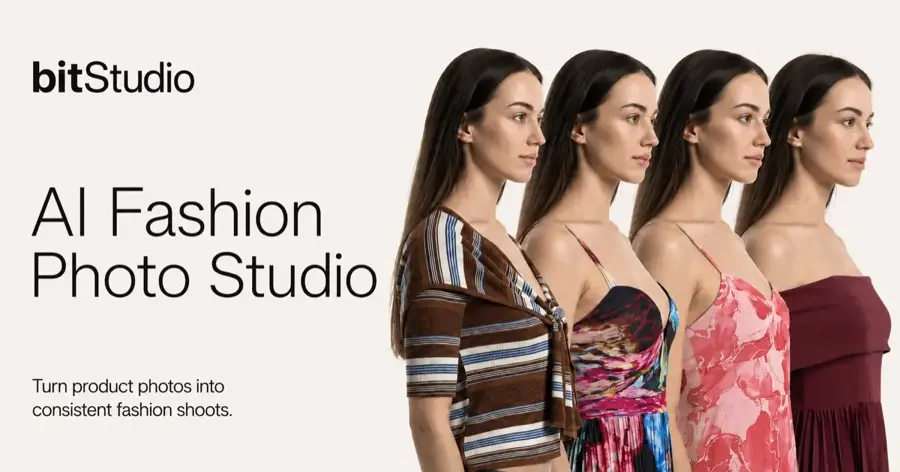
bitStudio is an AI fashion studio with a dedicated AI Clothes Changer, virtual try-on, a photo editor, pose changes and image-to-video. See plans at bitstudio.ai.
Why it stands out
It is the most complete option here at a sane price, aimed at creators, stylists and small fashion brands. The jump from Basic to Pro is the key number on its pricing page: daily clothes changer uses go from 20 to 1,000, and Pro adds unlimited try-ons in a slower "relaxed" mode. If you edit outfits every day, Pro at $39 is the better buy; for a few photos a week, Basic is enough. The Shopify app is a separate store product: its free plan gives 50 daily try-on credits, the Medium plan costs $299 a month for 3,000 try-ons, and the listing has a 4.3 out of 5 rating from only 3 reviews. One store owner wrote: "Installed it yesterday and this is what I needed for all of my stores!" Our editorial score: 4.5 out of 5.
Key features
- AI Clothes Changer: swap outfits on your own photos
- Virtual try-on: unlimited in relaxed mode on Pro
- Pose changes and photo editor: adjust the shot around the outfit
- Image-to-video: turn a still into a short clip
- Nano Banana Pro 2K and 4K: higher-resolution options on paid plans
- Shopify app: lets shoppers see products on themselves
Pros
- Clear plans with a real free tier
- Clothes changer, try-on and video in one place
- Scales from hobby use to daily production
Cons
- Credits reset monthly on Basic
- Very few public marketplace reviews so far
- Shopify paid tier is expensive for small shops
bitStudio pricing: Free (10 credits a month, 5 clothes changer uses a day) → paid plans from $15/month: Basic $15 (150 credits), Pro $39 (350 credits), Ultra $99 (1,000 credits). One-off packs start at $15 for 100 credits (checked October 2026). See pricing
Kling AI Virtual Try-On – best for try-on images that become model videos
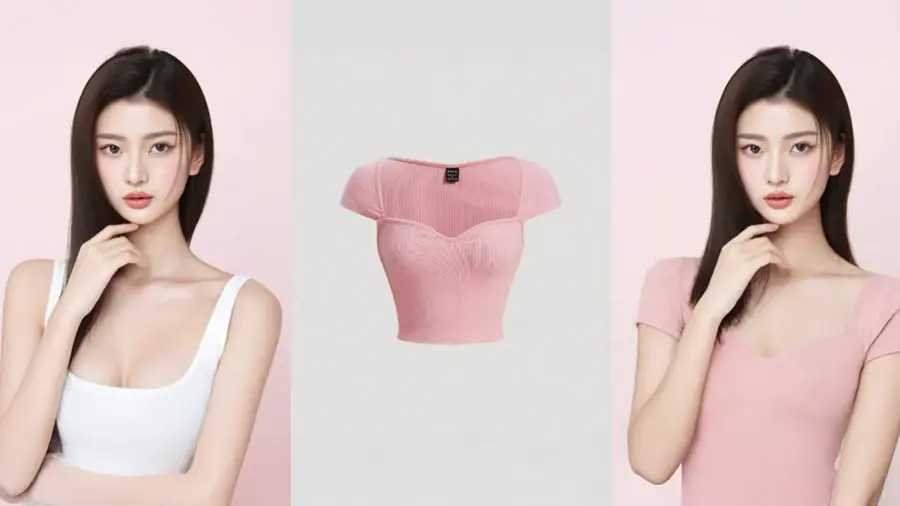
Kling's Virtual Try-On takes a model image and a product image and generates the model wearing the garment, which you can then turn into a showcase video. Kling describes it as "Model Image + Product Image = Try-on Effect" in its official guide.
Why it stands out
The video step is the reason to choose it, which suits brands and marketers who already use licensed model photos. Few clothes changer AI tools can turn a try-on into a moving model clip. Kling is also honest about its weak points: its guide says "Discrepancies may occur in the Try-on clothing details," especially for small garments or fine text, and it gives specific input rules. Follow them and you avoid most failed generations. We could not verify a current third-party user rating for the try-on feature specifically. Our editorial score: 4 out of 5.
Key features
- Two-image input: one model photo plus one product photo
- Fast output: results in about 10 to 13 seconds, per Kling
- Try-on to video: turn the result into a model showcase clip
- Clear input rules: one garment on a white background, a single person in a simple pose, no seated or leaning shots
Pros
- Fast results with clear guidance
- Stills and motion in one workflow
- Low per-image cost on pay as you go
Cons
- Logos and small text can come out wrong
- Strict photo requirements
- Pricing is spread across different pages and plans
Kling AI Virtual Try-On pricing: Free trial → pay as you go; Toolradar lists virtual try-on at $0.07 per generation. Kling's own guide does not list credit costs (checked October 2026). See pricing (Toolradar)
Related: Best image to video AI tools
Photoroom Virtual Model – best for online sellers putting products on AI models
Photoroom is a product photo editor whose Virtual Model feature lets you "upload your product images to see them worn by realistic virtual models instantly," according to Photoroom.
Why it stands out
The models are AI-generated, which avoids the consent questions that come with editing photos of real people, and you get on-model images without a photoshoot. Photoroom's big advantage is everything around the try-on: background removal, batch edits and marketplace-ready exports. Its weakness for this use is cost clarity, since Virtual Model needs the top consumer tier and the feature page does not say what that costs. The app has a 4.8 out of 5 rating from about 231,000 ratings on the App Store, though that covers the whole app, not only Virtual Model. One reviewer summed it up: "It's simple, fast, efficient, and has all the right tools." Our editorial score: 4 out of 5.
Key features
- Virtual Model: products shown on AI-generated models
- Background removal: clean product shots
- Batch edits: process many images at once
- Marketplace-ready exports: images sized for selling online
Pros
- No real person's image is altered
- Full product photo workflow in one app
- Very high App Store rating
Cons
- Virtual Model needs the Max plan
- Plan prices are not shown on the feature page
- Overkill if you only want to change one outfit
Photoroom Virtual Model pricing: Free plan with "limited access to AI features" → Virtual Model is on the Max plan, not Pro or Ultra, per Photoroom's plan comparison, which shows no dollar amounts. On the App Store, Photoroom Pro in-app purchases are listed at $5.99, $9.99 and $89.99 (checked October 2026). Check in-app before you commit. See plans
Related: Generative AI in ecommerce explained
Pincel – best for quick one-off outfit swaps
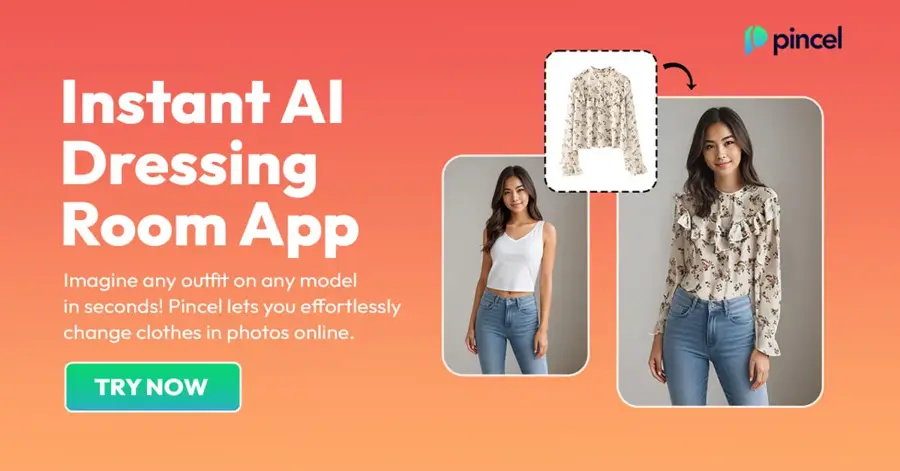
Pincel's clothes swap tool takes a photo of a model and a photo of a garment and generates the outfit change, per its clothes swap page.
Why it stands out
Pincel is simple, and that is the point: two uploads, one button, and an AI clothes changer online free trial without a credit card. Its FAQ says the images you create belong to you and can be used commercially, and its footer says a content policy is enforced. We could not read the full policy or verify a third-party user rating, so check both before you use it for client work. It is good for a quick outfit swap AI test, less suited to regular production. Our editorial score: 3.5 out of 5.
Key features
- Two-image workflow: a model photo plus a garment photo
- Output time: 30 to 50 seconds per image
- Garment input tips: works best with a cutout or flat lay, without a model
- Commercial use: outputs belong to you, per the FAQ
Pros
- No card needed for the free credits
- Very easy to use
- Commercial use of outputs allowed
Cons
- Slower than Kling per image
- Paid pricing not clear from the tool page
- Content policy details not shown on the page
Pincel pricing: 20 free credits on sign-up, no card needed; each image costs 2 credits, so about 10 free swaps → paid credit packs, priced on a separate page we could not access (checked October 2026). See details
Fotor Clothes Color Changer – best for free clothing recolors
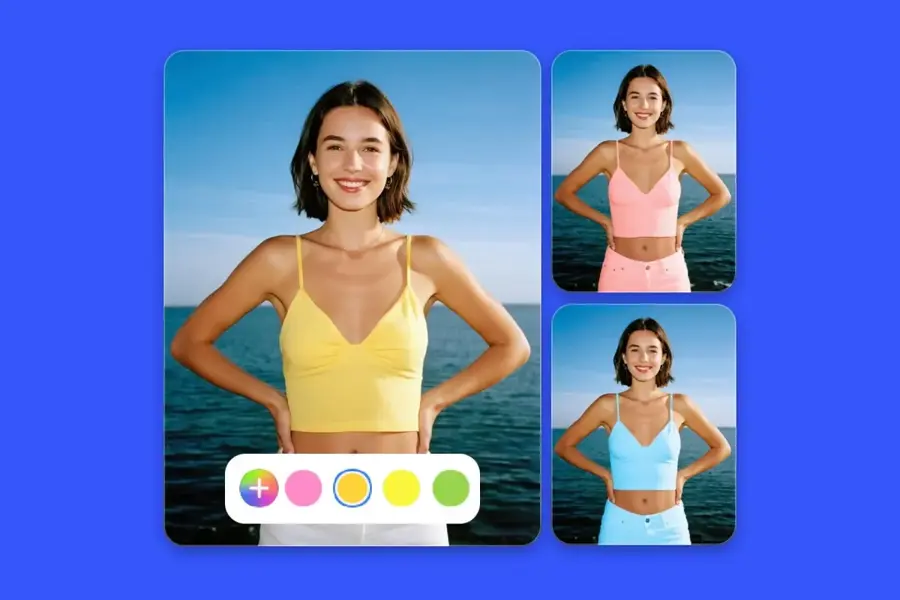
Fotor's tool recolors clothing in your own photo: upload an image, describe the item and pick a new colour. Fotor says you can "recolor any item in your outfit at no cost with just a few clicks" on its feature page.
Why it stands out
This is the narrowest pick on the list. It does not swap garments; it changes colours. But for a lot of people that is the actual question: "would this jacket look better in navy?" We could not verify a current app store rating for the feature. Our editorial score: 3.5 out of 5.
Key features
- Text-described edits: name the item you want recolored
- Any garment: shirts, dresses and other outfit items
- Free to use: no payment for this feature
- Web and mobile: also on iOS and Android, per the same page
Pros
- Free
- Very low effort
- Works on your own photos
Cons
- Recolor only, no garment swaps
- Usage limits not stated
- No try-on of real products
Fotor pricing: Free for this feature, per Fotor; the page does not list credit limits. Fotor's pricing page lists a free Basic plan plus paid Pro, Pro+ and Max plans, but did not display dollar amounts when we checked (October 2026). See pricing
How to choose the right AI clothes changer
Start with the job you need done
The tools split cleanly into three jobs: shopping, creating and selling.
- Choose Google Try On if you are shopping and want to see a real product on you. It is free and the clothes are buyable.
- Choose bitStudio if you want an all-in-one AI change clothes tool for your own photos, social posts or a small brand.
- Choose Kling if you have licensed model photos and want try-on images that turn into video.
- Choose Photoroom if you sell online and need on-model product shots plus background removal and batch edits.
- Choose Pincel or Fotor if you want a quick, free experiment before paying for anything.
Check your input photos
Most tools want a single person, a simple standing pose and a clean garment shot. Kling's guide is a good checklist even if you use a different tool.
Plan for garment detail
If your product has a logo or printed text, plan to fix or reshoot some images. Vendors say this is where try-on tech struggles.
Confirm commercial rights
If you publish results for a brand, confirm the plan allows commercial use and that you have rights to every input image.
For broader image tools, see our guide to the best AI image generators and our roundup of AI picture tools. If you run a store, our explainer on generative AI in ecommerce covers where try-on fits in.
What we left out: "clothes off" and "clothing remover" apps
Some people search for terms like "clothes off AI" or "free AI clothing remover." We do not cover or link to those tools, and none of the picks above is marketed for that use.
Apps that strip clothes from photos of real people are used to make intimate images without consent. That causes serious harm to the people shown, and creating or sharing such images is illegal in many places. The same applies to deceptive edits that make it look like a real person wore or did something they did not. Our AI regulation explainer covers how lawmakers are responding to synthetic media.
The simple rule: only change clothes in photos of yourself, of people who have clearly agreed, or of models and stock images you have a licence to edit. Every tool in this guide works within that rule.
Free vs paid: what you actually get
You can do a lot without paying. Here is what the free tiers give you, based on the vendors' own pages in October 2026.
| Tool | Free | What paying adds |
|---|---|---|
| Google Try On | Full feature, free | No paid tier |
| bitStudio | 10 credits/month, 5 clothes changer uses/day, 1 video | From $15/month: 150 credits, more daily uses, custom avatars |
| Kling AI | Free trial | Pay per generation, about $0.07 per try-on via Toolradar's listing |
| Photoroom | Limited AI features | Virtual Model on the Max plan |
| Pincel | 20 credits (about 10 images) | More credits |
| Fotor | Clothing recolor | Not needed for this feature |
The budget angle is simple. If you are a shopper, you never need to pay: Google Try On covers you. If you edit outfits a few times a month, bitStudio's free plan or Pincel's starter credits are enough. Paying starts to make sense once you produce content weekly. At that point, bitStudio Basic at $15 a month is the cheapest clear plan here, and Pro at $39 is where heavy daily use becomes realistic.
Watch for two catches with any AI clothes changer free plan. Free outputs may carry watermarks or exclude commercial use, and credits often reset each month instead of rolling over. Read the plan table before you build a workflow around a free tier.
FAQ
What is the best AI clothes changer?
For most people creating content, bitStudio, because it combines a clothes changer, try-on and video with clear pricing from $15 a month. For shoppers, Google's free Try On is the better starting point.
Is there an AI clothes changer online free?
Yes. Google Try On is free in supported countries, bitStudio's free plan includes 5 clothes changer uses per day, Pincel gives 20 free credits, and Fotor's recolor tool is free.
What happened to Google Doppl?
Google shut the Doppl app down on April 30, 2026. Its virtual try-on now appears on product listings and image results across Google.
Can an AI outfit changer show if clothes will fit?
Not reliably. These tools show style and drape, not size. Coverage of Google's feature notes it does not suggest the correct size.
Is it legal to change clothes on someone else's photo?
It depends on consent, rights and how you use it. Editing a licensed model image or a friend's photo with permission is normal. Creating intimate or deceptive images of a real person without consent is harmful and illegal in many places.
Final verdict
Most people should start with Google Try On if they are shopping, because it is free and uses real products. If you create content or run a small brand, bitStudio is the AI clothes changer to pay for: $15 a month gets you started, and $39 covers daily use. Pick Kling when you need video, Photoroom when you need a full product photo workflow, and Pincel or Fotor when you just want to experiment for free.
Whatever you choose, keep it to your own photos, people who agreed, or licensed images. That keeps you on the right side of both ethics and the law.
Sources
- Doppl (Google Labs)
- Trying On Clothes with Google: Gemini Virtual Try-On AI Guide (Pasquale Pillitteri)
- Google expands AI try-on feature to more countries (GMX)
- bitStudio Pricing Plans | Flexible AI Image Generation Credits (bitStudio)
- bitStudio | AI Fashion Studio (Shopify App Store)
- Virtual Try-On guide (Kling AI)
- Kling AI Pricing (Toolradar)
- Bring products to life on AI-generated fashion models (Photoroom)
- Photoroom: AI Photo Editor (Apple App Store)
- Try a New Outfit on Photo Using AI (Pincel)
- AI Clothes Color Changer Online for Free (Fotor)
- What are Photoroom's plans? (Photoroom Help Center)
- Fotor Pricing (Fotor)