Funny AI in 2026: 8 best tools for funny AI images, videos and memes
The best funny AI tools for memes, goofy photos, dancing videos and joke songs in 2026, with free plans, prices and who each one suits.
 Written byMuhammad Usman SiddiquiFounder and editor-in-chief
Why you can trust The AI Future
Our writers research every product, link each claim to its source and correct mistakes openly. Companies can't pay for coverage or see reviews before they're published.
Read our editorial policy
Short answer: if you want funny AI images and memes with readable jokes, start with ChatGPT, because its GPT Image 2 model finally renders captions without garbling them. If you want to turn your own photos into goofy AI images for free, use Google Gemini. For funny AI videos, Viggle AI is the specialist to beat. Everything else on this list does one comedic job well.
Funny AI is a broad search. Some people want a quick meme for a group chat. Others want a dancing video of their cat, a mock power ballad about their boss, or deliberately weird AI pictures to post. One tool will not cover all of that, so we picked eight and labelled each one by the job it does best. We compared them using official pricing pages, app store ratings, independent write-ups and user reviews, as of late October 2026. Nobody at The AI Future ran hands-on tests for this piece, so where we describe output quality, we point you to who said it.
Key takeaways
- Text in images is the big change. Memes live or die on the caption, and ChatGPT and Gemini now render text well enough to put the joke inside the picture.
- You can do most of this for $0. Gemini, ChatGPT, Viggle, Imgflip and Suno all have free tiers. Expect daily caps or watermarks.
- Video memes cost more. Viggle gives you 5 free videos a day, but heavier use means a paid plan from $7.99 a month.
- Sora is gone. OpenAI closed the Sora app in April 2026, so older "funny AI video" lists that recommend it are out of date.
- Keep real people out of it unless they agree. A joke edit of a friend can turn into harassment or a deepfake once it leaves the group chat.
How we ranked them
We did not run our own trials for this roundup. Instead, we scored each tool on six criteria, using the vendors' own documentation, app store data and independent articles:
- Comedy range: how many kinds of funny content it can make, from still memes to video and music.
- Caption and text quality: whether published reviews say it renders the joke legibly, because a misspelled punchline kills a meme.
- Free value: what you get before paying, including watermarks and daily caps.
- Upgrade price: the cost of the cheapest paid plan.
- Ease of use: how fast a beginner gets a result.
- Safety: what guardrails and controls exist around real people's faces and personal photos.
General tools rank higher because they cover more jobs. Specialists rank lower overall, but each is the best choice for its own niche.
The 8 best funny AI tools at a glance
| # | Tool | Category | Best for | Free tier | Starts at |
|---|---|---|---|---|---|
| 1 | ChatGPT | AI image generator | Funny AI images with captions | Yes (limited) | $8/mo |
| 2 | Google Gemini | AI image editor | Goofy edits of your own photos | Yes | $4.99/mo |
| 3 | Viggle AI | AI video animation | Funny AI videos and dancing memes | Yes (limited) | $7.99/mo |
| 4 | Imgflip AI Meme Generator | Meme generator | Random, absurd meme captions | Yes | $3.95/mo |
| 5 | Supermeme.ai | Meme generator | Turning a text idea into a meme | Yes (limited) | $6.49/mo |
| 6 | Suno | AI music generator | Funny songs | Yes (limited) | $10/mo |
| 7 | Leonardo AI | AI image generator | Stylised, weird AI pictures | Yes (limited) | $12/mo |
| 8 | Kapwing | Online video editor | Editing video and GIF memes | Yes (limited) | $16/mo |
Prices are in US dollars, checked October 2026, and can change by country, app store and promotion. Supermeme's price is billed yearly.
The 8 best funny AI tools in 2026, ranked
ChatGPT – best for funny AI images with captions
ChatGPT makes images from a plain-language prompt and lets you refine them over several turns ("now make the cat look more smug"). Its current image model, GPT Image 2, branded ChatGPT Images 2.0, launched on April 21, 2026.
Why it stands out
Text has always been the weak spot of AI image generators, and it is exactly what memes need. The headline improvement in GPT Image 2, per ChatCut's write-up, is "in-image text rendering that doesn't garble", which makes it the most useful single upgrade for funny AI images this year. You also get the rest of ChatGPT for writing the joke itself, often the harder part. The ChatGPT app holds a 4.9 out of 5 App Store rating from about 5.6 million ratings. The catch is the free cap: SmartScope notes the limits "are not stated in OpenAI's official documentation", while ChatCut cites community trackers that put it at roughly 2 to 3 images a day. If you only pick one tool for funny AI images, pick this one.
Key features
- GPT Image 2: readable text for signs, labels, posters and two-panel memes.
- Conversational editing: refine an image with follow-up prompts instead of starting over.
- Joke writing: the same chat drafts captions and punchlines.
- Provenance markers: outputs carry an invisible watermark plus C2PA metadata, per ChatCut.
Pros
- Readable captions inside the image
- Writes the joke as well as the picture
- Paid entry plan is only $8/month
Cons
- Free image cap is small and undisclosed, so planning is guesswork
- Busy times can bring temporary limits
ChatGPT pricing: Free with tight image limits → paid plans from $8/month (Go); Plus $20/month; Pro from $100/month, per our ChatGPT review and CometAPI's plan comparison (checked October 2026). See pricing
Related: ChatGPT review Best AI image generators
Google Gemini – best for goofy edits of your own photos
Google Gemini uses its Nano Banana image models to create and edit pictures inside the Gemini app. Upload a photo and ask for a change, such as putting your dog in a tiny business suit.
Why it stands out
Gemini is the best free option for photo-based jokes. ChatCut's comparison puts the free tier at about 20 images a day on Nano Banana 2, far more generous than ChatGPT's free cap. Since June 2026, Gemini's personalised image generation, which can pull your own pictures from Google Photos if you opt in, is free for eligible US users, according to TechCrunch. We could not verify a current app store rating for Gemini for this piece. It is the best $0 way to make funny AI photos from pictures you already have.
Key features
- Nano Banana 2: image creation that, per Google's AI plans page, covers typography and infographics as well as pictures.
- Prompt-based photo editing: change an uploaded photo with a simple request.
- Personalised images: optional access to your Google Photos.
- App controls: you choose which Google apps Gemini can read.
Pros
- Generous free daily image allowance
- Strong photo editing from a simple prompt
- Cheap $4.99 entry plan
Cons
- Personalisation means granting access to your Google apps
- The free personalised feature launched for eligible US users first
Google Gemini pricing: Free → paid plans from $4.99/month (Google AI Plus); AI Pro $19.99/month; AI Ultra from $99.99/month, per Krater's September 2026 pricing guide (checked October 2026). See pricing
Viggle AI – best for funny AI videos and dancing memes
Viggle AI animates a still photo using the motion from a template or reference clip. Upload a picture of your uncle and he can do a viral dance, rap or walk-out.
Why it stands out
Viggle does one thing, and it is what most people mean by funny AI videos: put a familiar face into a ridiculous motion, ready for TikTok, Reels and Shorts. The free plan is enough to try trends. On the App Store it holds 4.8 out of 5 from about 28,000 ratings. One reviewer titled their review "AMAZINGLY FUN AND FUNNY". Another warned: "If you're planning to use this app to create videos for social media, be careful with the templates that include music." That copyright point is worth taking seriously if you post publicly. It is the first app to open for meme videos; pay only if you post daily. See our full Viggle AI review for more.
Key features
- Template library: over 8,000 templates of trending motions.
- Single-photo animation: one picture is enough to start.
- Lip-sync voice tools: for talking and singing memes.
- Real-time webcam mode: animate characters live.
Pros
- Huge, trend-driven template library
- Usable free tier with 5 videos a day
- Cheap entry plan at $7.99/month
Cons
- Free videos are watermarked and files are kept for only 7 days
- Template music can raise copyright problems
- Monthly credits expire on your billing date
Viggle AI pricing: Free (5 videos/day, 1-minute uploads, 7-day storage) → paid plans from $7.99/month (Pro, 80 credits); Live $15.99/month (200 credits); Max $63.99/month (800 credits). Paid plans remove the watermark (checked October 2026). See pricing
Related: Viggle AI review Best free AI video generators
Imgflip AI Meme Generator – best for random, absurd meme captions
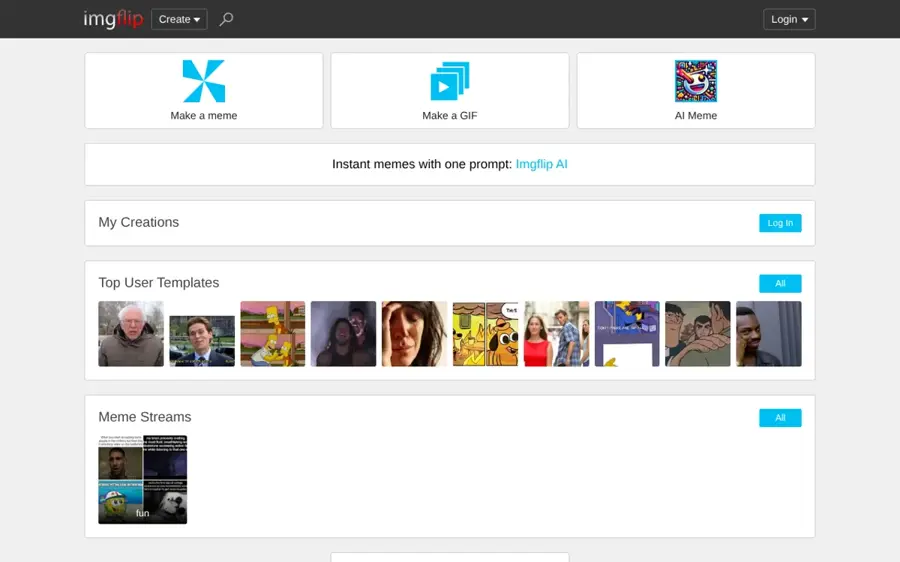
The Imgflip AI meme tool writes captions for classic formats like Distracted Boyfriend and Two Buttons. BGR reported that it uses a neural network trained on memes Imgflip users made on the site.
Why it stands out
Imgflip is the purest "AI weirdness" pick on this list, for quick laughs rather than clever jokes on demand. It throws out captions that land somewhere between human and nonsense, which BGR called "delightful and absurd and endlessly browsable". That BGR piece dates from 2020, so treat it as a description of the concept rather than a current quality test. We found press coverage but no current third-party rating. It is the cheapest laugh on the internet; do not expect it to hit a brief.
Key features
- AI captions: generated for classic meme templates.
- Prefix steering: type a few words to point the AI at a topic.
- Manual editor: free and unlimited, per Fast.io, so you can rewrite a caption that misses.
- Classic template library: the formats most people recognise.
Pros
- Free and very fast
- Biggest classic template library
- Pro costs under $4/month
Cons
- Captions are random and hit-or-miss
- Free version has ads and limited AI captions per month
Imgflip AI Meme Generator pricing: Free with ads (about 25 AI captions a month) → paid plans from $3.95/month (Pro Basic); Pro $9.95/month, per Fast.io's June 2026 meme generator roundup (checked October 2026). See pricing
Related: Best AI image generators
Supermeme.ai – best for turning a text idea into a meme
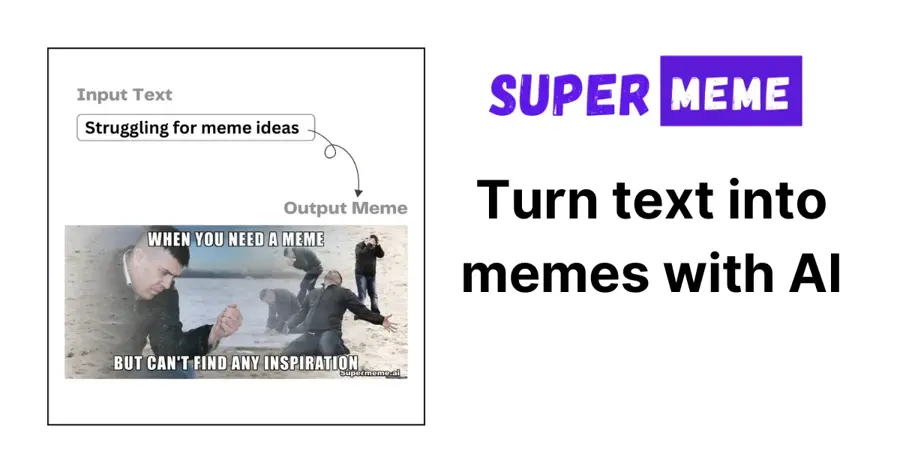
Supermeme.ai turns a sentence into a meme: you describe a situation or feeling, and it picks a template and writes the caption.
Why it stands out
Where Imgflip is random, Supermeme is targeted, which suits social media managers and marketers who need on-topic memes quickly, and suits pure chaos less. Sources disagree on the free allowance; ToolsForHumans lists 20 credits in one place and 10 in another, and Fast.io says 10 free memes, so treat it as a trial rather than a free plan. ToolsForHumans gives it an editorial score of 3.2 out of 5. It is worth $6.49 a month if memes are part of your job, not just your hobby.
Key features
- Text-to-meme: describe an idea and get a finished meme.
- Automatic template matching: it picks the format for you.
- 110+ languages: per ToolsForHumans.
- API access: for teams that want memes in their own workflow.
Pros
- On-topic results for brand accounts
- Works in many languages
- No watermark on any paid plan
Cons
- Small, inconsistently reported free allowance with watermarked exports
- Best prices need a yearly commitment
- Middling third-party score
Supermeme.ai pricing: Free credits → paid plans from $6.49/month billed yearly (Solo); Startup $19.99/month billed yearly; Enterprise from $83.99/month, per ToolsForHumans and Fast.io (checked October 2026). See pricing
Suno – best for funny songs
Suno writes and performs complete songs, with vocals, from a text prompt. Ask for a sea shanty about losing your keys or a breakup ballad addressed to your printer.
Why it stands out
Comedy songs for birthdays, roasts and group chats are where Suno shines, because the lyrics carry the joke and the music just has to sound convincing. The app holds a 4.9 out of 5 App Store rating from about 380,000 ratings. Our review found the r/SunoAI community far less happy with the v6 sound, and free users can no longer download songs, which matters if you want to send the track to someone. It is the funniest tool here for the effort, but budget $10 a month if you need to share files.
Key features
- Full songs with vocals: generated in minutes from a prompt.
- Lyrics your way: write the joke lyrics yourself or let it write them.
- v6 model: the current version, per Suno's announcement.
- Daily free credits: 50 a day on the free plan.
Pros
- Fastest route from a joke to a finished song
- Free daily credits
- Strong app store rating
Cons
- No downloads on the free plan, and download caps even on paid plans
- Many users criticise v6 audio quality
Suno pricing: Free (50 credits/day, no downloads) → paid plans from $10/month (Pro, 2,500 credits, 20 downloads); Premier $30/month (10,000 credits), per our Suno review. Suno's pricing page lists Pro at $8 and Premier at $24 a month when billed yearly (checked October 2026). See pricing
Related: Suno AI review
Leonardo AI – best for stylised, weird AI pictures
Leonardo AI is an image and video generator with many models and styles, from claymation to 3D cartoon. It suits deliberately goofy AI images, such as a raccoon king in Renaissance oil paint.
Why it stands out
Leonardo's strength is control over style and keeping a character consistent across images, which helps if you want a running joke with the same mascot. It scores 4.5 out of 5 on Trustpilot. The trade-off, as our Leonardo AI review notes, is token maths: failed or off-prompt images still use up your allowance. Pick it for a consistent comic character; skip it for one-off memes.
Key features
- Many models and art styles: claymation, 3D cartoon, painterly and more.
- Character consistency: keep the same mascot across images.
- Image and video: both from one account.
- Daily free tokens: 150 a day.
Pros
- Wide style range for surreal jokes
- Good for recurring meme characters
- Usable free tier
Cons
- Token costs are confusing, and failed generations still cost tokens
- More settings than casual users need
Leonardo AI pricing: Free (150 tokens/day) → paid plans from $12/month (Essential); Premium $30/month; Ultimate $60/month (checked October 2026). See pricing
Related: Leonardo AI review Best AI image generators
Kapwing – best for editing video and GIF memes
Kapwing is an online editor for image, video and GIF memes. It is where you add captions, cuts and subtitles to a clip you made elsewhere.
Why it stands out
Kapwing is less of a joke generator and more of the workshop for finishing funny AI videos made in Viggle or another generator. Generators give you the raw clip; Kapwing lets you time the caption so the punchline lands. If you need more raw footage, our guide to the best AI video generators covers the main options. We could not verify a current third-party rating for Kapwing. Add it once you start posting video memes regularly.
Key features
- Meme templates: more than 2,000, per Fast.io.
- Image, video and GIF formats: one editor for all three.
- Captions and subtitles: time text to the clip.
- Team collaboration: share projects with others.
Pros
- Covers every meme format
- Good for captions and timing
- Team sharing
Cons
- Free exports are watermarked
- Pro is the priciest entry plan here
- Not an AI generator on its own
Kapwing pricing: Free (watermarked) → paid plans from $16/month (Pro); Business $50/month, per Fast.io (checked October 2026). See pricing
Related: Best AI video generators Best free AI video generators
How to choose the right funny AI tools
Start with the format
Choose ChatGPT if your joke depends on words in the picture, like a sign, label or caption. Choose Gemini to edit photos you already have for free, Viggle for videos of a person or pet doing something they never did, and Suno if the joke works better as a song.
Match the tone to the tool
Choose Imgflip if you want random meme captions and do not care if half of them miss. Choose Supermeme if you post memes for a brand and need them on topic.
Check for watermarks
Free exports from Viggle, Supermeme and Kapwing carry visible watermarks, and ChatGPT images carry invisible markers, per ChatCut.
Think about where it ends up
A goofy AI image of your friend in a group chat is one thing; the same image on a public feed can be mistaken for real. Making deceptive or intimate images of real people without consent is harmful and illegal in many places. Use your own photos, or get a clear yes first.
Also remember that "funny" and low-effort can blur. A feed full of repetitive AI memes is part of what people now call AI slop. The best AI humour still starts with a human idea.
Free vs paid: what you actually get
| Tool | What free gets you | What paying adds |
|---|---|---|
| ChatGPT | A few images a day (limits not published) | Higher limits from $8/month |
| Gemini | About 20 images a day, per ChatCut | Higher limits from $4.99/month |
| Viggle AI | 5 watermarked videos a day | No watermark and 80+ credits from $7.99/month |
| Imgflip | Unlimited manual memes, limited AI captions, ads | Ad-free and more AI from $3.95/month |
| Supermeme.ai | A small trial batch, watermarked | No watermark from $6.49/month (yearly) |
| Suno | 50 credits a day, no downloads | Downloads and 2,500 credits for $10/month |
| Leonardo AI | 150 tokens a day | More tokens and features from $12/month |
| Kapwing | Watermarked exports | Clean exports from $16/month |
For most people, free is enough. Gemini plus Imgflip covers funny AI photos and memes at $0. The first upgrade worth paying for depends on your format: Viggle at $7.99 for video, Suno at $10 for songs, or ChatGPT Go at $8 if you keep hitting the image cap. Paying for more than two of these is rarely worth it unless you make content for a living.
One note on older advice: many "funny AI videos" guides still recommend OpenAI's Sora app, known for its cameo feature. OpenAI closed the app in April 2026 and the API in September, as covered in our Sora review and OpenAI's help centre.
Final verdict
Most people should start with Gemini for free photo jokes and ChatGPT when the caption matters. Add Viggle when you want funny AI videos, and Suno when you want a song. Imgflip is the fun, random extra that costs nothing. Supermeme, Leonardo and Kapwing are specialists: worth paying for only when memes or characters become a regular part of your work.
If you only pick one, pick ChatGPT. It writes the joke and draws it.
FAQ
What is the best free funny AI tool?
Google Gemini, for most people. Its free tier gives roughly 20 images a day, according to ChatCut, and it edits your own photos well. Imgflip is the best free pick for instant meme captions.
How do I make funny AI pictures?
Pick a tool like ChatGPT or Gemini, describe the scene in one or two sentences, and include any text you want in quotation marks. Then refine with short follow-ups such as "make it more dramatic" or "add a speech bubble".
Can AI make funny videos?
Yes. Viggle AI animates a photo with motion from a template, which is how many dancing and lip-sync memes are made. You can then add captions in an editor like Kapwing.
Is it legal to make funny AI images of real people?
It depends on where you live and what you make. Harmless edits of your own photos are fine, but deceptive or intimate images of real people without consent are harmful and illegal in many places. Ask before you post anyone else.
Why do AI images look so weird sometimes?
Image models predict what pixels should look like from patterns in training data, so they can fumble hands, text and physics. That weirdness is the whole appeal of tools like Imgflip's AI captions and many "worst AI images" posts.
Are AI-generated memes watermarked?
Often. ChatCut reports that GPT Image 2 output carries an invisible watermark and C2PA metadata, and free tiers of Viggle, Supermeme and Kapwing add visible watermarks.
Sources
- Free GPT Image 2: how to use ChatGPT Images 2.0 (ChatCut)
- ChatGPT image generation limits on Free, Go and Plus (SmartScope)
- ChatGPT Pricing 2026: Free vs Go vs Plus vs Pro (CometAPI)
- ChatGPT app (Apple App Store)
- Gemini's personalized AI image generation is now free for US users (TechCrunch)
- Gemini Pricing 2026: Google AI Plus, Pro, Ultra and API Costs Explained (Krater)
- Viggle pricing (Viggle AI)
- Viggle AI: Meme Maker (Apple App Store)
- AI Is Making Memes Now, And They Are Pure Gold (BGR)
- Best AI Meme Generators 2026 (Fast.io)
- Supermeme.ai Review: Features, Pricing and Deals (ToolsForHumans)
- Introducing v6 (Suno)
- Suno (Apple App Store)
- Leonardo AI pricing (Leonardo.Ai)
- Leonardo.Ai reviews (Trustpilot)
- What to know about the Sora discontinuation (OpenAI Help Center)
- Google AI plans (Google One)
- Suno pricing (Suno)