How to use AI in 2026: 7 steps with examples for beginners
How to use AI in 7 steps: pick a free assistant, write clear prompts, check the answers and learn AI for free, with a full worked example.
 Written byRahis SaifiCo-founder and news editor
Why you can trust The AI Future
Our writers research every product, link each claim to its source and correct mistakes openly. Companies can't pay for coverage or see reviews before they're published.
Read our editorial policy
How to use AI, in short: open a free assistant such as ChatGPT, Gemini or Claude, give it one real task, and describe that task the way you would brief a colleague. Then read the answer critically, ask for changes and check any facts before you rely on them. Most people can do this in under 15 minutes, with no technical skills.
This guide covers seven steps, a full worked example, common mistakes and the best free ways to learn AI skills. The AI Future compiled it from official help pages, vendor prompting guides and published coverage, checked as of late October 2026. Nobody at the site tested the tools hands-on for this piece.
What you need before you start
- A device and a browser. A phone works. A laptop is easier for long answers.
- A free account. An email address or a Google account is enough for the main assistants.
- One real task. A message to draft, notes to summarise or a topic to understand.
- About 15 minutes. Enough for one full round of asking, revising and checking.
If you want the background first, the site's explainer on what AI is covers the basics in plain English.
The seven steps at a glance:
- Pick one free AI assistant.
- Choose one real task.
- Write a clear first prompt.
- Refine with follow-up questions.
- Check the answer before you use it.
- Protect your private data.
- Build your skills with a free course.
Step 1: Pick one free AI assistant
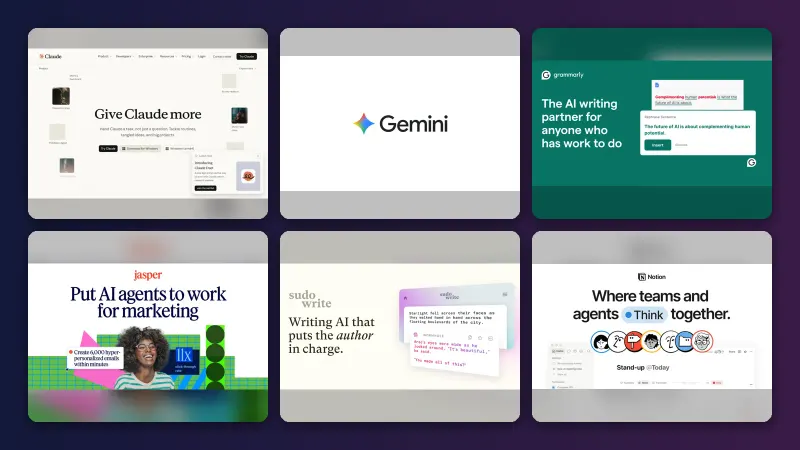
Start with one general-purpose chatbot. All three major ones have free tiers.
- ChatGPT. The free tier includes web search, file and image uploads, image creation and limited deep research, according to TechRepublic (August 2026). Free accounts get limited access to GPT-5.5 Instant, the report says.
- Gemini. Google's free app includes image generation, voice mode and Deep Research, GEO Toolbox reported in an October 2026 update. Paid plans start at $4.99 a month for Google AI Plus.
- Claude. Anthropic's free plan includes web search, file uploads and memory across conversations, according to Fast.io (June 2026). Pro costs $20 a month billed monthly. The site's Claude review has more detail.
Every free tier has usage caps. TechRepublic puts the trade-off simply: "The trade-off is limits: OpenAI caps model usage and places separate restrictions on several tools." Upgrade only once you hit a limit you can name.
Example: go to the assistant's website, select Sign up, and confirm your email. You land on an empty chat box. That box is where everything else happens.
Step 2: Choose one real task
Skip "test" questions like "What can you do?" They produce generic answers. Pick something you actually need done this week.
Good first tasks share three traits. They are text-based, low-risk and easy for you to judge.
- Summarising a long article or set of notes.
- Drafting an email you have been putting off.
- Explaining a concept you half understand.
- Turning a messy list into a plan.
Example task: "I need to explain to my landlord, politely, that the heating has been broken for a week."
Step 3: Write a clear first prompt
A prompt is the instruction you type. Google's prompting guide for Gemini names four areas to consider: persona, task, context and format. The guide adds: "You don't need to use all four in every prompt, but using a few will help!"
- Persona: who the AI should act as, or who you are.
- Task: the specific job, starting with a verb.
- Context: the facts it cannot guess.
- Format: length, tone and layout of the answer.
Copy and adapt this template:
You are [persona]. [Task, starting with a verb]. Here is the background: [context]. Give me the answer as [format, length, tone].
Filled in for the example task:
You are a calm, polite tenant. Write an email to my landlord asking for the heating to be fixed. It has been broken since 18 October, I reported it by phone on 20 October and nobody has come. Keep it under 150 words, firm but friendly, and suggest two dates for a repair visit.
For a deeper treatment, see the site's guide to writing better prompts for ChatGPT, Claude and Gemini.
Step 4: Refine with follow-up questions
The first answer is a draft, not a final product. The chat remembers what came before, so short follow-ups work.
Make it shorter and less formal.
Give me three different subject lines.
What have you assumed that I did not tell you?
The last prompt is useful. It surfaces guesses the AI made, so you can correct them. Two or three rounds usually get a usable result.
Step 5: Check the answer before you use it
Chatbots predict likely text. They can state wrong facts, dates or quotes with full confidence. This is often called "hallucination".
- Read the whole answer, not just the first lines.
- Check every name, number, date and quote against a source you trust.
- Ask: "Which parts of this are you least sure about?"
- If the tool searched the web, open the linked sources and confirm they say what the answer claims.
The higher the stakes, the more you check. Health, legal and money questions need a qualified human.
Step 6: Protect your private data
Treat a chatbot like a public forum. Do not paste passwords, bank details, medical records or confidential work files into a consumer account.
Each provider has privacy and data settings in its account menu. Look for options covering chat history and whether your conversations can be used to improve the model. At work, follow your employer's AI policy, which may require an approved business account.
Step 7: Build your skills with a free course
Daily practice teaches you the most. A short course fills the gaps. Several reputable options cost nothing.
| Course | Provider | Time | Cost |
|---|---|---|---|
| AI Foundations | OpenAI Academy | 60–75 minutes | Free |
| Elements of AI | University of Helsinki and MinnaLearn | About 30 hours | Free, with free certificate |
| AI for Beginners | Microsoft (GitHub) | 12 weeks, 24 lessons | Free |
| AI For Everyone | DeepLearning.AI on Coursera | About 6 hours | Free to audit |
OpenAI's help centre says its Academy courses are free and self-paced, but "you must sign in with a ChatGPT account." Its certificates "are not OpenAI Certifications," the page notes. Elements of AI has an expected workload of about 30 hours, according to a Self Made Success review. Microsoft's AI for Beginners curriculum covers neural networks, computer vision and language models and suits people who want to code. Course lengths for AI For Everyone come from SkillScouter's 2026 roundup.
The site's roundup of AI training courses compares paid options too.
Example: a complete worked example
Scenario: a student has a biology exam in five days and 12 pages of lecture notes on cell division.
1. Tool. She opens a free chatbot account and starts a new chat.
2. Task. She wants a study plan and practice questions, not a full essay.
3. First prompt. She uploads her notes, or pastes them in, and writes:
You are a patient biology tutor. Using only the notes I have attached, make a 5-day revision plan for an exam on cell division. I can study 45 minutes a day. Put the plan in a table with day, topic and one task per day.
4. Follow-ups. The plan arrives. She refines it:
Day 3 looks too heavy. Move meiosis to day 4. Then write 10 multiple-choice questions from my notes, with the answers listed separately at the end.
Explain the difference between mitosis and meiosis as if I were 14, in under 100 words.
5. Check. She compares each quiz answer with her notes and textbook. One answer names the wrong phase. She replies:
Question 6 is wrong. According to my notes, chromosomes line up in metaphase. Correct it and check the other answers against my notes.
6. Privacy. She removes her name and student ID from the notes before uploading.
Result: a day-by-day plan, a 10-question quiz and a short explanation, in about 15 minutes. The thinking and the final check stayed with her. For maths homework specifically, the site's Gauth AI review looks at a dedicated tool.
Common mistakes and how to fix them
| Mistake | Fix |
|---|---|
| One-line, vague prompts | Add context and a format: who it is for, how long, what tone. |
| Accepting the first answer | Ask for changes. Treat it as a first draft. |
| Trusting facts without checking | Verify names, numbers and quotes against a trusted source. |
| Pasting sensitive data | Remove names, IDs and confidential details first. |
| Starting a new chat for every tweak | Stay in the same chat so the AI keeps the context. |
| Handing in AI work as your own | Check your school or employer's rules. Many require disclosure. |
Tips to get better results
- Give examples. Paste a sample of the style you want and say "match this".
- Ask it to ask you. End with "Ask me any questions you need before you start."
- Set limits. Word counts, bullet counts and reading level keep answers tight.
- Save good prompts. Keep a note of prompts that worked and reuse them.
- Try a second tool. Paste the same prompt into another assistant and compare. The site's list of AI tools like ChatGPT is a starting point.
Next steps
Use AI for one task a day for a week. Note where it saved time and where it got things wrong. After that, pick a specialist tool for your main need, such as writing, research or study. Students can start with the site's guide to the best free AI tools for students.
FAQ
How to learn AI?
Start by using a free chatbot on real tasks every day. Then add a short structured course, such as OpenAI Academy's AI Foundations (about an hour) or Elements of AI (about 30 hours). If you want to build AI systems, move on to a coding course like Microsoft's AI for Beginners, which uses Python.
How to learn AI skills?
The core skills are clear prompting, refining answers, checking facts and knowing when not to use AI. Practise them on your own work: drafting, summarising and planning. Save prompts that work. Free courses from OpenAI, DeepLearning.AI and the University of Helsinki teach the same skills in a structured order.
How to learn AI for free?
Combine a free chatbot account with free courses. OpenAI Academy courses are free with a ChatGPT login. Elements of AI is free, including its certificate. Microsoft's 24-lesson AI for Beginners is free on GitHub. Many Coursera courses, such as AI For Everyone, are free to audit, though certificates cost extra.
How to use AI tools?
Open the tool, describe one specific task, and include context and the format you want. Read the answer, ask for changes in the same chat, and verify any facts. Do not paste private data into consumer accounts. Most AI tools, from chatbots to image generators, follow this same ask, refine and check loop.
How do I learn AI?
Pick one assistant and use it daily for a week on tasks you already do. Follow the seven steps above, then take one free beginner course to fill gaps. After that, choose a direction: everyday use at work, or technical skills such as Python and machine learning if you want to build AI products.
Sources
- What Is Free on ChatGPT in 2026? (TechRepublic)
- Gemini Pricing in 2026: Plans, API Costs, and Is It Free? (GEO Toolbox)
- Is Claude AI Free? (Fast.io)
- Writing effective prompts (Google Workspace)
- OpenAI Academy courses (OpenAI Help Center)
- Elements of AI Certificate Review (Self Made Success)
- AI for Beginners: 12 Weeks, 24 Lessons (Microsoft, GitHub)
- Best Free AI Courses for Beginners in 2026: Top 10 Picks (SkillScouter)