Best dog breed AI tools in 2026: 5 breed identifiers compared
The best dog breed AI apps and tools compared: free photo scanners like Dog Scanner and Visual Look Up, plus DNA tests for mixed breeds.
 Written byMuhammad Usman SiddiquiFounder and editor-in-chief
Why you can trust The AI Future
Our writers research every product, link each claim to its source and correct mistakes openly. Companies can't pay for coverage or see reviews before they're published.
Read our editorial policy
Short answer: the best dog breed AI for most people is Dog Scanner, a free app that recognises more than 370 breeds from a photo or video. If you own an iPhone, Apple's built-in Visual Look Up does a decent job for free, with nothing to install. And if you need a real answer for a mixed-breed rescue, no photo app beats a DNA test such as Embark or Wisdom Panel.
That last point matters more than most app listings admit. A photo-based dog breed AI guesses from looks. Looks mislead, even for vets. So treat any scan as a fun first guess and use DNA when the answer actually counts. We compared the tools below using official product pages, store listings, published independent write-ups and user reviews, as of late October 2026. Nobody at The AI Future ran hands-on tests for this piece, and we say so wherever it matters.
Key takeaways
- Dog Scanner is the best dedicated AI dog breed identifier. It covers 370+ breeds, handles mixes, and the paid upgrade is a one-off purchase, not a weekly subscription.
- Your phone may already do the job. iPhones (Visual Look Up) and Google Lens both suggest breeds from a photo at no cost.
- Photo AI is a guess, not a verdict. In a University of Florida study, shelter staff and vets spotted dogs with pit bull heritage DNA only 33% to 75% of the time. Apps learn from labels made by people like these.
- DNA tests cost about $99 to $120 and are the only reliable way to break down a mixed breed.
- Searching for an "AI dog robot" instead? Jump to the robot dog section near the end: prices run from under $300 to almost $3,000 for consumer models.
How we ranked them
To be clear about method: this is a research-based comparison, not a lab test. We did not run our own dogs through each app. Instead, we weighed each tool on five things you can verify:
- Breed coverage. How many breeds the tool says it recognises, and whether it handles mixed breeds.
- Evidence of accuracy. Published reviews, third-party write-ups and what the vendor itself claims. Where nobody has published a figure, we say so.
- Real user feedback. App Store and retailer ratings with meaningful review counts. A 3-rating app with a 3.0 score tells you very little.
- Cost and pricing model. One-off purchases beat weekly subscriptions for something most people use a few times.
- Privacy and friction. Built-in phone features win on convenience, since you do not hand photos to yet another app.
We also leaned on independent research about visual breed identification itself, because it sets a ceiling on what any photo-based AI can do. More on that in the "How to choose" section.
The 5 best dog breed AI tools at a glance
| # | Tool | Category | Best for | Free tier | Starts at |
|---|---|---|---|---|---|
| 1 | Dog Scanner | Photo app | Best overall dog breed app | Yes (limited) | $1.49 one-off |
| 2 | Apple Visual Look Up | Built-in phone feature | iPhone owners who want zero setup | Yes | Free |
| 3 | Google Lens | Visual search | Android owners and quick checks | Yes | Free |
| 4 | Embark Breed ID | DNA test | Accurate mixed-breed results | No | $99 |
| 5 | Wisdom Panel Essential | DNA test | Widest breed database plus health checks | No | $119.99 |
Prices and ratings were checked in October 2026 and can change. The working title promised seven tools; after research, only five earned a recommendation. The rest were look-alike subscription apps with tiny review counts, and we explain below why we left them out.
The best dog breed AI tools in 2026, ranked
Dog Scanner – best for a dedicated breed app
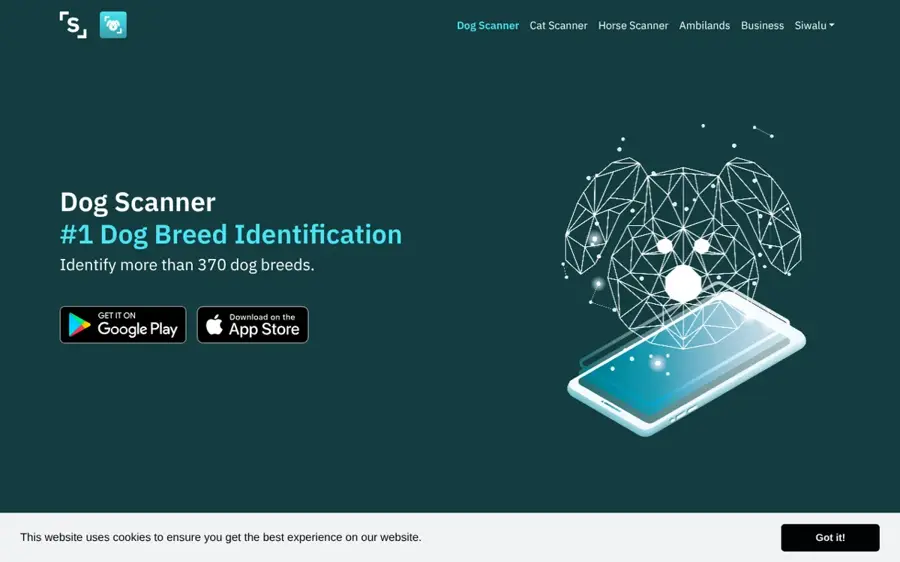
Dog Scanner, made by Siwalu Software GmbH, identifies a dog's breed from a photo, a video or an image in your gallery, and can tell you which breeds make up a mixed dog.
Why it stands out
Dog Scanner has the strongest track record of any app we looked at. Its App Store listing shows a 4.6 out of 5 rating from about 37,000 ratings, and the developer's own page claims 390,000+ monthly active users and more than 22 million downloads (the company's own figures, not audited). User feedback is mostly warm: one App Store reviewer called it "The perfect way to learn about your dog and meet other dogs!" Another review, titled "Helpful but not necessary if you have an iPhone", points out that the iPhone can already do the basic job. That is fair, and it is why Apple's free feature sits at number two.
Key features
- 370+ breeds: includes all FCI-recognised breeds, per the App Store listing.
- Mixed-breed detection: shows which breeds it thinks make up the dog.
- Photo, video or gallery scans: use the camera live or pick an old image.
- Feedback on wrong results: flag misidentified dogs, which is how a classifier improves over time.
- Breed database and extras: a searchable breed library, a social feed, a "catch every breed" game and a novelty mode that shows which dog a person resembles (fun in the same spirit as our funny AI tools roundup).
- Premium options: no ads, faster results, offline scanning and a choice between faster or more accurate scans.
Pros
- Large, established user base
- Cheap one-off upgrade instead of a subscription
- Works on both iPhone and Android
Cons
- Free version shows ads
- Offline scanning needs Premium
- One reviewer noted heavy battery use
- No published accuracy figures
Dog Scanner pricing: Free with ads → in-app purchases of All Access at $1.49 or $2.99 and Dog Scanner Premium at $13.99, one-off (checked October 2026). See pricing
Apple Visual Look Up – best for iPhone owners
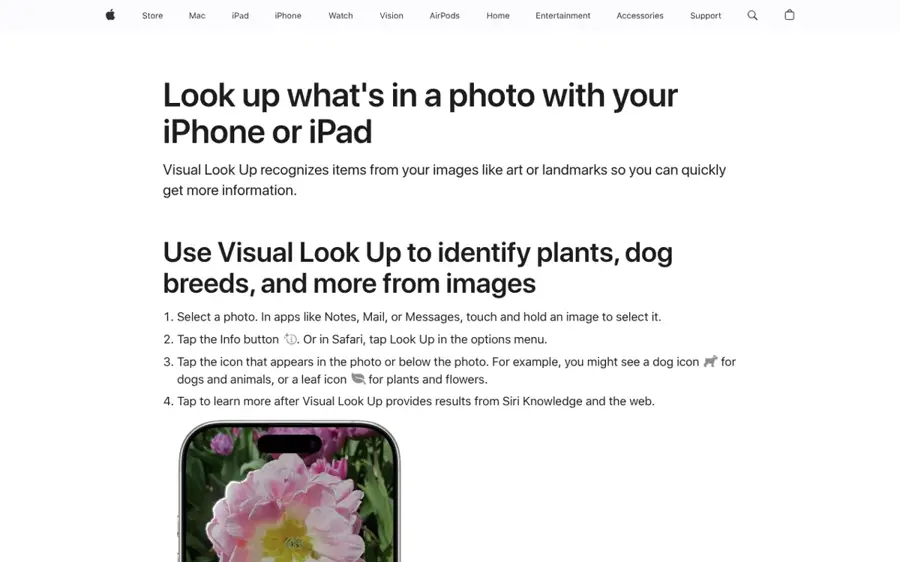
Visual Look Up is built into the iPhone Photos app and suggests a dog's breed from any photo, with nothing to install. Apple explains it on its Visual Look Up support page.
Why it stands out
The appeal is zero friction: you already have the photos, and you do not need to grant a new app access to your camera roll. In his own write-up, the Tom's Guide author says it identified his dogs correctly "almost all of the time", but adds that it "is not 100% fool-proof, especially when taking images of dogs from odd angles". The same article warns that mixed breeds may not be identified correctly. When it misses, it usually suggests similar breeds, which still points you in the right direction.
Key features
- Built into Photos: open a photo, swipe up and tap "Look Up – Dog" to see Siri Knowledge breed suggestions.
- Several dogs per photo: tap the paw-print icon on each dog.
- Works on old photos: scan pictures you took months ago.
- Wide device support: iPhones with an A12 Bionic chip or newer (iPhone XR and later) on iOS 15 or later, per Tom's Guide.
Pros
- Free and already on your phone
- No extra app gets access to your photos
- Suggests similar breeds when unsure
Cons
- iPhone and iPad only
- Weaker on mixed breeds and odd angles
- No breakdown by percentage
Apple Visual Look Up pricing: Free, included with iOS; no paid plan (checked October 2026). See pricing
Google Lens – best for Android and quick checks
Google Lens identifies what is in a photo and links you to search results. Google added dog and cat breed recognition back in 2018, as TechRadar reported at the time.

Why it stands out
Lens is less a dedicated dog AI and more a visual search engine. That is both its strength and its limit. You get a breed suggestion plus lots of photos of similar dogs, which helps you judge the match yourself, but no mixed-breed percentages or breed profile built for dog owners. We could not find a recent independent accuracy test focused on dog breeds, so treat its answer the same way you would any other photo scan. If the AI summaries in Google search get in the way, our guide on how to turn off AI Mode on Google can help.
Key features
- Live or saved photos: point your camera at a dog or run Lens on an image you already have.
- Breed suggestion with search results: links to pages about the suggested breed.
- Similar-photo matches: compare your dog with pictures of the suggested breed.
- Built into Google apps: available in the Google app and Google Photos, so there is nothing separate to sign up for.
Pros
- Free on Android and iPhone
- Lets you judge the match yourself
- Good for a second opinion from a different AI model
Cons
- Not built specifically for dogs
- No mixed-breed breakdown
- No recent published accuracy data
Google Lens pricing: Free; no paid plan (checked October 2026). See pricing
Related: Best AI search engines and tools Lenso AI review (reverse image search)
Embark Breed ID – best for accurate mixed-breed results
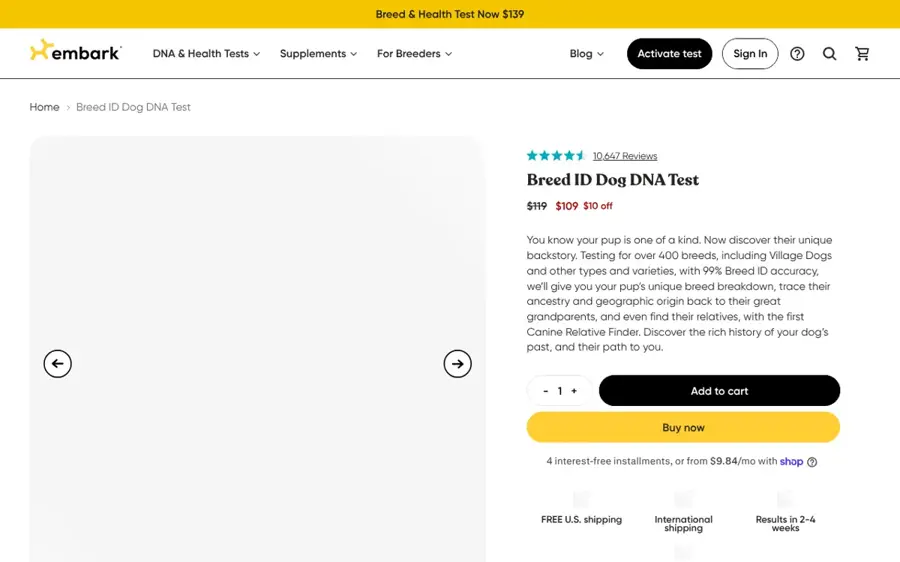
Embark Breed ID is not a photo AI but a cheek-swab DNA test: you swab your dog, post the sample and get a breed breakdown online.
Why it stands out
It belongs on this list because it is what you should use when a photo scan is not good enough, such as with a mixed-breed rescue. On Chewy, buyers rate it 4.4 out of 5 from 1,322 ratings. One reviewer summed up the typical surprise: "Turns out she is 71% yorkie and the rest small poodle." That kind of split is exactly what a photo app struggles to deliver.
Key features
- Cheek-swab DNA kit: collect the sample at home and post it to the lab.
- Breed percentages: a percentage breakdown for mixed dogs.
- Large breed reference list: the Chewy listing says over 400 breeds, though a Q&A answer on the same page says "over 350".
- Online results: your breakdown is delivered online once the lab is done.
Pros
- Results based on genes, not looks
- Strong retailer rating from 1,300+ buyers
- Good value for a DNA test
Cons
- Costs about $99 versus free apps
- You wait for lab results, not seconds
- Breed count is stated inconsistently
Embark Breed ID pricing: No free plan → $99 at Chewy, down from a $129 list price, one-off (checked October 2026). See pricing
Wisdom Panel Essential – best for breed list plus health checks
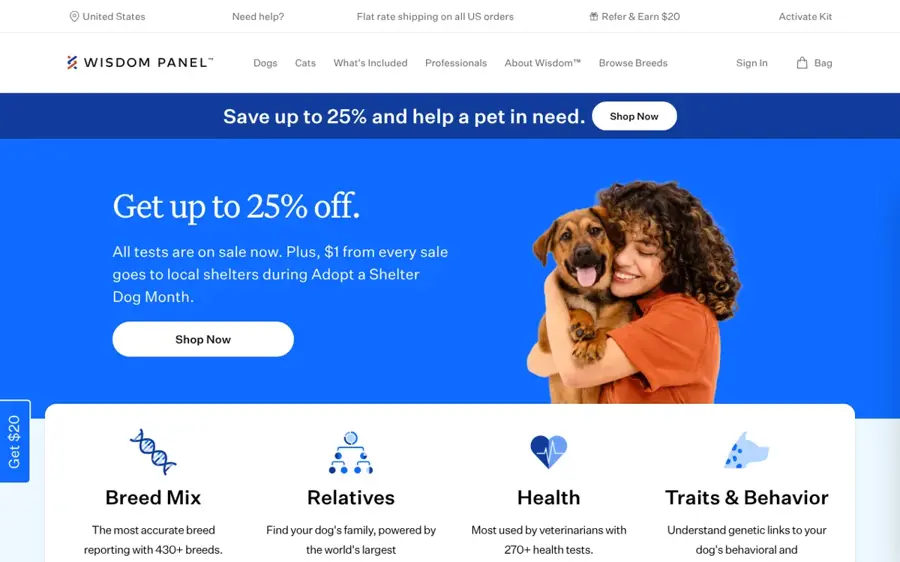
Wisdom Panel Essential is an at-home dog DNA kit that, according to Wisdom Panel's product page, screens for 430+ breeds, types and varieties and checks for 25+ medical complications.
Why it stands out
Wisdom Panel claims the largest breed list of any tool here, and the health screen is a bonus over a pure breed test, though it is not a substitute for advice from your vet. The product page we checked did not state a turnaround time or an accuracy figure, so we cannot quote one. We also did not find a verified rating to cite.
Key features
- 430+ breeds, types and varieties: the widest reference list in this roundup.
- 25+ health checks: screens for medical complications alongside breed.
- At-home kit: collect the sample yourself and send it off.
- Mixed-breed breakdown: reads ancestry from DNA rather than appearance.
Pros
- Broadest breed database here
- Health screening bundled in
- Good for mixed breeds
Cons
- Most expensive pick at $119.99
- No accuracy or turnaround time stated on the product page
- Slower than any app
Wisdom Panel Essential pricing: No free plan → $119.99, one-off (checked October 2026). See pricing
How to choose the right dog breed AI tools
Start with one question: what will you do with the answer? If you are curious about a dog at the park, a free scan is plenty. If the answer affects health care, insurance or a housing application, a photo is not enough.
Know the limits of photo-based AI
Every photo app learns from images that people labelled. And people are not great at this. A University of Florida study asked shelter staff and veterinarians at four shelters to visually identify 30 dogs, then compared their calls with DNA. Assessors correctly spotted dogs with pit bull heritage only 33% to 75% of the time, and vets did no better than other staff. The authors concluded that "visual breed ID, even by presumed experts, should never be relied on as the basis of public policy." Researchers at the National Canine Research Council have collected similar findings. An AI trained on human labels inherits some of that guesswork.
Watch out for subscription scanner apps
Search the App Store for "dog breed identifier" and you will find dozens of near-identical apps. Many charge weekly. One example, Dog Identifier & Breed Scanner, lists a $4.99 weekly plan, $39.99 a year or $59.99 for life, and had just three ratings averaging 3.0 when we checked. One reviewer complained that "this app is not a dog identifier, it is an animal identifier." Before you pay, check the review count, the developer's history and whether a free tool already does the same thing.
Choose X if... / Choose Y if...
- Choose Apple Visual Look Up if you have an iPhone and just want a quick name.
- Choose Google Lens if you are on Android or want a second opinion.
- Choose Dog Scanner if you want a dedicated app with mixed-breed detection and a breed library.
- Choose Embark if you have a mixed-breed dog and want trustworthy percentages for about $99.
- Choose Wisdom Panel if you also want a basic health screen and the largest breed list.
Get a better scan
Whatever app you use, give it a good photo: the whole dog, side-on, in daylight, at the dog's eye level. Puppies and heavily groomed dogs are harder to read. Run the same dog through two tools, and if they disagree, that tells you the answer is uncertain. Our general guide on how to use AI covers the same habit of cross-checking any AI output.
Free vs paid: what you actually get
| Free photo tools | Paid app upgrade | DNA test | |
|---|---|---|---|
| Examples | Visual Look Up, Google Lens, Dog Scanner (free) | Dog Scanner Premium | Embark, Wisdom Panel |
| Cost | $0 | $1.49 to $13.99 one-off | About $99 to $120 |
| Speed | Seconds | Seconds, faster with Premium | Lab turnaround |
| Mixed breeds | Rough guess | Breed mix shown | Percentage breakdown from DNA |
| Extras | Search results, breed facts | No ads, offline scans | Health screening (Wisdom Panel: 25+ conditions) |
The budget angle is simple. For curiosity, never pay. Built-in phone tools and Dog Scanner's free tier are enough for casual scans. Paying a few dollars to remove ads is reasonable if you scan often. Weekly subscriptions at $4.99 add up to $260 a year, more than twice the price of a DNA test, for a less reliable answer. If you are going to spend real money, spend it on DNA.
Looking for an AI dog robot instead?
Many people searching "ai dog" or "ai robot dog" want a robotic pet, not a breed scanner. Here is a quick orientation, using prices compiled by Robozaps in July 2026:
- Sony aibo: $2,899.99 in the US, including a three-year cloud plan. Robozaps reports that Sony announced in June 2026 that sales in Japan are ending, while US sales and support continue for now.
- Unitree Go2: the Go2 Air starts at $1,600 plus freight, the Go2 Pro at $2,800 and the Go2 X at $4,500.
- Petoi Bittle: a programmable robot dog kit from $289, with the voice-controlled Bittle X at $319.
- KEYi Loona: a wheeled "petbot" at $499, rather than a walking dog.
Robot dogs are a different category with different trade-offs: battery life, app support and whether the company keeps its cloud services running. If you want an AI that keeps you company in a broader sense, see our roundup of AI companion apps.
Final verdict
Most people should start with what is already on their phone: Visual Look Up on iPhone, Google Lens on Android. If you want more, install Dog Scanner. It is the best dog breed AI app thanks to its 370+ breeds, mixed-breed detection, large user base and cheap one-off upgrade. When the answer really matters, skip the apps and buy a DNA test: Embark at about $99 for value, Wisdom Panel Essential at $119.99 if you also want health screening.
And keep expectations honest. A photo AI tells you what your dog looks like. Only DNA tells you what your dog is.
FAQ
Is there an AI that can identify dog breeds?
Yes. Dog Scanner recognises more than 370 breeds from a photo or video, and both Apple's Visual Look Up and Google Lens suggest breeds for free. They work by matching your photo against images of known breeds. Results are a best guess based on appearance, so mixed breeds and unusual angles often trip them up.
What is the best free AI dog breed identifier?
On an iPhone, start with Visual Look Up in the Photos app, since it is free and built in. On Android, use Google Lens. If you want a dedicated app, Dog Scanner's free version covers 370+ breeds and mixed breeds, with ads. All three are free for basic scans.
How accurate are dog breed AI apps?
No app we reviewed publishes an independent accuracy figure. They learn from images people labelled, and people are unreliable: a University of Florida study found shelter staff and vets spotted pit bull heritage only 33% to 75% of the time. Expect good results for purebreds and rough guesses for mixes.
Can an app tell what mix my dog is?
Some try. Dog Scanner shows which breeds it thinks make up a mixed dog, but it is still reading appearance. For a reliable percentage breakdown, a DNA test such as Embark (about $99) or Wisdom Panel Essential ($119.99, 430+ breeds) is the better choice.
Is a DNA test better than an AI photo scan?
For accuracy, yes. A DNA test reads your dog's genes instead of guessing from coat, ears and face. Photo apps are faster and free, so they suit casual curiosity. Use DNA when the answer matters, for example for a rescue dog's health history.
How much does an AI robot dog cost?
According to Robozaps' July 2026 price check, consumer robot dogs range from about $289 for a Petoi Bittle kit to $2,899.99 for Sony's aibo in the US. Unitree's Go2 starts at $1,600 plus freight. Industrial models like Boston Dynamics Spot are sold by quote only.
Sources
- Dog Scanner (Apple App Store)
- Dog Scanner App (Siwalu Software)
- This hidden iPhone feature identifies any dog breed (Tom's Guide)
- Look up what's in a photo with your iPhone or iPad (Apple Support)
- What cat is that: Google Lens can now identify pet breeds (TechRadar)
- Embark Breed Identification Dog DNA Test Kit (Chewy)
- Wisdom Panel Essential DNA test for dogs (Wisdom Panel)
- Shelters and veterinarians not reliable at identifying pit bulls (UF Shelter Medicine)
- Visual Breed Identification (National Canine Research Council)
- Dog Identifier & Breed Scanner (Apple App Store)
- Best Robot Dogs 2026: Real Prices From $80 Toys to Industrial Quadrupeds (Robozaps)
- What is Google Lens? (Google)