Best AI accounting software in 2026: 7 picks compared
The best AI accounting software in 2026, compared on automation, guardrails and price: QuickBooks, Xero, Zoho Books, Digits and more.
 Written byMuhammad Usman SiddiquiFounder and editor-in-chief
Why you can trust The AI Future
Our writers research every product, link each claim to its source and correct mistakes openly. Companies can't pay for coverage or see reviews before they're published.
Read our editorial policy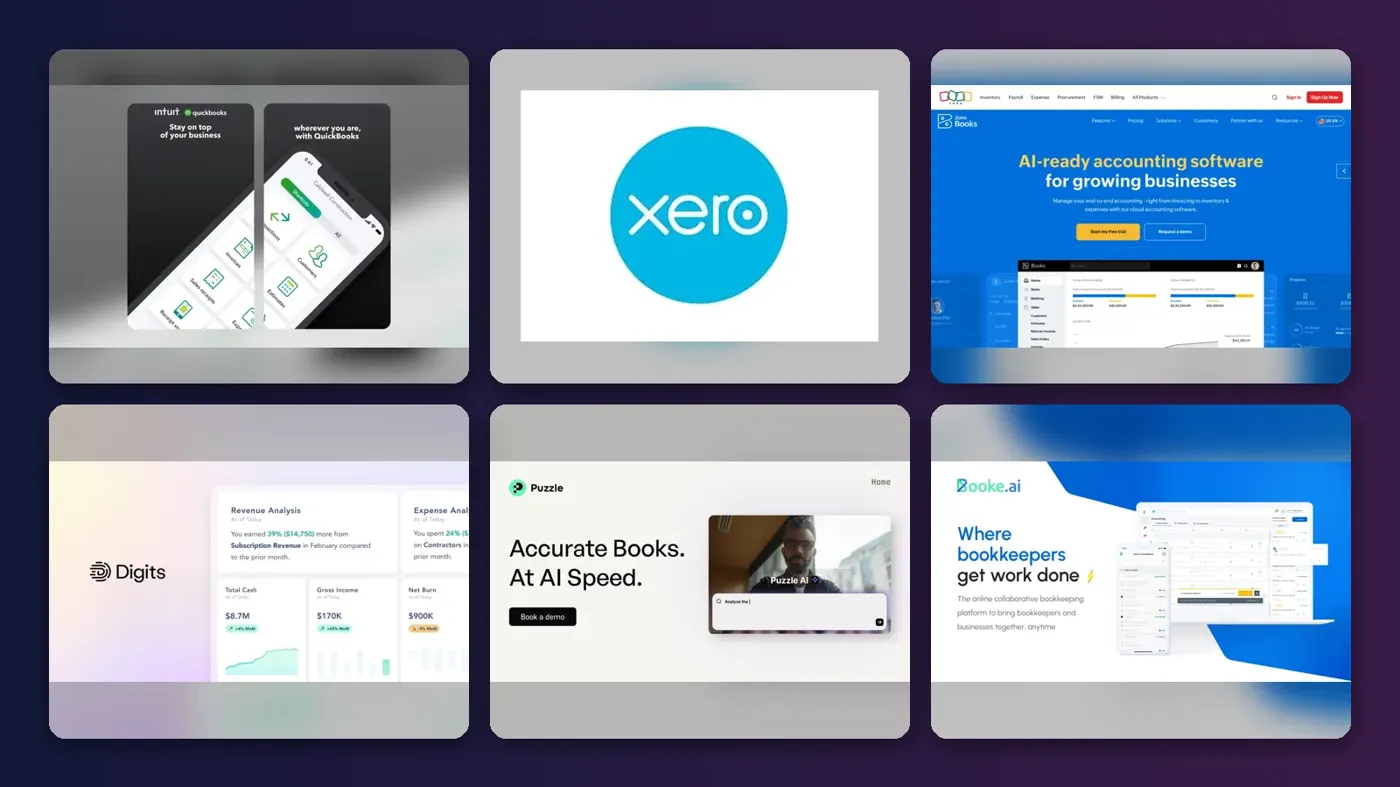
Short answer: if you run a small business in the US, the best AI accounting software for most people is still QuickBooks Online, because its AI agents now handle categorization, reconciliation and invoice reminders inside the ledger your accountant already knows. If you want the same kind of automation for less money, pick Xero. If you are a startup that wants the AI to do the bookkeeping for you, look at Digits or Puzzle.
Accounting AI has moved past the chatbot stage. The big platforms now ship agents that match bank lines, chase late payers and flag odd bills, and newer AI-first ledgers claim they can book most transactions without a human touching them. Below are seven picks, ranked by how much routine work they can realistically take off your plate and what that costs you per month. We compared them using official announcements, published pricing, independent reviews and third-party ratings, all as of late October 2026. Nobody at The AI Future ran these tools on live company books, so treat the automation claims as vendor claims unless we say otherwise.
Key takeaways
- QuickBooks has the deepest AI, and the highest bill. Intuit raised Essentials to $85, Plus to $140 and Advanced to $340 a month on renewals from August 2026, according to Beancount.
- Xero is the value pick. Plans start at $27 a month, and its JAX assistant now does automatic bank reconciliation, according to Xero.
- Zoho Books is the best free option. Its free plan covers businesses under $50,000 a year in revenue and still includes Zia, the built-in AI assistant (AI Productivity).
- AI-first ledgers are real but narrow. Digits and Puzzle suit US service and software companies. They are not built for inventory-heavy businesses.
- Keep a human in the loop. Every vendor here pairs automation with review steps. You or your accountant still sign off on the numbers.
How we ranked them
To be plain about it: this is a research-based ranking, not a hands-on lab test. We did not connect these products to a real company's bank feeds. Instead, we compared each tool on six criteria, using vendor documentation, product announcements, independent reviews and user ratings from G2 and similar sites.
- Depth of AI automation. Does the AI actually post, match and reconcile transactions, or does it just answer questions about your data?
- Guardrails. Can you review what the AI did before it hits your books? Is there an audit trail?
- Core accounting strength. AI on a weak ledger is still a weak ledger. Reporting, tax, payroll and accountant access matter.
- Price for a small team. We weighed the monthly cost against the hours the automation could plausibly save.
- Independent sentiment. Third-party ratings and recurring complaints, such as price rises and user caps.
- Fit for its niche. General-purpose ledgers with strong AI rank highest because they replace the most work. Specialists rank lower, but each one is the best option in its niche.
The 7 best AI accounting software tools at a glance
Prices are monthly list prices in US dollars, checked October 2026. Third-party ratings are linked in each pick below.
| # | Tool | Category | Best for | Free tier | Starts at |
|---|---|---|---|---|---|
| 1 | QuickBooks Online | Small-business ledger | Most US small businesses | No | $38/mo |
| 2 | Xero | Small-business ledger | Value and agent automation | No | $27/mo |
| 3 | Zoho Books | Small-business ledger | Tight budgets | Yes (limited) | $20/mo |
| 4 | Digits | AI-first ledger | Startups wanting an AI-run ledger | No | $65/mo |
| 5 | Puzzle | AI-first ledger | Venture-backed startups | No | $30/mo |
| 6 | Booke AI | QuickBooks add-on agent | Firms and owners on QuickBooks | No | $129/mo |
| 7 | Pilot | Bookkeeping service | Done-for-you books | No | $99/mo |
The 7 best AI accounting software picks for 2026, ranked
QuickBooks Online – best for most US small businesses
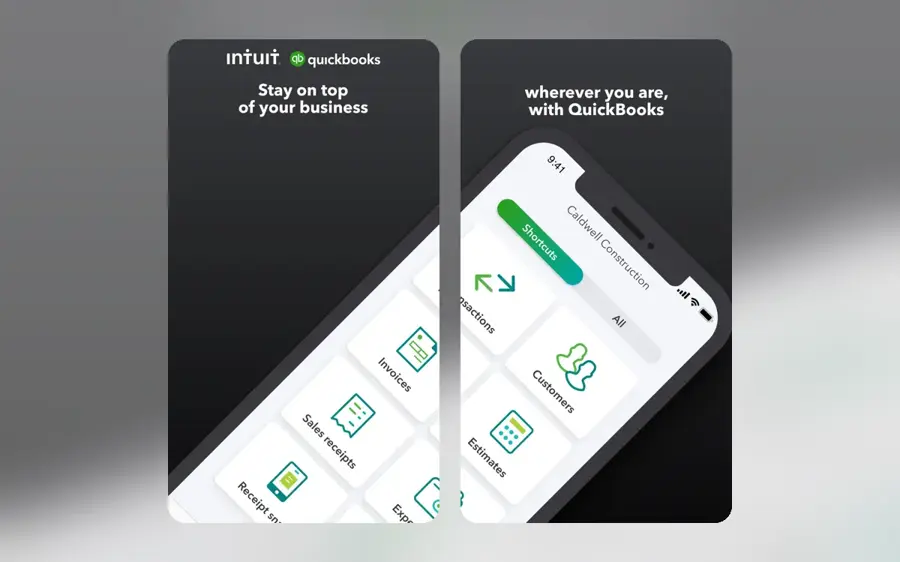
QuickBooks Online is the standard small-business ledger in the US, and Intuit has layered a set of AI agents on top of it. If you only pick one and money is not the main worry, pick QuickBooks Online Plus.
Why it stands out
No other small-business ledger here has as wide a set of agents, but which agent you get depends on your plan. The Accounting and Payments agents start on Essentials, the Sales Tax and Customer agents need Plus, and the Finance and Project Management agents need Advanced, according to Insightful Accountant. That makes Plus the realistic starting point, and Intuit says not every agent is available in every product, so check your region and plan first. On G2, QuickBooks Online holds 4.0 out of 5 from 3,870 reviews, and G2's summary says users frequently mention price increases and user caps. That matches the news: Beancount reported the Advanced tier rose by about 70% at the top of its old range.
Key features
- Accounting Agent: categorizes transactions, detects anomalies and reconciles against PDF bank statements.
- Payments Agent: learns when clients pay and drafts recurring invoices.
- Finance Agent: helps with month-end close and KPI summaries.
- Sales Tax Agent: one of the newer additions.
- Payroll Agent: collects hours and texts you a payroll draft to approve.
Pros
- Almost every US accountant knows it
- Agents span bookkeeping, payments, sales tax and payroll
- Huge app ecosystem
Cons
- Big 2026 price rises on Essentials, Plus and Advanced
- Best agents are locked to Plus and Advanced
- Lowest G2 score of the big three
QuickBooks Online pricing: No free plan → paid plans from $38/month for Simple Start (checked October 2026). Essentials is $85, Plus $140 and Advanced $340, with the increases applying at renewals on or after August 1, 2026 for direct customers, per Beancount. See pricing
Xero – best for value and agent automation
Xero is the main QuickBooks rival, and its AI assistant is called JAX. Choose it if you want serious AI automation for well under QuickBooks' price.
Why it stands out
At Xerocon London in July 2026, Xero said Auto Bank Reconciliation and Smart Document Capture are available now, while Bill Protection and Cash Flow Actions were in beta and XeroForce, a no-code builder for custom agents, was in early access. Xero describes JAX as a "financial superagent" with a control layer called JAX Assure, Accounting Today reported. Product lead Lisa Huang put the philosophy simply: "We think the best combination is AI and human together." Xero scores 4.4 out of 5 from 1,736 G2 reviews, with reviewers often praising the interface and automation.
Key features
- Auto Bank Reconciliation: JAX matches transactions to bank feeds in real time.
- Smart Document Capture: pulls data from source documents.
- Bill Protection (beta): checks bills for unusual amounts, changed bank details or unfamiliar suppliers before you pay.
- AI connections: reach live Xero data from Microsoft 365 Copilot and Anthropic's Claude (see our Claude review).
- XeroForce (early access): build custom agents without code.
Pros
- Lower prices than QuickBooks at every comparable tier
- Auto reconciliation is live now, not a roadmap item
- Bill Protection targets payment fraud
Cons
- Early plan is too limited for most growing businesses
- Several JAX features still in beta or coming soon
- Fewer US accountants specialize in it than in QuickBooks
Xero pricing: No free plan → paid plans from $27/month (checked October 2026). Early is capped at 20 invoices and 5 bills; Growing is $59 and Established $97. New US customers can get 90% off for six months until November 2, 2026, per SaaS CRM Review. Auto-reconcile is a $5 add-on on Early and included on higher plans. See pricing
Zoho Books – best for tight budgets
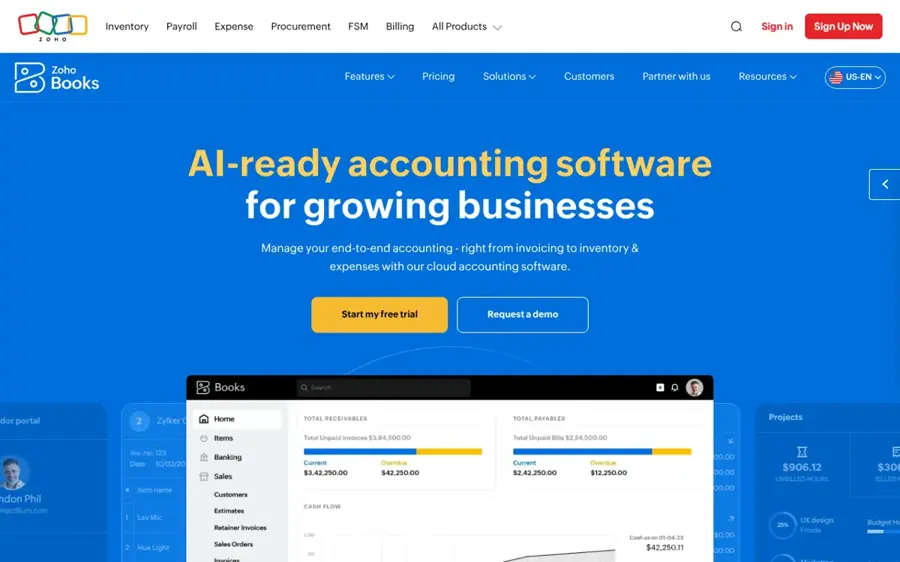
Zoho Books is a full ledger with Zia, Zoho's AI assistant, and the best AI accounting software for a budget of zero. It suits freelancers, small businesses and anyone already using other Zoho apps.
Why it stands out
The free plan is the real story. It includes invoicing, receipt autoscans, bank reconciliation, 1099 tracking and more than 50 reports. The AI is less ambitious than QuickBooks' agents or Xero's JAX: Zia answers and flags rather than running whole workflows, so expect help, not autopilot. On G2, Zoho Books scores 4.4 out of 5 from 329 reviews, and G2's summary says users find the pricing fair but note that advanced features sit on higher-tier plans.
Key features
- Ask Zia: plain-English questions about your finances (AI Productivity).
- Anomaly detection: flags unusual spikes or drops in reports.
- Bank rules: auto-categorize transactions.
- MCP access: lets outside AI agents create invoices and pull reports.
Pros
- Genuinely useful free plan
- Cheap paid tiers
- Fits neatly with the rest of Zoho
Cons
- AI is more assistant than agent
- Free plan stops at $50K revenue
- Smaller US accountant network
Zoho Books pricing: Free for 1 user plus 1 accountant under $50K annual revenue → paid plans from $20/month for Standard (checked October 2026). Professional is $50, Premium $70, Elite $150 and Ultimate $275, and annual billing saves up to 25%. See pricing
Digits – best for startups wanting an AI-run ledger
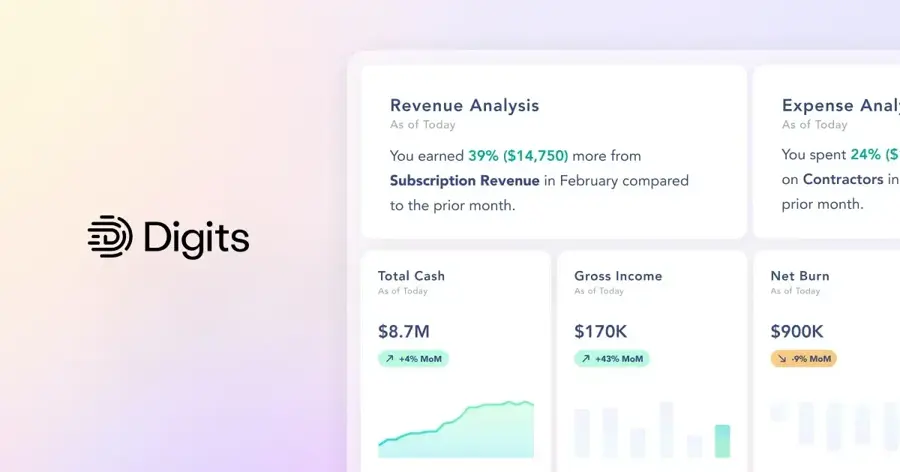
Digits is an AI-first general ledger built to replace QuickBooks for US service and software companies with up to about 250 employees. Choose it if you want an AI-run ledger, not an AI add-on.
Why it stands out
Digits self-reports a 95%+ auto-booking rate after onboarding, and in April 2026 it announced an outcome-based option for accounting firms that charges only when Digits handles 95%+ of a client's transactions without a human. That is a confident pricing model and a useful signal, but the 95% figure is the vendor's own and we found no independent audit of it. It has clear limits: no inventory or manufacturing support, multi-entity accounting locked to the top tier and a smaller app ecosystem than QuickBooks or Xero. We could not find a third-party star rating with a meaningful number of reviews.
Key features
- AI agents on every paid tier: bookkeeping, finance and reporting agents (Software Connect).
- Custom-trained models: for transaction categorization.
- Automatic reconciliation: for bank and card accounts, with duplicate flagging.
- Exceptions Inbox: collects the items that need a human.
- Native integrations: Stripe, Ramp, Gusto, BILL and Mercury.
Pros
- Built around AI from day one
- No per-user fees
- SOC 2 Type II, per Software Connect
Cons
- No inventory support
- Multi-entity only on the top tier
- Few independent reviews so far
Digits pricing: No free plan (30-day free trial) → paid plans from $65/month for Essentials (checked October 2026). Core is $100/month. The top tier adds close automation and multi-entity accounting; Software Connect lists it as custom-priced, while Toolradar lists a $250 Pro plan as coming soon. See pricing
Puzzle – best for venture-backed startups
Puzzle is an accounting platform for startups that care about clean metrics like burn and runway, with AI categorization and reconciliations. It is a strong, cheaper alternative to Digits for funded startups.

Why it stands out
Puzzle sits between QuickBooks and Digits: cheaper to start than Digits, and more opinionated about startup reporting than the general ledgers. Toolradar notes it backs its automation with a conditional guarantee to cut close time by 50%, so read the terms before you count on it. Its 5.0 G2 score cited by Toolradar comes from only five reviews, so treat it as an early signal rather than proof.
Key features
- AI categorization: sorts transactions automatically.
- AI reconciliations: matches accounts as part of the close.
- Startup metrics: reporting built around burn and runway.
- Close-time guarantee: a conditional promise to cut close time by 50%.
Pros
- Low starting price
- Startup-focused reporting
- Sits between general ledgers and Digits on price and depth
Cons
- Tiny review base
- $149 migration fee
- Less suited to non-startup businesses
Puzzle pricing: No free plan confirmed → paid plans from $30/month for Starter (checked October 2026). Core is $72, Complete $120 and Scale $360. Yearly billing saves 20% on software plans, and there is a one-time $149 migration fee. See pricing
Booke AI – best for firms and owners on QuickBooks
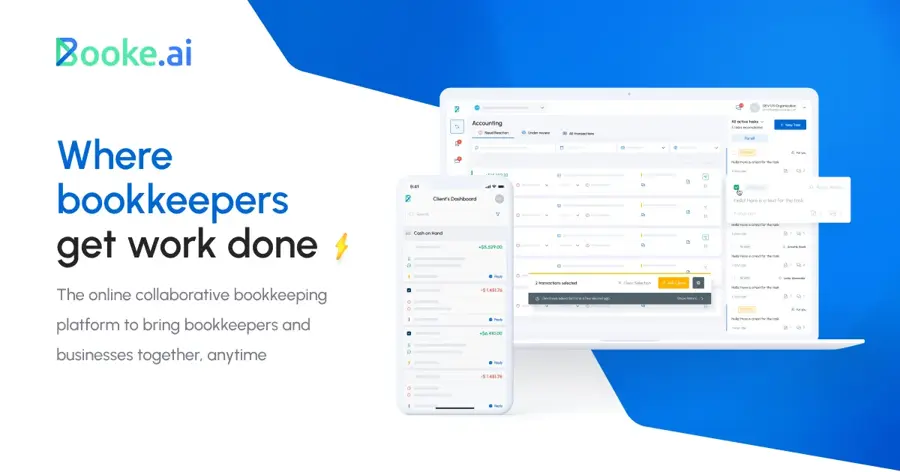
Booke AI is not a ledger. It is an AI bookkeeping agent that works inside QuickBooks Online using your existing bank feed, per Toolradar.
Why it stands out
The appeal is low disruption: you do not migrate anything, and your accountant keeps working in QuickBooks. The trade-off is cost. $129 a month on top of a QuickBooks plan that now starts at $85 for Essentials adds up quickly, so it makes most sense for firms spreading the work across many clients. Booke says it holds 4.6 from 117 ratings on the QuickBooks App Store, as reported by Toolradar. That is vendor-reported, so weigh it accordingly.
Key features
- Works inside QuickBooks Online: no new ledger to learn.
- Uses your existing bank feed: no extra connections to set up.
- Cleanup automation: automates routine bookkeeping cleanup inside QuickBooks.
- Firm pricing: available on request for multi-client practices.
Pros
- No migration needed
- Your accountant's workflow stays the same
- Suits firms with many QuickBooks clients
Cons
- Adds to your QuickBooks bill
- QuickBooks-only
- Rating is vendor-reported
Booke AI pricing: No free plan → paid plans from $129 per business per month, with firm pricing on request (checked October 2026, per Toolradar). See pricing
Pilot – best for done-for-you books
Pilot is a bookkeeping service rather than software you run yourself. It suits founders who would rather pay for finished books, with a person accountable for the result, than learn a new tool.
Why it stands out
Pilot answers a different question from the rest of this list. Instead of "which AI tool should I use?", it is "can someone else handle this?" The AI keeps the price down, and a human checks the output. For many small companies, that is the safer setup. Toolradar cites a 4.7 G2 rating from 142 reviews.
Key features
- AI-driven close: uses AI to drive a cash-basis close.
- Human review: a US-based bookkeeper reviews the work on the Core plan, according to Toolradar.
- CFO services: scales up to a CFO Basic tier.
Pros
- Done-for-you bookkeeping
- A person is accountable for the books
- Room to grow into CFO support
Cons
- Costs more than DIY software
- Less hands-on control
- Pricing beyond Essentials depends on your expenses
Pilot pricing: No free plan → paid plans from $99/month for Essentials, up to $100,000 in monthly expenses (checked October 2026). Core is priced on an expense slider, and CFO Basic is $1,750/month. See pricing
How to choose the right AI accounting software
Start with the software you already use
Start with where you are now, not with the flashiest AI demo. Switching ledgers is painful, so the cheapest win is usually turning on the AI already in the software you have.
Match the tool to your situation
- Choose QuickBooks Online if your accountant works in it, you need payroll and sales tax help, and you can afford Plus.
- Choose Xero if you want strong reconciliation automation and prefer to pay $59 rather than $140 a month.
- Choose Zoho Books if you earn under $50K a year or every dollar counts.
- Choose Digits or Puzzle if you are a US startup without inventory and want an AI-first ledger.
- Choose Booke AI if you are staying on QuickBooks but want more automation.
- Choose Pilot if you want someone else to own the books.
Ask three questions before you buy
What can the AI post to the ledger without your approval? Can you see and undo every change it made? And does your accountant support the platform? The last question rules out more tools than any feature list. If you want to understand why audit trails matter so much here, our explainer on explainable AI in finance covers it.
Free vs paid: what you actually get
Free AI accounting is thin. Zoho Books is the only pick here with a full free plan, and it stops at $50,000 in annual revenue. You get bank rules, receipt scanning and Zia's question answering, but not the multi-step agents the paid platforms sell.
Paid plans buy you three things. First, agents that act, not just answer: auto-reconciliation in Xero, the Accounting and Payments agents in QuickBooks, and full AI bookkeeping in Digits. Second, more users and fewer caps. Xero's Early plan, for example, limits you to 20 invoices and 5 bills a month. Third, finance-level features like month-end close support, multi-entity accounting and custom reporting, which almost always sit on the top tiers.
| What you need | Cheapest fit | Monthly cost |
|---|---|---|
| Basic books with AI help, low revenue | Zoho Books Free | $0 |
| Auto bank reconciliation | Xero Growing | $59 |
| Full set of small-business AI agents | QuickBooks Plus | $140 |
| AI-run ledger for a startup | Digits Essentials or Puzzle Starter | $65 / $30 |
| Books done for you | Pilot Essentials | $99 |
One budget warning: introductory deals end. Xero's 90% discount lasts six months, and QuickBooks' 2026 renewal increases show that list prices can jump. Budget for the full price, not the promo.
Final verdict
Most people should start with QuickBooks Online if they are in the US and already work with an accountant. It has the broadest set of AI agents, and it is the ledger your accountant is most likely to know. If the 2026 price rises sting, Xero gives you live auto-reconciliation and a growing JAX toolkit for far less. Zoho Books is the clear choice at $0. For startups, Digits is the most complete AI-first ledger, with Puzzle as the cheaper entry point.
Whatever you pick, AI is your bookkeeper's assistant, not your accountant. Review what it books, keep the audit trail and let a qualified professional handle tax and filings. For AI tools beyond finance, see our list of the best AI tools for productivity.
FAQ
How is AI used in accounting?
AI in accounting mostly handles repetitive work. It categorizes bank transactions, matches them to invoices and bills, extracts data from receipts, flags anomalies and drafts reports. In tools like QuickBooks and Xero, AI agents can also chase late payments, suggest sales tax fixes and check bills for signs of fraud before you pay them.
How will AI affect accounting?
AI will shrink the time spent on data entry and reconciliation, and push accountants toward review, advisory and judgment work. Vendors are pricing on automation itself: Digits, for example, offers firms a plan that charges only when it books 95%+ of transactions touch-free. For the wider jobs picture, read what jobs AI will replace.
Can AI do accounting?
AI can do a large share of bookkeeping, such as categorizing, matching and reconciling, but it cannot take responsibility for your books. Every major platform keeps humans in the loop for approvals, and tax filings, audits and judgment calls still need a qualified accountant. Think of AI as a fast junior bookkeeper whose work you check.
How can AI help accountants?
AI helps accountants by clearing routine work across many clients at once. Booke AI automates cleanup inside QuickBooks, Xero's Partner Hub shows book health and month-end readiness across clients, and JAX can chase missing receipts. That frees time for advisory work clients will pay more for. Our guide to agentic AI explains how these agents work.
Which AI is best for accounting?
For most US small businesses, QuickBooks Online is the best AI for accounting because its agents are built into a ledger accountants already use. Xero is the best value, Zoho Books is the best free option, and Digits is the best AI-first ledger for startups. General chatbots can explain concepts but should not run your books.
Sources
- QuickBooks Online Just Raised Advanced to $340 a Month (Beancount)
- New and Enhanced AI Agents Across the Intuit Platform (Insightful Accountant)
- Xerocon London 2026: the agentic era of small business finance (Xero Blog)
- Xero's JAX AI gains agentic capacities (Accounting Today)
- Xero Review 2026: Plans, Payroll, Limits, Pros and Cons (SaaS CRM Review)
- QuickBooks Online vs Xero (G2)
- FreshBooks vs Zoho Books (G2)
- Zoho Books (AI Productivity)
- Digits Accounting Software review (Software Connect)
- Best AI Accounting Agents in 2026 (Toolradar)
- Pricing and subscription levels for QuickBooks Online (Intuit QuickBooks Blog)
- Plans to suit your business (Xero)
- Zoho Books pricing (Zoho)
- Digits pricing (Digits)
- Pricing FAQs (Puzzle Help Center)