8 best AI headline generators in 2026, compared side by side
We compared 8 AI headline generators for blog titles, ad headlines and email subject lines, with official prices, free plans and prompts to adapt.
 Written byFahad HashmiContributing writer, AI in energy and industry
Why you can trust The AI Future
Our writers research every product, link each claim to its source and correct mistakes openly. Companies can't pay for coverage or see reviews before they're published.
Read our editorial policy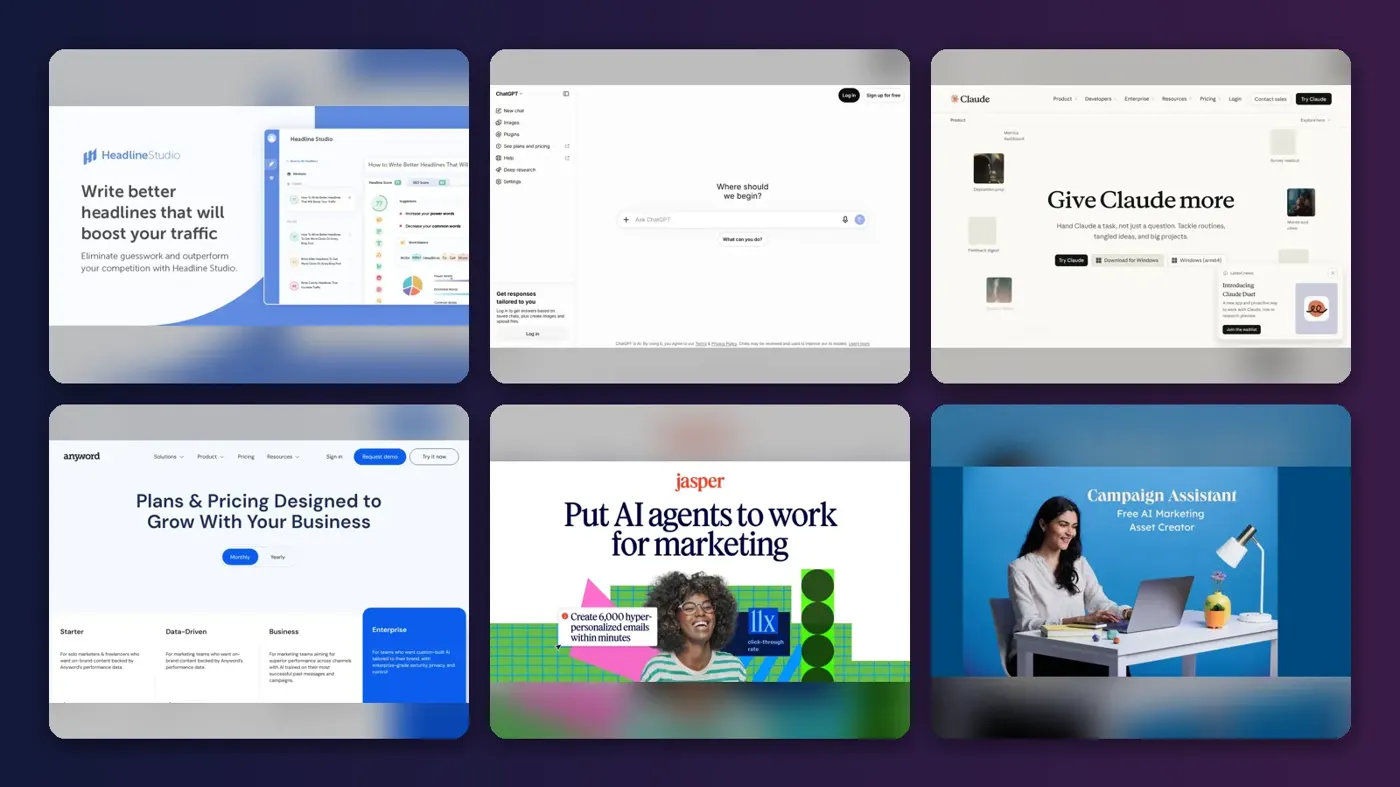
The best AI headline generator for most bloggers is probably CoSchedule Headline Studio, because it does two jobs at once: it writes headline options and scores them against a consistent rubric. For ad copy with a predicted performance score, Anyword is the specialist. For email subject lines, a free tester such as Omnisend's plus a general assistant like ChatGPT or Claude covers most needs without another subscription, and honestly, I'd try that route before paying for anything.
A headline tool has two parts: a generator that produces candidates, and a filter that tells you which ones are worth testing. General chatbots are strong generators but have no filter. Dedicated tools add the filter, through scoring rules, SEO data or models trained on past campaign results. We compare eight options below for blog titles, ad headlines and email subject lines, with plans and prices taken from official pages and checked in late October 2026.
Key takeaways
- Generation's cheap and selection's the hard part: any chatbot will give you 20 headlines, but tools that score or predict performance help you pick the two worth testing.
- You can start free, since Headline Studio, ChatGPT, Claude, HubSpot Campaign Assistant and Omnisend all have free entry points.
- Anyword and Jacquard build their pitch around predicting which line will perform, which likely matters more when you send or spend at volume.
- Your own A/B test is still the final judge, because scores are proxies and real opens and clicks from your audience beat a rubric.
Our ranking method
Nobody at The AI Future ran hands-on tests or took screenshots for this roundup. We compared each tool using official product, pricing and help pages, published independent coverage and third-party review listings, as of late October 2026. We weighed six criteria:
- Headline focus: whether the tool is built for headlines, subject lines and ad copy, or treats them as one task among many.
- Feedback quality: scoring, SEO data or performance prediction that helps you choose, not just generate.
- Channel coverage: blogs, search ads, social ads and email.
- Free access: how much you can do before paying.
- Price transparency: whether plans and prices are published.
- Outside signals: independent write-ups and review-site listings where we could access them.
Where we couldn't open a current G2, Capterra or app store rating, we say so instead of quoting one. Prices are in US dollars and can change by region or app store.
The 8 best AI headline generators at a glance
| # | Tool | Category | Best for | Free tier | Starts at |
|---|---|---|---|---|---|
| 1 | CoSchedule Headline Studio | Headline scorer and generator | Blog titles with SEO scoring | Yes (limited) | Credit-based |
| 2 | ChatGPT | General assistant | Fast brainstorming at volume | Yes | $8/mo |
| 3 | Claude | General assistant | Headlines that match a style guide | Yes | $20/mo |
| 4 | Anyword | Performance copywriting | Ad headlines with predicted scores | No | $39/mo |
| 5 | Jasper | Marketing AI platform | Brand-voice copy for teams | No | $59/mo |
| 6 | HubSpot Campaign Assistant | Free campaign generator | Matching ad, email and landing page headlines | Yes | Free |
| 7 | Omnisend | Email marketing platform | Testing email subject lines | Yes | $16/mo |
| 8 | Jacquard | Enterprise performance AI | High-volume email and CRM brands | No | Custom |
The best AI headline generators in 2026, ranked
CoSchedule Headline Studio – best for blog titles with SEO scoring
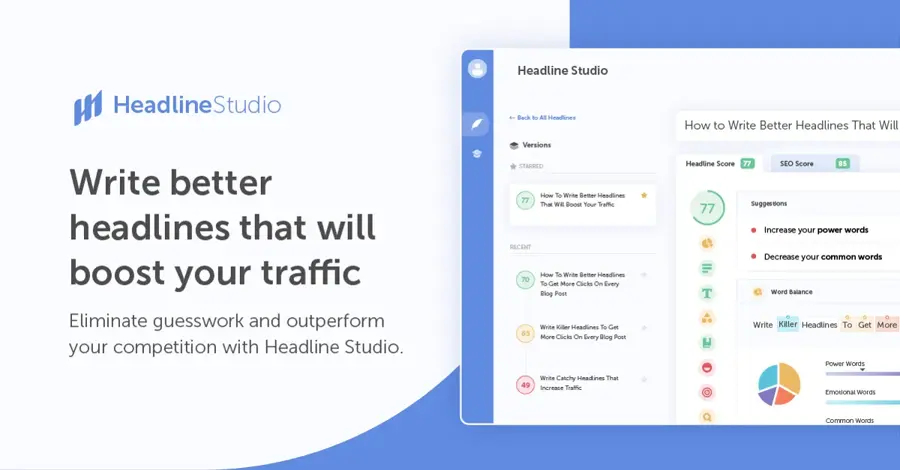
Headline Studio is CoSchedule's standalone headline tool: it scores headlines, captions and subject lines, and its Headline AI feature generates new options. Try it at coschedule.com/headline-studio.
Strengths
The scoring is the reason to use it, and I think it's the best thing about the tool. According to CoSchedule's support docs, the Headline Score rates "word balance, word count, character count, headline type, reading grade level, sentiment, clarity and skimmability." Premium adds an SEO Score with keyword data and the Headline AI generator. The pricing page lists separate modes for blog headlines, email subject lines, ad headlines, YouTube, TikTok, Instagram, podcasts and LinkedIn, so one tool covers most channels.
Independent coverage is positive. In a Practical Ecommerce round-up of AI headline tools, the author called it "a handy and free Headline Studio" and noted its SEO tips and AI writer. On Capterra UK, Headline Studio has 11 verified reviews, with one titled "Easy to use and efficient". The catch is the credit model: every analyze, re-analyze or generate uses one credit, and unused credits don't roll over.
Key features
- Headline Score: grades word balance, length, sentiment, clarity and skimmability
- Headline AI: generates dozens of options from topic, audience and tone (Premium)
- SEO Score: keyword volume, competition and a search preview (Premium)
- Channel modes: blog, email, ads, YouTube, TikTok, Instagram, podcast and LinkedIn
- Browser extension and WordPress plugin: score headlines where you write
Pros
- Scores give you a repeatable way to choose between options
- Free plan needs no card
- Covers blog, ad and email headlines in one tool
- Works inside WordPress, Gmail and Google Docs through the extension
Cons
- Credits run out: plan on 2 to 4 per published piece, per CoSchedule
- Paid prices depend on the credit amount you pick, so there's no single headline price
- No team invitations; people sharing a login share credits
CoSchedule Headline Studio pricing: Free (10 credits a month), then Basic and Premium priced by the monthly credit amount you choose (checked October 2026). See pricing
Related: Best AI writers
ChatGPT – best for fast brainstorming at volume
ChatGPT is OpenAI's general AI assistant. It has no headline scoring, but it's quick at producing many variations in different formats. Try it at chatgpt.com.
Strengths
For headlines, ChatGPT works as the generator in the two-part model. You ask for 20 options, then ask it to group them by angle (benefit, curiosity, number, question) and cut the weakest. According to AI Business Weekly's October 2026 pricing guide, the Free plan includes unlimited everyday text chats with GPT-6, with Go at $8, Plus at $20 and Pro from $100 a month. The App Store listing shows the same Go price, $8.00, as an in-app purchase.
The weak spot is judgment. ChatGPT will tell you which headline it prefers, but it has no data on your audience, so I'd use it to widen the pool and then filter with a scorer or a real test. We couldn't open a current third-party rating page for ChatGPT, so we're not quoting one.
Key features
- Bulk variations: ask for 20 to 50 options in one prompt
- Format control: set character limits for Google Ads, email previews or social cards
- Projects and memory: keep a brand brief in context on paid plans
- Free GPT-6 chat: everyday text chats on the Free plan, per AI Business Weekly
Pros
- Strong free plan
- Good at reformatting for different character limits
- Handles many languages
Cons
- No scoring or performance data
- Free and Go plans can show ads, per AI Business Weekly
- Outputs drift toward familiar clickbait patterns unless you constrain them
ChatGPT pricing: Free, then paid plans from $8/month (Go); Plus $20/month; Pro from $100/month (checked October 2026, AI Business Weekly). See pricing
Related: ChatGPT with GPT-6 review Best ChatGPT alternatives
Claude – best for headlines that match a style guide
Claude is Anthropic's AI assistant. Like ChatGPT it's a general tool, and it suits teams that want headlines to follow a written style guide. Try it at claude.ai.
Strengths
Claude's use here is constraint-following. Paste your style rules (sentence case, no question headlines, a 60-character limit) and a list of past headlines, and ask it to write within those rules and flag which ones break them. The Claude pricing page lists Projects on every plan (up to five on Free), a context window of up to 1M tokens, and Claude for Microsoft Outlook on paid plans. The App Store listing describes it as refining "tone, structure, and clarity" for posts and emails.
It has the same blind spot as any chatbot: no performance data, so its picks are opinions, not predictions. Free usage is limited, and Anthropic's help center prices Pro at $20 a month in the US, with an annual discount. We couldn't access a current third-party rating page for Claude.
Key features
- Projects: keep your style guide and past winners in one place
- Long context: paste a full article and ask for headlines that match it
- Artifacts: build a simple headline comparison table inside the chat
- Outlook add-in: draft subject lines where you write email (paid plans)
Pros
- Follows detailed style rules well
- Good at critiquing its own options when asked
- Free plan includes web search
Cons
- No scoring or SEO data
- Free usage limits arrive quickly in long sessions
- Anthropic doesn't publish exact message caps
Claude pricing: Free, then paid plans from $20/month (Pro, less with annual billing); Max $100/month (checked October 2026, Claude Help Center, Max plan). See pricing
Related: Claude AI review Claude vs ChatGPT
Anyword – best for ad headlines with predicted scores
Anyword is an AI copywriting platform that attaches a predicted performance score to the copy it writes, aimed at ads, emails, landing pages and social posts. See plans at anyword.com.
Strengths
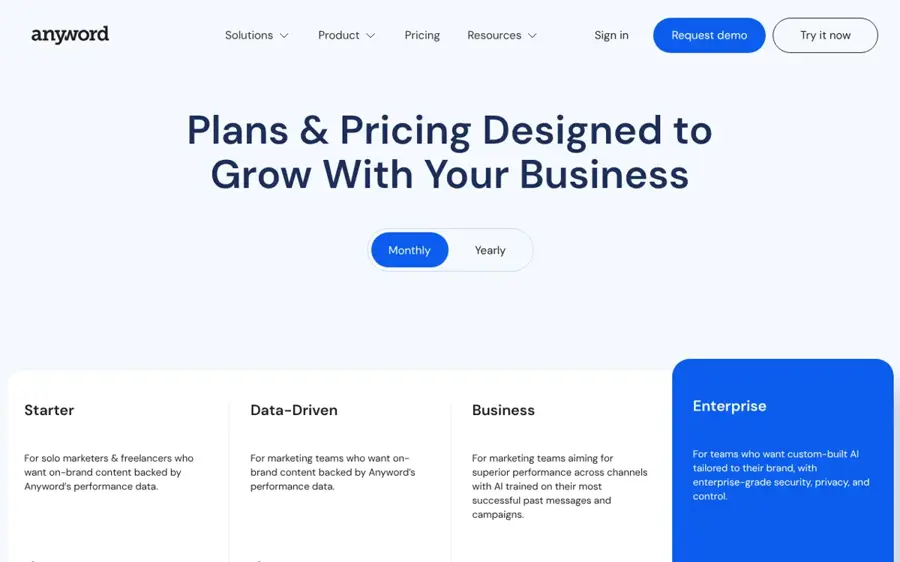
Anyword adds the filter that chatbots lack, which is what you're paying for. Its pricing page lists performance predictions as a metered feature (50 a month on the entry plan billed monthly, 100 billed yearly), plus "1-click boost performance" and a data-driven editor. Higher tiers connect your marketing channels and learn from past campaigns. That's useful when you run many ad variants and need to decide which to fund first.
On Capterra UK, Anyword has 391 verified reviews, with titles ranging from "The Best AI Writing Software Out There!" to "Improve some minor Aspects in the GUI, and I will love it even more." There's no free plan, only a 7-day trial, and predictions are capped by plan, so heavy testers can hit the limit.
Key features
- Performance predictions: a score for each variant before you publish
- Unlimited copy generation: on all listed plans
- Brand voice: tone, audience and messaging bank settings
- Chrome extension: use it inside ad managers and other web apps
- CSV bulk generation: templates for producing many variants at once
Pros
- Built for ads and other short marketing copy
- Prediction scores help you rank variants
- Yearly billing cuts the entry price to $39 a month
Cons
- No free plan
- Monthly prediction caps
- Business features need custom pricing
Anyword pricing: No free plan (7-day trial), then paid plans from $39/month billed yearly or $49 monthly; 3-seat plan at $79 yearly or $99 monthly (checked October 2026). See pricing
Jasper – best for brand-voice copy for marketing teams
Jasper is an AI platform for marketing teams that writes headlines, emails, ads and longer content in a trained brand voice. See plans at jasper.ai.
Strengths
Jasper is the choice when consistency across a team matters more than one clever headline, I'd say. Its pricing page says you can upload a style guide or sample content so the AI can "mimic your tone of voice", and its browser extension works in Gmail, WordPress, Google Docs, HubSpot and LinkedIn. Jasper also states that users "rate their experience 4.8/5 stars in over 10k reviews"; that's the vendor's own claim, not an independent rating.
For a solo blogger, it's a lot of platform for the job. Pro costs $69 billed monthly or $59 billed yearly for one user, and more seats need the custom Business plan.
Key features
- Brand voice: learns from your style guide or sample content
- Browser extension: Chrome and Edge, inside Gmail, WordPress and Docs
- Multiple brands: Pro supports content for more than one brand
- Agents and GEO Hub: credit-based extras on Business
Pros
- Keeps a team on one voice
- Works across many marketing channels
- 7-day free trial
Cons
- No free plan
- Only one user on Pro
- No built-in headline scoring
Jasper pricing: No free plan (7-day trial), then Pro from $59/month billed yearly or $69 monthly; Business is custom (checked October 2026). See pricing
Related: Best AI writers Best AI writing tool alternatives
HubSpot Campaign Assistant – best for matching ad, email and landing page headlines
Campaign Assistant is a free HubSpot tool, in public beta, that generates copy for landing pages, emails and ads from one campaign brief. Try it at hubspot.com/campaign-assistant.
Strengths
Its strength is consistency across channels. According to HubSpot, you enter a campaign objective, target audience and brand tone, and it generates landing page headlines, email subject lines and ad copy for Google, Facebook and LinkedIn. That keeps your ad headline and landing page headline saying the same thing, which is easy to get wrong when they're written separately.
It's a generator, not a scorer, and it's a beta. HubSpot says the more advanced Campaign Agent, which plans from your HubSpot data, is "Available in Marketing Hub Professional and Enterprise." HubSpot also offers a separate AI email writer with free and premium features. We found no third-party rating specific to Campaign Assistant, so treat the tool as unproven.
Key features
- One brief, many assets: landing page, email and ad copy from three inputs
- Platform-specific ads: Google, Facebook and LinkedIn formats
- Email subject lines: generated alongside body copy
- Export: copy out to ad platforms or use inside HubSpot
Pros
- Free
- Keeps headlines consistent across channels
- Simple three-input brief
Cons
- Public beta
- No scoring or prediction
- Best features tie into paid HubSpot plans
HubSpot Campaign Assistant pricing: Free (public beta); Campaign Agent requires Marketing Hub Professional or Enterprise (checked October 2026). See details
Omnisend – best for testing email subject lines
Omnisend is an email and SMS marketing platform with a free subject line tester and built-in AI that writes subject lines and email copy. See it at omnisend.com.
Strengths
Subject lines are a narrow problem with a clear metric, and Omnisend's free subject line tester fits it. You paste a line and get a score from 0 to 100% plus feedback on "length, wording, and scannability", with desktop and mobile previews. The same page links to Omnisend AI for generating test lines.
If you already send email through Shopify, the platform itself is probably worth a look. Its Shopify App Store listing shows 3,200 reviews and a merchant summary that Shopify only shows for apps with "at least a 4.0 overall rating". One merchant review there notes a downside: "list cleaning comes with an extra fee."
Key features
- Subject line tester: free, no login needed, 0 to 100% score
- Inbox previews: desktop and mobile views of your line
- AI copy: subject lines, content and product recommendations
- Free plan: 250 contacts and 500 emails a month, per Shopify listing
Pros
- Free tester with instant feedback
- Free email plan to send real tests
- Strong Shopify integration
Cons
- The full AI tools sit inside an email platform you may not use
- Price rises with list size
- List cleaning costs extra, per a merchant review
Omnisend pricing: Free, then paid plans from $16/month (Standard, up to 500 contacts, per its Shopify listing; checked October 2026). See pricing
Jacquard – best for high-volume email and CRM brands
Jacquard is an enterprise platform that writes and optimizes marketing copy, including email subject lines, with models trained on campaign results. See it at jacquard.com.

Strengths
Jacquard is for brands that send millions of messages and can measure lift. Its homepage claims "80B+ Real results learned from" and an "+23.3% Average engagement lift"; those are vendor figures, not independent tests. It uses agents for performance, compliance and brand voice, and can personalise "the whole message, subject line to call to action" when you share customer attributes.
This isn't a tool for a single blog. Jacquard doesn't publish prices, and its main offer is a free brand analysis followed by a sales conversation. We couldn't access a third-party rating page.
Key features
- Performance model: trained on campaign outcomes, per Jacquard
- Compliance agent: checks lines against disclaimers and regional rules
- Personalisation: adapts subject lines to customer attributes
- Multichannel: email, SMS, push, in-app, paid social and web
Pros
- Built for subject line and CRM optimization at scale
- Compliance checks suit regulated industries
- Learns from your own sends
Cons
- No public pricing
- Overkill for small lists
- Lift figures are vendor-reported
Jacquard pricing: No free plan (free brand analysis), then custom pricing (checked October 2026). See details
Choosing the right AI headline generator
Match the tool to the channel
Blog titles need SEO signals and clarity, so a scorer with keyword data, like Headline Studio, helps most. Ad headlines live under strict character limits and paid budgets, so prediction (Anyword) is worth more. Subject lines need inbox previews and real send tests (Omnisend, Jacquard).
Decide whether you need a filter
If you already know what works for your audience, a free chatbot is enough to generate options. If you struggle to pick between ten decent options, pay for scoring or prediction instead of more generation.
The real cost of credits
Here's a worked example. CoSchedule suggests planning on 2 to 4 credits per published piece. If you publish 3 posts a week, that's about 13 posts a month, or 26 to 52 credits. The free plan's 10 credits covers roughly 2 to 5 posts. Do the same sum for Anyword's monthly prediction cap before you commit.
Feed it context, not just a topic
Most of these tools write better headlines when you give them the audience, the promise of the piece and a character limit. Our guide to writing better AI prompts covers the basics, and an AI prompt generator can help you build reusable templates.
Example prompts to adapt
These are examples to adapt, not magic formulas. Swap in your own topic, audience and limits.
Example to adapt (blog): Write 15 headlines for a blog post about [topic] for [audience]. The post promises [one concrete outcome]. Keep each under 60 characters. Use five angles: how-to, number list, question, benefit-first and contrarian. No clickbait words like "shocking". Then mark the three clearest options and explain why in one line each.
Example to adapt (Google Ads): Write 10 Google Ads headlines for [product], each 30 characters or fewer. Include the keyword "[keyword]" in at least four. Focus on [main benefit] and [differentiator]. Return them as a numbered list with the character count after each.
Example to adapt (email subject lines): Write 12 subject lines for an email to [segment] about [offer or update]. Keep each under 45 characters so it fits on mobile. Write a matching preview text of under 90 characters for each. Avoid all caps and more than one emoji.
The limits
AI headline generators fail in predictable ways, and it's worth knowing them before you trust a score.
- Scores reward patterns, not truth: a rubric can push you toward emotional or power words that oversell the article. A headline that scores high but misleads readers costs you trust and return visits.
- Chatbots tend to converge. Ask for 20 headlines on a common topic and several will share the same structures. Add constraints and examples of your own past winners to break the pattern.
- Predictions are trained on someone else's audience unless you connect your own data, which usually means a higher tier.
- Search headlines are changing. AI summaries in search and inboxes can rewrite or condense your title. Jacquard's homepage, for example, now says it can help you "See how AI inbox summaries condense your subject lines and offers." Clear, specific headlines probably survive this better than clever ones. Our guide to optimizing content for AI search engines covers the wider picture.
Free vs paid: what you actually get
| Need | Free option | What paying adds |
|---|---|---|
| Generate options | ChatGPT Free, Claude Free, HubSpot Campaign Assistant | Higher limits, saved brand context |
| Score blog headlines | Headline Studio Free (10 credits/month) | SEO Score, Headline AI, more credits |
| Score subject lines | Omnisend subject line tester | Sending, A/B testing and AI inside the platform |
| Predict ad performance | None in this list (Anyword has a 7-day trial) | Performance scores, brand voice, channel data |
| Team brand voice | None | Jasper or Anyword team plans |
Free tools cover generation well. Paying mostly buys selection: scoring, SEO data and prediction, which I think is the better deal. If you write one or two headlines a week, the free stack (a chatbot plus Headline Studio Free or the Omnisend tester) is enough. For more general writing help, see our list of the best AI writers.
Final verdict
| If you mainly write... | Start with | Upgrade to |
|---|---|---|
| Blog titles | Headline Studio Free + ChatGPT or Claude | Headline Studio Premium |
| Paid ad headlines | HubSpot Campaign Assistant | Anyword |
| Email subject lines | Omnisend tester + a chatbot | Your email platform's AI, or Jacquard at enterprise scale |
| Copy for a whole team | Claude or ChatGPT with a shared style guide | Jasper |
For most people, CoSchedule Headline Studio is probably the best single AI headline generator, because it pairs generation with a score you can act on. I'd add a free chatbot for volume and let your own A/B tests settle close calls. If you only send email, skip it and use the Omnisend tester.
FAQ
What is the best free AI headline generator?
For blog headlines, CoSchedule Headline Studio's free plan is the strongest pick because it scores headlines as well as generating ideas, with 10 credits a month. For volume, ChatGPT and Claude both have free plans. For email subject lines, Omnisend's free tester gives a 0 to 100% score with no login.
Can ChatGPT write good headlines?
Yes, if you give it context. ChatGPT is good at producing many variations within character limits and angles you set. It can't tell you which will perform best for your audience, because it has no data on your readers. Use it to generate options, then pick with a scorer or a real A/B test.
Are AI headline analyzer scores accurate?
They're consistent, not predictive in a strict sense. Rubric tools grade length, word choice, sentiment and clarity, which seem to correlate with good headlines but don't guarantee clicks. Prediction tools like Anyword and Jacquard use performance data, but results depend on how close their training data is to your audience. Treat scores as a filter.
Is there a news headline generator AI for journalists?
None of the tools here is built for newsrooms. General assistants like Claude and ChatGPT can draft news-style headlines if you give them the facts and your publication's style rules, but an editor should check every headline for accuracy. A headline that overstates a story is a correction waiting to happen.
How long should an email subject line be?
Keep the key words near the start, because mobile inboxes cut subject lines short. Omnisend's tester shows desktop and mobile previews so you can see where yours gets cut off. Then confirm what works with your own open-rate tests.
Sources
- Headline Studio from CoSchedule (CoSchedule)
- Headline Studio Plans & Pricing (CoSchedule)
- Headline Studio Plans and Credits (CoSchedule Support)
- Headline Studio Pricing, Cost & Reviews (Capterra UK)
- AI Tools for Better Headlines (Practical Ecommerce)
- ChatGPT Pricing 2026: Free, Go $8, Plus $20 & Pro $100 to $500 (AI Business Weekly)
- ChatGPT App (Apple App Store)
- Plans & pricing (Claude by Anthropic)
- What is the Pro plan? (Claude Help Center)
- What is the Max plan? (Claude Help Center)
- Claude by Anthropic App (Apple App Store)
- Anyword Pricing & Plans (Anyword)
- Anyword Pricing, Cost & Reviews (Capterra UK)
- Plans & Pricing (Jasper)
- Campaign Assistant: HubSpot's Free AI Marketing Asset Creator (HubSpot)
- Free AI Email Writer (HubSpot)
- Free Email Subject Line Tester (Omnisend)
- Omnisend Email Marketing & SMS (Shopify App Store)
- Jacquard homepage (Jacquard)