8 best AI pet portrait generators in 2026: royal, cartoon and canvas picks
The best AI pet portrait generators for royal, cartoon and canvas-ready portraits of your dog or cat, with prices and print options checked for 2026.
 Written byMuhammad Usman SiddiquiFounder and editor-in-chief
Why you can trust The AI Future
Our writers research every product, link each claim to its source and correct mistakes openly. Companies can't pay for coverage or see reviews before they're published.
Read our editorial policy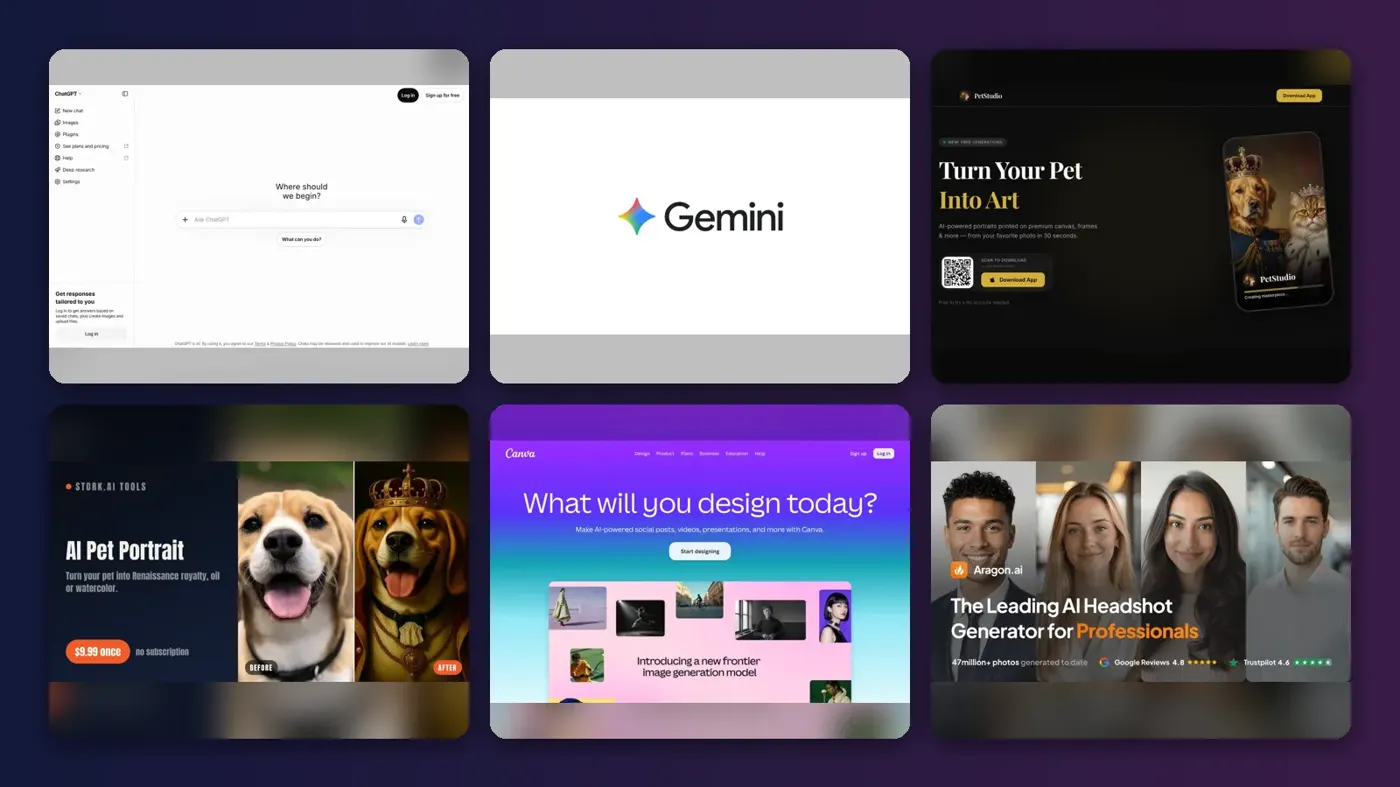
Short answer: if you want the best AI pet portrait generator for most people, use ChatGPT. Upload a photo of your dog or cat, describe the style, and you can get a royal oil painting or a cartoon in one chat. If you want the cheapest route, use Google Gemini. If you want a framed canvas on your wall without designing anything, use PetStudio or Canva. I'd start with ChatGPT, honestly.
Everything else on this list is a specialist. Stork and Aragon do one thing well: Renaissance-style "royal pet" portraits. Leonardo AI and Fotor give you more style control for cartoon, 3D and anime looks. Below, you'll find what each tool costs, what it prints on, and where it falls short, with prices checked on official pages in late October 2026.
Key takeaways
- General chatbots probably beat most pet apps on quality now: ChatGPT and Gemini both edit your own photo, so the portrait keeps your pet's real markings.
- You can start for $0. Gemini's free plan includes image generation and editing, and ChatGPT, Leonardo AI and Fotor all have free tiers with limits.
- For a one-off gift, paying once makes sense: Stork charges $9.99 per portrait download with no subscription, which beats a monthly plan you forget to cancel.
- Canvas prints start around $30 to $40. PetStudio lists canvas prints from $30, and Canva lists them from $39.50 with free standard delivery.
- Check privacy before you upload, because on Leonardo AI's free plan your creations are public.
Ranking method
Nobody at The AI Future ran hands-on tests or made original screenshots for this roundup. We compared each tool using its official product and pricing pages, published independent tests, and ratings on Trustpilot and the App Store, as of late October 2026. The scoring criteria were:
- Likeness: whether the tool works from your actual photo and keeps your pet recognisable.
- Style range: royal and Renaissance, cartoon, watercolour, pop art and more.
- Print path: whether you can order a canvas or poster directly, or get a high-resolution file to print anywhere.
- Price model: one-off payment, subscription or credits, and how fair each is for a single gift.
- Free tier: how much you can try before paying.
- Ease of use: whether you need to write prompts or can just pick a style.
- Third-party feedback: independent tests and user ratings, where they exist.
Prices are in US dollars and can change by country, app store and promotion. Always check the vendor's page before you buy.
The 8 best AI pet portrait generators at a glance
| # | Tool | Category | Best for | Free tier | Starts at |
|---|---|---|---|---|---|
| 1 | ChatGPT | General AI assistant | Custom royal and cartoon portraits | Yes (limited) | $8/mo |
| 2 | Google Gemini | General AI assistant | Best free option | Yes (limited) | $4.99/mo |
| 3 | PetStudio | Pet portrait app | Canvas prints from your phone | Yes (limited) | $4.99/mo |
| 4 | Stork AI Pet Portrait | Pet portrait generator | One-off royal portrait gifts | Yes (limited) | $9.99 one-time |
| 5 | Canva | Design and print | Designing and printing your own canvas | Yes | $144/yr |
| 6 | Aragon | AI photo editor | One-click Renaissance portraits | Yes (limited) | Free |
| 7 | Leonardo AI | AI image generator | Cartoon, 3D and anime styles | Yes (limited) | $12/mo |
| 8 | Fotor | AI photo editor | Trying many AI models cheaply | Yes (limited) | $3.99/mo |
The best AI pet portrait generators in 2026, ranked
ChatGPT – best for custom royal and cartoon portraits
ChatGPT is OpenAI's assistant, and its built-in image tool can restyle a photo of your pet into almost any look you can describe.
Strengths
OpenAI released ChatGPT Images 2.5 in September 2026. According to 9to5Mac, OpenAI says it is "better at preserving the subjects in your reference photos", and it rolled out to users across all tiers. That matters for pet portraits, because the hard part is keeping your dog's real face, not making a pretty painting.
In a side-by-side photo-editing test by TechRadar, ChatGPT Images 2.0 beat Google's Nano Banana 2 overall. The reviewer's verdict: "Nano Banana 2 makes images that look great, but ChatGPT Images 2.0 makes images that feel more real." The catch is that you write prompts instead of tapping a style button. Here's a starting point.
Example prompt to adapt (royal style): "Turn this photo of my dog into a Renaissance oil painting. Dress him in a red velvet robe with a gold chain, seated on a royal cushion, dark background, soft window light. Keep his exact face, fur colour and markings. Portrait orientation, high detail, suitable for printing."
Example prompt to adapt (cartoon style): "Make a cartoon version of my cat from this photo in a bright 3D animated film style, big expressive eyes, simple pastel background. Keep her white chest patch and green eyes."
Key features
- You upload your pet photo and restyle it in chat.
- You can ask for changes ("make the crown smaller") without starting over.
- Royal, watercolour, pop art, cartoon or anime all work from a text description.
- The official iOS app is free and includes image generation.
Pros
- Strongest likeness and lighting in independent testing
- One tool covers every style
- Cheap entry plan if you outgrow the free tier
Cons
- You need to write prompts
- No built-in print ordering
- Free-tier image limits can run out quickly
ChatGPT pricing: Free, then paid plans from $8/month for Go, $20/month for Plus (checked October 2026, via AI Business Weekly, as OpenAI's pricing page did not load for us). See pricing
Verdict: if you only pick one tool, pick this one.
Related: ChatGPT review Best AI image generators
Google Gemini – best for the best free option
Google Gemini is Google's AI assistant, and it uses the Nano Banana 2 image model to generate and edit photos, including pet pictures.
Strengths
Gemini's free plan lists "Image generation and editing" as an included feature on Google's plans page. That probably makes it the easiest way to test the AI generated dog or cat portrait trend without paying anything. The Gemini App Store listing says Nano Banana 2 can blend multiple images, which helps if you want two pets in one portrait.
The TechRadar test found Nano Banana 2 was "usually faster" than ChatGPT and "really more than good enough in most circumstances", even though ChatGPT won on realism. For a cartoon or a stylised royal portrait, I'd say the realism gap matters less.
Example prompt to adapt (two pets): "Combine these two photos into one formal royal portrait: my beagle as a king and my tabby cat as a queen, both in 18th-century costume, gilded frame painted in. Keep each pet's real markings."
Key features
- Image editing is included on the no-cost plan.
- You can blend several pets into one scene.
- It was quicker than ChatGPT in TechRadar's test.
- You can connect your Google apps to pull in pet photos.
Pros
- Generous free access
- Low-cost Plus plan
- Fast generation
Cons
- Slightly less realistic than ChatGPT in independent testing
- No print ordering
- Free usage limits are not spelled out as fixed numbers on the plans page
Google Gemini pricing: Free, then paid plans from $4.99/month for Google AI Plus, after a June 2026 price cut reported by Engadget (checked October 2026). See pricing
Verdict: start here if your budget is zero.
Related: Gemini vs ChatGPT compared
PetStudio – best for canvas prints from your phone
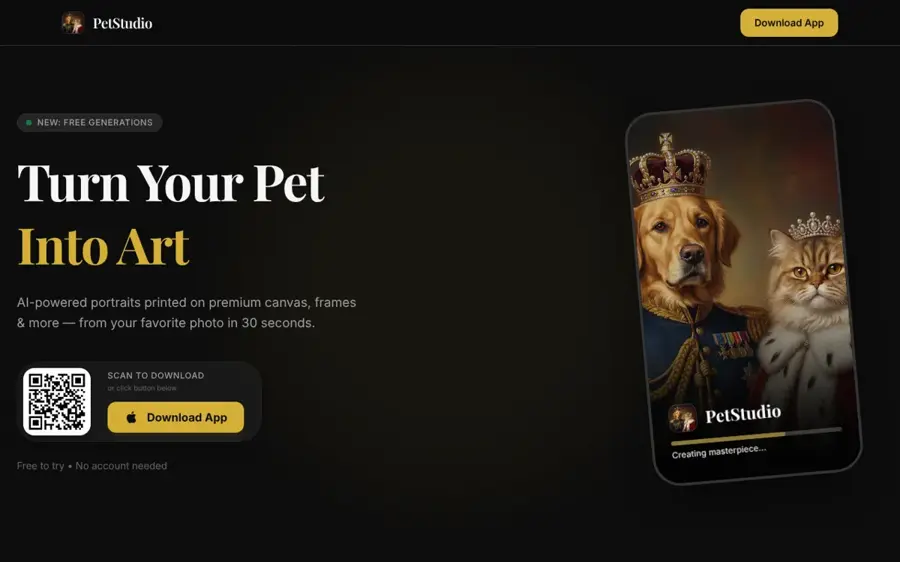
PetStudio is an iPhone and iPad app that turns a pet photo into AI art and lets you order canvas prints, posters, mugs and phone cases in the same app.
Strengths
PetStudio is the most complete "photo to wall art" option we found. PetStudio's own site lists 125+ styles, from royal portraits to pop art, and canvas prints "starting at $30", with mugs from $12, posters from $15 and phone cases from $20. The App Store listing adds memorial portraits and dogs, cats, rabbits and birds.
The weak spot is track record. At the time of writing, the App Store said the app "hasn't received enough ratings or reviews to display an overview", so there is little independent feedback yet. I'd call it promising but unproven.
Key features
- There are 125+ styles, including royal, oil, watercolour, pop art and sketch.
- Canvas, posters, mugs and phone cases ship to you from inside the app.
- Memorial styles offer gentle tribute portraits for pets who have died.
- A personal gallery lets you reorder prints later from saved creations.
Pros
- No prompts needed
- Canvas from $30 is cheaper than many print shops
- Cheap Premium plan
Cons
- iOS only on the App Store listing we checked
- Only 3 lifetime free generations
- Almost no third-party reviews yet
PetStudio pricing: Free (3 lifetime generations), then Premium from $4.99/month or $29.99/year; prints cost extra (checked October 2026). See pricing
Verdict: the simplest route from a phone photo to a canvas on your wall.
Related: Best dog breed AI tools
Stork AI Pet Portrait – best for one-off royal portrait gifts
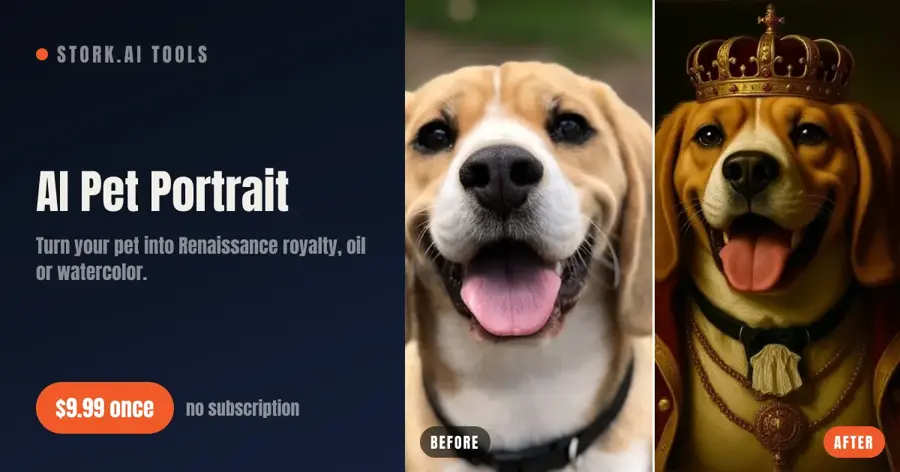
Stork AI Pet Portrait is a web tool that restyles your pet as Renaissance royalty, a baroque oil painting, a Victorian officer or a watercolour, with free previews.
Strengths
I think Stork's pricing is the fairest model on this list for a single gift. On Stork's page, you preview free with a watermark, regenerate as often as you like, then "pay $9.99 once to download" the full-resolution file. With a small credit balance, each portrait drops to $6.99. There is no subscription to cancel.
You also get a clean file, so you can print it anywhere. We didn't find independent ratings or reviews for this tool, so judge it on the free preview before paying.
Key features
- It offers six portrait styles: royal, oil, military, watercolour, floral crown and memorial.
- Previews are free and watermarked, so you pay only for the one you like.
- Downloads are one-off, with no subscription.
- Stork says uploads are deleted automatically.
Pros
- Pay-once pricing
- See the result before paying
- High-resolution file you own
Cons
- Small set of styles, no cartoon option
- No third-party reviews found
Stork AI Pet Portrait pricing: Free previews, then $9.99 per portrait download, or $6.99 each with credits; no subscription (checked October 2026). See pricing
Verdict: the best value for one royal portrait.
Related: Best AI photo to painting tools
Canva – best for designing and printing your own canvas
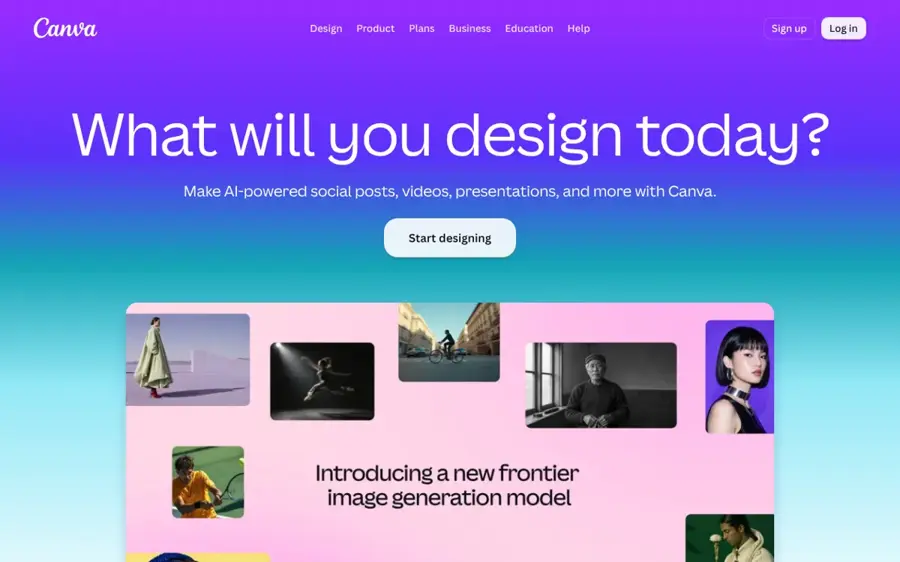
Canva is a design platform with built-in AI image tools and Canva Print, which ships canvas prints and other products from the same editor.
Strengths
Canva works better as the place to finish a pet portrait than to make one. You can bring in a portrait from ChatGPT or Gemini, add your pet's name, then order it. Canva's canvas prints page lists prints "From $39.50", on a recycled wood frame, with free standard delivery and a refund or reprint promise. Canva Print ships to North America, Europe and the UK, Asia, and Central and South America, going by Canva's help centre.
On that page the canvas product shows 4.4 stars from 41 verified reviews. One buyer wrote: "Canvas print turned out beautiful! I could not be more pleased." Canva overall scores 4.0 on Trustpilot from 8,095 reviews.
Key features
- Canvas prints come in several sizes, with framed or stretched edges.
- Ready layouts cover name plaques and gift designs.
- AI tools are limited on Free and 10x more on Pro.
- Magic Switch (Pro) resizes one design into posters, cards and more.
Pros
- Print and delivery in one place
- Easy to add text and frames
- Free plan is enough to design and order
Cons
- AI generation is not pet-specific
- Larger framed canvases cost much more than the starting price
Canva pricing: Free, then Pro from US$144/year (checked October 2026); prints are priced separately, from $39.50 for canvas. See pricing
Verdict: use it to turn any AI portrait into a finished gift.
Related: Best image combiner AI tools
Aragon – best for one-click Renaissance portraits
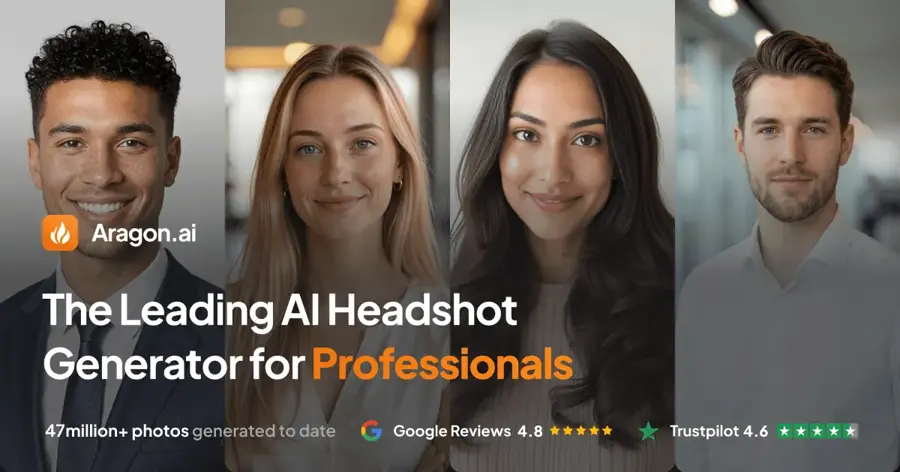
Aragon is best known for AI headshots, and its pet portrait generator turns one dog or cat photo into a Renaissance-style royal portrait.
Strengths
Aragon's pet portrait page promises your pet "posed like nobility, on royal cushions, in classical painting style", with results usually within minutes and a high-resolution download you can print at home. It says "Free credits come with every Aragon account".
The company scores 4.6 on Trustpilot from 7,346 reviews, but most of those are about headshots, not pets. On the pricing page, only headshot packages appear, with no separate pet portrait price, so check costs inside the app before you buy credits.
Key features
- There's one signature style, Renaissance royalty, and no prompt is needed.
- One clear, front-facing photo is enough.
- The high-resolution download is ready to print or share.
- Live support agents are available Sunday to Thursday, 7am to 11pm PT.
Pros
- Free to try
- No prompt writing
- Strong overall user ratings
Cons
- Only one pet style
- Paid pet pricing not shown on the pricing page
- Reviews mostly cover headshots
Aragon pricing: Free credits with every account; paid packages on the pricing page are for headshots (checked October 2026). See pricing
Verdict: a quick free test of the royal pet look.
Related: Aragon AI review Best AI avatar generators from a photo
Leonardo AI – best for cartoon, 3D and anime styles
Leonardo AI is a Canva-owned image generator with dozens of models and presets, useful when you want a specific cartoon or 3D look.
Strengths
Leonardo gives you more control than a pet app: you choose the model, style preset and image reference. eesel AI counts 80+ models on the platform, including Leonardo's own Lucid and Phoenix families plus third-party models such as Nano Banana Pro. It scores 4.7 on Trustpilot from 1,565 reviews, with many praising customer support.
One warning for pet owners: on the free plan, eesel AI notes that "All your creations are public", and Leonardo holds the IP. I'd pay for a plan if you want your portraits private.
Example prompt to adapt (anime style): "Anime-style portrait of the dog in the reference image, soft cel shading, cherry blossom background, warm afternoon light, keep the dog's brown and white patches and floppy ears."
Key features
- You can switch between 80+ Leonardo and third-party models.
- Style presets cover cartoon, 3D, illustration and more.
- Your own pet photo can guide results as an image reference.
- The free plan gives you 150 tokens per day.
Pros
- Huge style range
- Daily free allowance
- Well-rated support
Cons
- Token costs are hard to predict
- Free creations are public
- More complex than pet-specific tools
Leonardo AI pricing: Free (150 tokens/day), then paid plans from $12/month for Essential (checked October 2026, via eesel AI, as Leonardo's pricing page blocked us). See pricing
Verdict: pick it when you want a specific cartoon look and will pay for privacy.
Related: Leonardo AI review
Fotor – best for trying many AI models cheaply
Fotor is an online photo editor whose AI image generator lets you restyle a reference photo with models including Nano Banana, GPT Image and FLUX.
Strengths
Fotor's AI image generator page says you can upload reference images and create anything from paintings to anime, switching models "in one click". That makes it a cheap way to compare how different models handle your pet before committing to one.
Feedback is mixed. Fotor scores 3.5 on Trustpilot from 1,594 reviews, and Trustpilot's summary says reviewers report frustration over "unexpected annual" renewals. If you only need one portrait, turn off auto-renewal straight after subscribing.
Key features
- The generator runs Nano Banana, GPT Image, FLUX and more.
- You can work from your pet photo.
- A prompt enhancer rewrites rough prompts for you.
- Background removal and touch-ups are included in the full photo editor.
Pros
- Low annual price
- Many models in one place
- Editing tools built in
Cons
- Complaints about renewals and refunds
- No pet-specific styles or print ordering
Fotor pricing: Free, then paid plans from $3.99/month billed annually, or $10.99 billed monthly, for Pro (checked October 2026, via PricingSaaS, as Fotor's page loads prices dynamically). See pricing
Verdict: good value if you watch the renewal date.
Related: Best AI photo to painting tools Best AI picture tools
Choosing the right AI pet portrait generator
Start with the photo, not the tool
Most tools here work better with a sharp, well-lit, front-facing photo. Kling's pet portrait guide makes the same point: the clearer the eyes, markings and ears, the more the portrait still looks like your pet. A blurry photo taken from above will give you a generic animal, whatever you pay. For more tips, see our AI photo prompt guide.
Match the price model to the job
Choose a one-off payment (Stork) if this is a single gift. Choose a cheap monthly plan (Gemini, ChatGPT Go, PetStudio) if you'll make portraits for friends and family. Avoid annual plans for a one-time project unless you set a reminder to cancel.
Decide where it will end up
Choose PetStudio or Canva if you want a physical canvas without extra steps. Choose ChatGPT, Gemini or Stork if you want a file you can take to any local printer. For large prints, ask for the highest resolution the tool offers and check the file before ordering.
Pick the style first
Royal and Renaissance looks are the default in pet apps, so Stork, Aragon and PetStudio handle them with one tap. Cartoon, anime and 3D looks are easier in ChatGPT and Leonardo AI, where you can describe exactly what you want. See our guide to AI photo to painting tools for watercolour and Van Gogh-style options.
Free vs paid: what you actually get
Free plans are good enough to decide whether you like the result. They rarely give you a clean, print-ready file. Stork shows watermarked previews until you pay, PetStudio stops after 3 lifetime generations, and Leonardo AI makes free creations public. Gemini's free tier is probably the most useful no-cost option, because image editing is part of the free plan.
Paying gets you higher limits, higher resolution and, on some tools, privacy and commercial rights. For context, Overchat AI estimates a human artist commission at "$60–$300+" and weeks of waiting, against seconds for AI. If you want a person to finish the portrait, print shops such as Crown & Paw and West & Willow say their own artists create the artwork, and you buy a physical product rather than a quick digital file.
| You want | Free route | Paid route |
|---|---|---|
| A royal portrait file | Gemini or Aragon free credits | Stork, $9.99 once |
| A cartoon or anime version | ChatGPT or Leonardo AI free tier | ChatGPT Go, $8/month |
| A canvas on the wall | Design free in Canva, pay for the print | PetStudio canvas from $30 |
| Private, unlimited experiments | Not really possible free | Leonardo AI from $12/month |
Final verdict
Most people should probably start with ChatGPT. Going by independent testing, it keeps your pet's likeness best, and it handles royal and cartoon styles equally well. I'd choose Gemini if you want to spend nothing, and Stork if you want one royal portrait for $9.99 and no subscription. PetStudio or Canva make sense if the goal is a canvas on the wall. Leonardo AI, Aragon and Fotor are worth it only when you need their specific strengths.
If you're making a holiday gift, pair your portrait with our AI Christmas card generators roundup.
FAQ
What is the best AI pet portrait generator?
For most people, ChatGPT is the best AI pet portrait generator because it edits your own photo, keeps your pet recognisable and handles any style you describe. If you prefer to tap a style instead of writing prompts, PetStudio and Stork are simpler, and PetStudio can also print the result on canvas for you.
Is there a free AI pet portrait generator?
Yes. Google Gemini includes image generation and editing on its free plan, and ChatGPT, Leonardo AI and Fotor have limited free tiers. Aragon gives free credits with every account. Free results are often watermarked, limited in number or, on Leonardo AI, public, so check the terms before you upload a family photo.
How do I make an AI generated dog portrait look like my dog?
Use a sharp, front-facing photo in good light, with the face, ears and chest visible. In your prompt, name the features to keep, such as fur colour, markings and eye colour. If the first result drifts, ask for a correction in the same chat instead of starting again. Tools with free previews let you regenerate until it looks right.
Can I print an AI pet portrait on canvas?
Yes. PetStudio prints canvas from $30 inside its app, and Canva sells canvas prints from $39.50 with free standard delivery. You can also download a high-resolution file from ChatGPT, Gemini or Stork and take it to any printer. Ask for the largest size the tool offers so the canvas stays sharp.
How much does an AI pet portrait cost?
It can cost nothing on Gemini's free plan. Paid options range from $9.99 for a one-off Stork download to plans from $3.99 to $12 a month. A printed canvas adds roughly $30 to $40 at entry sizes, before frames and larger sizes, based on PetStudio and Canva starting prices.
Sources
- I compared ChatGPT Images 2.0 and Google's Nano Banana 2 using real-world prompts (TechRadar)
- OpenAI releases ChatGPT Images 2.5 with sharper details and more precise editing (9to5Mac)
- ChatGPT Pricing 2026: Free, Go $8, Plus $20 & Pro $100 to $500 (AI Business Weekly)
- Google AI Pro & Ultra plans (Google)
- Google cuts the price of its AI Plus plan and doubles the storage (Engadget)
- Google Gemini App (App Store)
- PetStudio: Turn your pet into art (PetStudio)
- PetStudio - Dog & Cat Portrait (App Store)
- AI Pet Portrait: Turn your pet into a Renaissance royal portrait (Stork.AI)
- Canvas Prints (Canva)
- Canva Pricing: Compare Free, Pro, Business and Enterprise plans (Canva)
- Learn about Canva Print (Canva Help Center)
- Canva Reviews (Trustpilot)
- Free AI Pet Portrait Generator: Renaissance Style (Aragon)
- Aragon.ai Pricing (Aragon)
- Aragon AI Reviews (Trustpilot)
- Leonardo.AI pricing 2026: plans, tokens, and the real cost (eesel AI)
- Leonardo.Ai Reviews (Trustpilot)
- Free AI Image Generator (Fotor)
- Fotor Pricing (PricingSaaS)
- Fotor Reviews (Trustpilot)
- AI pet portrait generator (Kling AI)
- Breaking down the best AI pet portrait generators (Overchat AI)
- Custom Pet Portraits (Crown & Paw)
- Custom Pet Portrait Gifts From Photos (West & Willow)