8 best AI avatar generator from photo tools in 2026, compared
The best AI avatar generator from photo tools for 2026, from free Gemini to HeyGen video avatars, with prices, ratings and the consent rules to know.
 Written byAlap ZahidReviews and guides editor
Why you can trust The AI Future
Our writers research every product, link each claim to its source and correct mistakes openly. Companies can't pay for coverage or see reviews before they're published.
Read our editorial policy
Short answer: if you want an AI avatar generator from photo uploads that costs nothing, start with Google Gemini. For the most lifelike result from a single selfie, ChatGPT Plus at $20 a month is probably the better buy. Need an avatar that talks on video? HeyGen. Everything else here is a specialist for a narrower job.
This guide is about making avatars of yourself, from photos you took or have the rights to. That's the use every tool below is built for, and it keeps you on the right side of their rules and the law. We compared eight tools using pricing pages, help docs, published head-to-head tests and user ratings, as of late October 2026. Only need a quick profile picture? Our free AI selfie generators list goes deeper.
Key takeaways
- Gemini is the best free starting point, I think. Google's help page says its Nano Banana 2 model keeps a person's look consistent across images and is "ideal to create personalized images" of yourself (Google).
- ChatGPT looks more real. In a TechRadar comparison, friends shown the results in a blind test "consistently picked ChatGPT" as the photo they thought was real (TechRadar).
- Video avatars need consent checks: HeyGen and Synthesia both require consent from the person shown before you can build a custom avatar.
- Use only your own face, or one you have permission to use. Making intimate or deceptive images of a real person without consent causes real harm and is illegal in many places.
Our ranking method
Nobody at The AI Future ran hands-on tests for this roundup. No screenshots of our own, then. We compared each tool using product and pricing pages, help documentation, published independent tests and public user ratings, all checked in October 2026. Six criteria set the order.
- Likeness: how well the output still looks like you, based on published tests and vendor documentation.
- Input needed: one selfie, a handful of photos, or a recorded video.
- Output type: still image, stylised art, headshot or talking video.
- Free tier: what you can make before paying.
- Price: the cheapest paid route to usable results.
- Consent and safety rules: whether the tool states clear limits on using other people's faces.
The 8 best AI avatar generators from photo at a glance
| # | Tool | Category | Best for | Free tier | Starts at |
|---|---|---|---|---|---|
| 1 | ChatGPT | AI assistant | Realistic avatars from one selfie | Yes (limited) | $20/mo |
| 2 | Google Gemini | AI assistant | Free avatars and quick restyles | Yes (limited) | Free |
| 3 | HeyGen | Video avatars | Talking video avatars | Yes (limited) | $29/mo |
| 4 | Picsart | Photo editor | One-tap avatar styles | Yes (limited) | $10.50/mo |
| 5 | Aragon AI | Headshots | Professional profile photos | Yes (limited) | $35 one-time |
| 6 | Synthesia | Video avatars | Business training videos | Yes (limited) | $19/mo |
| 7 | Leonardo AI | Image generator | Consistent characters in any style | Yes (limited) | $10/mo |
| 8 | Lensa | Mobile app | Cheap mobile avatar packs | Yes (limited) | $3.99 per pack |
The best AI avatar generators from photo in 2026, ranked
ChatGPT – best for realistic avatars from one selfie
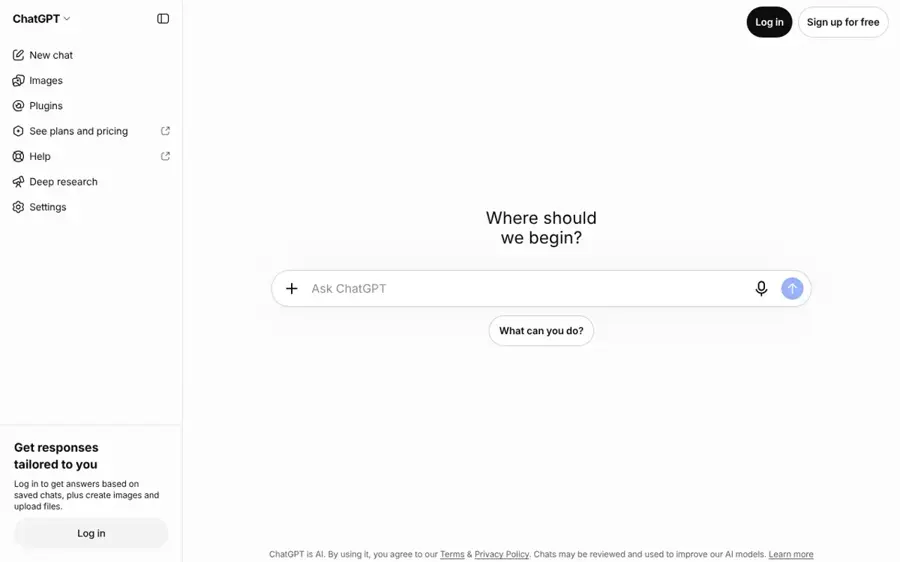
ChatGPT from OpenAI can turn a photo you upload into a new image of you in another style, setting or outfit, just by describing the change in chat.
Strengths
Does the result still look like you? That's the big question with any avatar tool, and ChatGPT does well on it. TechRadar's Eric Hal Schwartz ran the same portrait edits through ChatGPT Images 2.0 and Google's Nano Banana 2, and ChatGPT won most rounds. His summary: "Nano Banana 2 makes images that look great, but ChatGPT Images 2.0 makes images that feel more real" (TechRadar). A separate seven-prompt test by Tom's Guide also named ChatGPT the overall winner, though Nano Banana took the hands and lighting-physics rounds.
The trade-off is speed. TechRadar found Nano Banana 2 was usually faster. ChatGPT is also a general assistant rather than an avatar app, so there are no preset style packs and you write the prompt yourself, which I'd say is fine if you like control and tedious if you don't.
Key features
- Upload a selfie and describe the new look.
- Ask for small changes without starting over.
- Any style works: cartoon, 3D, watercolour, studio portrait.
- The iOS app includes the image generator (App Store).
Pros
- Strong likeness and realistic lighting in published tests
- No style limits
- Free plan includes some image generation
Cons
- Slower than Gemini in TechRadar's test
- No ready-made avatar packs
- Free image limits are tight
ChatGPT pricing: Free, then paid plans from $20/month for Plus (checked October 2026). Krater's pricing roundup, based on OpenAI's own pages, lists Free with capped image generation and Plus at $20 a month, with a cheaper Go tier in some regions (Krater). See pricing
Related: ChatGPT with GPT-6 review Gemini vs ChatGPT compared
Verdict: the pick if likeness matters more than speed.
Google Gemini – best for free avatars and quick restyles
Google Gemini generates and edits images with its Nano Banana models, and the free plan includes image generation and editing.
Strengths
Gemini is the easiest free answer to "how do I make an AI avatar of myself?" Looking at Google's help page, it lists character consistency as a key feature, meaning the model can "Maintain the look of a person or character across various generated images". It also suggests the model for seeing "yourself with different hairstyles" or in different scenes (Google Gemini Help).
Published tests put it slightly behind ChatGPT on realism. TechRadar noted its portraits can feel more like "a stylized edit than a real scene", with smoothed skin (TechRadar). For a fun profile avatar, that's often fine. Mind the age rules too: Google says you must be 18 or over to edit images with a personal account (Google).
Key features
- Nano Banana 2 is the default image model on Flash and Pro settings, and it accepts several reference images.
- Local edits change one part of an image, such as hair or background.
- Downloads reach 2K with a Google AI plan and 1K without one.
- Nano Banana Pro adds extra detail for paid subscribers.
Pros
- Image generation and editing on the free plan
- Fast results
- Keeps your face consistent across images
Cons
- Can look over-smoothed
- Free downloads capped at 1K resolution
- Image editing is 18+ on personal accounts
Google Gemini pricing: Free, then paid Google AI Plus, Pro and Ultra plans, with Ultra listed at $199.99/month; Plus and Pro prices vary by country (checked October 2026). See pricing
Related: Gemini vs ChatGPT compared
Verdict: most people should start here, because it costs nothing.
HeyGen – best for talking video avatars
HeyGen turns a single photo into a talking video avatar that can speak your script in 175+ languages and dialects, and it can also build a full video avatar from footage of you.
Strengths
HeyGen is the strongest choice if you want an avatar on video. Its Avatar IV engine will "Transform a single image into a full video with natural voice sync, expressive face dynamics, and authentic hand gestures", according to HeyGen (HeyGen). The free plan gives you up to three photo avatars and one custom video avatar (HeyGen pricing).
User feedback is positive, which isn't a given in this category. HeyGen holds a 4.2 TrustScore from 5,007 reviews on Trustpilot, where one recent reviewer wrote: "Extremely easy to create an avatar!" (Trustpilot). Its moderation policy also says custom avatars of other people need "the explicit consent of the individual being represented" (HeyGen).
Key features
- Photo avatars are capped at 3 on Free and unlimited on paid plans.
- Avatar IV turns one photo into a talking, gesturing video.
- Look packs apply professional, lifestyle and holiday styles in one click.
- The free plan includes one voice clone.
- Translation covers 30+ languages free and 175+ on paid plans.
Pros
- Real free tier for testing
- Single photo is enough for a talking avatar
- Clear consent rules
- Strong Trustpilot rating
Cons
- Free videos are watermarked and capped at 1 minute
- Only 3 free videos a month
- Best features sit on the $49 Pro plan
HeyGen pricing: Free, then paid plans from $29/month for Creator (checked October 2026). See pricing
Related: HeyGen AI review How to use HeyGen Best AI video generators
Verdict: the default pick for avatars that need to talk.
Picsart – best for one-tap avatar styles
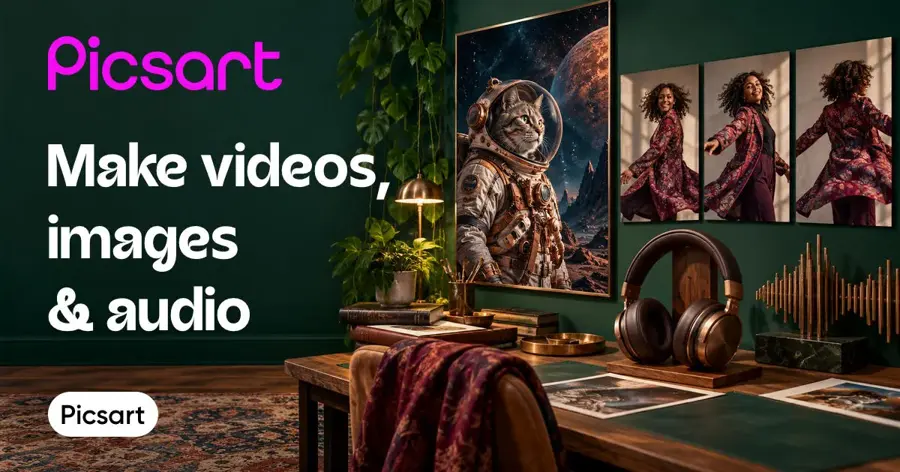
Picsart is a photo and design editor with an AI avatar maker that turns a single image into avatars in 20+ styles, plus separate tools for talking video avatars.
Strengths
If you want presets instead of prompts, Picsart is the simplest path, in my view. Upload one image and pick from "20+ styles", which range from professional headshots to fantasy looks (Picsart). From there you can edit the result in the same app: background removal, retouching, templates, the lot. The App Store listing calls Picsart trusted by "150M+ creators" (App Store).
Picsart has a 4.4 TrustScore from 1,769 reviews on Trustpilot. One reviewer called it the "Best overall graphic design and photo editor available for sure" (Trustpilot).
Key features
- One image yields avatars in 20+ styles.
- Video avatars animate a static avatar or clone you from a short video.
- A full editor handles retouching, background removal and text.
- Nano Banana Pro access is listed on the Pro and Ultra plans.
Pros
- Easy, no prompt writing needed
- Edit and design in one place
- Strong user rating
Cons
- Credit-based limits on AI features
- Lower discount only with yearly billing
Picsart pricing: Free app; then Pro listed at $15/month, or $10.50/month billed yearly (checked October 2026). See pricing
Related: Best free AI selfie generators
Verdict: best for people who want avatars without learning to prompt.
Aragon AI – best for professional profile photos
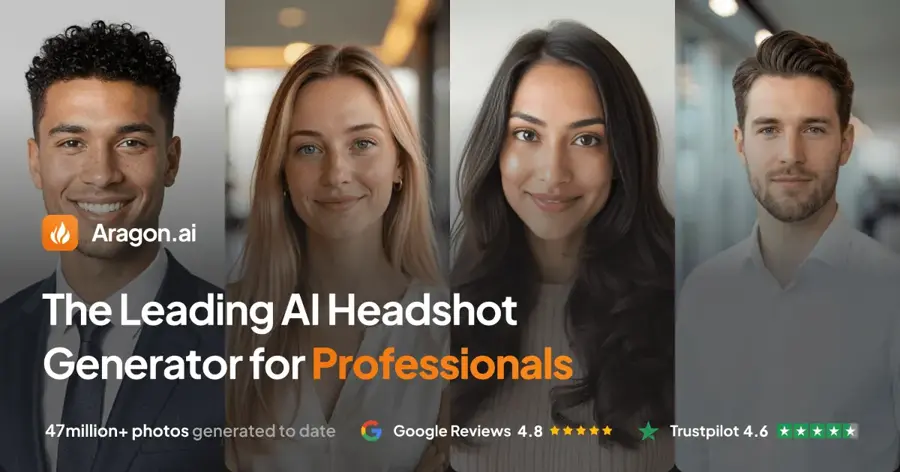
Aragon AI turns a few of your selfies into studio-style headshots, with up to 100 photos per order.
Strengths
A LinkedIn avatar has different needs from a cartoon one: it must look like you on a good day. Aragon works from several photos rather than one, and returns "up to 100 high-quality headshots" (Aragon). Atlas Cloud's breakdown of the pricing page found three one-time packs: Basic at $35 for 40 photos, Standard at $45 for 60 and Executive at $75 for 100, all under a 20% promotion with list prices of $44, $56 and $94 (Atlas Cloud). That promotion banner was still on Aragon's pricing page when we checked in late October (Aragon).
Users rate it highly: 4.6 on Trustpilot from 7,343 reviews. One October 2026 reviewer noted "some of my initial headshots didn’t look quite like me" before using the review feature to fix them (Trustpilot).
Key features
- Training on several photos gives better likeness than single-image tools.
- There are 20+ outfit and background options.
- A free redo lets you regenerate if results miss.
- You get a full refund if you haven't downloaded the photos.
Pros
- Built for realistic headshots
- One-time payment, no subscription needed
- High user rating
Cons
- Free generations are limited and can be waitlisted
- Not for stylised or cartoon avatars
Aragon AI pricing: Limited free generations; then one-time packs from $35 during the current promotion, $44 list (checked October 2026). See pricing
Related: Best free AI headshot generators
Verdict: worth the one-off fee if the avatar is for work.
Synthesia – best for business training videos
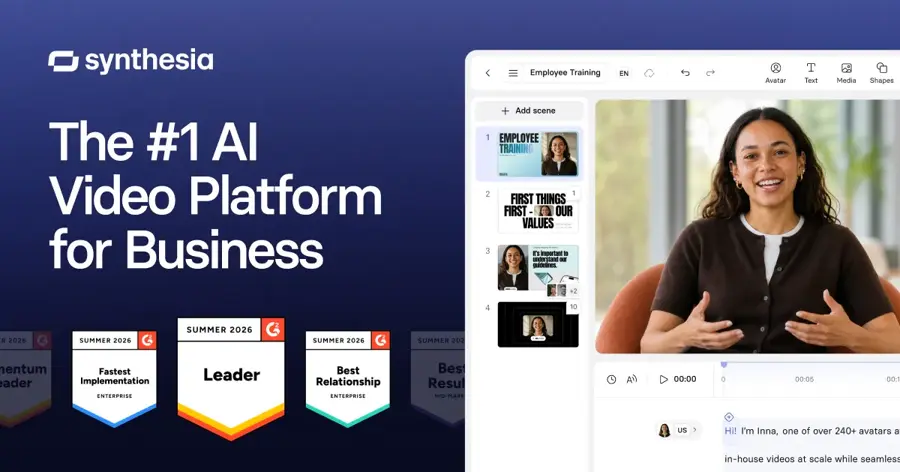
Synthesia is an AI video platform that builds a realistic "digital twin" of you from a short webcam or phone recording, for training and company videos.
Strengths
Synthesia's personal avatar uses video, not a photo, so it's a bigger commitment. You read a script on camera or upload 2–3 minutes of footage, then record a consent video before the avatar is built (Synthesia). That consent step is the right default for a tool that clones a face and voice.
It has a 3.8 TrustScore from 1,830 Trustpilot reviews. Feedback is mixed: one October 2026 reviewer praised the "really user-friendly interface" but complained that "their censorship is extreme" (Trustpilot). Strict moderation annoys some users, but it's probably also what keeps misuse down.
Key features
- Personal avatars are recorded on a laptop or phone, with voice cloning.
- Studio avatars are higher quality and take 1–7 business days.
- Voices and narration styles span 140+ languages.
- The free Basic plan gives 10 minutes of video a month.
Pros
- Built-in consent video step
- Strong for corporate training
- Free plan to try the editor
Cons
- Needs a video recording, not a photo
- Strict moderation frustrates some users
- Business focus, little for social avatars
Synthesia pricing: Free, then paid plans from $19/month for Starter (checked October 2026). See pricing
Related: HeyGen AI review Best AI video generators
Verdict: choose it if your avatar is for work videos, not social media.
Leonardo AI – best for consistent characters in any style
Leonardo AI is an image and video generator whose Character Reference feature uses a single face image to keep the same character across new scenes and styles.
Strengths
Leonardo suits people who want an avatar as a character, such as a fantasy version of yourself for a game profile or comic. When Character Reference launched, the Hello AI newsletter described it as using "a single face image to create a consistent character across different compositions and styles", available to free and paid users (Hello AI).
Leonardo scores 4.7 on Trustpilot from 1,564 reviews. One reviewer said they "find Leonardo to have the most intuitive interface", while noting a learning curve (Trustpilot).
Key features
- Character Reference turns one face image into many scenes.
- Many models and styles cover art, 3D and photo-real looks.
- Video tools animate your avatar.
- Upscaling sharpens final images.
Pros
- Daily free tokens
- Wide style range
- High user rating
Cons
- Token maths takes some learning
- Free generations are public
- Overkill for a simple profile picture
Leonardo AI pricing: Free (150 fast tokens daily), then paid plans from $12/month, or $10/month billed yearly, according to Krater's October 2026 pricing check (Krater). See pricing
Related: Leonardo AI review Best AI image generators
Verdict: best for creative, character-style avatars.
Lensa – best for cheap mobile avatar packs
Lensa by Prisma Labs is a mobile photo editor that sells Magic Avatars packs, which turn your selfies into artistic avatars.

Strengths
Lensa made AI avatars popular, and it's still the low-commitment option if you live on your phone. The App Store listing says it can "create one-of-a-kind avatars that express your personality in fun, artistic styles" and shows Magic Avatars packs from $3.99 to $11.99 as in-app purchases (App Store).
Lensa's own site claims a 4.7-star App Store rating and 70M+ downloads (Lensa). That figure is the company's own, so it's marketing. The App Store listing also shows the app may collect user content linked to your identity, so read the privacy policy before you upload selfies (App Store).
Key features
- Magic Avatars are pay-per-pack artistic avatars.
- Beauty tools retouch without the over-edited look.
- Hairstyle try-on previews a new cut from a selfie.
- Object removal cleans up backgrounds.
Pros
- No subscription needed for avatar packs
- Simple mobile workflow
- Fun artistic styles
Cons
- Mobile only
- Less control than prompt-based tools
- Privacy terms worth reading first
Lensa pricing: Free app; then Magic Avatars packs from $3.99 and unlimited-access subscriptions as in-app purchases (checked October 2026). See pricing
Related: Best free AI selfie generators
Verdict: fine for a one-off fun avatar, less so for repeat use.
Choosing the right AI avatar generator from photo tools
Decide what the avatar is for
Start with the output. A profile picture for social media, a LinkedIn headshot and a talking video presenter are three different jobs.
- Choose Gemini or ChatGPT if you want a stylised or realistic still image and are happy to write a short prompt.
- Choose Aragon AI if the avatar is for work and must look like a real photo of you. Our free AI headshot generators list has cheaper options.
- Choose HeyGen or Synthesia if the avatar needs to speak.
- Choose Leonardo AI if you want a character version of yourself in a specific art style.
Match the input you can provide
Single-photo tools such as Gemini, ChatGPT, Picsart and HeyGen photo avatars are fastest. Multi-photo tools such as Aragon, which asks for several selfies from different angles (Atlas Cloud), usually capture your likeness better. Video-trained avatars need a recording and a consent step. Use well-lit, front-facing photos with no sunglasses or heavy filters, whichever tool you pick.
Check the consent rules before you upload
Only upload photos of yourself, or of someone who has clearly agreed. HeyGen's policy says creating custom avatars of other people without explicit consent "is strictly prohibited" (HeyGen). Google tells Gemini users not to violate others' privacy rights (Google). Synthesia asks you to record a consent video (Synthesia).
This is about more than terms of service. Making sexual or deceptive images of a real person without their consent hurts people, and laws are catching up. In the US, the TAKE IT DOWN Act is now being enforced: covered platforms must remove nonconsensual intimate imagery, "including AI-generated content", within 48 hours of a valid request, and the Justice Department has announced its first conviction under the law (WilmerHale). We don't list or link any tool built to sexualise photos. If you're unsure whether an image is real, see our guide on how to tell if a photo is AI generated.
Read the privacy terms
Your face is biometric data. Before uploading, check how long the service keeps your photos, whether they train models on them, and how to delete your account. If a tool's policy is vague, pick another one.
Free versus paid plans
Free plans are enough to test whether a tool captures your likeness. They rarely cover regular use. The free tiers below come from pages checked in October 2026.
| Tool | Free plan includes | What paying adds |
|---|---|---|
| Google Gemini | Image generation and editing, 1K downloads | 2K downloads, Nano Banana Pro, higher limits (Google) |
| ChatGPT | Capped image generation | Higher limits and flagship models from $20/mo (Krater) |
| HeyGen | 3 watermarked videos a month, up to 3 photo avatars | No watermark, 1080p, unlimited photo avatars from $29/mo (HeyGen) |
| Synthesia | 10 minutes of video a month | Credits, more stock avatars, more personal avatars (Synthesia) |
| Leonardo AI | 150 fast tokens daily, public generations | Private generations and more tokens (Krater) |
| Aragon AI | Limited daily free generations | 40 to 100 headshots per one-time pack (Atlas Cloud) |
The budget rule is simple. If you need one avatar, stay free or buy a one-time pack. Need avatars every week, especially video? A subscription likely pays for itself quickly. Don't pay for a video avatar platform just to get a profile picture, though.
Final verdict
Most people should start with Google Gemini: it's free, fast and keeps your face consistent. If the result looks too smooth, move to ChatGPT Plus for more realistic images. Honestly, I'd skip every paid avatar tool until Gemini has let you down. For a work headshot, Aragon AI's one-time packs make more sense than a subscription, and for an avatar that talks, HeyGen has the best free tier, and Synthesia is the safer bet for corporate training.
Whatever you choose, use your own photos, or photos you've got clear permission to use. For broader options, see our best AI image generators roundup or learn how to make AI photos step by step.
FAQ
How to make an AI avatar?
Pick a clear, well-lit photo of yourself facing the camera. Upload it to a tool such as Gemini, ChatGPT or Picsart, then describe the style you want, for example "3D cartoon avatar, soft studio lighting", or pick a preset. Generate a few versions, tweak the prompt, and download the one that still looks most like you.
How to create AI avatar for free?
Use Google Gemini's free plan, which includes image generation and editing (Google). Upload your selfie and ask for the avatar style you want. For a free talking avatar, HeyGen's free plan includes up to three photo avatars and three watermarked videos a month (HeyGen). Leonardo AI's free tier is another option for stylised characters.
Can I make an AI avatar of someone else?
Only with their clear permission. HeyGen and Synthesia require consent from the person shown for custom avatars (HeyGen). Making intimate or deceptive images of a real person without consent is harmful and illegal in many places, including under the US TAKE IT DOWN Act for nonconsensual intimate imagery (WilmerHale).
What is the best AI avatar app for phones?
Gemini, ChatGPT and Picsart all have mobile apps that make avatars from your photos. Lensa is the pay-per-pack option, with Magic Avatars packs from $3.99 on the App Store (App Store). Choose Gemini if you want free, Picsart if you want presets.
Sources
- Generate & edit images with Gemini Apps (Google Gemini Apps Help)
- Google AI Pro & Ultra subscriptions (Google)
- I compared ChatGPT Images 2.0 and Google's Nano Banana 2 using real-world prompts (TechRadar)
- I just tested ChatGPT Images 2.0 vs. Nano Banana with 7 prompts (Tom's Guide)
- ChatGPT Pricing 2026: Every Plan From $0 to $200 (Krater)
- ChatGPT App (App Store)
- Pricing Plans for Creators and Marketers (HeyGen)
- Talking Photo AI: Generate Talking Photo Online (HeyGen)
- HeyGen Content Moderation Policy (HeyGen)
- HeyGen Reviews (Trustpilot)
- Avatar Maker - Create Photo and Video AI Avatars (Picsart)
- Picsart pricing (Picsart)
- Picsart Reviews (Trustpilot)
- Picsart AI Photo Editor, Video App (App Store)
- The Leading AI Headshot Generator (Aragon.ai)
- Aragon.ai Pricing (Aragon.ai)
- Aragon AI Headshots: What $35 to $75 Actually Buys (Atlas Cloud)
- Aragon AI Reviews (Trustpilot)
- Create your own custom AI avatar (Synthesia)
- Synthesia Pricing - Compare Free and Paid Plans (Synthesia)
- Synthesia Reviews (Trustpilot)
- Leonardo.Ai - Generative AI Platform (Leonardo.Ai)
- Leonardo.AI comes of age: Character Reference (Hello AI)
- Leonardo AI Pricing 2026: Every Plan Explained (Krater)
- Leonardo.Ai Reviews (Trustpilot)
- Lensa — AI Photo Editor for Trending Looks (Lensa)
- Lensa AI: Photo Editor (App Store)
- The TAKE IT DOWN Act Goes Live (WilmerHale)