Best AI side hustles to make money in 2026: 8 ideas and the tools they need
Eight realistic AI side hustles for 2026, the tool each one needs, current prices, sourced earnings data and the platform rules and scams to watch for.
 Written byMuhammad Usman SiddiquiFounder and editor-in-chief
Why you can trust The AI Future
Our writers research every product, link each claim to its source and correct mistakes openly. Companies can't pay for coverage or see reviews before they're published.
Read our editorial policy
Short answer: the AI side hustles that make money in 2026 are the ones where AI speeds up a skill you already have, not the ones that promise income for pressing a button. Freelance writing and editing with ChatGPT, design work with Canva, and video editing with Descript have the lowest barrier to entry. If you have specialist knowledge, paid AI training work on platforms like DataAnnotation is probably the most direct way to get paid by the hour.
This is a roundup of eight AI side hustles and the tool each one needs, with current prices and the platform rules that can get your work removed. It isn't a promise of income. Nobody can tell you what you'll earn, and anyone who does should make you suspicious. I'd walk away from them. If you want a step-by-step plan for getting your first paying client, read our sister guide on how to make money with AI, which publishes the same day.
Key takeaways
- AI pays best when it adds to expertise: Upwork's 2026 Future Workforce Index found freelancers who use AI earn 34% more per hour on average, but pay for generic AI tasks fell 13% per contract.
- You can start most of these for under $25 a month. Six of the eight tools have a free plan, and the cheapest paid tiers run from about $8 to $25 a month.
- Platforms are tightening AI rules. Etsy, Amazon KDP and YouTube all have rules on AI content. Etsy updated its policy on October 22, 2026.
- Be wary of "AI income" courses, since the FTC has taken action against several AI money-making schemes over deceptive earnings claims.
Our ranking method
Nobody at The AI Future ran hands-on tests or earned money with these side hustles for this article. We compared them using official pricing and policy pages, published earnings data and independent reporting, as of late October 2026. We ranked each side hustle and its main tool on six criteria:
- Startup cost: how much you need to spend before you can take your first job.
- Skill barrier: how much existing skill the work assumes.
- Demand evidence: whether published data shows clients are paying for this work.
- Platform risk: how exposed the hustle is to marketplace rules on AI content.
- Tool value: what the free plan covers and what the cheapest paid plan adds.
- Earnings transparency: whether there's sourced pay data to go on, not just screenshots and testimonials.
Where we quote earnings, they come from the named source and are averages or advertised ranges, not what a typical beginner makes. Prices are in US dollars and can change by country and billing period.
The 8 best AI side hustles at a glance
| # | Tool | Category | Best for | Free tier | Starts at |
|---|---|---|---|---|---|
| 1 | ChatGPT | Writing and editing | Freelance writing and editing | Yes | $8/mo |
| 2 | Canva | Design | Design services and templates | Yes | $144/yr |
| 3 | Descript | Video and audio | Video and podcast editing | Yes | $16/mo |
| 4 | ElevenLabs | Voice | Voiceovers and voice licensing | Yes | $6/mo |
| 5 | Midjourney | Image generation | Stock images and art | No | $10/mo |
| 6 | Zapier | Automation | Automation services for small businesses | Yes (limited) | $19.99/mo |
| 7 | Lovable | App and site building | Websites and simple apps for clients | Yes (limited) | $25/mo |
| 8 | DataAnnotation | AI training work | Paid AI training tasks | Yes | Free |
Notes: ChatGPT's $8 Go tier is the cheapest paid plan, but most freelancers will want Plus at $20/month. Canva Pro is priced per year. DataAnnotation is a work platform, not a subscription: it's free to apply and pays you.
The best AI side hustles to make money in 2026, ranked
ChatGPT – best for freelance writing and editing
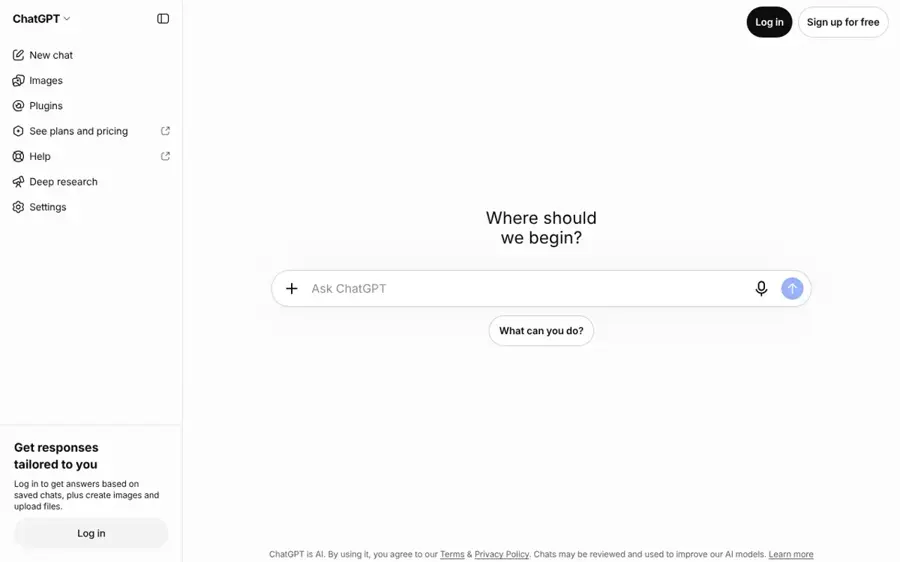
ChatGPT is OpenAI's general AI assistant, and it covers the drafting, research and editing that most writing side hustles need. Get it at chatgpt.com.
Strengths
Writing is still the most accessible AI side hustle: blog posts, product descriptions, newsletters, editing and rewriting for small businesses. The catch is that clients can use the same tool. Upwork's data, reported by Self Employed, shows contracts for generic "do-it-for-me" generative AI tasks grew 90% in volume while per-contract pay slipped 13%. More complex, AI-augmented projects saw earnings rise between 22% and 45%.
The lesson, I think, is to sell judgment, not prompts. A writer who knows a niche (finance, health, B2B software) and uses ChatGPT to research and draft faster is in a much stronger spot than someone reselling raw output. If you write ebooks, note that Amazon KDP requires you to disclose AI-generated text, images or translations, even if you edited them heavily afterwards. Verdict: probably the best first side hustle if you can already write well.
Key features
- Drafting and rewriting: turns outlines and notes into first drafts you then edit.
- File uploads and analysis: reads client briefs, PDFs and spreadsheets on paid plans.
- Deep research: gathers sources for longer pieces (fact-check everything).
- Custom GPTs: save a client's style guide as a reusable assistant.
- Voice mode: dictate ideas on the go.
Pros
- Free plan is enough to try the work
- Covers research, drafting and editing in one tool
- Plus at $20/month is the standard price for a serious plan
Cons
- Clients can use it too, so generic writing is losing value
- Output needs careful fact-checking and editing
- KDP and many clients require AI disclosure
ChatGPT pricing: Free, then paid plans from about $8/month (Go), with Plus at $20/month, per CometAPI's pricing breakdown (checked October 2026). See pricing
Related: ChatGPT with GPT-6 review Best AI writers Best ChatGPT alternatives
Canva – best for design services and templates
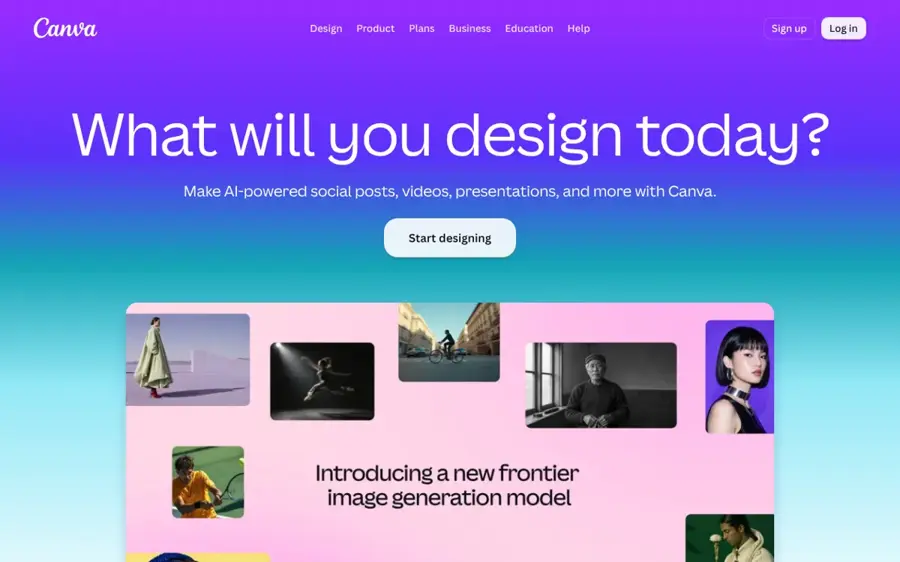
Canva is a browser-based design platform with built-in AI tools for resizing, background removal and image generation. Start at canva.com.
Strengths
Social media graphics, presentation decks, menus and printable templates are steady small-business needs, and Canva lets a non-designer produce them quickly. On the pricing page, Canva lists 1.6 million-plus templates on the free plan, while Pro adds premium content, five Brand Kits, social scheduling and "10x more AI than Canva Free".
If you plan to sell printables or digital templates on Etsy, read the new rules first. They've changed a lot. Etsy's October 22 update, reported by Digital Commerce 360, bans AI-generated functional guides such as patterns, recipes and instructions, requires at least one unedited photo of the real item, and prohibits bot-generated listings. AI art is still allowed when the seller plays a clear creative role, but you must disclose it and cannot call it handmade. Verdict: the easiest design tool to start with, though marketplace sellers face the most rule changes, which I'd weigh seriously.
Key features
- Templates: 1.6M+ on Free and 3.6M+ on Pro.
- AI design tools: resize, translate and remove backgrounds on Pro.
- Brand Kits: keep each client's colours and fonts in one place.
- Social scheduling: post client content from Canva on Pro.
- Business plan: adds team tools and print discounts.
Pros
- Generous free plan
- Very low learning curve
- One tool for social, print and presentations
Cons
- Easy for clients to do themselves
- Template-based work can look generic
- Etsy rules on AI products are getting stricter
Canva pricing: Free, then Pro at US$144/year for one person; Business at US$250/year per person (checked October 2026). See pricing
Descript – best for video and podcast editing
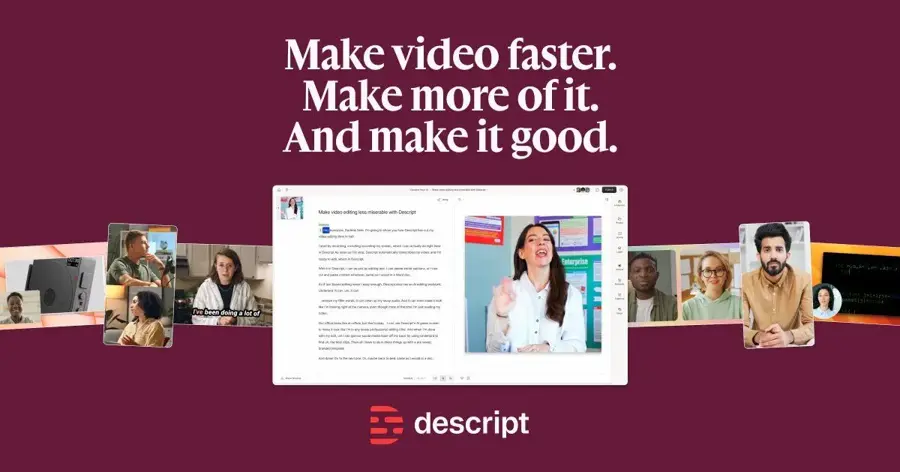
Descript is a video and podcast editor that lets you edit by editing a transcript, with AI tools for removing filler words and cleaning up audio. Try it at descript.com.
Strengths
Plenty of creators, coaches and small companies record videos and podcasts but have no time to edit them. Descript's Hobbyist plan includes 10 media hours a month, 1080p watermark-free export and AI tools such as Studio Sound, Remove Filler Words and Create Clips, going by the plans.
If you plan to run your own faceless channel instead, YouTube's monetization policies say content must not be "mass-produced, generic, repetitive, or manipulative", and channels where videos feel interchangeable are not allowed to monetize. Editing for real creators looks like the lower-risk path. Verdict: the best pick if you like editing and want recurring clients.
Key features
- Text-based editing: cut video by deleting words in the transcript.
- Studio Sound: cleans up noisy recordings.
- Remove Filler Words: strips "um" and "uh" automatically.
- Create Clips: pulls short clips for social media.
- Underlord: an AI co-editor included on paid plans.
Pros
- Free plan to learn on
- Transcript editing is fast for talking-head content
- Covers both podcasts and video
Cons
- Media-hour limits on each plan
- Less suited to cinematic editing
- Faceless AI channels face YouTube monetization limits
Descript pricing: Free, then paid plans from $16/month billed annually; Creator at $24/month (checked October 2026). See pricing
Related: How to make AI videos for YouTube
ElevenLabs – best for voiceovers and voice licensing
ElevenLabs is an AI voice platform for text-to-speech, dubbing and voice cloning, with a Voice Library where you can license a clone of your own voice. Visit elevenlabs.io.
Strengths
There are two ways to earn here. You can produce AI voiceovers for clients, or you can share a Professional Voice Clone of your own voice in the Voice Library and get paid when others use it. ElevenLabs says voice actors have earned a combined $5 million through the Voice Library in less than two years, with a default rate of around $0.03 per 1,000 characters.
That total is spread across all voice actors, and at $0.03 per 1,000 characters your voice would need heavy use to add up. According to ElevenLabs' help center, earnings count only usage by paid users, payouts go through Stripe Connect once you pass a threshold (usually $10), and Stripe Connect isn't available in every country. Professional voice cloning needs the Creator plan or above. Verdict: interesting extra income if you have a good voice, but I'd treat licensing as a bonus, not a plan.
Key features
- Professional Voice Clone: trained on your own recordings (about 2 hours recommended).
- Voice Library payouts: royalties when paid users generate audio with your voice.
- Notice period control: choose how long your voice stays available after you withdraw it.
- Live moderation: block your voice from sensitive content categories.
- Text-to-speech and dubbing: for client voiceover work.
Pros
- Clear, published payout mechanics
- Earn without being in the booth for every job
- Free plan to test client voiceovers
Cons
- Per-character rates are low
- Voice cloning needs the $22/month Creator plan
- Payouts depend on Stripe Connect availability
ElevenLabs pricing: Free, then paid plans listed from $6/month; Creator at $22/month (checked October 2026; first-month discounts may apply). See pricing
Related: Best AI voice generators How to add AI voice to a video
Midjourney – best for stock images and art
Midjourney is an AI image generator known for its distinctive, high-quality artistic output. Find it at midjourney.com.
Strengths
Selling AI images as stock, prints or illustration work is one of the most advertised AI side hustles. Some marketplaces do accept it: Adobe Stock's contributor page lists "Gen AI" among accepted content types, but you must be the sole owner of what you submit and follow its content policies. Etsy still allows AI art if you disclose it and play a clear creative role, per Digital Commerce 360.
The bigger issue is competition. Anyone can generate images, so the market is likely crowded, and earnings figures shared online are rarely verifiable. On licensing, Midjourney's plan comparison says subscribers can use their images "in just about any way you want", but companies with more than $1,000,000 in gross revenue a year must buy the Pro or Mega plan. Verdict: worth it if you have a genuine eye for art direction; otherwise I'd expect slow sales.
Key features
- Image generation: strong artistic and photographic styles.
- Video generation: SD on Basic, HD on Standard and above.
- Fast GPU time: 3.3 hours a month on Basic.
- Stealth mode: keeps your images private on higher plans.
- Commercial use: allowed for subscribers, with a revenue cap rule for companies.
Pros
- High-quality output with little editing
- Commercial use included on paid plans
- Annual billing cuts the price
Cons
- No free plan
- Crowded market with low prices per image
- Each marketplace has its own AI rules
Midjourney pricing: No free plan; then Basic at $10/month or $96/year (checked October 2026). See pricing
Related: Best AI image generators
Zapier – best for automation services for small businesses
Zapier connects thousands of apps so you can automate workflows, with AI steps built in. Start at zapier.com.
Strengths
Small businesses lose hours to copying leads into spreadsheets, sending follow-up emails and updating CRMs. Setting up automations for them is a service with clear value, and it leans on judgment more than raw AI output. That matters, because Upwork's index found AI-enabled professional services grew 72% in project volume, with earnings up 22%, according to Allwork.Space.
Zapier's free plan includes Zaps, Tables and Forms with 100 tasks a month, which is enough to build demos. Paid plans add multi-step Zaps and AI fields. Verdict: the strongest pick here, in my view, for people who think in systems and want higher-value clients.
Key features
- Zaps: trigger-and-action workflows across apps.
- Multi-step Zaps: chain several actions together on paid plans.
- AI fields: add AI steps inside workflows.
- Tables and Forms: lightweight databases and intake forms.
- Team plan: up to 25 users for agency-style work.
Pros
- Clear business value you can explain to clients
- Free plan for building demos
- Fits well with retainer pricing
Cons
- Task-based pricing grows with client usage
- Needs patience to debug workflows
- Selling the service takes more effort than doing it
Zapier pricing: Free (100 tasks/month), then paid plans from $19.99/month; Team at $69/month (checked October 2026). See pricing
Lovable – best for websites and simple apps for clients
Lovable is an AI app builder that turns plain-language prompts into working websites and web apps. Try it at lovable.dev.
Strengths
Local businesses still need landing pages, booking forms and simple internal tools. With Lovable you can describe what you want and get a working React app with a backend, according to eesel AI's pricing guide. Lovable's own pricing FAQ says you own the code, apps and AI output you create, subject to third-party rights in the underlying models.
Budget for credits. The free plan gives 5 build credits a day (up to 30 a month), and eesel AI notes that your real bill depends on how complex builds are and how often fixes are needed. Verdict: a fast way to offer simple web builds, but I'd learn enough to maintain what you ship.
Key features
- Prompt-to-app building: describe a site or app in plain English.
- Plan mode: 1 credit per message for planning.
- Cloud hosting: monthly Cloud credit grant for hosting.
- Code ownership: you own the code you build.
- Shared workspaces: unlimited members share one credit pool.
Pros
- Fast prototypes for client pitches
- Free daily credits to learn on
- You own the output
Cons
- Credit costs are hard to predict
- Complex apps still need real development skill
- Hosting costs can grow with traffic
Lovable pricing: Free (5 build credits/day); then Pro from $25/month for 100 credits, per eesel AI (checked October 2026). See pricing
DataAnnotation – best for paid AI training tasks
DataAnnotation is a platform that pays contractors to rate, write and correct AI model responses, with roles matched to skills. Apply at dataannotation.tech.
Strengths
This is the one side hustle on the list where you're paid to improve AI rather than use it. On its homepage, DataAnnotation advertises expert rates of "up to $75–$125+/hr", with generalist roles listed at up to $50 an hour and coding and data science roles at up to $150-plus.
An independent overview by CareerSeeker calls the work "useful side income with friction," not a reliable job. It puts typical pay at $20 to $40 an hour for skilled tasks, notes that onboarding can take weeks, and says task availability is inconsistent even after approval. Unpaid screening time also lowers your effective rate. Verdict: worth applying if you have specialist knowledge, but don't build a budget around it.
Key features
- Skill-matched roles: coding, finance, legal, medical, languages and general.
- Specialist rates: higher advertised pay for expert domains.
- Free to apply: no subscription or upfront fee.
Pros
- No tools to buy
- Pays per hour rather than per sale
- Rewards existing expertise
Cons
- Inconsistent task availability
- Slow or unclear onboarding
- Advertised top rates aren't typical
DataAnnotation pricing: No subscription: free to apply, and the platform pays you. Advertised pay ranges are on its homepage (checked October 2026). See roles
Related: AI jobs explained AI training courses worth your time
Choosing the right AI side hustle
Start from a skill, not a tool
The Upwork data points one way: AI combined with expertise earns more, and generic AI output earns less. If you can write, start with ChatGPT. If you edit video, start with Descript. If you know a field like law or medicine, apply for AI training work. Picking a tool first and hoping a skill follows is likely the slowest route.
Check the platform rules before you build stock
Anything you sell through a marketplace lives under its rules. Etsy, Amazon KDP and YouTube all have AI-specific requirements, and Etsy says it will expand AI image detection to existing listings over time. Read the policy first, then make the product.
Keep your monthly costs below one client
Stay on a free plan until you've got a paying client, then upgrade when the client covers it. Stacking ChatGPT Plus, Canva Pro and Descript before your first job adds up to more than $50 a month.
Favour services over passive income
"Passive" AI income (stock images, voice licensing, AI-generated books) is the most crowded and the least predictable. Client services like editing, automation and web builds pay sooner and give you feedback on what people actually value.
Free vs paid: what you actually get
| Tool | Free plan covers | First paid tier adds |
|---|---|---|
| ChatGPT | Basic drafting with strict limits | Higher limits; Plus adds file analysis and deep research |
| Canva | 1.6M+ templates, limited AI | Premium content, Brand Kits, scheduling, 10x AI |
| Descript | Learning the editor | 10 media hours, 1080p watermark-free export |
| ElevenLabs | Test text-to-speech | More credits; Creator ($22) adds professional cloning |
| Midjourney | No free plan | 3.3 fast GPU hours a month |
| Zapier | 100 tasks a month | Multi-step Zaps, AI fields |
| Lovable | 5 build credits a day | 100 monthly credits on Pro |
Free tiers are usually enough to build a small portfolio. Upgrade when watermarks or limits start to show in client work. Not before, in my view.
Scams, "AI income" courses and other red flags
The fastest way to lose money on an AI side hustle is to pay someone who promises you will make it. In March 2026, the FTC announced a proposed settlement with Air AI and its owners, who were accused of making deceptive claims about earnings potential and refund guarantees while selling AI tools, as reported by PYMNTS. The FTC said some business owners lost as much as $250,000. The proposed order included an $18 million judgment, largely suspended.
In an earlier case, the FTC shut down Automators AI, which used AI claims to sell online store "investments" and coaching. Its marketing included projections such as "$4k-$6k consistently monthly net profit", and according to Value Added Resource, the FTC alleged most clients did not make the promised earnings or even break even.
Watch for these warning signs:
- Specific income promises, such as "$10,000 a month" or "passive income in 30 days" with no evidence.
- Screenshots as proof: dashboards and earnings screenshots are easy to fake and say nothing about typical results.
- Pressure and upsells: limited-time pricing, then a "done-for-you" package costing thousands.
- Refund guarantees with fine print: both FTC cases above involved disputed refund or buy-back promises.
- Job offers that ask you to pay: legitimate AI training platforms pay you; they don't charge a fee to start.
If you want to learn, cheaper options exist. Our guide to AI training courses covers what's worth your time, and most tools on this list have free tutorials.
Final verdict
If you only pick one, pick the side hustle that matches what you already do well, then add the matching tool from this list. For most people that's probably freelance writing or editing with ChatGPT, because the free plan is enough to start and demand is broad. If you've got a technical streak, Zapier automation services have the best evidence of rising pay. If you have specialist knowledge, apply to DataAnnotation, but treat it as irregular extra income.
Skip anything that sells the dream instead of the work. And when you're ready to turn one of these into your first paid project, our step-by-step guide on how to make money with AI picks up where this roundup ends.
FAQ
Can you really make money with AI side hustles in 2026?
Yes, but results vary widely and nobody can promise a figure. Published data suggests AI helps most when it supports a real skill: Upwork found freelancers using AI earn 34% more per hour on average, while pay for generic AI tasks fell. Treat any guaranteed income claim as a red flag.
Which AI side hustle is cheapest to start?
AI training work on platforms like DataAnnotation costs nothing, since the platform pays you. Among tool-based hustles, writing with ChatGPT, design with Canva and automation with Zapier can all start on free plans. Midjourney is the exception on this list, with no free plan and paid plans from $10 a month.
Do I have to disclose that I used AI?
It depends on the platform, and many now require it. Amazon KDP requires you to disclose AI-generated text, images and translations. Etsy requires disclosure when items are created with AI and bans bot-generated listings. Clients may have their own rules, so ask before you deliver AI-assisted work.
Are "AI income" courses worth buying?
Be very cautious. The FTC has acted against several AI money-making schemes for deceptive earnings and refund claims. A course that promises specific income, relies on screenshots, or pushes expensive upsells is a warning sign. Free vendor tutorials and low-cost courses usually teach the same tools.
Can I monetize an AI-made YouTube channel?
Only if the content meets YouTube's monetization policies. YouTube says monetized content must be original and not mass-produced, generic, repetitive or manipulative, and channels where videos feel interchangeable aren't allowed to monetize.
Do I pay tax on side hustle income?
In most countries, side income is taxable. Rules differ by country and situation, so check your local tax agency's guidance or speak to a qualified tax professional before you start earning.
Sources
- Upwork: Freelancers Who Use AI Earn 34% More Per Hour (Self Employed)
- Skilled Freelancing Jumps 36% As AI Rewards Expertise (Allwork.Space)
- How to monetize your voice with ElevenLabs Voice Library (ElevenLabs)
- What are Voice Actor Payouts? (ElevenLabs Documentation)
- ElevenLabs pricing (ElevenLabs)
- Etsy updates AI policy, noting concerns about buyer trust (Digital Commerce 360)
- Content guidelines (Amazon Kindle Direct Publishing)
- YouTube channel monetization policies (YouTube Help)
- FTC Seeks to Ban Air AI From Marketing Business Opportunities (PYMNTS)
- FTC Shuts Down AI Powered Ecommerce Business Opportunity Scheme (Value Added Resource)
- Sell photos, footage, illustrations and vectors (Adobe Stock Contributor)
- Comparing Midjourney Plans (Midjourney)
- ChatGPT Pricing 2026: Free vs Go vs Plus vs Pro (CometAPI)
- Canva Pricing: Compare Free, Pro, Business and Enterprise plans (Canva)
- Descript Pricing (Descript)
- Zapier pricing (Zapier)
- Lovable Pricing (Lovable)
- A complete guide to Lovable pricing in 2026 (eesel AI)
- DataAnnotation | Get Paid to Teach AI Your Expertise (DataAnnotation)
- Data Annotation Jobs 2026: Are They Worth Your Time? (CareerSeeker)