7 best free AI kitchen design tools in 2026, compared side by side
Can AI design your kitchen for free? Yes, up to a point. We compared 7 free AI kitchen design tools on free limits, layout accuracy and upgrade costs.
 Written byMuhammad Usman SiddiquiFounder and editor-in-chief
Why you can trust The AI Future
Our writers research every product, link each claim to its source and correct mistakes openly. Companies can't pay for coverage or see reviews before they're published.
Read our editorial policy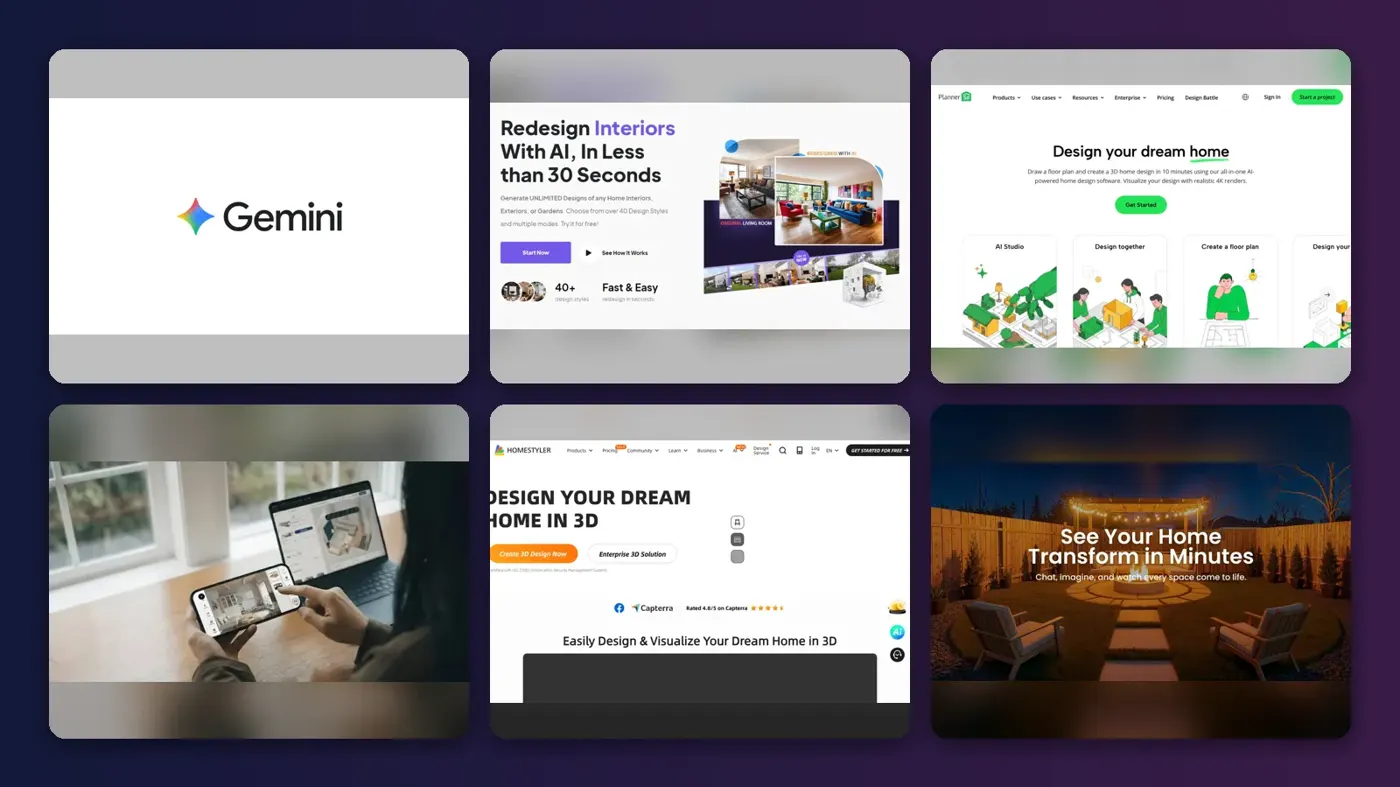
Short answer: yes, AI can design your kitchen for free, but only up to a point. Free AI kitchen design tools will restyle a photo of your kitchen, swap cabinet colors and countertops, and help you sketch a layout in 3D. They will not give you a buildable plan with plumbing, wiring and exact clearances. For that, you still need a designer or a contractor.
Most people should start with Google Gemini. Its free tier includes image generation and editing, so you can upload a photo of your kitchen and ask for new cabinets, a different backsplash or a lighter floor. If you need an actual layout, pair it with Planner 5D, whose free plan costs $0 with no time limit. Everything else on this list is a specialist: IKEA shoppers, photo-redesign fans, or people who want photoreal 3D renders.
Below are the seven best free AI kitchen design tools we found, compared side by side on what you actually get without paying, what the upgrade costs, and where each one falls short.
Key takeaways
- Free AI is great for looks, weak on layout. Photo tools restyle finishes in seconds but rarely respect real measurements.
- Gemini is the best free starting point for testing colors and materials on a photo of your own kitchen.
- Use a planner for the floor plan. Planner 5D, Homestyler, IKEA and Coohom all have free planners where you set real dimensions.
- Most paid upgrades cost $5 to $22 a month. Watch for annual billing and auto-renewal, a common complaint in user reviews.
How we ranked them
Nobody at The AI Future ran hands-on tests or took screenshots for this roundup. We compared each tool using official product, pricing and help pages, independent user ratings on Trustpilot and Capterra, and published coverage, as of late October 2026. We scored each tool on six criteria:
- Free value: how much kitchen design work you can do without paying or entering a card.
- Kitchen fit: whether it handles cabinets, countertops, backsplashes and appliances, not just sofas.
- Layout accuracy: whether you can work from real dimensions or the AI keeps your walls and windows in place.
- Ease of use: how quickly a homeowner with no design software experience gets a result.
- Upgrade cost: the price of the cheapest paid plan and how billing works.
- User sentiment: what real reviewers say about quality, glitches and billing.
Prices are in US dollars and can change by country, app store and promotion. Check the vendor page before you buy.
The 7 best free AI kitchen design tools at a glance
| # | Tool | Category | Best for | Free tier | Starts at |
|---|---|---|---|---|---|
| 1 | Google Gemini | AI image editor | Restyling a kitchen photo | Yes (limited) | $4.99/mo |
| 2 | HomeDesignsAI | AI photo redesign | No-signup redesigns | Yes | $22/mo |
| 3 | Planner 5D | 2D/3D planner with AI | Planning a real layout | Yes | $19.99/mo |
| 4 | IKEA Kreativ | Retailer room designer | IKEA kitchens and furniture | Yes | Free |
| 5 | Homestyler | 3D planner with AI | Free 3D renders | Yes | $6.80/mo |
| 6 | ReimagineHome | AI photo redesign | Shoppable makeovers | Yes (limited) | $14/mo |
| 7 | Coohom | Pro 3D design software | Detailed cabinet layouts | Yes | $9.90/mo |
The best free AI kitchen design tools in 2026, ranked
Google Gemini – best for restyling a kitchen photo
Google Gemini is Google’s general AI assistant, and its free tier includes image generation and editing, so you can redesign a photo of your kitchen just by describing the change. Try it at gemini.google.com.

Why it stands out
Gemini is not a kitchen app, and that is its strength. Upload a photo and ask for “sage green shaker cabinets, white quartz counters, brass handles,” then refine it one step at a time. Google’s App Store listing says you can “Generate and edit photos with Nano Banana 2”, including blending multiple images to create mockups. That means you can drop in a photo of a tile you like and ask Gemini to use it as the backsplash.
The catch is reliability. Gemini as a whole holds a 1.4 rating from 1,415 Trustpilot reviews, with reviewers complaining that it struggles to follow simple prompts. That score covers the whole assistant, not just image editing, but expect to retry. It also has no idea of real measurements, so treat every image as a mood board.
Key features
- Photo editing by prompt: describe the cabinet, counter or floor change you want.
- Multi-image blending: combine your kitchen photo with product or tile photos.
- Step-by-step refinement: keep the same image and tweak one element at a time.
- Works everywhere: web, Android and iPhone apps.
Pros
- Free tier includes image generation and editing
- No design skills or setup needed
- Very flexible: any style, material or color you can describe
Cons
- Free usage limits apply and can change
- No measurements, floor plans or cabinet sizing
- Low Trustpilot score for the assistant overall
Google Gemini pricing: Free → Google AI Plus costs $4.99 a month for higher limits; Pro and Ultra tiers cost more (checked October 2026). See pricing
Verdict: The best free way to see new finishes on your own kitchen today. Do not use it for layout.
Related: Best AI image generators
HomeDesignsAI – best for no-signup redesigns
HomeDesignsAI is a dedicated AI home redesign tool with a free interior design page that redesigns a room photo with no login. Visit HomeDesignsAI.

Why it stands out
HomeDesignsAI’s free tool is about as low-friction as it gets. The company says it is “100% free” with no hidden costs or subscriptions, and you upload a photo, pick a room type and style, and choose a redesign mode. Its “Beautiful” mode updates colors, textures and decor while keeping your current structure, which is what most kitchen refreshes need. The paid product adds what it calls Structure-Lock, budget estimates and shoppable furniture.
User feedback is mixed. HomeDesignsAI has a 3.3 rating from 1,386 Trustpilot reviews. One reviewer, Francine, wrote: “I truly enjoyed your free trial and will get back to it if I need it.” Others complain about signup prompts and hard-to-cancel subscriptions, so read the checkout screen carefully if you upgrade.
Key features
- 200+ styles and 120+ spaces: kitchens included, per the free tool page.
- Three redesign modes: Beautiful, Creative and Perfect.
- No login on the free tool: upload, generate, download.
- Paid extras: video walkthroughs, 2D to 3D floor plans and a budget estimator.
Pros
- Free tool needs no account
- Beautiful mode keeps your existing structure
- Large style library
Cons
- Free tool is limited compared with paid plans
- Trustpilot reviewers report subscription and cancellation friction
- No real dimensions or cabinet planning
HomeDesignsAI pricing: Free tool → paid plans from $22/month for 100 design credits (checked October 2026). See pricing
Verdict: The fastest free photo redesign on the list. Upgrade only if you need shoppable products or video.
Related: Best AI apps for interior design
Planner 5D – best for planning a real layout
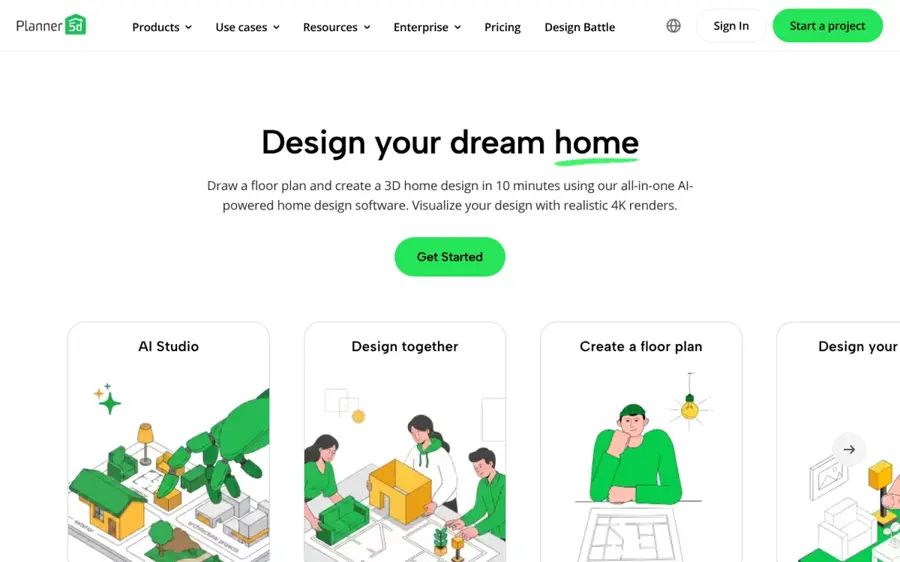
Planner 5D is a 2D and 3D home design app with a free planner and a paid AI Studio for restyling and renders. Visit Planner 5D.
Why it stands out
If you want to know whether an island actually fits, you need a planner, not an image generator. Planner 5D’s free plan lets you draw floor plans, design rooms in 2D and 3D, share projects and use 50% of its furniture catalog, with no time limit. The AI layer sits mostly in paid plans: AI floor plan recognition, photoreal renders and AI Studio credits. Premium includes 100 AI Studio credits with monthly billing, and Planner 5D says 100 credits make about 50 Nano Banana 2 images at 1K.
Users like the design side but flag reliability and billing. Planner 5D has a 2.6 rating from 883 Trustpilot reviews. Reviewer Saad wrote: “It is fantastic when it works, but keep losing my saved projects.” Others say they were charged annually when they expected monthly, so check the billing period before you start a trial.
Key features
- Free 2D and 3D planner: draw walls, doors and windows to real dimensions.
- Real-time sharing: invite a partner or contractor to view or edit, even on Free.
- AI Studio (paid): restyle interiors while keeping layout and structure.
- AI floor plan recognition (paid): turn an uploaded plan into an editable 3D project.
- Budget widget (paid): track project costs as you design.
Pros
- Free plan has no time limit
- Works on web and mobile
- Real dimensions, so layouts are useful to show a contractor
Cons
- Most AI features need Premium
- Only half the furniture catalog is free
- Trustpilot reviewers report lost projects and billing surprises
Planner 5D pricing: Free → Premium $19.99/month or $59.99/year; Professional $49.99/month (checked October 2026). See pricing
Verdict: The best free place to test a kitchen layout. Pay for Premium only if you want the AI renders.
Related: Best AI apps for interior design
IKEA Kreativ – best for IKEA kitchens and furniture
IKEA Kreativ is IKEA’s free AI room designer that lets you see IKEA products in a photo or 3D scan of your own space, and it works alongside IKEA’s free online kitchen planner. Visit IKEA Kreativ.

Why it stands out
IKEA describes Kreativ as “a free virtual room designer”. It uses AI to erase existing furniture from a scan or photo and drop IKEA products into the scene. The important limit for this guide: IKEA’s own help page lists “Full kitchen design” as not supported yet and points you to the Kitchen planner instead. So use Kreativ for stools, lighting, shelving and the overall look, then plan cabinets in the 3D kitchen planner, which runs in your browser.
An independent overview on MacMyths sums it up well: Kreativ “is useful for inspiration and checking whether IKEA furniture looks plausible in your room, but it is not a measurement tool”. Full-room 3D scanning also needs a LiDAR-equipped iPhone or iPad Pro, according to the same write-up.
Key features
- Room capture and photo upload: design around your real kitchen.
- Furniture erase: remove what is there before placing new pieces.
- 50+ virtual showrooms: start from a furnished example.
- Free 3D kitchen planner: plan IKEA cabinets online with no download.
- Shop the design: add items to your cart from the plan.
Pros
- Completely free
- Real IKEA products with real prices
- Kitchen planner lets you book help from an IKEA expert
Cons
- Kreativ does not do full kitchen design
- Only IKEA products
- Full-room scan needs LiDAR hardware
IKEA Kreativ pricing: Free; there is no paid plan (checked October 2026). See the kitchen planner
Verdict: Free and practical if you are buying an IKEA kitchen. Look elsewhere if you are not.
Homestyler – best for free 3D renders
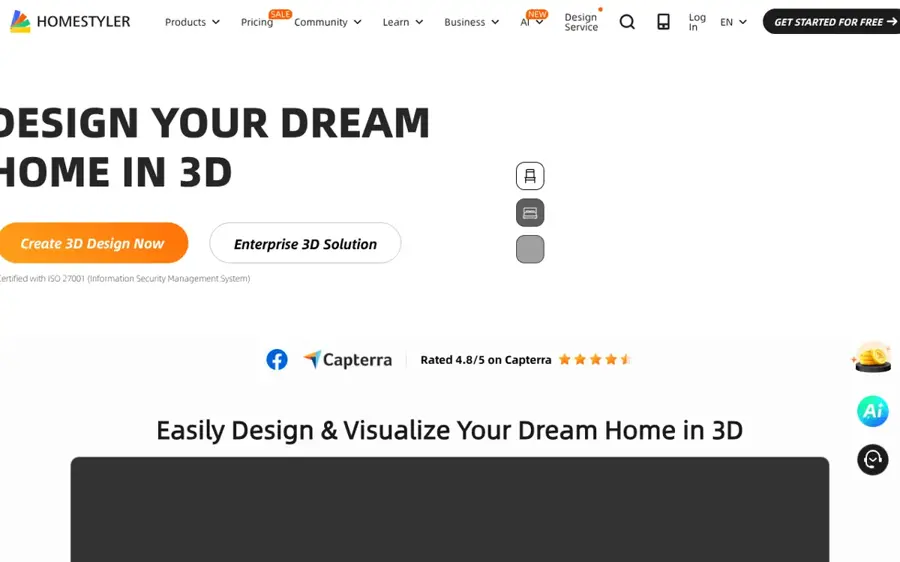
Homestyler is a browser-based 3D floor planner with built-in AI tools, including an interior design agent and image-to-image restyling. Visit Homestyler.
Why it stands out
Homestyler’s free tier is generous for rendering. The free plan includes a cloud 3D floor planner, unlimited 1K renders and more than 100,000 free 3D models and materials. On top of that, its AI workspace lists an Interior Design Agent, auto floor planning, image-to-image restyling and image-to-moodboard tools. Paid plans add 2K and 4K renders, watermark removal and monthly AI credits.
The user base on Trustpilot is small and unhappy. Homestyler has a 2.6 rating from just 11 reviews. One October 2026 reviewer wrote: “I import a .dwg file and it cant work out whats a wall.” If you draw your kitchen from scratch rather than importing CAD files, that issue matters less.
Key features
- Unlimited 1K renders: free photoreal previews of your kitchen.
- 100,000+ free models: cabinets, appliances and finishes.
- AI design agent: chat to generate design ideas.
- Image to image: restyle a space in any style.
- Paid upgrades: 4K renders, custom lighting and construction drawings.
Pros
- Unlimited free renders at 1K
- Huge free model library
- Cheapest paid upgrade on this list
Cons
- Free renders carry a watermark
- Steeper learning curve than photo tools
- Few, mostly negative Trustpilot reviews
Homestyler pricing: Free → Pro+ from $6.80/month, with 180 AI credits a month (checked October 2026). See pricing
Verdict: The best free option if you want 3D renders of a layout you drew yourself.
Related: Best AI apps for interior design
ReimagineHome – best for shoppable makeovers
ReimagineHome is an AI redesign and virtual staging tool that restyles room photos and can fill them with real, buyable products. Visit ReimagineHome.

Why it stands out
ReimagineHome gives you five free designs with no credit card, and says they use the same AI as paid plans. By default it works within your existing layout, focusing on finishes, lighting and objects, which suits a kitchen refresh. Its standout feature is shoppable output: it can build a design from real products within a budget and send the set to a cart on Amazon or Shopify. Note that ReimagineHome earns an affiliate commission on qualifying purchases.
There is very little independent feedback yet. Its Trustpilot page has a single review, which says: “you need to try over and over (use a lot of credits) to make it 50% similar to what you have in mind.” Plan your five free designs carefully.
Key features
- Five free designs: no card required.
- Structure stays fixed: walls, windows and ceiling lines are kept by default.
- Real products: design with items you can buy, within a budget.
- Step-by-step edits: change color without redoing everything.
Pros
- Free designs use the full AI
- Keeps your layout by default
- Shoppable results help with budgeting
Cons
- Only five free designs
- Product suggestions are affiliate-linked
- Almost no independent reviews yet
ReimagineHome pricing: Free (5 designs) → paid plans from $14/month (checked October 2026). See pricing
Verdict: Worth your five free tries if you want to price out a look, not just picture it.
Related: Best AI apps for interior design
Coohom – best for detailed cabinet layouts
Coohom is a cloud 3D design platform for designers with a free Basic plan, AI planning tools and fast photoreal renders. Visit Coohom.

Why it stands out
Coohom is the most professional tool here. You can draw a plan or upload an image of one and use its AI planning and auto-finishing tools, then render photoreal images in under a minute, according to the company. It covers kitchen and bath specifically and offers a free Basic plan. Capterra lists paid plans from $9.90 per user per month.
Professional users rate it well. Coohom scores 4.8 from 78 reviews on Capterra, where one designer praised its “high-quality 3D visualization, intuitive drag-and-drop interface, and extensive library of furniture and decor items.” Homeowners are harsher: on Trustpilot it holds 3.3 from 201 reviews, with complaints about walls and doors that will not behave.
Key features
- Free Basic plan: try the core planner before upgrading.
- AI planning: upload a plan image and auto-finish rooms.
- Fast renders: photoreal images in under a minute.
- Kitchen and closet design: dedicated cabinet tools.
- SketchUp import: bring in .skp models.
Pros
- Strong cabinet and kitchen tools
- Well rated by designers on Capterra
- Affordable paid tier
Cons
- Built for professionals, so slower to learn
- Branded content needs a paid plan
- Some homeowners report buggy editing
Coohom pricing: Free Basic → Pro from $9.90/month, per Capterra (checked October 2026). See pricing
Verdict: Choose it if you want designer-grade cabinet plans and are willing to learn a real tool.
How to choose the right AI kitchen design tools
Decide if you need looks or layout
This is the big split. If you are keeping your layout and changing finishes, a photo tool like Gemini, HomeDesignsAI or ReimagineHome is enough. If you are moving the sink, adding an island or knocking through a wall, use a planner with real dimensions: Planner 5D, Homestyler, Coohom or the IKEA kitchen planner.
Use two free tools together
The smartest free workflow pairs one of each. Plan the footprint in Planner 5D, then take a photo or render and restyle it in Gemini. You get a layout you can measure and an image you can show your family, for $0.
Check how the free tier really works
“Free” means different things here. IKEA and the Planner 5D planner are free with no time limit. ReimagineHome gives five designs. Gemini has usage limits. Read the upgrade screen before you start a trial, because several Trustpilot reviewers say they were billed annually when they expected monthly.
Treat AI images as a brief, not a plan
AI images are great for showing a contractor what you want. They are not drawings. Cabinet widths, appliance clearances, plumbing and electrics still need a professional check. For more on what AI can and cannot do here, see our explainer on whether AI can be used for design.
Think about the next room
If your kitchen is the first of several projects, pick a tool that handles the whole house. Our guides to AI bathroom remodel tools and AI landscape design tools cover the rest.
Free vs paid: what you actually get
Here is what changes when you upgrade, based on each vendor’s pricing page in October 2026.
| Tool | What free gets you | What paying adds |
|---|---|---|
| Google Gemini | Image generation and editing with usage limits | Higher limits from $4.99/month (AI Plus) |
| HomeDesignsAI | No-login photo redesigns | 100+ credits a month, Structure-Lock, shoppable items, video |
| Planner 5D | Full 2D/3D planner, half the catalog | Full catalog, AI floor plan recognition, renders, AI Studio credits |
| IKEA Kreativ | Everything | No paid plan |
| Homestyler | Planner, unlimited 1K renders, 100,000+ models | 2K/4K renders, no watermark, 180 AI credits a month |
| ReimagineHome | Five designs | More designs and clean downloads |
| Coohom | Basic planner with limited uploads | More model uploads, branded content |
The pattern is clear. Free plans let you plan and preview. Paid plans mostly buy you higher resolution, more AI generations and the removal of watermarks. If you are a homeowner doing one kitchen, you can usually finish the planning stage without paying. A designer producing client presentations every week is the person who should pay.
Final verdict
If you only pick one, pick Google Gemini: it is free, it works on a photo of your actual kitchen, and it handles any style you can describe. Add Planner 5D when you need real dimensions.
- Choose HomeDesignsAI if you want a redesign in under a minute with no account.
- Choose IKEA Kreativ if you are buying IKEA cabinets and furniture anyway.
- Choose Homestyler if you want free 3D renders of a layout you drew.
- Choose ReimagineHome if you want to see a priced, shoppable version of the look.
- Choose Coohom if you want designer-level cabinet detail and do not mind a learning curve.
Whatever you choose, take the images to a kitchen designer or contractor before you order anything. New to AI tools in general? Our guide on how to use Gemini AI is a good place to start.
FAQ
Can AI design my kitchen for free?
Yes, for ideas and rough layouts. Google Gemini’s free tier includes image editing, so it can restyle a photo of your kitchen, and Planner 5D, Homestyler, Coohom and IKEA offer free planners. What free AI cannot do is produce a buildable plan with plumbing, electrics and exact clearances. You still need a professional for that.
What is the best free AI kitchen design tool?
For most people, Google Gemini is the best free AI kitchen design tool because it edits a photo of your real kitchen by prompt. If you need a layout with real dimensions, Planner 5D’s free plan is the better pick. IKEA shoppers should use IKEA Kreativ together with the free IKEA kitchen planner.
Can I upload a photo of my kitchen to an AI tool?
Yes. Gemini, HomeDesignsAI and ReimagineHome all work from a photo you upload. HomeDesignsAI’s free tool needs no login, and ReimagineHome gives five free designs. Shoot in daylight, straight on, with clutter cleared from the counters for the most usable results.
Is IKEA Kreativ good for kitchens?
Partly. IKEA’s help page says Kreativ does not yet support full kitchen design and points you to its separate kitchen planner. Use Kreativ to visualize IKEA stools, lighting and shelving in your space, and plan cabinets in the free online kitchen planner.
Are AI kitchen designs accurate enough to build from?
No. Photo-based AI tools change how your kitchen looks but do not check measurements, building codes or appliance clearances. Planners like Planner 5D and Coohom use dimensions you enter, which helps, but a kitchen designer or contractor should still verify the plan before you order cabinets.
Sources
- Google AI plans (Google)
- Google Gemini app (App Store)
- Google AI Plus price drops to $4.99 as storage doubles to 400GB (TechRepublic)
- Gemini Google reviews (Trustpilot)
- Free AI interior design (HomeDesignsAI)
- HomeDesignsAI pricing (HomeDesignsAI)
- HomeDesigns AI reviews (Trustpilot)
- Planner 5D pricing (Planner 5D)
- Planner 5D reviews (Trustpilot)
- What is IKEA Kreativ? (IKEA)
- Kitchen planner (IKEA)
- IKEA launches new AI-powered digital experience (IKEA)
- IKEA Place review: IKEA Kreativ, compatibility and limits (MacMyths)
- Homestyler pricing and plans (Homestyler)
- Homestyler AI home design (Homestyler)
- Homestyler reviews (Trustpilot)
- ReimagineHome AI interior design and virtual staging (ReimagineHome)
- ReimagineHome pricing (ReimagineHome)
- Reimaginehome reviews (Trustpilot)
- Designer plans pricing (Coohom)
- Coohom pricing 2026 (Capterra)
- Coohom reviews 2026 (Capterra)
- Coohom reviews (Trustpilot)
- Google Gemini (Google)
- HomeDesignsAI (HomeDesignsAI)
- Planner 5D (Planner 5D)
- IKEA Kreativ (IKEA)
- Homestyler (Homestyler)
- Coohom (Coohom)