7 best AI landscape design tools in 2026: free and paid picks ranked
The best AI landscape design tools for 2026, from free yard redesigns from a photo to costed backyard plans, with prices checked in October 2026.
 Written byMuhammad Usman SiddiquiFounder and editor-in-chief
Why you can trust The AI Future
Our writers research every product, link each claim to its source and correct mistakes openly. Companies can't pay for coverage or see reviews before they're published.
Read our editorial policy
Short answer: most homeowners should start with Neighborbrite for AI landscape design. It is built only for yards, it has a free plan, and it turns one photo of your garden into styled redesigns with climate-aware plant lists. If you want to spend nothing at all, upload your yard photo to Google Gemini and describe the garden you want. If you sell homes or want to fix a whole facade, pay for REimagineHome.
Everything else on this list is a specialist. Yard AI is the budget pick for turning a render into a costed plan, DreamzAR and iScape lean on augmented reality, and HomeDesignsAI covers the whole house. Below you will find the seven AI landscaping tools we think are worth your time in 2026, what each one costs, and where each falls short. Prices were checked against official listings and recent independent coverage in October 2026.
Key takeaways
- Free AI backyard design is real, but limited. Neighborbrite, Gemini, Yard AI and REimagineHome all let you try a redesign from a photo without paying.
- Expect $9 to $30 a month for paid plans. That is the range for most homeowner tiers on this list, with annual billing usually cheaper.
- Renders are ideas, not construction drawings. None of the homeowner apps here replaces a site survey, drainage plan or a contractor quote.
- Pick a yard-specific tool if plants matter. General image tools make pretty pictures but will not tell you what grows in your hardiness zone.
How we ranked them
Nobody at The AI Future ran hands-on tests for this roundup, and we have no original screenshots to show you. Instead, we compared each tool using official product pages and app store listings, published independent roundups such as ToolWorthy and Fast.io, news coverage and user reviews, as of late October 2026. We scored each tool on six criteria:
- Yard focus: whether it was built for outdoor spaces or just tolerates them.
- Photo realism and layout: whether published reviews say it keeps your house, fences and paths in place.
- Planting help: plant lists, hardiness zones and sun exposure, not just pretty shrubs.
- From idea to action: cost estimates, materials lists, plans or contractor matching.
- Free tier: how much you can do before you pay.
- Price and value: what a homeowner with one project actually spends.
Tools built only for yards rank highest because they handle the parts that general image tools skip. Prices are in US dollars and can change by country, app store and promotion, so check the vendor before you subscribe.
The 7 best AI landscape design tools at a glance
| # | Tool | Category | Best for | Free tier | Starts at |
|---|---|---|---|---|---|
| 1 | Neighborbrite | Yard redesign app | Most homeowners | Yes (limited) | $25/mo |
| 2 | Google Gemini | General AI assistant | Free redesigns from a photo | Yes | $4.99/mo |
| 3 | REimagineHome | Home and exterior design | Curb appeal and real estate | Yes (limited) | $14/mo |
| 4 | Yard AI | Yard redesign app | Costed plans on a budget | Yes (limited) | $9/mo |
| 5 | HomeDesignsAI | Whole-home design | Indoor and outdoor projects | Yes (limited) | $12/mo |
| 6 | DreamzAR | AR landscape app | Life-size AR previews | No | $9.99 one-off |
| 7 | iScape | AR garden planner | DIY layout planning | Yes (limited) | $29.99/mo |
Notes: REimagineHome and HomeDesignsAI prices vary between sources and billing periods (details in each pick). DreamzAR sells a $9.99 full version, credit packs and a $19.99 monthly plan through the App Store. Gemini's free plan includes image editing; $4.99 is its cheapest paid tier.
The best AI landscape design tools in 2026, ranked
Neighborbrite – best for most homeowners
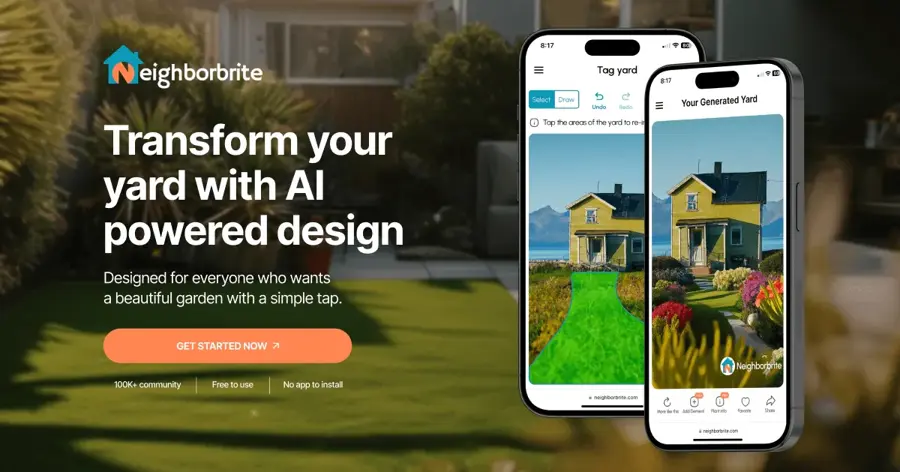
Neighborbrite is a yard-only AI design app: upload a photo of your front yard or backyard, pick a style, and it returns redesign renders plus plant ideas suited to your climate.
Why it stands out
Neighborbrite is the most established specialist here. Axios reported in May 2026 that it has over 720,000 registered users who have generated more than 17 million designs in three years. Co-founder Luis Benavides told Axios: "People don't imagine how a yard could look beautiful without a grass lawn." That focus on lawn-free, drought-tolerant yards shows in the product.
Its App Store listing holds 4.8 out of 5 from 425 ratings. One reviewer wrote: "Literally saved me hours of work and hiring professional renderers!" The weak spot: Fast.io found that free renders lack plant lists and that output quality trails some newer paid rivals.
Key features
- Photo-to-design renders in styles such as cottage, modern and naturalistic
- Magic Edit and Add Elements for targeted changes to a render
- Plant Finder to identify the plants you already have
- Climate and sun-aware plant lists based on your planting zone
- Nursery ordering from your planting plan, rolling out across most US states
Pros
- Built only for yards and gardens
- Usable free plan
- Strong plant and climate guidance
- Business tiers for landscapers
Cons
- Plant lists sit behind the paid plan
- Render quality is good, not best in class
- Pricing differs between web and app store sources
Neighborbrite pricing: Free (up to four batches of renderings) → paid plans from about $25/month for homeowners, with $50 and $150 tiers for professionals (checked October 2026, per Axios and the App Store). See pricing
Verdict: if you only try one AI yard design app, make it this one.
Google Gemini – best for free redesigns from a photo
Google Gemini is Google's general AI assistant, and its built-in image editing (the Nano Banana models) can restyle a photo of your yard from a plain-English prompt.

Why it stands out
If you want a free AI landscape generator from a photo, this is the easiest place to start. Google's plans page lists "Image generation and editing" on the free plan, with higher limits on paid tiers. Guides such as this GlobalGPT walkthrough suggest prompts like "Redesign this backyard into a Japanese Zen garden with stone paths and bamboo." For general photo edits, Tom's Guide editor Amanda Caswell wrote of her results: "I love how natural it looks."
The catch is that Gemini knows nothing about your yard beyond the pixels. It will not check your hardiness zone, measure your beds or give you a plant list unless you ask, and even then you should verify every suggestion. Treat it as a mood board, not a plan.
Key features
- Prompt-based photo editing for gardens, patios, decks and front yards
- Follow-up edits in the same chat, so you can refine one change at a time
- Free plan with compute-based limits that refresh every five hours
- Text answers on the side, such as plant ideas or rough material lists you can check elsewhere
Pros
- Free to start with any Google account
- Flexible: describe any style you can imagine
- Useful for quick before-and-after ideas
Cons
- No yard-specific plant or zone data
- Google does not publish exact free image limits
- Images carry Google's hidden SynthID watermark, per Tom's Guide
Google Gemini pricing: Free → paid plans from $4.99/month (AI Plus), with AI Pro at $19.99/month (checked October 2026). See pricing
Related: Best AI image generators
Verdict: the best free way to see what your yard could look like, as long as you plan the planting yourself.
REimagineHome – best for curb appeal and real estate
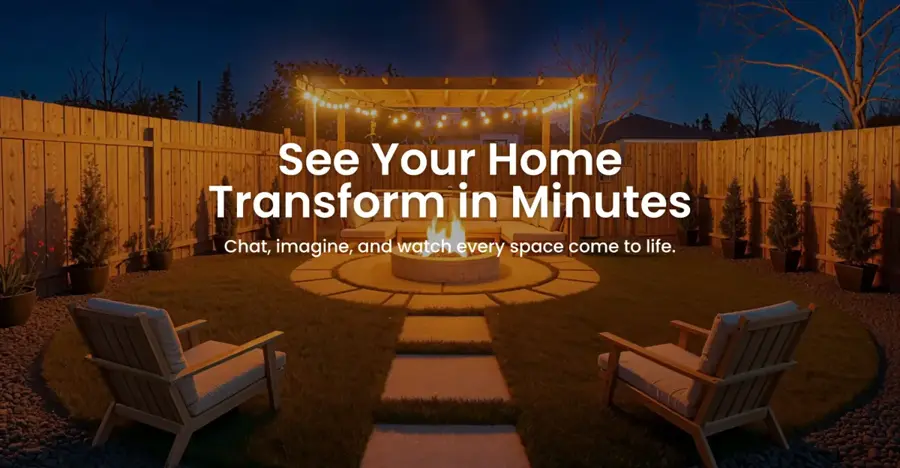
REimagineHome is an AI home design platform that edits exteriors, landscaping and interiors from one photo, aimed at homeowners, designers and real estate agents.
Why it stands out
REimagineHome is the pick when the yard is part of a bigger picture. Dupple notes that it edits siding, roof, lawn, driveway, trees and sky, and that a chat mode lets you describe changes in plain language. ToolWorthy highlights that it keeps the architecture stable, which matters if you are showing buyers what a tired front yard could become.
Aggregator Stork.AI lists an average of 4.2 out of 5 from over 1,200 reviews, though it does not say which platform those ratings come from. The trade-off is credits: Dupple warns that heavy iteration on a single exterior can use up a month of the entry plan.
Key features
- AI landscaping and hardscaping tools alongside exterior and interior edits
- Conversational editing on higher tiers
- Real Products links render elements to items you can buy
- Before-and-after comparison views
- Agency plan for teams and brokerages
Pros
- Handles house and yard together
- Five free designs, no card required
- Good fit for listing photos
Cons
- Credit system adds up with lots of revisions
- Cheapest tier skips the chat and reference images
- Light on plant and zone guidance
REimagineHome pricing: Free (5 designs) → paid plans from $14/month for 30 credits, per Dupple in September 2026; ToolWorthy lists Essential at $19/month, likely reflecting monthly rather than annual billing (checked October 2026). See pricing
Verdict: pay for it if you are selling, flipping or redoing the whole front of the house.
Yard AI – best for costed plans on a budget
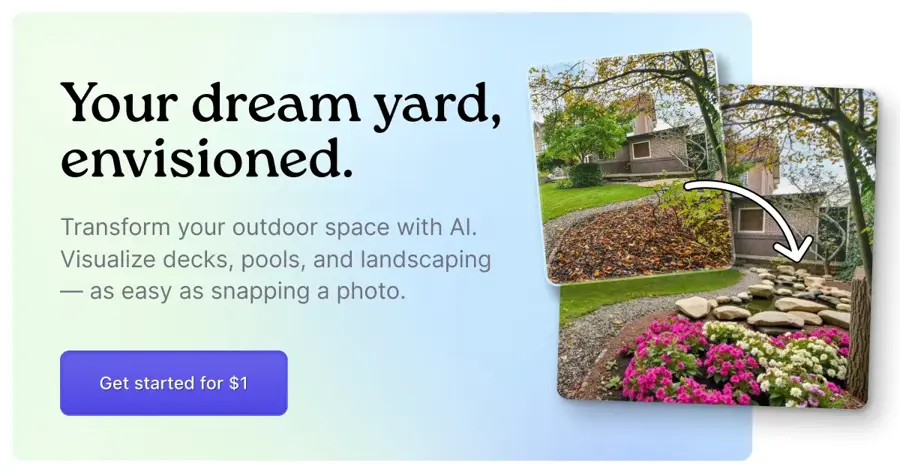
Yard AI is a yard design web app that goes past the render, adding cost estimates, phased action plans, plant guides and materials lists to each design.
Why it stands out
Most AI backyard design tools stop at a pretty picture. According to ToolWorthy, Yard AI's Pro plan adds DIY versus professional cost estimates, a step-by-step plan with timelines, hardiness-zone plant guides, itemized materials lists with retailer links and local contractor matching. At $9 a month for 60 designs, it is the cheapest paid plan on this list.
We could not find an independent rating we could tie with certainty to the web app. An iOS app called Yard AI: Backyard Design holds 4.6 out of 5 from 583 ratings, but we could not confirm it is the same product, so weigh that carefully. Its reviews include both "So glad I did" and a complaint about having "zero control, after paying sixty bucks."
Key features
- 51 preset styles, including practical jobs like fencing and driveways
- Four-season previews of each design
- Cost estimates for DIY and professional builds
- Materials lists with retailer links
- PDF export (in beta) on Pro
Pros
- Cheapest paid plan here
- Turns ideas into a to-do list
- Zone-matched plant guides
Cons
- Free plan is a single visualization
- Little independent coverage so far
- Cost estimates are a starting point, not a quote
Yard AI pricing: Free (one design) → paid plans from $9/month (checked October 2026, per ToolWorthy). See pricing
Verdict: the best value if you want a plan you can actually start on this weekend.
HomeDesignsAI – best for indoor and outdoor projects
HomeDesignsAI is an all-in-one AI home design tool with interior, exterior and garden modes, so one subscription covers your living room and your backyard.

Why it stands out
If you are renovating inside and out, one tool is cheaper than two. Dupple says HomeDesignsAI offers 80+ styles and handles exterior restyling including facade, roof and landscaping changes. It is less detailed on exteriors than REimagineHome, but faster for testing several variations.
Independent reviews are thin. The only Capterra review gives it 5 out of 5 and praises "all the features that it has," while noting a "learning curve a bit tough in the beginnng." Pricing is also murky: Dupple calls it "not fully transparent."
Key features
- Garden and exterior modes next to interior redesign
- 80+ design styles
- Batch redesigns across multiple rooms
- Commercial licensing on the Pro plan
Pros
- Covers the whole property
- Free designs every 24 hours
- Quick for comparing many styles
Cons
- Pricing hard to pin down
- Less exterior detail than specialists
- No plant or zone guidance noted in reviews
HomeDesignsAI pricing: Free (a few designs every 24 hours) → paid plans from about $12/month billed annually, or about $24/month billed monthly, per ToolWorthy; Capterra lists a $29 starting price (checked October 2026). See pricing
Verdict: choose it if the yard is one job on a longer renovation list.
DreamzAR – best for life-size AR previews
DreamzAR is an iPhone and iPad landscape app that mixes an AI design stylist with augmented reality, so you can place life-size plants in your real yard through the camera.
Why it stands out
Renders show you a picture; AR lets you walk around the idea. DreamzAR's App Store listing describes an AI Landscape Design Stylist that works from a yard photo, chat-based refinement, 20+ garden styles, area measurement and cost estimates. Fast.io adds that it has over 2,000 plants, though its database is not always filtered by hardiness zone.
User opinion is split. The app sits at 3.0 out of 5 from 143 ratings. One reviewer called it "easy to use," while another said it "has nothing on it's main App Store competitor." Some reviews are a few years old, so the current version may differ.
Key features
- 3D AR mode for placing life-size plants
- AI stylist that restyles a yard photo
- Chat refinement of designs
- Area measurement and cost estimates
Pros
- AR gives a real sense of scale
- One-off purchase option
- Large plant catalog
Cons
- Mixed 3.0 rating
- Apple devices only
- Plants not always matched to your zone
DreamzAR pricing: No clear free plan → $9.99 full version or credit packs, with subscriptions at $19.99/month or $199.99/year (checked October 2026, per the App Store). See pricing
Verdict: worth it if seeing scale in your own yard matters more than polished renders.
iScape – best for DIY layout planning
iScape is a long-running landscape design app for homeowners and pros that lets you place plants, lawns, hardscape and paths over a photo of your yard, in 2D or AR.

Why it stands out
iScape is less about AI and more about control. You place each plant and paver yourself, which suits people who already know what they want. Its FAQ says an AI feature that visualizes designs from your own yard photos is planned as a beta, so treat AI as a bonus here, not the main reason to buy.
Its App Store listing shows 4.6 out of 5 from 39 ratings in the UAE store and quotes The Wall Street Journal: "To plan the perfect patch, look no further than iScape." Pro adds proposal and PDF quote tools, which is why landscapers use it too.
Key features
- AR and 2D design modes
- Street View project start for front yards
- Magic eraser to remove objects from photos
- Proposals and PDF quotes on Pro
- Web, iOS, Android and Mac apps
Pros
- Precise, hands-on layout control
- Works on most platforms
- Business tools for pros
Cons
- AI redesign still in beta
- Most expensive homeowner plan here
- Free version is limited
iScape pricing: Free (limited garden planner) → Pro from $29.99/month or $299.99/year (checked October 2026, per the iScape FAQ). See pricing
Verdict: pick it if you want to draw the plan yourself and use AI only for inspiration.
How to choose the right AI landscape design tools
Start with what you need at the end
Be honest about the output you want. If you need inspiration to talk to a landscaper, a render from Gemini or Neighborbrite is enough. If you plan to do the work yourself, you need plant lists, quantities and costs, which points to Yard AI or Neighborbrite's paid plan. If you are a professional, you need scaled drawings and proposals, which homeowner apps do not produce.
Take a good photo
Every tool here works from a photo, and the photo decides the result. ToolWorthy notes that AILandscape.Design needs only one clear daylight photo, and the same advice applies everywhere: shoot in daylight, stand back far enough to show the whole area, and avoid harsh shadows. Take front yard and backyard shots separately.
Check plants against your zone
An AI render can show a palm tree in a garden that freezes every winter. Choose a tool that asks for your planting zone, like Neighborbrite or Yard AI, and double-check any plant list with a local nursery. Axios points out that the Washington, D.C. area alone sits in USDA Hardiness Zone 7b/8a, which shows how specific the data needs to be.
Match the tool to your situation
- Choose Neighborbrite if you want one yard-specific app that does a bit of everything.
- Choose Gemini if your budget is zero and you just want ideas.
- Choose REimagineHome if the house and yard need to look good together, for a sale or a facelift.
- Choose Yard AI if you want a costed plan for under $10.
- Choose DreamzAR or iScape if you want to see scale through your phone camera.
Professionals need different software
If you run a landscaping business, look at pro tools rather than homeowner apps. PRO Landscape+, for example, added an AI Outdoor Living Designer with over 1,000 real paver patterns that can turn concepts into scaled drawings, material takeoffs and proposals. It costs $90 a month or $900 a year on Capterra's listing, where one reviewer praised "the ability to offer clients a chance to see what their landscape can look like." For bigger questions about AI and the design professions, see our explainer on whether architects will be replaced by AI.
Free vs paid: what you actually get
Free AI landscape design is good for one thing: seeing whether you like an idea. Paid plans earn their keep when you need volume, detail or a plan you can build from. Here is how it breaks down.
| Tool | Free plan gives you | Paying adds |
|---|---|---|
| Neighborbrite | Up to four batches of renders, Plant Finder | Plant lists, Magic Edit, more renders |
| Google Gemini | Image editing with base limits | 2x to 20x+ higher limits |
| REimagineHome | 5 designs at full quality | Monthly credits, chat editing, shoppable products |
| Yard AI | 1 visualization | 60 designs, 20 full plans, costs and materials |
| HomeDesignsAI | A few designs every 24 hours | Unlimited use, commercial licence |
| iScape | Limited garden planner | Full product database, proposals |
The budget angle is simple. One month of a $9 to $25 plan is usually enough for a single yard project, so subscribe, do your designs, and cancel. Compare that with a human-led online service like Yardzen, whose packages start at $995. AI will not replace that level of design, but it can make your brief to a designer far clearer and cheaper to deliver. If you also want general image tools for other projects, our guide to the best AI image generators covers the wider field.
Final verdict
If you only pick one, pick Neighborbrite. It is built for yards, it is free to try, and its plant guidance makes it more than a picture generator. Use Google Gemini first if you want to test ideas for free in five minutes. Upgrade to REimagineHome when the whole house is on show, or to Yard AI when you want a plan and a budget for under $10 a month.
Whatever you choose, treat every render as a starting point. Check the plants with a local nursery, check the costs with real quotes, and keep the photo that started it all. The best AI landscape design tool is the one that gets you outside and digging.
FAQ
Can AI design my backyard?
Yes, for ideas. Apps like Neighborbrite, Yard AI and REimagineHome take a photo of your backyard and return redesigns in the style you choose, usually within seconds. Some add plant lists and cost estimates. They do not replace a site survey or a professional plan for drainage, grading or structures.
What is the best free AI landscape design tool?
For a yard-specific free option, Neighborbrite is the strongest, with a free plan of up to four batches of renders according to Axios. Google Gemini is the most flexible free choice: its free plan includes image editing, so you can upload a yard photo and describe changes. REimagineHome offers five free designs.
Is there a free AI landscape generator from a photo?
Yes. Neighborbrite, Google Gemini, REimagineHome, Yard AI and HomeDesignsAI all let you upload a photo and get at least one redesign for free. Limits vary widely, from a single visualization on Yard AI to a few designs every 24 hours on HomeDesignsAI. Use a clear daylight photo for the best results.
Which AI is best for landscape design?
For most homeowners, Neighborbrite is the best AI for landscape design because it is built only for yards and includes climate-aware plant help. REimagineHome is better if you want to change the house exterior too. Landscaping professionals should look at dedicated software such as PRO Landscape+ instead.
How much does AI landscaping software cost?
Homeowner plans on our list range from $9 a month (Yard AI) to about $30 a month (iScape Pro), with free tiers on most. Professional software costs more: PRO Landscape+ is listed at $90 a month. A human-led online design package from Yardzen starts at $995.
Sources
- 12 Best AI Landscape Design Tools 2026 (ToolWorthy)
- Best AI Tools for Landscape Design in 2026 (Fast.io)
- AI landscape design tool Neighborbrite (Axios)
- Neighborbrite Landscape Design (App Store)
- 8 Best AI for Home Design in 2026 (Dupple)
- REimagineHome (Stork.AI)
- Home Designs AI (Capterra UK)
- Google AI plans (Google)
- How to Redesign Indoor and Outdoor Spaces with Nano Banana (GlobalGPT)
- Nano Banana isn't just for viral trends (Tom's Guide)
- Yard AI (ToolWorthy)
- Yard AI: Backyard Design (App Store)
- DreamzAR AI Landscape Design (App Store)
- iScape: Landscape Design (App Store)
- iScape FAQs (iScape)
- PRO Landscape reviews (Capterra UK)
- PRO Landscape+ releases AI Outdoor Living Designer (Lawn & Landscape)