Napkin AI review 2026: features, pricing, pros and cons
Napkin AI turns your text into editable diagrams in seconds and now builds slides too. We weigh its free plan, credits, pricing and limits as of late October 2026.
 Written byRahis SaifiCo-founder and news editor
Why you can trust The AI Future
Our writers research every product, link each claim to its source and correct mistakes openly. Companies can't pay for coverage or see reviews before they're published.
Read our editorial policy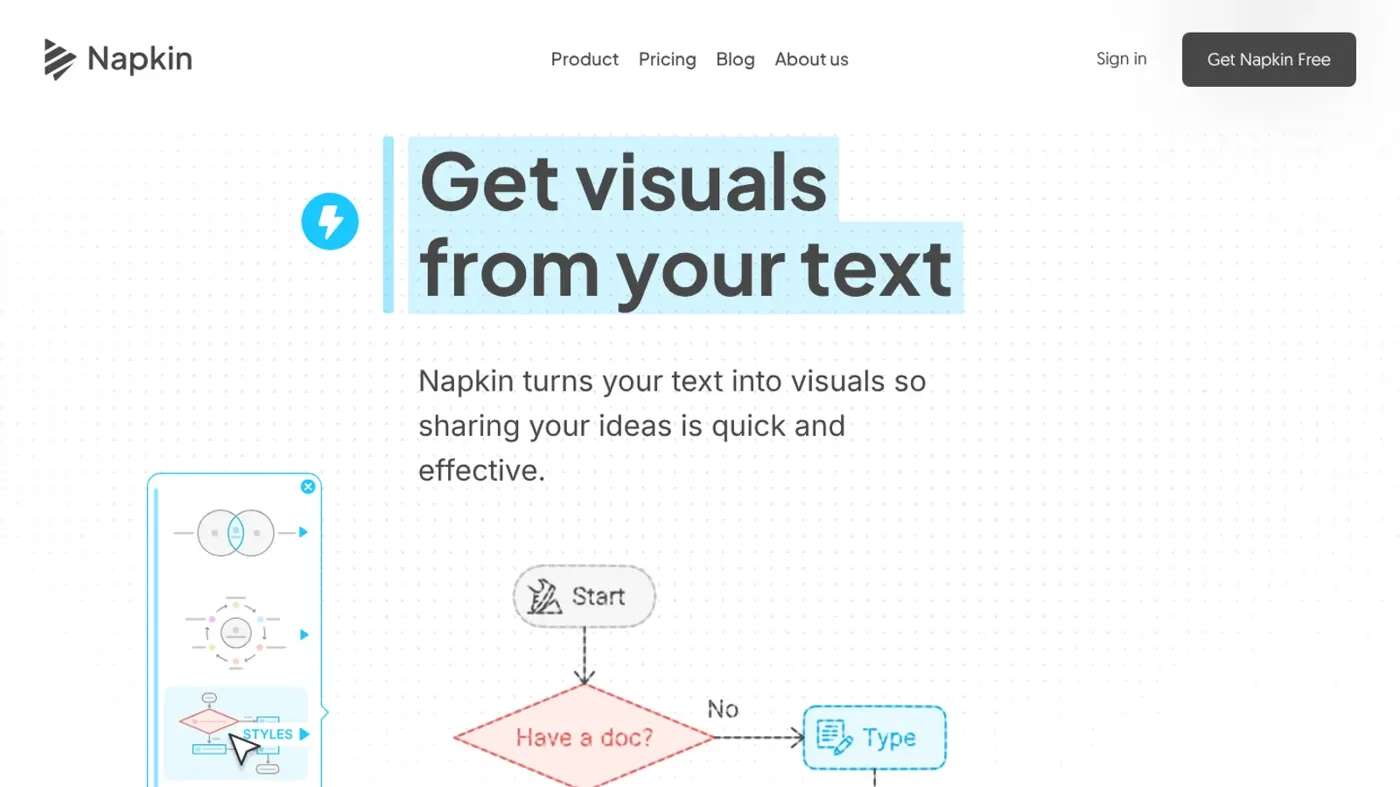
Our verdict on Napkin AI
Napkin AI is a fast, focused way to turn written ideas into clean, editable diagrams, with a free plan generous enough to try properly. Marketers, consultants and teachers who live in slides and docs should use it; designers who need full creative control, or teams wanting deep integrations, should skip it.
Pricing Free (500 credits/week); Plus $12/person/mo ($9 annual); Pro $30/person/mo ($22 annual); Enterprise custom
Visit Napkin AII gave myself one job for this review: work out whether Napkin AI is worth a place in your toolkit, or whether it's just a neat demo. Short answer? Napkin AI is a web app that turns text you've already written into editable diagrams, flowcharts, timelines and infographics in seconds. It's free to start, paid plans begin at about $9 a month billed annually, and it's genuinely good at one thing: making a slide or a report look less like a wall of words.
Quick honesty note before we go further. Nobody at The AI Future ran a hands-on test of Napkin for this piece, so there are no screenshots of mine and no stopwatch timings. Instead, we reviewed the Napkin AI tool as it stands in late October 2026 using Napkin's own help pages and blog, other reviewers' hands-on tests, and published ratings. When someone else did the testing, I'll name them.
Napkin AI at a glance
| Item | Summary |
|---|---|
| Our rating | 4 out of 5 |
| Best for | Marketers, consultants, teachers and anyone who needs quick diagrams for slides, docs and posts |
| Not for | Designers who want pixel-level control, or anyone after a full design suite |
| Pricing | Free (500 credits a week); Plus about $12/mo or $9/mo annually; Pro about $30/mo or $22/mo annually; Enterprise custom |
| Website | napkin.ai |
What is Napkin AI?
Napkin is one of the more focused visual AI tools around. You paste or write text, select a chunk of it, and Napkin suggests a handful of visuals that fit: a process flow for steps, a comparison for pros and cons, a timeline for dates. You pick one, tweak it, and drop it into your deck or document.
The company behind it is Second Layer, Inc., founded by Pramod Sharma and Jerome Scholler, who previously built the kids' learning company Osmo. It came out of stealth on August 7, 2024 with $10 million from Accel and CRV, according to Implicator. Sharma told VentureBeat at the time that the beta had passed 2 million users, as Implicator reports. Fastio, citing a market report, puts registered users at about 5 million by late 2025; I couldn't confirm that figure from Napkin directly, so treat it as an estimate.
Implicator summed up the original pitch neatly: "Napkin AI is not trying to build the whole deck." That was true for two years. Then, in 2026, Napkin launched Napkin Slides, which does try to build the whole deck. More on that below.
Key features
Text to visual
This is the core trick, and it works. Every independent reviewer we read says generation takes seconds. Dupple's reviewer called speed "the killer feature" and wrote: "In testing, it correctly identified the visual format for about 80% of inputs without manual guidance." Dupple doesn't share its sample size, so I'd read that as a rough impression rather than a benchmark.
The catch is input quality. Napkin is happiest with structured text: headings, bullets, numbered steps. Techpoint Africa's Fredrick Eghosa found it "less effective with vague or abstract content", and when he asked for a decorative banner he got back, yes, another diagram.
Editing and styles
Visuals aren't flat images. You can change colors, fonts, icons, connectors and layout. In Unite.AI's walkthrough, Janine Heinrichs generated a flowchart from a prompt about hiring interviews, swapped icons with the Spark Search feature and found elements easy to edit. Manual edits don't cost credits, per Napkin's help center.
Brand styles
Paid plans let you save brand colors and logos. Plus gets three brand styles, while Pro unlocks unlimited custom branding and font uploads, according to DailyAIFixs and Implicator.
Import and export
You can import PowerPoint, Word, PDF, HTML and Markdown files, according to Dupple and Unite.AI. Export is where the plans split: free users get PNG and PDF with Napkin branding, while PPT and SVG need a paid plan. Heinrichs found her 16:9 export imported cleanly into Google Slides and PowerPoint.
Napkin Slides (beta)
The newest addition. Before it builds a deck, Napkin asks about your goal, your audience and, in its own words, "the one thing you need them to walk away thinking." It then generates several layout options per slide, from detailed to brief, and everything stays editable "directly on the slide or through the agent." Existing subscribers get it at "No extra cost." Napkin is upfront that it's a beta with "rough edges."
Just Being Resourceful walked through the full Slides workflow in late August 2026 and liked that you approve an outline before spending credits, and that PPT exports stay editable in PowerPoint, Google Slides and Keynote. The downsides: formatting glitches, no live data, and credits that "can run out quickly" on longer decks. Their bottom line was that the bet "mostly pays off."
Chat, effects and image generation
Napkin's help center now lists image generation, Effects and Napkin chat requests among the things that use AI credits. None of the independent reviews we found covered these in depth, so I can't tell you how well they work yet.
Napkin AI pricing and plans
I couldn't load Napkin's pricing page directly for this review, so the prices below come from independent write-ups dated June and July 2026, cross-checked against Napkin's own help center for credits. Check the official page before you buy. Credit allowances checked October 2026.
| Plan | Price | AI credits | Main extras |
|---|---|---|---|
| Free | $0 | 500 per week | PNG and PDF export with Napkin branding |
| Plus | $12/person/mo, or $9 billed annually | 10,000 per month per seat | No watermark, PPT and SVG export, 3 brand styles |
| Pro | $30/person/mo, or $22 billed annually | 30,000 per month per seat | Unlimited branding, font uploads, credit top-ups |
| Enterprise | Custom | Custom | SSO, dedicated manager |
Sources: Implicator and DailyAIFixs for prices, Napkin help center for credits, Fastio for Enterprise details.
What the free plan really includes
More than most free tiers, honestly. You get 500 credits that reset weekly, full editing and PNG/PDF export. The help center says free allowances reset weekly, paid ones monthly, and bought top-up credits don't expire. Unused weekly credits don't roll over, per DailyAIFixs.
The two things that'll push you to pay: the watermark on every free visual, and the lack of PPT and SVG export. DailyAIFixs estimates credits are charged at roughly one per word of selected text, which means a long document can burn your week's allowance in one go. Several reviewers, including Dupple and Techpoint Africa, flagged exactly that.
One more thing to watch: plans are priced per seat, so inviting teammates adds up. DailyAIFixs also notes there are no student or non-profit discounts.
Performance: what independent testers found
Since we didn't test it ourselves, here's what the people who did found.
- Unite.AI (Janine Heinrichs): visuals arrived in seconds, the flowchart matched the format she asked for, and she called the presentation format "perfect for client pitches."
- Techpoint Africa (Fredrick Eghosa): fed it a technical write-up and his own finance article. Results came fast and needed little prompting, but layouts felt formulaic and the site wouldn't load on his phone, even in desktop mode, per his review.
- Dupple: about 80% format accuracy without help, but dense content got oversimplified and technical diagrams needed manual rework, as Dupple reports.
- Just Being Resourceful: Napkin Slides produced editable decks with generated charts, but needed manual layout fixes in places, according to their walkthrough.
Put those together and a pattern shows up. Napkin is fast and accurate when your text already has a shape. It struggles when it has to invent the shape, and it isn't a general graphic design tool. Fastio adds that there are no direct integrations with Google Slides, Notion or Figma as of mid-2026, so you'll be exporting and importing by hand.
Who it's for
Napkin makes the most sense if your work already lives in words and you need it to look clearer, fast. Think marketers turning a blog post into a LinkedIn carousel, consultants who want a process diagram for tomorrow's client slide, teachers building lesson visuals, or founders sketching a pitch. Napkin's co-founder described the target users as "marketers, content creators, engineers and professionals in the business of selling ideas and creating content."
Public feedback points the same way. Airframe's summary of public reviews and Reddit threads describes sentiment as mixed: more positive when people feed Napkin structured text, weaker with abstract input or heavy use. The common praise is ease of use, time saved and editable exports. The common complaints are repetitive, template-driven designs, limited integrations and a credit system that frustrates heavy users. G2 shows a 4.4 out of 5 rating, but from just 11 reviews, so it's a thin sample.
It's a weaker fit if you need full creative control, live data in your charts, or a mobile workflow. Unite.AI notes there's no dedicated mobile app, and editing works best on desktop.
Napkin AI alternatives worth considering
Gamma
If you want a complete presentation, website or doc built from a prompt, Gamma is the more obvious choice, and Fastio points people there for full decks. Napkin Slides is catching up, but it's still in beta. Read our Gamma AI review or see the best Gamma AI alternatives.
Canva
Canva gives you far more design control and a much bigger asset library. Techpoint Africa found Napkin offers less granular design control than Canva. The trade-off is speed: Napkin gets a diagram out of your text faster.
Miro
For collaborative whiteboarding and live brainstorming with a team, Miro fits better, as both Unite.AI and Fastio suggest. Our Miro AI review covers its AI features. For data-heavy charts, see our guide to the best AI tools for data visualization.
Verdict: who should use it and who should skip it
Napkin does one thing very well. It takes the text you've already written and gives you a clean, editable diagram faster than you could open a design app. If you make slides, reports, LinkedIn posts or lesson materials and you've ever thought "this would be clearer as a picture", it'll earn its keep. The free plan is generous enough to find out.
Skip it if you need real design freedom, data pulled live from somewhere, or deep integrations with Notion or Google Slides. And if you mostly want whole decks, I'd compare Napkin Slides with Gamma before you pay for either.
Our score: 4 out of 5. It's the kind of small, sharp tool that fits well into a wider stack of AI tools for productivity, and if you're rolling tools like this out across a team, our guide on how to implement AI in business is a sensible next read.
FAQ
What is Napkin AI?
Napkin AI is a web-based tool that turns text into editable visuals such as flowcharts, mind maps, timelines, comparisons and infographics. You select text, pick from suggested designs, then customize and export them. It also has a beta feature, Napkin Slides, that builds full presentations after asking about your goal and audience.
Is Napkin AI free?
Yes. The free plan gives you 500 AI credits a week, editing and PNG or PDF export, but every visual carries Napkin branding. Paid plans remove the watermark and add PowerPoint and SVG export. Plus starts at about $9 per person a month billed annually, or $12 monthly.
Is Napkin AI safe to use?
Napkin is run by Second Layer, Inc., a venture-backed company funded by Accel and CRV, and it works in your browser without installing software. As with any cloud AI tool, avoid pasting confidential material unless your organization has approved it, and check Napkin's privacy policy and Enterprise options for business use.
Can Napkin AI make presentations?
Yes, through Napkin Slides, which launched in beta in 2026. It asks about your goal and audience, proposes an outline, then generates several layout options per slide. Exports stay editable in PowerPoint, Google Slides and Keynote, though reviewers note beta formatting glitches and heavy credit use on long decks.
How do Napkin AI credits work?
Credits are used for AI work such as generating visuals and slides, image generation, Effects and chat requests. Manual edits are free. Free users get 500 credits a week, Plus 10,000 a month per seat and Pro 30,000 a month per seat. Purchased top-ups don't expire.
Ratings around the web
Ratings as of 29 Oct 2026. Scores change over time; follow the links for the latest.
What we like
- Turns structured text into editable diagrams in seconds
- Almost no learning curve or design skill needed
- Usable free plan with 500 credits a week
- PPT and SVG exports stay editable on paid plans
- Napkin Slides included for subscribers at no extra cost
What could be better
- Free exports carry Napkin branding and are PNG/PDF only
- Credits drain quickly on long text and longer decks
- Layouts can feel repetitive and struggle with abstract input
- No direct Google Slides, Notion or Figma integration; desktop-only editing
Sources
- Napkin AI bets workers need graphics before they need full decks (Implicator)
- What are AI credits and how can I check how many I have left? (Napkin Help Center)
- Napkin launches Slides (Napkin AI)
- Napkin AI Slides: the new AI presentation maker that interviews you before it builds (Just Being Resourceful)
- Napkin AI pricing 2026: the watermark catch (DailyAIFixs)
- Napkin AI review 2026 (Fastio)
- Napkin review (Dupple)
- Napkin AI review (Techpoint Africa)
- Napkin AI review (Unite.AI)
- Napkin AI reviews (G2)
- Napkin AI analysis (Airframe)