Best AI apps for interior design in 2026: 10 picks compared
The best AI apps for interior design in 2026, compared on room accuracy, free plans and real prices, from HomeDesignsAI to free floor planners.
 Written byMuhammad Usman SiddiquiFounder and editor-in-chief
Why you can trust The AI Future
Our writers research every product, link each claim to its source and correct mistakes openly. Companies can't pay for coverage or see reviews before they're published.
Read our editorial policy
Short answer: most homeowners should start with HomeDesignsAI. It redesigns a room from one photo in about 30 seconds, keeps your walls and windows where they are, and costs $22 a month. If you want to buy the furniture you see, pick REimagineHome. If you need a real floor plan, use Planner 5D or Homestyler, both of which have free plans.
That is the quick version of our guide to the best AI apps for interior design. Below you get 10 picks, prices checked in late October 2026, and a third-party rating or user review for every app. Some are not flattering, which is worth knowing before you hand over a card number.
Key takeaways
- Photo redesign apps are for ideas, not plans. HomeDesignsAI, Interior AI and REimagineHome restyle a photo of your room. They do not give you measurements.
- Floor planners are the free option. Planner 5D and Homestyler both have free plans for 2D and 3D layouts, with AI features on paid tiers.
- Expect $15 to $50 a month for a serious photo redesign plan. Phone apps often bill weekly, which costs more over a year.
- Check cancellation before you subscribe. Billing and cancellation complaints show up on Trustpilot for several apps on this list.
How we ranked them
Nobody at The AI Future ran hands-on tests for this roundup, and we have no original screenshots to show you. We compared each app using its official site and pricing page, App Store listings, Trustpilot profiles, and independent roundups such as Rework's ranking of 13 AI interior design tools, as of late October 2026. We scored each app on six criteria:
- Room accuracy: whether it keeps your real walls, windows and layout, or invents a new room.
- Editing control: whether you can change one item without starting over.
- Planning depth: floor plans, 3D views and measurements, not just pretty images.
- Free tier: how much you can do before paying.
- Price for regular use: the real monthly cost for someone redesigning a few rooms.
- User trust: App Store and Trustpilot ratings, plus recurring complaints about billing.
Prices are in US dollars and can change by region and promotion.
The 10 best AI apps for interior design at a glance
| # | Tool | Category | Best for | Free tier | Starts at |
|---|---|---|---|---|---|
| 1 | HomeDesignsAI | Photo redesign | Best overall for homeowners | No | $22/mo |
| 2 | REimagineHome | Photo redesign | Shoppable real-product designs | Yes (limited) | $14/mo |
| 3 | Interior AI | Photo redesign | Style variety and staging | No | $29/mo |
| 4 | Planner 5D | 3D planner | Floor plans with AI | Yes | $9.99/mo |
| 5 | Homestyler | 3D planner | Free 3D floor planning | Yes | $6.80/mo |
| 6 | Home AI | Mobile app | Quick phone makeovers | Yes (limited) | $4.99/wk |
| 7 | DecorAI | Mobile app | Big remodel concepts | Yes (limited) | $4.99/wk |
| 8 | Spacely AI | Pro rendering | Architects and designers | Yes (limited) | $20/mo |
| 9 | Collov AI | Virtual staging | Real estate listings | Yes (limited) | $19/mo |
| 10 | RoomGPT | Photo redesign | One-off redesigns | Yes (limited) | About $15/mo |
The best AI interior design apps in 2026, ranked
HomeDesignsAI – best for most homeowners
HomeDesignsAI turns one photo of a room, exterior or garden into a redesign in under 30 seconds, while keeping the structure of your space. Try it at homedesigns.ai.

Why it stands out
The main reason it ranks first is a feature it calls Structure-Lock. The official site promises that "your walls, windows and layout stay exactly as they are. Only the design changes." That matters, because the most common complaint about cheaper apps is that they invent new windows and doors. It also covers more than interiors: exteriors, gardens, virtual staging, video walkthroughs and 2D-to-3D floor plans sit in the same tool.
User feedback is mixed. The site advertises a 4.8 rating from more than 2,400 reviews, but its Trustpilot profile shows a 3.3 TrustScore from 1,386 reviews. One homeowner wrote that "HomeDesignsAI worked well for me," while other reviewers complain about how hard it is to cancel a subscription. Verdict: the best all-rounder, but set a reminder before your renewal date.
Key features
- Structure-Lock: keeps walls, windows and layout fixed while restyling
- 200+ styles and spaces: interiors, exteriors and gardens on the top plan
- Shop the look: links designs to real furniture
- Video tours and 3D floor plans: on the Expert plan
Pros
- Keeps your real room layout instead of inventing a new one
- Covers interiors, exteriors and gardens in one subscription
- Standard plan includes 100 design credits a month
- Pro and Expert add a commercial license
Cons
- No free plan listed on the pricing page
- Trustpilot reviewers report cancellation trouble
- Video and floor plans need the $37 Expert plan
HomeDesignsAI pricing: No free plan → paid plans from $22/month (Standard, 100 credits), Pro at $29/month (1,000 credits) and Expert at $37/month (2,000 credits), billed monthly; yearly billing saves up to 62% (checked October 2026). See pricing
REimagineHome – best for shoppable real-product designs
REimagineHome redesigns rooms with real furniture you can buy, then sends the whole set to your cart. Try it at reimaginehome.ai.

Why it stands out
Most AI room apps show you furniture that does not exist. REimagineHome flips that. You set a budget and preferred stores, and its homepage says it designs "with real products available near you and within budget, without touching walls, windows, or doors." You can then check out on Amazon or Shopify.
You can also edit by chat. Rework points out that you can type changes like a navy sofa or a lighter rug and the app iterates on the same image, but that conversational mode is not included on the cheapest Essential tier. Its Trustpilot page has only one review, so there is little independent user feedback yet. Verdict: the best pick if you plan to buy the furniture, not just look at it.
Key features
- Real shoppable products: designs built from items you can actually buy
- Budget and ZIP settings: keeps suggestions within your spend and area
- Structure lock: keeps architecture fixed for listings
- Chat editing: change one item at a time on Pro and above
Pros
- First 5 designs free with no card
- Turns a design into a real shopping list
- Works for both homeowners and real estate teams
Cons
- Essential tier lacks chat editing and real products
- Very little independent user feedback so far
- The company earns commission on purchases
REimagineHome pricing: Free (5 designs) → paid plans from $14/month up to $99/month across Essential, Pro, Advanced and Agency tiers, per its pricing page and Rework (checked October 2026). See pricing
Interior AI – best for style variety and virtual staging
Interior AI restyles a photo of your room in 56 interior styles and fills empty rooms for listings. Try it at interiorai.com.

Why it stands out
Interior AI is one of the best-known names in the category. Its official site lists 56 styles, from Modern and Scandinavian to Art Deco and Bali, plus a mode that turns sketches and SketchUp files into photorealistic renders.
The catch is trust. It has no free tier, and its Trustpilot profile shows a 2.1 score from just 11 reviews. Several recent reviews complain about cancellation, with one saying "They make it impossible to cancel once they have your credit card number." Verdict: strong output and the widest style range, but only worth it if you need volume.
Key features
- 56 interior styles: one photo redesigned in every style
- Virtual staging: furnish empty rooms for real estate photos
- Sketch to render: turns sketches and SketchUp files into renders
- Custom prompts: write your own design instructions
Pros
- Huge style library
- 1,000 designs a month on Pro
- Commercial license included
- Handles sketches as well as photos
Cons
- No free plan
- Ultra costs $199/month billed monthly
- Recent Trustpilot reviews report cancellation problems
Interior AI pricing: No free plan → Pro from $29/month billed yearly ($349) or $49/month billed monthly; Ultra at $99/month yearly or $199/month monthly (checked October 2026). See pricing
Related: Best AI image generators
Planner 5D – best for floor plans with an AI layer
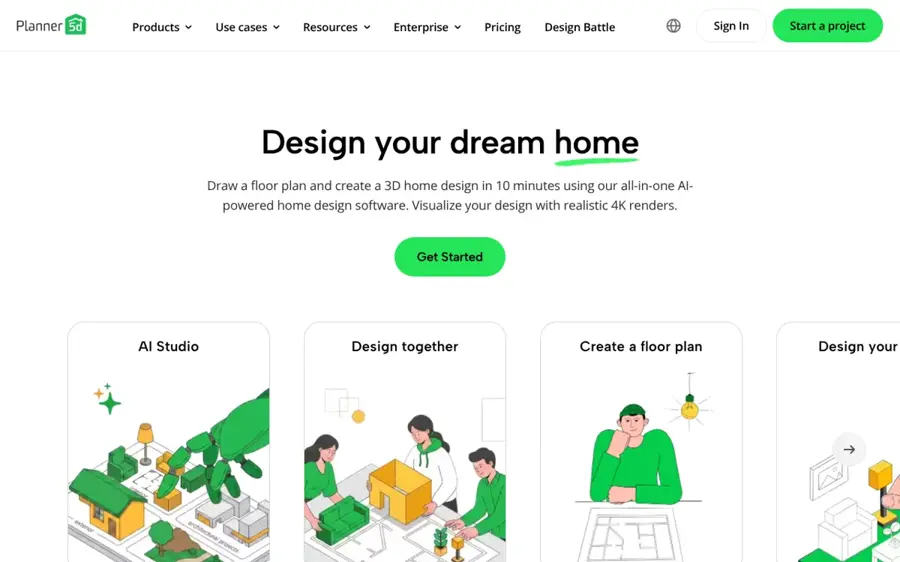
Planner 5D is a 2D and 3D home design app with an AI Studio for restyling rooms and turning floor plans into 3D. Try it at planner5d.com.
Why it stands out
If you need actual measurements, start here. Planner 5D's free plan has no time limit and covers floor plans, 2D and 3D room design, and half the furniture catalog. Premium adds AI floor plan recognition, photorealistic renders and AI Studio, which can restyle interiors while keeping layout and structure. AI Studio runs image models such as Nano Banana 2 and GPT Image 2.
It is popular on mobile, with a 4.4 rating from about 42,000 ratings on the App Store. One long-time user wrote: "I have been using Planner 5D for years and have absolutely loved it," before listing bugs with doors and multi-level rooms. Trustpilot is harsher, at 2.6, with complaints about auto-renewals. Verdict: the best free planner if you want layouts and AI together.
Key features
- Free 2D and 3D planner: unlimited projects with no time limit
- Floor plan to 3D: upload a plan and get an editable 3D project
- AI Studio: restyle rooms, furnish empty spaces, make moodboards
- Camera scanning: build a 3D copy of your home with your phone
Pros
- Real free plan with no time limit
- Proper floor plans with measurements
- Works on web, iOS and Android
- Strong App Store rating
Cons
- Free plan unlocks only half the catalog
- Users report bugs with doors and multi-level rooms
- Trustpilot reviewers complain about surprise renewals
Planner 5D pricing: Free → Premium at $9.99/month or $59.99/year on iOS, per the App Store listing; web prices and the Professional tier vary by region (checked October 2026). See pricing
Related: Best AI landscape design tools
Homestyler – best for free 3D floor planning
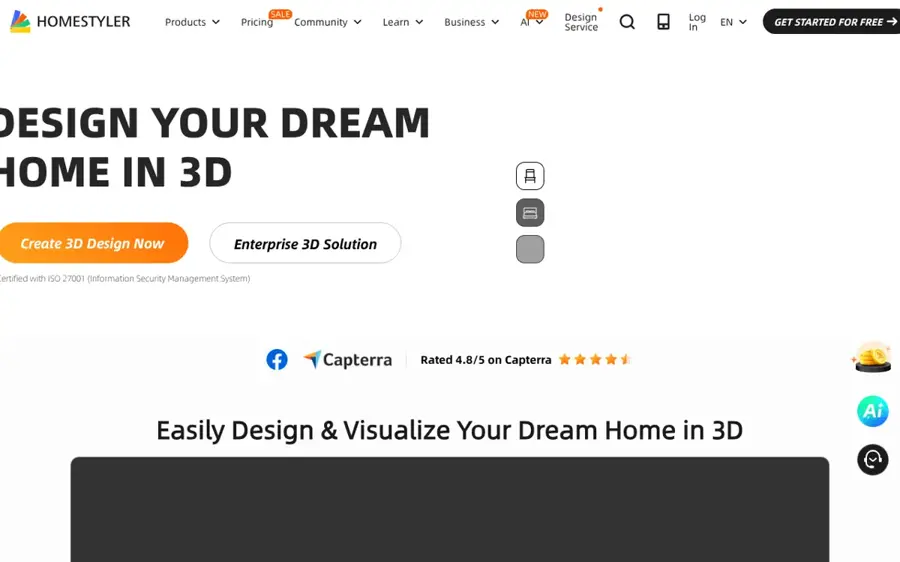
Homestyler is a browser-based 3D floor planner with a large free model library and AI credits on paid plans. Try it at homestyler.com.
Why it stands out
Homestyler is the budget pick. The free plan gives you a cloud 3D floor planner, unlimited 1K renders and more than 100,000 free 3D models and materials. Pro+ starts at $6.80 a month and adds 75 2K and 4K renders, watermark removal and 180 AI credits. Rework notes that its AI restyle features are thinner than dedicated tools, so treat it as a planner first.
Users are split. Its Trustpilot profile sits at 2.6, and one October 2026 reviewer called it "Clunlky to use" after a DWG import failed to detect walls. Verdict: the cheapest way to plan a room to scale, if you can live with a learning curve.
Key features
- Cloud 3D planner: design in the browser, no install
- 100,000+ free models: furniture and materials on the free plan
- AI credits: 180 a month on Pro+, 380 on Master+
- Advanced rendering: custom lighting, LightMix and panoramas on paid plans
Pros
- Free plan with unlimited 1K renders
- Cheapest paid tier on this list
- Exports construction drawings on Pro+
Cons
- AI restyling is weaker than photo-first apps
- Users report a learning curve and heavy memory use
- 4K renders cost coins on the free plan
Homestyler pricing: Free → paid plans from $6.80/month (Pro+), Master+ from $11.80/month and Team from $19.90/seat/month (checked October 2026). See pricing
Home AI – best for quick makeovers on your phone
Home AI is an iPhone app that restyles rooms, gardens and exteriors from a photo in one tap. Try it at homeinterior.ai.

Why it stands out
Home AI is the most-rated app here. It holds a 4.5 rating from about 161,000 ratings on the App Store. The pitch is simple: upload a photo, pick a style, and get a makeover concept for a room, kitchen, bathroom or yard, plus paint previews.
The reviews explain both sides. One user described a free route: "click the “x” up at the top right and skip the Pro upgrade prompt," which allowed one photo upload. The same review says the app crops photos and loses room area. Weekly billing is the default model, so check the plan before you confirm. Verdict: good for fast inspiration, not for precise planning.
Key features
- One-tap styles: curated looks for each room type
- Exterior and garden: house paint and landscaping previews
- Paint and texture: test wall colors before you buy
- Furniture trials: swap pieces into your photo
Pros
- Huge user base and strong rating
- Very easy for beginners
- Covers interiors, exteriors and gardens
Cons
- iPhone only
- Weekly subscriptions add up fast
- Crops photos, so you lose part of the room
Home AI pricing: Limited free use → weekly plans listed from $4.99 to $14.99, and yearly plans from $19.99 to $39.99 on the App Store; offers vary (checked October 2026). See pricing
Related: Best AI object removers
DecorAI – best for big remodel concepts
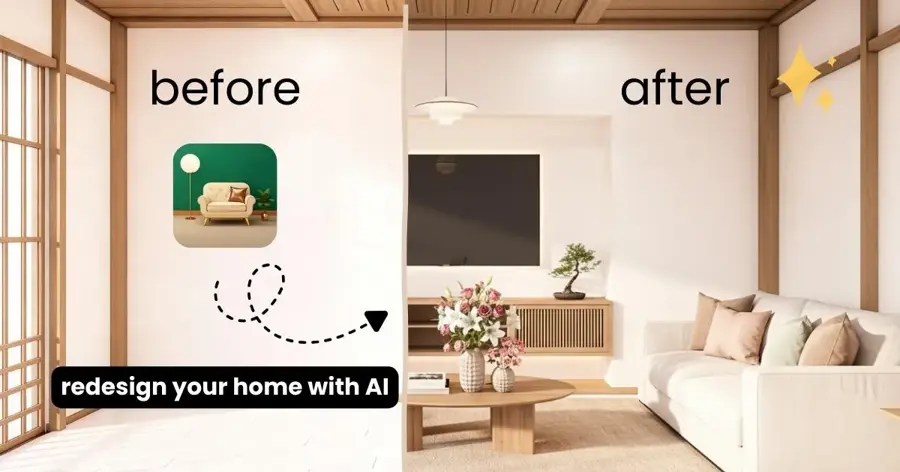
DecorAI is a mobile and web app that redesigns rooms, exteriors and gardens in more than 60 styles. Try it at decoraihome.com.
Why it stands out
DecorAI says it has more than 3 million users and offers free generations before you upgrade. It runs on iOS, Android and the web, and has a 4.6 rating from about 1,500 ratings on the App Store.
Be clear about what it is good at. One App Store reviewer wrote that it "adds addition windows and doors, changes room configuration and does not use your existing room," but added that for "major remodel" ideas "this is pretty cool." Verdict: use it to brainstorm a renovation, not to decorate the room you already have.
Key features
- 60+ styles and rooms: from Minimalist to Bohemian
- Interior, exterior and garden: all from one photo
- AI assistant: advice on remodeling and room design
- Cross-platform: iOS, Android and web
Pros
- Free generations to start
- High App Store rating
- Available in 33 languages on iOS
Cons
- Can change your room's structure
- Weekly billing is pricey over a year
- Limited fine editing, per user reviews
DecorAI pricing: Free generations → weekly plans from $4.99 and a yearly plan at $39.99 on the App Store (checked October 2026). See pricing
Spacely AI – best for architects and interior designers
Spacely AI is a rendering tool for professionals, with plugins for SketchUp, Revit, AutoCAD and Rhino. Try it at spacely.ai.

Why it stands out
Spacely is built for people who already work in design software. Its pricing page lists integrations with SketchUp, Revit, AutoCAD and Rhino, plus tools such as Auto Furnish, Empty the Room, Lighting Transfer and Collage to Render. It says it is trusted by more than 440,000 architects, designers, realtors and owners, and offers a free trial with no card.
Spacely moved to credits in late 2025, according to Rework, which also highlights its exterior and landscaping tools. Independent feedback is thin: its Trustpilot page has only two reviews, averaging 2.9, both negative. Verdict: worth a trial if you render from CAD files; homeowners have easier options.
Key features
- CAD integrations: SketchUp, Revit, AutoCAD and Rhino
- Point and Edit: change one area of a render
- Auto Furnish: fill empty rooms on Pro plans
- Generate Angles: new viewpoints of the same space
Pros
- Fits a professional CAD workflow
- Free trial without a card
- Education plan for students
Cons
- Credits run out fast on high-res renders
- Very little user feedback on Trustpilot
- More tool than a homeowner needs
Spacely AI pricing: Free trial → Personal from about $20/month, Studio about $40/month and Agency about $80/month, per Rework; top-up credits from $9 for 200 (checked October 2026). See pricing
Collov AI – best for real estate listings
Collov AI is a virtual staging platform for agents and brokerages, with a commercial photo license on every plan. Try it at collov.ai.

Why it stands out
Collov is not really for decorating your own home. Its pricing page targets agents, with a one-click virtual staging disclaimer, furniture removal, a 10-second turnaround and high-resolution downloads on every plan. Higher tiers add twilight conversion, lawn replacement, 360 panoramas and 3D tours.
Quality complaints have appeared recently. On Trustpilot, where it scores 2.5 from 37 reviews, one September 2026 reviewer wrote that images come fast "but they are getting worse and worse." Verdict: a solid staging workflow for agents, but test the free trial on your own listing photos first.
Key features
- Virtual staging: furnish empty listing photos
- Staging disclaimer: one click to label staged images
- Furniture removal: clear existing rooms
- Exterior edits: twilight, weather, lawn and pool fixes on Advanced
Pros
- Commercial license on every plan
- Unlimited regenerations per photo
- Built-in staging disclaimer for listings
Cons
- Built for agents, not homeowners
- Recent reviews complain about quality and support
- Free trial images are watermarked
Collov AI pricing: Free trial (5 watermarked stagings) → Standard from $19/month billed yearly ($228/year, 60 photo credits), up to Enterprise at $1,524/year (checked October 2026). See pricing
RoomGPT – best for a simple one-off redesign
RoomGPT is a no-frills web app: upload a room photo, pick a theme, get a redesign. Try it at roomgpt.io.

Why it stands out
RoomGPT went viral early and its site now claims more than 4 million users. There is no floor planner or furniture catalog, which is the point. Rework calls it the cheapest way to try AI redesign, with one free credit and a plan around $15 a month for regular use, based on pricing trackers.
It has the fewest features on this list, and user trust is low: its Trustpilot page shows 2.2 from eight reviews. Verdict: fine for one quick look at a room, but pay for HomeDesignsAI if you want control.
Key features
- One-photo redesign: upload, choose a theme, done
- Room themes: several preset styles
- Credit packs: buy only what you need
- Web based: nothing to install
Pros
- Very simple to use
- Cheap for occasional use
- No learning curve
Cons
- Only one free credit, per Rework
- No editing or floor planning
- Low Trustpilot score from few reviews
RoomGPT pricing: One free credit → credit packs and a plan around $15/month, per Rework; the site was running a 60% off sale in late October 2026 (checked October 2026). See pricing
Related: Best AI image generators
How to choose the right AI apps for interior design
Decide between ideas and plans
A photo redesign app shows you what a room could look like. A floor planner tells you whether the sofa actually fits. Choose HomeDesignsAI, REimagineHome or Interior AI if you want inspiration. Choose Planner 5D or Homestyler if you are moving walls, buying big furniture or briefing a contractor.
Check that it keeps your real room
The biggest complaint in user reviews is that apps invent new windows, doors and layouts. Look for features named structure lock or similar, which HomeDesignsAI and REimagineHome both advertise. If your project covers outdoor spaces too, see our guide to AI landscape design tools.
Match the license to the job
If you will use images in listings, ads or client work, you need a commercial license. Collov AI includes one on every plan. Interior AI includes one on Pro, and HomeDesignsAI on Pro and Expert.
Read the billing terms
Phone apps often default to weekly plans. At $4.99 to $14.99 a week, that can cost far more than a $22 monthly web plan. Several apps on this list also have Trustpilot reviews about cancellation trouble, so check how to cancel before you subscribe and set a reminder for the renewal date.
Free vs paid: what you actually get
Free plans are good enough to test whether AI helps you at all. They are rarely enough to finish a project. Here is how the free tiers compare, based on official pages as of October 2026.
| App | What you get free | What paying adds |
|---|---|---|
| Planner 5D | Unlimited projects, 2D and 3D, half the catalog | Full catalog, AI Studio, renders, floor plan upload |
| Homestyler | 3D planner, unlimited 1K renders, 100,000+ models | 2K and 4K renders, AI credits, no watermark |
| REimagineHome | 5 designs, no card | Monthly credits, chat editing, real products |
| Collov AI | 5 watermarked stagings | Monthly photo credits, no watermark, commercial license |
| Interior AI | Nothing | 1,000 designs a month on Pro |
The budget angle is simple. If you just want to try AI on one room, use the free designs on REimagineHome. If you want a floor plan, Planner 5D and Homestyler are free indefinitely. A general assistant can also help: Rework notes that ChatGPT can pair room visuals with budgets and shopping lists, though its photorealism and spatial accuracy are weaker than dedicated tools. Pay only when you are redesigning several rooms or need clean, watermark-free images.
Final verdict
If you only pick one, pick HomeDesignsAI. It keeps your real room, covers interiors, exteriors and gardens, and the $22 Standard plan is enough for most homeowners. Choose REimagineHome if you want to buy what you see. Choose Planner 5D if you need a free floor plan. Choose Collov AI if you stage listings for a living. Everything else on this list is a specialist.
Whichever app you pick, treat the output as a starting point. AI renders are great for ideas, but measure before you buy, and check our guide to AI object removers if you just want to clear clutter from a photo.
FAQ
Which AI app is best for interior design?
For most homeowners, HomeDesignsAI is the best AI app for interior design in 2026. It redesigns a room from one photo in about 30 seconds, keeps your walls and windows fixed, and starts at $22 a month. If you need a free floor plan instead of a restyled photo, Planner 5D is the better choice.
Which AI interior design app is best?
It depends on the job, so here is the short version. HomeDesignsAI is best overall, REimagineHome is best if you want to buy real furniture, Planner 5D and Homestyler are best for free floor planning, and Collov AI is best for real estate staging. On iPhone, Home AI has the largest number of App Store ratings.
Which is the best AI interior design app?
The best AI interior design app for a tight budget is Planner 5D, because its free plan has no time limit and covers 2D and 3D design. For photo-based redesigns, HomeDesignsAI offers the best balance of accuracy and price. Check cancellation terms before subscribing, since billing complaints appear for several apps.
Sources
- Planner 5D (Planner 5D)
- Homestyler (Homestyler)
- Spacely AI (Spacely AI)
- Collov AI (Collov AI)
- Buy RoomGPT Credits (RoomGPT)
- AI Design for Interiors, Exteriors & Gardens | HomeDesignsAI (HomeDesignsAI)
- HomeDesignsAI pricing (HomeDesignsAI)
- HomeDesigns AI Reviews (Trustpilot)
- ReimagineHome | AI Interior Design Ideas & Virtual Staging (REimagineHome)
- REimagineHome Pricing | Plans & Credits (REimagineHome)
- Reimaginehome Reviews (Trustpilot)
- Interior AI | AI Interior Design + Virtual Staging AI App (Interior AI)
- Interiorai Reviews (Trustpilot)
- Planner 5D Pricing (Planner 5D)
- Planner 5D: AI Home Design (App Store)
- Planner 5D Reviews (Trustpilot)
- Homestyler Pricing & Plans (Homestyler)
- Homestyler Reviews (Trustpilot)
- Home AI - AI Interior Design (App Store)
- Home AI - Redesign your interior using AI (Home AI)
- Official DecorAI AI Interior Design App (DecorAI)
- DecorAI: AI Interior Design (App Store)
- Pricing Plans | Spacely AI (Spacely AI)
- Spacely Reviews (Trustpilot)
- Virtual Staging AI for Realtors and Brokerages (Collov AI)
- Collov AI Reviews (Trustpilot)
- RoomGPT (RoomGPT)
- Roomgpt Reviews (Trustpilot)
- Best AI Interior Design Tools in 2026: 13 Tools Ranked by Realism, Price, and Room Type (Rework)