CGI vs AI in 2026: the difference, costs and which to use
CGI is built by artists in 3D software; AI video is generated from prompts. We compare control, quality, pricing and reviews to show which fits your project.
 Written byRahis SaifiCo-founder and news editor
Why you can trust The AI Future
Our writers research every product, link each claim to its source and correct mistakes openly. Companies can't pay for coverage or see reviews before they're published.
Read our editorial policy
CGI is not AI. Computer-generated imagery (CGI) is built by artists who model, light and animate every object in 3D software, while generative AI video creates footage from a text or image prompt using a model trained on existing media. In the cgi vs ai debate, CGI wins on control and consistency, and AI wins on speed and cost for short clips.
The question matters because the two are now mixing on real productions. Netflix co-CEO Ted Sarandos told investors in July 2025 that generative AI helped finish a building-collapse sequence in The Eternaut "10 times faster" than traditional effects tools, according to Vice. This comparison uses official pricing pages, vendor documentation, press reports and published reviews, checked in late October 2026. Nobody at The AI Future produced footage for it.
Quick verdict: who wins for which use case
Neither approach wins outright. Each fits a different job.
- Choose CGI for feature films, games, product renders and anything that needs the same character, object or camera move to hold across many shots.
- Choose AI video for concept tests, mood reels, social clips, ads and storyboards, where a few seconds of footage is enough and speed beats precision.
- Choose both for most professional work in 2026. Studios are using AI for previsualisation and single effects shots, then finishing in a traditional pipeline.
Our take: AI video has become a fast sketching tool. CGI remains the tool you use when the client asks for "the same thing again, but 5 degrees to the left".
Side-by-side comparison table
| Factor | CGI (3D software) | AI video generators |
|---|---|---|
| How it works | Artists build 3D models, rigs, materials and lights, then render frames | A trained model generates pixels from a prompt or reference image |
| Is it AI? | No (some tools add AI helpers, such as denoising) | Yes, generative AI |
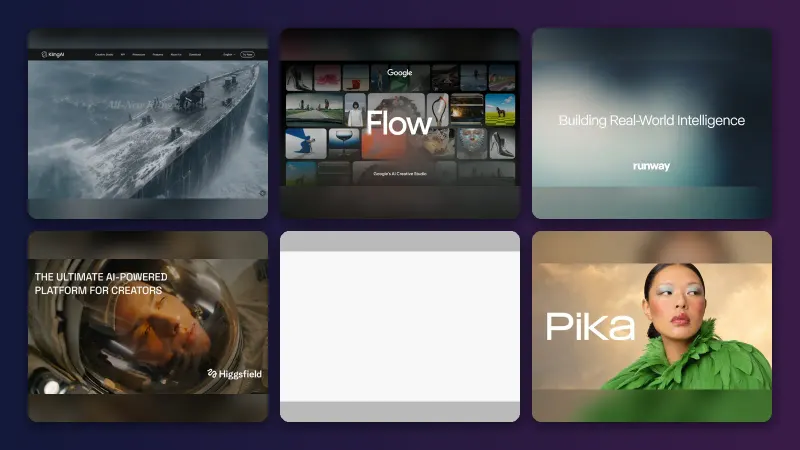
| Typical tools | Blender, Maya, Houdini, Cinema 4D, Unreal Engine | Runway, Google Veo (via Gemini), Kling, Seedance |
| Control | Total: every frame, asset and camera is editable | Partial: prompts, reference images, keyframes |
| Consistency across shots | Exact, because assets are reused | Improving but still a known weak spot |
| Speed to first result | Days to weeks | Seconds to minutes |
| Skill needed | High; years of training | Low to start; prompting and editing skills help |
| Software cost | Free (Blender) to about $3,505 a year (Houdini FX) | Free trials to $76 a month (Runway Max, billed yearly) |
| Hardware | Strong local GPU or render farm | Runs in the cloud; any laptop works |
| Rights and ethics | You own what you build | Training data and copyright disputes are ongoing |
Features compared
What CGI tools give you
A CGI package covers the whole pipeline. Blender, for example, handles "modeling, rigging, animation, simulation, rendering, compositing, and motion tracking", according to a Filmora review. Its latest stable release is Blender 5.2.3 LTS, released on 22 October 2026, according to blender.org. The site lists Blender 5.3 as expected on 10 November 2026.
The key feature is that everything is a reusable asset. A modelled car can be lit, crashed, re-coloured and filmed from any angle. Physics simulations for smoke, fire, cloth and fluids follow rules you set. That is why CGI stays the standard for games, which need real-time 3D, and for product visualisation, which needs exact dimensions.
What AI video tools give you
AI generators produce finished-looking footage without a 3D scene. Runway's plans include access to its own Gen-4.5 model and third-party models such as Kling 4.0 and Seedance, plus music, voice and sound-effect generation and 4K upscaling, according to Runway's pricing page. Runway says Gen-4.5 ranked first on the Artificial Analysis text-to-video benchmark when it launched in December 2025, per the company's announcement.
Control comes from prompts, reference images, keyframes and video-to-video modes rather than from editable geometry. Google bundles video generation into its paid Google AI plans, according to Google's subscription page. If you want to explore the tools, see our guides to the best AI video generators and the best AI image generators.
The difference between AI and CGI in one line
CGI is constructed; AI video is predicted. A CGI artist tells the computer exactly what exists in a scene. An AI model guesses what a scene matching your prompt should look like, based on its training data.
Quality of output: same prompts, side by side
The AI Future did not render or generate test footage for this article. Instead, the three common tasks below show how each approach handles the same brief, based on vendor documentation, the Netflix case and published reviews.
Task 1: "A building collapses in a city street"
CGI: artists model the building, set up a destruction simulation, add dust and debris, then composite it into live footage. The result is fully controllable but slow and costly. AI: this is exactly the shot Netflix used generative AI for in The Eternaut. Vice reported that the result was something "hardly anybody would’ve noticed or recognized as not being traditional CGI" until Netflix disclosed it (Vice). Edge: AI, for a single wide shot on a small budget.
Task 2: "The same character walks through five different scenes"
CGI: the character is one rigged model, so it looks identical in every scene. AI: continuity is the hardest part. Geeky Gadgets, summarising creator Jeff Su's analysis, reported that AI tools struggle "with maintaining consistency across multiple scenes", with character appearances, settings and audio that "can vary significantly between scenes" (Geeky Gadgets). Runway says Gen-4.5 improves temporal consistency, per its announcement, but reference images and manual fixes are still common. Edge: CGI.
Task 3: "A 10-second product spin of a new trainer for social media"
CGI: a product team can import the real design file and render a perfect, accurate turntable. AI: a generator can produce an attractive clip in minutes, but details such as logos, stitching and proportions may drift from the real product. On Runway's Standard plan, 625 monthly credits buy about 52 seconds of Gen-4.5 video, according to Runway. Edge: CGI for accuracy; AI for fast mood or concept versions.
If you are trying to judge whether a clip you have seen was AI-made, our guide on how to tell if a photo is AI generated covers the visual tells.
Pricing compared
CGI costs are mostly software seats, hardware and artist time. AI costs are mostly subscription credits. Prices below were checked in October 2026; the 3D software figures come from vendor pages as compiled by SuperRenders Farm.
| Tool | Type | Price | Source |
|---|---|---|---|
| Blender | CGI | Free, open source (GPL), commercial use allowed | blender.org |
| Houdini Indie | CGI | $299 for one year (revenue cap of $100K) | SuperRenders Farm |
| Houdini FX | CGI | $3,505 a year | SuperRenders Farm |
| Autodesk Maya | CGI | $2,010 a year or $255 a month | SuperRenders Farm |
| Unreal Engine (non-game, over $1M revenue) | CGI / real-time | $1,850 per seat a year at launch of the plan | GamesBeat |
| Runway Free | AI | $0, 125 one-time credits | Runway |
| Runway Standard | AI | $12 a month billed yearly ($15 monthly) | Runway |
| Runway Pro | AI | $28 a month billed yearly ($35 monthly) | Runway |
| Runway Max | AI | $76 a month billed yearly ($95 monthly) | Runway |
| Google AI Ultra | AI | $199.99 a month |
Two caveats apply. First, CGI software is the cheap part; skilled artist time and render hardware make up most of a CGI budget. Second, AI credits run out fast. Runway's Pro plan's 2,250 monthly credits equal about 187 seconds of Gen-4.5 footage, per its pricing page, and many generations are discarded before a usable take appears. Epic says game developers pay a 5% royalty only on products above $1 million in lifetime gross revenue, GamesBeat reported; check Epic's licence page for current non-game terms.
What reviewers and users say about each
CGI
Reviewers praise the depth of CGI tools but flag the learning curve. Filmora's Blender review calls it "a free, comprehensive 3D creation suite ideal for professional modelers and VFX artists", while warning of its "steep learning curve and heavy hardware demands" (Filmora). Cost is the common complaint for commercial suites: SuperRenders Farm notes that Maya's monthly plan costs "roughly 52% more" than the annual plan over a full year (SuperRenders Farm).
AI video
Coverage of AI video is split between excitement and concern. Geeky Gadgets concluded that "AI video in 2025 may be powerful, but it’s far from perfect" (Geeky Gadgets). Studios see savings: Lionsgate vice chairman Michael Burns said a Runway partnership could save "millions and millions of dollars", Cartoon Brew reported. The same outlet noted that Runway "is disliked by many members of the creative community" and was being sued by visual artists over copyright. Those concerns about jobs and training data remain part of any decision to use AI on commercial work.
For a closer look at one consumer AI video tool, see our Magic Hour AI review.
Which one should you choose?
- You are a beginner who wants to make short videos: start with an AI generator's free tier. You will get results the same day.
- You want a career in film, games or animation: learn CGI. Blender is free, and the core skills of modelling, lighting and animation transfer to every studio tool. Our Blender AI review covers the AI add-ons that now sit inside it.
- You run a small marketing team: use AI for concepts and social clips, and pay a 3D artist for hero product shots where accuracy matters.
- You need long-form storytelling with recurring characters: CGI, or a hybrid where AI handles backgrounds and one-off effects.
- You are budget-limited on a live-action project: a hybrid approach, as in The Eternaut, lets AI cover shots that conventional CGI would make too costly, according to Sarandos's comments reported by Vice.
What happens next: the line between the two is blurring. Blender 5.3, due in November, adds DLSS denoising and Gaussian Splatting support, according to blender.org, while AI video tools keep adding keyframes and editing controls. Expect more productions to use both in the same shot.
FAQ: is CGI AI?
Is CGI AI?
No. CGI means computer-generated imagery: scenes that artists build by hand in 3D software, then render frame by frame. A computer does the maths, but a person decides every shape, light and movement. Some CGI tools now include AI helpers, such as denoisers, but the method itself is not artificial intelligence.
What is the difference between AI and CGI?
CGI is constructed: artists model a 3D scene and render it, so every element is controllable and repeatable. Generative AI is predicted: a model trained on existing images and video creates new footage from a prompt. AI is faster and cheaper for short clips; CGI is more precise and consistent.
Is AI vs CGI cheaper?
For a short clip, AI is usually cheaper. Runway's paid plans start at $12 a month billed yearly. Professional CGI needs software such as Maya at $2,010 a year, a capable computer and skilled artist time. Blender is free, but the labour cost of CGI remains the biggest expense.
Will AI replace CGI artists?
Not fully, based on current tools. AI is taking over some previsualisation, storyboard and background work, and studios such as Lionsgate have said they want to cut costs with it. But consistency, precise control and client revisions still depend on traditional 3D skills. Many artists now use both.
Can you tell AI video from CGI?
Often not at a glance. Netflix's AI building collapse went largely unnoticed until the company disclosed it. Tells include shifting details between shots, warped text or hands, and physics that look plausible but inconsistent. Disclosure labels and provenance metadata are the most reliable signals.
Sources
- AI Image and Video Pricing | Runway AI (Runway)
- Runway Gen-4.5: State-of-the-Art AI Video Generation (Runway)
- About — Blender (Blender Foundation)
- Download — Blender (Blender Foundation)
- How Much Does Autodesk Maya Cost in 2026? (SuperRenders Farm)
- What 3D Software Costs in 2026: Maya, Max, Houdini, C4D (SuperRenders Farm)
- Epic Games updates prices for non-game Unreal Engine projects (GamesBeat)
- Netflix Used Generative AI to Show a Building Collapse in a Hit Show (Vice)
- Lionsgate Signs Deal With AI Company Runway (Cartoon Brew)
- Why AI Video Creation in 2025 Is Still Far from Perfect (Geeky Gadgets)
- Full Blender Review in 2026: Features, Pros, Cons, & Latest Updates (Wondershare Filmora)
- Google AI Pro & Ultra subscriptions (Google)