7 best AI graders in 2026: free and paid essay graders compared
The best AI grader for most teachers is CoGrader. We compare 7 AI graders and essay reviewers on price, free plans, accuracy and fit.
 Written byMuhammad Usman SiddiquiFounder and editor-in-chief
Why you can trust The AI Future
Our writers research every product, link each claim to its source and correct mistakes openly. Companies can't pay for coverage or see reviews before they're published.
Read our editorial policy
Short answer: if you teach K-12 writing, start with CoGrader. Its free plan grades 150 submissions a month, it works with Google Classroom, Canvas and Schoology, and it reads handwritten work. If you grade long papers in bulk, pay for EssayGrader. If you are a student who wants an AI essay reviewer before you hand in, use Grammarly's AI Grader.
An AI grader reads student writing against a rubric, suggests a score and drafts feedback that you review before anything reaches students. The good ones save hours. None of them should have the final word, and the research backs that up. Below are the seven best AI graders for 2026, what each costs, and where each one falls short. For more context, see our guide to AI in education.
Key takeaways
- CoGrader is the best AI grader for most teachers. 150 free submissions a month is the most generous free tier we found for a dedicated essay grader.
- EssayGrader is the best AI essay grader for volume. Pro is $14.99 a month for 350 essays, with AI-writing and plagiarism checks included.
- Brisk and MagicSchool are free for individual teachers. They give feedback rather than a full grading workflow, but you pay nothing.
- Accuracy is decent, not perfect. In a study of 1,800 student essays, ChatGPT matched expert human scores exactly only about 40% of the time, as The Hechinger Report described. Treat every AI grade as a first draft.
How we ranked them
Nobody at The AI Future ran hands-on tests for this roundup, and we do not have our own screenshots of these tools. We compared each AI grader using the official product and pricing pages, independent roundups, published research and real user reviews on Trustpilot, the Chrome Web Store and the App Store, as of late October 2026. We judged each tool on six criteria:
- Grading quality: rubric-based scores and feedback, plus any published evidence on accuracy.
- Teacher control: whether you can review and edit every score before students see it.
- Workflow fit: LMS integrations, batch grading and handwriting support.
- Free tier: how much you can grade without paying.
- Price for a full class load: what a teacher with 150 students actually pays.
- Privacy: FERPA compliance and how student data is handled.
The 7 best AI graders at a glance
| # | Tool | Category | Best for | Free tier | Starts at |
|---|---|---|---|---|---|
| 1 | CoGrader | AI essay grader | K-12 writing teachers | Yes | $15/mo |
| 2 | EssayGrader | AI essay grader | High-volume essay grading | Yes (limited) | $14.99/mo |
| 3 | Brisk Teaching | Browser extension | Feedback inside Google Docs | Yes | Free |
| 4 | MagicSchool | Teacher toolkit | All-in-one teaching AI | Yes | $8.33/mo |
| 5 | Class Companion | Assignment platform | Instant student feedback and retakes | Yes | Free |
| 6 | Gradescope | Assessment platform | STEM and university courses | Yes (limited) | Custom quote |
| 7 | Grammarly AI Grader | Student essay reviewer | Students checking drafts | Yes | $12/mo |
The best AI graders in 2026, ranked
CoGrader – best for K-12 writing teachers
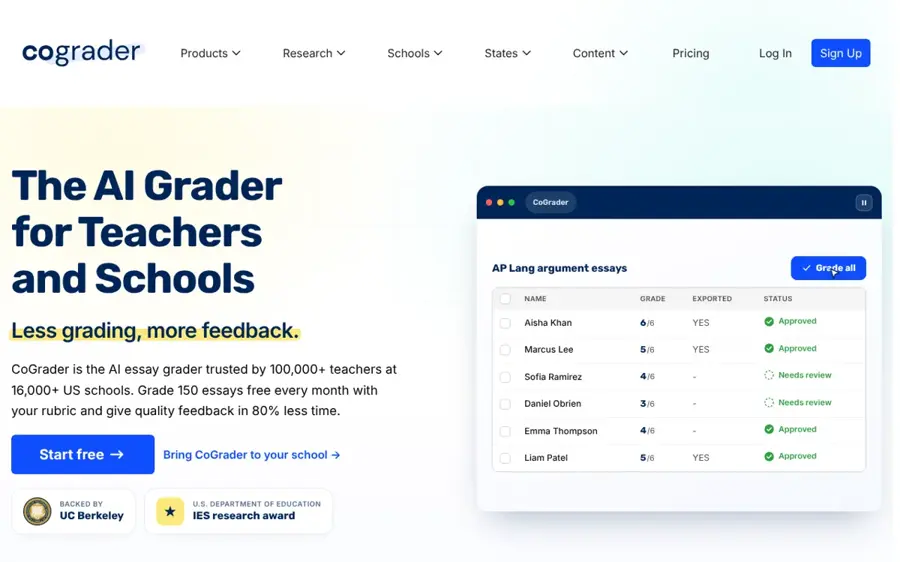
CoGrader is an AI essay grader built for K-12 teachers that scores work against your rubric or state standards and drafts feedback you approve. Try it at cograder.com.
Why it stands out
CoGrader's free Starter plan includes 150 student submissions a month, Google Classroom, Canvas and Schoology integration, and handwritten assignments. That covers a lot of teachers without paying anything. The company also publishes research, including a June 2026 technical report claiming its scores were within one point of Texas STAAR raters in 98.5% of cases. CoGrader itself labels that report "not peer reviewed", so treat it as a vendor claim.
Teachers like the workflow. An Edutopia contributor who tried it on a Reconstruction essay he had already marked wrote that the results "astonish me with their accuracy and detail" (Edutopia). The TCEA blog notes it works best with a "one prompt, one answer" approach, so multi-part assignments can trip it up. On Trustpilot, CoGrader scores 4.3 from just 8 reviews; one teacher wrote: "Cograder helps to decrease the amount of time it takes to review papers while ensuring safety of data."
Key features
- Rubric and standards grading: use your own rubric or presets aligned to state standards and AP courses.
- Glow and grow feedback: specific praise plus focused next steps for each student.
- Handwriting support: grade scanned or photographed work.
- LMS sync: Google Classroom, Canvas, Schoology and Brightspace.
- Originality checks: grammar and originality checking on the Individual plan.
Pros
- Most generous free tier among dedicated graders
- You approve every grade and comment
- Strong LMS coverage on the free plan
- Publishes research on its scoring
Cons
- Struggles with multi-question prompts
- Accuracy evidence is mostly the company's own
- Built for K-12, less so for higher ed
CoGrader pricing: Free (150 submissions/month) → Individual plan with 350 submissions a month, which Fiveable listed at $15/month billed annually or $19 month to month (checked October 2026). See pricing
Verdict: if you only pick one AI grader, pick this one.
EssayGrader – best for high-volume essay grading
EssayGrader is a dedicated AI essay grader for K-12 and higher-ed educators, with a large rubric library and built-in AI-writing and plagiarism checks. Try it at essaygrader.ai.
Why it stands out
EssayGrader wins on volume per dollar. The Pro plan is $14.99 a month for 350 essays of up to 3,500 words, and Premium is $34.99 for 800 essays of up to 8,000 words. Both include AI-writing detection, plagiarism detection, 800+ aligned rubrics and citation checks for MLA, APA and Harvard. The company says over 200,000 educators have used it to grade more than 3.5 million assignments as of July 2026.
EssayGrader holds a 4.6 rating from 69 Trustpilot reviews. One teacher wrote: "I like how EssayGrader provides detailed writing feedback that can be forwarded to students." The same reviewer adds that you should read and verify what it writes, which is good advice for every tool here. Its built-in AI detection carries the same caveat as any detector: false positives happen, so read our piece on whether AI detectors are accurate before acting on a flag.
Key features
- 800+ rubrics: aligned to all 50 US state standards, AP, IB and international curricula.
- Long essays: up to 8,000 words per essay on Premium.
- Integrity checks: AI-writing and plagiarism detection on paid plans.
- Citation monitoring: checks in-text citations in MLA, APA and Harvard.
- Beyond text: grades oral exams and video submissions too.
Pros
- Low cost per essay on paid plans
- Handles long university papers
- Native Google Classroom, Canvas and Schoology sync
- Strong Trustpilot rating
Cons
- Free plan caps essays at 1,000 words
- No browser extension, per Tesseract Academy
- AI detection results need human judgment
EssayGrader pricing: Free (100 essays/month) → paid plans from $14.99/month, with up to 30% off on annual billing (checked October 2026). See pricing
Verdict: the best essay grader AI for teachers with big stacks and long papers.
Brisk Teaching – best for feedback inside Google Docs
Brisk Teaching is a free Chrome and Edge extension that adds AI feedback, rubric checks and lesson tools to Google Docs, Slides and your LMS. Get it at briskteaching.com.
Why it stands out
Brisk lives where many teachers already grade. You open a student's Google Doc, pick a feedback style and Brisk drafts comments. Tesseract Academy notes it offers Glow and Grow, rubric criteria and targeted line-by-line feedback, and can work through a whole Google Drive or Classroom folder at once. The catch, per the same review: it writes feedback but does not put a score on the work.
The extension has 4.5 stars from 731 ratings and 1,000,000 users on the Chrome Web Store. One teacher wrote: "It saves me so much time when I am planning for various lessons. I love using the writing feedback as well."
Key features
- Works in your browser: Docs, Slides, YouTube and your LMS.
- Multiple feedback styles: Glow and Grow, rubric criteria, or targeted comments.
- Batch feedback: run a full folder of submissions in one go.
- 50+ languages: generate materials and feedback in many languages.
- 30+ teacher tools: quiz, rubric and lesson plan generators.
Pros
- Free for individual teachers
- No new platform to learn
- Large, positive user base
Cons
- Feedback only, no scores
- Best inside the Google ecosystem
- Standards alignment is on paid school plans
Brisk Teaching pricing: Free for teachers → Premium and Intelligence plans for schools and districts on custom pricing (checked October 2026). See pricing
Verdict: the cheapest way to speed up feedback if you live in Google Docs.
MagicSchool – best for an all-in-one teaching toolkit
MagicSchool is an AI platform for teachers with 80+ tools, including class writing feedback, rubric generators and student-facing tools. Try it at magicschool.ai.

Why it stands out
MagicSchool is not a dedicated AI grader, but its free plan includes Class Writing Feedback alongside lesson planning, quizzes and the Raina chatbot. If you want one subscription that covers planning and feedback, it is good value: Plus costs $8.33 a month billed annually. Read our full MagicSchool AI review for the details.
One thing to know: the Chrome Web Store listing now reads "MagicSchool AI (Retiring October 30, 2026)", so expect to use the web app rather than the extension. The extension holds 4.3 stars from 58 ratings; one teacher called it "Relevant and easy to use tools that makes my work not only easy, but a true time saver too."
Key features
- Class Writing Feedback: rubric-aligned feedback on student writing.
- 80+ teacher tools: rubric maker, lesson plans, quizzes and more.
- 50+ student tools: on the Plus plan, with student learning insights.
- District controls: SSO, LMS integrations and guardrails on Enterprise.
Pros
- Generous free plan
- Covers far more than grading
- Cheap Plus upgrade
Cons
- Grading is one feature, not the focus
- Chrome extension is being retired
- LMS integrations sit on the district plan
MagicSchool pricing: Free → Plus from $8.33/month billed annually or $12.99 month to month (checked October 2026). See pricing
Related: MagicSchool AI review Best free AI tools for students
Verdict: pick it if you want a teaching assistant first and a grader second.
Class Companion – best for instant student feedback and retakes
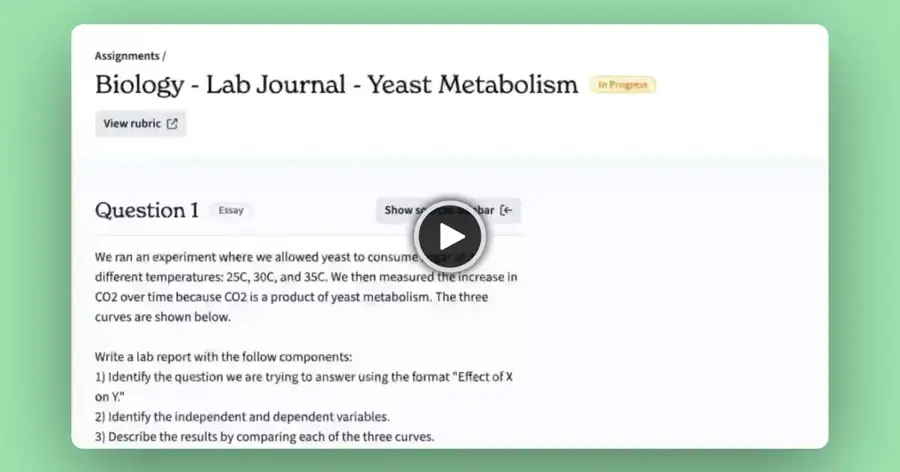
Class Companion is an assignment platform that gives students AI tutoring plus instant feedback and scores the moment they submit. Try it at classcompanion.com.
Why it stands out
Most AI graders help you after students submit. Class Companion puts feedback in front of students while they work, with multiple attempts so they can revise before final submission. Its free teacher plan includes instant AI feedback and scoring, custom rubrics and a public library of 10,000+ assignments and 500+ rubrics. The company says it supports 25,000+ schools.
The weak spot is evidence. Fiveable, which makes a competing product and says so, wrote that "as of August 2026 we did not find published scoring-accuracy evidence" for Class Companion. It also notes Panorama Education acquired the company in April 2025.
Key features
- Instant feedback and scoring: students see results right after submitting.
- AI tutor: customizable support while students work.
- Retakes: multiple attempts, which you can cap or switch off.
- Content library: 10,000+ assignments across English, science, social studies and world languages.
Pros
- Free for individual teachers
- Turns grading into practice
- Big ready-made assignment library
Cons
- LMS integration and AI detection need a school plan
- No published accuracy data found
- You work inside its platform, not your own docs
Class Companion pricing: Free for teachers → school and district plans by quote (checked October 2026). See pricing
Verdict: the best choice if you want students revising more, not just you grading faster.
Gradescope – best for STEM and university courses
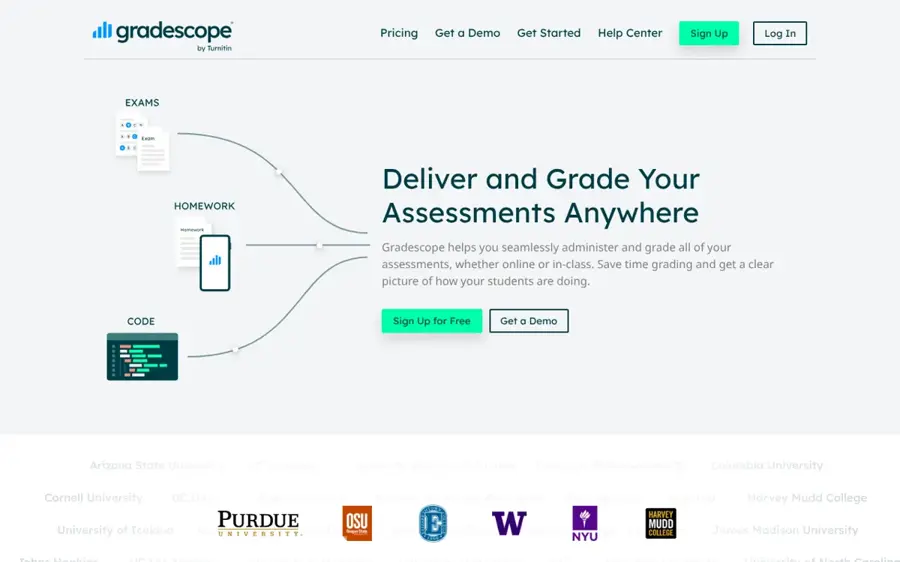
Gradescope, from Turnitin, is an assessment platform for paper, online and programming assignments, with AI-assisted grouping of similar answers. Learn more at gradescope.com.
Why it stands out
Gradescope is the pick when you grade more than essays. Tesseract Academy explains that it groups similar answers so one grade applies to the whole cluster, and covers maths, sciences and code. Be clear on what it automates: per the same review, only code and bubble sheets grade themselves, and everything else is still marked by you, just faster.
The official pricing page shows AI-powered grading, LMS integration and bubble sheets only on the Institutional plan. The student mobile app is the weak link, with a 1.4 rating from 273 App Store reviews; one review headline sums it up: "Fine app but logging in is super frustrating."
Key features
- Answer grouping: grade one answer and apply it to every similar response.
- Dynamic rubrics: change a rubric item and every graded paper updates.
- Every subject: paper exams, online assignments, code and bubble sheets.
- Regrade requests: students can flag work for a second look.
Pros
- Handles STEM and handwritten exams
- Scales to very large classes
- Free Basic plan after a one-term trial
Cons
- AI grading needs an Institutional license
- Not a feedback writer for essays
- Poorly rated student app
Gradescope pricing: Free Basic plan (after a one-term Institutional trial) → Institutional plan on custom pricing (checked October 2026). See pricing
Verdict: the right tool for a university department, overkill for one English class.
Grammarly AI Grader – best for students checking drafts
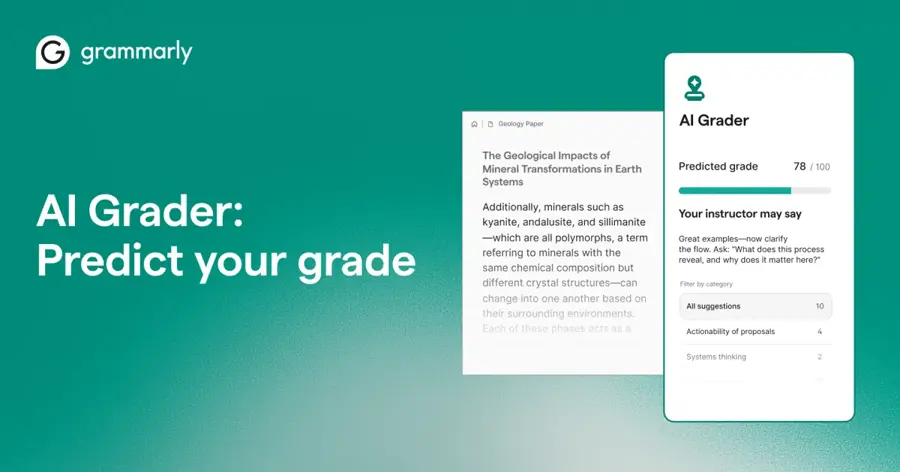
Grammarly's AI Grader is an AI essay reviewer for students that estimates your grade from your assignment and rubric and suggests fixes before you submit. Try it at grammarly.com.
Why it stands out
This is the only pick built for the person being graded. You paste a draft into Grammarly Docs, add the rubric and assignment details, and the agent gives a predicted grade and personalized feedback that updates as you revise. Tom's Guide reported at launch that the agents were available in both Grammarly Free and Pro, with the AI Detector and Plagiarism Checker limited to Pro.
A predicted grade is still a guess about your instructor, not your instructor. Use it to check structure and rubric coverage, and follow your school's AI policy. Grammarly's main Chrome extension holds 3.9 stars from 43.2K ratings. One recent reviewer who uninstalled it wrote: "It isn't because the product is bad. I actually liked it." Their complaint was pop-ups and an icon that covered their text. See our Grammarly AI review for the full picture.
Key features
- Grade estimate: a predicted score based on your rubric.
- Rubric-aware feedback: tips tied to how you will be graded.
- Live updates: the prediction changes as you apply fixes.
- Other agents: Citation Finder, Proofreader and Reader Reactions in the same editor.
Pros
- Built for students, not teachers
- Available on the free plan
- Sits alongside proofreading and citation tools
Cons
- Predictions are not your teacher's grade
- Works inside Grammarly Docs
- Some users find the extension intrusive
Grammarly pricing: Free → Pro listed at $12/month (checked October 2026). See pricing
Related: Grammarly AI review
Verdict: the best AI essay reviewer for a final check before you hit submit.
How to choose the right AI grader
Start with who is grading
Teachers need a grader with review controls and LMS sync: CoGrader, EssayGrader or Class Companion. Students need an essay reviewer that predicts and explains, which is Grammarly's AI Grader. Do not use a student tool to grade a class, or the other way round.
Count your real workload
Multiply students by essays per month. A teacher with 150 students and two essays a month needs 300 gradings. That fits CoGrader's 350-submission Individual plan or EssayGrader Pro, but blows past any free tier. Choose CoGrader if you grade under 150 a month. Choose EssayGrader if your papers run past 3,500 words.
Match the tool to the subject
Essay graders are built for ELA, history and humanities. If you teach maths, science or code, Gradescope is the better fit. If you mostly want feedback, not scores, Brisk or MagicSchool will do the job for free.
Ask for evidence, not marketing
Many graders quote accuracy figures. Check whether a study is independent and peer reviewed, and whether it reports exact agreement or "within one point". The Hechinger Report points out that accuracy can be reported in ways that make AI graders seem more accurate than they are.
Check privacy before you upload
Student essays are student data. Look for FERPA compliance and a signed data privacy agreement with your district. CoGrader, EssayGrader and Class Companion all state FERPA compliance on their pricing pages.
Free vs paid: what you actually get
| Tool | Free plan | What paying adds |
|---|---|---|
| CoGrader | 150 submissions/month, LMS sync, handwriting | 350 submissions, grammar and originality checks, class analytics |
| EssayGrader | 100 essays/month up to 1,000 words | 350–800 essays, longer essays, AI and plagiarism detection |
| Brisk Teaching | Extension, feedback and teacher tools | Standards alignment, admin controls (schools only) |
| MagicSchool | 80+ tools including Class Writing Feedback | Unlimited generations, student tools, history |
| Class Companion | Instant feedback and scoring, public library | LMS sync, AI and plagiarism detection (schools only) |
| Gradescope | Basic rubrics and PDF grading | AI-assisted grading, LMS, bubble sheets, code |
| Grammarly | AI Grader agent | AI detector, plagiarism checker, more AI prompts |
The pattern is simple. Free plans cover a light load for one teacher. Paying buys volume, longer essays and integrity checks. LMS integration and district privacy agreements usually sit on school plans, so if your school is buying, ask for a quote rather than paying out of pocket.
Final verdict
Most teachers should start with CoGrader's free plan and upgrade only when they pass 150 submissions a month. Choose EssayGrader if you grade long papers or need built-in plagiarism checks at $14.99 a month. Choose Brisk if you want free feedback without leaving Google Docs, and Gradescope if your department grades STEM exams at scale. Students should use Grammarly's AI Grader as a final check, not a substitute for their teacher's judgment.
Whichever you pick, keep a human in the loop. The research suggests AI graders are useful for first drafts and low-stakes work, and not yet reliable enough for final grades on their own. For a wider view on where this is heading, read will AI replace teachers?
FAQ
What is the best AI essay grader in 2026?
For K-12 teachers, CoGrader is the best AI essay grader thanks to its 150-submission free plan and strong LMS support. For high volume or long university papers, EssayGrader offers more essays per dollar. Students should look at Grammarly's AI Grader instead.
How accurate are AI graders?
Reasonably, but not enough to trust alone. In a study led by Tamara Tate at UC Irvine covering 1,800 middle and high school essays, ChatGPT was within one point of expert human graders 76% to 89% of the time depending on the batch, but matched exactly only about 40% of the time, according to The Hechinger Report. Tate said its scores should only be used for low-stakes purposes such as a preliminary grade on a first draft.
Can I just use ChatGPT or Claude as an AI grader?
You can paste a rubric and an essay into any chatbot and ask for a score. The Tate study did exactly that with no training examples. Dedicated graders add batch grading, LMS sync, saved rubrics and privacy agreements. If you use a general chatbot, remove student names and check your school's data rules first.
Is there a free AI grader for teachers?
Yes. CoGrader grades 150 submissions a month free, EssayGrader 100 essays a month, and Brisk, MagicSchool and Class Companion are free for individual teachers. Gradescope Basic is free after a one-term trial.
Can AI graders detect AI-written essays?
Some include AI-writing detection, such as EssayGrader's paid plans. Detection is contested and false positives happen, especially with non-native English writers, so a flag should start a conversation, not end one. See how AI detectors work.
Should students use an AI essay reviewer?
An essay reviewer AI can help you spot gaps against a rubric before you submit, as long as the writing stays yours. Check your course's AI policy first, because rules differ between schools and even between teachers.
Sources
- PROOF POINTS: AI essay grading is already as 'good as an overburdened' teacher (The Hechinger Report)
- Affordable AI Grading Plans for Teachers (CoGrader)
- Pricing | 100 Free AI Essay Gradings Each Month (EssayGrader)
- Plans for Teachers, Schools, & Districts (Brisk Teaching)
- MagicSchool Pricing & Plans (MagicSchool)
- Affordable plans for schools and districts (Class Companion)
- AI Tutor and Feedback (Class Companion)
- Gradescope pricing (Turnitin)
- AI Grader | Free Grade Predictor For Students (Grammarly)
- Grammarly Prices and Plans (Grammarly)
- CoGrader Alternatives for AP Teachers 2026 (Fiveable)
- 8 Best AI Graders for Teachers (Tesseract Academy)
- CoGrader reviews (Trustpilot)
- EssayGrader reviews (Trustpilot)
- Brisk Teaching reviews (Chrome Web Store)
- MagicSchool AI extension reviews (Chrome Web Store)
- Gradescope app (App Store)
- Grammarly extension reviews (Chrome Web Store)
- Grammarly just added 9 AI agents (Tom's Guide)
- AI grading tool (TCEA TechNotes Blog)
- How AI Can Enhance the Grading Process (Edutopia)