8 best AI hair color changers in 2026, compared side by side
The best AI hair color changer apps and free try-on tools in 2026, compared on realism, shade control, free tiers and price.
 Written byMuhammad Usman SiddiquiFounder and editor-in-chief
Why you can trust The AI Future
Our writers research every product, link each claim to its source and correct mistakes openly. Companies can't pay for coverage or see reviews before they're published.
Read our editorial policy
Short answer: the best AI hair color changer for most people is YouCam Makeup. It gives you a dedicated hair color tool with a wide shade range, a live camera preview and a usable free tier. If you want more control and already use a chatbot, Google Gemini can recolor your hair from a plain-English prompt, and its free plan includes image editing.
Everything else on this list is a specialist. Some are quick one-tap filters, some are general photo editors with a hair color feature tucked inside, and one is a free brand try-on that matches you to real dye shades. We compared eight tools using official product pages, app store listings, published independent tests and user reviews, as of late October 2026. If you also want to try new cuts, see our guide to the best AI hairstyle changers.
Key takeaways
- YouCam Makeup is the safest first pick. In a nine-app test published by its maker, Perfect Corp, it was one of only two apps that worked across all nine hairstyle and lighting scenarios. Treat that result with care, since the vendor ran the test.
- Prompt-based editors give you the most control. Gemini, ChatGPT and Picsart let you describe exact shades like "copper red with dark roots" instead of picking from a fixed palette.
- A free AI hair color changer is easy to find. Madison Reed and Garnier run free browser try-ons, and Google says Nano Banana is available for free in the Gemini app.
- Paid plans are cheap but watch the trials. Entry subscriptions run from about $5 to $15 a month, and several app reviewers complain about free trials that roll into paid plans.
- A preview is not a promise. Real dye depends on your starting color, hair condition and the colorist. Use these tools to narrow choices, not to guarantee a result.
How we ranked them
Nobody at The AI Future ran hands-on tests or took screenshots for this roundup. Instead, we compared each tool using official product pages, US App Store and Google Play listings, published independent tests and verbatim user reviews, as of late October 2026. We scored each tool on six criteria:
- Realism: whether published tests and user reviews say the color looks like real hair, with visible strands and natural light.
- Shade control: how many colors you get, and whether you can fine-tune intensity, roots or highlights.
- Hair type coverage: how well it handles short, curly and long hair, and tricky lighting.
- Free tier: what you can do without paying, and how aggressive the upsell is.
- Price: the cheapest paid plan, checked in October 2026.
- Ease and trust: how fast you get a result, ratings from real users, and clear privacy and subscription terms.
Our top picks at a glance
| # | Tool | Category | Best for | Free tier | Starts at |
|---|---|---|---|---|---|
| 1 | YouCam Makeup | Beauty app | Most people | Yes (limited) | $5.99/mo |
| 2 | Google Gemini | AI assistant | Prompt-based edits | Yes | $4.99/mo |
| 3 | FaceApp | Selfie editor | Quick one-tap checks | Yes (limited) | $10 (in-app) |
| 4 | Picsart | Photo editor | Creative and bold shades | Yes (limited) | $10.50/mo |
| 5 | Fotor | Photo editor | Realism on long hair | Yes (limited) | $8.99/mo |
| 6 | ChatGPT | AI assistant | Describing complex looks | Yes (limited) | $8/mo |
| 7 | Facetune | Selfie editor | Short hair and depth | Yes (limited) | $5.99 (in-app) |
| 8 | Madison Reed | Brand try-on | Matching real dye shades | Yes | Free |
App store ratings below are from the US App Store in late October 2026. Paid prices come from official pricing pages or the in-app purchase lists on each app store page and may vary by country.
The best AI hair color changers in 2026, ranked
YouCam Makeup – best for most people
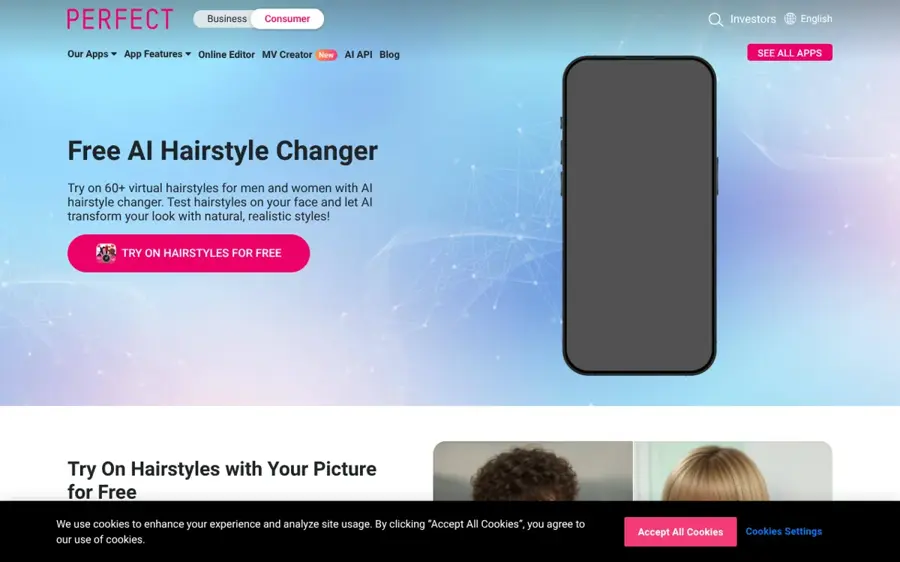
YouCam Makeup is a beauty and face editing app from Perfect Corp with a dedicated hair color changer, a live try-on camera and 250+ preset hairstyles.
Why it stands out
YouCam is built for exactly this job, and it shows. Its App Store listing promises natural or bold colors "instantly with realistic results", and you can preview shades on a photo or through the live camera. In Perfect Corp's own nine-app test on men's hair, the tester found 150+ colors with an intensity bar, and said it was "one of the few apps that works well for all 9 scenarios", from buzz cuts to long wavy hair. Keep in mind that the test was published by YouCam's maker.
Users rate it 4.7 out of 5 from more than 155,000 ratings on the US App Store. The main complaint is the upsell. One Google Play reviewer wrote that "most of the options are locked unless you try the \"free trial\"", while another said "You have to get premium though, if you want to really enjoy the app." Verdict: the most complete dedicated hair color app, as long as you cancel any trial you do not want.
Key features
- Hair color changer: natural and fashion shades with an intensity slider.
- Live camera: preview colors in real time, not just on a still photo.
- AI hairstyle: 250+ preset cuts, plus custom try-on from a reference photo.
- AI Agent: chat-based editing and beauty advice.
- Beyond hair: makeup, nails and outfit try-on in the same app.
Pros
- Purpose-built for hair color, with a wide shade range
- Works on photos and the live camera
- Handled short and long hair well in the published test
- Strong ratings on iOS
Cons
- Many features sit behind Premium
- Users report confusing free trials
- The most favorable test came from the vendor itself
YouCam Makeup pricing: Free → paid plans from $5.99/month, with yearly plans listed from $31.99 on the App Store (checked October 2026). See pricing
Related: Best AI hairstyle changers
Google Gemini – best for prompt-based edits
Google Gemini is Google's AI assistant, and its Nano Banana image model can edit an uploaded photo from a text prompt, including changing your hair color.
Why it stands out
Gemini is not a hair app, but it may be the most flexible hair color AI on this list. You upload a selfie, pick "Create images" from the tools menu and describe the change. Google says on its Nano Banana page that the model is "Available for free", while paid Google AI plans unlock Nano Banana 2.1, its most advanced image model. The Gemini App Store listing adds that you can blend multiple images, which is useful if you want to copy a shade from a reference photo.
The app holds a 4.7 rating from about 2.4 million ratings on the US App Store. The trade-off is consistency. A general image model can drift, so check that your face, background and hairline stay the same, and ask it to "keep everything else unchanged". Verdict: the best free option if you can describe what you want in words.
Key features
- Prompt editing: describe any shade, roots, balayage or highlights.
- Reference images: borrow a color from another photo.
- Free access: Nano Banana runs on the free plan.
- Paid upgrade: Nano Banana 2.1 on Google AI plans.
- Cross-platform: web, Android and iOS.
Pros
- No fixed palette, so any shade is possible
- Image editing included on the free plan
- Easy to iterate by chatting
Cons
- Not built for hair, so results can vary between attempts
- Can alter faces or backgrounds if you do not tell it not to
- No live camera try-on
Google Gemini pricing: Free → paid plans from $4.99/month for Google AI Plus, per the App Store, with Google AI Pro at $19.99/month (checked October 2026). See pricing
Related: Best AI image generators
FaceApp – best for quick one-tap checks
FaceApp is a popular selfie editor with more than 60 photorealistic filters, including one-tap hair color and hairstyle changes.
Why it stands out
FaceApp is the fastest way to answer a simple question: would I suit red? Its App Store listing lists "Change your hair color and hairstyle" among its core tools, plus a compare tool at every step. The Perfect Corp test called it "ideal for a quick check on hair colors" but noted that "Some colors may be locked behind subscriptions" and that poor lighting and messy backgrounds affected results.
FaceApp has a 4.7 rating from about 1.8 million ratings on the US App Store. One Google Play reviewer praised how it handles "different hairstyles, colors, etc." and said it was "well worth spending $40. for a year." Verdict: pick FaceApp for speed, not for fine control.
Key features
- One-tap hair color: preset shades applied in seconds.
- Hair volume: add fullness alongside color.
- Compare tool: toggle before and after at every step.
- 60+ filters: makeup, beards and lighting effects.
- Easy sharing: post straight to social apps.
Pros
- Very simple interface
- Huge user base and strong ratings
- Good for quick yes-or-no checks
Cons
- Fewer fine-tuning controls than YouCam
- Some colors locked behind PRO
- Struggles in low light, per the published test
FaceApp pricing: Free → FaceApp PRO in-app purchases listed from $10 to $100 on the US App Store (checked October 2026). See pricing
Related: Best AI picture editing tools
Picsart – best for creative and bold shades
Picsart is an all-in-one photo and video editor whose AI hair color changer lets you add a portrait and describe the shade you want in its AI Playground.

Why it stands out
Picsart works like Gemini but inside a full editor. You add your portrait, write a prompt such as "honey blonde with soft highlights", and compare the result with your original. You can then swap the background or keep editing. Picsart is refreshingly honest about limits on its own hair color page: "An AI preview is a creative reference, not a prediction of how a dye will look on your real hair."
The app is rated 4.7 from about 1.2 million ratings on the US App Store, and its listing says its AI Replace tool handles "hair color changes". Verdict: the best pick for content creators who want a bold color and a finished post in one place.
Key features
- Prompt-based recolor: describe roots, highlights and tone.
- Side-by-side compare: check the preview against your original.
- AI Replace: edit selected areas of a photo.
- Full editor: backgrounds, templates and stock media.
- Web and mobile: projects sync across devices.
Pros
- Flexible shades through prompts
- Strong editing tools after the recolor
- Clear guidance that previews are not guarantees
Cons
- Prompt results can vary between runs
- AI features use credits on paid plans
- Overkill if you only want a color preview
Picsart pricing: Free → Pro from $10.50/month billed yearly, or $15 month to month on the web (checked October 2026). See pricing
Fotor – best for realism on long hair
Fotor is an AI photo editor that includes an AI hairstyle tool for changing styles and colors, plus prompt-based replace tools on the web.
Why it stands out
Fotor's strength is detail. In the Perfect Corp test, Fotor "provided impressively visible details for stands of long hair, even under poor lighting", and the tester recommended it "for exceptional realism on long hair". The same test found only nine colors and noted that the app did not seem to change color on a buzz cut without lengthening the hair. Fotor's online editor also lets you brush over an area and describe a change, and the company names "changing your hair color" as an example.
Fotor holds a 4.7 rating from about 42,000 ratings on the US App Store. A paying Google Play reviewer complained that "If your photos are even slightly suggestive or questionable the app refuses to work because of policy." Verdict: a strong pick for long hair, a weak one for short cuts.
Key features
- AI hairstyle: change style and color together.
- Prompt replace: brush an area and describe the new color.
- Photo enhancer: fix blurry or dark selfies first.
- Retouch tools: skin smoothing and blemish removal.
- Web, desktop and mobile: available on all major platforms.
Pros
- Detailed strands on long hair in the published test
- Good low-light handling
- Affordable monthly plan
Cons
- Only nine preset colors in the test
- Every action uses credits
- Weak on very short hair
Fotor pricing: Free → Fotor Pro from $8.99/month or $47.99/year on the App Store (checked October 2026). See pricing
Related: Best AI picture editing tools
ChatGPT – best for describing complex looks
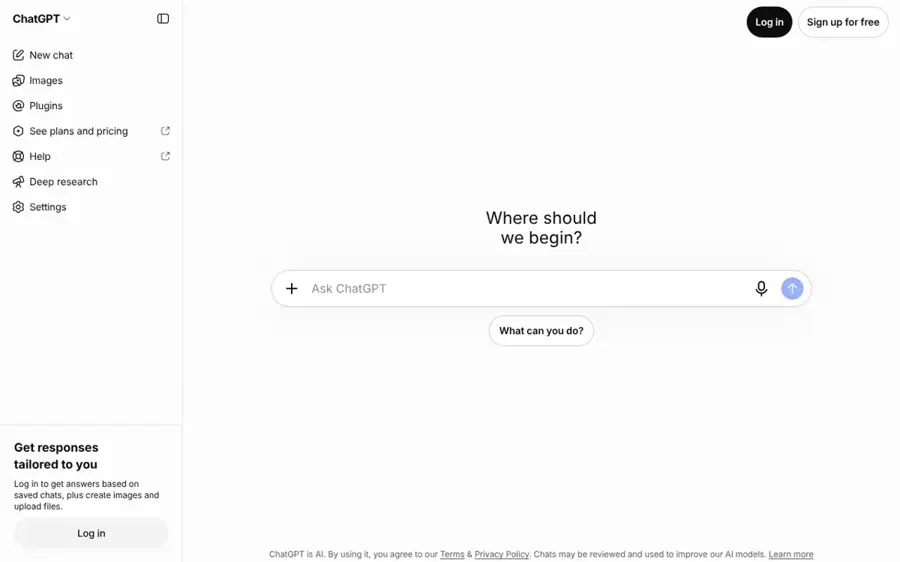
ChatGPT is OpenAI's AI assistant, and its image generator can transform an uploaded photo from a short description.
Why it stands out
ChatGPT is useful when your idea is hard to pick from a palette, such as "ash blonde balayage that fades from dark brown roots". Its App Store listing says you can "transform existing ones with a few simple words". You can also ask follow-up questions, like which tones suit warm skin, in the same chat.
ChatGPT has a 4.8 rating from about 11.6 million ratings on the US App Store, though that score covers the whole assistant, not hair edits. As with Gemini, ask it to keep your face and background unchanged and check the result closely. Verdict: worth using if you already pay for ChatGPT, but not worth subscribing just for hair color.
Key features
- Image transformation: edit an uploaded photo by description.
- Conversational refinement: adjust the shade over several turns.
- Color advice: ask about tones and maintenance in the same chat.
- Credits: extra credit packs available in the app.
- Cross-platform: web, desktop and mobile apps.
Pros
- Handles complex, multi-tone descriptions
- Combines editing with advice
- Free tier available
Cons
- Image use on the free plan is limited
- Results can change your face or background
- No live camera preview
ChatGPT pricing: Free → paid plans from $8/month for ChatGPT Go, with Plus at $19.99 on the App Store (checked October 2026). See pricing
Related: ChatGPT with GPT-6 review
Facetune – best for short hair and depth
Facetune is a selfie retouching app from Lightricks with AI hairstyles, beard try-on and hair color tools.
Why it stands out
Facetune earns its place for realism on shorter hair. In the Perfect Corp test, it showed "great capability in displaying depths on hair", and the tester recommended it "for outstanding realism on short hair". The same test noted that the gray came out darker than expected and that a buzz cut sometimes appeared lengthened.
Facetune is rated 4.6 from about 380,000 ratings on the US App Store. Its listing focuses on retouching, 20+ AI hairstyles and beard try-on, so hair color is one tool among many. Verdict: a good second opinion if you have short hair and already use Facetune for selfies.
Key features
- Hair color and styles: 20+ AI hairstyles plus recoloring.
- Beard and hair: try stubble, goatees and longer beards.
- Retouch: natural skin and lighting edits.
- Headshots: AI-powered professional portraits.
- Video editing: edit reels as well as photos.
Pros
- Realistic depth and lighting on hair
- Useful for beards as well as hair
- Polished retouching tools
Cons
- Subscription pricing is unclear on the store page
- Hair color is not a headline feature
Facetune pricing: Free → in-app purchases listed from $5.99 to $77.99 on the US App Store (checked October 2026). See pricing
Madison Reed – best for matching real dye shades
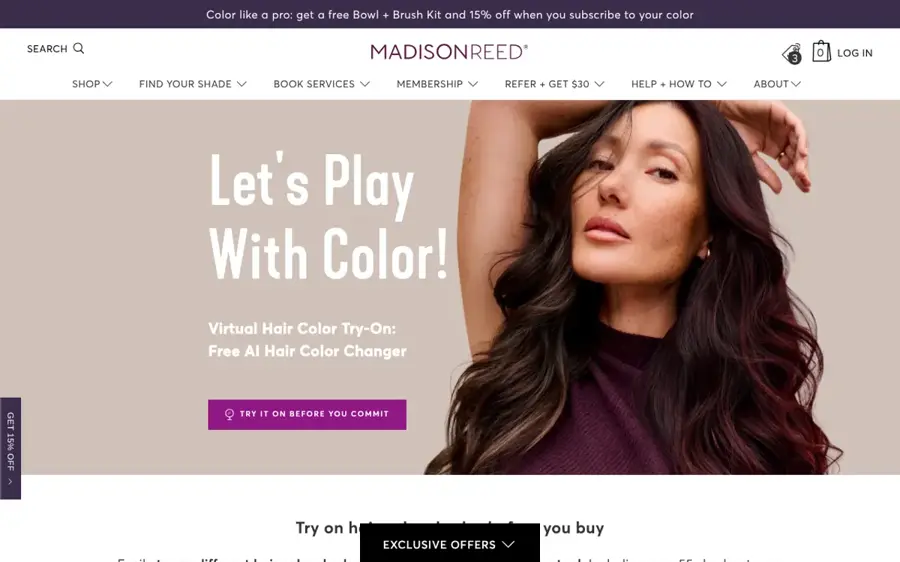
Madison Reed Virtual Hair Color Try-On is a free browser tool from the hair color brand that previews over 55 of its shades on a selfie or live camera.
Why it stands out
This is the pick for people who actually plan to dye. Instead of fantasy colors, you try real products, from light blonde to deep black. Madison Reed says on its try-on page that no app is required, and that its technology identifies "the nuances in hair tone right down to the hair strand" before applying the new shade. A split-screen slider shows your current color next to the new one, and you must consent to the brand using your image first.
We could not find a verified third-party rating for the web tool itself. Garnier runs a similar free virtual try-on with more than 80 of its shades, so try both if you are shopping store brands. Verdict: the best free AI hair color changer for picking a box dye.
Key features
- 55+ real shades: every preview maps to a product.
- No app: runs in your browser with a selfie or live camera.
- Split-screen slider: compare old and new color.
- Color quiz: a two-minute quiz suggests a match.
Pros
- Completely free
- Shades match products you can buy
- No download needed
Cons
- Only natural shades from one brand
- Designed to sell its own products
- No independent rating found
Madison Reed pricing: Free, no paid plan (checked October 2026). Try it
How to choose the right AI hair color changer
Decide if you are dyeing or just playing
If you plan to buy dye, start with a brand try-on like Madison Reed or Garnier, then check the shade in YouCam. If you just want a fun look for a profile photo, Picsart, Gemini or ChatGPT give you more freedom.
Match the tool to your hair length
Short hair is harder for AI. In the Perfect Corp test, YouCam and Glowify handled all nine scenarios, Facetune did well on short hair, and Fotor shone on long hair but struggled with buzz cuts. Choose YouCam if you have short hair. Choose Fotor if your hair is long and you want visible strands.
Use a good photo
Every tool works better with a front-facing photo, even daylight and a plain background. Avoid hats, heavy filters and hair covering your face. Try at least two lighting conditions before you trust a result.
Read the subscription terms before you tap "try free"
Several app reviewers on this list complain about free trials that renew into paid plans. On iPhone and Android, you cancel through your app store account, not inside the app. Set a reminder for the day before a trial ends.
Only edit photos you have the right to edit
Use your own selfies, or photos of friends who have agreed. Making deceptive edits of real people without their consent is harmful, and in many places it is illegal. Also check each app's privacy policy, since you are uploading a clear photo of your face. For more on phone apps, see our guide to AI apps for iPhone.
Free vs paid: what you actually get
You can get real results without paying. The question is how many shades, how many tries and how much nagging you are willing to accept.
| What you want | Free is enough? | Best free route | When to pay |
|---|---|---|---|
| Pick a real box dye | Yes | Madison Reed or Garnier try-on | Never, these are free |
| A few quick previews | Yes | YouCam or FaceApp free shades | If your shade is locked |
| Custom shades by prompt | Usually | Gemini free plan | If you hit daily limits |
| Lots of edits for social posts | No | Picsart or Fotor free tier | $9 to $15 a month for credits |
Paid plans mostly buy you more shades, more AI credits, no watermarks or ads, and higher quality output. The cheapest paid options in October 2026 were Google AI Plus at $4.99 a month on the App Store and YouCam Premium at $5.99 a month. For context, TechCrunch reported that Google AI Plus launched in the US at $7.99 a month in January 2026, so prices in this category move. If you only need one decision, a single month on any of these is cheaper than a salon color correction.
If your interest goes beyond hair, you may also like our picks for AI clothes changers for virtual try-on.
Final verdict
If you only pick one, pick YouCam Makeup. It is purpose-built for hair color, works on photos and the live camera, and handled the widest range of hair in the only multi-app test we found. Just watch the free trial.
- Choose Google Gemini if you want a free, prompt-based edit with any shade you can describe.
- Choose FaceApp if you want a yes-or-no answer in ten seconds.
- Choose Picsart if you want a bold color and a finished social post.
- Choose Fotor if you have long hair and care about strand detail.
- Choose Madison Reed if you are about to buy dye and want a real product match.
Whichever you use, show the preview to your colorist as a reference, not a target.
FAQ
What is the best AI hair color changer?
For most people, YouCam Makeup is the best AI hair color changer. It offers a dedicated hair color tool, an intensity slider and a live camera preview, and it handled short and long hair well in a published nine-app test. Google Gemini is the best free alternative if you prefer typing a prompt.
Is there a free AI hair color changer?
Yes. Madison Reed and Garnier offer free browser try-ons with real dye shades, and Google says Nano Banana image editing in Gemini is available for free. YouCam, FaceApp, Picsart and Fotor also have free tiers, but many shades and AI credits are reserved for paying users.
How accurate are AI hair color changers?
They are good for comparing options, but they are not exact. Results depend on lighting, photo quality and hair length, and short hair is the hardest case. Real dye also depends on your starting color and hair condition, so treat any preview as a reference to discuss with a colorist.
Can I change my hair color with ChatGPT or Gemini?
Yes. Upload a clear selfie and describe the color you want, such as "copper red, keep my face and background unchanged". Both can edit photos from text, and Gemini includes image editing on its free plan. Check the result carefully, because general image models can alter other details.
Are AI hair color apps safe to use?
Most mainstream apps are safe to use, but you are uploading a clear photo of your face, so read the privacy policy first. Watch for free trials that renew automatically, and cancel through your app store. Only edit photos of yourself or people who have given permission.
Sources
- 9 Free Hair Color Apps on Men's Hair (2026 Tested) (Perfect Corp)
- YouCam Makeup: Face Editor (Apple App Store)
- YouCam Makeup: Face Editor (Google Play)
- Nano Banana 2 - Gemini AI image generator & photo editor (Google)
- Google AI Pro & Ultra plans (Google)
- Google Gemini (Apple App Store)
- FaceApp: Perfect Face Editor (Apple App Store)
- FaceApp: Perfect Face Editor (Google Play)
- AI Hair Color Changer: Change Hair Color in Photos (Picsart)
- Picsart pricing (Picsart)
- Picsart AI Photo Editor, Video (Apple App Store)
- Fotor online photo editor (Fotor)
- Fotor pricing (Fotor)
- Fotor AI Photo Editor & Video (Apple App Store)
- Fotor AI Photo Editor & Filter (Google Play)
- ChatGPT (Apple App Store)
- Facetune: Photo & Video Editor (Apple App Store)
- Virtual Hair Color Try-On: Free AI Hair Color Changer (Madison Reed)
- Garnier virtual hair color try-on tool (Garnier USA)
- Google's more affordable AI Plus plan rolls out to all markets, including the US (TechCrunch)