Best animation AI tools in 2026: 9 picks for every budget
The best animation AI tools in 2026, from Kling and Google Flow to story makers and 3D character animators, with free plans and prices compared.
 Written byBurhan AqibSenior writer, policy and analysis
Why you can trust The AI Future
Our writers research every product, link each claim to its source and correct mistakes openly. Companies can't pay for coverage or see reviews before they're published.
Read our editorial policy
Short answer: most people should start with Kling AI. It gives you free daily credits, strong motion and a $10 Standard plan, and an October 2026 roundup by TechJournal rated Kling 3.0 the best value video model at roughly 4–7x lower cost than rivals of similar quality. If you want the most polished animation AI output with sound, use Google Flow. If you need to make AI stories with recurring characters, try MagicLight. Everything else on this list is a specialist.
Animation AI now covers three different jobs: text or image to animated video clips, story tools that turn a script into a multi-scene cartoon, and 3D character animators that move a rigged figure from a prompt or a webcam clip. The field also shifted this year. OpenAI closed the Sora app on April 26, 2026, and the API on September 24, 2026, so if Sora was your AI animator, you need a replacement. Below are nine tools that cover every budget, from free to around $35 a month.
Key takeaways
- Kling AI is the best all-rounder. Free daily credits, good motion, and paid plans from $10 a month.
- Google Flow gives the most cinematic results. It runs on Veo 3.1 with native audio and starts with the $4.99 AI Plus plan.
- For stories and kids' content, pick a story tool. MagicLight and Animaker keep characters and scenes consistent better than raw clip generators.
- For 3D characters you can reuse, use Krikey AI. It exports FBX files for Unity and Unreal on paid plans.
- Free tiers are trials, not workflows. Almost every free plan adds a watermark, caps resolution or blocks commercial use.
How we ranked them
To be clear: nobody at The AI Future ran hands-on tests for this roundup. We compared each ai animation software option using official pricing and product pages, published independent tests and user reviews on Trustpilot and Capterra, as of late October 2026. We scored each tool on seven criteria:
- Motion quality: how natural movement, physics and camera work look in published tests.
- Character consistency: whether the same character stays on-model across shots.
- Control: keyframes, camera presets, motion brushes and editing options.
- Audio: native sound, voiceover and lip-sync.
- Free plan value: what you can actually make without paying.
- Price per useful second: how far the cheapest paid plan goes.
- User sentiment: what paying customers say about billing, support and reliability.
Prices are in US dollars unless noted and can change with promotions, region and billing period. Check the vendor's page before you buy.
Our top picks at a glance
| # | Tool | Category | Best for | Free tier | Starts at |
|---|---|---|---|---|---|
| 1 | Kling AI | Video generator | Best value animated clips | Yes (limited) | $10/mo |
| 2 | Google Flow | Video generator | Cinematic scenes with sound | Yes (limited) | $4.99/mo |
| 3 | Runway | Video generator | Creative control | Yes (limited) | $15/mo |
| 4 | Higgsfield | Multi-model studio | Camera moves | Yes (limited) | $15/mo |
| 5 | Adobe Firefly | Creative suite | Commercially safe work | Yes (limited) | $9.99/mo |
| 6 | Pika | Video generator | Cheap social clips | Yes (limited) | $8/mo |
| 7 | MagicLight | Story animation | AI stories | Yes (limited) | $7.50/mo |
| 8 | Krikey AI | 3D character animation | 3D characters | Yes (limited) | $15/mo |
| 9 | Animaker | Template animation | Explainer cartoons | Yes | $20/mo |
The 9 best animation AI tools in 2026, ranked
Kling AI – best for best value animated clips
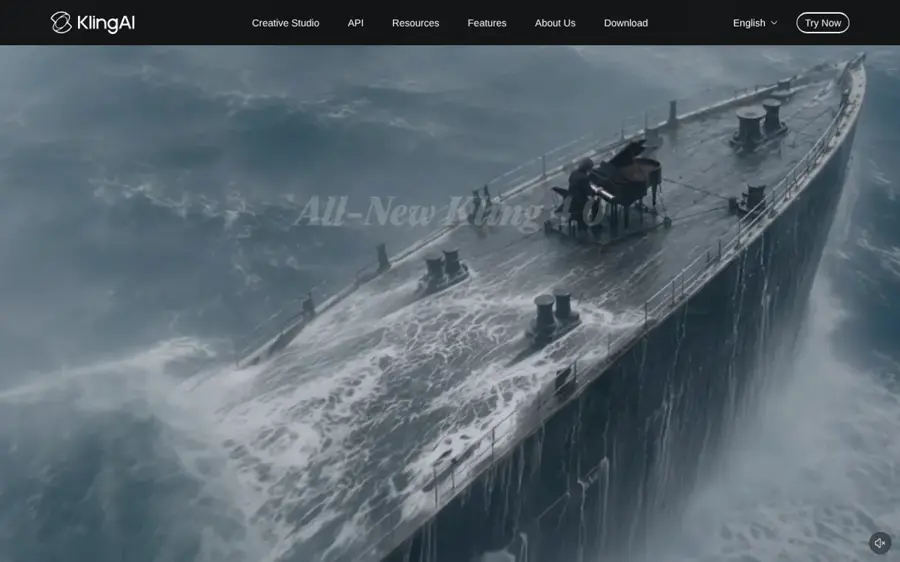
Kling AI is Kuaishou's text and image to animation AI generator, now on its 3.0 model family with native audio and motion control.
Why it stands out
Kling wins on value. TechJournal's October 2026 roundup named Kling 3.0 the value pick, and Kling 3.0 added six-axis camera movement and object path drawing when it launched on March 8, 2026. That matters for animation: you can tell a character where to walk instead of hoping the model guesses. A Kling 4.0 Flash model opened to a limited group of early-access users on September 28, so expect another jump soon.
User sentiment is the weak spot. Kling holds a 1.2 out of 5 TrustScore from 424 Trustpilot reviews, mostly about billing and prompt adherence. One reviewer wrote, "Stay away. Kling will ignore the simplest prompt," while another conceded, "The product itself is decent."
Key features
- Daily free credits: about 66 a day on the free plan, which expire after 24 hours.
- Motion control: draw paths and set camera moves for characters and objects.
- Native audio: Video 3.0 modes with sound at 720p and 1080p.
- Image to video: animate a character sheet or illustration you already have.
- 4K output: added in April 2026 on paid tiers.
Pros
- Best price-to-quality ratio on this list
- Free plan renews every day
- Fine control over motion and camera
Cons
- Free output is 360p–540p, watermarked and non-commercial
- Credits do not roll over
- Poor Trustpilot score over billing and support
Kling AI pricing: Free → paid plans from $10/month (Standard, 660 credits), or $6.60/month billed annually, per eesel's June 2026 breakdown (checked October 2026). See pricing
Verdict: If you only pick one paid animation AI tool, pick Kling Standard.
Google Flow – best for cinematic scenes with sound
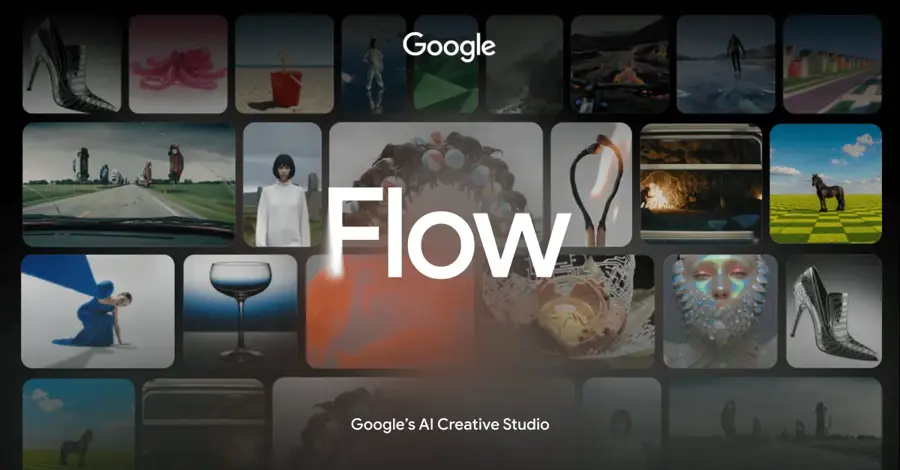
Google Flow is Google's AI filmmaking app, built on the Veo video models, where you generate, extend and stitch clips into scenes.
Why it stands out
Flow gives you access to Veo 3.1, which TechJournal calls "the most technically advanced AI video model available", with 4K at up to 60fps and native audio. For ai generated animation that needs dialogue, ambient sound and believable lighting in one pass, nothing here beats it.
The catch is credits. Google's plans page lists 200 Flow credits on AI Plus ($4.99), 1,000 on AI Pro ($19.99) and 10,000 or 25,000 on AI Ultra (from $99.99). An April 2026 MindStudio guide estimated a Veo 3 clip with audio at about 50 credits, so the cheaper tiers run out fast, and credits do not roll over.
Key features
- Veo 3.1 access: top-tier video quality on paid Google AI plans.
- Native audio: dialogue, effects and ambience generated with the video.
- Scene building: extend clips and string them into longer sequences.
- Bundled value: the same subscription covers Gemini and Google storage.
- Free access: a free tier with limited image tools; features vary by region.
Pros
- Highest image and motion quality in published tests
- Cheap entry point with AI Plus
- Sound comes with the picture
Cons
- Credits go quickly on Veo 3.1
- Full Veo 3.1 access sits on the Ultra tier
- Availability varies by country
Google Flow pricing: Free → paid plans from $4.99/month (Google AI Plus); AI Pro $19.99/month (checked October 2026). See pricing
Verdict: Choose Flow if quality matters more than volume and you already use Google services.
Runway – best for creative control
Runway is a professional AI video studio whose Gen-4.5 model, editing tools and per-shot controls suit filmmakers and motion designers.
Why it stands out
Runway is the pick when you want to direct, not just prompt. TechJournal rated Gen-4.5 the creative-control pick, with 4K support and native audio generation and editing. Gen-4.5 also ranks highly on Artificial Analysis benchmarks. Its strength is the toolkit around the model: you can restyle footage, extend shots and edit generated clips rather than starting over.
Paying users are less happy. Runway has a 1.2 out of 5 TrustScore from 362 Trustpilot reviews, and one three-star reviewer summed up the mood: "I was impressed but a little disappointed at the same time." Credits are spent per second, and retries also use credits, so budget for failed takes.
Key features
- Gen-4.5 model: on Standard and higher plans.
- Editing tools: restyle, extend and fix generated or real footage.
- 4K and audio: native sound generation and editing, per Runway.
- Team features: per-user plans for studios and agencies.
Pros
- Deepest set of editing controls
- Strong benchmark results
- Built for professional workflows
Cons
- Free plan is 125 one-time credits, image-to-video only, watermarked
- Per-second credits make costs hard to predict
- Weak Trustpilot reviews
Runway pricing: Free → paid plans from $15/user/month (Standard, billed annually), per Creatify's 2026 pricing review (checked October 2026). See pricing
Verdict: Choose Runway if you edit video for a living and want an ai animator that fits into that work.
Higgsfield – best for camera moves
Higgsfield is a creator studio that bundles several video models under one subscription, with film-style camera presets on top.
Why it stands out
Higgsfield's edge is direction. TechJournal ranked it first for camera control, citing "more than 70 camera-motion presets" in its Cinema Studio. Crash zooms, dolly moves and orbit shots make simple ai animations feel shot rather than generated. You also get access to multiple third-party models, so you can switch when one struggles with a prompt.
It also has the best user reviews here: a 4.0 out of 5 TrustScore from 4,711 Trustpilot reviews. One five-star reviewer wrote, "The quality of the videos are exceptionaly fantastic." Complaints that do appear tend to focus on refunds and support.
Key features
- Camera presets: 70-plus moves you apply with one click.
- Multi-model access: several leading video models in one place.
- Cinema Studio: shot-by-shot control for short films.
- Image tools: make a character still, then animate it.
Pros
- Best camera control on this list
- One subscription covers many models
- Strongest Trustpilot score of the group
Cons
- Credit costs vary a lot by model
- Free plan is very limited
- Refund policy draws complaints
Higgsfield pricing: Free → paid plans from $15/month (Starter); Plus $49/month or $39 billed annually, per our Higgsfield review (checked October 2026). See pricing
Verdict: Choose Higgsfield if you make short, cinematic social clips every week.
Related: Higgsfield AI review
Adobe Firefly – best for commercially safe work
Adobe Firefly is Adobe's generative app for images, video and audio, with its own Firefly Video Model plus partner models from Google, OpenAI and others.

Why it stands out
Firefly is the safest pick for client and brand work. TechJournal ranked Firefly Video first for commercial IP safety, and it plugs into Premiere Pro and the rest of Creative Cloud. Paid plans also include partner models such as Google, OpenAI and Flux, so you can try other engines without another subscription.
The limit is volume. According to SaaS CRM Review, a five-second 1080p clip costs 500 credits, so the Standard plan's 2,000 credits buys about four clips, or roughly 20 seconds. That is fine for a logo sting or a product shot, not a full cartoon.
Key features
- Firefly Video Model: Adobe's own model, designed for commercial use.
- Partner models: Veo 3.1 Fast and Kling 3.0 on higher tiers.
- Creative Cloud links: send clips straight into Premiere Pro.
- Free daily generations: try it before you pay.
Pros
- Clearest story on commercial use
- Works with tools designers already use
- Access to partner models in one place
Cons
- Very few seconds of 1080p video per month on Standard
- Unlimited Firefly video only on the $199.99 Premium plan
Adobe Firefly pricing: Free → paid plans from $9.99/month (Standard, 2,000 credits), per SaaS CRM Review (checked October 2026). See pricing
Verdict: Choose Firefly if your client asks where the training data came from.
Related: Best AI video generators
Pika – best for cheap social clips
Pika is a playful video generator built for short, shareable clips, with effects like Pikaffects and a lip-sync tool called Pikaformance.
Why it stands out
Pika is the budget option for fun, fast ai animations. Its Standard plan costs $8 a month billed annually for 700 credits, and Pika 2.5 is its current flagship. TechJournal positions it for fast, viral social clips but warns, "Quality is lower than premium tools."
Users are split. Pika has a 2.2 out of 5 TrustScore from 77 Trustpilot reviews. One reviewer called it a "Great affordable experience!", while another said, "My credits never refreshed, and I was asked to pay even more just to get additional credits."
Key features
- Pikaffects: one-click effects that squash, melt or inflate objects.
- Pikaframes: set start and end frames on paid plans.
- Pikaformance: lip-sync for talking characters.
- Free credits: 80 a month at 480p.
Pros
- Cheapest paid plan from a major video model
- Effects suit memes and social posts
- Fast to learn
Cons
- Lower quality than Kling, Veo or Runway
- Free plan blocks commercial use and keeps the watermark
- Credit complaints on Trustpilot
Pika pricing: Free → paid plans from $8/month billed annually (about $10 monthly), per eesel (checked October 2026). See pricing
Verdict: Choose Pika if you want playful clips for social media and spend under $10.
Related: Best free AI video generators
MagicLight – best for AI stories
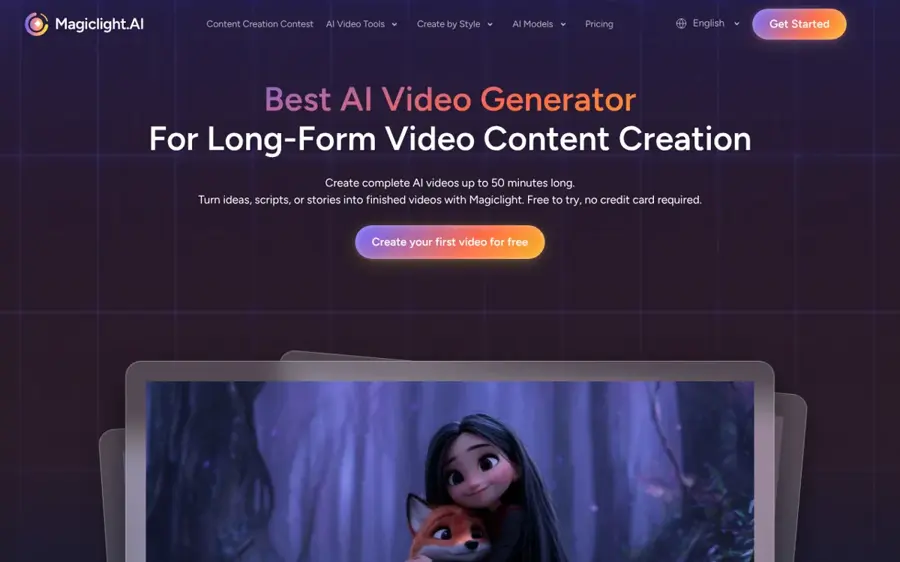
MagicLight turns a script or story idea into a long, multi-scene animated video with consistent characters, voiceover and music.
Why it stands out
Clip generators make five to 15 seconds at a time. MagicLight is built for the whole story: you paste a script, it splits it into scenes, keeps your characters consistent and assembles the result. That makes it the most direct answer to "how do I make AI stories" for kids' channels, bedtime stories and lessons.
Reviews are mixed. It holds a 2.7 out of 5 TrustScore from 115 Trustpilot reviews, with complaints centred on billing and support. On the positive side, one reviewer wrote, "MagicLight is simple to use and the workflow is clear."
Key features
- Script to video: turn a full story into scenes automatically.
- Character consistency: the same characters across a long video.
- Voice and music: narration and soundtrack added for you.
- Mobile app: available on iOS.
Pros
- Built for long, story-driven videos
- Very little editing skill needed
- Cheap entry plan billed annually
Cons
- Less shot-level control than Runway or Kling
- Billing complaints on Trustpilot
MagicLight pricing: Free trial → paid plans from $7.50/month (Standard, billed annually), per our MagicLight review (checked October 2026). See pricing
Verdict: Choose MagicLight if you need a finished story video, not a single beautiful shot.
Related: MagicLight AI review
Krikey AI – best for 3D characters
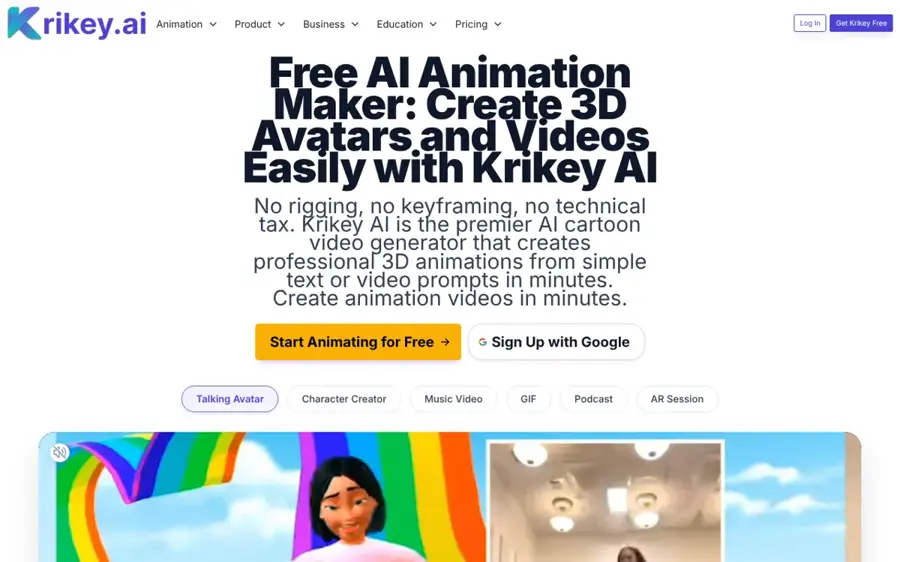
Krikey AI is a 3D animation maker that animates rigged characters from text prompts or from a video of you moving.
Why it stands out
Krikey answers a different question from the video generators: "Can AI animate a character I can reuse?" Yes. Its video-to-animation tool maps the movement in a clip onto a 3D character, and paid plans export MP4, GIF, PNG and FBX files for Unity and Unreal. That makes it useful for game prototypes, classroom projects and talking-avatar explainers.
SoftwareTestingHelp tested it for a month and found it fast, but warned, "You'll notice the quality drops drastically when the clip features complicated dance moves." Keep motions simple and framing steady.
Key features
- Text to animation: describe a move and apply it to a character.
- Video to animation: motion capture from a webcam or uploaded clip.
- 3D editor: adjust expressions, camera angles and backgrounds.
- Voiceover: AI voices in 20-plus languages.
- FBX export: on Pro and Teams plans.
Pros
- Real 3D output you can reuse
- No motion-capture suit needed
- Cheap credit passes from $1.50
Cons
- Free plan is only 20 one-time credits
- Quality drops on fast or complex motion
Krikey AI pricing: Free → paid plans from $15/person/month (Pro, 165 credits) (checked October 2026). See pricing
Verdict: Choose Krikey if you need animated 3D characters rather than flat video.
Animaker – best for explainer cartoons
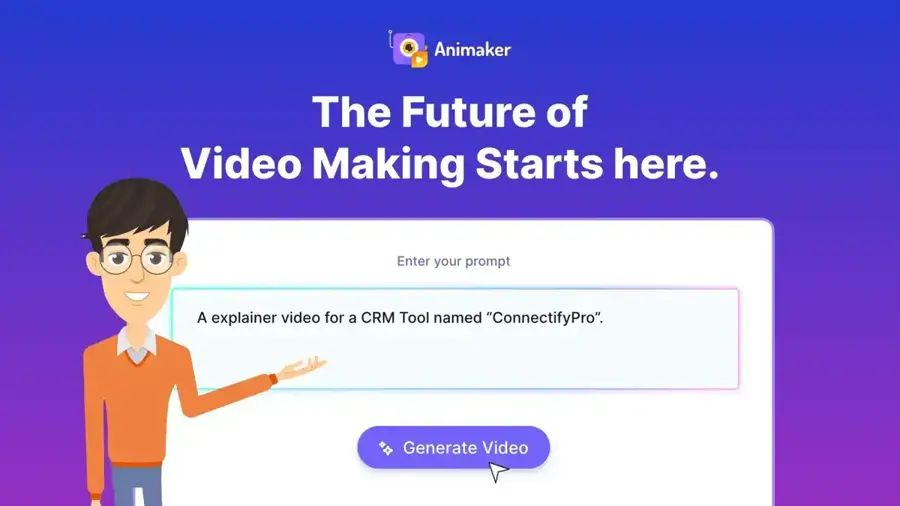
Animaker is a drag-and-drop animation maker with AI features, a large character and template library, and a free plan.
Why it stands out
Animaker is the most predictable tool here. Instead of generating every frame, you build scenes from templates and characters, then use AI to speed up the work. That gives you clean, on-brand explainer and training videos without the glitches of generative video.
It also has solid user ratings: 4.2 out of 5 from 235 reviews on Capterra. One reviewer noted, "A large number of options are already available in the free version," while another warned about "add ons after subscription service; it gets costly."
Key features
- Template library: ready scenes for explainers and presentations.
- Custom characters: five on the free plan.
- Team collaboration: real-time editing on all plans.
- HD export: available on the free plan.
Pros
- Real free plan, not just a trial
- Consistent, brand-safe output
- Strong Capterra ratings
Cons
- Looks template-based next to generative tools
- Add-ons raise the real cost
Animaker pricing: Free → paid plans from $20/user/month (Basic), per Capterra (checked October 2026). See pricing
Verdict: Choose Animaker if you make business explainers and value control over novelty.
How to choose the right animation AI tools
Decide what "animation" means for your project
Want a beautiful 10-second shot? Use Kling, Flow or Runway. Want a five-minute story with the same characters throughout? Use MagicLight or Animaker. Want a 3D character for a game or app? Use Krikey. Picking the wrong category wastes more money than picking the wrong brand. Our guide on how AI creates videos explains why clip generators struggle with long stories.
Start from an image for consistent characters
Text to animation AI works, but characters drift between clips. Design your character as a still image first, then animate it with image-to-video. See our list of the best AI image animator tools for more options.
Budget in seconds, not plans
Compare how many usable seconds each plan buys. Firefly Standard covers about 20 seconds of 1080p video a month. Kling Standard covers far more for the same money. Then assume a third of your generations will be retakes.
Check commercial rights before you publish
Free plans from Kling and Pika block commercial use. If you are making videos for clients or ads, you need a paid tier, and Firefly is the easiest one to defend.
Read the billing reviews
Several tools here have low Trustpilot scores driven by credit and refund complaints. Pay monthly first, cancel before renewal if you are unsure, and only switch to annual once a tool has proven itself.
Free vs paid: what you actually get
Every tool here lets you try it free, but the free plans differ a lot. Here is what you get before you pay, based on the pricing sources above.
| Tool | Free plan | Main free limits | What paying unlocks |
|---|---|---|---|
| Kling AI | About 66 credits a day | 360p–540p, watermark, no commercial use | 1080p, no watermark, commercial rights |
| Google Flow | Limited free access | Few video features; varies by region | Flow credits and Veo 3.1 Lite or full Veo 3.1 |
| Runway | 125 one-time credits | Image-to-video only, watermark | Gen-4.5 and monthly credits |
| Adobe Firefly | Free daily generations | No stated video quota | Monthly credits and partner models |
| Pika | 80 credits a month | 480p, watermark, no commercial use | Pikaframes, higher resolution, commercial use |
| Krikey AI | 20 one-time credits | No FBX export, limited HD | Monthly credits, FBX, no watermark |
| Animaker | Free plan | 10 premium asset credits, 5 premium downloads a month | More assets, downloads and features |
The best free AI animation video generator for regular use is Kling, because its credits refresh daily. For a free ai animation tool that produces finished, watermark-free business videos, Animaker's free plan goes further. Everything else is a trial. If you mainly want free tools, our roundup of free AI video generators goes deeper.
Final verdict
Most people should start with Kling AI on the free plan, then move to Standard at $10 a month once they hit the watermark. Choose Google Flow if you want the best-looking scenes with sound. Choose Runway or Higgsfield if you care about direction and camera work. Choose Firefly for client work, Pika for cheap social clips, MagicLight for AI stories, Krikey for 3D characters and Animaker for explainers.
One tool rarely does it all. A common setup is one image tool for characters plus one video generator for motion. That keeps your spending near $20 a month.
FAQ
How to make AI stories?
Write a short script with clear scenes, then paste it into a story tool such as MagicLight, which splits it into scenes, keeps characters consistent and adds narration. For more control, design your characters as images, animate each scene with Kling or Flow, then join the clips in an editor and add a voiceover.
Can AI animate?
Yes. AI can animate a still image, generate a moving scene from text, or map your movements onto a 3D character. Tools like Kling, Runway and Google Flow make short animated clips, while Krikey AI animates reusable 3D characters. Results are best for short shots; long scenes still need editing and planning.
Which AI is best for animation?
For most people, Kling AI is the best AI for animation because it pairs strong motion with free daily credits and a $10 paid plan. Google Flow with Veo 3.1 gives the highest quality with sound. MagicLight is best for full story videos, and Krikey AI is best for 3D character animation.
Can AI create animation?
Yes. Modern animation AI generators create animated video from text prompts, images or reference footage, often with sound. They handle motion, lighting and camera moves for you. They still struggle with long scenes, complex action and keeping characters identical, so most creators generate short clips and edit them together.
Sources
- Best AI Video Generators 2026 (TechJournal)
- AI Video Model News: Latest Updates and Breakthroughs in 2026 (Frameo)
- Kling AI pricing (2026): A complete guide to all plans, credits, and real costs (eesel AI)
- Kling AI reviews (Trustpilot)
- Runway pricing (2026): plans, credits, and what you'll actually pay (Creatify)
- Runway reviews (Trustpilot)
- Google AI plans (Google)
- Google Flow pricing: credits and tiers explained (MindStudio)
- How do Higgsfield plans work? (Higgsfield Help Center)
- Higgsfield reviews (Trustpilot)
- Adobe Firefly Pricing 2026: How Much Does Adobe Firefly Cost? (SaaS CRM Review)
- Adobe Firefly plans (Adobe)
- Pika AI pricing (2026): Plans, credits, and what you actually pay (eesel AI)
- Pika reviews (Trustpilot)
- MagicLight Pricing (MagicLight)
- MagicLight reviews (Trustpilot)
- Krikey AI Animation Software Pricing and Plans (Krikey AI)
- Krikey AI 3D Animation Maker Review and Alternatives (SoftwareTestingHelp)
- Animaker Pricing 2026 (Capterra)