Build your own AI assistant: 9 best tools in 2026, compared
Want to build your own AI assistant? We compare Claude, Gemini, ChatGPT, Zapier, n8n and four more on price, free tiers and what they can actually do.
 Written byMuhammad Usman SiddiquiFounder and editor-in-chief
Why you can trust The AI Future
Our writers research every product, link each claim to its source and correct mistakes openly. Companies can't pay for coverage or see reviews before they're published.
Read our editorial policy
Short answer: if you want to build your own AI assistant this week without touching code, start with a Claude Project or a Gemini skill. Both are free to try. Both let you give the AI standing instructions and your own files, and you can be done in about ten minutes. If your assistant needs to do things across your apps, such as filing emails, updating a CRM or posting to Slack, step up to Zapier or n8n. Everything else on this list is a specialist.
One warning before you start. The two most famous do-it-yourself options are being replaced. OpenAI says custom GPTs are scheduled to retire on Dec 11, 2026 and are moving to plugins. Google says Gems on personal accounts will be replaced by skills from November 17, 2026. If you build something today, build it on the new system, not the old one.
Key takeaways
- Most people should start with a chat assistant. Claude Projects, Gemini skills and ChatGPT plugins cover writing, research and personal routines for $20 a month or less.
- Custom GPTs and Gems are on the way out. New GPTs can no longer be created on personal ChatGPT accounts, and Gems are becoming skills in November 2026.
- Automation tools turn an assistant into an agent. Zapier and n8n connect AI to thousands of apps, so it can act, not just answer.
- Customer-facing bots are a separate job. Botpress and Copilot Studio are built for publishing assistants to websites, WhatsApp or Teams, and they bill by usage.
- Self-hosting is the budget play. n8n and Dify can run free on your own server if you can handle Docker.
How we ranked them
Nobody at The AI Future ran hands-on tests or took screenshots for this roundup. We compared each tool using official pricing and help pages, published independent coverage and verified user reviews on Capterra, as of late October 2026. We scored each tool on six criteria:
- Time to first assistant: how fast a non-developer can get something useful running.
- Customization: instructions, knowledge files, memory and model choice.
- Actions and integrations: whether the assistant can work inside other apps, not just chat.
- Free tier: what you can build before paying anything.
- Price predictability: flat fees score higher than credit systems that are hard to forecast.
- Stability: how likely the feature is to still exist, unchanged, next year.
Prices are in US dollars unless stated, before tax, and change often. Check the vendor's pricing page before you buy.
The 9 best tools to build your own AI assistant at a glance
| # | Tool | Category | Best for | Free tier | Starts at |
|---|---|---|---|---|---|
| 1 | Claude | Chat assistant | Most people | Yes | $20/mo |
| 2 | ChatGPT | Chat assistant | Existing ChatGPT users | Yes (limited) | $8/mo |
| 3 | Google Gemini | Chat assistant | Free personal assistant | Yes | $4.99/mo |
| 4 | Zapier | No-code automation | Assistants that act across apps | Yes (limited) | $19.99/mo |
| 5 | n8n | Workflow automation | Technical builders on a budget | Yes (limited) | €20/mo |
| 6 | Lindy | AI assistant platform | Inbox and meeting help | Yes (limited) | $29.99/mo |
| 7 | Microsoft Copilot Studio | Enterprise agent builder | Microsoft 365 companies | No | $30/user/mo |
| 8 | Botpress | Chatbot builder | Customer-facing chatbots | Yes | $150/mo |
| 9 | Dify | Open-source app builder | Self-hosted AI apps | Yes (limited) | $590/yr |
n8n's free option is its self-hosted Community edition; Dify's is self-hosting. Both cloud plans are paid.
The best tools to build your own AI assistant in 2026, ranked
Claude – best for most people
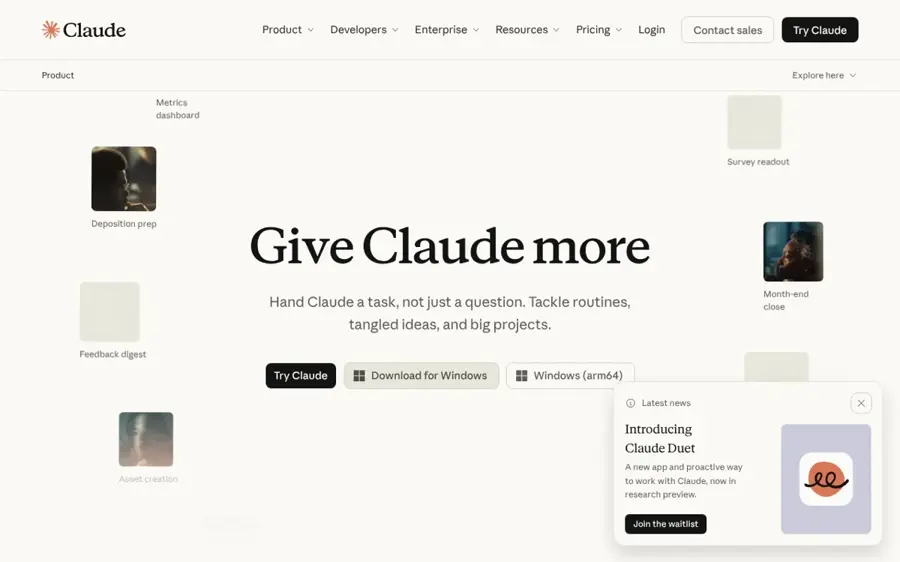
Claude is Anthropic's AI assistant. Its Projects feature lets you set standing instructions and upload a knowledge base, which is the quickest way to make a personal assistant that knows your work.
Why it stands out
A Claude Project is a self-contained workspace with its own chats, files and instructions. Anthropic's help center says projects are available to all users, and free accounts can create up to five. On paid plans, project knowledge scales through retrieval, so large document sets still work. The pricing page also lists Skills, Connectors and Memory on every plan, including Free, plus a context window of up to 1M tokens.
On Capterra, Claude holds a 4.4 rating from 62 reviews. One verified reviewer wrote: "What I like about Claude is its ability to generate thoughtful, well-structured responses and handle complex prompts with a great level of detail."
Key features
- Projects: instructions plus a knowledge base per assistant.
- Skills: reusable instructions for repeatable tasks.
- Connectors: link Claude to other apps and data.
- Memory: carries context between chats.
Pros
- Free plan includes five projects
- Strong at long documents and writing
- Skills and connectors on every plan
Cons
- Usage limits reset on rolling windows and can run out
- No project sharing on Free, Pro or Max
Claude pricing: Free → paid plans from $20/month for Pro, or $200 a year, according to MemoryPlugin’s October 2026 price check; Max starts at $100 (checked October 2026). See pricing
Related: Claude AI review Claude vs ChatGPT Best AI like ChatGPT
Verdict: if you only pick one, pick Claude. It is the cheapest serious way to build a personal assistant that reads your files.
ChatGPT – best for existing ChatGPT users
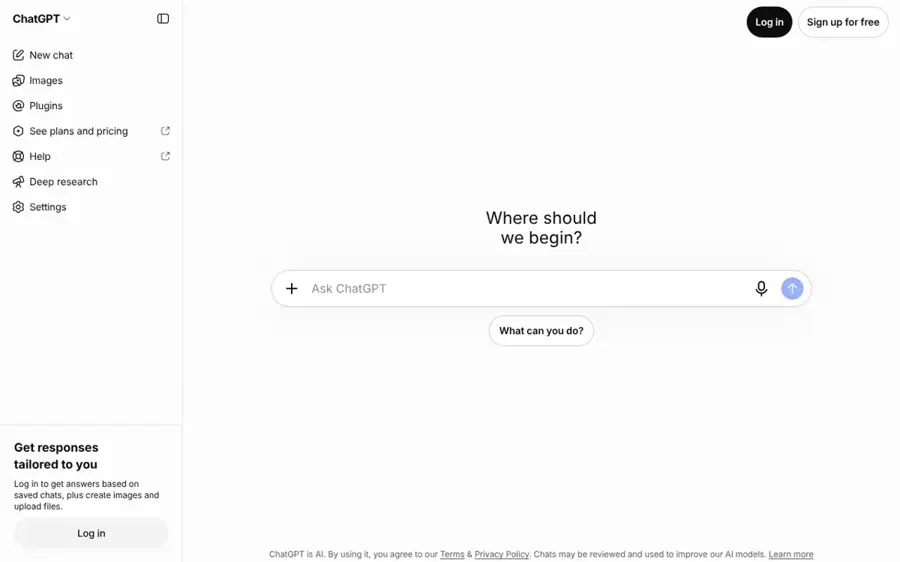
ChatGPT is OpenAI's assistant. Its customization is moving from custom GPTs to plugins, which bundle instructions, reference files and connected apps.
Why it stands out
This is the biggest change on the list. OpenAI's help center now states that new GPT creation and publishing are not available on personal ChatGPT accounts, including Free, Go, Plus, and Pro. Existing GPTs still work until retirement on Dec 11, 2026. When you migrate, the GPT's instructions become a skill, its files become reference files and connected apps carry over. Custom actions and the selected model do not, according to OpenAI’s migration FAQ.
The new system is more flexible but less predictable. Visual Studio Magazine notes that a plugin can hold several skills plus an MCP server for live tools, and that the same plugins work in Codex. It also quotes OpenAI's warning that "the plugin will not necessarily run on every request." OpenAI also launched Dots, always-on assistants with their own cloud computer, but Companies MadeSimple reports they need ChatGPT Pro or Business Premium. ChatGPT has a 4.4 rating from 407 Capterra reviews; one reviewer warned it "can produce confident-sounding errors, especially in technical analysis or niche research."
Key features
- Plugins: package skills, reference files and apps together.
- Skills: instruction sets ChatGPT can apply automatically.
- MCP support: attach external tools and data.
- Dots: background assistants on Pro and Business Premium.
Pros
- Huge user base and app ecosystem
- Plugins can bundle several related skills
- Unlimited everyday text chat on all plans, per MemoryPlugin
Cons
- New custom GPTs are closed to personal accounts
- Migration can drop actions, model choice and sharing
ChatGPT pricing: Free → paid plans from $8/month for Go and $20/month for Plus; Pro tiers run from $100, per MemoryPlugin (checked October 2026). See pricing
Related: ChatGPT with GPT-6 review Best ChatGPT alternatives
Verdict: stay if your team already runs on ChatGPT, but plan your plugin migration now rather than building new GPTs.
Google Gemini – best for a free personal assistant
Google Gemini is Google's AI assistant. You customize it with Gems today and with skills from November 2026, using your own instructions and files, including Google Drive.
Why it stands out
Creating a Gem takes a name, instructions and optional knowledge files. Google's help page says you can add files from your device, Google Drive or a NotebookLM notebook. The catch is timing. 9to5Google reports the app now shows "Gems will become skills starting Nov 17, 2026." Skills can be stacked and invoked with a slash, and Gemini can apply them automatically when relevant.
TechRepublic reports that skills do not need a paid plan. But they require users to be 18 or over and Keep Activity turned on. Canvas and Deep Research do not work with skills yet, and Workspace business accounts move in March 2027. Gemini has a 4.6 rating from 96 Capterra reviews. One reviewer noted it "can be slightly over-cautious with safety filters or provide overly structured formatting when a simpler text response would suffice."
Key features
- Skills: reusable, stackable instructions in any chat.
- Drive knowledge: files stay synced to their latest version.
- Workspace side panel: Gems appear inside Google apps.
- Gemini Spark: background tasks on paid plans.
Pros
- Skills are free
- Deep Google Workspace integration
- Cheap paid tiers from $4.99
Cons
- Skills require Keep Activity, which affects privacy
- Some Gem tools are not supported by skills yet
Google Gemini pricing: Free → paid plans from $4.99/month (AI Plus), $19.99 for AI Pro and $199.99 for Ultra at the top tier, per MemoryPlugin and Google (checked October 2026). See pricing
Verdict: the best free choice if you already use Gmail and Drive. Wait until after November 17 to build anything complex.
Zapier – best for assistants that act across your apps
Zapier is a no-code automation platform. Its Agents, Copilot and MCP features let you build AI helpers that take actions in more than 9,000 apps.
Why it stands out
A chat assistant answers questions. Zapier lets one do the work. Its Agents page pitches assistants you can "equip with company knowledge" that work across 9,000+ apps "on command and while you sleep." Zapier Copilot helps you create specialized agents, and Zapier MCP adds what the company calls an AI action layer that other assistants can use.
The free plan includes 100 tasks a month and two-step Zaps. The pricing page says AI steps, code and the SDK now all use the same task-based pricing. Zapier has a 4.7 rating from 3,083 Capterra reviews, the largest base on this list. One nonprofit manager wrote: "we've been able to ease busy work for a number of our staff, tackle new projects more quickly, and continue to innovate."
Key features
- 9,000+ app integrations: the widest catalog here.
- Zapier Copilot: AI help building agents and Zaps.
- Zapier MCP: an AI action layer for other assistants.
- Tables and Forms: store data and collect input.
Pros
- Huge integration library
- No code needed for most setups
- Free plan to experiment
Cons
- 100 free tasks go quickly
- Costs climb with task volume
Zapier pricing: Free → paid plans from $19.99/month for Professional; Team is $69/month (checked October 2026). See pricing
Verdict: the easiest way to give an assistant hands. Watch your task count.
n8n – best for technical builders on a budget
n8n is a workflow automation tool with built-in AI agent, MCP and AI nodes. You can use its cloud or self-host it for free.
Why it stands out
n8n charges per workflow execution, "regardless of complexity," and every plan includes unlimited users and workflows, according to its pricing page. That makes multi-step AI agents much cheaper to run than on per-step tools. Cloud plans now include AI models without needing your own API keys. If you can run Docker, the n8n docs confirm that without a license key it runs as the free Community edition.
The trade-off is the learning curve. n8n has a 4.6 rating from 48 Capterra reviews. One user praised that "the amount of integrations is huge," while another wrote: "The learning curve is very steep for beginners, especially if they don't have prior knowledge of APIs or Java and so on."
Key features
- AI agent nodes: build agents with tools and memory.
- MCP support: connect to and expose tools.
- Execution-based pricing: complexity does not raise the bill.
- Self-hosting: free Community edition.
Pros
- Free if self-hosted
- Predictable pricing for complex workflows
- Unlimited users on every plan
Cons
- Steep learning curve
- Self-hosting means you handle updates and security
n8n pricing: Free (self-hosted) → cloud plans from €20/month billed annually; Pro is €50/month (checked October 2026). See pricing
Related: How to create an AI agent Best open-source AI tools
Verdict: the best value for anyone comfortable with APIs. Not for first-timers.
Lindy – best for inbox and meeting help
Lindy is a ready-made AI assistant platform for email, meetings and scheduling that you can customize with your own skills and integrations.

Why it stands out
Lindy is the closest thing here to a personal assistant out of the box. Its pricing page lists inbox management, replies drafted "in your voice," meeting recording and notes, daily briefs and iMessage access to your assistant. It works inside Slack, has 1,500+ integrations and MCP support, and lets you pick the model per task.
Pricing is credit-based. Every active user is billed from $29.99 a month for 3,000 credits, and top-ups cost $10 per 1,000. Independent feedback is thin: Lindy's Capterra listing is based on only 2 user reviews, too few to judge. Treat the free trial as your test.
Key features
- Inbox management: triage and draft replies.
- Meeting notes: recording, prep and follow-up.
- Scheduled routines: daily briefs and nudges.
- 40+ skills: plus your own.
Pros
- Useful on day one
- Covers email, calendar and meetings together
- $50 of free credits, no card needed
Cons
- Credits make costs harder to predict
- Free credits last only 7 days
Lindy pricing: Free trial ($50 in credits for 7 days) → paid plans from $29.99/month per user (checked October 2026). See pricing
Verdict: pay for Lindy if you want a personal assistant now rather than a project to build.
Microsoft Copilot Studio – best for Microsoft 365 companies
Microsoft Copilot Studio is Microsoft's low-code tool for building agents that work inside Microsoft 365 or on outside channels like websites and apps.
Why it stands out
If your company already pays for Microsoft 365 Copilot, you may already have an agent builder. Microsoft's pricing page says Microsoft 365 Copilot "includes agent-building capabilities for use within your organization." To publish agents to external channels, you need a standalone Copilot Studio plan.
Billing is the hard part. Standalone Copilot Studio uses Copilot Credits: packs of 25,000 cost $200 a month, or you can pay as you go. An Azure subscription is required. Copilot Studio's Capterra listing has only 7 user reviews, so we would not lean on it.
Key features
- Internal agents: inside Microsoft 365 apps.
- External channels: websites, apps and social platforms.
- Work IQ: grounds agents in company data.
- Autonomous agents: on standalone plans.
Pros
- Fits existing Microsoft 365 security and admin
- Can publish outside your organization
- Prepaid credits save up to 20%
Cons
- Credit billing is hard to forecast
- Requires Azure for standalone plans
Microsoft Copilot Studio pricing: No free plan → Microsoft 365 Copilot add-on at $30/user/month paid yearly, or Copilot Studio credit packs at $200/month (checked October 2026). See pricing
Related: Microsoft AI review
Verdict: the default for Microsoft shops. Everyone else can skip it.
Botpress – best for customer-facing chatbots
Botpress is a platform for building AI agents that talk to customers on webchat, WhatsApp and other channels.
Why it stands out
Build Botpress if your assistant is for customers, not for you. The pricing page shows a free plan with 3 seats, 3 AI agents and 100 included conversations. Paid plans add unlimited agents, white-label webchat and bundled AI usage: $25 on Plus and $150 on Team.
Macha’s September 2026 breakdown puts Plus at $150 a month billed annually ($189 monthly) and Team at $750 ($939 monthly), after a May 2026 switch to per-conversation pricing. Botpress has a 4.5 rating from 37 Capterra reviews. One reviewer wrote: "I dislike that Botpress has a steep learning curve, especially for beginners and non-technical users."
Key features
- Multi-channel: webchat and WhatsApp.
- Knowledge base: vector storage for your docs.
- Help Center: a public knowledge base for customers.
- Bundled AI usage: model costs at cost.
Pros
- Usable free tier for testing
- Built for real customer traffic
- AI model costs included
Cons
- Big jump from Free to $150
- Learning curve for non-technical users
Botpress pricing: Free → paid plans from $150/month billed annually, per Macha (checked October 2026). See pricing
Verdict: a strong pick for support bots. Wrong tool for a personal assistant.
Dify – best for self-hosted AI apps
Dify is an open-source platform for building AI apps and agents with a visual workflow editor, retrieval over your documents and support for many model providers.
Why it stands out
Dify sits between a chatbot builder and a developer framework. Its GitHub repository describes it as a way to build agentic workflows and RAG pipelines, deployed "on cloud, VPC, or self-hosted." The self-hosting docs ask for at least 2 CPU cores and 4 GiB of RAM with Docker Compose.
The cloud Professional plan costs $590 per workspace per year and includes 5,000 message credits a month across models from OpenAI, Anthropic, Google, xAI and Tongyi, according to its pricing page. Dify's Capterra listing had no user reviews when we checked, so there is little independent feedback to cite.
Key features
- Visual workflows: drag-and-drop agent design.
- RAG knowledge base: answers from your documents.
- Many model providers: switch without rebuilding.
- Self-hosting: on Docker Compose.
Pros
- Open source and self-hostable
- Not locked to one model vendor
- Annual cloud plan works out near $49 a month
Cons
- Needs some technical skill
- Few independent user reviews
Dify pricing: Free (self-hosted) → cloud Professional from $590/year (checked October 2026). See pricing
Related: Best open-source AI tools
Verdict: the pick for developers who want control over models and data.
How to choose the right tool to make your own AI assistant
Decide whether it answers or acts
Write down the three tasks you want help with. If they are all drafting, summarizing or researching, a chat assistant is enough. Choose Claude, ChatGPT or Gemini. If any task involves changing something in another app, you need Zapier, n8n or Lindy.
Decide who will use it
An assistant just for you belongs in a chat app. An assistant for your team needs sharing, which is often a paid business feature. An assistant for customers needs a chatbot platform like Botpress or Copilot Studio, with billing per conversation or credit.
Avoid building on features that are being retired
Choose new skills and plugins over GPTs and Gems. Migration tools exist, but builders have reported that migrated plugins can follow reference files less reliably. Building fresh on the new system saves you a second migration.
Check how the meter runs
Flat $20 plans are easy to budget. Tasks, executions, credits and conversations are not. Choose n8n if you want predictable costs for long workflows, because it bills per run, not per step. Choose Zapier if simplicity matters more than unit cost.
Weigh privacy settings
Your assistant will see your files and messages. Gemini skills require Keep Activity to be on, for example. Read each tool's data settings, and keep sensitive work in tools your employer has approved. Our guide to agentic AI explains how agents handle data.
Free vs paid: what you actually get
You can build a useful assistant without paying anything. Here is where the free tiers stop.
| Tool | What free gets you | What paying adds |
|---|---|---|
| Claude | Up to 5 projects, skills, connectors, memory | Unlimited projects, retrieval for large knowledge bases, Opus models, higher limits |
| Gemini | Gems now, skills from Nov 17, 2026 | Pro models, higher limits, Gemini Spark tasks and schedules |
| ChatGPT | Existing GPTs until Dec 11, 2026 | Higher limits; Dots on Pro and Business Premium |
| Zapier | 100 tasks a month, two-step Zaps | Multi-step Zaps, premium apps, webhooks |
| n8n | Self-hosted Community edition | Hosting, bundled AI models, insights, admin roles |
| Botpress | 3 agents, 100 conversations | Unlimited agents, white-label chat, bundled AI usage |
The budget rule is simple. If you will use the assistant every day, $20 a month for Claude Pro or Google AI Pro is the best spend on this list. Pay for automation only after a free tier proves the workflow saves you time.
Final verdict
Choose Claude if you want the best personal assistant for writing, research and your own documents. Choose Gemini if you want it free and live in Google Workspace. Choose ChatGPT only if your team is already there, and plan your plugin migration now. Choose Zapier or n8n when your assistant needs to take action. Choose Lindy if you want inbox and meeting help without building anything. Choose Botpress or Copilot Studio for customer bots and company agents. Choose Dify if you want to host the whole thing yourself.
Most people should start with a free Claude Project this afternoon. Upgrade only when you hit a limit you can name. For a deeper, step-by-step walkthrough of agents, read how to create an AI agent.
FAQ
How to build an AI agent?
Pick a goal, a model and the tools the agent may use. In n8n or Zapier, add an AI agent step, connect apps like Gmail or Slack, and write instructions for when to act. Test it on low-risk tasks first, keep human approval on for anything that sends messages or spends money, and review its logs.
How to make an AI assistant?
The fastest way is a chat app. Create a Claude Project or a Gemini skill, give it a name, write clear instructions about tone and tasks, and upload the files it should know. Save a few example prompts. You can have a working assistant in about ten minutes, on a free plan.
How to create your own AI assistant?
Start by listing the jobs it should do. For writing and research, use Claude Projects, Gemini skills or ChatGPT plugins. For tasks across apps, connect it with Zapier or n8n. For customer support on your website, use Botpress. Match the tool to the job, not the other way round.
How to make my own AI assistant?
Write a short brief: who it helps, what it knows and what it must never do. Paste that into the instructions of a Claude Project or Gemini skill and add your reference files. Use it daily for a week, then refine the instructions wherever its answers miss. Small edits make big differences.
How to create a personal AI assistant?
For a personal assistant that handles email, calendar and meetings, try Lindy, which offers $50 of free credits for 7 days. If you prefer to build it yourself, combine a chat assistant with Zapier to reach Gmail and your calendar. Keep approvals on until you trust it with sending messages.
Sources
- Plans & pricing (Claude by Anthropic)
- What are projects? (Claude Help Center)
- Creating and editing GPTs (OpenAI Help Center)
- Custom GPT retirement and migration FAQ (OpenAI Help Center)
- Hands-On With OpenAI's Mandatory Custom GPT-to-Plugin Migration (Visual Studio Magazine)
- ChatGPT Custom GPTs Are Going: Plugins and Dots Explained (Companies MadeSimple)
- ChatGPT Plus vs Claude Pro vs Google AI Pro (2026) (MemoryPlugin)
- Google AI Pro & Ultra plans (Google)
- Use Gems in Gemini Apps (Gemini Apps Help)
- Gemini Gems are heading out: Google to replace them with 'Skills' in November (Android Central)
- Google Is Replacing Gemini Gems With Skills Nov 17 (TechRepublic)
- Gemini app replacing Gems with skills in November (9to5Google)
- Plans & Pricing (Zapier)
- Build AI teammates with Zapier Agents (Zapier)
- n8n Plans and Pricing (n8n)
- Host n8n (n8n Docs)
- Pricing (Lindy)
- Microsoft Copilot Studio Plans and Pricing (Microsoft)
- Botpress Pricing (Botpress)
- Botpress Pricing 2026: Plans, Conversations, Real Costs (Macha)
- Dify Pricing (Dify)
- Deploy Dify with Docker Compose (Dify Docs)
- langgenius/dify (GitHub)
- Claude Reviews 2026 (Capterra)
- ChatGPT Reviews 2026 (Capterra)
- Gemini Reviews 2026 (Capterra)
- Zapier Reviews 2026 (Capterra)
- n8n.io Reviews 2026 (Capterra)
- Botpress Reviews 2026 (Capterra)
- Lindy Software Review 2026 (Capterra)
- Microsoft Copilot Studio Software Review 2026 (Capterra)
- Dify.AI Software Review 2026 (Capterra)