9 best AI lead generation tools in 2026, compared side by side
We compared nine AI lead generation tools on data, AI features, pricing and user reviews. Apollo.io is the best start for most teams.
 Written byMuhammad Usman SiddiquiFounder and editor-in-chief
Why you can trust The AI Future
Our writers research every product, link each claim to its source and correct mistakes openly. Companies can't pay for coverage or see reviews before they're published.
Read our editorial policy
Short answer: most teams should start with Apollo.io. It puts a contact database, AI-assisted email writing and sequences in one tool, there is a free plan, and paid seats start at $49 a month billed annually. If you need richer data than any single database can give you, add Clay. If your pipeline already lives in HubSpot, its Prospecting Agent is the shortest path to AI lead generation without another login.
Everything else on this list is a specialist. Instantly and Smartlead send cold email at volume. Lusha and Seamless.AI are quick contact finders. LinkedIn Sales Navigator is where you research people, and ZoomInfo is the enterprise option with an enterprise price. Below, we compare nine AI lead generation tools side by side on price, data, AI features and user complaints.
Key takeaways
- Apollo.io is the best starting point. Data, AI writing and outreach in one seat, with a free plan to test it.
- Credits are the real price. Almost every tool here charges per reveal or per action, and a phone number can cost 5 to 8 times an email.
- AI agents now do the first pass. HubSpot charges about $1 per lead its Prospecting Agent recommends, which makes the cost of AI for lead generation easy to model.
- Sending and finding are separate jobs. Pair one data tool with one sending tool rather than paying for two of the same thing.
- Read the contract. Seamless.AI and ZoomInfo sell annual contracts, and cancellation terms are the most common complaint.
How we ranked them
Nobody at The AI Future ran hands-on tests for this roundup, and we did not take screenshots inside these products. We compared each tool using official pricing pages, published pricing breakdowns, independent reviews and user feedback, as of late October 2026. Many detailed pricing write-ups come from competing vendors, so we name the publisher each time. We scored each tool on six criteria:
- Data coverage: how many contacts and companies you can find, and how fresh they are.
- AI depth: whether the AI only writes emails or also researches, scores and qualifies leads.
- Outreach: whether you can act on a lead inside the tool or need a second product.
- Price transparency: public pricing versus quote-only, and how credits are counted.
- Entry cost: what one person or a small team pays to start.
- User sentiment: ratings and recurring complaints on review sites.
Prices are in US dollars, exclude tax and change often. Check the vendor’s own page before you buy.
The 9 best AI lead generation tools at a glance
| # | Tool | Category | Best for | Free tier | Starts at |
|---|---|---|---|---|---|
| 1 | Apollo.io | Data + outreach | Small teams wanting one tool | Yes (limited) | $49/user/mo |
| 2 | Clay | Enrichment | Custom AI research | Yes (limited) | $167/mo |
| 3 | HubSpot Sales Hub | CRM + AI agent | HubSpot teams | No | $20/seat/mo |
| 4 | LinkedIn Sales Navigator | Social prospecting | Researching people | No | $89.99/mo |
| 5 | Instantly | Cold email + leads | Cold email at scale | No | $37.60/mo |
| 6 | Smartlead | Cold email | Agencies and high volume | No | $32.50/mo |
| 7 | Lusha | Contact data | Quick contact lookups | Yes (limited) | $37.45/mo |
| 8 | Seamless.AI | Contact data | High-volume contact search | Yes (limited) | ~$147/mo |
| 9 | ZoomInfo | Enterprise data | Large sales teams | Yes (limited) | ~$14,995/yr |
Notes: “Starts at” uses annual billing where that is the cheapest option. Clay, Instantly and Smartlead prices are per workspace or account, not per seat. Lusha’s $37.45 is a promotional annual rate; its listed price is $49.90. Seamless.AI and ZoomInfo do not publish paid prices, so those figures are third-party estimates. HubSpot’s Prospecting Agent needs Sales Hub Professional or Enterprise, which cost more than Starter.
The best AI lead generation tools in 2026, ranked
Apollo.io – best for small teams wanting one tool
Apollo.io is a B2B contact database with built-in email sequences, a dialer and AI writing help, so you can find a lead and contact them without leaving the app. See it at apollo.io.

Why it stands out
Apollo ranks first because it covers the whole loop for the price of one seat. Docket puts its database at 200M+ contacts and lists AI-assisted email writing on the Professional plan. AI research and other AI actions draw from the same credit balance as contact reveals, according to Zeliq’s July 2026 pricing breakdown. Professional also adds call recordings with AI insights.
The weak spot is credits. A verified email costs 1 credit and a phone number 8, and unused credits expire each cycle. On user sentiment, Salesgear notes that G2 reviewers “broadly rate it good value” next to ZoomInfo and Salesloft, while also reporting weaker coverage outside the US. Verdict: the default pick for a team under ten reps.
Key features
- Large contact database: search and filter 200M+ contacts
- AI writing: drafts emails and sequence steps
- AI research: pulls account details using your credit balance
- Sequences and dialer: run outreach from the same seat
Pros
- Data and outreach in one tool
- Free plan with 75 credits a month
- Public pricing with monthly or annual billing
- AI features included in paid seats
Cons
- Phone reveals cost 8 credits each
- Credits do not roll over
- Data is reported to be weaker outside the US
Apollo.io pricing: Free → paid plans from $49/user/month billed annually, or about $59 monthly (Basic); Professional at $79 annual or about $99 monthly; Organization at $119 with a 3-seat minimum (checked October 2026, via Salesgear). See pricing
Clay – best for custom AI research
Clay is a spreadsheet-style enrichment platform that pulls data from many providers and uses its Claygent AI agent to research leads on the web. See it at clay.com.

Why it stands out
Clay is the tool to buy when no single database has the field you need. Crustdata’s October 2026 review says it connects to 150+ data providers, runs waterfalls that try one provider after another for better coverage, and uses Claygent for custom web research, such as whether a company is hiring for a specific role. Results can be pushed to your CRM or sequencer.
The catch is cost and complexity. Since March 2026, Clay bills on two meters, Data Credits and Actions, and Crustdata’s summary of buyer feedback says re-runs and auto-refresh use credits again and the two meters can run out separately. Crustdata sells a competing data API, so read that with care. Verdict: the most powerful option here, best handled by someone who enjoys building workflows.
Key features
- Claygent: an AI agent that researches custom data points on the web
- Waterfall enrichment: tries several providers until it finds a match
- 150+ providers: one place to buy data from many sources
- Bring your own keys: use your own provider API keys to skip Data Credit costs
Pros
- Finds data a single database will miss
- Claygent is included even on the free plan
- No charge when an enrichment returns nothing
- Unlimited seats
Cons
- Two separate meters are hard to forecast
- Expensive at high volume
- Free plan caps tables at 200 rows
Clay pricing: Free (100 Data Credits and 500 Actions a month) → paid plans from $167/month billed annually, or $185 monthly (Launch); Growth from $446 annual or $495 monthly; Enterprise is custom (checked October 2026, via Valley). See pricing
HubSpot Sales Hub – best for HubSpot teams
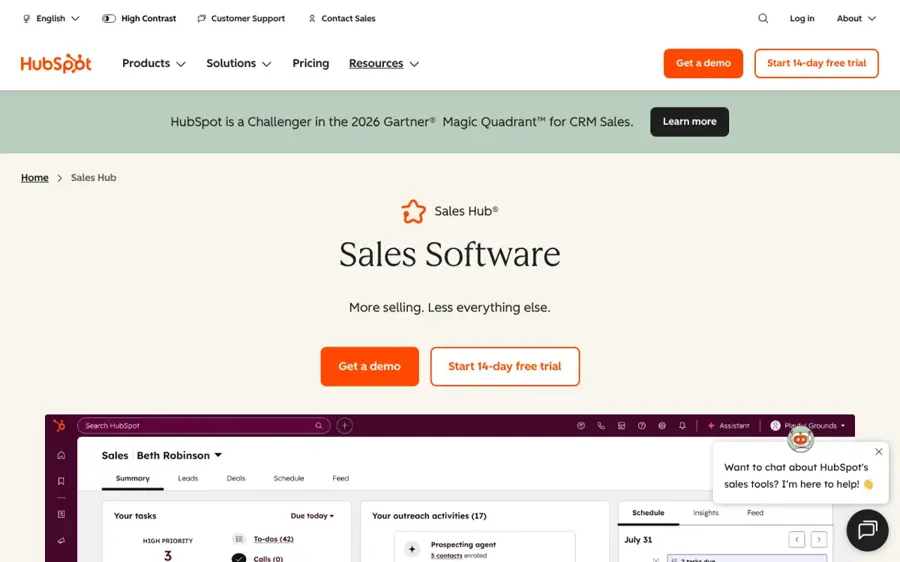
HubSpot Sales Hub is a sales CRM whose Breeze Prospecting Agent watches target accounts for buying signals and drafts personalised outreach for the best leads. See it at hubspot.com.
Why it stands out
HubSpot’s agent is the clearest example of AI-powered lead generation inside a CRM. It monitors companies for signals such as job postings, funding rounds, technology adoption and website visits, suggests up to three contacts per company and drafts or sends email, according to Cleanlist’s October 2026 review. Pricing is easy to model: since April 14, 2026 it costs $1 per lead it recommends for outreach, paid from HubSpot Credits.
The limits matter. Cleanlist found it works best with existing engagement data, so cold accounts give it little to work with, and only one external data provider (Apollo, Surfe, ZoomInfo or Seamless.AI) can be connected at a time. Verdict: pick it if HubSpot is already your system of record; do not switch CRMs just for the agent.
Key features
- Prospecting Agent: monitors accounts and recommends outreach
- Buying signals: job posts, funding, tech adoption and site visits
- Drafted emails: personalised to each lead and account
- Data provider link: connect Apollo, Surfe, ZoomInfo or Seamless.AI
Pros
- Lives inside the CRM your team already uses
- Simple per-lead pricing of about $1
- Built-in AI features that use no credits
- Free trial of the agent for eligible accounts
Cons
- Agent needs Professional or Enterprise
- Onboarding fees of $1,500 or $3,500
- Weak on truly cold accounts
HubSpot Sales Hub pricing: Prospecting Agent is not on free plans → Sales Hub from $20/seat/month (Starter); Professional from $90–$100/seat/month plus a $1,500 onboarding fee; Enterprise from $150/seat/month plus $3,500. Extra credits cost $0.010 each (checked October 2026, via INSIDEA and Cleanlist). See pricing
LinkedIn Sales Navigator – best for researching people
Sales Navigator is LinkedIn’s paid prospecting tool, with advanced search filters, saved lead lists, alerts and InMail credits. See it at linkedin.com.

Why it stands out
Most B2B buyers keep their LinkedIn profile more current than any database record, which is why Sales Navigator stays in so many stacks. Core gives you full search filters, saved lists with alerts and 50 InMail credits a month. Advanced adds TeamLink, Smart Links, buyer intent signals and usage reporting, according to Valley’s August 2026 cost guide.
It does not hand you verified emails or phone numbers, so you will usually pair it with a contact finder. LinkedIn steps in HubSpot sequences also need it. Verdict: essential research for account-based selling, but it is a starting point, not a full lead generation system.
Key features
- Advanced lead search: filter by role, seniority, company size and more
- Saved lists and alerts: get notified when leads change jobs or post
- InMail credits: 50 a month on Core
- Buyer intent signals: on Advanced
Pros
- Data comes from live LinkedIn profiles
- Free trial is commonly offered
- Integrates with many sequencing tools
Cons
- No verified emails or phone numbers
- Each rep needs their own licence
- CRM sync only on the custom-priced tier
LinkedIn Sales Navigator pricing: No free plan; LinkedIn typically offers a one-month free trial → Core from $89.99/month billed annually, or $119.99 monthly; Advanced at $149.99 annual or $159.99 monthly; Advanced Plus is quote-based (checked October 2026). See pricing
Instantly – best for cold email at scale
Instantly is a cold email platform with unlimited sending accounts, built-in warmup and a separate SuperSearch lead database. See it at instantly.ai.

Why it stands out
Instantly suits teams whose lead generation runs mostly on email. La Growth Machine’s April 2026 review describes an AI Reply Agent that can answer routine replies such as meeting requests and objections within five minutes, an AI Sequence Generator that builds campaigns from your ideal customer profile, and a SuperSearch database of 450M+ contacts.
On ratings, Landbase cites a 4.8/5 overall rating on G2. User feedback is more mixed on cost: one Capterra user quoted by La Growth Machine says “For pure email volume, it’s excellent,” but puts the real monthly bill closer to $400 once add-ons are counted. Verdict: the best value if email is your main channel and you can keep deliverability under control.
Key features
- Unlimited email accounts: with warmup on every outreach plan
- AI Reply Agent: handles routine replies automatically
- AI Sequence Generator: drafts multi-step campaigns
- SuperSearch: a 450M+ contact database, sold separately
Pros
- Unlimited sending accounts on every plan
- Strong G2 rating
- AI handles routine replies
- Low entry price
Cons
- Lead database is a separate subscription
- Real costs rise with add-ons
- One G2 user says warmup scores do not match real inbox placement
Instantly pricing: No free plan; a free trial is available → outreach plans from $37.60/month billed annually, or $47 monthly (Growth); Hypergrowth at $77.60 or $97. Lead credits start at $42.30 annual or $47 monthly (checked October 2026, via Landbase). See pricing
Smartlead – best for agencies and high volume
Smartlead is a cold email sending platform with unlimited mailboxes, client workspaces and add-ons for verified prospect emails, dialing and inbox placement testing. See it at smartlead.ai.
Why it stands out
Smartlead is built for agencies and teams that send a lot of email across many domains. Every plan includes unlimited mailboxes, and pricing scales by emails sent and contacts stored, from 6,000 emails a month on Base to 500,000 on Unlimited Prime, per Smartlead’s own pricing page. SmartProspect adds verified prospect emails as an add-on, or included from Unlimited Smart.
It is a sending engine first. MarketBetter, a competitor, calls it “a sending tool” and estimates add-ons push a five-person team’s total well past the headline price. We could not find a verifiable public rating for Smartlead during our research. Verdict: strong for agencies; overkill for one founder sending a few hundred emails.
Key features
- Unlimited mailboxes: on every plan
- SmartProspect: verified prospect emails as an add-on
- Client workspaces: $29 each for agencies
- SmartDelivery: inbox placement tests
Pros
- Unlimited mailboxes at every tier
- 14-day trial with no card
- Clear plan limits by emails and contacts
Cons
- Little AI beyond the basics
- Add-ons raise the real cost
- Refund terms are inconsistent across its own pages
Smartlead pricing: No free plan; 14-day free trial → paid plans from $32.50/month billed annually, or $39 monthly (Base); Pro at $78.30 or $94; Unlimited Smart at $144.50 or $174 (checked October 2026). See pricing
Lusha – best for quick contact lookups
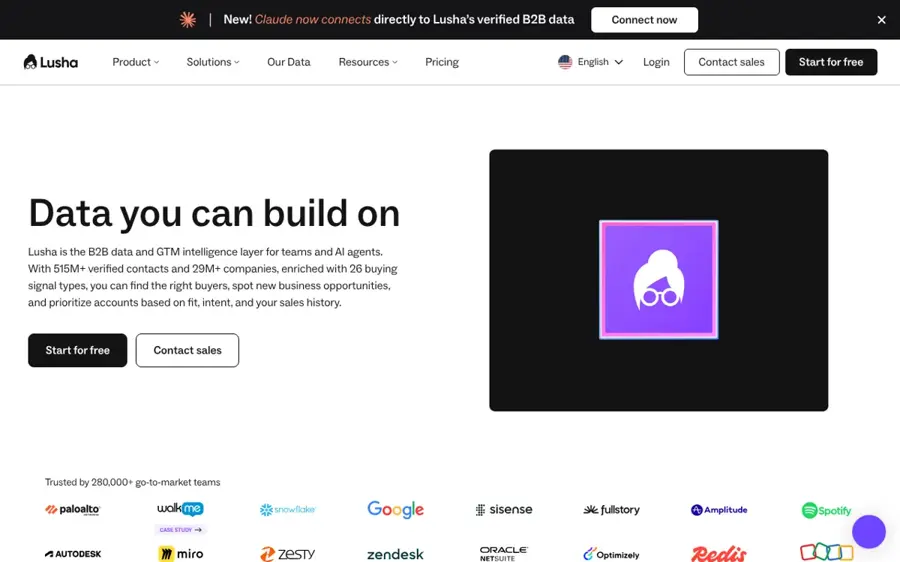
Lusha is a B2B contact data tool with a Chrome extension, bulk enrichment and an AI assistant for finding verified emails and phone numbers. See it at lusha.com.
Why it stands out
Lusha is the simplest way to grab a contact’s details while you browse a LinkedIn profile or company site. The free plan gives you 40 credits a month with no credit card, plus filters, company data and AI insights, according to Zeliq. An email reveal costs 1 credit and a phone number 5, which is cheaper per phone than Apollo.
User feedback on accuracy is mixed. SalesIntel, a competitor, summarises G2 reviews in which one reviewer cited missing basic functionality and data inaccuracy, and it notes Lusha publishes a 98% email accuracy claim. Verdict: a solid, cheap add-on for reps who need numbers fast, not a full outbound platform.
Key features
- Chrome extension: reveal contacts on LinkedIn and websites
- Bulk enrichment: fill in lists from Starter up
- AI assistant: on Starter and above
- AI data enrichment: 1 credit per enriched cell
Pros
- Fast, simple contact lookups
- Free plan with 40 credits a month
- Phone reveals cheaper than some rivals
Cons
- Free credits do not roll over
- Mixed reports on data accuracy
- Conflicting documentation on annual credit rollover
Lusha pricing: Free → paid plans from $37.45/month billed annually on promotion, listed at $49.90 (Starter); Pro at $45.45 promotional; Premium at $259.95; Scale is custom (checked October 2026, via Zeliq). See pricing
Seamless.AI – best for high-volume contact search
Seamless.AI is a contact search engine that finds emails and phone numbers in real time, with AI add-ons for buyer intent, job changes and writing. See it at seamless.ai.

Why it stands out
Seamless.AI is built for reps who need a lot of contacts every day. Saleshandy reports that Pro includes about 1,000 credits per user per day, along with Pitch Intelligence, Autopilot and data enrichment. Buyer Intent, Job Change Alerts and AI Writer are add-ons.
Its ratings show the split clearly. Saleshandy lists it at 4.4/5 on G2 across 5,411 reviews but 1.2/5 on Trustpilot across 311 reviews, with cancellation terms the most frequent complaint. One Capterra reviewer said “credits run out faster than expected.” Saleshandy is a competitor. Verdict: high daily volume if you can live with an annual contract; read the renewal terms first.
Key features
- Real-time search: finds contact details on demand
- Daily credits: about 1,000 per user per day on Pro
- Pitch Intelligence: AI help with messaging
- Autopilot: automated list building
Pros
- Very high daily credit allowance on Pro
- Strong G2 rating
- Chrome extension even on the free plan
Cons
- Annual contracts with auto-renewal
- 1.2/5 on Trustpilot
- Credits charged even when data bounces
- Paid prices are quote-only
Seamless.AI pricing: Free (50 lifetime credits) → Basic reported at about $147/month billed annually; Pro and Enterprise are quote-based (checked October 2026, via Saleshandy). See pricing
ZoomInfo – best for large sales teams
ZoomInfo is an enterprise B2B data platform with intent data, predictive analytics and Copilot, an AI layer that summarises accounts and recommends next steps. See it at zoominfo.com.

Why it stands out
ZoomInfo is the choice when data depth matters more than price. Its Copilot generates account summaries, identifies buying groups and recommends next actions, according to Landbase, and Knock AI lists AI-generated talking points and prospecting prioritisation by package. Intent data arrives at the mid tier.
Cost is the barrier. ZoomInfo does not publish fixed paid prices; third-party estimates start at about $14,995 a year for three seats, and most teams pay $30,000 to $60,000 a year once add-ons are included. Emelia, a competitor, says users report 25 to 30% inaccurate data, especially phone numbers, without naming a source. All three sources are competing vendors. Verdict: for funded teams with a RevOps owner; small teams should start with Apollo.
Key features
- Copilot: AI account summaries, buying groups and next steps
- Intent data: see which accounts are researching your category
- Predictive analytics: on the top tier
- Lite plan: a free tier with monthly credits
Pros
- Deep company and contact data
- AI summaries and buying-group detection
- Free Lite tier to sample the data
Cons
- No public paid pricing
- Annual contracts only
- Estimated $30,000+ a year for most teams
ZoomInfo pricing: Free (Lite) → paid plans estimated from about $14,995/year for 3 seats; quote-based and annual only (checked October 2026, via Landbase and Knock AI). See pricing
How to choose the right AI lead generation tools
Most teams need two tools, not five: one to find leads and one to contact them. Use these checks to pick yours.
Start with where your leads live
If your buyers are active on LinkedIn, Sales Navigator plus a contact finder like Lusha works well. If you sell to a broad market, a database like Apollo gives you more volume per dollar.
Decide whether you need data, sending or both
Choose Apollo if you want both in one seat. Choose Clay plus Instantly or Smartlead if you want the best data and the best sending, and you have someone to set it up. Choose HubSpot if your CRM is already there.
Model the credits, not the sticker price
A phone reveal costs 8 credits on Apollo and 5 on Lusha. HubSpot charges about $1 per recommended lead. Estimate how many leads you work each month and multiply before you sign.
Check the contract terms
Instantly, Smartlead, Apollo and Clay bill monthly if you want. Seamless.AI and ZoomInfo sell annual contracts, so ask about notice periods and auto-renewal before you commit.
Keep a human on qualification
AI can score and draft, but a person should still decide who is worth a call. Our guide to using AI for sales covers where that hand-off works best, and our explainer on agentic AI explains what these agents can and cannot do on their own.
Free vs paid: what you actually get
Free plans are good for testing data quality on a few dozen of your own target accounts, not for running a pipeline.
| Tool | Free plan | What paying adds |
|---|---|---|
| Apollo.io | 75 credits a month, limited AI | Thousands of credits, AI writing, call insights |
| Clay | 100 Data Credits, 500 Actions, 200 rows per table | Larger tables, phone enrichment, credit rollover |
| Lusha | 40 credits a month | Bulk enrichment, AI assistant, more seats |
| Seamless.AI | 50 lifetime credits | Daily credits, AI add-ons |
| ZoomInfo | Lite tier with monthly credits | Intent data, Copilot, predictive analytics |
Instantly, Smartlead and Sales Navigator offer trials instead of free plans. HubSpot offers eligible accounts a free trial of the Prospecting Agent. If you only want to spend $50 a month, Apollo Basic or Instantly Growth is the realistic ceiling for lead generation with AI.
Final verdict
If you only pick one, pick Apollo.io. It is the most complete AI lead generation software for the money, and the free plan lets you check its data before you pay. Add Clay when you need custom research that no database holds. Choose HubSpot if your team already runs on it, Instantly or Smartlead if email volume is your engine, and ZoomInfo only when you have the budget and a team to use it. For the next step after the lead comes in, see our picks for AI call assistants and the best AI sales assistants.
FAQ
How to use AI for lead generation?
Define your ideal customer, then let an AI tool build a list that matches it, enrich each lead with contact and company data, and score who looks ready to buy. Use AI to draft first-touch emails, but review them before sending. Track replies and feed the results back into your targeting.
What AI tools are useful for lead qualification?
HubSpot’s Prospecting Agent watches for buying signals like funding rounds and job posts. ZoomInfo adds intent data and Copilot account summaries. Clay’s Claygent can research custom qualifiers on the web, and Instantly’s AI Reply Agent sorts and answers routine replies so reps focus on interested leads.
How to use AI to generate leads?
Start with a database such as Apollo.io or Lusha to find contacts that fit your profile. Use Clay to fill in missing details, then send personalised sequences through Apollo, Instantly or Smartlead. Keep volumes modest at first, warm up your mailboxes and check that your outreach follows local email and privacy rules.
Which AI tool is best for lead generation?
For most small and mid-sized teams, Apollo.io is the best AI tool for lead generation because it combines a large contact database, AI writing and outreach, with a free plan and paid seats from $49 a month billed annually. Larger teams with bigger budgets often choose ZoomInfo or a Clay-based stack.
Sources
- Apollo.io pricing 2026: plans, credits, total cost of ownership (Zeliq)
- Apollo.io Pricing (2026): Real Costs, Plans, and the Credit Traps (Salesgear)
- Apollo.io Pricing in 2026 (Docket)
- Clay Pricing and Credits Explained (2026) (Valley)
- Clay pricing in 2026: plans, credits, real cost per record, and our review (Crustdata)
- HubSpot Prospecting Agent review (Cleanlist)
- HubSpot AI pricing 2026 (INSIDEA)
- HubSpot Breeze Prospecting Agent credits pricing guide (Vantage Point)
- LinkedIn Sales Navigator Cost Explained (2026) (Valley)
- Instantly.ai pricing (Landbase)
- Instantly review (La Growth Machine)
- Smartlead pricing (Smartlead)
- Smartlead pricing (Emelia)
- SmartLead Pricing 2026 (MarketBetter)
- Lusha pricing 2026: plans, credits, rollover (Zeliq)
- Lusha Pricing Plans & Cost 2026 (SalesIntel)
- Seamless.AI Pricing in 2026 (Saleshandy)
- ZoomInfo pricing (Landbase)
- ZoomInfo pricing (Knock AI)
- ZoomInfo pricing (Emelia)