Image combiner AI: the 8 best tools in 2026, compared side by side
The best image combiner AI tools in 2026, from free Gemini blends to Photoshop Harmonize, with pricing, free tiers and who each one suits.
 Written byBurhan AqibSenior writer, policy and analysis
Why you can trust The AI Future
Our writers research every product, link each claim to its source and correct mistakes openly. Companies can't pay for coverage or see reviews before they're published.
Read our editorial policy
Short answer: the best image combiner AI for most people in 2026 is Google Gemini. Its free Nano Banana 2 model lists photo combining as a core feature, and paid plans start at $4.99 a month. If you need a composite that looks like it was shot on location, pay for Adobe Photoshop and use Harmonize. Everything else on this list is a specialist.
An AI image combiner takes two or more photos and fuses them into one new picture. You might drop a product onto a lifestyle background, put two people in the same scene, or mix a photo with the style of a painting. Older tools just stacked layers. Today's models redraw the light, shadows and perspective so the result looks like one image, not a collage.
We compared eight tools that combine images with AI, using official product and pricing pages, published guides and user reviews, as of late October 2026. Below you get a comparison table, a breakdown of each pick, and a plain answer on whether you need to pay at all.
Key takeaways
- Start free with Gemini. Nano Banana 2 is free in the Gemini app and handles most "put this in that" jobs.
- Photoshop wins on realism. Harmonize matches a pasted subject's lighting, color and shadows to the new background in one click.
- Credits are the real price. Most tools meter AI edits with credits, so a $10 plan can run out fast if you regenerate a lot.
- One subscription can cover many models. Adobe Firefly, Magnific and Leonardo all give you access to partner models such as Nano Banana from one account.
- Use real people's photos only with consent. Combining photos of others without permission can cause real harm.
How we ranked them
To be clear: nobody at The AI Future ran hands-on tests or took screenshots for this roundup. We ranked each AI photo combiner from official documentation, pricing pages, independent guides and user reviews, checked in October 2026, using six criteria:
- Blend quality: how well the tool matches light, color, shadows and perspective across merged images, based on vendor docs and published guides.
- Reference control: how many images you can feed in and how precisely you can say which one is the subject and which is the background.
- Ease of use: whether a beginner can combine two photos with AI in a few clicks or a plain-English prompt.
- Free tier: what you can actually do without paying.
- Value: the cheapest paid plan and how far its credits go.
- Editing after the blend: whether you can fix details without starting again.
Prices are in US dollars, exclude tax and can change with region and promotions. Check the vendor page before you buy.
Our top picks at a glance
| # | Tool | Category | Best for | Free tier | Starts at |
|---|---|---|---|---|---|
| 1 | Google Gemini | Chat assistant | Free all-round blending | Yes | $4.99/mo |
| 2 | ChatGPT | Chat assistant | Editing by conversation | Yes (limited) | $8/mo |
| 3 | Adobe Photoshop | Photo editor | Realistic composites | No | $19.99/mo |
| 4 | Adobe Firefly | Creative AI suite | Many models, one account | Yes (limited) | $9.99/mo |
| 5 | Midjourney | Image generator | Artistic image fusion | No | $10/mo |
| 6 | Magnific | Creative AI suite | Heavy users and teams | Yes (limited) | $20/mo |
| 7 | Leonardo AI | Image generator | Daily free credits | Yes | $12/mo |
| 8 | Dreamina | Image generator | Quick two-photo blends | Yes | Free |
Notes: Photoshop offers a 7-day free trial rather than a free plan, and $19.99 is the Photography plan billed monthly on an annual commitment. ChatGPT's $8 Go plan may include ads. Dreamina gives free daily credits; we could only find a promotional price for its paid plans, so check the site.
The 8 best image combiner AI tools in 2026, ranked
Google Gemini – best for free all-round blending
Gemini is Google's AI assistant, and its Nano Banana image models can merge several photos into one scene from a plain-English prompt. Try it at gemini.google.com.
Why it stands out
Google's own image generation page lists "photo combining" among the features of the free Nano Banana 2 model, alongside character consistency, text rendering and 2K output. Paid Google AI plans add Nano Banana 2.1, which Google says can "seamlessly blend multiple images," plus a "Redo with Pro" option that regenerates a result with Nano Banana Pro.
That matters because the hard part of AI image fusion is keeping faces and products recognisable after the merge. Nano Banana is strong enough that other platforms build on it: Krea's documentation says you can upload up to 14 reference images to Nano Banana 2 there. Google does not publish a reference limit for the Gemini app itself, so plan on two to a few photos per prompt. Verdict: if you only pick one tool, pick this one.
Key features
- Prompt-based merging: upload photos and describe the scene you want.
- Character consistency: keeps people and objects recognisable across edits.
- Style transfer: apply the texture or color of one photo to another subject.
- 2K output on the free model.
- Nano Banana 2.1 on Google AI Pro, Plus and Ultra.
Pros
- Strong photo combining on the free plan
- Cheap upgrade at $4.99 a month for Plus
- Works on web and mobile with no design skills
Cons
- Google does not publish exact daily image limits
- Little manual control over masks or layers
- Users must be 18 or older for image generation
Google Gemini pricing: Free → paid plans from $4.99/month (Plus), with Pro at $19.99/month and Ultra from $99.99/month (checked October 2026). See pricing
ChatGPT – best for editing by conversation
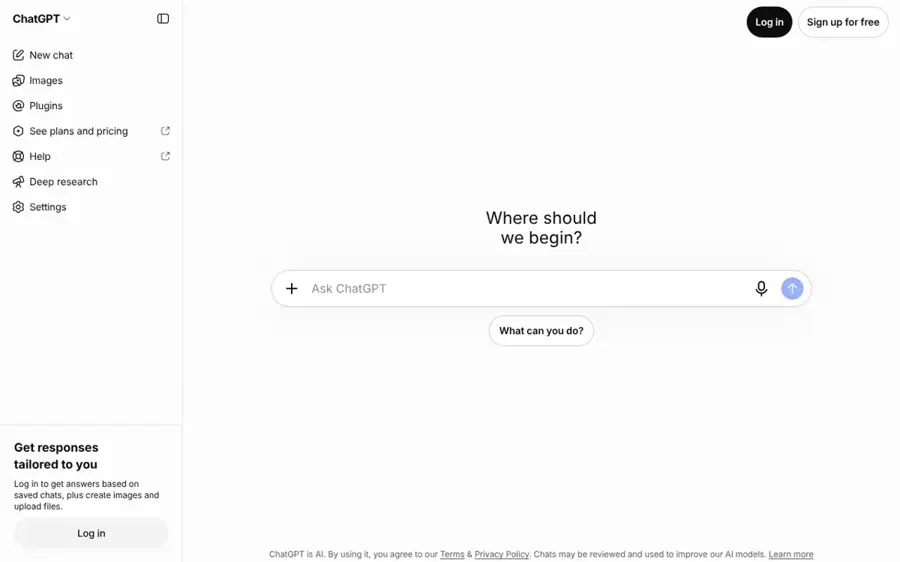
ChatGPT combines and edits images inside a chat, so you can merge photos and then refine the result by asking for changes. Use it at chatgpt.com.
Why it stands out
OpenAI released ChatGPT Images 2.5 on September 8, 2026. The company says it works from reference photos to keep subjects recognisable in new settings and styles, and that multi-turn edits are more likely to persist from one change to the next. It also cut latency by up to 50% versus Images 2.0 and added image comments, so you can point at one part of a merged picture and ask for a fix.
The appeal is the workflow. You upload a selfie and a beach photo, ask for a combined shot, then say "make the light warmer" or "move me to the left." On the downside, OpenAI's announcement does not say how many reference images you can use at once, and the pricing page describes the free tier only as "Limited image creation." Verdict: pick ChatGPT if you already pay for it and like to edit by talking.
Key features
- Reference-photo edits: keeps subjects recognisable across new scenes.
- Image comments: target edits to one area of the picture.
- Sketch: draw a rough layout to guide the combined image.
- Templates such as poster and merch formats.
- Thinking image mode on Plus and Pro for more complex compositions.
Pros
- Natural-language edits after the first merge
- Available on every tier, including free
- Same app you may already use for writing and research
Cons
- Free image creation is limited and unquantified
- Go plan may show ads
- No layer or mask controls
ChatGPT pricing: Free → paid plans from about $8/month (Go), with Plus at $20/month and Pro from $100/month, according to CometAPI (checked October 2026). See pricing
Related: ChatGPT with GPT-6 review Best ChatGPT alternatives
Adobe Photoshop – best for realistic composites
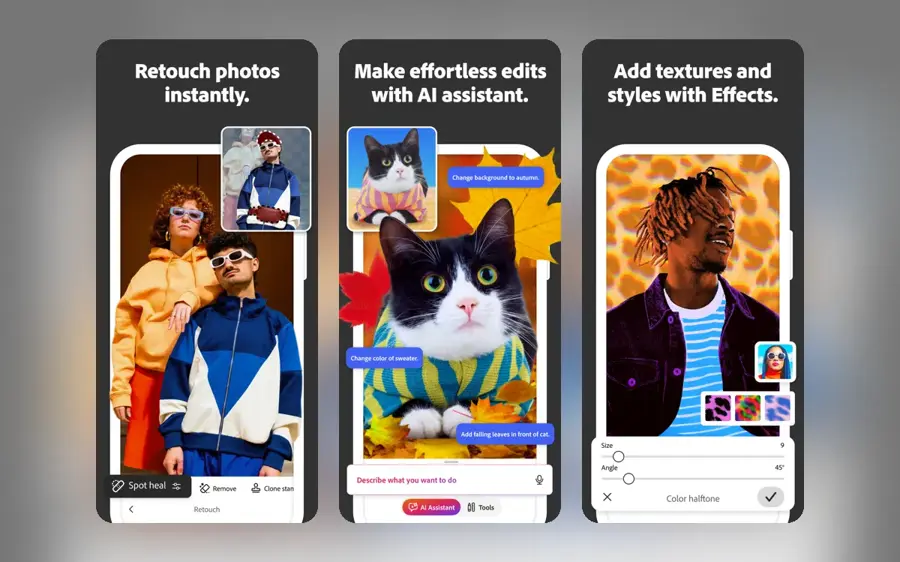
Photoshop is Adobe's professional photo editor, and its Harmonize tool blends a pasted subject into a new background with matched lighting. See it at adobe.com.
Why it stands out
Most AI image combiners redraw the whole picture. Photoshop takes the opposite approach: you place your subject on a background, and Harmonize "adjusts the subject's lighting, shadows, colors, and reflections in a click." Adobe says it is available in Photoshop on desktop, web and mobile, including the iPhone app, and that each generation uses one standard generative credit.
Because your original pixels stay in layers, you keep full control. You can mask hair, tweak the shadow and run Generative Fill on a gap. Adobe has also published the research behind Harmonize and a help guide for it. The cost is the learning curve and the subscription. Verdict: the right pick for product shots, real estate and client work where the composite has to pass close inspection.
Key features
- Harmonize: matches color, light and shadows of a placed subject.
- Generative Fill: adds or removes objects with a prompt.
- Layers and masks: precise manual control over every element.
- Desktop, web and mobile versions.
- Firefly credits included with plans.
Pros
- Most realistic, controllable composites on this list
- Original photos stay intact in layers
- Industry-standard file formats
Cons
- No free plan, only a 7-day trial
- Steeper learning curve than prompt-based tools
- Individual plans are annual commitments
Adobe Photoshop pricing: No free plan → paid plans from $19.99/month (Photography plan), with Photoshop alone at $22.99/month, according to Dupple (checked October 2026). See pricing
Adobe Firefly – best for many models, one account
Firefly is Adobe's generative AI app, which lets you combine and edit images with Adobe's own models and partner models such as Nano Banana and GPT Image. Start at firefly.adobe.com.

Why it stands out
Firefly is the easiest way to try several image fusion models without several subscriptions. Adobe's plans page names partner models from Google (Gemini with Nano Banana), OpenAI (GPT Image) and FLUX, among others. The free plan gives daily generations with access to models such as Nano Banana, and Adobe says the "Limits refresh every day."
Paid plans add a monthly pool of generative credits. According to Krea's September 2026 breakdown, standard image features such as Generative Fill are unlimited on paid tiers, while partner models draw on credits. Adobe does not publish the exact daily free count. Verdict: a smart middle ground if you want Adobe tools without paying for Photoshop.
Key features
- Partner models: Nano Banana, GPT Image, FLUX and more in one app.
- Generative Fill in the web editor for touch-ups.
- Daily free generations that refresh every day.
- Image, video and audio generation in one plan.
Pros
- Free daily allowance includes Nano Banana
- Compare models side by side in one place
- Standard image features unlimited on paid plans
Cons
- Partner models burn credits quickly
- Unused credits do not roll over
- Free daily limit is not published
Adobe Firefly pricing: Free → paid plans from $9.99/month (Standard, 2,000 credits), with Pro at $19.99/month, according to Krea (checked October 2026). See pricing
Related: Best AI image generators
Midjourney – best for artistic image fusion
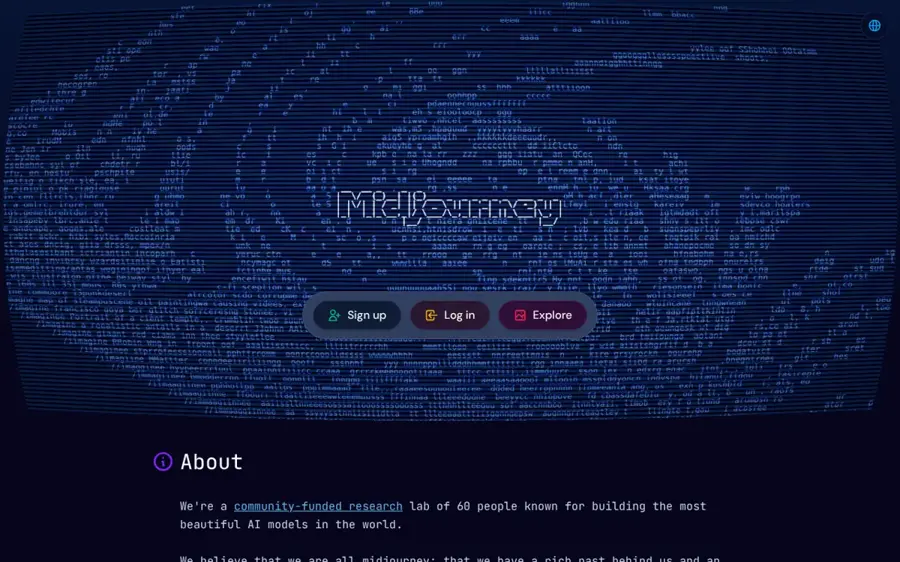
Midjourney is an image generator known for its visual style, and its reference tools let you fuse a subject from one image with the look of another. Visit midjourney.com.
Why it stands out
Midjourney is less about faithful photo merging and more about striking results. According to Tech Insider's August 2026 guide, V8.2 became the default on July 24, 2026 and restored full image prompting. Omni-Reference (--oref) keeps a character or product consistent, with a weight from 0 to 1000, while Style Reference (--sref) borrows the palette and texture of an image without copying its content.
Mix the two and you get an AI image mixer that puts your subject into a completely new art style. The trade-off is precision: you steer with parameters and weights rather than pointing at a spot. There is no free trial. Verdict: choose Midjourney for concept art, posters and mood boards, not for passport-accurate faces.
Key features
- Omni-Reference: keep a subject consistent across images.
- Style Reference: borrow the look of any image.
- Image prompts: feed in photos as visual input.
- Adjustable weights for strict or loose influence.
Pros
- Distinctive, high-quality artistic output
- Fine control over how much each reference counts
- Plans scale from hobby to studio use
Cons
- No free plan or trial
- Weaker at exact photo realism and likeness
- Parameter syntax takes time to learn
Midjourney pricing: No free plan → paid plans from $10/month (Basic), or $8/month billed annually, according to Tech Insider (checked October 2026). See pricing
Related: Best AI image generators
Magnific – best for heavy users and teams
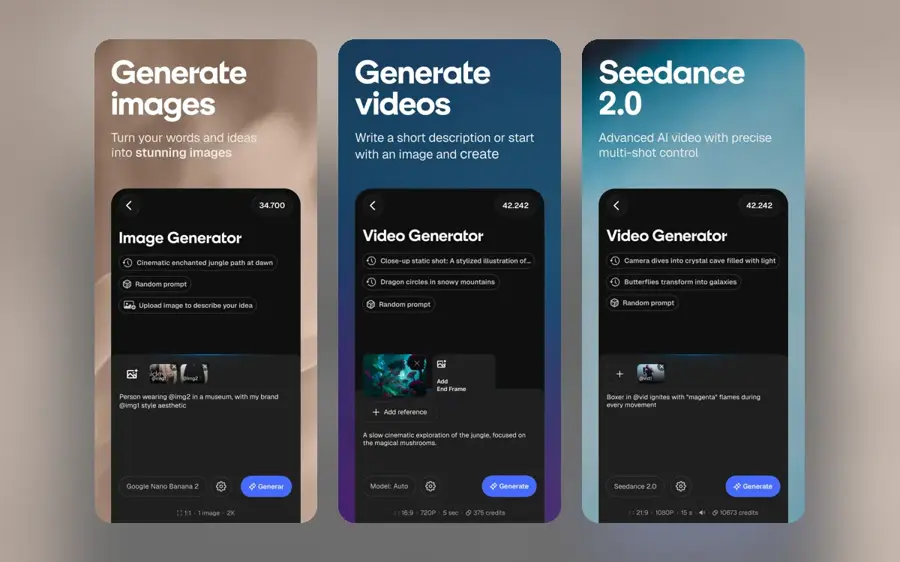
Magnific is the new name for Freepik, an AI creative platform that bundles image generation, editing, upscaling and stock assets with many third-party models. Visit magnific.com.
Why it stands out
Freepik rebranded as Magnific on April 28, 2026, joining its stock library with the Magnific upscaler and its other AI tools. The Next Web reports more than 1 million paying subscribers. Tech.eu covered the same move as a push into enterprise and team use.
For combining images, the draw is model choice. Photutorial's July 2026 pricing check lists Nano Banana 2 at 75 credits per 1K or 2K image and GPT Image 2.0 Mid at 400 credits, while Premium+ and above unlock an Unlimited mode for selected models. On Capterra, one graphic designer praised "the different variations of AI-generated images," though the listing has only three reviews (3.3 out of 5). Verdict: worth it if you generate in volume or need stock assets too.
Key features
- Many models: Nano Banana 2, GPT Image and in-house models.
- Unlimited mode for selected models on Premium+ and up.
- Magnific upscaler to sharpen merged results.
- Stock library for backgrounds and elements.
- Business plan with a shared credit pool.
Pros
- Big credit allowances for the price
- Upscaling and stock in the same account
- Free tier with daily basic generations
Cons
- Credit costs vary a lot by model
- Recent rebrand means older guides use the Freepik name
- Unlimited mode excludes Free and Premium
Magnific pricing: Free → paid plans from $20/month (Premium), or $14.50/month billed annually, according to Photutorial (checked October 2026). See pricing
Related: Best AI image generators Best AI picture tools
Leonardo AI – best for daily free credits
Leonardo is an AI image platform with its own Lucid and Phoenix models plus partner models such as Nano Banana and Flux Kontext for reference-based edits. Try it at leonardo.ai.
Why it stands out
Leonardo gives you a broad toolkit for an AI picture combiner job. According to eesel AI's June 2026 pricing guide, the app offers Nano Banana, Nano Banana Pro, GPT-Image-1 and Flux.1 Kontext, which are the models people usually reach for when merging photos. The free plan gives 150 fast tokens a day that reset every 24 hours.
The catch is the token maths. Those partner models always consume tokens, even on the top Ultimate plan, while Leonardo's own Lucid and Phoenix models get unlimited relaxed generations on Premium and up. Free creations are also public. Verdict: a good playground for trying different merge models on a small budget.
Key features
- Partner models: Nano Banana, GPT-Image-1 and Flux Kontext.
- 150 free tokens a day that reset daily.
- Lucid and Phoenix in-house models.
- Unlimited relaxed generations on Premium and Ultimate.
- API access with pay-as-you-go credit.
Pros
- Generous daily free allowance
- Several merge-friendly models in one app
- Team plans for small studios
Cons
- Partner models always cost tokens
- Free creations are public
- Token pricing takes effort to understand
Leonardo AI pricing: Free → paid plans from $12/month (Essential), according to eesel AI (checked October 2026). See pricing
Related: Leonardo AI review
Dreamina – best for quick two-photo blends
Dreamina is CapCut's AI image and video creator, with a Blend tool that merges a foreground and background image into one scene. Try it at dreamina.capcut.com.
Why it stands out
Dreamina is the most literal AI photo merger here. Its merge guide explains the flow: upload both images to Canvas, select them, choose Blend, mark one as background and one as foreground, add a prompt such as "warm, sunset, soft lighting, 4K" and generate. You can also clean up with Remove Background, Inpaint and Expand before exporting as JPEG or PNG.
Dreamina says it provides "150 free credits every day," and that an AI feature costs three credits per use. That is plenty for casual edits. It does not say which Seedream model powers Blend, and we could only find promotional pricing for its paid plans. Verdict: the fastest free route for social posts and quick mock-ups.
Key features
- Blend: set a foreground and background, then prompt the mood.
- Remove Background and object removal before merging.
- Inpaint and Expand to fix or extend the frame.
- Seedream image models for generation.
- JPEG and PNG export at chosen sizes.
Pros
- Clear foreground and background controls
- Daily free credits
- Fits a CapCut social media workflow
Cons
- Full paid pricing is hard to find
- Model behind Blend is not disclosed
- Less control than a layered editor
Dreamina pricing: Free with 150 daily credits → paid plans advertised from a promotional $0.29/month, with standard prices not listed on the page we checked (October 2026). See details
How to choose the right image combiner AI tools
Decide between realism and style
If the merged photo must look real, as with product shots or property listings, choose Photoshop or Gemini. If you want art, posters or fantasy scenes, Midjourney's reference tools give a stronger look. Choose Photoshop if a client will zoom in. Choose Midjourney if you want people to stop scrolling.
Count your reference images
Two photos is the common case, and every tool here handles it. For product catalogs or a whole cast of characters, look for a model with a published high limit, such as Nano Banana 2 on Krea, which accepts up to 14 references. More references give the model more to get right, so expect more retries.
Work out the real cost in credits
A low headline price can hide a small credit pool. Partner models on Firefly, Magnific and Leonardo cost more per image than in-house ones. If you regenerate often, a plan with unlimited or relaxed modes can be cheaper than a smaller credit bundle.
Check how you fix mistakes
AI image fusion still trips on fingers, text and odd joins. Read our explainer on why AI struggles with hands. Tools with comments, inpainting or layers let you repair one area instead of rolling the dice again.
Get consent for photos of people
Only combine photos of yourself, people who have agreed, or images you have the rights to use. Making intimate or deceptive images of real people without their consent is harmful and illegal in many places. For playful, consent-based projects such as family cards, see our best AI Christmas card generators.
Free vs paid: what you actually get
You can combine images with AI without paying a cent. The free tiers are real, but each one caps you in a different way.
| Tool | Free plan gives you | Paying adds |
|---|---|---|
| Google Gemini | Nano Banana 2 with photo combining, unpublished daily limits | Nano Banana 2.1, Redo with Pro and higher limits (plans) |
| ChatGPT | "Limited image creation" | More images, plus Thinking image mode on Plus and Pro (pricing) |
| Adobe Firefly | Daily generations that refresh every day | 2,000 to 50,000 monthly credits for partner models (plans) |
| Magnific | Up to 20 basic image generations a day | 20,000+ monthly credits and, from Premium+, Unlimited mode (Photutorial) |
| Leonardo AI | 150 fast tokens a day, public creations | Monthly tokens and unlimited relaxed generations on higher plans (eesel AI) |
| Dreamina | 150 credits a day, 3 credits per AI feature | Not clearly published (Dreamina) |
Paying makes sense when you hit limits every week, need higher resolution, or want private creations. For a few merges a month, the free plans of Gemini, Firefly and Dreamina are enough. Budget angle: a $4.99 Gemini Plus plan or a $9.99 Firefly Standard plan covers most hobby use.
Final verdict
Most people should start with Google Gemini. It is free, it combines photos from a simple prompt, and the upgrade costs less than a coffee a month. Choose ChatGPT if you already subscribe and like to edit by conversation. Choose Photoshop if the composite has to look flawless and you need layers.
Choose Adobe Firefly, Magnific or Leonardo if you want to test several models under one bill, with Magnific best for volume. Choose Midjourney for art over accuracy, and Dreamina for fast, free two-photo blends. If you want one agent that makes images, video and music together, read our Supercool AI review, and for creating images from scratch see our best AI image generators.
FAQ
What is the best free image combiner AI?
Google Gemini is the strongest free option because its free Nano Banana 2 model lists photo combining as a core feature. Adobe Firefly and Dreamina also give you daily free allowances.
How do I combine two photos with AI?
Upload both photos to a tool such as Gemini, ChatGPT or Dreamina, then describe the result, for example "put the person from photo one on the beach in photo two at sunset." In Dreamina you can mark which image is the foreground and which is the background.
Can AI merge photos so they look real?
Yes, especially when the light and angles of the source photos are similar. Photoshop's Harmonize is built for this, matching lighting, shadows and color. Check edges, hands and text closely before you publish.
Is it legal to combine photos of other people with AI?
It depends on where you live and what you make, but using someone's likeness without consent can break privacy, image-rights and deepfake laws. Stick to your own photos, people who have agreed, and licensed images.
What is AI image fusion?
AI image fusion is the process of blending two or more images into one new image, where the model redraws lighting, perspective and style so the parts fit together. It differs from a collage, which places images side by side.
How many images can I combine at once?
It varies by tool and is often not published. Krea says Nano Banana 2 accepts up to 14 reference images on its platform, while many apps are designed around two images.
Sources
- Image generation (Google Gemini)
- Google AI plans (Google)
- Introducing ChatGPT Images 2.5 (OpenAI)
- ChatGPT pricing (OpenAI)
- ChatGPT Pricing 2026: Free vs Go vs Plus vs Pro (CometAPI)
- Harmonize image blender (Adobe)
- Blend objects and people into any background with Harmonize (Adobe Help)
- The research behind Harmonize (Adobe Research)
- How Much Does Photoshop Cost in 2026? (Dupple)
- Adobe Firefly plans (Adobe)
- Is Adobe Firefly free? (Krea)
- How to use Midjourney V8.2 (Tech Insider)
- Freepik rebrands as Magnific (The Next Web)
- Freepik rebrands as Magnific (Tech.eu)
- Freepik pricing (Photutorial)
- Freepik reviews (Capterra)
- Leonardo.AI pricing: every plan, token, and hidden cost (eesel AI)
- How to merge two pictures (Dreamina)
- Nano Banana 2 (Krea docs)