Best paragraph AI tools in 2026: 8 picks for writing and rewriting, ranked
The best paragraph AI tools for rewriting and generating text in 2026, from QuillBot and ParagraphAI to ChatGPT, with current prices and free limits.
 Written byFahad HashmiContributing writer, AI in energy and industry
Why you can trust The AI Future
Our writers research every product, link each claim to its source and correct mistakes openly. Companies can't pay for coverage or see reviews before they're published.
Read our editorial policy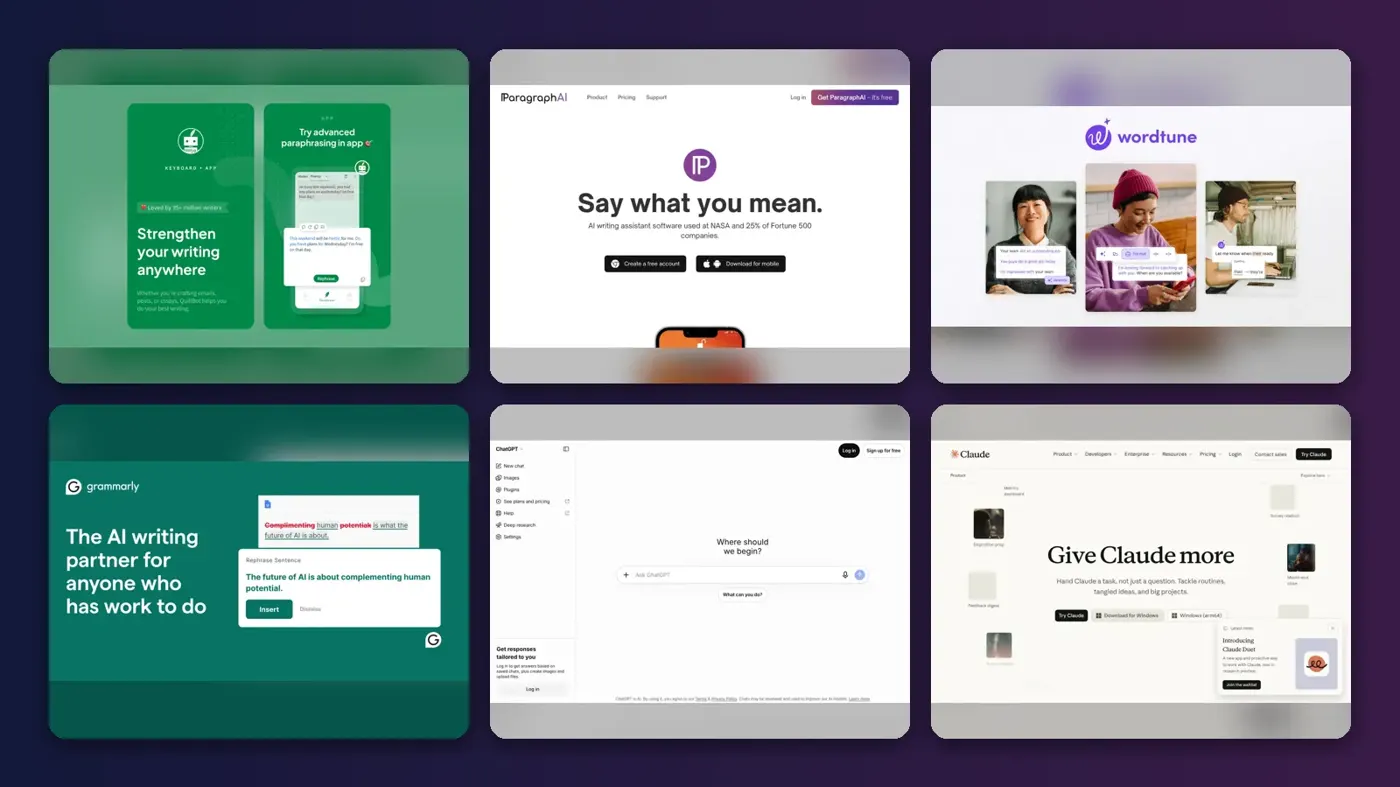
Here is the short version. If you want a paragraph AI tool to rewrite text you already have, QuillBot gives you the most for free and costs $8.33 a month on an annual plan. If you want a dedicated "paragraph AI" app with a phone keyboard, ParagraphAI is the product that owns the name. If you want to write whole paragraphs from a rough idea, a general assistant like ChatGPT or Claude will do the job better than most single-purpose tools.
The term "AI paragraph" tool covers two different jobs. Some tools take your paragraph and rewrite it: they change wording, tone or length while trying to keep the meaning. Others take a topic or a few bullet points and generate a new paragraph. Most products do both now, but each is clearly better at one. Below are eight picks, with current pricing and limits checked in October 2026, plus a simple way to work out which one fits how you write.
Key takeaways
- Rewriting and generating are different jobs. QuillBot, Wordtune and Grammarly are built around rewriting your text. ChatGPT, Claude, HyperWrite and the Ahrefs generator are better at writing from scratch.
- Free tiers are tight but usable. QuillBot's free paraphraser caps you at 125 words per use, and Wordtune's free plan gives you 10 rewrites a day.
- Cheap paid plans exist. Wordtune Unlimited is $6.99 a month on annual billing and QuillBot Premium is $8.33 a month on annual billing.
- Check facts yourself. Paragraph tools write fluent text, not verified text. A SlashGear review of ParagraphAI found factual errors were its main weakness.
How we ranked them
Nobody at The AI Future ran hands-on tests for this roundup, and we have no original screenshots to show you. We compared each tool using official product pages, pricing write-ups, app store listings, published independent reviews and user ratings, as of late October 2026. We scored each tool on six criteria:
- Paragraph quality: how natural and accurate the output is, based on published reviews and user feedback.
- Meaning preservation: whether a rewrite keeps what you actually said. This matters most for paraphrasers.
- Control: tone, length and mode settings, so you are not stuck with one style.
- Free tier value: how much real work you can do before paying.
- Price per year: the cost of the cheapest paid plan that removes the main limits.
- Where it works: browser extension, mobile keyboard, Word or Google Docs support.
Prices are in US dollars and can change by country, app store and promotion. Some figures come from third-party pricing write-ups dated earlier in 2026, so confirm on the vendor's own page before you pay.
Our top picks at a glance
| # | Tool | Category | Best for | Free tier | Starts at |
|---|---|---|---|---|---|
| 1 | QuillBot | Paraphraser | Rewriting paragraphs | Yes (limited) | $8.33/mo |
| 2 | ParagraphAI | Writing app and keyboard | Writing on your phone | Yes | $14.99/mo |
| 3 | Wordtune | Rewriter | Sentence-level rewrites | Yes (limited) | $4.89/mo |
| 4 | Grammarly | Writing assistant | Polishing work writing | Yes (limited) | $12/mo |
| 5 | ChatGPT | General assistant | Drafting from notes | Yes | $8/mo |
| 6 | Claude | General assistant | Long, careful rewrites | Yes | $20/mo |
| 7 | HyperWrite | Writing assistant | Autocomplete in the browser | Yes (limited) | $19.99/mo |
| 8 | Ahrefs Paragraph Generator | Free generator | Quick one-off paragraphs | Yes | Free |
Notes: QuillBot's $8.33 and Wordtune's $4.89 are annual prices shown per month. Grammarly's $12 is Pro billed annually; monthly billing is $30. ChatGPT's $8 is the Go plan.
The 8 best paragraph AI tools in 2026, ranked
QuillBot – best for rewriting paragraphs
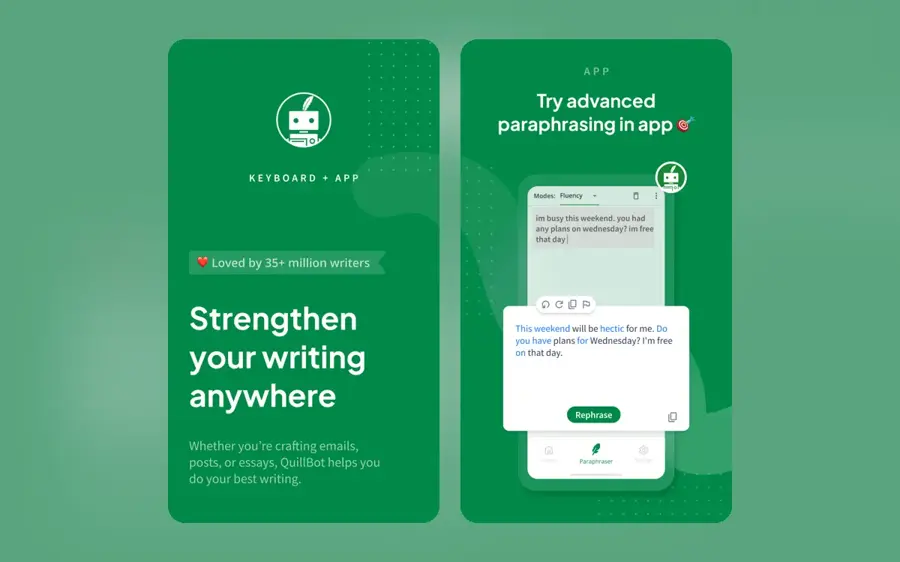
QuillBot is a paraphrasing tool that rewrites a paragraph in different modes while trying to keep its meaning, with a summarizer, grammar checker and translator built in. Use it at quillbot.com.
Why it stands out
Think of QuillBot as a rewrite engine with a dial. You paste a paragraph, pick a mode, and it returns a version with different wording. The free plan gives you two modes, Standard and Fluency, and 125 words per use. Premium unlocks unlimited words and 9+ modes, according to eesel's January 2026 pricing breakdown. A May 2026 review by Dupple lists the same free limits and notes there is no free trial for Premium, only a 3-day money-back guarantee.
Users rate it well. QuillBot holds a 4.8 TrustScore on Trustpilot from more than 14,000 reviews. One reviewer there wrote, "Quillbot has improved my writing skills." The main complaint pattern is about meaning drift: G2's review tags for the paraphraser include a "Meaning Alteration" theme, per its Grammarly vs QuillBot comparison page. Read every rewrite before you use it.
Key features
- Paraphraser modes: two on free, 9+ on Premium.
- Synonym slider: controls how much wording changes.
- Summarizer: 1,200 words per use free, 6,000 on Premium.
- Plagiarism checker: 25,000 words a month on Premium only.
- Translator: 5,000 characters per use free, unlimited on Premium.
Pros
- Generous free tier for short paragraphs
- Low annual price for unlimited words
- Good mode control for tone and length
- Strong Trustpilot rating
Cons
- 125-word cap on free means splitting longer text
- Rewrites can change meaning
- Monthly billing ($19.95) is more than double the annual rate
QuillBot pricing: Free → paid plans from $8.33/month billed annually ($99.95/year), or $19.95/month billed monthly (checked October 2026). See pricing
Related: Best grammar AI tools
ParagraphAI – best for writing on your phone
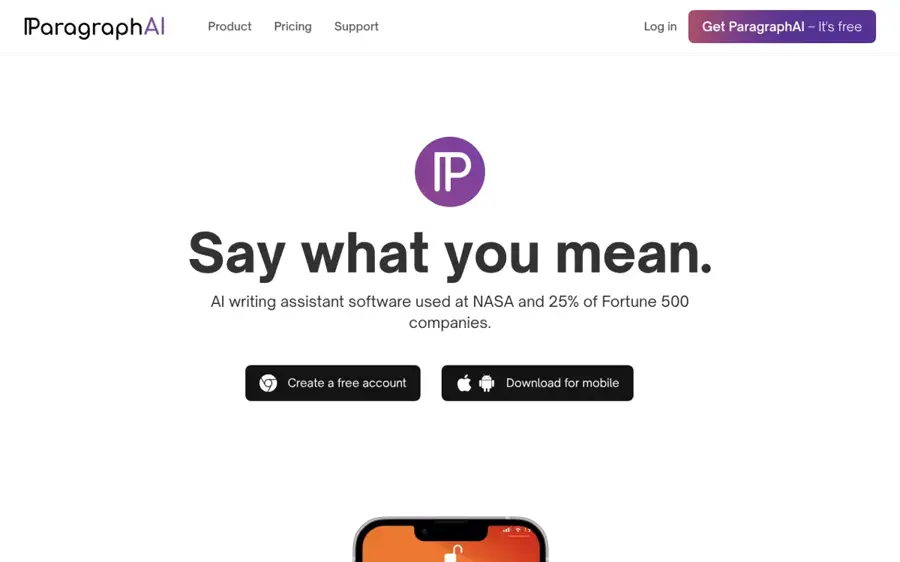
ParagraphAI is a writing app and AI keyboard for iOS, Android and the browser that writes, rewrites, replies to and translates text inside other apps. Get it at paragraphai.com.
Why it stands out
If you searched "paragraph AI" looking for a specific product, this is probably it. Its main selling point is the keyboard: you can generate or rewrite text inside your messaging, email and social apps without copying and pasting. The App Store listing describes text generation, email replies, tone and clarity help, summaries, grammar correction and editing and translation across 40+ languages. The app has a 4.8 rating from about 2,500 ratings on the US App Store.
Independent reviews are mixed. SlashGear's review gave it 7/10 and said "the dedicated keyboard is the real winner in terms of accessibility and ease," but also that "Factual inaccuracies are brazen." That review dates from 2023, so the underlying models have changed since, but the lesson holds: use it for tone and phrasing, not facts. On Capterra, one of only two reviewers wrote, "It's very easy to use. I like the rewrites when the software is working correctly," while also complaining that support never replied.
Key features
- AI keyboard: writes and rewrites inside other apps.
- Tone controls: adjust formality and mood of replies.
- Email replies: drafts responses from the message you received.
- Summaries: condenses articles, chats and documents.
- Languages: editing and translation in 40+ languages.
Pros
- Works where you type on mobile
- Covers writing, replies and rewriting in one app
- High App Store rating
Cons
- Pricing is confusing, with many in-app offers
- Few independent reviews on business review sites
- Past reviews flagged factual errors
ParagraphAI pricing: Free → paid plans from $14.99/month according to Capterra; App Store in-app prices range from $10.00 to $24.99 a month, or $149.99 a year for Annual Pro (checked October 2026). See pricing
Related: Best AI writers
Wordtune – best for sentence-level rewrites
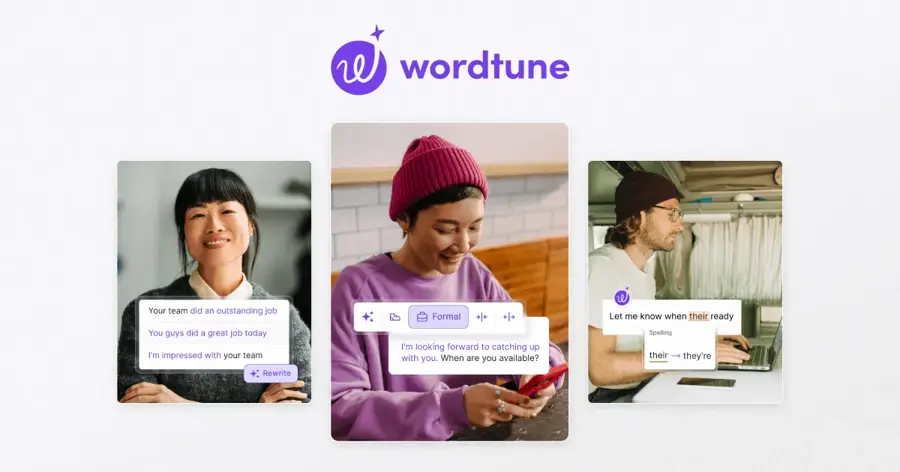
Wordtune is a rewriting assistant that suggests alternative versions of the sentences you select, with options to make them shorter, longer, more formal or more casual. Use it at wordtune.com.
Why it stands out
Wordtune works at a finer grain than QuillBot. You highlight a sentence or paragraph and it offers several rewrites to pick from, rather than one block of output. Its "Spices" feature adds examples, statistics, definitions or counterarguments to your text, as described in eesel's Wordtune pricing guide. Treat any added statistic as a placeholder until you have checked it.
It is also the cheapest paid option here. Tools for Humans lists Advanced at $4.89 a month and Unlimited at $6.99 a month on annual billing. Wordtune has a 4.4 rating from 82 reviews on Capterra, where one user wrote, "It's fantastic for rephrasing words or sentences that are more difficult to express." Another said, "I keep losing my work."
Key features
- Rewrite suggestions: several options per selection.
- Tone and length: formal, casual, shorten and expand.
- Spices: adds examples, definitions or counterarguments.
- Summarizer: documents, articles and YouTube videos.
- Translation: from ten languages into English.
Pros
- Lowest paid price in this list
- Multiple rewrite choices per sentence
- Unlimited grammar checks on free
Cons
- Free plan stops at 10 rewrites a day
- Translation only goes into English
- Some users report lost work
Wordtune pricing: Free → paid plans from $4.89/month billed annually (Advanced), or $6.99/month billed monthly (checked October 2026). See pricing
Grammarly – best for polishing work writing
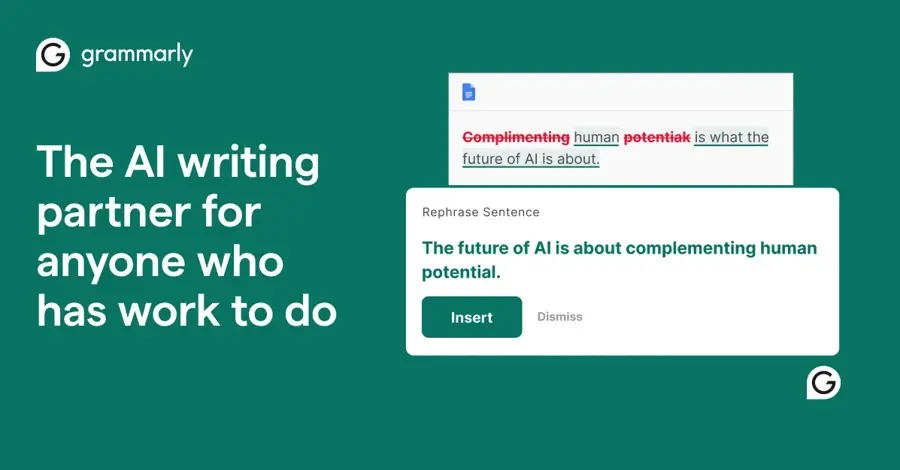
Grammarly is a writing assistant that checks grammar, clarity and tone across your apps and can rewrite paragraphs with AI prompts. It is now part of the Superhuman suite. Use it at grammarly.com.
Why it stands out
Grammarly is the tool to pick if you want paragraph rewriting as part of a wider editing pass, not as a separate step. It is designed to run where you already write rather than in a separate editor. The parent company renamed itself Superhuman in October 2025, but the writing product is still called Grammarly, according to Carly's July 2026 pricing guide. The free plan includes 100 AI prompts a month and Pro includes 2,000.
Its user base is far larger than the rest of this list. On G2's comparison page, Grammarly scores 9.3 out of 10 for ease of use across 10,880 reviews. The trade-off is cost: Pro is $12 a month billed annually, but $30 a month if you pay monthly.
Key features
- AI prompts: rewrite, shorten or change tone of a paragraph.
- Grammar and clarity: real-time corrections as you type.
- Tone detection: flags how your writing may come across.
- Superhuman suite: bundles with Superhuman Mail and Docs on Business.
Pros
- Rewriting sits inside your normal editing flow
- Very large, well-rated user base
- Free plan needs no payment details
Cons
- Monthly billing is expensive at $30
- Free AI prompts run out quickly at 100 a month
- Less mode control than a dedicated paraphraser
Grammarly pricing: Free → paid plans from $12/month billed annually ($144/year), or $30/month billed monthly (checked October 2026). See pricing
Related: Grammarly AI review Best grammar AI tools
ChatGPT – best for drafting from notes
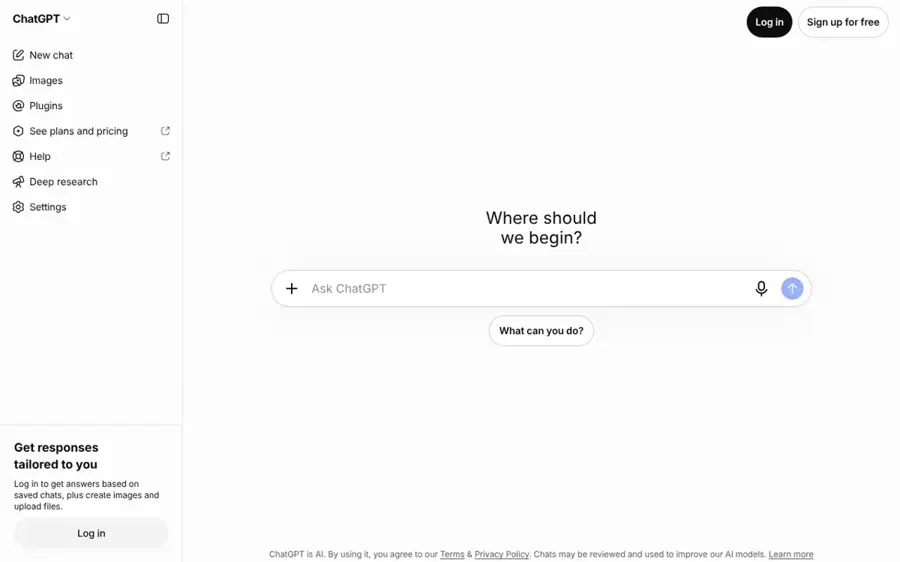
ChatGPT is OpenAI's general AI assistant. Give it bullet points, a topic or a rough paragraph and it will write or rewrite to your instructions. Use it at chatgpt.com.
Why it stands out
A general assistant is the most flexible paragraph AI you can use, because you control the output with instructions rather than preset modes. You can say "rewrite this for a hiring manager, under 90 words, keep the numbers" and it will try to follow all three constraints. The free plan covers most paragraph work. Paid plans start with Go at about $8 a month and Plus at $20 a month, according to CometAPI's ChatGPT pricing guide, updated September 2026.
The weakness is the same as every model here: it will happily invent a fact to make a paragraph read well. If you ask it to "add a statistic," check the number. Our guide to writing better prompts for ChatGPT, Claude and Gemini covers how to get tighter output.
Key features
- Instruction-driven rewriting: set tone, length and audience in plain English.
- Generation from notes: turns bullet points into full paragraphs.
- Paste-and-edit workflow: rewrite a whole section in one message.
- Apps: web, desktop and mobile.
Pros
- Most flexible control over output
- Strong free plan
- Handles both generating and rewriting
Cons
- No one-click paraphrase modes
- Can invent facts and figures
- Needs clear prompts for consistent results
ChatGPT pricing: Free → paid plans from about $8/month (Go), with Plus at $20/month (checked October 2026). See pricing
Related: ChatGPT with GPT-6 review Best AI like ChatGPT
Claude – best for long, careful rewrites
Claude is Anthropic's AI assistant, often preferred for writing tasks where you want a natural tone and close attention to instructions. Use it at claude.ai.
Why it stands out
Claude does the same jobs as ChatGPT, but many writers reach for it when they need to rewrite several paragraphs at once and keep a consistent voice. You can paste a whole section, ask it to tighten each paragraph to two thirds of its length and keep your terminology, and then compare the result line by line. Pro costs $20 a month, or $17 a month on annual billing, according to eesel's April 2026 Claude pricing guide.
The free plan has usage limits that heavy users hit during long editing sessions. For a few paragraphs a day, it is enough. Our Claude AI review goes into the plans and limits in more detail.
Key features
- Long context: rewrite long sections in one pass.
- Style matching: follows a sample of your writing.
- Iterative edits: refine a draft over several turns.
- Apps: web, desktop and mobile.
Pros
- Natural-sounding rewrites
- Good at following detailed constraints
- Handles long text well
Cons
- Free plan limits can cut off long sessions
- No dedicated paraphrase modes
- Same fact-checking caveat as other models
Claude pricing: Free → paid plans from $17/month billed annually ($200/year), or $20/month billed monthly (checked October 2026). See pricing
Related: Claude AI review
HyperWrite – best for autocomplete in the browser
HyperWrite is an AI writing assistant whose TypeAhead feature predicts and completes your sentences as you type in the browser, alongside tools for generating and rewriting text. Use it at hyperwriteai.com.
Why it stands out
HyperWrite suits people who want help mid-sentence rather than after a draft is done. TypeAhead suggests completions through a Chrome extension, and Premium and Ultra make it unlimited, according to eesel's HyperWrite pricing breakdown from January 2026. The same source says Premium costs $19.99 a month ($16 on annual billing) with 250 AI messages a month, and Ultra costs $44.99 ($29 on annual billing) with unlimited messages.
We found few user ratings to point to. HyperWrite's Capterra page showed no user reviews when we checked. That does not mean the tool is poor, but it gives you less outside evidence than QuillBot or Grammarly.
Key features
- TypeAhead: predictive sentence completion as you type.
- AutoWrite: generates longer passages from a prompt.
- Custom personas: 3 on Premium, 10 on Ultra.
- Citations: included on paid plans.
- Chrome extension: works across sites in your browser.
Pros
- Helps while you write, not only after
- Paid plans include citations
- Useful custom personas for different voices
Cons
- Free plan is a small trial
- Pricier than QuillBot or Wordtune
- Few independent user reviews
HyperWrite pricing: Free → paid plans from $16/month billed annually, or $19.99/month billed monthly (checked October 2026). See pricing
Related: Best AI writers
Ahrefs Paragraph Generator – best for quick one-off paragraphs
Ahrefs Paragraph Generator is a free web tool from the SEO company Ahrefs that writes paragraphs or bullet points from a short topic description. Use it at ahrefs.com.
Why it stands out
This is the simplest tool in the list. You type what the paragraph should be about (up to 2,048 characters), pick a tone, choose paragraphs or bullet points, set how many and choose concise or detailed, then click generate. That is the whole interface, per the tool's page. The page says you can "Try it for free with an Ahrefs Free account." Ahrefs also runs a separate paragraph rewriter if you want to rework existing text.
It is fine for a product description, an intro or a placeholder paragraph. It has no memory, no document editing and only English is shown as an output language. We found no user rating for this specific tool, so treat it as a free utility rather than a writing app.
Key features
- Topic input: up to 2,048 characters.
- Tone selector: formal by default, with other tones.
- Format: paragraphs or bullet points.
- Length: concise or detailed.
- Companion tools: paragraph rewriter, outline and conclusion generators.
Pros
- Free
- No learning curve
- Good for quick, short copy
Cons
- English only on the page
- No editing or history
- Generic output for complex topics
Ahrefs Paragraph Generator pricing: Free, no paid plan needed for the generator (checked October 2026). See pricing
Related: Best AI writers
How to choose the right paragraph AI tools
Decide whether you are rewriting or generating
If you already have the paragraph and want it clearer or shorter, use a rewriter: QuillBot, Wordtune or Grammarly. If you have notes or just a topic, use a generator: ChatGPT, Claude, HyperWrite or Ahrefs. The table below maps common jobs to a first choice.
| Your job | First choice | Why |
|---|---|---|
| Reword a paragraph for an essay draft | QuillBot | Modes plus a synonym slider |
| Fix one awkward sentence | Wordtune | Several options per selection |
| Polish a work email or report | Grammarly | Rewriting inside a full edit pass |
| Reply to messages on your phone | ParagraphAI | AI keyboard in other apps |
| Turn bullet points into paragraphs | ChatGPT or Claude | Follows detailed instructions |
| One quick product blurb | Ahrefs Paragraph Generator | Free, no setup |
Check where you type
A tool you have to copy into and out of gets used less. If you write mostly on your phone, a keyboard app like ParagraphAI fits. If you write mostly in the browser, a tool that runs there, like Grammarly or HyperWrite's Chrome extension, saves the copy-paste step.
Watch meaning, not just wording
Paraphrasers are tuned to change words. That is exactly where they break: a rewrite can swap "may" for "will" or drop a qualifier, and the paragraph still reads well. Compare the output against your original for every claim, number and name.
Know the rules where you submit
Many schools and publishers do not allow you to pass off AI-written text as your own, and some restrict paraphrasing tools too. AI detectors are also unreliable and produce false positives, as we explain in how AI detectors work. Use these tools to improve your own drafts, and disclose AI help where it is required. If you are wondering about school work specifically, see can AI write an essay for me.
Where it breaks
All of these tools run on large language models, which predict likely next words rather than look up facts. Our explainer on how LLMs work covers the mechanics. In practice, that leads to three failure modes you should plan for:
- Invented details: ask for "a supporting statistic" and you may get a plausible but made-up number.
- Meaning drift: heavy paraphrase settings can flip the strength of a claim.
- Bland sameness: generated paragraphs often share the same structure and filler phrases. Our guide on making AI-assisted text read naturally has practical fixes.
Free vs paid: what you actually get
Free plans are designed for short bursts. Here is a worked example. Say you want to rework a 600-word cover letter, which is about 30 sentences in five paragraphs.
- QuillBot free: at 125 words per use, that is five separate passes, one per paragraph. Workable, if a bit slow.
- Wordtune free: at 10 rewrites a day, rewriting sentence by sentence would take three days. You would need to pick the 10 weakest sentences instead.
- Grammarly free: 100 AI prompts a month covers this letter several times over, but not daily use.
- ChatGPT or Claude free: one prompt can handle all 600 words, within the free plan's usage limits.
If you rewrite text most days, paying makes sense. Here is what the cheapest unlimited-style plans cost over a year, using the prices above:
| Tool and plan | Annual cost | What paying removes |
|---|---|---|
| Wordtune Unlimited (annual) | $83.88 | Daily rewrite cap |
| QuillBot Premium (annual) | $99.95 | 125-word cap, locked modes |
| Grammarly Pro (annual) | $144 | 100-prompt monthly cap |
| ParagraphAI Annual Pro (App Store) | $149.99 | Free usage limits |
| HyperWrite Premium (annual) | $192 | TypeAhead limits |
| Claude Pro (annual) | $200 | Tighter usage limits |
| ChatGPT Plus (monthly) | $240 | Free usage limits |
The general assistants cost the most, but they also do far more than paragraph work. If you already pay for ChatGPT or Claude, you may not need a separate paragraph AI tool at all.
Final verdict
For most people, QuillBot is the best paragraph AI tool: it has the most useful free tier for rewriting and a low annual price. Pick Wordtune if you want the cheapest paid plan and sentence-by-sentence choices. Pick ParagraphAI if you mostly write on your phone. If you already pay for ChatGPT or Claude, try them first, since a clear prompt gets you most of the way there. Whatever you choose, read the output against your original before you send it.
FAQ
What is paragraph AI?
"Paragraph AI" can mean two things. It is the name of a specific app, ParagraphAI, which offers an AI keyboard and writing assistant. It is also a general term for AI tools that write or rewrite paragraphs, such as QuillBot, Wordtune or ChatGPT.
Is ParagraphAI free?
It has a free version, according to Capterra, with paid plans listed from $14.99 a month. In the App Store, in-app subscriptions range from $10.00 to $24.99 a month, or $149.99 a year.
What is the best free AI paragraph rewriter?
QuillBot's free plan is the strongest for rewriting, with 125 words per use and two modes. ChatGPT and Claude free plans are better if you want to rewrite longer text in one go with specific instructions.
Can teachers tell if I used a paragraph AI tool?
Sometimes, but not reliably. AI detectors produce false positives and miss paraphrased text, so their results are contested. That does not make using these tools allowed: check your school's policy, and do not submit AI-written work as your own where it is banned.
Do paragraph AI tools check facts?
No. They improve wording and structure, but they can introduce errors. SlashGear found factual inaccuracies were ParagraphAI's main weakness, and the same risk applies to every tool in this list.
Sources
- ParagraphAI Software Pricing, Alternatives & More 2026 (Capterra)
- ParagraphAI: Writer & Keyboard (Apple App Store)
- ParagraphAI Writer And Chatbot Review (SlashGear)
- A complete guide to Quillbot pricing: Is it worth it in 2026? (eesel AI)
- QuillBot review (Dupple)
- QuillBot Reviews (Trustpilot)
- Wordtune pricing: A complete guide to plans and features (eesel AI)
- Wordtune Review 2026 - Features, Pricing & Deals (Tools for Humans)
- Wordtune reviews (Capterra South Africa)
- Grammarly pricing (Carly)
- Grammarly vs QuillBot Paraphraser (G2)
- ChatGPT Pricing 2026: Free vs Go vs Plus vs Pro (CometAPI)
- Claude Pro pricing in 2026: Everything you need to know (eesel AI)
- HyperWrite Pricing 2026: A Breakdown of Plans and Features (eesel AI)
- HyperWrite (Capterra)
- Free AI Paragraph Generator (Ahrefs)
- Free AI Paragraph Rewriter (Ahrefs)