Best AI study guide makers in 2026: 8 picks for every budget
The best AI study guide maker turns your slides, PDFs and lectures into guides, flashcards and quizzes. We compare 8 tools on free plans, pricing and limits.
 Written byFahad HashmiContributing writer, AI in energy and industry
Why you can trust The AI Future
Our writers research every product, link each claim to its source and correct mistakes openly. Companies can't pay for coverage or see reviews before they're published.
Read our editorial policy
Here is the short version. The best AI study guide maker for most students in 2026 is Gemini Notebook (the tool Google called NotebookLM until July 2026), because it builds study guides, flashcards and quizzes only from the files you upload, and its free plan covers most courses. If you want flashcards and practice tests with a generous free tier, pick Knowt. If you want a tutor that questions you instead of handing you the answer, use ChatGPT's study mode.
Think of an AI study guide generator as a pipeline: your material goes in (slides, PDFs, a lecture recording), the model pulls out the key ideas, and the tool turns them into a summary, flashcards and a quiz. Each step can lose information. Below we compare eight tools on how well that pipeline holds up, what the free plans actually include, and where each one breaks. For a wider list of student tools, see our best free AI tools for students.
Key takeaways
- Start with Gemini Notebook if you have your own course files. It answers from your sources, and its Reports panel includes a built-in study guide format.
- Knowt is the strongest free flashcard option. Its Basic plan is free with unlimited file creation; AI summarizers sit in the paid Ultra plan.
- Free tiers vary a lot. StudyFetch's free plan allows about 2 uploads and 1 study set, while Mindgrasp has no free plan at all, only a 4-day trial.
- For one semester, monthly billing often beats annual. The math is in the free vs paid section below.
- Check every AI-generated answer key. All of these tools can misread diagrams, noisy audio and auto-captions.
How we ranked them
Nobody at The AI Future ran hands-on tests for this roundup. We compared each study guide maker using official product and pricing pages, help docs, independent reviews and app store rating data, as of late October 2026. We scored each tool on six criteria:
- Source grounding: whether the guide is built from your material or from the model's general knowledge.
- Output range: study guides, summaries, flashcards, quizzes, audio and tutoring.
- Input support: PDFs, slides, audio, video, YouTube links and handwritten notes.
- Free tier: how far you get before a paywall.
- Price for a semester: the real cost over about four months, not just the headline monthly price.
- User reputation: app store ratings and review-site scores, plus known complaints such as billing problems.
Our top picks at a glance
| # | Tool | Category | Best for | Free tier | Starts at |
|---|---|---|---|---|---|
| 1 | Gemini Notebook | AI notebook | Study guides from your own files | Yes | $4.99/mo |
| 2 | Knowt | Flashcard app | Free flashcards and practice tests | Yes | $12.99/mo |
| 3 | Quizlet | Flashcard app | Pre-made sets and fast cards | Yes (limited) | $7.99/mo |
| 4 | StudyFetch | Study suite | A tutor grounded in your course | Yes (limited) | $4.99/mo |
| 5 | Turbo AI | AI notetaker | Recorded lectures | Yes (limited) | $9.99/mo |
| 6 | ChatGPT | General assistant | Guided tutoring | Yes | $8/mo |
| 7 | RemNote | Notes and spaced repetition | Long-term retention | Yes | $8/mo |
| 8 | Mindgrasp | Study suite | Importing from Canvas or Blackboard | No | $5.99/mo |
Starting prices are the cheapest paid plan, usually billed yearly. Knowt's $12.99 is billed upfront at $149.99; StudyFetch's $4.99 and Turbo AI's $9.99 are annual rates too.
The best AI study guide makers in 2026, ranked
Gemini Notebook – best for study guides from your own files
Gemini Notebook, Google's research notebook formerly called NotebookLM, turns the sources you upload into study guides, flashcards, quizzes and audio summaries. Try it at notebooklm.google.
Why it stands out
Google renamed NotebookLM to Gemini Notebook on 16 July 2026 and kept it a standalone product, TechNews reported, noting more than 30 million users. The key design choice is grounding: each notebook is a fixed set of sources, and Google's help page says the Studio panel can generate reports in FAQ, briefing or study guide formats, plus flashcards, quizzes, mind maps and slide decks. Answers point back to your material, which makes errors easier to catch.
The trade-off is the flip side of grounding. As Dupple's comparison puts it, it "won't pull in outside knowledge", so thin notes produce a thin guide. On the App Store, the app holds a 4.9-star rating from about 28.8K reviews, according to App Pricing Lab.
Key features
- Study guide reports: one click turns your sources into a structured guide you can export to Google Docs.
- Flashcards and quizzes: generated from the same notebook.
- Audio and Video Overviews: podcast-style or narrated recaps of your material.
- Source limits: up to 50 sources per notebook free, 100 on AI Plus and 300 on AI Pro, per the plans page.
- Mobile app: available on iOS and Android, with some features limited on mobile.
Pros
- Generous free plan for a typical course
- Answers stay tied to your sources
- Wide range of outputs from one upload
Cons
- Cannot fill gaps in weak notes
- One notebook cannot see another, so cross-course review means merging sources
Gemini Notebook pricing: Free → paid via Google AI Plus from $4.99/month, per Dupple's October 2026 check (checked October 2026). See pricing
Knowt – best for free flashcards and practice tests
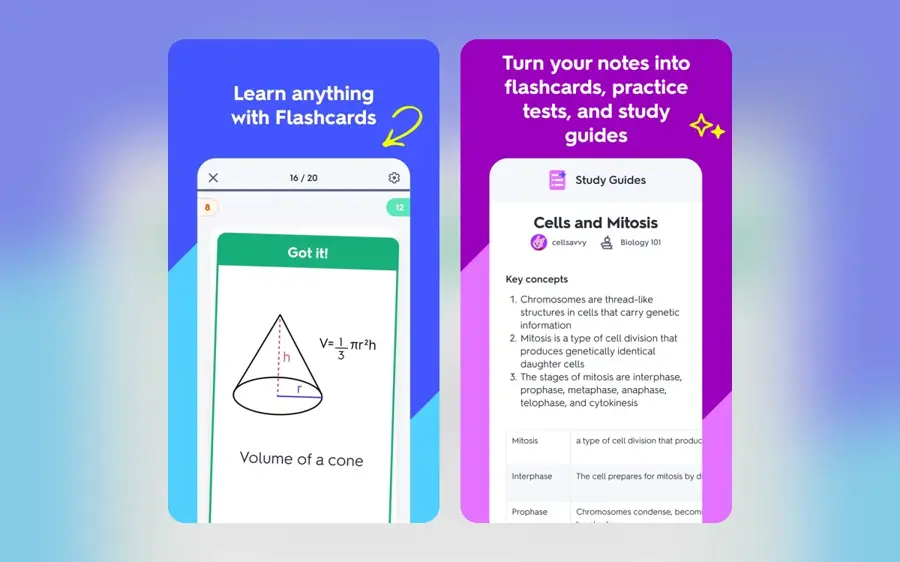
Knowt is a study app that turns notes, PDFs and videos into flashcards, practice tests and notes, with a large library of free student-made study guides. Visit knowt.com.
Why it stands out
Knowt's pitch is that the core study loop stays free. Its App Store listing highlights a free Learn mode, practice tests from any note, PDF or video, spaced repetition and free AP study guides. Its pricing page lists the Basic plan as free with unlimited file creation and access to 5 million resources. Toolradar calls it "the best free Quizlet alternative".
The limit is where the AI work happens. The PDF, video and PowerPoint summarizers, lecture recording summaries and the voice tutor are all part of Ultra. On the App Store, Knowt holds 4.7 stars from about 8.9K reviews, per App Pricing Lab.
Key features
- Notes to flashcards: one click converts your notes into Q&A cards.
- Practice tests: generated from notes, PDFs and videos.
- Free Learn mode: plus Match and spaced repetition.
- AP, SAT and ACT prep: full access on Ultra.
- Quizlet import: bring existing sets with you.
Pros
- Core study modes are free
- Large free library of student-made guides
- Web, iOS and Android with sync
Cons
- AI summarizers need Ultra
- Monthly Ultra at $24.99 is expensive
Knowt pricing: Free → paid plans from $12.99/month billed yearly ($149.99), or $24.99 month to month (checked October 2026). See pricing
Quizlet – best for pre-made sets and fast flashcards
Quizlet is the flashcard platform most students already use, now with AI that turns notes and lecture recordings into study guides and flashcards. Visit quizlet.com.
Why it stands out
Reach is the point. Quizlet's App Store listing claims over 60 million users and describes features that record or upload a lecture and turn it "into organized study guides and flashcards automatically", plus practice tests, spaced repetition and podcast-style audio. There is a good chance someone has already made a set for your textbook. The app holds 4.8 stars from about 1.1M App Store reviews, per App Pricing Lab.
The catch is the paywall. Toolradar lists "Best AI features sit behind Quizlet Plus" and "Pre-made sets vary in quality" as its main cons. Always verify a stranger's deck against your own notes.
Key features
- AI study guides: from typed notes, uploads or lecture audio.
- Learn mode: adaptive practice that drills what you miss.
- Practice tests: timed simulations of the real exam.
- Huge set library: millions of user-made decks.
- Ask Quizlet: explanations when you get stuck.
Pros
- Fastest route to a usable set
- Very large community library
- Polished mobile apps
Cons
- Many study modes need Plus
- User sets can contain errors
Quizlet pricing: Free → Quizlet Plus around $7.99/month, as cited by Dupple; annual billing is cheaper (checked October 2026). See pricing
Related: Best free AI tools for students
StudyFetch – best for a tutor grounded in your course
StudyFetch converts PDFs, slides, videos and lecture audio into notes, flashcards, quizzes and games, with an AI tutor called Sparky that works from your materials. Visit studyfetch.com.

Why it stands out
StudyFetch bundles the whole pipeline: upload, notes, flashcards, quizzes, a study schedule and a live lecture assistant. Dupple's review notes that the tutor answers from your actual slides rather than general training data, and that flashcards can be exported to Anki. It also flags two limits: quizzes cap at 20 questions, and generation can take 4 to 5 minutes for long documents.
Users are mostly positive. StudyFetch scores 4.2 on Trustpilot from 306 reviews, and 4.8 stars from about 8.9K App Store reviews per App Pricing Lab. One October 2026 Trustpilot review sums up the free-tier problem: "ts help me understand the lesson longer but i can only chat 20 chats:(".
Key features
- Sparky tutor: chat or voice help grounded in your uploads.
- Live Lecture: real-time notes while you record (Premium).
- Study Plan: a schedule built around your exam dates.
- Arcade: game-style review of your material.
- Anki export: take your cards elsewhere.
Pros
- Covers notes, cards, quizzes and tutoring in one place
- Cheap annual Base plan
- Handles handwritten notes on Premium
Cons
- Free tier runs out within a session
- Quiz length capped at 20 questions
- Weaker on complex diagrams
StudyFetch pricing: Free → paid plans from $4.99/month billed yearly (Base), or $7.99 monthly; Premium is $7.99/month yearly or $11.99 monthly, per Dupple (checked October 2026). See pricing
Turbo AI – best for recorded lectures
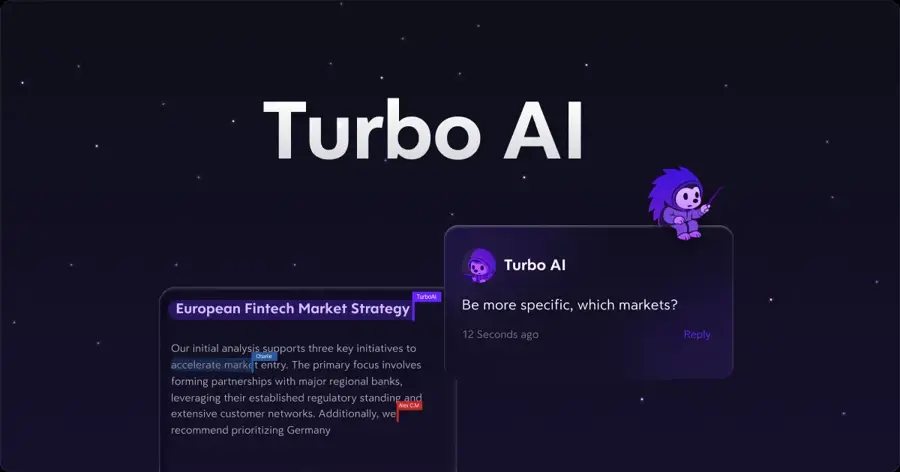
Turbo AI (formerly TurboLearn) is an AI notetaker that listens to lectures and turns them into notes, flashcards, quizzes and study guides. Visit turbo.ai.
Why it stands out
Turbo AI is built around audio. Its homepage describes an AI notetaker for lectures, endless practice questions and a library of pre-made AP study guides, and claims over 10 million learners. It holds 4.8 stars from about 29.6K App Store reviews, per App Pricing Lab.
Quality depends on the recording. Text Blaze notes that "some users report that summaries can occasionally miss details". Pricing is also hard to pin down: App Pricing Lab lists nine in-app purchases between $7.49 and $119.99, so confirm the price in the app before you pay. Our Turbo AI review covers the free-plan caps in detail.
Key features
- Lecture notetaker: record in class, review later.
- Practice questions: quizzes generated until you get it right.
- Pre-made AP guides: a browsable library of study guides.
- Collaboration: shared, live-edited docs.
- Sync: web and mobile apps.
Pros
- Strong for lecture-heavy courses
- Very high app store ratings
- Simple, fast workflow
Cons
- Free plan is small
- In-app prices vary
- Noisy audio means missed details
Turbo AI pricing: Free → paid plans from $9.99/month billed yearly, or $19.99 monthly, according to independent checks summarised in our review (checked October 2026). See pricing
Related: Turbo AI review
ChatGPT – best for guided tutoring
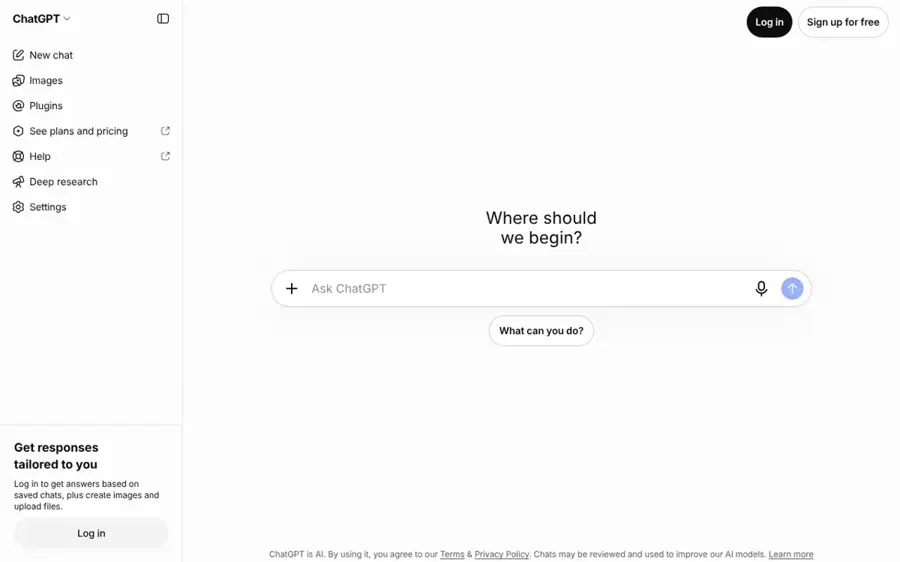
ChatGPT is OpenAI's general assistant; its study mode guides you through material with questions, hints and knowledge checks instead of giving answers outright. Visit chatgpt.com.
Why it stands out
ChatGPT is not a dedicated study guide maker, but you can paste or upload notes and ask for a guide, then switch on study mode to be quizzed. OpenAI says study mode is meant to help students "learn something—not just finish something", using Socratic prompts, scaffolded responses and quizzes, and that it is available on the Free plan. The app has 4.8 stars from about 6.1M App Store reviews, per App Pricing Lab.
Where it breaks: unlike a grounded notebook, ChatGPT mixes your notes with general knowledge. Dupple warns it can "drift off your syllabus" and teach a different method than your professor uses.
Key features
- Study mode: step-by-step guidance and toggling on or off mid-chat.
- Knowledge checks: quizzes and open questions with feedback.
- File uploads: work from your own notes and PDFs.
- Flexible output: outlines, tables, cheat sheets or practice exams on request.
Pros
- Study mode is free
- Handles any subject or format you ask for
- Good for problem sets
Cons
- Not locked to your sources
- No built-in flashcard deck or spaced repetition
ChatGPT pricing: Free → paid plans from $8/month (Go), with Plus at $20/month, per Dupple (checked October 2026). See pricing
Related: ChatGPT review Best AI like ChatGPT
RemNote – best for long-term retention
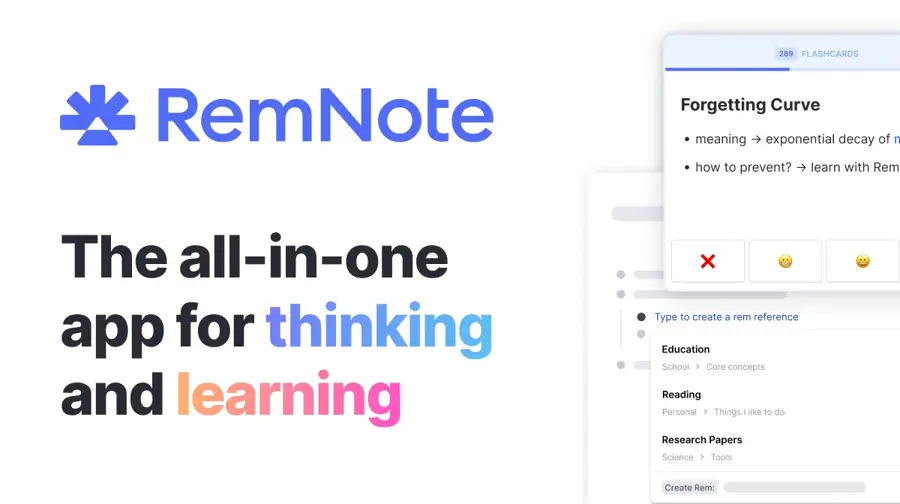
RemNote combines notes, PDF annotation and spaced-repetition flashcards in one app, with AI that builds cards and quizzes from your PDFs. Visit remnote.com.
Why it stands out
Most study guide makers stop at the guide. RemNote focuses on the next step: reviewing it at the right time. Facts you mark in your notes become flashcards, and the scheduler resurfaces them before you forget. Its pricing page shows the free plan includes unlimited notes and flashcards, 3 annotated PDFs and a small monthly allowance of AI runs. A vendor-selected testimonial from a medical student calls it "Great app, way easier than Anki."
The cost is setup time. Dupple says there is "a real learning curve" and that casual studiers may find it overkill.
Key features
- Notes become cards: no copying into a separate app.
- Learn PDF: AI flashcards, quizzes and summaries (Pro with AI).
- Exam scheduler: plans reviews around test dates.
- Image occlusion: useful for anatomy and diagrams.
- AI grading: checks your free-text answers.
Pros
- Built for retention over months
- Generous free notes and cards
- Fits cumulative subjects like medicine and law
Cons
- Steeper learning curve
- Full AI features cost $18/month
RemNote pricing: Free → paid plans from $8/month billed yearly ($96); Pro with AI is $18/month billed yearly ($216) (checked October 2026). See pricing
Mindgrasp – best for importing from canvas or Blackboard
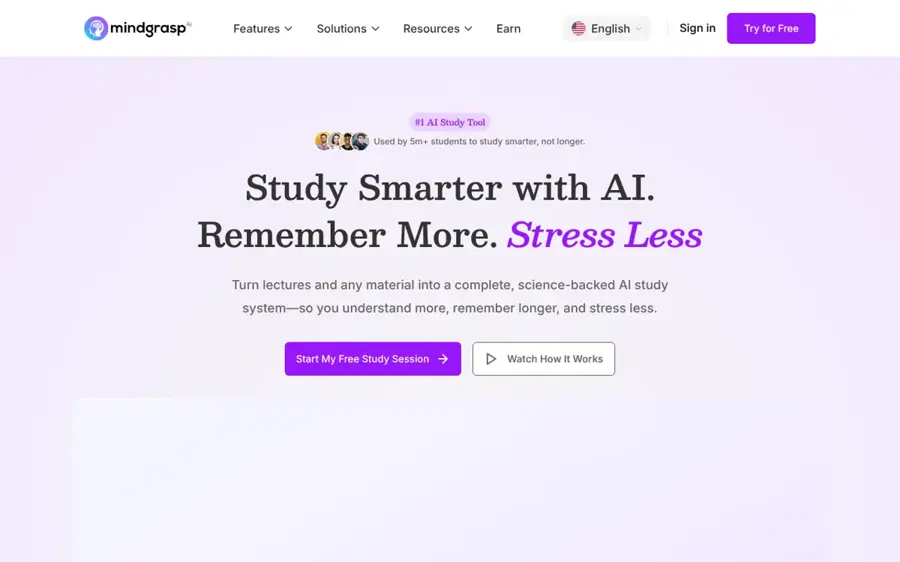
Mindgrasp turns lectures, documents, videos and web links into notes, summaries, flashcards, quizzes and an AI tutor. Visit mindgrasp.ai.
Why it stands out
Its Chrome extension connects to Canvas, Blackboard and Panopto, so you can pull course content in without downloading and re-uploading. In Fast.io's review, Mindgrasp did best with clean text documents, worse with noisy audio and auto-captioned YouTube videos, and poorly with charts and diagrams. The reviewer's summary: "Mindgrasp works best as a first draft of your study materials, not as the finished product."
The big warning is billing. Fast.io reports a 2.0 out of 5 Trustpilot rating, driven mostly by complaints about charges after the 4-day trial, which requires a card upfront. If you try it, set a reminder before day 4.
Key features
- LMS import: Canvas, Blackboard and Panopto via the extension (Scholar plan and up).
- Wide input support: PDFs up to 250 pages, DOCX, PPTX, MP3, MP4 and links.
- Live lecture recording: 5 to 10 hours a month on higher plans.
- AI Math Expert: for equation-heavy content.
Pros
- Unlimited uploads on all paid plans
- Low entry price
- Saves steps if your school uses Canvas
Cons
- No free plan
- Reported billing and cancellation problems
- Weak on visual content
Mindgrasp pricing: No free plan (4-day trial) → paid plans from $5.99/month, with Scholar at $8.99 and Premium at $10.99, per Fast.io (checked October 2026). See pricing
How to choose the right AI study guide maker
Match the tool to your input
Your source material decides most of the result. Text PDFs and slides work well everywhere. Lecture audio favours Turbo AI, StudyFetch or Mindgrasp. Diagram-heavy subjects such as anatomy or circuits are weak spots for every tool here, so plan to check those sections by hand.
| Your main material | Start with | Backup |
|---|---|---|
| Slides and PDFs | Gemini Notebook | StudyFetch |
| Lecture recordings | Turbo AI | StudyFetch Premium |
| Vocabulary and definitions | Knowt | Quizlet |
| Problem sets | ChatGPT study mode | Gemini Notebook |
| Cumulative exams (medicine, law) | RemNote | Knowt |
Prefer grounded tools for exam prep
Your exam tests what your teacher covered. A tool locked to your sources, such as Gemini Notebook or StudyFetch's tutor, keeps the guide on syllabus. A general chatbot is better for explanations than for the final guide.
Use the guide as a first draft
Fast.io cites a 2025 study by Genio which found students who fully handed note-taking to AI scored 22% lower on later tests, while those who used AI notes as a starting point for self-testing did as well as manual note-takers. Edit the guide, then quiz yourself on it.
Check your school's rules
Using AI to study is usually fine; submitting AI work as your own usually is not. See our guides on AI in schools pros and cons and how teachers check for AI. Teachers building materials should look at Eduaide AI tools instead, and for step-by-step homework help see our Gauth AI review.
Free vs paid: what you actually get
Free plans fall into three groups. Gemini Notebook, Knowt, RemNote and ChatGPT are usable for a whole course. Quizlet, StudyFetch and Turbo AI are closer to demos: StudyFetch's free tier, for example, allows about 10 tutor chats, 1 study set and 2 uploads with no audio or video, per Dupple. Mindgrasp has no free plan.
Here is a worked example. Say your semester runs four months and you only need the tool until finals:
| Tool and plan | 4 months, monthly billing | 1 year, annual billing | Cheaper for one semester |
|---|---|---|---|
| Knowt Ultra | 4 × $24.99 = $99.96 | $149.99 | Monthly, by $50.03 |
| StudyFetch Base | 4 × $7.99 = $31.96 | 12 × $4.99 = $59.88 | Monthly, by $27.92 |
| Mindgrasp Basic | 4 × $5.99 = $23.96 | $71.88 | Monthly, by $47.92 |
| RemNote Pro | Monthly price not listed | $96 | Annual only makes sense for a full year |
The break-even point is simple: annual billing only wins if you use the tool for more months than annual price divided by monthly price. For Knowt that is $149.99 / $24.99 ≈ 6 months. If you study year-round or across two semesters, annual pays off; for one exam season, pay monthly and cancel.
Where it breaks
- Diagrams and scanned pages: Fast.io and Dupple both report misread charts and scientific diagrams.
- Auto-captions: YouTube auto-captions garble technical terms, and the notes inherit the errors.
- Noisy recordings: overlapping speakers or a quiet lecturer mean silent gaps in the guide.
- Answer keys: generated quizzes can mark a wrong answer as right. Spot-check five questions against your notes before trusting a set.
Final verdict
For most students, the best AI for a study guide is Gemini Notebook: it is free, grounded in your own files and has a dedicated study guide format. Pair it with Knowt for free flashcards and practice tests, or RemNote if you need to remember material for months. Choose Turbo AI or StudyFetch if your course lives in lecture recordings, ChatGPT if you want a tutor that makes you work, and Quizlet if a ready-made set for your textbook probably exists. Approach Mindgrasp with care because of its trial billing. For the bigger picture on where these tools fit in teaching, read will AI replace teachers?
FAQ
What is the best free AI study guide maker?
Gemini Notebook (formerly NotebookLM) is the strongest free option for building study guides from your own materials, with up to 50 sources per notebook on the free plan. Knowt is the best free choice for flashcards and practice tests.
Can AI make a study guide from my notes or slides?
Yes. Gemini Notebook, StudyFetch, Turbo AI, Mindgrasp, Quizlet and Knowt all accept uploaded notes or PDFs and generate summaries, flashcards and quizzes. Text-based files give the most reliable results.
Is NotebookLM the same as Gemini Notebook?
Yes. Google renamed NotebookLM to Gemini Notebook in July 2026, and it remains a standalone product. Existing notebooks carried over.
Are AI study guides accurate?
Mostly, for clean text, but not always. Independent reviews report errors with diagrams, noisy audio and auto-captioned video. Treat every AI study guide as a draft and check key facts and quiz answers against your source.
Is using an AI study guide generator cheating?
Using AI to summarise and quiz yourself on your own course material is generally treated as studying, not cheating. Submitting AI-written work as your own breaks many school policies, so check your school's rules.
Should I pay monthly or yearly?
Pay monthly if you need the tool for one semester. For Knowt Ultra, four months at $24.99 costs $99.96, against $149.99 for a year. Annual plans only win if you study with the tool for roughly six months or more.
Sources
- Gemini Notebook plans (Google)
- Create a notebook in Gemini Notebook (Gemini Notebook Help)
- NotebookLM renamed Gemini Notebook (TechNews)
- The 8 Best AI Study Tools in 2026 (Dupple)
- Study Fetch Review 2026: Features, Pricing & Alternatives (Dupple)
- Best AI Study Tools in 2026 (Toolradar)
- Google NotebookLM App Store data (App Pricing Lab)
- Knowt subscription plans and pricing (Knowt)
- Knowt: AI Flashcards & Notes (App Store)
- Knowt App Store data (App Pricing Lab)
- Quizlet: More than Flashcards (App Store)
- Quizlet App Store data (App Pricing Lab)
- Studyfetch reviews (Trustpilot)
- StudyFetch App Store data (App Pricing Lab)
- Turbo AI - Fastest Way to Learn (Turbo AI)
- Turbo AI - Notetaker App Store data (App Pricing Lab)
- 12 Best Free TurboLearn AI Alternatives for Students (Text Blaze)
- Introducing study mode in ChatGPT (OpenAI)
- ChatGPT App Store data (App Pricing Lab)
- RemNote pricing (RemNote)
- Mindgrasp AI Review 2026: Features, Pricing, Accuracy (Fast.io)