Best AI image animator tools in 2026: 8 picks for every budget
The best AI image animator tools in 2026, from Kling AI to free Google Photos, compared on motion quality, free plans and real prices.
 Written byRahis SaifiCo-founder and news editor
Why you can trust The AI Future
Our writers research every product, link each claim to its source and correct mistakes openly. Companies can't pay for coverage or see reviews before they're published.
Read our editorial policy
Short answer: the best AI image animator for most people in 2026 is Kling AI. You upload a still photo, describe the motion you want, and it returns a short clip with some of the most natural movement you can get for $10 a month. If you only want to animate a picture of your own for free, start with Google Photos, which gives every user a daily allowance of photo-to-video generations.
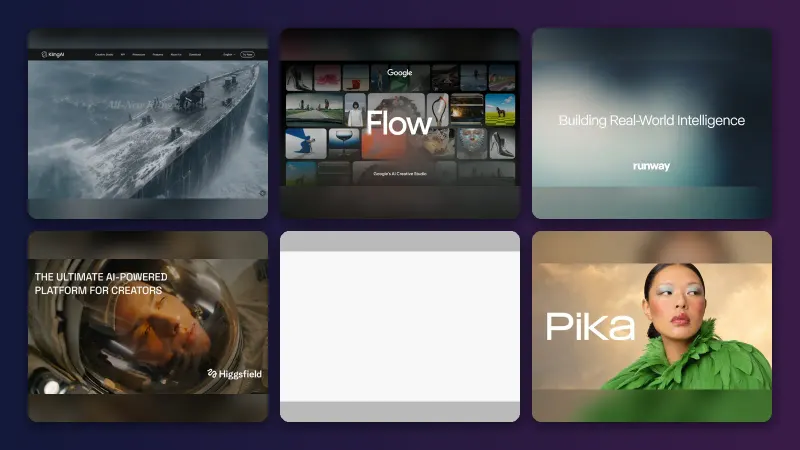
Everything else on this list is a specialist. Runway gives you the most creative control, Hailuo AI is the budget pick, Viggle AI makes a character in your photo dance or copy a move, and MyHeritage Deep Nostalgia is built for one job: bringing faces in old family photos to life. Below you will find all eight picks, what they cost as of late October 2026, and how to choose between them.
Key takeaways
- Kling AI is the default pick. Strong motion, a free daily allowance and a $10 entry plan make it the safest place to start.
- You can animate a photo with AI for free. Google Photos, Viggle AI and MyHeritage Deep Nostalgia all let you create clips without paying, with watermarks or daily caps.
- Credits are the real price. Most tools sell credits, and longer, sharper clips burn through them fast. A $10 plan usually means a handful of finished videos a month, not hundreds.
- Pick by the job, not the brand. Old portraits, dance memes, anime styles and cinematic shots each have a different best tool.
How we ranked them
Nobody at The AI Future ran hands-on tests for this roundup, and the screenshots and videos you may see elsewhere are not ours. We compared each AI photo animator using official product, pricing and help pages, published independent reviews and public user ratings on Trustpilot and the App Store, as of late October 2026. We scored each tool on six criteria:
- Motion quality: how natural the movement looks, based on published tests and user feedback.
- Faithfulness to the photo: whether faces, clothing and backgrounds stay consistent once the image starts moving.
- Ease of use: how quickly a beginner can go from upload to a finished clip.
- Free tier: what you can make without paying, and what the watermark and resolution limits are.
- Value for money: how many usable clips the cheapest paid plan buys.
- User sentiment: public ratings and recurring complaints, especially about billing and support.
Prices are in US dollars and can change with promotions, app store pricing and region. Check the vendor's page before you buy.
Our top picks at a glance
| # | Tool | Category | Best for | Free tier | Starts at |
|---|---|---|---|---|---|
| 1 | Kling AI | Video generator | Realistic motion | Yes (limited) | $10/mo |
| 2 | Google Photos | Photo app | Free animation of your own photos | Yes | Free |
| 3 | Runway | Creative suite | Creative control | Yes (limited) | $12/mo |
| 4 | Hailuo AI | Video generator | Tight budgets | Yes (limited) | $9.99/mo |
| 5 | Pika | Video generator | Quick social clips | No | $8/mo |
| 6 | Viggle AI | Character animation | Dances and memes | Yes | $7.99/mo |
| 7 | MyHeritage Deep Nostalgia | Photo animation | Old family photos | Yes | Free |
| 8 | GoEnhance AI | Multi-model platform | Anime styles | Yes (limited) | $24.99/mo |
Notes: Runway's $12 and Pika's $8 prices are billed annually (monthly billing is $15 and $10). Viggle's $7.99 is its discounted Pro price. Pika's free account comes with no monthly credits, so you need to buy a pack before you can generate anything.
The best AI image animator tools in 2026, ranked
Kling AI – best for realistic motion
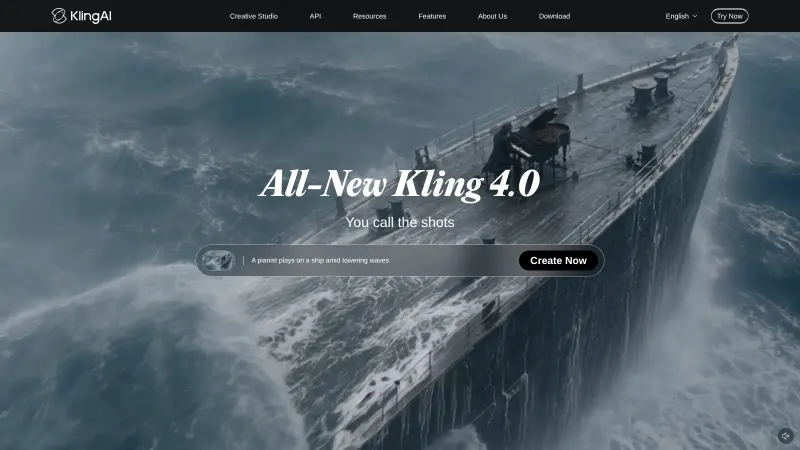
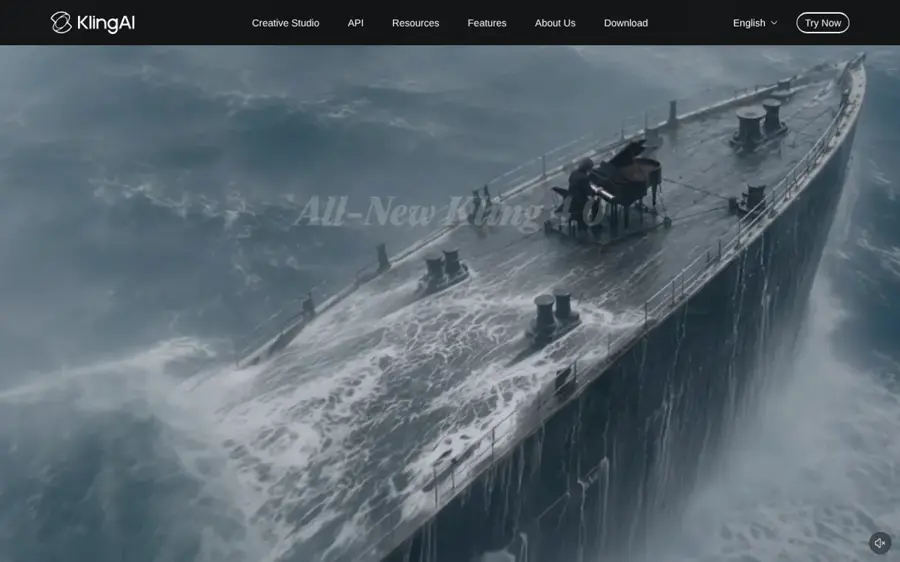
Kling AI, built by Chinese short-video company Kuaishou, turns a still image into a short video clip with smooth, lifelike movement. Try it at klingai.com.
Why it stands out
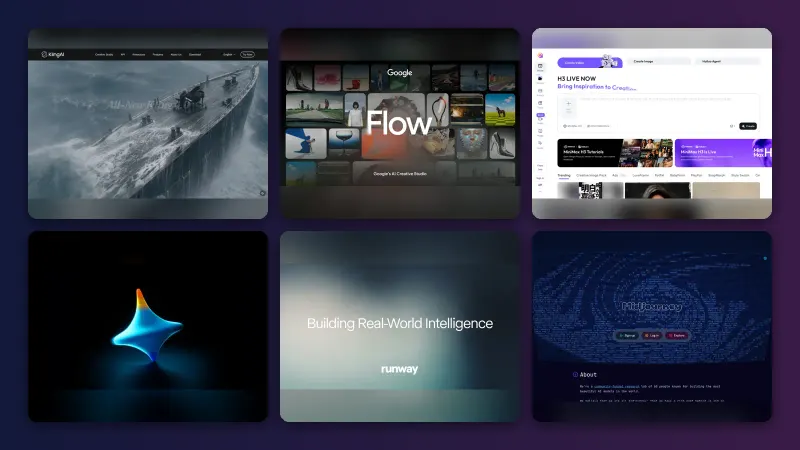
Kling has become the tool most people compare everything else against. According to eesel AI’s 2026 pricing guide, it claimed 60 million creators by early 2026, and users "consistently describe" its motion as the smoothest of any AI video generator. The platform covers image-to-video, text-to-video, native 4K output (added in April 2026), motion control with camera moves and native audio.
The catch is cost per clip. Eesel works out that a 5-second 720p clip on Kling VIDEO 3.0 costs 30 credits, so the free plan's 66 daily credits cover about two attempts, at reduced resolution and with a watermark. User ratings are split: the Kling AI app holds 4.7 out of 5 from more than 31,000 App Store ratings, while its Trustpilot profile scores 1.2 from 424 reviews, where Trustpilot's own summary says complaints focus on billing and support, though "Some reviewers were happy with the platform's overall capabilities". Verdict: the best motion for the money, as long as you watch your credits.
Key features
- Image-to-video: upload a photo and describe the movement you want
- Native audio: generate sound with the clip on newer models
- Motion control: guide camera moves such as pans and push-ins
- Up to 4K output: on paid plans, with 1080p on Standard
- Mobile app: animate pictures from your phone
Pros
- Some of the most natural motion available
- Free credits every day to test ideas
- Paid plans remove the watermark and add commercial rights
- Cheap $10 entry plan
Cons
- Free clips are low resolution and watermarked
- Credits expire and do not roll over
- Many Trustpilot complaints about billing and refunds
Kling AI pricing: Free (66 daily credits) → paid plans from $10/month; Pro $37/month, Premier $92/month, Ultra $180/month, with annual discounts (checked October 2026). See pricing
Related: Best image to video AI tools
Google Photos – best for free animation of your own photos
Google Photos has a built-in photo-to-video tool in its Create tab that animates pictures already in your library, free with a daily limit. Get it at photos.google.com.

Why it stands out
If you want to animate a picture with AI and never pay a cent, this is the easiest route, because the photos are already there. TechCrunch reported that Google moved the feature to its Veo 3 model in September 2025 and kept it free with a limited number of generations. In January 2026 Google added custom text prompts and audio, so you can describe the movement you want instead of picking a preset, according to PetaPixel. All users get a daily allocation, with higher limits for Google AI Pro and Ultra subscribers.
It is a casual tool. PetaPixel notes the prompt feature is limited to users 18 and over and is not available in every region. Google has also said its new Gemini Omni model will replace Veo in the Gemini app, so expect the model behind these features to change. The app itself rates 4.8 out of 5 from more than 1.6 million App Store ratings, though that score covers the whole app, not just animation. Verdict: the best free AI photo animation tool for personal memories.
Key features
- Photo to video: turn a still from your gallery into a short clip
- Custom prompts: describe the motion you want, or use presets like Subtle movement
- Audio by default: clips may include sound, ready to share
- Create tab extras: Cinematic photo, Remix, Collage and animation tools
- SynthID: Google watermarks its AI-generated video
Pros
- Free daily generations for every user
- Works on photos you already store
- Custom prompts and audio since January 2026
- Nothing new to install for most Android users
Cons
- Short clips with little fine control
- Prompt feature limited to adults and some regions
- Not built for commercial or professional work
Google Photos pricing: Free → higher limits with Google AI Pro or Ultra, up to $199.99/month for Ultra (checked October 2026). See pricing
Related: Best free AI video generators
Runway – best for creative control
Runway is a full AI video studio that hosts its own Gen-4.5 model alongside third-party models such as Kling 3.0, so you can animate an image and then edit it in one place. Try it at runwayml.com.
Why it stands out
Runway is the pick when the animated photo is one shot in a bigger project. Its pricing page lists access to all of its video and image models on every paid plan, 4K upscaling, music, voice and sound effects, and an agentic creative assistant. Standard's 625 monthly credits cover about 52 seconds of Gen-4.5 video, and you can also run Kling 3.0 and Nano Banana Pro without a second subscription.
That flexibility is expensive if you only want a few clips, and users are vocal about it. Runway's Trustpilot score is 1.2 from 373 reviews, with one September 2026 reviewer writing: "Awful. Rip off. Zero customer support." Read those reviews before committing to an annual plan. Verdict: worth it for editors and studios, overkill for a single family photo.
Key features
- Gen-4.5: Runway's own image-to-video model
- Third-party models: Kling 3.0, Seedance and Nano Banana Pro on paid plans
- 4K upscaling: included from the Standard plan
- Audio tools: music, voice and sound effects generation
- Parallel generations: 5 at once on Standard, 15 on Pro
Pros
- Most complete editing toolkit on this list
- Several leading models under one plan
- No watermark on paid plans
- Clear credit-to-seconds maths on the pricing page
Cons
- Free plan is only 125 one-time credits
- Credits run out quickly on premium models
- Poor Trustpilot rating, with complaints about support
Runway pricing: Free (125 one-time credits) → paid plans from $12/month billed annually ($15 monthly); Pro $28/month, Max $76/month annually (checked October 2026). See pricing
Related: Best AI video generators
Hailuo AI – best for tight budgets
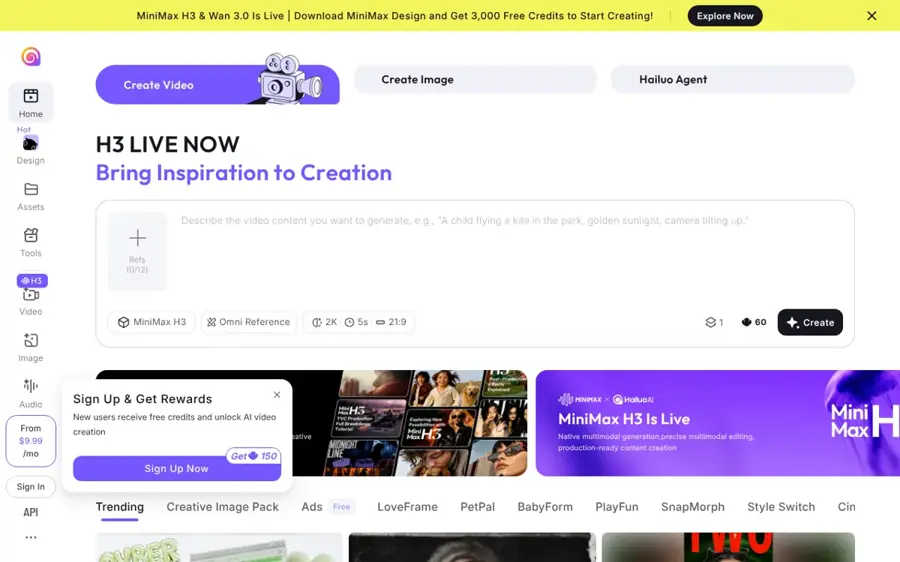
Hailuo AI, from Chinese AI company MiniMax, animates images and text prompts into short cinematic clips, with a $9.99 entry plan. Try it at hailuoai.video.
Why it stands out
Hailuo is a solid option when you want decent motion without paying Runway prices. Aiarty's 2026 pricing guide lists models including MiniMax H3 and Hailuo 2.3, with resolutions from 512p up to 2K depending on the model, and estimates a 1,000-credit Standard plan buys around 83 basic 512p clips or roughly 12 to 20 premium HD ones. PhotonPay's guide puts Standard at $9.99 and notes that some higher tiers include unlimited use of the older Hailuo 1.0 model.
Reliability is the worry. Hailuo's Trustpilot score is 1.4 from 94 reviews, and one March 2026 reviewer summed up a common pattern: "WHEN I FIRST STARTED USING IT WAS AMAZING", before describing rendering problems. Free-tier videos carry a watermark and cannot be used commercially. Verdict: good value for experiments, but start monthly rather than annual.
Key features
- Image-to-video: animate a photo with an optional motion prompt
- Several models: MiniMax H3, Hailuo 2.3 and lighter older models
- Up to 2K: on selected models
- Top-up credits: buy extra without changing plans
- Unlimited older model: on higher tiers, per PhotonPay
Pros
- Cheap $9.99 entry plan
- Free credits to test before paying
- Many clips per month on lighter models
Cons
- Watermark and no commercial use on free
- Weak Trustpilot rating with billing complaints
- Credit costs vary a lot by model
Hailuo AI pricing: Free credits → paid plans from $9.99/month; higher tiers run up to $199.99/month (checked October 2026). See pricing
Related: Best image to video AI tools Best free AI video generators
Pika – best for quick social clips
Pika is a consumer-friendly AI video app that now gives subscribers access to several models, including Seedance 2.5, for fast, shareable image animations. Try it at pika.art.
Why it stands out
Pika is aimed at people making short clips for TikTok, Reels and Shorts. Its pricing page lists all models on every plan, no watermark even on free, and a Starter plan at $10 a month ($8 billed yearly) with 900 credits and a commercial license. Pika estimates a 5-second 720p Seedance 2.5 video costs 122 credits, so Starter covers around seven clips a month.
The free account has a big catch: zero monthly credits, so you have to buy a pack before you can animate anything. Ratings are mixed. The Pika app scores 4.7 out of 5 from about 4,300 App Store ratings, while its Trustpilot score is 2.2 from 77 reviews. One recent reviewer wrote: "Great affordable experience! Really enjoying their new creative tools so far." Others report failed generations and credits running out fast. Verdict: fun and cheap to start, but not truly free.
Key features
- All models on every plan: including Seedance 2.5 and Nano Banana 2
- No watermark: on all plans
- Commercial license: from Starter
- Plan finder: estimates credits from what you plan to make
- Mobile app: make clips on iPhone
Pros
- Low $8 to $10 entry price
- No watermark
- Simple, social-first interface
Cons
- Free plan has no monthly credits
- About seven 720p clips a month on Starter
- Mixed reviews on reliability
Pika pricing: No free credits (packs only) → paid plans from $10/month, or $8/month billed yearly; Creator $35/month, Fancy from $95/month (checked October 2026). See pricing
Related: Best animation AI tools
Viggle AI – best for dances and memes
Viggle AI animates the character in a photo by copying motion from a video or template, so a picture can dance, rap or act out a meme. Try it at viggle.ai.
Why it stands out
Viggle solves a different problem from the general video tools above. Instead of guessing the motion from a prompt, it transfers movement from a reference clip. Its App Store listing describes more than 8,000 templates, lip-sync for talking or singing, multi-character swaps and a live webcam mode for streamers. The free plan gives you 5 videos a day with a watermark and 7-day storage.
Users like it. The app holds 4.8 out of 5 from about 28,000 App Store ratings. Pro starts at $7.99 a month on Viggle's current discount. Only animate people who have agreed to it: putting someone's face into a video without consent can be harmful and, in many places, illegal. Verdict: the best AI image animator for character motion and memes.
Key features
- Mix: one photo plus one video puts your character in the scene
- 8,000+ templates: dances, sports moments and trends
- Mic and Rap: lip-sync your character to text, voice or music
- Viggle Live: real-time character swap via webcam
- Multiple models: including Kling, Veo and Wan on paid plans
Pros
- Five free videos a day
- Precise motion from a reference clip
- Very high App Store rating
- Cheap Pro plan
Cons
- Free videos are watermarked and expire after 7 days
- Less suited to subtle, realistic photo animation
- Consent matters when using real people
Viggle AI pricing: Free (5 videos/day) → paid plans from $7.99/month; Live $15.99/month, Max $63.99/month (discounted prices, checked October 2026). See pricing
Related: Viggle AI review Best AI face swap video tools
MyHeritage Deep Nostalgia – best for old family photos
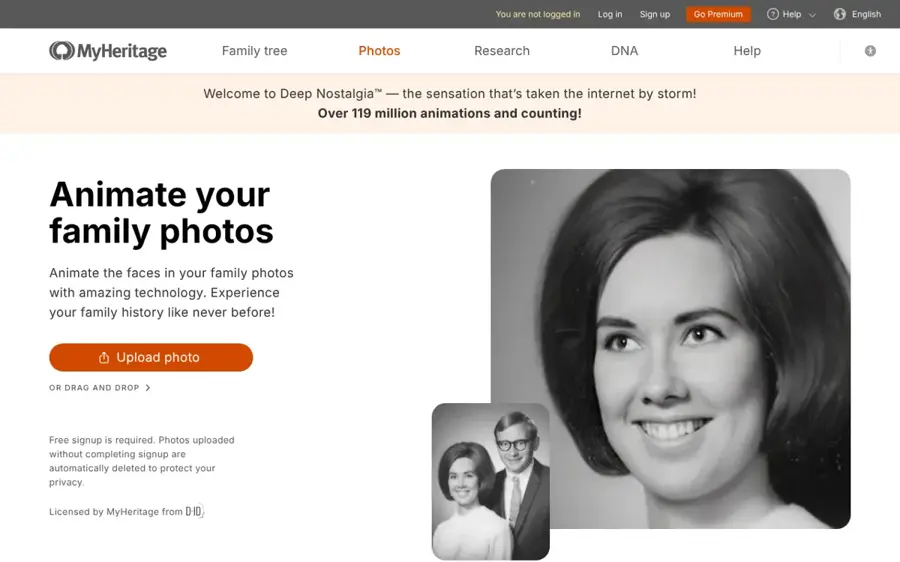
MyHeritage Deep Nostalgia animates the faces in still family photos so ancestors appear to blink, smile and turn their heads. Try it at myheritage.com/deep-nostalgia.
Why it stands out
This is the most focused tool on the list, and that is its strength. MyHeritage says more than 119 million animations have been made. Its knowledge base explains that the technology is licensed from D-ID, uses driver videos of real human gestures, and enhances the photo automatically before animating it. Each face takes about 10 to 20 seconds, you can choose from 9 alternative animations, and you download the result as an MP4.
Sign-up is free. Free users get a MyHeritage logo on their animations, which a paid MyHeritage plan removes. Every animation also carries small authenticity icons so viewers know it is simulated. The MyHeritage app rates 4.9 out of 5 from about 66,000 App Store ratings, though that covers the whole genealogy app. Verdict: if you want to animate a picture of a grandparent, use this first.
Key features
- Face animation: brings detected faces in a photo to life
- Automatic enhancement: sharpens old photos before animating
- 10 driver options: switch between gesture sequences
- Mobile app: scan and animate prints from your phone
- Authenticity icons: marks every animation as simulated
Pros
- Free sign-up
- Purpose-built for old portraits
- Fast results with no prompts needed
- Clear labelling of simulated footage
Cons
- Only animates faces, one at a time
- Logo watermark unless you pay for a MyHeritage plan
- Little creative control
MyHeritage Deep Nostalgia pricing: Free → paid MyHeritage plans remove the logo; MyHeritage does not list a price on the Deep Nostalgia page (checked October 2026). See Deep Nostalgia
GoEnhance AI – best for anime styles
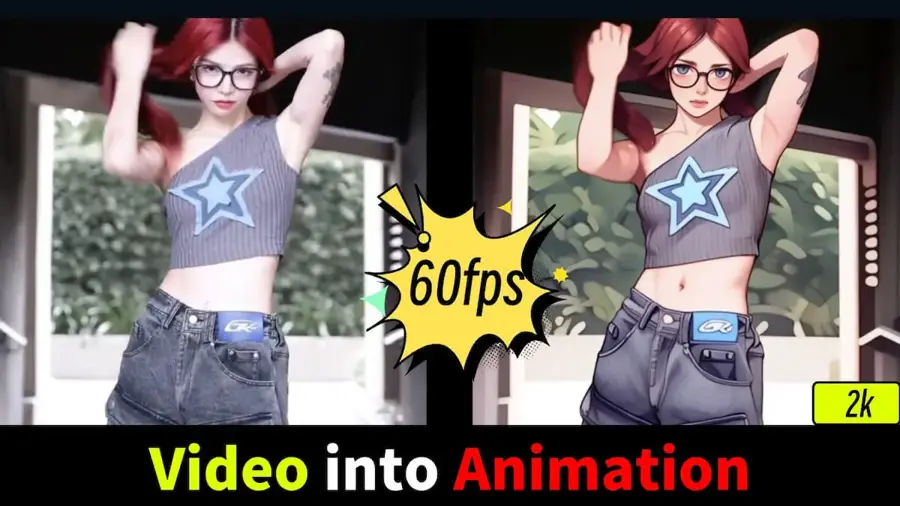
GoEnhance AI is an all-in-one platform for image-to-video, video-to-anime conversion and photo effects, with access to models such as Veo 3.1, Kling 3.0 and Seedance 2.0. Try it at goenhance.ai.
Why it stands out
GoEnhance is best known for turning footage and images into anime and animation styles. Its homepage lists more than 100 video and photo effects and both its own models and third-party ones. In a hands-on review by VideoProc, the reviewer animated a photo of a baby with GoEnhance 1.5 and wrote: "The final animation looked natural." A second test with a more complex prompt looked stiff, and the reviewer found that premium third-party models could use up the monthly allowance quickly.
VideoProc lists paid plans at $24.99, $49.99 and $99.99 a month, with roughly 30% off for annual billing. GoEnhance's FAQ says paid plans include a token-free Relax Mode for some features and that commercial use requires a Standard, Pro or Mega plan. Note that VideoProc sells a competing product. GoEnhance has no Trustpilot reviews yet, so there is little public user feedback. Verdict: a good choice for anime styles, less so as your main animator.
Key features
- Image-to-video: GoEnhance 1.5 plus third-party models
- Video-to-anime: preset anime styles for existing clips
- 100+ effects: one-tap photo and video effects for social
- Relax Mode: token-free generations for some features on paid plans
- Multi-model access: Veo 3.1, Kling 3.0, Seedance 2.0 and more
Pros
- Many models under one subscription
- Wide choice of anime presets
- Free tokens to try every feature
Cons
- Higher entry price than most picks
- Results vary by model and prompt
- Little public user feedback
GoEnhance AI pricing: Free (limited tokens) → paid plans from $24.99/month, or about $17.50/month billed annually (checked October 2026, per VideoProc). See pricing
Related: Best animation AI tools
How to choose the right AI image animator tools
Start with what is in the photo
A portrait of a great-grandparent needs subtle, faithful movement: use MyHeritage Deep Nostalgia or Google Photos. A product shot or landscape needs camera moves and physics: use Kling AI or Runway. A character you want to dance needs motion transfer: use Viggle AI.
Count clips, not credits
Divide the plan's credits by the cost of the clip you actually want. On Kling, 660 Standard credits buy about 16 five-second 1080p clips, by eesel's maths, and you will rarely keep your first attempt. Choose Kling if you make a few polished clips a week. Choose Hailuo AI if you want lots of cheap drafts.
Check the watermark and commercial rights
Free clips from Kling, Hailuo, Viggle and MyHeritage carry watermarks, and most free tiers ban commercial use. If the clip is for a client or an ad, budget for a paid plan from day one.
Use a good source image
Animation exaggerates flaws. A sharp, well-lit image with a clear subject animates better than a blurry crop. If you need to create the still first, see our guide to the best AI image generators, or tweak a portrait with an AI hairstyle changer before you animate it. Seasonal projects work too: our AI Christmas tools roundup covers animated holiday cards.
Get consent for real people
Animate only your own photos, licensed images or people who have agreed. Making deceptive or intimate videos of real people without consent is harmful and illegal in many places.
Free vs paid: what you actually get
| Tool | Free plan | Cheapest paid plan |
|---|---|---|
| Kling AI | 66 credits a day, low resolution, watermark | $10/mo: 660 credits, 1080p, no watermark |
| Google Photos | Daily generations for everyone | Higher limits with Google AI Pro or Ultra |
| Runway | 125 one-time credits | $12/mo (annual): 625 credits, no watermark |
| Hailuo AI | Free credits, watermark, personal use only | $9.99/mo Standard |
| Pika | No credits, packs only | $10/mo: 900 credits, commercial license |
| Viggle AI | 5 videos a day, watermark | $7.99/mo: no watermark, permanent storage |
| MyHeritage Deep Nostalgia | Free animations with logo | Paid MyHeritage plan removes logo |
| GoEnhance AI | Limited tokens | $24.99/mo: 1,600 tokens |
The pattern is clear. Free plans are for testing ideas and making personal clips. Paid plans buy you higher resolution, no watermark, commercial rights and, above all, enough attempts to get one result you like. If you just want to animate a few family photos, you may never need to pay. If you post animated images every week, $10 a month is the realistic floor.
Final verdict
If you only pick one, pick Kling AI. It offers the best balance of motion quality, free testing and a cheap entry plan. Choose Google Photos if you want free animations of your own pictures with zero setup. Choose Runway if the animation is part of a larger edit. Choose Viggle AI for dances and memes, MyHeritage Deep Nostalgia for old portraits, and Hailuo AI if every dollar counts. For a wider view of the category, see our roundups of image to video AI tools and AI video generators.
FAQ
How to animate a picture with AI?
Pick a tool, upload a clear photo, and either choose a preset or type a short prompt describing the motion, such as "she turns her head and smiles, slow camera push-in". Generate the clip, review it and try again if the motion looks off. In Google Photos you can do this from the Create tab. For a step-by-step walkthrough of the wider process, see how to generate video with AI.
How to animate AI images?
The same way as a real photo. Create the still in an AI image generator, then upload it to an image-to-video tool such as Kling AI, Runway or Hailuo AI. AI images often animate well because you can generate them with a clean subject and simple background, which makes the motion easier for the model to follow.
Can AI animate a picture?
Yes. Modern AI image animators predict how the scene in a still photo would move and generate a short video, usually 4 to 10 seconds long. Results are best with a single clear subject and simple motion. Complex actions, hands and fast movement still often look stiff or distorted.
Can AI animate an image?
Yes, and you can do it for free. Google Photos, Viggle AI, MyHeritage Deep Nostalgia and the free tiers of Kling AI and Runway all animate images without payment, with limits such as watermarks, lower resolution or daily caps. Remember that the result is a simulation, not real footage, and label it that way when you share it.
Sources
- Kling AI pricing (2026): A complete guide to all plans, credits, and real costs (eesel AI)
- AI Image and Video Pricing from $12/month (Runway)
- Pricing (Pika)
- Hailuo AI Pricing 2026: Plans, Credits, Costs & Video Limits Explained (Aiarty)
- The Ultimate Guide to Hailuo AI Pricing: Plans, Costs, and Features (PhotonPay)
- Pricing (Viggle)
- Viggle AI: Meme Maker (App Store)
- MyHeritage Deep Nostalgia (MyHeritage)
- How To Use Deep Nostalgia To Animate Family Photos (MyHeritage Knowledge Base)
- MyHeritage: Family Tree & DNA (App Store)
- Gemini Omni video generation (Google)
- Google AI Pro & Ultra plans (Google)
- Google Photos upgrades its image-to-video feature with Veo 3 (TechCrunch)
- Google Photos Adds Custom Prompts and Audio to Image-to-Video Feature (PetaPixel)
- Google Photos: Backup & Edit (App Store)
- Klingai Reviews (Trustpilot)
- Kling AI: AI Image&Video Maker (App Store)
- runwayml.com Reviews (Trustpilot)
- Pika Reviews (Trustpilot)
- Pika - AI Video (App Store)
- Hailuoai Reviews (Trustpilot)
- Goenhance Reviews (Trustpilot)
- AI Video Generator & Video to Video AI (GoEnhance AI)
- FAQ (GoEnhance AI)
- GoEnhance AI review (VideoProc)