Hairstyle AI free in 2026: 9 best tools to try new cuts on your own photo
The best free hairstyle AI tools for trying cuts on your own photo, compared by free limits, input options, privacy and upgrade cost.
 Written byRahis SaifiCo-founder and news editor
Why you can trust The AI Future
Our writers research every product, link each claim to its source and correct mistakes openly. Companies can't pay for coverage or see reviews before they're published.
Read our editorial policy
Here is the short version. If you want a hairstyle AI free of charge, start with YouCam Makeup for preset cuts on your phone, Google Gemini for describing any cut in plain words, or MyEdit for copying a reference photo in your browser. All three let you try a new style on your own photo without paying, but each one caps how much you can do for free, and those caps are the real difference between them.
Think of these tools as a fitting room for your head: the model finds your hair region and regenerates it with a new length, shape or colour while trying to keep your face unchanged. We compared nine using official product pages, pricing pages, app store listings, published roundups and user reviews, as of late October 2026. Nobody at The AI Future ran hands-on tests for this piece. If you want paid options too, see our wider guide to the best AI hairstyle changers.
Key takeaways
- "Free" means three different things here. A free download, free daily credits and a free watermark-free export are separate promises, and most apps only make one or two of them.
- YouCam Makeup has the largest preset library we found, with 250+ hairstyles listed on its App Store page, but users complain that free edits run out quickly.
- General AI assistants are now strong hairstyle tools. Gemini and ChatGPT both edit uploaded photos for free within limits, and they accept any description you can type.
- Use your own photo only. These tools edit faces. Trying a style on yourself is fine; editing someone else's photo without their consent is not, and some misuse is illegal.
- Treat every result as a sketch. AI cannot see your hair density or curl pattern, so use previews to start a conversation with your stylist.
How we ranked them
We did not test these apps ourselves. Instead, we reviewed each tool's official documentation, pricing and app store listings, read published comparisons such as Unite.AI's hairstyle app roundup and Toolworthy's try-on comparison, and checked recent user reviews on Google Play, the App Store and Trustpilot. We scored each tool on six criteria:
- Free allowance: how many usable results you can get without paying, and whether exports carry a watermark.
- Input control: presets, text prompts, reference photos, or a mix.
- Realism signals: what independent roundups and users report about face preservation and natural-looking hair.
- Platform: browser, iOS, Android, or all three.
- Privacy and data use: what the app's privacy label or policy says about photos you upload.
- Upgrade cost: the cheapest paid plan if you outgrow the free tier.
The 9 best free hairstyle AI tools at a glance
| # | Tool | Category | Best for | Free tier | Starts at |
|---|---|---|---|---|---|
| 1 | YouCam Makeup | Beauty app | Preset cuts on your phone | Yes (limited) | $5.99/mo |
| 2 | Google Gemini | AI assistant | Describing any cut in words | Yes (limited) | $4.99/mo |
| 3 | MyEdit | Web editor | Copying a reference photo | Yes (limited) | $7/mo |
| 4 | Fotor | Photo editor | Face-shape suggestions | Yes (limited) | $8.99/mo |
| 5 | BeautyPlus | Web and mobile editor | Quick browser try-ons | Yes (limited) | $11.99/mo |
| 6 | ChatGPT | AI assistant | Complex, multi-step looks | Yes (limited) | $8/mo |
| 7 | AirBrush | Selfie editor | Bangs and fringe tests | Yes (limited) | $15.95/mo |
| 8 | LightX | Photo editor | Daily free credits | Yes (limited) | $6.99/mo |
| 9 | FaceApp | Portrait app | One-tap hair filters | Yes (limited) | $10 |
The best free hairstyle AI tools in 2026, ranked
YouCam Makeup – best for preset cuts on your phone
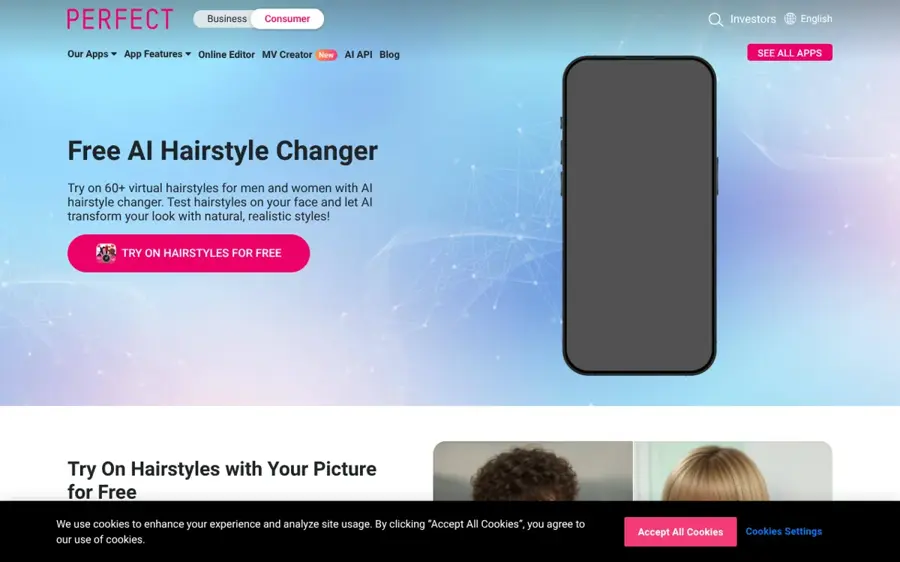
YouCam Makeup is Perfect Corp's beauty app for iOS and Android, with a dedicated hairstyle try-on, hair colour changer and a reference-photo mode.
Why it stands out
YouCam has the deepest preset library in this list. Its App Store listing describes 250+ preset hairstyles plus a Custom Hair Try On that uses a reference photo, with "the option to keep your natural hair color". Perfect Corp's hairstyle changer page says the app "automatically detects your hair area" before applying a style.
The free tier is the weak point. On Google Play (3.75M+ reviews), one September 2026 reviewer wrote: "Even with the free edits, you only get to use it a few times before it stops you from using it again." Its App Store privacy label also lists identifiers, location and usage data as data that may be used to track you.
Key features
- 250+ presets: short, long, wavy and bangs, for men and women.
- Custom Hair Try On: copy a cut from a reference photo (iOS).
- Keep natural colour: change the cut without changing the shade.
- Hair colour changer: single shades and bolder colours.
- Beauty camera: preview makeup looks live.
Pros
- Largest preset library in this roundup
- Reference-photo mode with a colour lock
- Free download on iOS and Android
Cons
- Free edits run out quickly, per user reviews
- Contains ads and tracking identifiers
- Many beauty extras can distract from a simple haircut check
YouCam Makeup pricing: Free → Premium from $5.99/month on the US App Store (checked October 2026). See pricing
Related: Best AI hairstyle changers
Google Gemini – best for describing any cut in words
Google Gemini is Google's AI assistant, and its built-in Nano Banana image model can edit an uploaded selfie from a plain-language prompt.
Why it stands out
Preset apps only offer the cuts someone else chose. Gemini takes any description, so "chin-length bob, no bangs, keep my face and colour the same" is a valid request. Google's image generation page says Nano Banana is "Available for free", and you start by choosing "Create images" from the tools menu and uploading a photo. Paid Google AI plans add Nano Banana 2.1, Google's stronger image model.
The trade-off is precision. On Google Play, one reviewer complained that Gemini "Takes prompts too literally." So be specific about length, parting and what must not change. Our guide on writing better prompts for ChatGPT, Claude and Gemini covers the basics.
Key features
- Text-driven edits: describe any cut, colour or texture.
- Reference styles: apply the look of another image to your photo.
- Free model access: Nano Banana on the free plan.
Pros
- No preset ceiling: any style you can describe
- Free tier includes image editing
- Cheapest upgrade in this list
Cons
- Results vary between attempts
- Can alter your face if the prompt is loose
- No hairstyle-specific interface
Google Gemini pricing: Free → Google AI Plus from $4.99/month on the US App Store (checked October 2026). See pricing
MyEdit – best for copying a reference photo
MyEdit is CyberLink's browser-based editor, and its AI hairstyle changer accepts a preset, a text prompt or a reference photo of the cut you want.
Why it stands out
If you have a Pinterest screenshot of the cut you want, MyEdit is the most direct route. Its hairstyle page lists 70+ templates and promises daily free credits and downloads "with no watermark". The pricing page lists 3 daily free credits on every plan, and the AI Hairstyle tool is paid with credits.
One limit to know: Toolworthy notes that prompt and reference are alternatives, not inputs you can combine, and that reference mode transfers both cut and colour. User sentiment is thin. MyEdit's unclaimed Trustpilot page shows a 2.3 score from just 13 reviews, including "extremely poor results with AI replace", a different MyEdit tool.
Key features
- Three input modes: template, prompt or reference photo.
- 70+ templates: men's and women's cuts.
- Hair colour tests: natural and bold shades.
- No install: runs entirely in the browser.
Pros
- Reference-photo mode works without an app
- Free credits refresh daily
- Advertises watermark-free downloads
Cons
- Only 3 free credits per day
- Reference mode also copies colour
- Few independent user reviews
MyEdit pricing: Free → image plans from $7/month, billed $84 yearly (checked October 2026). See pricing
Related: Best AI picture tools Best AI hairstyle changers
Fotor – best for face-shape suggestions
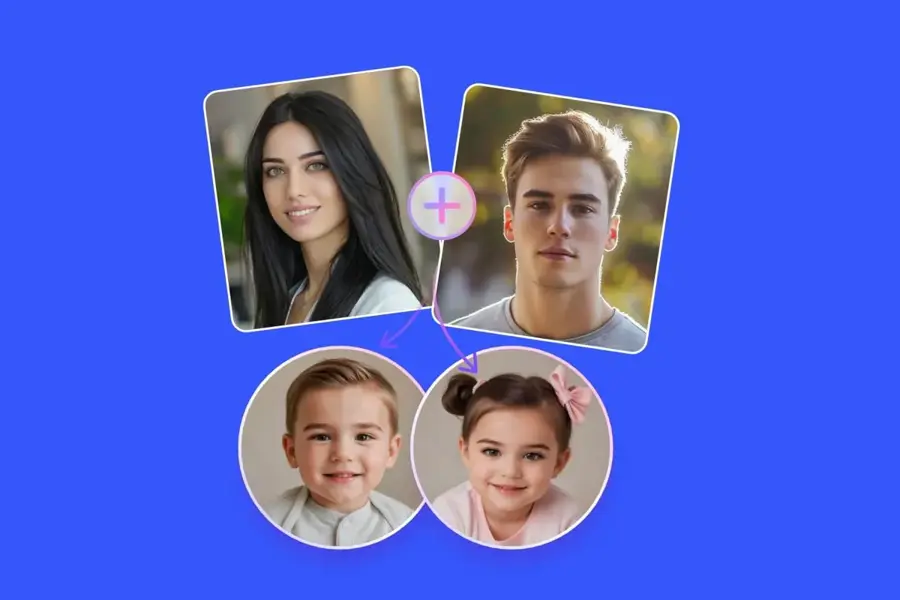
Fotor is an online and mobile photo editor whose AI hairstyle changer mixes preset trends, text prompts and face-shape analysis.
Why it stands out
Fotor is the only tool here that leans hard on face shape. Its hairstyle changer page says it identifies round, square, oval, heart and diamond faces by analysing your hairline, forehead width, jawline and cheekbones, then suggests styles. It also claims "high-resolution preview in under 3 seconds" and says it uses "encrypted local processing" so photos are not stored without permission. We could not verify those vendor claims. Unite.AI ranks Fotor first in its October 2026 list, while noting that specific salon cuts "may require several prompt attempts".
On Google Play, a long-time user wrote: "sometimes there may be a slight glitch, but mostly the outcome is pretty good."
Key features
- Face-shape matching: style suggestions based on your proportions.
- Prompt mode: type a cut such as "low taper fade curly hair".
- Undertone-aware colour: shade suggestions for warm or cool skin.
- Full editor: retouch and export in the same tool.
Pros
- Face-shape guidance helps narrow options
- Works in the browser and on mobile
- Top pick in an independent roundup
Cons
- Free credits are limited
- Busy interface for a quick check
- Privacy and speed claims are unverified
Fotor pricing: Free → Pro from $8.99/month or $47.99/year on the US App Store (checked October 2026). See pricing
Related: Best AI hair color changers Best AI picture tools
BeautyPlus – best for quick browser try-ons
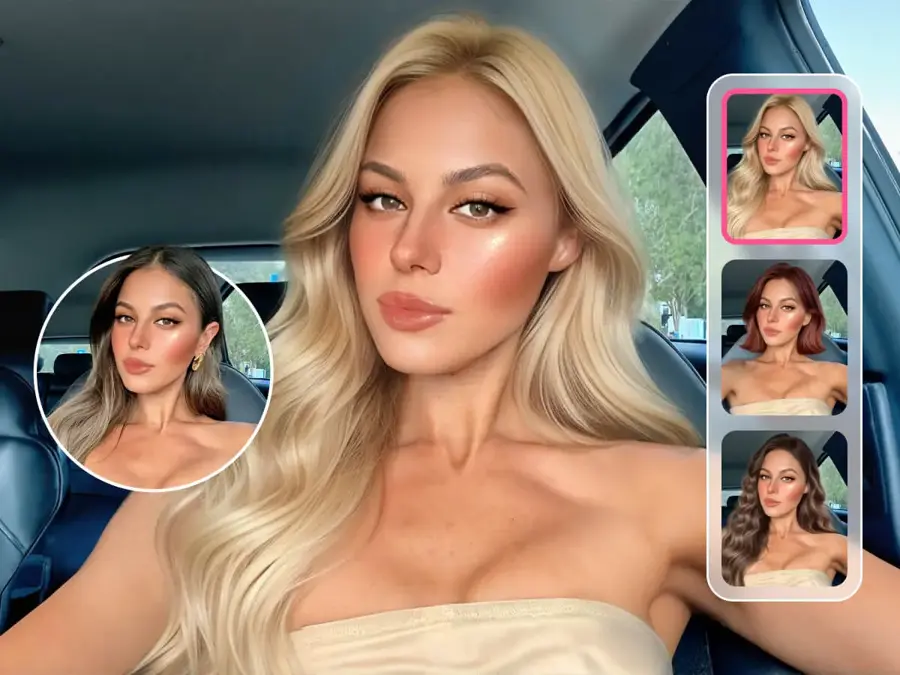
BeautyPlus is a selfie editor with a web-based AI hairstyle changer that offers templates, bangs and custom hairstyle options.
Why it stands out
BeautyPlus has the lowest friction on paper. Its AI hairstyle page calls the tool "no-sign-up" and promises results "at zero cost, no registrations or subscriptions". Its own pricing page, however, lists the free tier as "limited usage" with "Export with watermark". So you can test styles freely, but a clean download may need a plan.
The mobile app draws mixed reviews. On Google Play, one September 2026 reviewer said "EVERYTHING is behind a paywall", while an older, highly upvoted review praised it for letting users "preview all of the endless options" before paying.
Key features
- Browser access: no app install needed.
- Bangs templates: curtain bangs, see-through fringe and more.
- Custom haircut: change length, colour and texture by command.
- Hair colour changer: classic and bold shades.
Pros
- Fastest way to try a style without an account
- Good bangs selection
- Web and mobile versions
Cons
- Free exports carry a watermark
- App users report heavy paywalls
BeautyPlus pricing: Free → Pro about $11.99/month in the US, per OpenTheRank's App Store price tracker (checked October 2026). See pricing
Related: Best AI hairstyle changers
ChatGPT – best for complex, multi-step looks
ChatGPT is OpenAI's assistant, and free accounts can upload a photo and ask for image edits, including a new haircut.
Why it stands out
ChatGPT is useful when you want to iterate in conversation: "shorter", "now add curtain bangs", "same cut in copper". TechRepublic confirms free users can create images, but generation "is limited and slower than on paid plans." Engadget reports that free accounts now have a single weekly limit and that OpenAI does not publish exact numbers.
Two caveats. Free accounts are enrolled in model training by default, which you can switch off under Settings, then Data Controls, per Engadget. And the limits can bite: one Google Play reviewer said the app sometimes "tells you you've hit the free plan limit and that you should wait for hours, sometimes a whole day".
Key features
- Conversational edits: refine a look step by step.
- Any style by description: no preset list.
- Free image creation: within a weekly limit.
Pros
- Best for back-and-forth refinement
- Handles detailed, unusual requests
- Available on web, iOS and Android
Cons
- Unpublished, sometimes tight free limits
- Training on your uploads is on by default
- Free tier shows ads
ChatGPT pricing: Free → Go from $8/month (checked October 2026). See pricing
Related: ChatGPT with GPT-6 review Best AI like ChatGPT
AirBrush – best for bangs and fringe tests
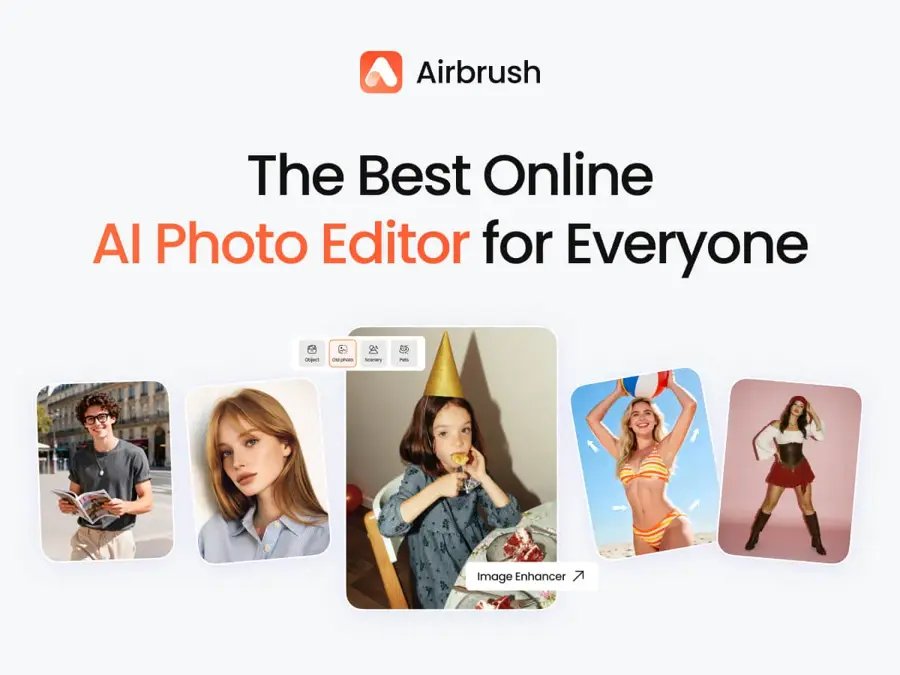
AirBrush is a selfie and photo editor with an online AI hairstyle changer that offers presets and a Custom Mode driven by text prompts.
Why it stands out
AirBrush's hairstyle page has a dedicated bangs option, so you can see "a thin bang or a full bang" before committing, plus a Custom Mode where you type something like "long layers with side bangs". Its pricing page is unusually clear about the free allowance: 3 credits on first login, and 1 credit per photo.
Users on Google Play flag limits even on paid plans. One wrote: "I don't understand how I pay for the Pro version and there's a cap on how often in a day I can use it."
Key features
- Bangs try-on: thin or full fringe previews.
- Custom Mode: describe a cut in a prompt.
- Presets: curly, straight, bobs, buzz cuts.
- Transparent credits: 1 credit per photo.
Pros
- Clear, published credit costs
- Good for fringe decisions
- Web, desktop and mobile access
Cons
- Only 3 free credits, once
- Most expensive monthly plan here
AirBrush pricing: Free → Web Plus from $15.95/month, or $95.95/year (checked October 2026). See pricing
Related: Best AI picture tools
LightX – best for daily free credits
LightX is an AI photo editor for web and mobile with an AI Hairstyles tool for new cuts and hair colours.
Why it stands out
LightX refreshes its free allowance every day. Its pricing page lists 6 daily free AI credits on the Starter plan, and its App Store listing says you can "Try out new hairstyles and hair colors for free with AI Hairstyles". Toolworthy warns that free-credit numbers are inconsistent across LightX's pages and that free exports may not meet your needs, so check before relying on it.
Watch the trial. One October 2026 Google Play reviewer wrote: "I signed up for the free 7 day trial and somehow got tied up with the full version and $30 plan."
Key features
- Presets and prompts: pick a cut or describe one.
- Daily credits: 6 free AI credits per day on Starter.
- Hair recolouring: change hair colour separately.
Pros
- Free credits refresh daily
- Cheap monthly and lifetime options
- Web, iOS and Android
Cons
- Free exports may carry a watermark
- Trial billing complaints in reviews
LightX pricing: Free → Pro from $6.99/month on the US App Store (checked October 2026). See pricing
Related: Best AI image generators
FaceApp – best for one-tap hair filters
FaceApp is a mobile portrait editor that changes hairstyle, hair colour and volume with one-tap filters.
Why it stands out
FaceApp is the fastest way to see a rough change: its Google Play listing offers hair colour and hairstyle changes, added volume, and a feature to "find your best hairstyle and color".
The free tier has shrunk, according to users. A highly upvoted review says: "You can't even try on the filters anymore without them prompting you to "Subscribe Now"!" FaceApp's reply points to free filters in the Showcase folder and demo photos for testing Pro filters. Toolworthy also notes FaceApp uses cloud processing, which matters if you would rather keep selfies on your phone.
Key features
- Hair filters: style, colour and volume in one tap.
- Best-style suggestion: the app proposes a cut and colour.
- Showcase filters: a free subset of effects.
Pros
- Very fast for rough comparisons
- Simple interface
- 500M+ downloads on Google Play
Cons
- Most hair filters sit behind PRO
- Limited control over bangs and texture
- Photos are processed in the cloud
FaceApp pricing: Free (limited) → FaceApp PRO purchases from $10 on the US App Store (checked October 2026). See pricing
Related: Best AI hair color changers
How to choose the right hairstyle AI tools
Start with the input you have, then the device you use. This small decision table covers most cases:
| Your situation | Start with | Why |
|---|---|---|
| You have a photo of the exact cut | MyEdit or YouCam Makeup | Both accept a reference photo |
| You can describe it but have no photo | Gemini or ChatGPT | Prompt-based, no preset ceiling |
| You do not know what suits you | Fotor | Face-shape suggestions |
| You want to decide on bangs | AirBrush or BeautyPlus | Dedicated fringe options |
| You want many tries over a week | LightX | Free credits refresh daily |
Change one variable at a time
Lock colour first and test cuts, then test colours on the winning cut, so you know which change you liked. YouCam's keep-natural-colour option and a prompt line such as "keep my current hair colour" both help.
Use a clean, front-facing photo
The model has to separate hair from face and background. A sharp, well-lit, front-facing photo with your hair pulled back from your face gives it the cleanest edge to work with. Toolworthy notes that LightX, for example, requests an in-focus JPEG or PNG.
Check the face, not just the hair
Some tools quietly smooth skin or reshape your jaw. Compare the result with your original side by side; if your face changed, the preview is not showing how the cut looks on you.
Only edit photos you have the right to edit
These are tools for trying styles on yourself, or on a friend who has said yes. Making intimate or deceptive images of real people without their consent is harmful, and in many places it is illegal. In the US, the Take It Down Act makes publishing nonconsensual intimate images, real or AI-generated, a crime, and since May 2026 platforms must remove reported images within 48 hours, as CNN reported. If you are unsure whether an image you have seen was edited, our guide on how to tell if a photo is AI generated can help.
Free vs paid: what you actually get
Toolworthy puts it well: "“Free download,” “free credits” and “free finished image” are three different promises." Here is how the free tiers break down:
- Daily refills: MyEdit (3 credits per day) and LightX (6 AI credits per day).
- One-off starter credits: AirBrush (3 credits on first login).
- Unpublished limits: Gemini and ChatGPT, which cap image generation but do not publish exact numbers.
- Free to try, paid to export cleanly: BeautyPlus, whose free tier exports with a watermark.
- Freemium filters: YouCam Makeup and FaceApp, where some styles are free and many are premium.
A worked example
Say you want to compare 12 looks before a salon visit: 4 cuts, each in 3 colours. On AirBrush, each photo costs 1 credit, so you need 12 credits. The 3 free credits cover the first 3 looks. The remaining 9 would cost about $9 to $10 in credit packs (a 10-credit pack is listed at $10), or one month of Web Plus at $15.95 gives you 80 credits, enough for six such sessions. On MyEdit, at 3 free credits a day, the same 12 looks would take at least four days, assuming one credit per generation. On Gemini or ChatGPT you might finish in one sitting or hit an unpublished cap early.
So for one evening of experimenting, a prompt-based assistant is usually enough; for many presets over a week, a daily-refill tool costs nothing but time.
Where it breaks
- Hair physics: AI does not know your density, curl pattern, cowlicks or growth direction. Unite.AI sums it up: "These previews are still planning aids, not guarantees."
- Big length jumps: buzz cut to waist-length forces the model to invent everything.
- Face drift: loose prompts can change your features, especially in general assistants.
- Textured hair: name your real texture in the prompt.
- Watermarks: a branded free preview may not be shareable.
Final verdict
For most people, YouCam Makeup is the best free hairstyle AI app to start with, thanks to its 250+ presets and reference-photo mode, as long as you accept that free edits are limited. If you would rather describe a cut than scroll presets, Google Gemini is the strongest free option and the cheapest to upgrade. For copying a specific reference photo in a browser, MyEdit is the most direct route. Whatever you pick, use your own photo, change one thing at a time, and bring two or three saved previews to your stylist rather than one "perfect" render. For colour-only changes, see our best AI hair color changers.
FAQ
Which AI is best for hairstyle?
For most people, YouCam Makeup is the best AI for hairstyle previews because it offers 250+ presets and a reference-photo mode on iOS and Android. If you prefer typing a description, Google Gemini edits your photo from a prompt for free. MyEdit is best for copying a reference photo in a browser.
Is there a completely free hairstyle AI?
Not without limits. Every tool we compared caps free use through daily credits, one-off credits, watermarks or unpublished weekly limits. MyEdit and LightX refill free credits daily, and BeautyPlus lets you try styles without signing up, but its free exports carry a watermark.
Can I try a hairstyle on my own photo with ChatGPT or Gemini?
Yes. Both let free users upload a photo and ask for edits, such as "give me a shoulder-length shag and keep my face unchanged." Both limit free image generation without publishing exact numbers, and results can vary between attempts, so save the versions you like.
Are AI hairstyle previews accurate?
They show a rough silhouette, not a guarantee. AI cannot see your hair density, curl pattern or cowlicks, so a cut that looks perfect on screen may sit differently in real life. Use previews to narrow down options, then discuss feasibility with your stylist or barber.
Is it safe to upload my face to a hairstyle app?
It depends on the app. Check its privacy label for tracking and cloud processing, and look for training opt-outs. YouCam's App Store label lists identifiers used for tracking, and ChatGPT trains on free users' uploads by default unless you switch it off in Data Controls.
Sources
- 10 Best AI Hairstyle Apps (October 2026) (Unite.AI)
- 6 AI Hairstyle Try-On Tools Compared: Cuts & Colors 2026 (Toolworthy)
- AI Hairstyle Changer: Try 60+ Haircuts On Your Photo Free (Perfect Corp)
- YouCam Makeup: Face Editor (Apple App Store)
- YouCam Makeup: Face Editor (Google Play)
- Nano Banana 2 - Gemini AI image generator & photo editor (Google)
- Google AI Pro & Ultra plans (Google)
- Google Gemini (Google Play)
- AI Hairstyle Changer – Try Haircuts & Hair Color Online for Free (MyEdit)
- Choose Your Plan & Credits Pack (MyEdit)
- Myedit Reviews (Trustpilot)
- AI Hairstyle Changer - Customize Haircuts & Colors Free (Fotor)
- Fotor pricing (Fotor)
- Fotor–AI Photo Editor & Filter (Google Play)
- AI Hairstyle Changer | Test Hairstyles on Face Free (BeautyPlus)
- BeautyPlus Pricing: Free & Pro Plans for Web and Mobile (BeautyPlus)
- BeautyPlus-Selfie Photo Editor (Google Play)
- BeautyPlus pricing by App Store region (OpenTheRank)
- What Is Free on ChatGPT in 2026? (TechRepublic)
- ChatGPT: What's free in 2026 and what isn't? (Engadget)
- ChatGPT (Google Play)
- ChatGPT (Apple App Store)
- AI Hairstyle Changer | Haircut Simulator and Free Try on Hairstyles (AirBrush)
- Airbrush Pricing: Free & Pro Plans for Web, Desktop, Mobile (AirBrush)
- Airbrush: Face & Photo Editor (Google Play)
- Pricing (LightX)
- LightX: AI Generator & Editor (Apple App Store)
- LightX AI Photo Editor Retouch (Google Play)
- FaceApp: Perfect Face Editor (Google Play)
- FaceApp: Perfect Face Editor (Apple App Store)
- You can now legally request revenge and deepfake porn to be taken down. Here's how (KRDO/CNN)