Free AI card grading in 2026: 7 apps compared
The best free AI card grading apps compared: free scan limits, PSA/BGS/CGC estimates, paid prices and where photo-based grading breaks.
 Written byFahad HashmiContributing writer, AI in energy and industry
Why you can trust The AI Future
Our writers research every product, link each claim to its source and correct mistakes openly. Companies can't pay for coverage or see reviews before they're published.
Read our editorial policy
Here is the short version. Free AI card grading apps estimate the grade PSA, BGS or CGC might give a card from two phone photos, and most of them give you a handful of free scans before asking you to pay. The best free starting points in late 2026 are CardGrade (one free grade, then plans from $4.99 a month), ZeroPop (2 free scans a month) and Card Centering Calculator (a free centering tool that does one job well). None of them can promise a grade. Treat the result as a filter that tells you which cards are not worth a submission fee.
Think of an AI card grader as a measuring tool with a guess attached. The measuring part, centering, is geometry and fairly reliable. The guessing part, surface and corner condition from a flat photo, is where these apps disagree with professional graders. We compared seven tools using official app listings, pricing pages, published third-party coverage and App Store user reviews, as of late October 2026.
Key takeaways
- Free tiers are small. Expect 1 to 2 free full grades on most apps. ZeroPop gives 2 scans a month; PreGradeCards and CardGrading.app give 2 credits at signup; CardGrade and TCGrader give one.
- Centering is the part you can trust most. Border ratios are arithmetic, so a free centering tool like Card Centering Calculator often answers the "can this be a 10?" question on its own.
- Accuracy claims mostly come from the sellers. As Trackalacker points out, the 90%-style agreement figures these apps advertise are self-reported. Nobody has published a large independent benchmark.
- The money math decides it. With PSA fees starting at $24.99 per card for Value Bulk after its February 2026 price rise, according to Trackalacker, one avoided bad submission pays for most paid plans.
How we ranked them
Nobody at The AI Future graded cards with these apps for this piece. We ranked them from official product pages, pricing pages, App Store listings and user reviews, and published third-party write-ups, checked in October 2026. The criteria:
- Free tier: how many full grades you get without paying, and whether a card is required.
- What it measures: centering ratios, the four subgrades (centering, corners, edges, surface) and defect notes, not just one number.
- Grading scales: whether it predicts PSA only or also BGS, CGC, TAG and others.
- Transparency: whether the vendor explains limits and how it reports accuracy.
- User feedback: what App Store reviewers say about accuracy, consistency and caps.
- Paid upgrade cost: price per grade once the free scans run out.
- Platform: iPhone, Android, web, or all three.
The 7 best free AI card grading apps at a glance
| # | Tool | Category | Best for | Free tier | Starts at |
|---|---|---|---|---|---|
| 1 | CardGrade | AI pre-grader | Comparing PSA, BGS and CGC | Yes (limited) | $4.99/mo |
| 2 | ZeroPop | AI pre-grader and scanner | Submit-or-skip ROI math | Yes (limited) | $3.99/mo |
| 3 | Card Centering Calculator | Centering tool | Free centering checks | Yes | $4.99 one-time |
| 4 | Card Grading AI | AI pre-grader and portfolio | Daily free scans | Yes (limited) | $9.99 |
| 5 | PreGradeCards | Web-based AI grader | Grading in a browser | Yes (limited) | $6.69 (25 credits) |
| 6 | CardGrading.app | Pokémon AI grader | Pokémon worth-grading decisions | Yes (limited) | $9.99 (10 grades) |
| 7 | TCGrader | AI pre-grader and marketplace | Quick PSA-scale reports | Yes (limited) | $1.99/credit |
The best free AI card grading apps in 2026, ranked
CardGrade – best for comparing PSA, BGS and CGC
CardGrade is an AI pre-screen for iPhone, Android and desktop web that returns PSA, BGS and CGC grade estimates, centering ratios and condition flags from a front and back photo in about 60 seconds.
Why it stands out
Most apps predict one company's scale. CardGrade puts three in one report, which matters because PSA, BGS and CGC judge centering and surface differently. It is also unusually candid: its own product page says it has logged about 6,000 graded-card results but does "not publish a single headline accuracy percentage" until a rigorous study is done. Its pricing page adds a credit-back if a grade is off by 2 grades or more.
User feedback is mostly positive, with one recurring complaint about scan caps. One App Store reviewer wrote that "This app is able to see what can’t be seen with the naked eye," while another said the value of a capped subscription "is a big no."
Key features
- Three grading scales: PSA, BGS and CGC predictions on every report.
- Four subgrades: centering, corners, edges and surface, front and back.
- Forensic Capture: 8 macro corner shots per card on higher tiers and packs.
- Accuracy tracking: log your real slab grade against the prediction.
- Bulk grading: 10 to 50 cards per batch depending on plan.
Pros
- Cross-grader estimates in one report
- Works on iPhone, Android and web
- Honest about what photos cannot show
- Credit back on big misses
Cons
- Only one free grade for eligible new accounts
- Web checkout was paused in October 2026; purchases go through the app
- Monthly credits reset
CardGrade pricing: One free first grade → paid plans from $4.99/month for 10 grades, or one-time packs from $9.99 (checked October 2026). See pricing
ZeroPop – best for submit-or-skip ROI math
ZeroPop is an iPhone card scanner and AI pre-grader that gives an overall grade, four subgrades, defect mapping and centering ratios, then runs the numbers on whether a submission is worth the fee.
Why it stands out
ZeroPop's free plan includes 2 scans a month with full AI grading, according to its App Store listing. The useful extra is the ROI calculator, which shows break-even value at each predicted grade and expected profit or loss after fees. That turns the grade into a decision.
Reviews are split. One App Store reviewer said the centering information "is spot on when comparing it to a Manuel centering tool." Another tested it on already-slabbed cards and concluded: "I love the concept but I don’t think I trust this enough to have this app be anything truly useful." The developer replied that it intentionally errs conservative. Note that one older review mentions 25 free scans a month; the current listing says 2.
Key features
- Subgrades and defect map: whitening, scratches and creases pinpointed.
- PSA centering eligibility: left/right and top/bottom ratios checked against PSA limits.
- ROI calculator: picks a grading tier and shows profit or loss.
- eBay data: sold prices and listings on paid tiers.
- Variant and error detection: 1st Edition, Shadowless, miscuts and more.
Pros
- Free tier resets monthly
- Cheap paid entry and $0.99 scan packs
- Turns grades into a submit decision
Cons
- Only 2 free scans a month
- PSA/BGS/CGC side-by-side estimates are on the $24.99 Ultra tier
- Mixed accuracy reports from users
ZeroPop pricing: Free (2 scans/month) → paid plans from $3.99/month (checked October 2026). See pricing
Card Centering Calculator – best for free centering checks
Card Centering Calculator by Jade Lizard Software measures front and back centering ratios from a photo and shows the best possible centering grade at PSA, BGS, SGC, CGC, TAG and ACE.
Why it stands out
This is not an AI grader, and that is the point. It auto-detects borders, then lets you nudge the guides by hand, fix perspective and read the ratio. Trackalacker reports a 4.7-star rating across 2,300+ ratings and a $4.99 premium unlock. The developer says in an App Store reply that the goal is checking centering "without relying on AI to make the judgment for you."
That approach has fans. One App Store reviewer wrote: "I got this tool originally because the AI apps I was testing turned out to be really bad at judging centering."
Key features
- Auto edge detection: with manual guides and zoom for fine adjustment.
- Perspective fix: straightens skewed or angled photos before measuring.
- Six grading companies: live centering-grade comparison as you adjust.
- Real units: border widths in pixels, millimetres or inches (premium).
- Pokémon e-Reader mode: handles the wider dot-code borders correctly.
Pros
- Useful free version
- One-time unlock, no subscription
- You stay in control of the measurement
- On iOS, macOS and Android
Cons
- Centering only: no corners, edges or surface
- Accuracy depends on a flat, straight photo
Card Centering Calculator pricing: Free → premium unlock $4.99 one-time (checked October 2026). See pricing
Card Grading AI – best for daily free scans
Card Grading AI (CGA) is an iPhone and iPad app that estimates a grade with four subgrades from front and back photos, adds a centering tool and digital slabs, and tracks your collection's value.
Why it stands out
CGA appears to be the most generous for casual use. An App Store reviewer describes using "the free daily tokens," and the developer replied that it would drop the token system so users can scan up to 20 cards a day instead of 7. We could not confirm the current daily limit on the listing, so check in the app. It covers Pokémon, sports cards, Magic, Yu-Gi-Oh! and Lorcana.
The weak spot is grade spread. Another reviewer got 9.5 on four cards, including one with whitening and a dent, and wrote that "it gave me a bit of a questionable response and gave it a 9.5 as well as the other cards."
Key features
- Four subgrades: centering, corners, edges and surface.
- Centering tool: a dedicated border-alignment check.
- Digital slabs and history: revisit past grades.
- Portfolio and catalog: track estimated collection value.
- Photo check: stops the scan if the photo is not a real trading card.
Pros
- Daily free scans reported by users
- Broad TCG and sports coverage
- Lifetime plan option
Cons
- Contains ads, and the listing says identifiers and usage data may be used to track you
- Users report grades bunching near 9.5
- Plan names and limits are only clear inside the app
Card Grading AI pricing: Free (daily tokens) → paid options from $9.99, yearly $59.99, lifetime $149.99 (checked October 2026). See pricing
PreGradeCards – best for grading in a browser
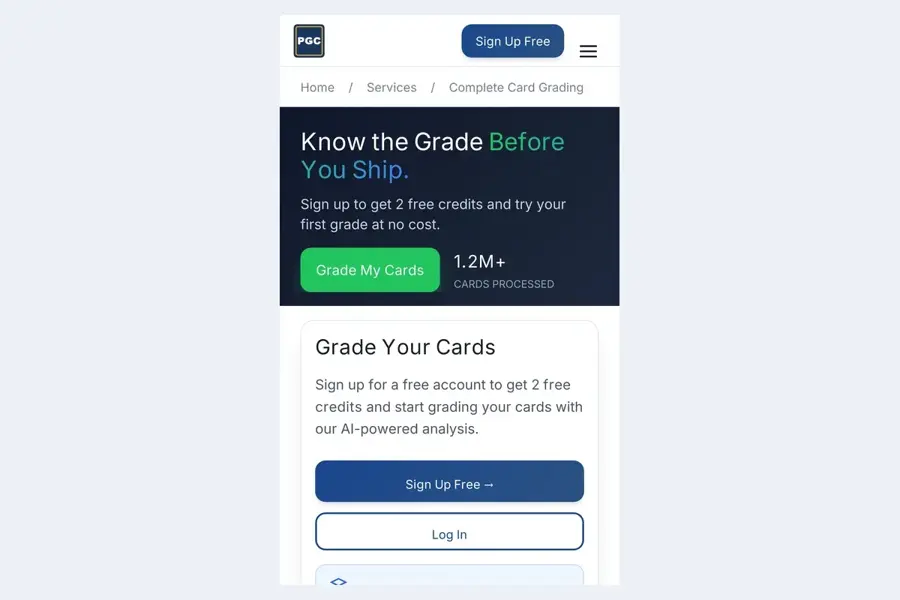
PreGradeCards is a web app that runs in Safari or any browser, uses your phone's rear camera, and returns PSA, BGS, CGC and TAG estimates with centering ratios and corner, edge and surface subgrades.
Why it stands out
No App Store download is needed, and new accounts get 2 free credits. A full grade uses 1 credit, per its pricing page, and the first 25-credit pack is $6.69. It also identifies coins and banknotes, which is unusual.
Be careful with its headline number. PreGradeCards publishes an accuracy study claiming 89% of predictions land within one grade of PSA across 10,000 cards, but the study is its own. A competitor's comparison page lists its like-for-like accuracy metrics as "not publicly disclosed." We did not find independent user reviews on Trustpilot or the App Store.
Key features
- Four-company estimates: PSA, BGS, CGC and TAG.
- Free photo pre-check: flags framing, lighting and glare before you spend a credit.
- Add-ons: back-image grading, slab label reader, market pricing.
- Batch uploads: up to 20 cards.
Pros
- Works on any device with a browser
- Credits never expire
- Low per-grade cost on large packs
Cons
- Accuracy claims are self-published
- Add-ons cost extra credits
- No third-party user ratings found
PreGradeCards pricing: 2 free credits → packs from $6.69 for 25 credits on first purchase (checked October 2026). See pricing
CardGrading.app – best for Pokémon worth-grading decisions
CardGrading.app is a Pokémon-focused web tool that returns a predicted grade, four sub-scores and a market value in about 35 seconds, then tells you plainly whether a card is worth submitting.
Why it stands out
The output is a decision, not just a score. Its sample report ends with "NOT WORTH SUBMITTING" next to the ungraded price, and the site says values marked as estimates come from the ungraded price, not sales at that grade. You get 2 free grades and a price check with no credit card.
Pricing has changed this year. Trackalacker described monthly plans; the official site now sells one-time packs that never expire. We found no third-party user ratings.
Key features
- Four sub-scores: based on PSA's published criteria.
- Market value: refreshed roughly every 24 hours where data exists.
- Free bulk scan: included with the free tier.
- Clear verdict: worth submitting or not, per card.
Pros
- No card needed for the free tier
- No subscription
- Honest framing about how rare a 10 is
Cons
- Pokémon only
- Predicts against PSA criteria only
- No independent reviews yet
CardGrading.app pricing: 2 free grades → packs from $9.99 for 10 decisions (checked October 2026). See pricing
TCGrader – best for quick PSA-scale reports
TCGrader grades Pokémon, Magic, Yu-Gi-Oh! and sports cards on PSA's 10-point scale using GPT-4o Vision, with centering, corner, edge and surface analysis and a downloadable PDF report.
Why it stands out
The iOS app works with no account required, and the website gives 1 free credit when you sign up. It runs on a general-purpose vision model rather than a dedicated grading model, which is worth knowing: that kind of model describes defects well but was not trained on slab outcomes. The site also adds a "Precision Scan" corner-zoom mode and a marketplace.
Third-party signal is thin. On the US App Store it holds 3.7 out of 5 from 3 ratings, too few to mean much.
Key features
- PSA-scale estimate: with written reasoning.
- PDF reports: download and share grading summaries.
- Precision Scan: corner and edge findings rated by severity.
- Collection and marketplace: portfolio value and slab tracking.
Pros
- Pay per grade from $1.99
- No account needed in the app
- Shareable reports
Cons
- Only one free credit
- Very few ratings
- PSA scale only
TCGrader pricing: 1 free credit → $1.99 per credit or $9.99/month in the app (checked October 2026). See pricing
How AI card grading works, and where it breaks
Every app here follows the same pipeline. It finds the card's four edges, corrects perspective, measures the border widths on each side, then runs a vision model over corners, edges and surface to flag whitening, chipping and scratches. The model maps those findings to a grading scale and outputs a number.
Step one is reliable. Steps two and three are not, for predictable reasons:
- Surface flaws hide in flat light. Print lines and holo scratches show when a grader tilts the card. Trackalacker notes a flat photo often misses them, so apps tend to run optimistic on surface.
- The 9 versus 10 line is the hardest call. Even PreGradeCards' own study reports its lowest exact-match rate on PSA 10s.
- Consistency varies. In App Store reviews collected by TCGTalk for another grading app, one user scanned the same card six times and got five scores between 6 and 10.
- No authentication. CardGrade states that photo tools cannot catch trimming, hidden dents or fakes.
- Sleeves and glare. CGA's listing warns that lighting, glare, sleeves and hidden defects can change the result.
There is one encouraging data point. TCGTalk compiled 21 community submissions where a grading app's prediction could be compared with the PSA result, and every one landed within one grade, with misses mostly on the conservative side. That app requires a paid subscription, so it is not on this list, and 21 cards is a small sample. If you want the background on how these models see images, our explainer on what computer vision is covers the basics.
How to choose the right AI card grading tool
Start with the grading company you will use
If you submit to CGC or BGS, a PSA-only estimate is less useful. CardGrade, PreGradeCards and ZeroPop's top tier predict several companies. Card Centering Calculator shows centering limits for six.
Check centering first, for free
PSA's Gem Mint 10 allows roughly 55/45 to 60/40 on the front and 75/25 on the back, per PreGradeCards. If your front reads 63/37, no corner or surface score will save the 10. A free centering tool settles that in a minute.
Read the subgrades, not the headline number
A single 9.5 tells you little. Look for apps that show which corner is soft and where the scratch is, so you can check it yourself under a lamp.
Calibrate on cards you already slabbed
Run three or four graded cards through the app. If it misses known grades by two points, discount its output accordingly. Several App Store reviewers above did exactly this.
Mind the data and ads
Some free apps carry ads and tracking. Check the App Store privacy label before you upload your collection.
A worked example: is this card worth $24.99?
Say you hold a raw card that sells for $40. A PSA 10 copy sells for $150 and a PSA 9 for $55. PSA Value Bulk costs $24.99 per card before shipping, as reported by Trackalacker.
| Outcome | Slab value | Minus fee | Versus selling raw ($40) |
|---|---|---|---|
| PSA 10 | $150 | $125.01 | +$85.01 |
| PSA 9 | $55 | $30.01 | −$9.99 |
| PSA 8 | $35 | $10.01 | −$29.99 |
Now run the free checks. The centering tool reads 63/37 on the front. That is outside the 60/40 limit, so a 10 is off the table and the best case is a 9, which loses about $10. Skip it. If centering had read 54/46 and the AI found clean corners, the trade looks different: with a 1-in-3 chance at a 10 and a 9 otherwise, the expected net is (1/3 × $125.01) + (2/3 × $30.01), or about $61.68, against $40 for selling raw. The prices here are illustrative; plug in your card's real sold prices.
Free vs paid: what you actually get
| Tool | Free allowance | Cheapest paid option | Rough cost per grade |
|---|---|---|---|
| CardGrade | 1 grade (eligible new accounts) | $4.99/mo, 10 grades | $0.50 (Hobby) to $0.25 (Business) |
| ZeroPop | 2 scans/month | $3.99/mo, 40 scans | About $0.10 (Lite) |
| Card Centering Calculator | Core centering tool | $4.99 one-time | Not per-grade |
| Card Grading AI | Daily tokens (user-reported) | $9.99 | Varies by plan |
| PreGradeCards | 2 credits | $6.69 for 25 credits (first purchase) | About $0.27 |
| CardGrading.app | 2 grades + price check | $9.99 for 10 | About $1.00 |
| TCGrader | 1 credit | $1.99 for 1 | $1.99, less in packs |
Free tiers are trials, not workflows. Paid tiers usually add more scans, close-up corner modes, bulk uploads, market prices and multi-company estimates. If you grade fewer than five cards a month, stack free tiers across two or three apps. If you sort a whole binder before a submission, a $4 to $10 month is cheaper than one bad slab.
Also keep the free PSA app on your phone. It does not predict grades, but Trackalacker notes it verifies certs and tracks submissions. Scanners like CollX and Ludex identify and price cards but, per PreGradeCards, do not estimate a grade.
Final verdict
For most collectors, the best free AI card grading setup is two tools: Card Centering Calculator for a free, controllable centering check, and CardGrade or ZeroPop for an AI read on corners, edges and surface. CardGrade wins if you care about PSA, BGS and CGC side by side. ZeroPop wins if you want the app to do the submission math. Use PreGradeCards if you would rather not install anything, and CardGrading.app if you only grade Pokémon.
Whatever you pick, treat the grade as a yes, no or maybe, calibrate it on cards you already own, and never pay a fee on a card that fails centering. For more phone tools, see our best AI apps for iPhone, and for how general-purpose vision models like the one behind TCGrader perform, our ChatGPT review.
FAQ
Is there a free AI card grading app?
Yes, but free usually means a few scans. ZeroPop gives 2 free scans a month, PreGradeCards and CardGrading.app give 2 credits at signup, and CardGrade and TCGrader give one. Card Centering Calculator is free for centering checks. Card Grading AI users report daily free tokens.
How accurate is AI card grading?
Accurate enough to filter out obvious non-10s, not accurate enough to bet on a single number. Most published accuracy figures come from the companies selling the apps, and no large independent benchmark exists yet. Centering measurements are the most reliable part; surface detection from photos is the weakest.
Can an AI grade replace PSA?
No. An AI grade has no resale value and no slab. PSA, BGS, CGC and others inspect the physical card, authenticate it and encapsulate it. AI apps cannot detect trimming, counterfeits or flaws hidden from the camera. Use them to decide what to submit, not instead of submitting.
What is the best free AI card grading app for Pokémon?
For Pokémon only, CardGrading.app gives 2 free grades with a market value and a clear submit-or-skip verdict. For broader use, CardGrade and ZeroPop both support Pokémon alongside sports cards. Pair either with Card Centering Calculator, which has a dedicated mode for e-Reader cards.
How do I get the most accurate AI grade from a photo?
Remove the card from thick holders if it is safe to do so, shoot straight down on a plain background, use soft even light, and avoid glare. Photograph the back too. Then take a second, tilted shot under a lamp; if the two results disagree, treat the card as a maybe.
Sources
- AI Card Grading Pricing: Plans & Credit Packs (CardGrade)
- Card Grading App: AI Pre-Screen for iPhone, Android & Web (CardGrade)
- CardGrade.io: AI Card Grader ratings and reviews (App Store)
- Best AI Card Grading Apps (2026): Tools Compared (CardGrade)
- ZeroPop: Card Grader & Scanner (App Store)
- ZeroPop: Card Grader & Scanner ratings and reviews (App Store)
- Card Centering Calculator (App Store)
- Card Centering Calculator ratings and reviews (App Store)
- Card Grading AI (App Store)
- Card Grading AI ratings and reviews (App Store)
- Card Grading Pricing - 2 Free Credits (PreGradeCards)
- Best Card Grading App for iPhone (2026) (PreGradeCards)
- Are AI Grading Apps Accurate? 2026 Accuracy Study (PreGradeCards)
- AI Pokemon Card Grading & Pricing (CardGrading.app)
- Free Pokémon AI Card Grading & Marketplace (TCGrader)
- TCGrader (App Store)
- TCGrader ratings and reviews (App Store)
- The Best Pokemon Card Grading Apps in 2026 (Trackalacker)
- Digital Grading Co Review: AI Card Grading Accuracy Tested (2026) (TCGTalk)