AI video generator from text free: the 7 best tools in 2026, compared
The best free AI video generators from text in 2026, compared side by side: free credits, watermarks, prices and who each tool suits.
 Written byBurhan AqibSenior writer, policy and analysis
Why you can trust The AI Future
Our writers research every product, link each claim to its source and correct mistakes openly. Companies can't pay for coverage or see reviews before they're published.
Read our editorial policy
Short answer: if you want the best AI video generator from text free of charge, start with Google Flow. It gives every account 50 free credits a day, and you don't need a subscription. If you want realistic motion, add Kling AI's free daily credits. If you need a talking presenter reading your script, use HeyGen or Vidnoz instead.
Everything else on this list is a specialist. Some tools turn a short prompt into a cinematic clip. Others turn a full script into a narrated video with an avatar. Free plans differ a lot, from daily credits that refresh to a one-time trial that runs out after a few clips. Below we compare seven tools side by side, with free limits and prices checked in October 2026.
If you are new to text-to-video, this beginner walkthrough from Dan Kieft covers how to start making AI videos in 2026 before you pick a tool.
Key takeaways
- Google Flow is the best free starting point. 50 credits a day with no subscription, though free users may be blocked from video generation during peak hours.
- Daily credits beat one-time trials. Flow, Kling, Dreamina and Vidnoz refresh every day. Hailuo AI only gives one-time free trial credits.
- Prompt-to-clip and script-to-video are different jobs. Flow, Kling, Dreamina and Hailuo make short scenes. HeyGen and Vidnoz turn a written script into a presenter-led video.
- Free output usually carries a watermark. Plan on paying if you need clean exports or commercial rights.
- Cheapest upgrade: Google AI Plus at $4.99 a month, which adds 200 Flow credits a month.
How we ranked them
Nobody at The AI Future ran hands-on tests for this roundup. We compared each tool using official pricing and help pages, published independent breakdowns, and user ratings on Trustpilot and the App Store, as of late October 2026. We scored each tool on six criteria:
- Free allowance: how much you can actually make without paying, and whether credits refresh.
- Text-to-video quality: motion, realism and prompt following, based on published reporting and user feedback.
- Free-plan restrictions: watermarks, resolution caps, clip length and queue times.
- Ease of use: how quickly a beginner gets from a prompt or script to a finished clip.
- Upgrade value: what the cheapest paid plan costs and what it unlocks.
- User sentiment: public ratings and recurring complaints, especially about billing.
Prices are in US dollars and can change by country, app store and promotion. Always check the vendor's pricing page before you buy.
The 7 best free AI video generators from text at a glance
| # | Tool | Category | Best for | Free tier | Starts at |
|---|---|---|---|---|---|
| 1 | Google Flow | Prompt to clip | Best overall free quality | Yes | $4.99/mo |
| 2 | Kling AI | Prompt to clip | Realistic motion | Yes (limited) | $10/mo |
| 3 | Dreamina | Prompt to clip | Daily experimenting | Yes | Varies by region |
| 4 | HeyGen | Script to avatar video | Talking presenters | Yes (limited) | $29/mo |
| 5 | Vidnoz | Script to avatar video | Free explainers and training | Yes | $19.99/mo |
| 6 | Canva | Design suite | Social posts and templates | Yes (limited) | $144/yr |
| 7 | Hailuo AI | Prompt to clip | Testing MiniMax models | Yes (limited) | $8.40/mo |
Hailuo's $8.40 and Vidnoz's $19.99 are yearly-billing rates; monthly billing costs more. Dreamina says paid offers differ between web and mobile, so check the price shown in your account.
The best free AI video generators from text in 2026, ranked
Google Flow – best for free cinematic clips from a prompt
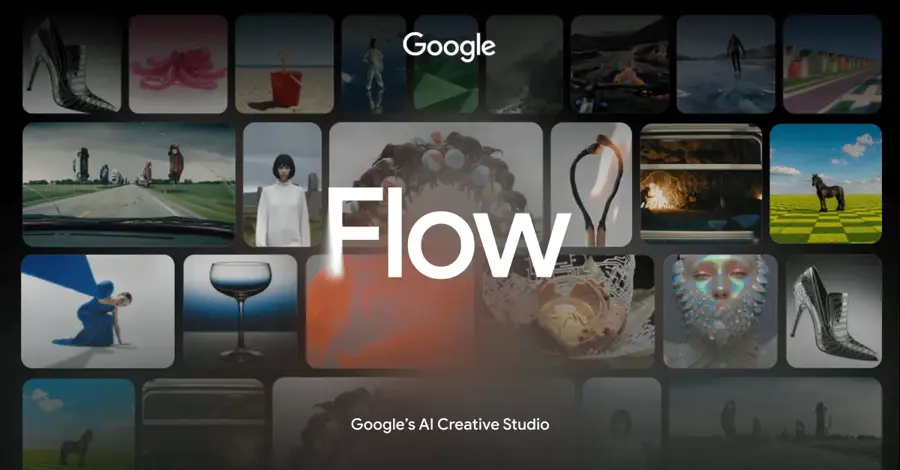
Google Flow is Google's AI creative studio for video and images. It runs Google's video models, now including Gemini Omni Flash, and gives every signed-in user free daily credits.
Why it stands out
Flow has the most generous free allowance from a major lab. Google's help centre says that with or without a subscription, you receive 50 Google Flow credits per day, and unused credits don't roll over. The catch is timing: non-subscribers may not be able to generate videos between roughly 2 PM and 5 PM UTC. Paid plans add monthly credits on top: 200 with Google AI Plus, 1,000 with AI Pro.
Google's AI plans page lists Google Flow with expanded limits to Gemini Omni Flash for paid subscribers, the model Google launched at I/O 2026 that can generate video from text, images, audio and video. User sentiment is mixed: the Google Flow iPhone app holds about 3.8 out of 5 from 126 ratings on the App Store.
Google's own channel has a short walkthrough of how to use Flow if you want to see the interface first.
Key features
- 50 free credits a day that refresh after your first generation.
- Text-to-video and image-to-video in one project workspace.
- Gemini Omni Flash for paid plans, with natural-language edits.
- Credits shared across devices on web and mobile.
- Flow Agent and image tools stay available even at peak hours.
Pros
- Biggest recurring free allowance from a top model maker.
- No subscription needed to start.
- Cheap upgrade path through Google AI Plus.
Cons
- Free video generation can be blocked during peak hours.
- Credit cost varies by model, so 50 credits may mean only a few clips.
- Unused daily credits disappear.
Google Flow pricing: Free (50 credits a day) → paid plans from $4.99/month with Google AI Plus (checked October 2026). See pricing
Related: How to generate video with AI, step by step Best free AI video generators
Verdict: if you only pick one free text-to-video tool, pick Flow.
Kling AI – best for realistic motion
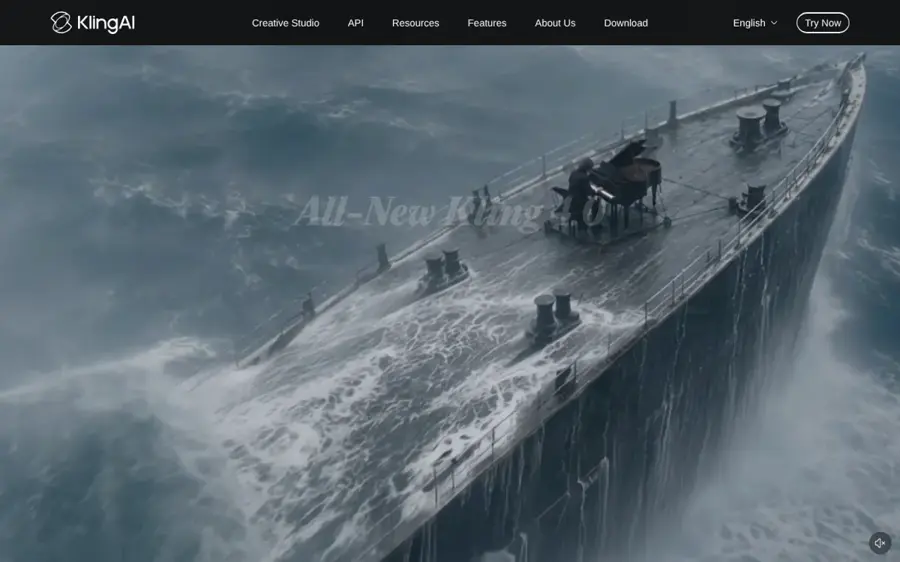
Kling AI is Kuaishou's video and image generator, now promoting its Kling 4.0 model with native audio. Free users get a small daily credit pool to try text-to-video.
Why it stands out
Kling's homepage pitches Kling 4.0 for "Stable Dynamic Motions and an immersive audio-visual experience". An independent pricing breakdown by eesel AI says the free plan gives 66 daily credits that expire after 24 hours, and that a 5-second 720p clip without audio costs 30 credits. That works out to about two short test clips a day. CrePal adds that free output is watermarked and not licensed for commercial use.
Ratings split sharply. The Kling iPhone app holds about 4.7 out of 5 from more than 32,000 ratings, while its unclaimed Trustpilot profile scores 1.2 from 431 reviews, with complaints about distorted results and cancelling subscriptions. One reviewer wrote: "Videos came out very unrealistic."
Key features
- Kling 4.0 video model with native audio.
- Text-to-video and image-to-video from one workspace.
- Native 4K image generation with Kling Image 3.0.
- iPhone app alongside the web studio.
Pros
- Strong reputation for smooth, realistic motion.
- Free credits refresh daily.
- Low $10 entry plan.
Cons
- Free credits cover only about two short clips a day.
- Free clips are watermarked and not for commercial use.
- Many Trustpilot complaints about billing and cancellation.
Kling AI pricing: Free (66 credits a day) → paid plans from $10/month, or $6.60/month billed yearly, per eesel AI (checked October 2026). See pricing
Related: How to use Kling AI
Verdict: the best free pick for realism, as long as you treat it as a testing ground.
Dreamina – best for daily experimenting
Dreamina is ByteDance's image and video studio from the CapCut family, built around its own Seedance video and Seedream image models.

Why it stands out
Dreamina's own guide says its published August 2026 baseline was 120 daily credits, and that it supports text-to-video, image-to-video and reference-led workflows. It is also honest about the limits: there is "No fixed videos-per-day promise", and free access is not the full model catalogue. Export conditions such as watermark-free downloads are not guaranteed on free generations.
User ratings are weak. The Dreamina iPhone app sits at about 3.1 out of 5 from 44 ratings, and its Trustpilot profile scores 1.5 from 36 reviews, mostly about billing. One reviewer noted: "The model often does not follow prompts".
Key features
- Daily free credits (120 a day as of August 2026, per Dreamina).
- Seedance video models plus selected external models.
- Images and video in one workspace, so you can build a still first.
- Reference-led workflows where the selected model allows them.
Pros
- One of the larger recurring free allowances.
- Good for building a scene over several days.
- Clear about its own free-plan limits.
Cons
- Credit cost changes with length, resolution and audio.
- Paid prices vary by region and channel.
- Poor Trustpilot score, with renewal complaints.
Dreamina pricing: Free (daily credits) → paid plans vary by region and between web and mobile (checked October 2026). See pricing
Related: Seedance AI tutorial How to use the CapCut AI video maker
Verdict: great for daily practice, but read the renewal terms before you pay.
HeyGen – best for talking presenters
HeyGen turns a written script into a video read by an AI avatar, with voices in dozens of languages. It also offers its own text-to-video model on paid plans.
Why it stands out
If your "text" is a script rather than a scene description, HeyGen is the most polished free option. The free plan includes 3 videos a month, watermarked, up to 1 minute each, access to Avatar IV and Video Agent, one custom video avatar, 500+ ready-made presenters and 30+ languages. The $29 Creator plan adds 1080p export, removes branding and includes HeyGen Video 1 for text, image and reference to video.
It also has the best user sentiment on this list: 4.2 on Trustpilot from 5,000 reviews. One reviewer wrote: "Extremely easy to create an avatar!"
Key features
- Script to avatar video with 500+ presenters.
- Video Agent that builds a video from a prompt.
- One custom avatar even on the free plan.
- 30+ languages free, 175+ on paid plans.
- Seedance 2.5 and Veo 3.1 on the Pro plan.
Pros
- Strongest user ratings of any pick.
- Polished presenter videos from plain text.
- Free custom avatar.
Cons
- Only 3 videos a month free, capped at 1 minute.
- Free videos are watermarked.
- Paid plans start higher than most picks.
HeyGen pricing: Free (3 videos a month) → paid plans from $29/month (checked October 2026). See pricing
Related: HeyGen AI review How to use HeyGen
Verdict: the best choice when you need a person on screen reading your words.
Vidnoz – best for free explainer and training videos
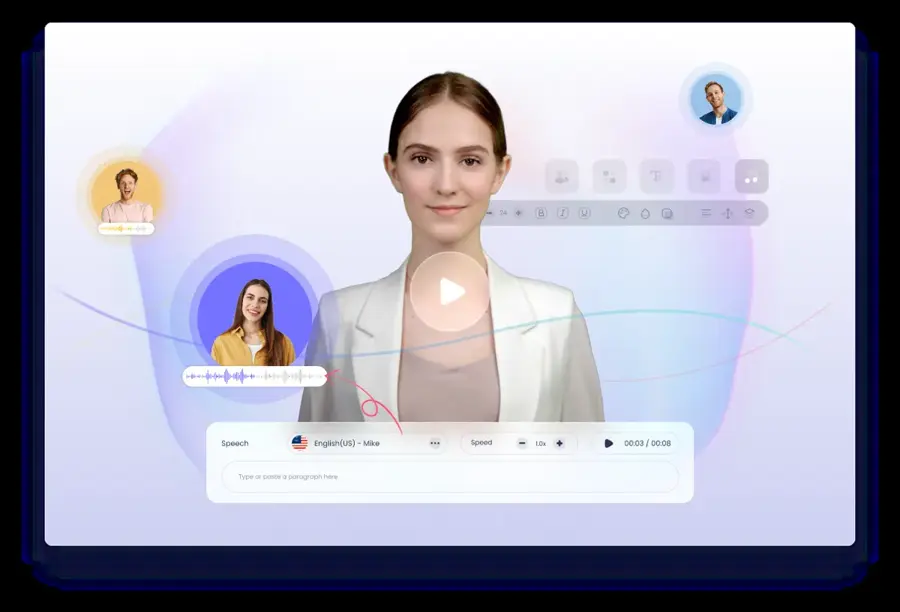
Vidnoz is an avatar video maker that turns pasted scripts, prompts or uploaded .txt files into narrated videos using templates, AI voices and stock media.
Why it stands out
Vidnoz has the most usable free plan for script-to-video. Its pricing page lists 30 credits a day (equal to 60 seconds), videos up to 3 minutes, 720p export, 1,600+ avatars and 3,400+ templates, plus text-to-video and prompt-to-video in its AI Video Wizard. Its generator page describes a three-step flow: choose a template and avatar, enter your script, then click Generate.
Users are less happy. Vidnoz scores 2.1 on Trustpilot from 82 reviews, and Trustpilot notes the company hasn't invited reviews recently. One frustrated reviewer called it "FALSE MARKETING" after failing to generate a free video, while another described the free version as allowing "production of 3 minutes of video every 24 hours".
Key features
- 30 free credits a day, about 60 seconds of video.
- Text-to-video and prompt-to-video in AI Video Wizard.
- 1,600+ avatars and 890 voices on the free plan.
- PPT and PDF import to turn slides into videos.
- AI script generator, 20 uses a day free.
Pros
- Daily free credits for avatar videos.
- Huge template library for training and sales.
- Easy for complete beginners.
Cons
- 720p cap and watermark on free exports.
- Low Trustpilot score.
- Not built for cinematic, prompt-only scenes.
Vidnoz pricing: Free (30 credits a day) → paid plans from $19.99/month billed yearly, or $26.99 monthly (checked October 2026). See pricing
Related: How to add AI voice in video
Verdict: the cheapest way to make a narrated explainer from a script every day.
Canva – best for social posts and templates
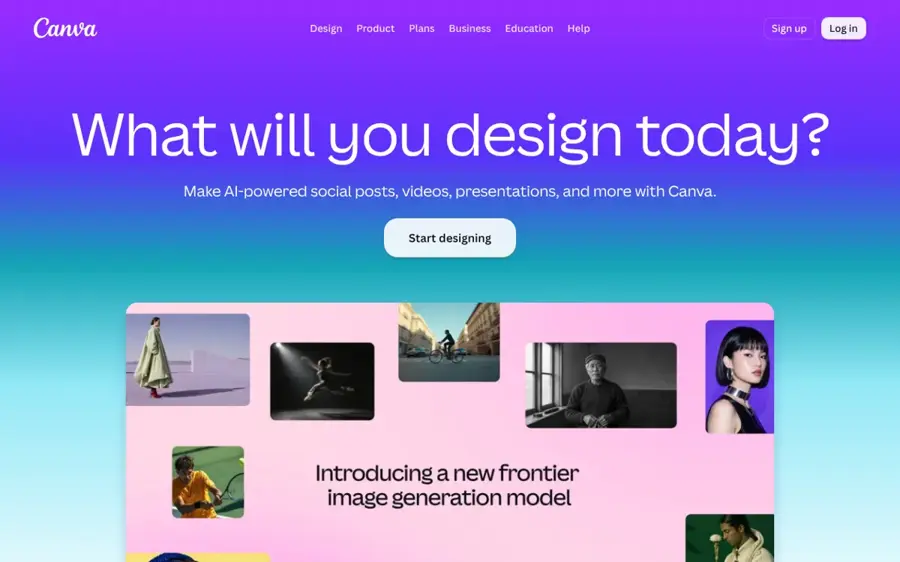
Canva is the online design suite. Its AI video features let you generate short clips from text and drop them straight into social templates.
Why it stands out
Canva is not the strongest generator, but it is the fastest route from a prompt to a finished post. The free plan includes limited access to Standard and Premium AI. According to a breakdown by Morphed (last verified April 2026), free users get 5 lifetime Magic Media video clips, which are 4-second silent clips, while the Veo-powered Canva AI Video feature that makes 8-second clips with audio needs Pro or above.
Users rate the platform well overall: 4.0 on Trustpilot from about 8,000 reviews. One reviewer said they "just wish there were less premium required things".
Key features
- Magic Media video on the free plan, with a small lifetime limit.
- Canva AI Video with Veo on Pro and above.
- 1.6M+ free templates to place clips into.
- Built-in editor for text, music and resizing.
Pros
- Easiest way to turn a clip into a branded post.
- Generous free design tools around the AI.
- Strong user ratings.
Cons
- Very small free AI video allowance.
- Best video model is paid only.
- Short clips, not full scenes.
Canva pricing: Free → Pro from US$144/year for one person (checked October 2026). See pricing
Related: Best AI video generators How to make AI videos for YouTube
Verdict: choose Canva if the video is one part of a bigger design job.
Hailuo AI – best for testing MiniMax models
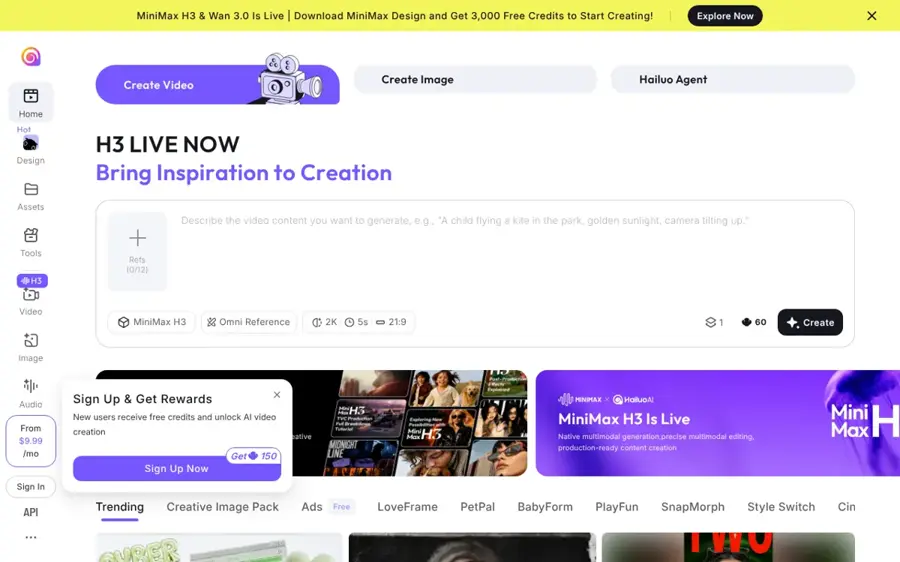
Hailuo AI is MiniMax's video and image platform, built around its Hailuo and MiniMax H3 video models, with access to Veo 3.1 and Sora 2 on paid plans.
Why it stands out
Hailuo makes the list for model quality and cheap paid entry, not for its free plan. The free tier offers one-time free trial credits on Hailuo models only, with no monthly refill. The Standard plan costs $14.99 a month, or $8.40 a month billed yearly, for 1,000 credits, which Hailuo says covers about 143 seconds of MiniMax H3 video at 768p.
Sentiment is poor. Hailuo's unclaimed Trustpilot profile scores 1.4 from 94 reviews, with complaints about failed renders and unexpected charges. One reviewer wrote that "IT HAS GOTTEN WORSE AND WORSE" with rendering.
Key features
- MiniMax H3 and H3 Max video models.
- Veo 3.1 and Sora 2 access on paid plans.
- Per-second pricing shown on each plan.
- Image models included, such as Nano Banana and Seedream on Pro.
Pros
- Clear per-second cost on every plan.
- Several leading models in one place.
- Low yearly entry price.
Cons
- Free credits are a one-time trial.
- Many billing complaints on Trustpilot.
- Yearly billing needed for the lowest price.
Hailuo AI pricing: Free trial credits → paid plans from $8.40/month billed yearly, or $14.99 monthly (checked October 2026). See pricing
Related: Hailuo AI prompt guide Best image to video AI tools
Verdict: try the trial, then pay only if its look beats Flow and Kling for your project.
How to choose the right AI video generator from text tools
Decide what your text is
A one-line scene description and a 400-word script need different tools. Choose Flow, Kling or Dreamina if you are describing a shot. Choose HeyGen or Vidnoz if you have a script someone should read aloud. Choose Canva if the clip is going into a post or ad template.
Count clips, not credits
Credits mean different things on each platform. On Kling, eesel AI calculates that 66 free credits buy about two 5-second 720p clips. Most first attempts miss, so budget three to five tries per usable clip. A daily refill matters more than a big headline number.
Check the export rules
Free plans usually add a watermark, cap resolution or block commercial use. If the video is for a client or a monetised channel, check the licence before you start, not after you've made 20 clips.
Write better prompts
Describe the subject, action, setting, camera and lighting in one or two sentences. Here is an example to adapt, not a tested output:
A barista pours latte art in a small sunlit café, slow push-in from eye level, warm morning light, shallow depth of field, calm and cosy mood.
Our AI video prompt guide goes deeper on structure and camera language.
Read the billing terms
Billing complaints dominate the low Trustpilot scores for Kling, Dreamina and Hailuo. Note the renewal price and how to cancel before you enter card details, and turn off auto-renew if you only want one month.
Free vs paid: what you actually get
Free plans are for learning and testing. Paid plans are for publishing. Here is how the gap looks in practice:
| Tool | Free plan | Cheapest paid plan adds |
|---|---|---|
| Google Flow | 50 credits a day, peak-hour limits on video | 200 extra credits a month with AI Plus |
| Kling AI | 66 credits a day, watermarked | 660 credits a month (per eesel AI) |
| HeyGen | 3 watermarked videos a month, 1 minute each | 600 credits, 1080p, no branding |
| Vidnoz | 30 credits a day, 720p | 450 credits a month plus 30 free a day |
| Hailuo AI | One-time trial credits | 1,000 credits a month |
Some "free" options are not really free any more. Pika's pricing page lists its free plan at 0 credits a month, with packs only, and invideo AI's pricing page starts at a paid Starter plan. Google also put Gemini Omni Flash into the YouTube Shorts and YouTube Create apps for free at its May 2026 launch, which is worth a look if you only make Shorts.
The sensible path: use free plans until you find the tool whose output you like, then pay for one month and see if you use it. Paying for two generators at once is rarely worth it.
Final verdict
Most people should start with Google Flow. It has the largest refreshing free allowance from a top lab and the cheapest upgrade. Add Kling AI if you need more realistic motion, and keep Dreamina as a daily sandbox.
- Choose Google Flow if you want the best free quality and don't mind off-peak generating.
- Choose Kling AI if realism matters more than quantity.
- Choose HeyGen if you need a presenter reading your script and can live with 3 free videos a month.
- Choose Vidnoz if you make training or explainer videos every day on a zero budget.
- Choose Canva if the clip is just one part of a social post.
FAQ
What is the best free AI video generator from text?
For most people it is Google Flow, because every account gets 50 free credits a day without a subscription. For presenter-led videos from a script, HeyGen and Vidnoz are better fits.
Can I make AI videos from text with no watermark for free?
Rarely. Kling, HeyGen and Vidnoz all watermark free exports, and Dreamina doesn't guarantee watermark-free downloads on free generations. Pika lists no watermark on its free plan, but that plan comes with zero monthly credits. Expect to pay for clean exports.
Is Grok Imagine still free?
Not reliably. BudgetPixel reports that Grok Imagine is no longer free in the way it used to be, so check the app before you plan around it. Our Grok Imagine guide covers how it works.
How long can free AI videos be?
Prompt-to-clip tools usually make clips of a few seconds each, which you stitch together in an editor. Script-to-video tools go longer: Vidnoz allows up to 3 minutes per free video and HeyGen up to 1 minute.
Can I use free AI videos commercially?
Often not. CrePal reports that Kling's free-tier content is for personal use only, and many free plans carry similar limits. Read each tool's terms before using free clips for clients, ads or monetised channels.
Next steps
Ready to make your first clip? Start with our step-by-step guide on how to generate video with AI, then pick a platform guide: how to use Kling AI, how to use HeyGen or how to make free AI videos.
Sources
- Manage your Google Flow credits (Google Flow Help)
- Google AI plans with Cloud Storage (Google One)
- Google AI Plus Just Got A Welcomed Upgrade (And A Major Price Drop) (SlashGear)
- Google launches Gemini Omni video generation tool, here's how to try it (MobileSyrup)
- Google Flow (Apple App Store)
- Kling AI: Next-Gen AI Video & Image Generator (Kling AI)
- Kling AI pricing (2026): A complete guide to all plans, credits, and real costs (eesel AI)
- Is Kling AI Free? Full Pricing & Credits Breakdown 2026 (CrePal)
- Kling AI: AI Image&Video Maker (Apple App Store)
- Klingai Reviews (Trustpilot)
- Dreamina Free AI Video Generator: Credits and Paid Plans (Dreamina)
- Dreamina AI: Image&Video Maker (Apple App Store)
- Dreamina Capcut Reviews (Trustpilot)
- Pricing Plans for Creators and Marketers (HeyGen)
- HeyGen Reviews (Trustpilot)
- Vidnoz AI Pricing (Vidnoz)
- Free AI Video Generator to Make Sublime Videos (Vidnoz)
- Vidnoz Reviews (Trustpilot)
- Canva Pricing: Compare Free, Pro, Business and Enterprise plans (Canva)
- Canva AI Video Maker Review 2026 (Morphed)
- Canva Reviews (Trustpilot)
- Hailuo AI Subscription Plans for Video and Image Tools (Hailuo AI)
- Hailuoai Reviews (Trustpilot)
- Pika Pricing: Free, Starter, Creator & Fancy Plans (Pika)
- Pricing (invideo AI)
- Grok Imagine is Dead for Free Users (BudgetPixel Blog)
- How To Start Making AI Videos in 2026 (Beginner Guide) (YouTube, Dan Kieft)
- Create with Flow | How to use Google’s AI Creative Studio (YouTube, Google)