8 best AI caricature generators in 2026, compared side by side
We compared eight AI caricature generators, from ChatGPT and Gemini to Fotor and Caricaturer, on likeness, free tiers, price and privacy.
 Written byFahad HashmiContributing writer, AI in energy and industry
Why you can trust The AI Future
Our writers research every product, link each claim to its source and correct mistakes openly. Companies can't pay for coverage or see reviews before they're published.
Read our editorial policy
Here is the short version. The best AI caricature generator for most people in 2026 is ChatGPT, because it can take one clear selfie and a plain-English prompt and return a caricature that still looks like you. If you want a free option, Google Gemini's Nano Banana model does the same job at no cost, and Fotor is the easiest one-click caricature maker if you do not want to write prompts at all.
Think of an AI caricature generator as an image editor with a strong opinion: it keeps the features that make your face recognisable and deliberately exaggerates them, usually a bigger head, larger eyes and a sharper chin. Interest jumped in early 2026 when a ChatGPT prompt went viral: “Create a caricature of me and my job based on everything you know about me,” as quoted by Bitdefender. We compared eight tools that can do this job, from general chatbots to dedicated caricature sites, using official product pages, app-store listings, third-party ratings and published coverage, as of late October 2026.
Key takeaways
- Chatbots now beat most dedicated apps. ChatGPT and Gemini handle likeness and editing well, and both have free tiers.
- Dedicated tools win on speed. Fotor, Media.io and Caricaturer turn a photo into a caricature in one click, with no prompt to write.
- Free is enough for a few images. Pay only if you need volume, higher resolution or no watermarks.
- Your photo is the real privacy risk. Crop out backgrounds, documents and other people, and only caricature people who have agreed to it.
How we ranked them
To be clear about method: nobody at The AI Future ran hands-on tests for this roundup, and the article contains no original screenshots. We compared each tool on its documentation, pricing pages, app-store listings, Trustpilot and App Store ratings, and independent reporting, all checked in late October 2026. We scored each one on six criteria:
- Likeness: how well it keeps a face recognisable while exaggerating it, based on documented features.
- Control: whether you can steer style, pose and text.
- Ease of use: how many steps it takes to go from a selfie to a finished image.
- Free tier: what you get without paying, and whether outputs are watermarked.
- Price: the cheapest paid plan.
- Privacy and safety: stated data retention, and whether the tool fits consent-based use.
Prices are in US dollars and vary by country and platform.
Our top picks at a glance
| # | Tool | Category | Best for | Free tier | Starts at |
|---|---|---|---|---|---|
| 1 | ChatGPT | AI chatbot | Best overall likeness and edits | Yes (limited) | $8/mo |
| 2 | Google Gemini | AI chatbot | Best free caricatures | Yes | $20/mo |
| 3 | Fotor | Photo editor | One-click styles and group photos | Yes (limited) | $8.99/mo |
| 4 | YouCam AI Pro | Mobile app | Phone-first, likeness slider | Yes (limited) | $4.99/mo |
| 5 | Media.io | Online toolkit | “Me and my job” caricatures | Yes (limited) | $7.99/mo |
| 6 | Caricaturer | Dedicated generator | Free, no sign-up | Yes | Free |
| 7 | Leonardo AI | Image generator | Custom styles and batches | Yes (limited) | $10/mo |
| 8 | Canva | Design suite | Turning caricatures into cards | Yes (limited) | $144/yr |
Notes: ChatGPT's $8 Go price is approximate, and Google also sells a cheaper AI Plus plan in many countries. Fotor's price is the iOS monthly plan, Media.io's is the Standard plan billed annually, and Leonardo's is the Apprentice plan billed annually ($12 month to month).
The 8 best AI caricature generators in 2026, ranked
ChatGPT – best for overall likeness and edits
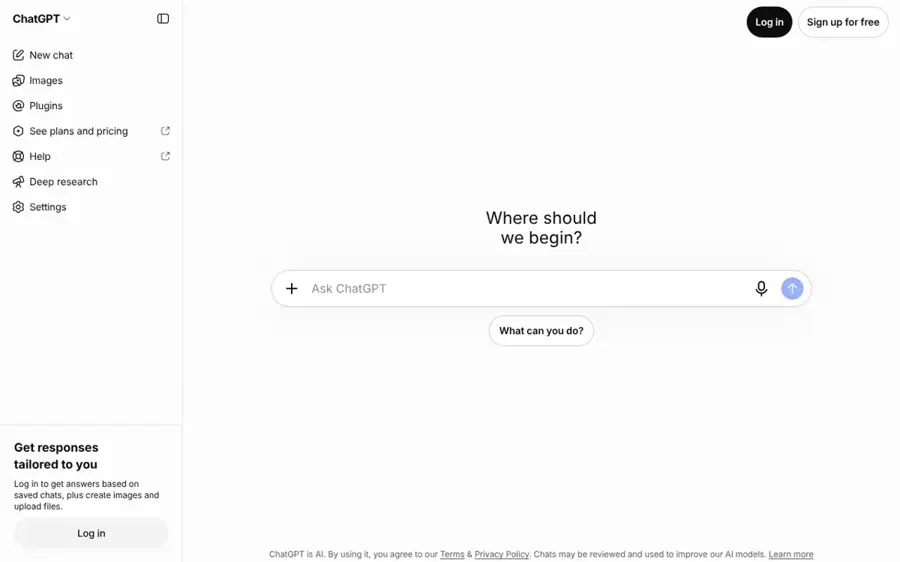
ChatGPT's built-in image tool can turn an uploaded selfie into a caricature from a plain-language prompt, then refine it over several turns. Try it at chatgpt.com.
Why it stands out
ChatGPT is where the 2026 caricature trend started. OpenAI's help page for ChatGPT Images says ChatGPT Images 2.5 brings “sharper details, more precise editing, and faster image generation,” and that the tool is available on all tiers, on the web, iOS and Android. You can upload a photo, describe the change, then keep asking for edits without starting over. That is why it ranks first.
The memory feature cuts both ways. It is why the “based on everything you know about me” prompt produced such personal results, and it is also why a privacy specialist quoted by CP24 called the trend “a consent grab.” On the App Store, the ChatGPT app holds a 4.8 rating from about 11.8 million ratings.
Key features
- Photo upload and editing: upload a selfie and describe the caricature you want.
- Multi-turn refinement: fix proportions, outfits or props one request at a time.
- Text in images: add captions, name tags or speech bubbles.
- Images with thinking: available on Plus, Pro and Business, per OpenAI.
Pros
- Strong likeness when you give it a clear, front-facing photo
- Edits are conversational, so you rarely need to restart
- Free tier includes image generation
Cons
- Free image generation is limited and can be slow at busy times
- Memory can pull in personal details you did not intend to share
- No caricature-specific presets; results depend on your prompt
ChatGPT pricing: Free → paid plans from about $8/month for Go, with Plus at $20/month (checked October 2026). See pricing
Related: ChatGPT with GPT-6 review Best AI like ChatGPT
Google Gemini – best for free caricatures
Gemini's image tool, which Google calls Nano Banana, edits uploaded photos and applies styles from a reference image, and the basic version is free. Try it at gemini.google.com.
Why it stands out
Google's Nano Banana page says image generation is “available for free,” with paid Google AI plans unlocking Nano Banana 2.1, which Google calls its most advanced image model. Two features matter for caricatures. You can upload your own photo to edit, and you can take “the texture, color, or style from any reference photo” and apply it to your subject.
It is also the engine behind other tools on this list: Fotor's caricature page says it is powered by Google Gemini Nano Banana. The Google Gemini app is rated 4.7 on the App Store from about 2.4 million ratings.
Key features
- Free image editing: upload a photo and describe the caricature.
- Style transfer: apply the look of a reference image to your face.
- Clear text: Google says it can place words in images in many languages.
- Resize without cropping: reformat one image for different social sizes.
Pros
- The most capable free option we found
- Style-reference feature suits caricature work
- Same model that powers several dedicated tools
Cons
- Best model is reserved for paid Google AI plans
- No one-click caricature preset; you write the prompt
- Usage limits on the free tier are not spelled out per image
Google Gemini pricing: Free → paid plans from $20/month for Google AI Pro, per Engadget, with a cheaper AI Plus plan in many countries (checked October 2026). See pricing
Fotor – best for one-click styles and group photos
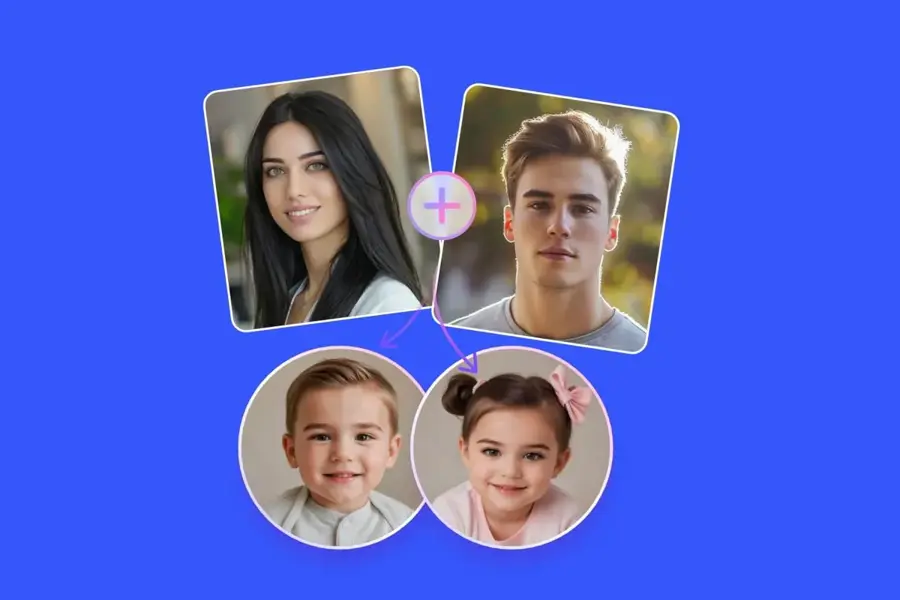
Fotor is an online and mobile photo editor with a dedicated caricature maker that needs only a photo and one click. Try it at fotor.com.
Why it stands out
Fotor's caricature maker page says you do not need to write a prompt: “All it takes is a photo and one click.” It covers the cases chatbots make awkward. It can caricature a couple, family or team photo. It can turn one selfie into a 3×3 grid of nine poses and outfits. It also offers named styles such as marker pen and coloured pencil.
Ratings are mixed. The Fotor iOS app is rated 4.7 from about 42,000 ratings, but Fotor scores 3.5 on Trustpilot from about 1,600 reviews. Several App Store reviews complain about cancelling subscriptions; one reads: “Click out before you’re clicked on for life @$8.99/month FOREVER!” Set a reminder to cancel any trial you start.
Key features
- One-click conversion: no prompt required.
- Group caricatures: couples, families and teams in one image.
- 3×3 grid: nine variations from a single selfie.
- Art styles: marker pen, coloured pencil and more.
Pros
- Fastest route from photo to finished caricature
- Handles group photos and pets
- Full editor for adding text and backgrounds
Cons
- Subscription cancellation complaints in user reviews
- Less fine control than a chatbot prompt
- Web credit pricing is hard to compare at a glance
Fotor pricing: Free → paid plans from $8.99/month on iOS, or $47.99/year (checked October 2026). See pricing
Related: Best AI picture tools
YouCam AI Pro – best for phone-first likeness control
YouCam AI Pro is Perfect Corp's mobile AI image app, with an image-to-image mode that uses your photo as the structure for a caricature. Get it on the App Store.
Why it stands out
The useful detail is the image weight control. In Perfect Corp's own caricature guide, the company suggests setting the Image Weight slider “to around 50–60%” to balance likeness and exaggeration. That is a direct dial for the likeness-versus-exaggeration trade-off. The guide is vendor marketing, so weigh its claims accordingly.
The App Store listing rates it 4.3 from about 1,000 ratings, a smaller base than the other apps here. The listing says you can collect a free “painting card” daily to try it before paying.
Key features
- Image to Image: your selfie guides the pose and face.
- Image weight slider: sets how closely the output follows your photo.
- Multiple variations: several results per generation.
- Daily free credit: a free painting card each day.
Pros
- Explicit likeness control most tools hide
- Cheap annual plan
- Built for phones
Cons
- Smaller ratings base than rivals
- Several overlapping subscription tiers in the app
- Mobile only for the full feature set
YouCam AI Pro pricing: Free → paid plans from $4.99/month or $24.99/year, per the App Store description (checked October 2026). See pricing
Media.io – best for “me and my job” caricatures
Media.io is Wondershare's browser-based media toolkit, with a free photo-to-caricature tool and a job-themed caricature preset. Try it at media.io.
Why it stands out
Media.io built a preset for the viral trend: its caricature maker page offers a “Me & My Job Caricature” option that turns you into a caricature based on your profession, without needing a chatbot's memory.
Two practical points. Its pricing page says uploaded files and generated content are “automatically deleted from our servers within 7 days,” which is a clearer retention policy than most. And Wondershare Media.io scores just 2.0 on Trustpilot from about 260 reviews, so read the trial terms before you subscribe.
Key features
- Me & My Job preset: profession-themed caricatures.
- Photo or prompt: upload a picture or describe one.
- Mobile browser support: no app install needed.
- 7-day deletion: uploads and outputs removed within a week.
Pros
- Job-themed preset matches the 2026 trend
- Clear data-retention statement
- Free tier with daily check-in credits
Cons
- Low Trustpilot score
- Free trial auto-renews into an annual plan
- Credits are shared with video and audio tools
Media.io pricing: Free → paid plans from $7.99/month billed annually ($95.88/year) (checked October 2026). See pricing
Related: Best funny AI tools
Caricaturer – best for free use without signing up
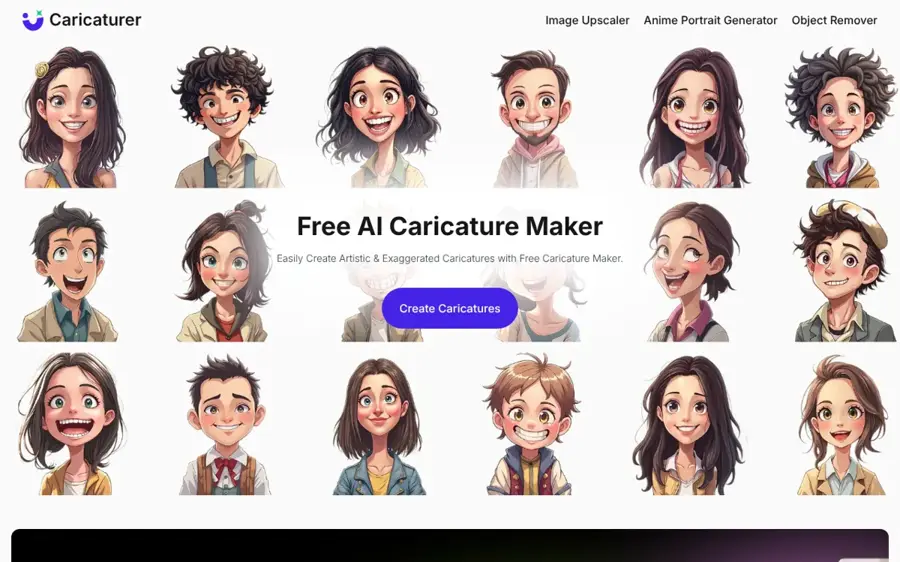
Caricaturer is a single-purpose web tool that turns a face photo into an exaggerated caricature, with text prompts for style. Try it at caricaturer.io.
Why it stands out
Caricaturer's homepage makes the strongest free claims on this list: “no registration or subscriptions,” high-resolution, watermark-free downloads, and permission to use results commercially. You drop in a JPEG, PNG or WebP photo, add a prompt such as playful or minimal, and download the result.
We could not find a Trustpilot profile or an app-store rating for Caricaturer, and the site does not explain which model it uses. Treat it as a quick, free option and avoid uploading photos you would not want stored by an unknown provider.
Key features
- No account needed: upload and generate straight away.
- Watermark-free downloads: per the site's own claims.
- Prompt styling: playful, exaggerated, minimal or artistic.
- Common formats: JPEG, PNG and WebP uploads.
Pros
- Genuinely free with no sign-up, per the site
- Simple single-purpose interface
- No watermark claimed
Cons
- No third-party ratings we could find
- Little detail on models or data handling
- Fewer editing tools than Fotor or Canva
Caricaturer pricing: Free; no paid plan listed (checked October 2026). See pricing
Leonardo AI – best for custom styles and batches
Leonardo AI is a general image generator with fine-tuned models and style controls, useful if you want a consistent caricature style across many images. Try it at leonardo.ai.
Why it stands out
Leonardo is not a caricature app, and that is the point. For a team page or a run of invitations you want the same style every time, which its fine-tuned models handle. The free tier gives 150 fast tokens daily, enough to experiment, but free generations are public, so do not upload anyone's photo there without thinking it through.
Users rate it well: Leonardo.Ai scores 4.7 on Trustpilot from about 1,560 reviews, and the iOS app is rated 4.8 from about 11,000 ratings.
Key features
- Fine-tuned models: pick or train a style and reuse it.
- Daily free tokens: 150 fast tokens per day.
- Private generations: on paid plans only.
- Relaxed mode: unlimited slower generations on Artisan.
Pros
- Best for a consistent style across many caricatures
- Strong user ratings
- Generous daily free allowance
Cons
- Free generations are public
- Token maths takes time to learn
- Not built specifically for caricatures
Leonardo AI pricing: Free → paid plans from $10/month billed yearly, or $12 month to month (checked October 2026). See pricing
Related: Leonardo AI review Best AI image generators
Canva – best for turning caricatures into cards
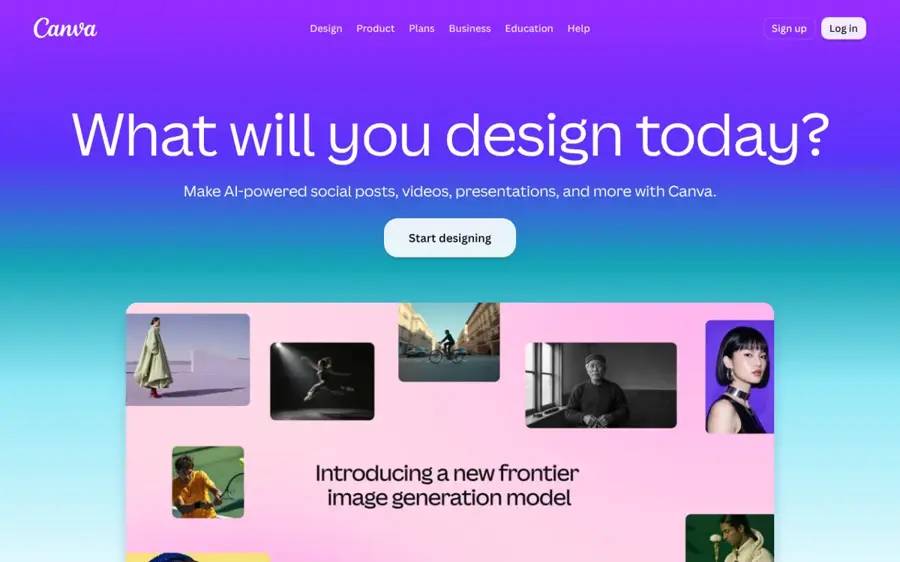
Canva is a drag-and-drop design suite whose app marketplace includes a CaricatureMaker app, so you can create a caricature and drop it straight into a card, poster or invite. Try it at canva.com.
Why it stands out
Canva is the finishing step. The CaricatureMaker app in Canva's marketplace, made by a third-party developer, creates caricatures from text descriptions and uploads them into your design. You can also import a caricature made elsewhere and drop it into a card template.
Canva holds 4.0 on Trustpilot from about 8,000 reviews and 4.9 on the App Store from about 3.6 million ratings. Note that the caricature app is a third-party add-on with its own terms and privacy policy, not a Canva feature.
Key features
- CaricatureMaker app: text-to-caricature inside Canva.
- Templates: cards, posters and invitations.
- Free plan: includes limited AI usage.
- Pro AI allowance: 10 times more AI than Free, per Canva.
Pros
- Best place to turn a caricature into something printable
- Huge template library
- Very high app-store rating
Cons
- Caricature app is third-party, text-only
- Pro is billed per year on the pricing page
- Overkill if you only want the image
Canva pricing: Free → paid plans from US$144/year for Pro (checked October 2026). See pricing
How to choose the right AI caricature generator
Use this decision table first, then the tips below.
| If you want... | Pick |
|---|---|
| The best likeness and the ability to fix details | ChatGPT |
| Strong results for nothing | Google Gemini |
| No prompts, one click, group photos | Fotor |
| A phone app with a likeness slider | YouCam AI Pro |
| One free image, no account | Caricaturer |
| The same style across 20 team portraits | Leonardo AI |
| A printed card or invite | Canva |
Decide whether you want to write prompts
Chatbots give you the most control, but only through words. If that sounds like work, pick a one-click tool such as Fotor or Media.io.
Start with a good source photo
Every tool here works better with a clear, front-facing, evenly lit photo of one face. Perfect Corp's guide gives the same advice: use “a clear, front-facing selfie.” Side angles, sunglasses and group shots are where likeness breaks first.
Check what happens to your upload
Look for a stated retention period (Media.io says 7 days), whether free outputs are public (Leonardo's are), and whether chat memory is on (ChatGPT). If a site says nothing, assume it keeps the file.
Match the plan to the job
A profile picture needs a free tier. A team page or client gifts justify a paid plan with private, watermark-free output.
Where it breaks
AI caricature tools fail in predictable ways. Knowing them saves credits.
- Likeness drift. The more you exaggerate, the more the model replaces your features with generic cartoon ones. Push too far and it stops looking like you. YouCam's weight slider and ChatGPT's follow-up edits are the two best fixes.
- Group photos. With three or more faces, tools often swap features between people or flatten everyone into the same face. Fotor advertises group caricatures, but simpler is safer: one face per image.
- Hands, text and props. Expect odd hands and misspelled signs in job-themed scenes.
- Bias in exaggeration. “Exaggerate my features” can lean on stereotypes about age, weight or ethnicity. Be specific about what to exaggerate rather than leaving it open.
- Personal data leaks. Bitdefender points out that the risk is not the caricature itself but what is in the original photo: location clues, children, workplace badges and metadata.
Privacy and consent: caricature only people who agree
A caricature is still an edited image of a real, identifiable person. Use these tools on your own photos, or on photos of friends, family or colleagues who have said yes. Do not caricature strangers, and never build an image meant to mislead people about what someone said or did.
Some lines are legal, not just ethical. Making or sharing intimate or sexual images of real people without their consent is harmful and illegal in many places. In the US, the TAKE IT DOWN Act criminalizes the publication of non-consensual intimate imagery, including AI-generated images, and since May 2026 the FTC has enforced its requirement that platforms remove such content within 48 hours of a valid request. None of the tools on this list are for that, and we do not cover or link apps that undress people or make sexual images.
In practice: crop to the face, remove revealing backgrounds, use a temporary chat in ChatGPT if you want less personal context, and ask before posting a caricature of someone else.
If you are unsure whether an image you have seen of someone is real, our guide on how to tell if a photo is AI generated walks through the signs.
Free vs paid: what you actually get
Most people need a handful of caricatures, and free tiers cover that.
| Tool | Free tier | What paying adds |
|---|---|---|
| ChatGPT | Limited image generation | Higher limits, faster output, images with thinking |
| Google Gemini | Nano Banana image editing | Nano Banana 2.1 and Redo with Pro |
| Fotor | Limited free credits | More credits and generations, cloud storage |
| Media.io | 3 daily check-in credits, 720p | 200+ monthly credits, watermark-free export |
| Leonardo AI | 150 fast tokens daily, public | Private generations, more tokens |
| Caricaturer | Free, no account | No paid plan listed |
A worked example: you need caricatures for a 12-person team page this month and nothing after. Fotor's iOS monthly plan is $8.99, so one month and a cancellation costs under $9. The $47.99 annual plan only wins if you use it in six or more months, since six monthly payments total $53.94. The same logic applies to YouCam AI Pro: $4.99 a month versus $24.99 a year, so the annual plan wins once you need it for more than five months. Cancel trials you do not plan to keep.
Selling caricature-style art? Read where you can sell AI art, and never sell images of real people without permission. For broader image work, see our best AI image generators.
Final verdict
For most people, ChatGPT is the best AI caricature generator: it keeps your likeness, takes edits in plain English and works on the free plan. If you do not want to pay anything, Google Gemini gets you very close, and it is the same model behind several dedicated tools. If you want no prompts at all, Fotor is the quickest one-click option, as long as you watch the subscription terms. Whatever you use, only caricature people who have agreed to it.
FAQ
What is the best AI caricature generator?
For most people it is ChatGPT, because it combines strong likeness with conversational editing, so you can fix details without starting over. Google Gemini is the best free alternative, using its Nano Banana image model. If you prefer one click and no prompts, Fotor's caricature maker is the simplest dedicated tool.
Is there a free AI caricature generator?
Yes. Google Gemini's basic image tool is free, ChatGPT includes limited free image generation, and Caricaturer says it needs no registration or subscription and gives watermark-free downloads. Fotor, Media.io, YouCam AI Pro and Leonardo AI offer limited free credits.
How do I make a caricature of myself with AI?
Pick a clear, front-facing, well-lit selfie and crop it to your face. Upload it to a tool such as ChatGPT or Gemini and describe the style, for example “a hand-drawn caricature with a big head and exaggerated smile, keep my facial identity.” Then ask for adjustments until the likeness is right.
Is the ChatGPT caricature trend safe?
It is mostly a privacy question. Security firm Bitdefender notes that the main risk is the data in your original photo, such as location clues, children or workplace details. Crop your photo, use a temporary chat if you want less personal context, and review your data settings.
Can I make a caricature of someone else?
Only with their consent. A caricature is an edited image of a real person, so ask first, especially before posting it. Never create intimate, sexual or deceptive images of real people. In the US, publishing non-consensual intimate imagery, including AI-generated images, is a crime under the TAKE IT DOWN Act.
Sources
- ChatGPT caricature trend privacy risks: What users must know (Bitdefender)
- AI caricature: Social media trend carries risks, expert says (CP24)
- ChatGPT Caricature Trend: How to Create a Caricature of Me & My Job (Perfect Corp.)
- Images in ChatGPT (OpenAI Help Center)
- ChatGPT Pricing 2026: Free vs Go vs Plus vs Pro (CometAPI)
- ChatGPT on the App Store (Apple)
- Nano Banana 2 - Gemini AI image generator & photo editor (Google)
- Google AI Pro & Ultra plans (Google)
- The Google AI Ultra plan now starts at $100 a month (Engadget)
- Google Gemini on the App Store (Apple)
- Caricature Maker: AI Caricature Generator from Photo (Fotor)
- Fotor AI Photo Editor & Video on the App Store (Apple)
- Fotor Reviews (Trustpilot)
- YouCam AI Pro: AI Photo & Video on the App Store (Apple)
- Photo to Caricature Maker Online (Media.io)
- Plans & Pricing (Media.io)
- Wondershare Media.io Reviews (Trustpilot)
- Caricaturer: Create Unique Caricature Avatars Online (Caricaturer)
- Leonardo AI Pricing 2026: Every Plan Explained (Krater)
- Leonardo.Ai Reviews (Trustpilot)
- Leonardo.Ai - Image Generator on the App Store (Apple)
- CaricatureMaker - Canva Apps (Canva)
- Canva Pricing: Compare Free, Pro, Business and Enterprise plans (Canva)
- Canva Reviews (Trustpilot)
- Canva AI Photo & Video Editor on the App Store (Apple)
- Cruz, Klobuchar Mark One Year of TAKE IT DOWN Act as FTC Enforcement Begins (U.S. Senate Commerce Committee)