Best AI scientific research tools 2026: 8 picks for every budget
Elicit, Consensus, Scite and five more AI tools for academic research, compared on sources, free plans and price as of October 2026.
 Written byMuhammad Usman SiddiquiFounder and editor-in-chief
Why you can trust The AI Future
Our writers research every product, link each claim to its source and correct mistakes openly. Companies can't pay for coverage or see reviews before they're published.
Read our editorial policy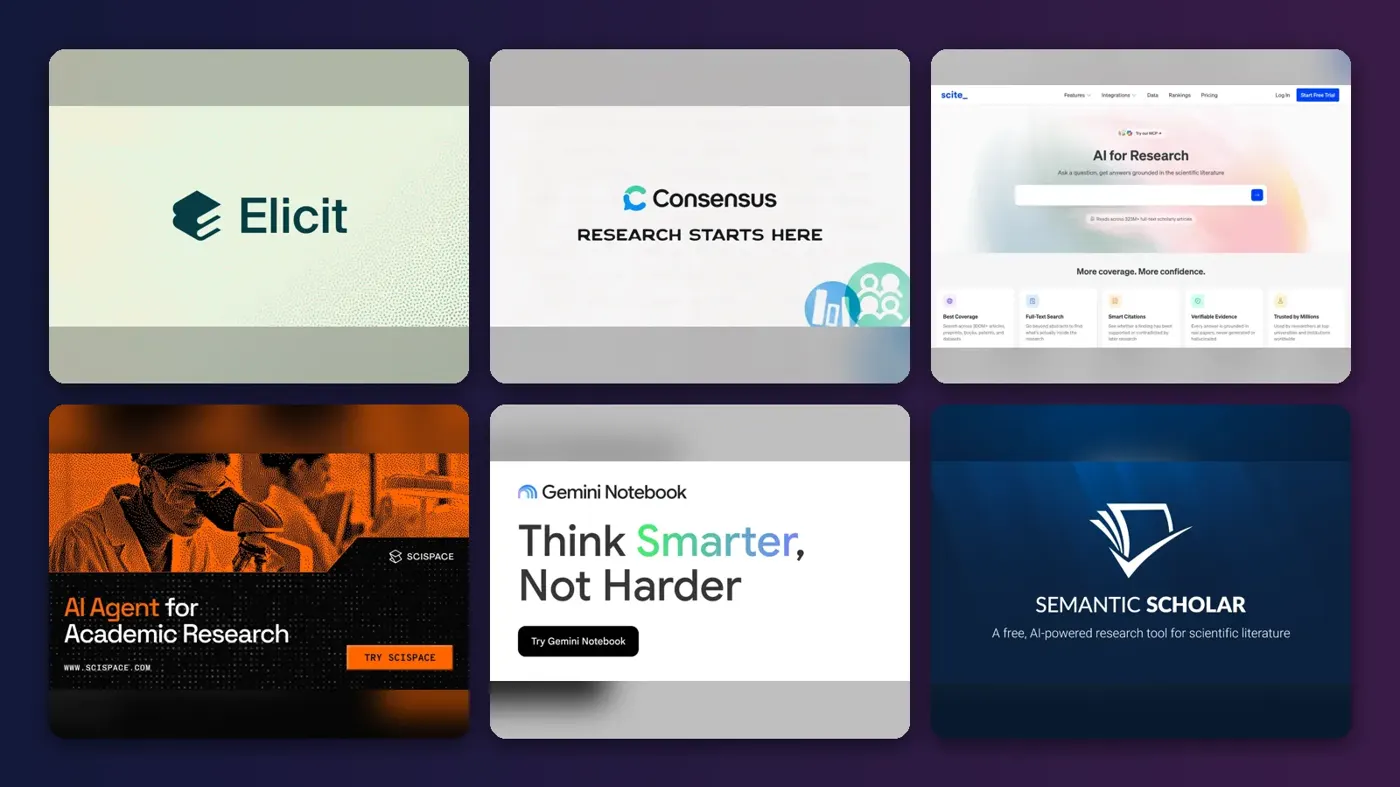
Short answer: if you only pick one of the AI scientific research tools 2026 has to offer, pick Elicit. It searches more than 138 million papers, writes cited research reports and runs full systematic reviews, and its free plan is good enough to find out whether it suits you. If you want quick, cited answers on a tight budget, use Consensus. If you need to know whether a paper's findings actually held up, add Scite.
Everything else on this list is a specialist. Gemini Notebook (the tool you knew as NotebookLM) is best for working inside your own PDFs. Semantic Scholar and ResearchRabbit are the strongest free options for discovery. Paperpal is the pick for scientific writing.
Key takeaways
- Elicit is the best all-round choice for literature reviews and evidence synthesis, with a free tier and Pro from $49 per user per month billed annually.
- You can do serious research for free. Semantic Scholar is free, ResearchRabbit has a free-forever tier, and Elicit, Consensus and Gemini Notebook all have free plans.
- The cheapest useful paid plans cost about $10 to $12 a month. That covers ResearchRabbit's RR+, Consensus Pro (annual) and Scite Basic (annual).
- No tool removes the need to read the papers. Every AI tool here can misread a study, so check the claims that matter against the full text.
How we ranked them
Nobody at The AI Future ran hands-on tests for this roundup, and we did not take our own screenshots. We compared each tool using official product and pricing pages, independent pricing trackers, and public user reviews on Trustpilot and Capterra, as of late October 2026. We scored each tool on six criteria:
- Source quality: how big the paper database is and whether it reaches licensed full text, not just abstracts.
- Traceability: whether every claim links back to a specific paper or sentence you can check.
- Depth of workflow: how far it takes you, from a quick answer to screening and data extraction for a systematic review.
- Writing support: help with drafting, citing and checking a manuscript.
- Free tier: how much real work you can do without paying.
- Price for one researcher: whether the cheapest paid plan makes sense for a student or postdoc paying their own way.
Tools that cover more of the research process rank higher. Prices are in US dollars and can change, so check the vendor's page before you buy.
The 8 best AI scientific research tools at a glance
| # | Tool | Category | Best for | Free tier | Starts at |
|---|---|---|---|---|---|
| 1 | Elicit | Research assistant | Literature reviews and systematic reviews | Yes | $49/mo |
| 2 | Consensus | AI academic search | Fast, cited answers to research questions | Yes | $12/mo |
| 3 | Scite | Citation analysis | Checking whether findings hold up | No | $12/mo |
| 4 | SciSpace | All-in-one research platform | Reading and analysing papers | No | $12/mo |
| 5 | Gemini Notebook | Source-grounded notebook | Working with your own PDFs and notes | Yes | $4.99/mo |
| 6 | Semantic Scholar | Academic search engine | Free paper discovery | Yes | Free |
| 7 | ResearchRabbit | Citation mapping | Finding connected papers | Yes | $10/mo |
| 8 | Paperpal | Academic writing assistant | Scientific writing and submission checks | Yes (limited) | $25/mo |
Notes: Elicit, Consensus, Scite and SciSpace prices assume annual billing. Paperpal's price is Capterra's listed starting price.
The best AI tools for academic research in 2026, ranked
Elicit – best for literature reviews and systematic reviews
Elicit is an AI research assistant that searches academic papers and clinical trials, writes cited research reports and automates screening and data extraction for systematic reviews.
Why it stands out
Elicit is built around the slow parts of evidence work. Its homepage says it searches over 138 million academic papers and 545,000 clinical trials, and its systematic review workflow can screen up to 5,000 papers on the Pro plan, according to the official pricing page. Its blog shows PRISMA 2020 support added in May 2026, an API and MCP server in July, and Routines in September, which keep research current as new evidence appears.
Public reviews are thin. On Capterra, the one verified reviewer, a graduate student, wrote that "It is super easy to use, and in no time you have a complete summay, reasonable and easy to understand." The price is the real catch: the Pro plan is expensive next to Consensus or Scite.
Key features
- Research Agent: gathers evidence and produces cited reports, tables and slides.
- Semantic search: finds relevant papers without exact keywords.
- Systematic review workflow: screening and data extraction, with PRISMA 2020 support.
- Chat with papers: unlimited on the free plan for papers with full-text access.
Pros
- Covers the whole review process, from search to extraction
- Generous free plan for search, summaries and paper chat
Cons
- Pro is $49 a month even when billed annually
- Few independent user reviews to go on
- Usage on Research Agent and Reports is capped on every plan
Elicit pricing: Free → paid plans from $49/user/month billed annually; Scale costs $229/user/month (checked October 2026). See pricing
Related: Best AI search engines and tools
Verdict: the strongest single tool here if your work depends on reviewing evidence properly.
Consensus – best for fast, cited answers to research questions
Consensus is an AI academic search engine that answers research questions from peer-reviewed papers and shows how much the evidence agrees.
Why it stands out
Consensus is the quickest route from a question to a cited answer. Its homepage says it draws on 250M+ research papers, including licensed full text from publishers. At $144 a year for Pro, it is one of the best-value paid plans here.
Be aware of the limits, though. Consensus has only a handful of reviews on Trustpilot, where it scores 2.4, and one reviewer complained: "They have a 30 search limit a month that’s get used almost immediately." Check the limits before you commit to a year.
Key features
- Consensus Meter: shows how far studies agree on a yes-or-no question.
- Deep Search: automated literature review with expanded terms and citation-graph exploration.
- Medical mode: limits results to clinical guidelines and leading medical journals.
- Natural-language filters: set timeframes, populations and study designs in your prompt.
Pros
- Fast, readable answers with citations
- Cheap Pro plan when billed annually
- Strong medical and clinical filtering
Cons
- Free plan is limited to 10 Pro messages and 3 Deep reviews a month
- Few and mostly negative Trustpilot reviews
- Summaries can flatten nuance in mixed evidence
Consensus pricing: Free → paid plans from $12/month ($144 billed annually); Deep costs $540 a year (checked October 2026). See pricing
Related: Best AI search engines and tools
Verdict: the best budget pick for quick, evidence-backed answers.
Scite – best for checking whether findings hold up
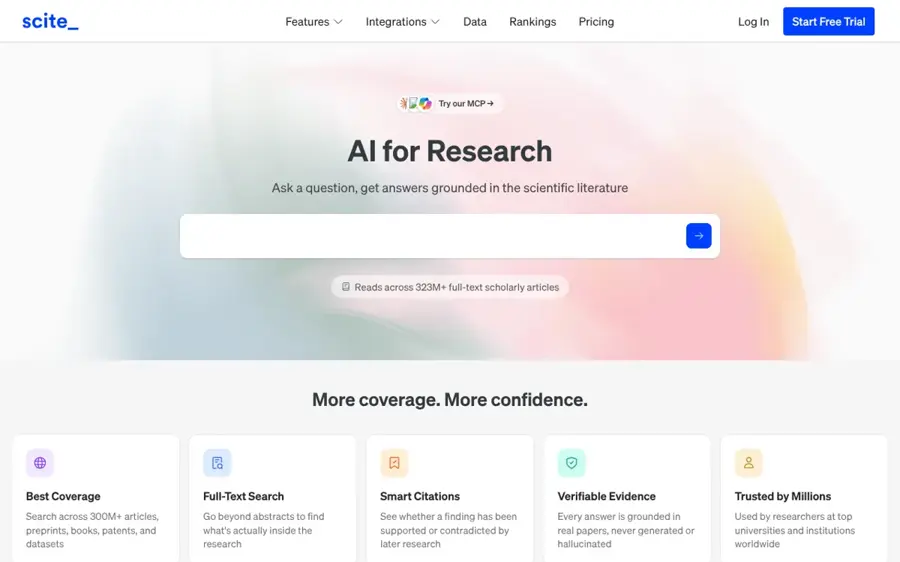
Scite is an AI research tool built on Smart Citations, which show whether later papers supported, contrasted or simply mentioned a study.
Why it stands out
Most research AI tools tell you what a paper says. Scite tells you what everyone else said about it afterwards. Its homepage says it reads across 323M+ full-text scholarly articles, backed by agreements with Wiley, SAGE and more than 42 other publishers, and that every AI claim links to the specific sentence it came from.
Users rate it well. Scite scores 4.3 from 277 reviews on Trustpilot, where one reviewer wrote: "The sources are reliable, and the platform is so easy to use for my scientific research, especially for literature review."
Key features
- Smart Citations: supporting, contrasting and mentioning citations for any paper.
- AI Assistant: answers grounded in the literature, with sentence-level links.
- Citation alerts and dashboards: track how papers are cited over time.
- MCP and API: 250 MCP credits a month on Basic, API access on Pro.
Pros
- Unique view of how a finding was received
- Works inside the AI assistants you already use
Cons
- No free plan, only a 7-day trial that rolls into a subscription
- Less useful for writing or drafting
- Uploading your own papers takes effort
Scite pricing: No free plan (7-day trial) → paid plans from $12/month billed yearly; Pro costs $40/month (checked October 2026). See pricing
Related: Best AI search engines and tools
Verdict: the tool to add when getting a citation wrong would cost you.
SciSpace – best for reading and analysing papers
SciSpace is an all-in-one AI platform for scientific research, covering paper search, chat with PDF, literature review, data extraction and writing tools.

Why it stands out
SciSpace tries to do everything in one place. Its site lists agents, chat with PDF, literature review, an AI writer and data extraction, and says it is trusted by 11 million+ researchers.
User opinion is mostly positive but mixed on billing. SciSpace scores 4.4 from 408 reviews on Trustpilot and 4.3 from 80 on Capterra, where one research scholar praised its "AI-powered research assistance, which streamlines tasks such as literature review, citation management, and content generation." A professor on the same page complained about "Opaque credit consumpion". Note that SciSpace also sells an AI humanizer, which many universities would not want you using on submitted work.
Key features
- Chat with PDF: ask questions about any paper you upload.
- Literature review: searches papers and organises results.
- SciSpace Agent: runs multi-step research tasks, with a biomedical version.
- Extract data: pulls figures and findings from papers into tables.
Pros
- Wide set of tools under one subscription
- Strong for understanding difficult papers
- Well-rated customer support on Trustpilot
Cons
- Credit use can be hard to predict, per Capterra reviewers
- CostBench lists no free plan as of October 2026
- Higher tiers get expensive fast
SciSpace pricing: No free plan, per CostBench → Premium from $12/month billed annually or $20 monthly; Advanced $70/month and Max $160/month annually (checked October 2026). See pricing
Related: Best AI reader tools Best AI writers compared
Verdict: a good one-subscription toolkit if you read more than you search.
Gemini Notebook – best for working with your own PDFs and notes
Gemini Notebook, formerly NotebookLM, is Google's research notebook that answers questions, builds reports and creates audio and video overviews grounded only in the sources you upload.
Why it stands out
Google renamed NotebookLM to Gemini Notebook in July 2026 and said more than 30 million people use it. The same announcement added a secure cloud computer to each notebook, so it can write and run code to analyse data in your sources, starting with Google AI Ultra and rolling out to Pro users. The core value is simple: load your papers and notes, and get answers that stay inside those documents.
Grounding is not perfect. Gemini Notebook has 12 reviews on Trustpilot with a 2.4 score, and one recent reviewer said "the material in my PDF can be twisted by this AI". Treat its summaries as a starting point, not a citation.
Key features
- Source-grounded chat: answers come from the documents you add.
- Audio and video overviews: turn papers into listenable summaries.
- Mind maps and reports: connect themes across many sources.
- Source limits by plan: 50 per notebook free, up to 300 on AI Pro and 600 on AI Ultra.
Pros
- Free plan is genuinely useful
- Stays close to your own material
- Syncs with the Gemini app
Cons
- Not a paper database: you bring the sources
- Some users report misread content
- Paid limits are tied to Google AI plans
Gemini Notebook pricing: Free → higher limits with Google AI Plus, listed at $4.99/month in the US as of October 16, 2026, or Google AI Pro at $19.99/month (checked October 2026). See pricing
Related: Best AI tools for studying
Verdict: the best free way to interrogate a stack of papers you already have.
Semantic Scholar – best for free paper discovery
Semantic Scholar is a free, AI-powered academic search engine from Ai2, the non-profit research institute, with TLDR summaries, citation analysis and personalised paper feeds.
Why it stands out
It is free, it is run by a non-profit, and it covers all of science. The product page says you can search over 214 million papers, with one-sentence TLDR summaries available for nearly 60 million papers in computer science, biology and medicine.
We could not find a meaningful third-party rating: its Capterra listing has no user reviews yet. It also does not write reports or answer questions the way Elicit and Consensus do.
Key features
- TLDRs: super-short AI summaries on search results.
- Highly Influential Citations: surface the citations that matter most.
- Research Feeds: AI recommendations based on your saved papers.
- Library and citation export: BibTeX, MLA, APA and Chicago formats.
Pros
- Completely free
- Run by a non-profit focused on open access
- Good for staying current in a field
Cons
- No AI answers or report writing
- TLDRs cover only some fields
Semantic Scholar pricing: Free; no paid plans (checked October 2026). See details
Related: Best free AI tools for students Best AI search engines and tools
Verdict: bookmark it even if you pay for something else.
ResearchRabbit – best for finding connected papers
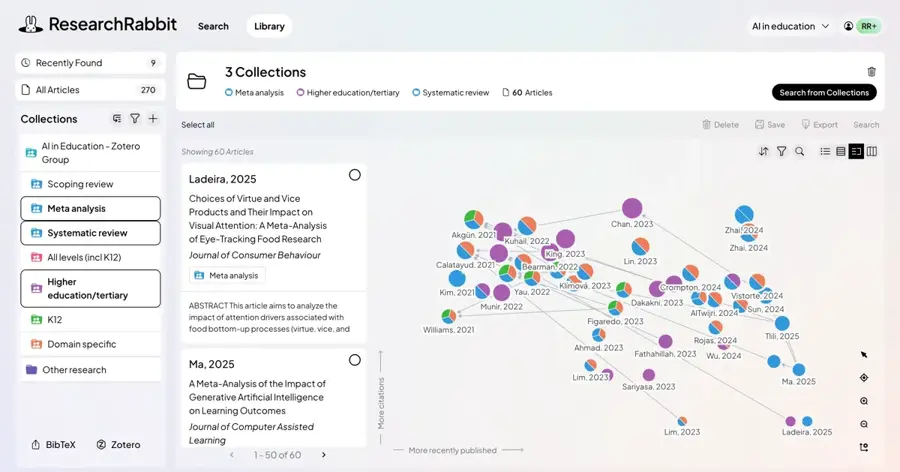
ResearchRabbit is a citation-mapping tool that starts from papers you already like and shows how the literature around them connects.
Why it stands out
Keyword search misses papers that use different language. ResearchRabbit works from "seed" papers instead and maps related work, authors and topics, learning from each search. Its pricing page says the free-forever tier includes unlimited searches across 310+ million articles, unlimited collections, sharing and up to 50 seed articles. RR+ raises the limit to 300 seeds.
We could not find a third-party user rating for ResearchRabbit on Trustpilot or Capterra, so weigh it on its features and free tier.
Key features
- Seed-based discovery: find related work from papers you choose.
- Visual connections: see how papers and authors link together.
- Collections and sharing: unlimited on the free tier.
- Signals alerts: research integrity alerts on RR+.
Pros
- Very capable free-forever tier
- Finds papers keyword search misses
- Country-based discounts on RR+
Cons
- No AI summaries or answers like Elicit or Consensus
- Few public user ratings to check
ResearchRabbit pricing: Free → RR+ from $10/month in the US, UK and Canada, discounted in 100+ countries (checked October 2026). See pricing
Related: Best free AI tools for students
Verdict: the best free companion to any search-first tool on this list.
Paperpal – best for scientific writing and submission checks
Paperpal is an AI academic writing assistant that helps you draft, edit, cite and check a manuscript before journal submission.
Why it stands out
If your question is which AI is best for scientific writing, Paperpal is the specialist. Its homepage says you can get cited findings from 300M+ research articles, cite in 10,000+ styles, and run plagiarism, AI detection, reference and grammar checks in one suite, including a check for AI-hallucinated references. Capterra notes it works on the web, in Microsoft Word, Google Docs and Overleaf, and as a Chrome extension.
Users are positive. Paperpal scores 4.8 from 551 reviews on Trustpilot, where one October 2026 reviewer said "it helped me for the suggestive writings for study reports and for my publications". Note that AI detection scores are never conclusive (see is AI detection accurate?).
Key features
- Academic editing: grammar, tone and phrasing trained on scholarly writing.
- Grounded drafting: suggestions based on your sources and guidelines.
- Reference check: catches broken links and hallucinated references.
- Submission readiness: checks structure, citations, figures and disclosures.
- Works in Word, Google Docs and Overleaf: no copy-pasting.
Pros
- Built for academic, not marketing, writing
- Strong user ratings
Cons
- Not a discovery or literature review tool first
- Official prices are hard to find without signing in
- AI detection results should not be treated as proof
Paperpal pricing: Free version → paid plans from $25/user/month, per Capterra (checked October 2026). See pricing
Related: Best grammar AI tools Best AI writers compared
Verdict: the pick for getting a manuscript ready to submit.
How to choose the right AI scientific research tools
Start with the job, not the brand
Match the tool to the stage you are at. Choose Elicit if you are running a systematic or scoping review. Choose Consensus if you need a fast, cited answer to a specific question. Choose Scite if you are checking claims before you cite them. Choose Paperpal if the research is done and you are writing it up.
Test traceability before you trust it
Pick a topic you know well and see whether the tool's claims match the papers it cites. The best tools link each claim to a paper or even a sentence. General chatbots can still invent references, so never paste an AI citation into a manuscript without opening it.
Read your institution's and journal's AI rules
Universities and publishers set their own policies on AI use in research and writing, and they differ. Check them before you use AI drafting or rewriting tools on anything you will submit, and disclose AI use where required.
Free vs paid: what you actually get
Free plans now cover a lot. Here is what changes when you pay, based on each vendor's pricing page or trackers in October 2026:
| Tool | Free plan gives you | Paying adds |
|---|---|---|
| Elicit | Unlimited search, summaries and paper chat; limited Research Agent and Reports | More agent and report usage, 5,000-paper systematic review screening, API access |
| Consensus | Paper search, 10 Pro messages and 3 Deep reviews a month | Unlimited Pro messages, 15 Deep reviews a month, API and MCP access |
| Scite | 7-day trial only | Full assistant and search, Smart Citation reports, alerts |
| Gemini Notebook | Standard limits, up to 50 sources per notebook | 2x to 20x higher limits and up to 600 sources per notebook |
| Semantic Scholar | Everything | No paid plan |
| ResearchRabbit | Unlimited search and collections, 50 seed articles | 300 seed articles, advanced controls, Signals alerts |
The budget rule: students can get through most coursework on free tiers. Pay when you hit a real limit, such as a thesis literature review, and pay for one tool, not four.
Final verdict
Most researchers should start with Elicit. It covers the most of the research process, from search through systematic review, and its free plan lets you judge it properly before paying $49 a month. If that price is too steep, Consensus Pro at $144 a year is the best-value upgrade for cited answers. Add Scite when citation accuracy is critical, and Paperpal when you are writing for a journal.
For a zero-budget setup, combine Semantic Scholar, ResearchRabbit and Gemini Notebook. For a longer list that includes more specialist tools, see our AI for science research roundup.
FAQ
Which AI is best for science research?
Elicit is the best all-round AI for science research in 2026. It searches over 138 million papers, writes cited reports and supports systematic reviews, with a free plan to start. Consensus is the best budget choice for quick, cited answers, and Scite is best for checking whether findings were supported or contradicted later.
Are there good free AI tools for academic research?
Yes. Semantic Scholar is completely free, ResearchRabbit has a free-forever tier with unlimited searches, and Elicit, Consensus and Gemini Notebook all offer free plans. Together they cover paper discovery, citation mapping, quick answers and working with your own PDFs. Pay only when you hit a real usage limit.
Can I use ChatGPT or Claude for scientific research?
General assistants such as ChatGPT and Claude help with brainstorming, explaining methods and editing, but they can produce citations that do not exist. Use a research-specific tool for sources and verify every reference. Our Perplexity vs ChatGPT comparison covers cited search in more detail.
Which AI is best for scientific writing?
Paperpal is the strongest specialist for scientific writing on this list. It edits for academic tone, cites in 10,000+ styles, works in Word, Google Docs and Overleaf, and checks references and submission readiness before you send a manuscript to a journal. Always check your journal's rules on AI-assisted writing first.
Sources
- Pricing | Elicit: The AI Research Assistant (Elicit)
- Elicit: AI for research & decision-making (Elicit)
- Blog | Elicit (Elicit)
- Elicit Reviews (Capterra)
- Consensus: AI for Research (Consensus)
- Pricing (Consensus)
- Consensus (research) Pricing 2026 (CostBench)
- Consensus Reviews (Trustpilot)
- AI for Research | Scite (Scite)
- Scite Pricing (Scite)
- Scite Reviews (Trustpilot)
- SciSpace | AI for Research (SciSpace)
- SciSpace Premium pricing (SciSpace)
- SciSpace Pricing 2026 (CostBench)
- Scispace Reviews (Trustpilot)
- Scispace Reviews 2026 (Capterra)
- NotebookLM is now Gemini Notebook (Google)
- Gemini Notebook | AI Research Tool & Thinking Partner (Google)
- Gemini Notebook Plans (Google)
- Notebooklm Reviews (Trustpilot)
- Google AI Plus to Be Severely Downgraded After November 13 (ProPakistani)
- Semantic Scholar (Semantic Scholar)
- Semantic Scholar | Product (Semantic Scholar)
- Semantic Scholar | About Us (Semantic Scholar)
- Semantic Scholar Reviews (Capterra)
- ResearchRabbit: AI Tool for Smarter, Faster Literature Reviews (ResearchRabbit)
- Pricing | ResearchRabbit (ResearchRabbit)
- AI Academic Writing Tool | Paperpal (Paperpal)
- Paperpal Pricing & Plans (Paperpal)
- Paperpal Software Pricing, Alternatives & More 2026 (Capterra)
- Paperpal Reviews (Trustpilot)