Best AI tool for HR teams in 2026: 8 picks, ranked
The best AI tools for HR in 2026, from Rippling and BambooHR to Lattice, Greenhouse and ChatGPT, with prices, ratings and where each one breaks.
 Written byFahad HashmiContributing writer, AI in energy and industry
Why you can trust The AI Future
Our writers research every product, link each claim to its source and correct mistakes openly. Companies can't pay for coverage or see reviews before they're published.
Read our editorial policy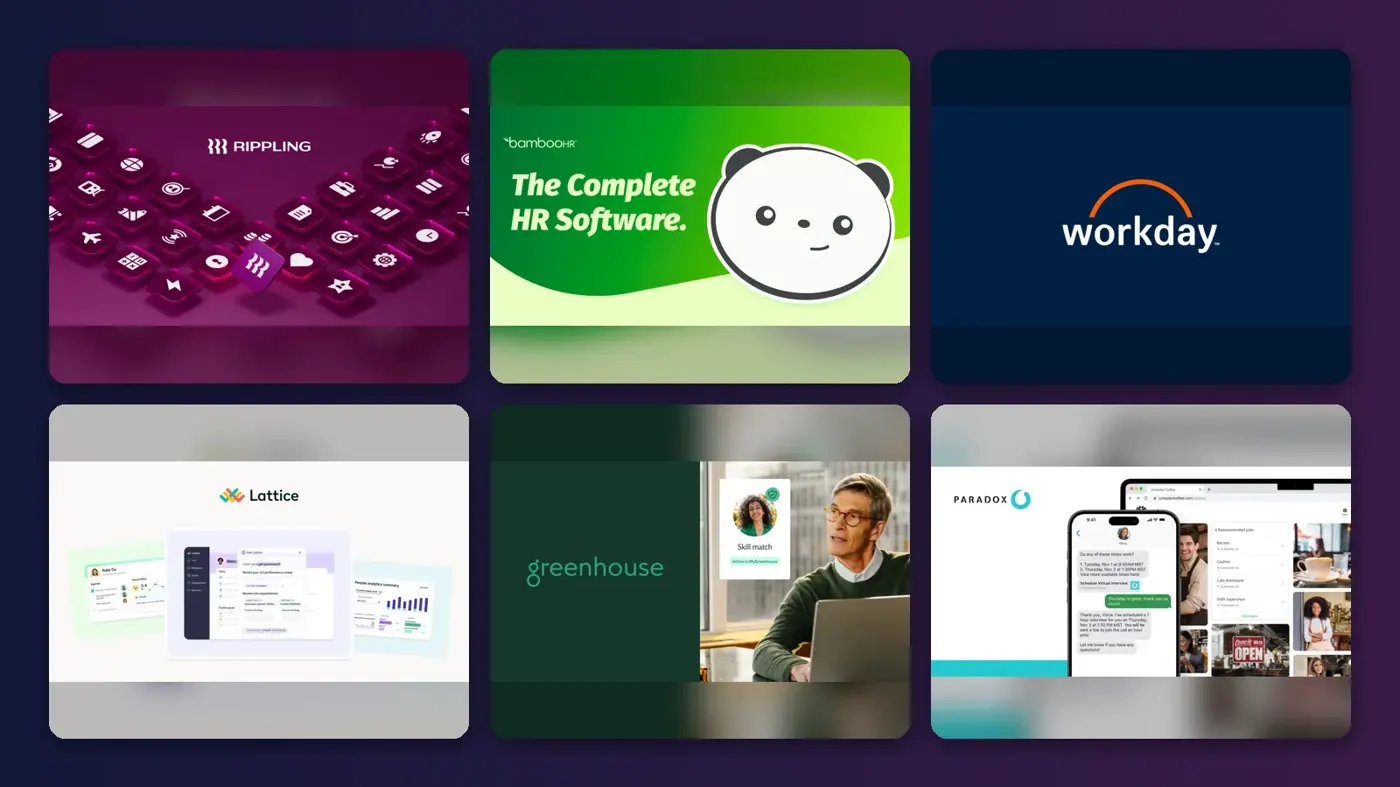
Here is the short version. For most HR teams, the best AI tool is the one built into the HR system that already holds your people data: Rippling if you want HR, payroll and IT in one place, BambooHR if you are a small or midsize team, and Workday if you are a large enterprise. Add a general assistant like ChatGPT for drafting and a notetaker like Otter.ai for interviews, and you cover most of the daily workload.
Think of an HR AI assistant as only as good as the data it can see. A chatbot that cannot read your org chart or leave policies will guess; one that sits on your HRIS answers from real records. Below are eight AI tools for human resources worth a look in 2026, with costs and limits.
Key takeaways
- Start with your system of record. If you already pay for Rippling, BambooHR or Workday, switch on their AI features before buying anything standalone.
- Specialist tools win in one job. Lattice for performance reviews, Greenhouse for structured hiring and Paradox for high-volume scheduling all beat a general suite in their niche.
- Free AI tools for HR exist, with limits. ChatGPT and Otter.ai have free plans. Almost every HR platform does not.
- Hiring AI carries legal duties. New York City already requires bias audits for some screening tools, and Colorado and EU rules for hiring AI follow in 2027.
How we ranked them
Nobody at The AI Future ran hands-on tests for this roundup, and we have no original screenshots of these products. We compared each tool using official product and pricing pages, verified-user ratings on Capterra and Trustpilot, and published coverage, as of late October 2026. We scored each pick on six criteria:
- HR coverage: how much of the employee lifecycle it touches, from hiring to payroll to reviews.
- Data access: whether the AI works on your live HR data or only on what you paste in.
- Controls: permissions, approvals before actions, and the ability to trace an answer back to a record.
- Compliance posture: bias auditing, data handling and published AI principles.
- Price transparency: whether you can see a price before talking to sales.
- User sentiment: ratings and review themes from verified users.
Full HR platforms rank highest because they replace the most manual work. Prices are in US dollars and can change.
The 8 best AI tools for HR at a glance
| # | Tool | Category | Best for | Free tier | Starts at |
|---|---|---|---|---|---|
| 1 | Rippling | HR, payroll and IT platform | All-in-one HR with AI on live data | No | $8/employee/mo |
| 2 | BambooHR | HRIS | Small and midsize HR teams | No | $10/employee/mo |
| 3 | Workday | Enterprise HCM | Large enterprises | No | Custom quote |
| 4 | Lattice | Performance management | Reviews, goals and engagement | No | $4/seat/mo |
| 5 | Greenhouse | Applicant tracking | Structured hiring | No | Custom quote |
| 6 | Paradox | Conversational recruiting | High-volume frontline hiring | No | Custom quote |
| 7 | ChatGPT | General assistant | Drafting policies and job posts | Yes | $5.50/mo |
| 8 | Otter.ai | Meeting notes | Interview and meeting notes | Yes | $8.33/mo |
Notes: Rippling adds a monthly base fee, Lattice has a $4,000 annual minimum, and Otter's price is the Pro plan billed annually. ChatGPT's team plan, Business, costs $20 per user a month billed annually.
The best AI tools for HR in 2026, ranked
Rippling – best for all-in-one HR with AI on live data
Rippling is an HR, payroll, IT and spend platform whose built-in assistant, Rippling AI, answers questions and runs tasks across all of your employee data. See it at rippling.com.
Why it stands out
Rippling's AI works on your live records and your existing permissions, so an employee cannot use it to see data they should not. According to Rippling's AI page, every number and name in a response links back to the source record, and the assistant asks for approval before it takes an action.
Users broadly agree on ease of use. On Capterra, Rippling scores 4.9 for ease of use across about 4,885 ratings, with one CEO writing: "I really appreciate Rippling's ease of use and intuitive interface, which ensures that there is no big learning curve to overcome." The same page summarises the main complaint as recurring bugs, slow page loads and occasional outages. On Trustpilot it holds a 4.6 score from about 2,679 reviews.
Key features
- Ask-anything assistant: natural-language questions across HR, payroll and connected apps.
- Reports on demand: builds editable charts and dashboards from a prompt.
- AI automations: triggered by schedules, data changes, events or webhooks.
- Spreadsheet to payroll: maps an uploaded bonus file, flags issues and runs it after approval, in over 185 countries.
Pros
- AI respects existing permissions
- Answers link to real records
- Very high ease-of-use ratings
- One system for HR, payroll and IT
Cons
- No public list price beyond the starting rate
- Users report bugs and slow pages
- Best value only if you adopt several modules
Rippling pricing: No free plan → plans from $8 per employee per month plus a monthly base fee (checked October 2026). Eligible US VC-backed startups can get six months free. See pricing
BambooHR – best for small and midsize HR teams
BambooHR is a widely used HRIS for growing companies, with an AI assistant called Ask BambooHR built into every plan. See it at bamboohr.com.
Why it stands out
BambooHR's AI scales with the plan. According to its pricing page, the Core plan includes an AI sidekick that answers everyday questions about PTO and holidays from your company data. Pro lets Ask BambooHR answer questions about policies, handbooks and benefits. Elite adds what BambooHR calls its most capable AI Assistant, which can analyse HR data, forecast scenarios and support decisions.
BambooHR has one of the largest review bases in HR software. On Capterra it has about 3,653 reviews and a 4.7 ease-of-use score. One support specialist wrote: "Everything is laid out clearly and the user experience feels very intuitive, even when using features for the first time." The recurring complaint is payroll; one operations manager wrote that "the payroll features are not great". Its Trustpilot score is lower, at 3.4 from about 155 reviews.
Key features
- Ask BambooHR: answers employee questions using your company data.
- AI eNPS analysis: sorts survey comments into common themes.
- Compliance Intelligence: instant legal answers and 100+ templates, powered by VirgilHR.
- Compensation tools: Mercer benchmarks and salary bands on the Elite plan.
Pros
- Published per-employee pricing
- AI included on every tier
- Strong ease-of-use reviews
- Free trial available
Cons
- Deepest AI is locked to the $25 Elite plan
- Payroll draws frequent criticism
- No free plan
BambooHR pricing: No free plan → plans from $10 per employee per month for Core, $17 for Pro and $25 for Elite (checked October 2026). See pricing
Workday – best for large enterprises
Workday is an enterprise platform for HR and finance, and its AI layer, Sana, lets large organisations build and run AI agents on their Workday data. See it at workday.com.
Why it stands out
Workday is the most complete option for big, complex organisations. According to Workday's AI page, Sana automates work across HR, finance, IT and legal, holds ISO 42001 accreditation for AI management, and is sold through usage-based "Flex credits". On the hiring side, Workday's Recruiting Agent surfaces past applicants and CRM leads; Workday claims a 43% decrease in time to hire for customers, a vendor figure rather than an independent one. In October 2025, Workday also completed its acquisition of Paradox, giving it an end-to-end AI hiring suite alongside HiredScore.
On Capterra, Workday HCM has about 1,777 reviews and a 4.3 ease-of-use score. A payroll director wrote: "Once configured, payroll runs are smooth, accurate, and consistent". The phrase "once configured" is the catch: support is the most common complaint.
Key features
- Sana: AI agents built on your Workday data and connected apps.
- Recruiting Agent: sourcing, screening and hiring-manager guidance.
- Bias auditing: Workday says recommendations are explained and regularly audited.
- Paradox and HiredScore: conversational and matching AI for recruiting.
Pros
- Covers HR and finance at enterprise scale
- Formal AI governance (ISO 42001)
- Full AI hiring suite in one vendor
Cons
- No public pricing
- Long, costly implementations
- Support complaints in reviews
Workday pricing: No free plan → custom quote only (checked October 2026). See pricing
Related: Best enterprise AI solutions compared
Lattice – best for reviews, goals and engagement
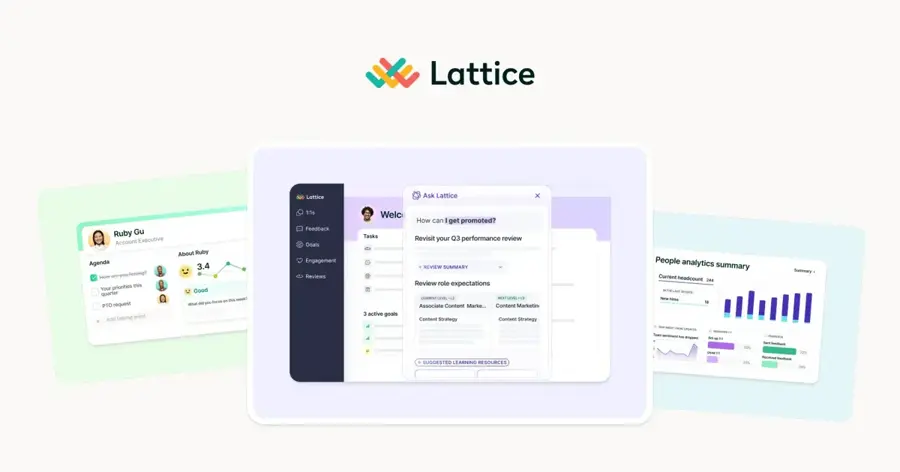
Lattice is a performance and engagement platform with an HR AI agent that drafts reviews, coaches managers and analyses people data. See it at lattice.com.
Why it stands out
Performance reviews are where AI saves HR teams the most writing. According to Lattice's AI page, its agent can pull 1:1 notes, feedback, goals and updates into an evidence-backed review draft, take meeting notes, and find patterns and risks across your people data. Lattice says it is GDPR and SOC 2 compliant and that its applications run on OpenAI models.
Ratings are mixed. On Capterra it scores 4.5 for ease of use from 207 reviews, with 92% positive sentiment. Its Trustpilot page has only three reviews (2.8), including one that says: "Too many features, not enough of them useful enough." Three reviews is an anecdote, not a verdict.
Key features
- Review drafting: builds drafts from a full cycle of feedback and goals.
- Manager coaching: personalised guidance for 1:1s and growth conversations.
- AI engagement analysis: trends and themes from pulse and eNPS surveys.
- Compensation add-on: global benchmarks, bands and cycle management.
Pros
- Transparent per-seat module pricing
- Strong review-writing AI
- Modules can be bought separately
Cons
- $4,000 minimum annual contract
- Annual billing only
- Some users find it overloaded
Lattice pricing: No free plan → modules from $4 per seat per month (Engagement), $8 (Goals) and $10 (Performance), with a $4,000 annual minimum (checked October 2026). See pricing
Greenhouse – best for structured hiring
Greenhouse is an applicant tracking system built around structured interviews, with AI for fraud detection, talent matching and interview notes. See it at greenhouse.com.

Why it stands out
Greenhouse adds AI to a hiring process that already forces consistency. According to its Capterra listing, Greenhouse offers fraud detection and candidate verification, AI talent matching, AI-generated interview notes that map directly to scorecard questions, and connections to Claude, Gemini and Copilot that keep hiring data governed. For context, see our explainer on whether AI detectors can be used in hiring.
On Capterra, Greenhouse has about 766 reviews and a 4.4 ease-of-use score. An IT director wrote that its "flexibility and extensive integrations have allowed us to optimize our recruitment process". Reporting is the weak spot; an HR coordinator said custom report limits force her "to pull multiple reports and put them together instead of just doing one report."
Key features
- AI interview notes: mapped to scorecard questions.
- Fraud and identity checks: filter spam and misrepresented candidates.
- Talent matching: sorts candidates against the job description.
- AI connectors: use Claude, Gemini or Copilot on governed hiring data.
Pros
- Structured hiring reduces bias risk
- Large integration ecosystem
- Built-in fraud detection
Cons
- No public pricing or free trial
- Reporting is limited
- Some users report bugs
Greenhouse pricing: No free plan → Core, Plus and Pro plans by quote (checked October 2026). See pricing
Paradox – best for high-volume frontline hiring
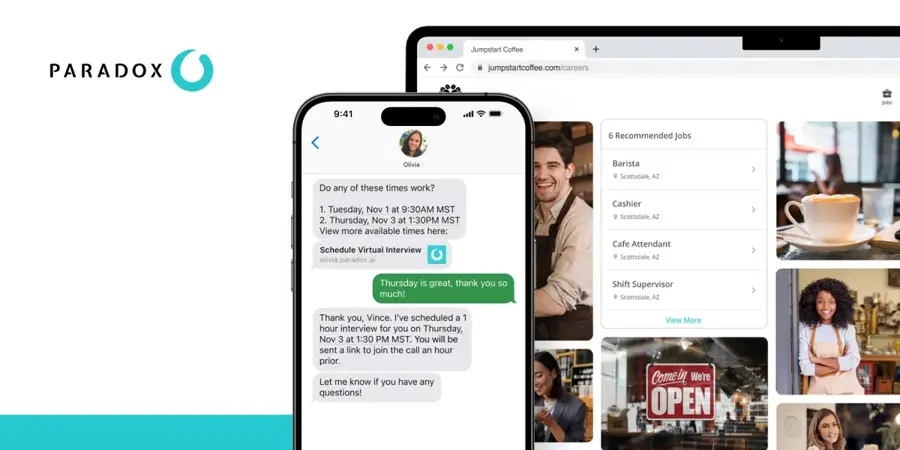
Paradox is a conversational recruiting assistant, Olivia, that screens, schedules and answers candidates by text and chat. It is now part of Workday. See it at paradox.ai.
Why it stands out
For high-volume shift hiring, scheduling is the bottleneck. According to the Paradox site, Olivia handles applications, instant interview scheduling, hiring events and candidate feedback, and hiring managers can leave notes by text. Workday's acquisition announcement describes 24/7 candidate support and self-scheduling aimed at frontline industries, and says Paradox is sold to both Workday and non-Workday customers.
Independent ratings are thin. On Capterra, Paradox has only 8 reviews, with a 3.9 ease-of-use score, and the listing shows a starting price of $1,000 per month.
Key features
- Olivia assistant: text and chat screening and Q&A, 24/7.
- Instant scheduling: candidates book interviews without recruiter back-and-forth.
- Indeed integration: full applications directly on Indeed listings.
- Hiring events: registration, reminders and screening at scale.
Pros
- Removes scheduling admin
- Built for frontline volume
- Works with or without Workday
Cons
- Few independent reviews
- Enterprise pricing
- Overkill for low-volume hiring
Paradox pricing: No free plan → custom quote; Capterra lists a $1,000/month starting price (checked October 2026). See pricing
Related: Best AI scheduling assistants
ChatGPT – best for drafting policies and job posts
ChatGPT is OpenAI's general AI assistant, useful for HR writing, summarising and analysis, with a free plan and team workspaces. Try it at chatgpt.com.
Why it stands out
Most HR writing, such as job descriptions, policy drafts and interview questions, does not need an HR-specific tool. For a team, the Business plan is the version to use. According to OpenAI's business pricing page, Business costs $20 per user per month billed annually ($25 monthly), connects to Google Workspace, Slack and Microsoft 365, supports SSO, and does not train on your business data by default. That last point matters: do not paste employee data into a personal free account.
We did not find a current third-party rating for ChatGPT that we could verify. For a closer look at the current model, read our ChatGPT GPT-6 review.
Key features
- Drafting: job posts, policies, offer letters and announcements.
- App connectors: Google Workspace, Slack, Microsoft 365 and more.
- Workspace agents: custom workflows on the Business plan.
- Admin controls: centralised billing, usage analytics and SSO.
Pros
- Free plan for light use
- Covers almost any HR writing task
- No training on business data by default
Cons
- No access to your HRIS by default
- Can state wrong facts confidently
- Free and personal plans are risky for employee data
ChatGPT pricing: Free → paid plans from $5.50/month (Go), $20 (Plus), and $20 per user per month for Business billed annually (checked October 2026, per Krater and OpenAI). See pricing
Related: ChatGPT GPT-6 review Best AI like ChatGPT Claude AI vs ChatGPT
Otter.ai – best for interview and meeting notes
Otter.ai is an AI meeting assistant that transcribes and summarises calls on Zoom, Teams and Google Meet. See it at otter.ai.
Why it stands out
Interviewers who take notes listen less. According to Castmagic's pricing breakdown, Otter's free plan gives 300 minutes a month with a 30-minute cap per conversation, which cuts a standard one-hour interview in half. Pro raises the cap to 90 minutes.
There is a serious caveat for HR. UC Today reports that Otter faces a consolidated federal class action alleging its meeting bot recorded participants without consent. Always tell candidates you are recording and get their agreement. On Trustpilot, Otter scores 4.4 from about 825 reviews; one reviewer noted, "The service is not cheap, but it does save a lot of time".
Key features
- Live transcription: for Zoom, Teams and Google Meet.
- AI summaries: action items and an AI chat over your meetings.
- Speaker identification: on every plan, including free.
- CRM integrations: Salesforce, HubSpot and Zapier on Pro.
Pros
- Usable free plan
- Cheap Pro tier when billed annually
- Frees interviewers to listen
Cons
- Pending privacy litigation
- Free plan cuts calls at 30 minutes
- Consent duties fall on you
Otter.ai pricing: Free → paid plans from $8.33/month (Pro, billed annually) or $19.99 per user for Business (checked October 2026). See pricing
Related: Otter.ai review Granola AI review
How to choose the right AI tool for HR teams
Match the tool to your bottleneck
List the HR tasks that eat the most hours each week, then use this table:
| Your main bottleneck | Look at first |
|---|---|
| Admin across HR, payroll and IT | Rippling |
| Employee questions and records, under 500 staff | BambooHR |
| Thousands of employees, HR plus finance | Workday |
| Writing performance reviews | Lattice |
| Consistent, defensible hiring decisions | Greenhouse |
| Scheduling hundreds of interviews | Paradox |
| Policies, job posts, emails | ChatGPT |
| Interview notes | Otter.ai |
Do the per-employee math
HR software is priced per employee, not per HR user, so costs scale with headcount. Here is a worked example for a 150-person company with a three-person HR team. BambooHR Core costs 150 × $10 = $1,500 a month, or $18,000 a year; Elite, with the strongest AI, costs 150 × $25 = $3,750 a month, or $45,000 a year. Adding Lattice Performance at $10 per seat for all 150 people is another $18,000 a year, well above its $4,000 minimum. ChatGPT Business for the three HR staff is 3 × $20 = $60 a month, and Otter Pro for the same three is about $25 a month. Be clear about what the extra $27,000 a year from Core to Elite buys you.
Check the controls before the features
Ask every vendor three questions. Does the AI use existing permissions? Can I trace an answer to a source record? Does it ask before it acts? If a vendor cannot answer clearly, the AI is a liability with access to salary data.
Know the hiring rules where you operate
Using AI to screen candidates brings legal duties. According to Metaview's summary of AI hiring laws, New York City has enforced Local Law 144 since July 2023, requiring bias audits and advance notice for automated employment decision tools. EU bans on inferring emotions at work have applied since February 2025. Colorado's rules start on 1 January 2027, though a federal court order has put enforcement on hold, and EU high-risk rules for hiring AI follow in December 2027. This is not legal advice; our AI regulation explainer covers the wider picture.
Where AI in HR breaks
- Bad data in, confident errors out. If job titles, managers or leave balances are wrong in your HRIS, the AI will repeat those errors fluently.
- Generic assistants guess. ChatGPT does not know your leave policy unless you give it the text. It will still answer.
- Screening can encode bias. Ranking tools learn from past hiring decisions. That is why auditing and human review matter, and why rules like Local Law 144 exist.
- Agents act, not just answer. As tools start taking actions, an error becomes a wrong payroll change, not a wrong sentence; see our piece on AI agents at work.
- Consent is easy to forget. Recording an interview or an exit conversation without clear consent creates legal and trust risk.
- Candidates use AI too. Applicants increasingly use tools like Jobright AI to tailor applications, so a polished CV says less than it used to.
Free vs paid: what you actually get
Free AI tools for HR are mostly general-purpose. ChatGPT's free plan handles drafting on lighter models with usage caps, according to Krater's pricing guide. Otter's free plan covers short calls only. Neither connects to your HR data.
HR platforms are a different story. Rippling, BambooHR, Workday, Lattice, Greenhouse and Paradox have no free plans. BambooHR and Rippling offer free trials, and Rippling has a six-month free program for eligible startups. What you pay for is access: the AI sees your records and acts within your permissions. For real employee data, paid business plans are the safe default. For more general tools, see our list of the best AI tools for productivity.
Final verdict
If you want one answer, the best AI tool for HR teams is the AI inside your HR system, because it works on accurate data with proper permissions. Rippling has the most capable built-in assistant for companies that want one platform. BambooHR is the most practical choice for smaller teams that want published prices. Workday is the default for large enterprises. Add one specialist where your team loses the most time, plus ChatGPT Business for writing, and keep a human on every hiring and pay decision.
FAQ
Which AI tool is best for HR?
For most teams, the best AI tool for HR is the assistant built into your HR platform. Rippling suits companies that want HR, payroll and IT together, BambooHR suits small and midsize teams, and Workday suits large enterprises. Add ChatGPT for writing and Otter.ai for interview notes if you need them.
Are there free AI tools for HR professionals?
Yes, but they are general tools. ChatGPT has a free plan for drafting job posts and policies, and Otter.ai has a free plan with 300 minutes a month and a 30-minute cap per call. Dedicated HR platforms such as BambooHR and Rippling offer free trials rather than free plans.
Is it safe to put employee data into AI tools?
Only into tools with business-grade data terms. ChatGPT Business does not train on business data by default, and HR platforms like Rippling run AI within existing permissions. Avoid pasting names, salaries or health information into personal or free accounts, and check your vendor's data processing terms.
Can AI screen job candidates legally?
Yes, with conditions that depend on location. New York City requires a bias audit and candidate notice for automated employment decision tools. Colorado and EU rules for hiring AI arrive in 2027. Keep a human reviewer on every decision and ask vendors for their audit results.
Sources
- Rippling AI: HR, Payroll and IT Automation (Rippling)
- Rippling pricing (Rippling)
- Rippling Software Pricing, Alternatives & More 2026 (Capterra)
- Rippling Reviews (Trustpilot)
- BambooHR Plans and Pricing (BambooHR)
- BambooHR Software Pricing, Alternatives & More 2026 (Capterra)
- BambooHR Reviews (Trustpilot)
- Artificial Intelligence (AI) Solutions for Business (Workday)
- AI Recruiting Software (Workday)
- Workday Completes Acquisition of Paradox (Workday Newsroom)
- Workday HCM Software Pricing, Alternatives & More 2026 (Capterra)
- People Intelligence, Powered by AI (Lattice)
- Pricing (Lattice)
- Lattice Software Pricing, Alternatives & More 2026 (Capterra)
- Lattice Reviews (Trustpilot)
- Greenhouse Software Pricing, Alternatives & More 2026 (Capterra)
- Greenhouse Plans & Pricing (Greenhouse)
- Conversational hiring software that gets work done for you (Paradox)
- Paradox Software Pricing, Alternatives & More 2026 (Capterra)
- Business Pricing (OpenAI)
- ChatGPT Pricing 2026: Every Plan From $0 to $200 (Krater)
- Otter.ai Pricing 2026: Free Plan, Pro & Business Costs Explained (Castmagic)
- Otter.ai on Trial, and the AI Notetaker Industry with it (UC Today)
- Otter.ai Reviews (Trustpilot)
- Pricing (Otter.ai)
- AI hiring laws in 2026 and 2027 (Metaview)