9 best AI sticker generators in 2026: free and paid picks compared
The best AI sticker generator for chat packs, transparent PNGs and print-ready vectors, with real October 2026 prices and free-plan limits.
 Written byAlap ZahidReviews and guides editor
Why you can trust The AI Future
Our writers research every product, link each claim to its source and correct mistakes openly. Companies can't pay for coverage or see reviews before they're published.
Read our editorial policy
Short answer: the best AI sticker generator for most people in 2026 is ChatGPT, because its mobile app now turns a prompt or a photo into a full sticker pack you can add straight to iMessage or WhatsApp. If you need clean transparent PNGs, use Ideogram. If you are printing vinyl stickers or building a brand set, pay for Recraft and its SVG export.
Everything else on this list is a specialist. Below you get nine AI sticker makers ranked, with prices checked in late October 2026, plus what you actually get for free. If you want a wider look at image tools, see our guide to the best AI image generators.
Key takeaways
- ChatGPT is the fastest route to a chat-ready pack. OpenAI added personalized sticker packs to the mobile app on August 31, 2026, for all users.
- Transparency is the real test. A checkerboard in a preview is not an alpha channel. Ideogram, Recraft and ChatGPT's image model can output true transparent backgrounds.
- Free plans usually cost you ownership, not money. Recraft and Leonardo own free-plan images and make them public, and Kittl's free plan is personal use only.
- Most paid plans land between $8 and $15 a month. You rarely need more than one subscription for stickers.
How we ranked them
Nobody at The AI Future ran hands-on tests for this roundup, and we have not taken our own screenshots. We compared each AI sticker maker using official product, help and pricing pages, published third-party guides and user reviews on Trustpilot, as of late October 2026. We scored each tool on seven criteria:
- Sticker readiness: whether it can produce a real transparent background or a clean cutout.
- Input options: text prompts, uploaded photos and reference images.
- Editing control: how easily you can fix one detail without regenerating everything.
- Export formats: PNG for chat and social, SVG for print and scaling.
- Destination fit: how directly the sticker reaches WhatsApp, iMessage, a print shop or a product listing.
- Free tier value: how much you can do before paying, and who owns what you make.
- Price and user sentiment: cheapest paid plan, plus ratings and comments from real users.
Prices are in US dollars and can change by country, app store and promotion. Check the vendor's pricing page before you buy.
The 9 best AI sticker generators at a glance
| # | Tool | Category | Best for | Free tier | Starts at |
|---|---|---|---|---|---|
| 1 | ChatGPT | General assistant | WhatsApp and iMessage sticker packs | Yes | $8/mo |
| 2 | Ideogram | Image generator | Transparent PNG stickers | Yes (limited) | $15/mo |
| 3 | Recraft | Vector design tool | Vector stickers for print | Yes (limited) | $10/mo |
| 4 | Canva | Design platform | Sticker sheets and printing | Yes | $144/yr |
| 5 | Adobe Firefly | Image generator and editor | Editing inside Adobe apps | Yes (limited) | $9.99/mo |
| 6 | Kittl | Design platform | Merch and print-on-demand | Yes (limited) | $15/mo |
| 7 | Google Gemini | General assistant | Cheap photo-to-sticker edits | Yes | $4.99/mo |
| 8 | Picsart | Mobile photo editor | Quick edits on your phone | Yes (limited) | $10.50/mo |
| 9 | Leonardo AI | Image generator | Trying many styles for free | Yes | $12/mo |
The best AI sticker generators in 2026, ranked
ChatGPT – best for WhatsApp and iMessage sticker packs
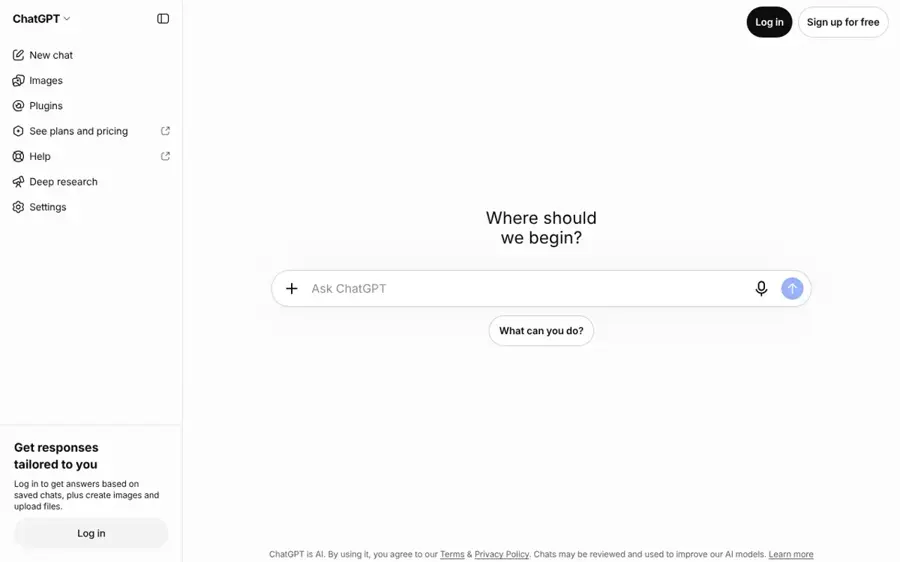
ChatGPT is OpenAI's general AI assistant, and its built-in image generator now makes whole sticker packs from a prompt, a template or a photo. Visit ChatGPT.
Why it stands out
ChatGPT jumps to the top because it solved the annoying last step. According to OpenAI's release notes, you can ask ChatGPT to make a sticker pack or pick a sticker template from the home screen, then download the pack or add it to iMessage or WhatsApp on supported devices. The feature is available to all ChatGPT users on mobile globally.
The image model behind it also handles transparency. Ideogram's documentation, which offers OpenAI's GPT Image 2.5 inside its own app, notes that its background setting "keeps an alpha channel" when set to transparent. The weak spot is general user sentiment rather than stickers: ChatGPT holds a 1.6 rating from 3,878 Trustpilot reviews, with complaints focused on accuracy and usage limits. One reviewer summed up the inconsistency: "Some days it runs like a dream."
Key features
- Sticker packs: generate a themed set from one request.
- Photo input: turn a selfie or pet photo into stickers.
- Templates: sticker templates on the home screen and in Images.
- Direct sharing: add packs to iMessage or WhatsApp on supported devices.
Pros
- Shortest path from idea to a usable chat pack
- Works on the free plan
- No design skills needed
Cons
- No vector export or design canvas
- Image limits are not published
- Pack sharing depends on your device
Verdict: If you only pick one AI sticker generator and your stickers live in group chats, pick ChatGPT.
ChatGPT pricing: Free → paid plans from $8/month (Go); Plus at $20/month, per Zapier and CometAPI (checked October 2026). See pricing
Related: ChatGPT with GPT-6 review Best AI like ChatGPT
Ideogram – best for transparent PNG stickers
Ideogram is an AI image generator known for clean text in images, with dedicated transparent-background models for logos and stickers. Visit Ideogram.
Why it stands out
Ideogram treats stickers as a first-class job. Its help centre says transparent images are what you need for "logos, stickers, t-shirt and print-on-demand designs", and it gives you three ways to get one: a transparent model, a transparent background setting on Ideogram 4.5, or background removal afterwards. The transparent models and background removal work on free and paid plans.
Paid plans also got more generous this autumn. On October 5, 2026, Ideogram raised Plus from 1,000 to 2,400 priority credits a month with no price change. Users on Trustpilot give it 3.8 from 168 reviews; one wrote that Ideogram "has one of the best Canvas for inpainting specially if you are using it for characters." Zapier's reviewer was cooler on overall image quality versus ChatGPT and Gemini.
Key features
- Transparent models: generate cutouts straight from a prompt.
- Background setting: set Transparent on Ideogram 4.5 or GPT Image 2.5.
- Remove BG: strip the background from any existing image.
- Strong text rendering: useful for stickers with words or names.
Pros
- Real transparency on the free plan
- Good with lettering
- Plus now includes 2,400 priority credits
Cons
- Raster only, no SVG
- Reference images with GPT Image 2.5 need a paid plan or credits
- Mixed reviews on image quality
Verdict: Choose Ideogram if you want a clean PNG sticker with lettering and do not want to pay to remove the background.
Ideogram pricing: Free → paid plans from $15/month billed annually ($180/year), or $20 month to month for Plus, per UsagePricing (checked October 2026). See pricing
Recraft – best for vector stickers for print
Recraft is an AI design tool that generates both raster images and true vector SVGs, with a dedicated AI sticker generator. Visit Recraft.
Why it stands out
Most sticker apps hand you pixels. Recraft's AI sticker generator lets you pick a raster or vector image, edit colours and details, and download JPG, PNG or SVG in one click. An SVG scales to a laptop decal without blurring.
The catch is ownership. Recraft's pricing FAQ says images made on the Free plan are owned by Recraft, are public in the community gallery and are not licensed for commercial use. Paid plans grant full ownership and commercial rights. User sentiment is poor: Recraft scores 2.3 from 44 Trustpilot reviews, mostly about refunds and edits, with one October 2026 reviewer writing, "Everytime I asked the tool to make a change it would mess up the request."
Key features
- Raster or vector: choose the output type before generating.
- SVG download: editable paths for print and cutting.
- Vector editor: adjust shapes and colours after generation.
- Custom styles: keep a sticker series consistent.
Pros
- Native SVG export
- Commercial rights on every paid plan
- Cheap entry plan
Cons
- Free images are public and owned by Recraft
- Weak Trustpilot score and refund complaints
- Overkill for chat stickers
Verdict: Pay for Recraft if your stickers end up on vinyl, packaging or a product page.
Recraft pricing: Free (limited credits, three uploads a day) → paid plans from $10/month billed annually or $12 monthly for 1,000 credits (Basic); Pro from $20/month (checked October 2026). See pricing
Related: Best AI image generators
Canva – best for sticker sheets and printing
Canva is a drag-and-drop design platform with sticker templates, AI image tools and its own print service. Visit Canva.
Why it stands out
Canva is less a generator than a finishing station. Its sticker maker lets you start from a template or a blank page, add uploaded photos, and then print at home or order through Canva Print. AI features sit on top: the free plan includes limited access to Standard and Premium AI, while Pro adds AI tools such as background removal and 10 times more AI usage than Free.
That background-removal gate is the main frustration for sticker makers. Canva holds 4.0 from 8,075 Trustpilot reviews, and one October 2026 reviewer wrote: "i just wish there were less premium required things such as having no background when downloading pictures."
Key features
- Sticker templates: ready-made layouts to customise.
- AI image generation: limited on Free, more on Pro.
- Background remover: included with Pro.
- Canva Print: order physical stickers.
Pros
- Best layout and print workflow
- Huge template and asset library
- Generous free plan for design
Cons
- Background removal needs Pro
- AI generation is limited on Free
Verdict: Use Canva to arrange, label and print stickers you generated somewhere else.
Canva pricing: Free → paid plans from US$144/year (Pro); Business US$250 per person per year (checked October 2026). See pricing
Adobe Firefly – best for editing inside Adobe apps
Adobe Firefly is Adobe's AI image generator and editor, with a sticker generator that hands off to Adobe Express and other Creative Cloud apps. Visit Adobe Firefly.

Why it stands out
Firefly's strength is what happens after generation. Adobe's sticker page could not be loaded for this article, but Dreamina's comparison describes it as accepting a prompt or uploaded image, removing the background, and letting you refine with Generative Fill or Generative Remove, add a white outline and download a PNG. The same publisher named Firefly the best all-around free starting point in a separate guide.
The free plan is real but vague. Dupple reports that Adobe gives free daily generations without publishing the daily count, and does not state whether free outputs carry a watermark. On Trustpilot, firefly.adobe.com has only 30 reviews and a 1.7 score; one balanced review says, "I have found that Firefly is good for image editing, but not for complex scenes."
Key features
- Text or image input: start from a prompt or a photo.
- Background removal: built into the sticker workflow.
- Generative Fill and Remove: fix one detail at a time.
- White outline: the classic die-cut sticker look.
Pros
- Strong selective editing
- Fits existing Adobe workflows
- Free daily generations
Cons
- Free allowance not published
- Few, mostly negative Trustpilot reviews
- Partner models may carry different terms
Verdict: Pick Firefly if you already pay for Adobe and want precise edits on each sticker.
Adobe Firefly pricing: Free daily generations → paid plans from $9.99/month (Firefly Standard, 2,000 monthly credits), per Dupple (checked October 2026). See plans
Related: Best AI image generators
Kittl – best for merch and print-on-demand
Kittl is a browser-based design platform for merch, labels and logos, with AI image generation, background removal and vectorization built in. Visit Kittl.
Why it stands out
Kittl suits sellers who turn stickers into products. Its help centre lists AI tools to generate images and mockups, plus upscaling, background removal and vectorization in one editor. Paid plans include a commercial licence that covers up to 500,000 reproductions, according to Toolradar.
Users like it. Kittl scores 4.7 from 1,263 Trustpilot reviews, and one March 2026 reviewer called it "a unique, easy to use, amazing platform." The limit is the free plan: Toolradar lists just 200 one-time AI tokens, five projects and personal use only.
Key features
- AI image generator: create sticker art from prompts.
- Vectorization: convert raster art into scalable vectors.
- Background removal: clean cutouts for die-cut stickers.
- Mockups: preview designs on products.
Pros
- Built for merch and Etsy-style sellers
- Strong user reviews
- Vector tools in the same editor
Cons
- Free plan is personal use only
- One-time free AI tokens run out fast
Verdict: Choose Kittl if your stickers are products you plan to sell.
Kittl pricing: Free (200 one-time AI tokens) → paid plans from $15/month (Pro, 30 daily AI credits); Expert $35/month, per Toolradar (checked October 2026). See pricing
Google Gemini – best for cheap photo-to-sticker edits
Google Gemini is Google's AI assistant, and its Nano Banana image model generates and edits images from prompts and uploaded photos. Visit Google Gemini.
Why it stands out
Gemini is the budget pick for turning your own photos into stickers. Google's plans page lists image generation and editing on the free plan, and the App Store listing says Nano Banana 2 can blend multiple images and design posters with sharp text. Zapier notes Nano Banana is especially good at incorporating existing images, which is exactly what a pet or selfie sticker needs.
Two cautions. Google's plans page does not list transparent export, so plan on running results through a background remover. And general sentiment is rough: Gemini scores 1.4 from 1,415 Trustpilot reviews, mostly about accuracy in everyday tasks rather than images. Ask before you turn other people's photos into stickers.
Key features
- Free image generation: included on the free plan.
- Photo editing: restyle uploaded photos into cartoons.
- Multi-image blending: combine people, pets and props.
- Text in images: captions and names on stickers.
Pros
- Cheapest paid upgrade on this list
- Strong with your own photos
- Free to start
Cons
- No documented transparent export
- Low Trustpilot score
Verdict: Use Gemini when you want photo-based stickers for the lowest monthly price.
Google Gemini pricing: Free → paid plans from $4.99/month (Google AI Plus); Google AI Pro at $19.99/month, per Zapier (checked October 2026). See pricing
Picsart – best for quick edits on your phone
Picsart is a mobile-first photo and design editor with a sticker maker and an AI sticker generator that works from short text prompts. Visit Picsart.
Why it stands out
Picsart is built for people who make stickers on their phone. Its sticker maker page describes an AI sticker generator where you type a short prompt and pick an art style, plus tools for photo cutouts, text stickers, brand labels and printable sheets.
Users rate it well: Picsart has 4.4 from 1,767 Trustpilot reviews, and one September 2026 reviewer called it the "Best overall graphic design and photo editor available for sure."
Key features
- AI sticker generator: prompt plus art style.
- Photo sticker maker: cut subjects out of photos.
- Text stickers: large font library.
- Brand stickers: labels, thank-you stickers and QR codes.
Pros
- Best mobile editing experience
- Good user reviews
- Handles printable sticker sheets
Cons
- Credit-based plans can be confusing
- Premium stickers and fonts need Pro
Verdict: Pick Picsart if your phone is your main design tool.
Picsart pricing: Free sticker maker → paid plans from $10.50/month billed yearly or $15 monthly (Pro); Ultra from $60/month billed yearly (checked October 2026). See pricing
Related: Best funny AI tools for images and memes
Leonardo AI – best for trying many styles for free
Leonardo AI is an image and video generator with many in-house and third-party models and a usable free daily allowance. Visit Leonardo AI.
Why it stands out
Leonardo is the sandbox pick. Its free plan gives 150 fast tokens a day, enough to test pixel art, kawaii, clay or comic styles before committing to a look. A Capterra reviewer quoted by eesel said, "The free version is quite generous, and the paid version is worth the money." Leonardo scores 4.7 from 1,564 Trustpilot reviews.
It is a general generator, not a sticker tool, so you will do your own prompt work and cleanup. Eesel also warns that on the free plan your creations are public and Leonardo holds the IP, which rules out selling free-plan stickers.
Key features
- Free daily tokens: 150 a day, no rollover.
- Many models: first-party and premium third-party options.
- Unlimited relaxed images: on Premium and above, per eesel.
- Blueprints and presets: reusable workflows.
Pros
- Generous daily free allowance
- Lots of style variety
- Well-rated support
Cons
- Not built for stickers
- Free images are public and Leonardo-owned
- Token maths takes getting used to
Verdict: Use Leonardo to find a sticker style for free, then move to a sticker-focused tool to finish.
Leonardo AI pricing: Free (150 tokens a day) → paid plans from $12/month (Essential); Premium $30; Ultimate $60, per eesel (checked October 2026). See pricing
Related: Leonardo AI review Best AI image generators
How to choose the right AI sticker generator
Start with where the sticker will live
Decide the destination first. A WhatsApp or iMessage sticker needs a quick pack workflow, so choose ChatGPT. A vinyl decal or cut sticker needs a vector file, so choose Recraft or Kittl. A social overlay needs a clean transparent PNG, so choose Ideogram or Picsart.
Check for real transparency
Download the file and drop it onto a dark and a light background. If you see a checkerboard or a white halo, you do not have a clean cutout. Dreamina's guide puts it bluntly: "A checkerboard preview is not proof of transparency." If your generator cannot export transparency, our guide to free AI background removers covers the fix.
Design for small sizes
Stickers are tiny in a chat window. Ask for one subject, a bold outline, flat colours and no fine text. A prompt like "cheerful corgi in a blue raincoat, thick white sticker border, flat colours, no background" beats a detailed scene every time.
Read the ownership terms before you sell
If you plan to sell stickers, the free plan is usually the wrong plan. Recraft does not license free-plan images for commercial use, Leonardo keeps the IP on free images, and Kittl's free tier is personal use only. Never upload photos of other people, logos or characters you do not have rights to.
Free vs paid: what you actually get
Every tool here has some free access, but free means different things. Here is the trade-off in one table, based on the official and third-party pages linked above.
| Tool | What free gets you | What paying adds |
|---|---|---|
| ChatGPT | Sticker packs with undisclosed image limits | Higher limits from $8/month (Go) |
| Ideogram | Transparent models and background removal | 2,400 priority credits on Plus, reference images with GPT Image 2.5 |
| Recraft | Limited credits, public images owned by Recraft | Private images, full ownership and commercial rights |
| Canva | Templates and limited AI | Background remover, 10x AI usage, premium assets |
| Adobe Firefly | Unpublished daily generations | 2,000 monthly credits on Standard |
| Kittl | 200 one-time AI tokens, personal use | Daily AI credits and a commercial licence |
| Google Gemini | Image generation and editing | Double usage limits on AI Plus |
| Picsart | Free sticker maker | Premium stickers, fonts and AI credits |
| Leonardo AI | 150 tokens a day, public images | Monthly tokens, private images and rollover |
The budget angle is simple. For personal chat stickers, free ChatGPT or free Ideogram is enough. For anything you sell, budget $10 to $15 a month for Recraft, Kittl or Ideogram so you own the output.
Final verdict
Most people should start with ChatGPT. It is free, it makes whole packs, and it puts them straight into WhatsApp or iMessage. Add Ideogram when you need clean transparent PNGs, and pay for Recraft or Kittl the moment your stickers become products. The rest each win one specific job, so match the tool to where your sticker is going. For more character-style ideas, see our guides on using AI to make a cartoon and the best AI avatar generators from photos.
FAQ
What is the best AI sticker generator in 2026?
For most people, ChatGPT. Its mobile app creates personalized sticker packs from a prompt or photo and can add them to iMessage or WhatsApp on supported devices. For print, Recraft is the better pick because it exports SVG.
Is there a free AI sticker maker?
Yes. ChatGPT, Gemini, Ideogram, Canva and Leonardo all have free plans. Ideogram is the strongest free choice for stickers because its transparent models work on free and paid plans.
How do I make AI stickers for WhatsApp?
Open the ChatGPT mobile app, ask it to make a sticker pack or choose a sticker template, then download the pack or add it to WhatsApp, per OpenAI's release notes. With other tools, export a transparent PNG and import it with WhatsApp's own sticker tools.
Can I sell stickers made with an AI sticker generator?
Often, but usually only on a paid plan. Recraft gives full ownership and commercial rights on paid plans but not on Free, and Kittl's paid plans include a commercial licence. You also need rights to any faces, logos or characters you upload. This is general information, not legal advice.
Sources
- ChatGPT release notes (OpenAI Help Center)
- The best AI image generators (Zapier)
- ChatGPT Pricing 2026: Free vs Go vs Plus vs Pro (CometAPI)
- Transparent Backgrounds (Ideogram)
- Ideogram more than doubles monthly priority credits (UsagePricing)
- Ideogram more than doubles priority credits on Plus, Pro and Team plans (PricingSaaS Pulse)
- Free Online AI Sticker Generator (Recraft)
- Paid plans (Recraft)
- Free plan (Recraft)
- Pricing and plans (Recraft)
- Canva Pricing: Compare Free, Pro, Business and Enterprise plans (Canva)
- Sticker Maker Online (Canva)
- 6 Best AI Sticker Generator Apps in 2026 (Dreamina by CapCut)
- Best Free AI Sticker Generator 2026: 7 Tools Compared (Dreamina by CapCut)
- Is Adobe Firefly Free in 2026? (Dupple)
- Kittl Help (Kittl)
- Kittl Pricing 2026 (Toolradar)
- Google AI Pro and Ultra plans (Google)
- Google Gemini App (App Store)
- Picsart pricing (Picsart)
- Free Sticker Maker (Picsart)
- Leonardo.AI pricing 2026 (eesel AI)
- Chatgpt reviews (Trustpilot)
- Ideogram AI reviews (Trustpilot)
- Recraft reviews (Trustpilot)
- Canva reviews (Trustpilot)
- Firefly Adobe reviews (Trustpilot)
- kittl.com reviews (Trustpilot)
- Gemini Google reviews (Trustpilot)
- Picsart reviews (Trustpilot)
- Leonardo.Ai reviews (Trustpilot)