7 best AI grading tools in 2026: free and paid picks for teachers
The best AI grading tools for teachers in 2026, from CoGrader and Brisk to Gradescope and Gemini in Google Classroom, with free tiers, prices and limits.
 Written byFahad HashmiContributing writer, AI in energy and industry
Why you can trust The AI Future
Our writers research every product, link each claim to its source and correct mistakes openly. Companies can't pay for coverage or see reviews before they're published.
Read our editorial policy
Here is the short version. The best AI grading tool for most K-12 teachers in 2026 is CoGrader, because its free plan covers 150 student submissions a month and it plugs into the LMS you already use. If you mostly give feedback in Google Docs, Brisk Teaching is the easier fit. If you grade STEM exams at a university, Gradescope is still the standard.
Think of AI grading as a fast first reader, not a judge. The tool reads each submission against your rubric, proposes a score and drafts comments. You check, edit and release. Every tool on this list keeps a teacher in that loop, and the research below shows why you should keep it that way. If you want a narrower list focused on essays, see our guide to the best AI graders.
Key takeaways
- Free is real here: CoGrader, Brisk, Class Companion and Gemini in Google Classroom all have useful free tiers for individual teachers.
- Subject matters more than brand: essay graders struggle with multi-part prompts, while Gradescope is built for fixed-template exams and problem sets.
- Accuracy claims are mostly vendor claims: independent studies find AI scores cluster in the middle, reward long and wordy answers, and can copy bias already present in human scores.
- Review time is the hidden cost: an AI grading app saves the most time when you budget about two minutes per paper to check its draft, not zero.
How we ranked them
Nobody at The AI Future tested these tools hands-on for this article. We compared them using official product pages, pricing pages, help documentation, published studies, independent write-ups and user reviews, all checked in late October 2026. We ranked them on six criteria:
- Grading depth: does it score against a rubric, or only draft comments?
- Subject fit: essays, short answers, handwritten work, math and code.
- Workflow: LMS integration with Google Classroom, Canvas or Schoology, and how scores get back to the gradebook.
- Teacher control: whether feedback stays hidden until you approve it.
- Free tier and price: what an individual teacher gets before a school has to pay.
- Evidence and privacy: published accuracy data, third-party reviews and student data commitments.
The 7 best AI grading tools at a glance
| # | Tool | Category | Best for | Free tier | Starts at |
|---|---|---|---|---|---|
| 1 | CoGrader | AI essay grader | K-12 essay grading | Yes | $15/mo |
| 2 | Brisk Teaching | Browser extension | Feedback inside Google Docs | Yes | Free |
| 3 | Gradescope | Assessment platform | STEM exams and university courses | Yes (limited) | Custom quote |
| 4 | EssayGrader | AI essay grader | Long papers and big stacks | Yes (limited) | $14.99/mo |
| 5 | Google Classroom | LMS with built-in AI | Schools already on Google Workspace | Yes | Free |
| 6 | Class Companion | Assignment platform | Instant student feedback and retakes | Yes | Free |
| 7 | MagicSchool | Teacher toolkit | All-in-one teaching AI | Yes | $8.33/mo |
The best AI grading tools for teachers in 2026, ranked
CoGrader – best for K-12 essay grading
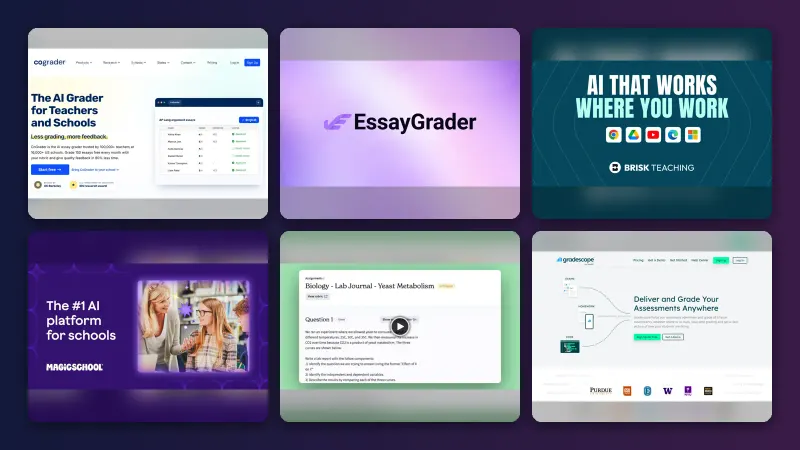
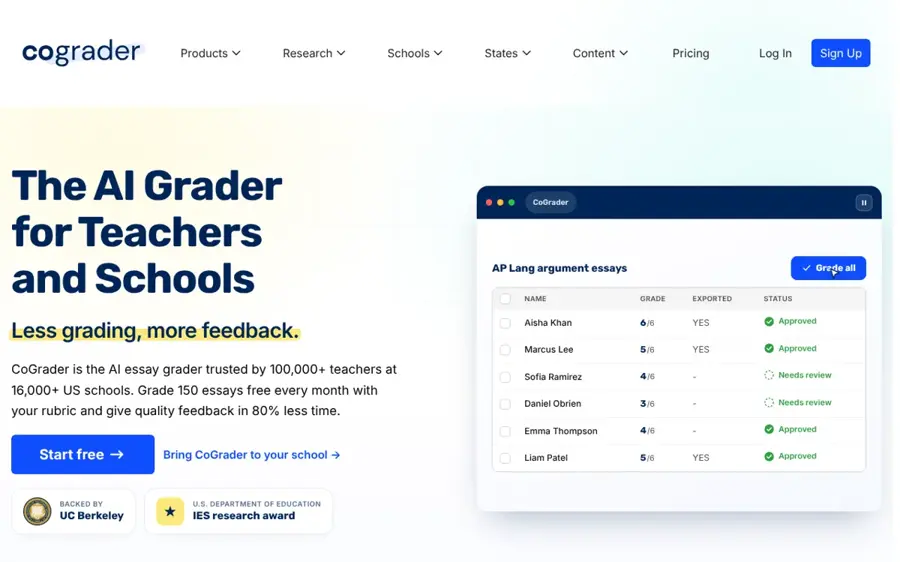
CoGrader is an AI grader for schools that scores essays against your rubric or state standards, drafts feedback, and sends scores back to your LMS after you review them.
Why it stands out
The free plan is the main reason it ranks first. CoGrader lists 150 student submissions a month free for teachers, and its homepage says it reads handwriting, sorts the pages by student and grades scanned class sets, also free for teachers. The company says a U.S. Department of Education research award funds its work and that teachers review every score before students see it.
Independent coverage is positive but points to limits. The TCEA blog notes it works best with a "one prompt, one answer" approach, so multi-question assignments are weaker. Fiveable, a competitor, wrote that "as of August 2026 we did not find published accuracy results from CoGrader, only a qualitative reliability statement." On Trustpilot it scores 4.3 from 8 reviews; one teacher wrote: "Cograder helps to decrease the amount of time it takes to review papers while ensuring safety of data."
Key features
- Rubric grading: your own rubric or presets aligned to state standards.
- Handwritten work: snap pages with a phone or scan a class set at the copier.
- LMS sync: import a class and push scores and feedback back in one step.
- Glow and grow feedback: specific praise plus next steps, as described by an Edutopia contributor.
- Class analytics: on the Individual plan, along with grammar and originality checks.
Pros
- Generous free tier for a single teacher
- Strong handwriting support
- Teacher approval built into the flow
Cons
- Weaker on multi-part prompts
- Little published accuracy data
- Paid price not shown clearly on the pricing page
CoGrader pricing: Free (150 submissions a month) → Individual plan with 350 submissions a month, which Fiveable listed at $15/month billed annually or $19 month to month (checked October 2026). See pricing
Related: Best AI graders for essays
Brisk Teaching – best for feedback inside Google Docs
Brisk Teaching is a free Chrome extension and platform that drafts rubric-aligned feedback directly in Google Docs, Slides and your LMS, plus lesson materials and quizzes.
Why it stands out
Brisk is less a gradebook tool and more a feedback engine that sits where you already work. Its feedback page says it offers feedback in six ways, aligned to uploaded rubrics or state standards, in 50+ languages, and that feedback stays hidden until you approve it. Batch Feedback takes a whole folder from Google Drive or OneDrive, including PDFs, lab reports and math work. Note the catch: Targeted Feedback as Google Docs comments is a premium feature, and only available with Google.
The Chrome extension holds a 4.5 out of 5 rating in the Chrome Web Store. One teacher wrote in July 2026: "It saves me so much time when I am planning for various lessons. I love using the writing feedback as well." Brisk says it has a 95% Common Sense Privacy rating and is FERPA and COPPA compliant.
Key features
- Batch Feedback: feedback for a whole class from one folder.
- Rubric criteria feedback: comments mapped to each rubric row.
- Glow and grow: praise plus questions that push revision.
- Draft mode: nothing reaches students until you approve it.
- 50+ languages: useful for multilingual classrooms.
Pros
- Free for individual teachers
- Works inside tools you already use
- Handles more than essays, including lab reports
Cons
- Best features need a school or district plan
- Feedback-first, so gradebook scoring is thinner than CoGrader
Brisk Teaching pricing: Free for teachers → Premium and Intelligence plans for schools and districts on custom pricing (checked October 2026). See pricing
Related: Best AI graders for essays
Gradescope – best for STEM exams and university courses
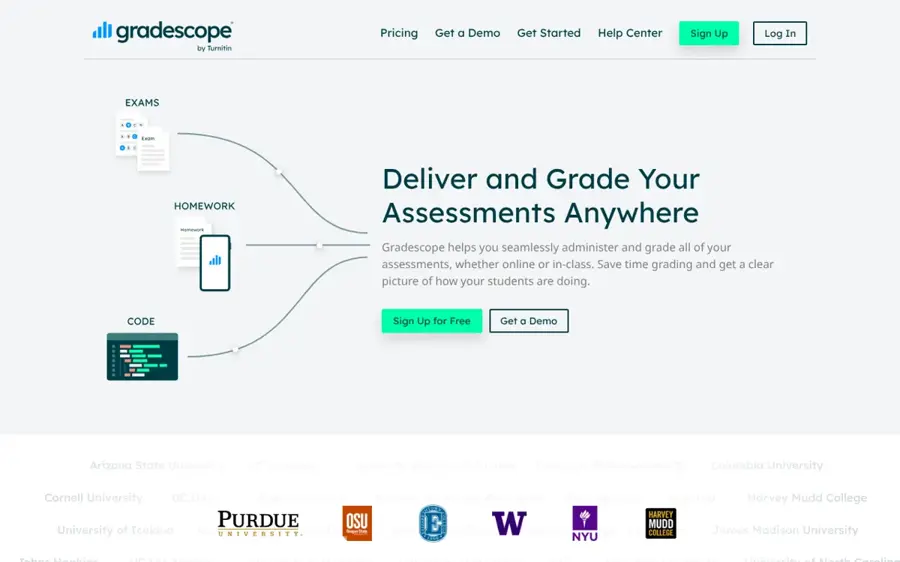
Gradescope is a grading and assessment platform for paper exams, problem sets, bubble sheets and code, with AI that groups similar answers so you grade each group once.
Why it stands out
Gradescope uses AI differently from essay graders. Instead of writing a score for you, it automatically forms suggested answer groups for your review, and you apply one rubric decision to every answer in the group. That is a better match for math and science, where 200 students often make the same five mistakes. The limits are specific: answer groups and AI assistance only work on fixed-template PDF assignments, not online assignments, and they need an Institutional license.
On Capterra, Gradescope has 5 user reviews, with ease of use rated 4.6. Capterra summarises it as best suited to universities and colleges, where instructors can "group similar answers and apply grades in bulk".
Key features
- Dynamic rubrics: change a rubric item and every graded answer updates.
- AI answer groups: grade clusters of matching answers in one pass.
- Many formats: paper, bubble sheets, programming and online assignments.
- Regrade requests: students can flag scores they dispute.
- Code similarity: on the Institutional plan.
Pros
- Built for large STEM courses
- Consistent partial credit through shared rubrics
- Free Basic plan for core rubric grading
Cons
- AI features need an institutional licence
- Not designed for essay feedback
- Template setup takes time up front
Gradescope pricing: Free Basic plan after a one-term Institutional trial → Institutional plan on custom pricing (checked October 2026). See pricing
Related: Best AI graders compared
EssayGrader – best for long papers and big stacks
EssayGrader is an AI essay grader for K-12 and higher education that scores written work against your rubric, syncs with your LMS, and adds AI-writing and plagiarism checks on paid plans.
Why it stands out
EssayGrader has clear, volume-based pricing. The free plan grades 100 essays a month with a 1,000-word limit per essay. The $14.99 plan raises that to 350 essays and 3,500 words, and the $34.99 plan to 800 essays and 8,000 words, which is why it suits college instructors with long papers. The company says over 200,000 educators had graded more than 3.5 million assignments as of July 2026, and claims teachers save 6 to 10 hours a week, based on its own survey of active users.
EssayGrader scores 4.6 from 69 reviews on Trustpilot, though the company invites customers to review. One teacher added a useful warning: "It is important to read through what it writes and verify that it’s what you want to say." Its AI-writing detection carries the same caveats as any detector; see how accurate AI detectors really are.
Key features
- LMS sync: Google Classroom, Canvas and Schoology, with grades pushed back.
- Feedback reports: rubric, grammar and standards-mastery reports per student.
- Class gaps view: common strengths and weaknesses across the class.
- Oral and video grading: on paid plans.
- AI and plagiarism checks: included on paid tiers.
Pros
- Transparent, per-essay pricing
- High word limits for college papers
- Wide LMS support
Cons
- Free tier is small for a full teaching load
- Time-saving figures come from the vendor's own survey
EssayGrader pricing: Free (100 essays a month) → paid plans from $14.99/month (checked October 2026). See pricing
Related: Best AI graders for essays Best AI detectors compared
Google Classroom – best for schools already on Google Workspace
Google Classroom now includes Gemini in Classroom, a set of free AI tools that draft feedback on written work and build rubrics inside the assignment flow.
Why it stands out
If your school uses Classroom, this is the AI grading option that costs nothing extra. Google announced that Gemini in Classroom is available to all educators with Google Workspace for Education accounts, free of charge. AI-suggested feedback began rolling out on February 19, 2026: you click "Help me write" in private comments and Gemini drafts feedback based on the student's work, grade level and focus areas. EdTech Innovation Hub notes it is English-only for now and admins control access.
Rubric support grew in 2026. Since June, Gemini can convert rubric files and images into Classroom rubrics. Since August, it can draft a rubric from the assignment itself, for users over 18. What it does not do is propose a score for every submission the way CoGrader does. It speeds up feedback and setup, not the grade itself.
Key features
- AI-suggested feedback: drafts private comments you edit before sharing.
- Rubric conversion: turns a photo or file of a paper rubric into a Classroom rubric.
- Rubric generation: drafts criteria from the assignment description.
- Admin controls: schools switch Gemini on or off per group.
Pros
- No extra cost on Workspace for Education
- No new tool for students to learn
- Teacher edits every comment
Cons
- No automatic scoring of submissions
- Feedback drafting is English-only
- Depends on your admin enabling it
Google Classroom pricing: Free with Google Workspace for Education (Fundamentals, Standard and Plus editions list these features) (checked October 2026). See details
Class Companion – best for instant student feedback and retakes
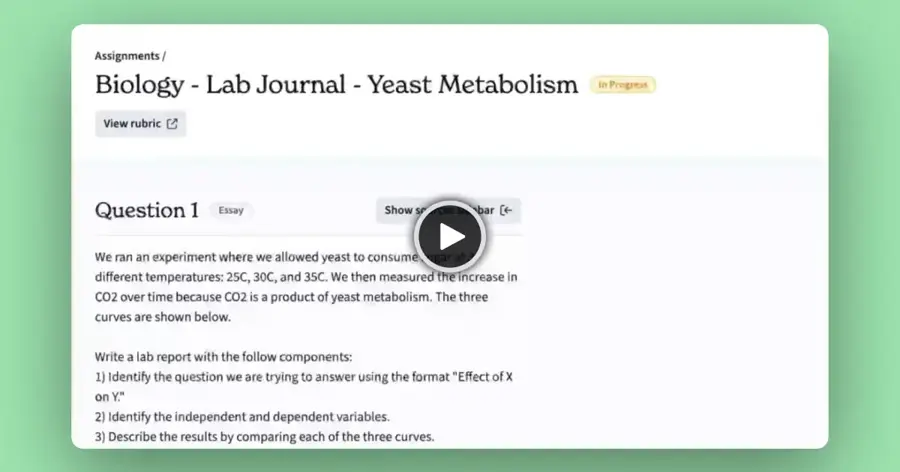
Class Companion is an assignment platform where students get AI feedback and scores while they work, then revise and resubmit, with the teacher setting the rubric.
Why it stands out
Most AI grading apps speed up feedback after students submit. Class Companion moves it into the assignment. Its plans page lists instant AI feedback and scoring, multiple attempts, handwritten photo submissions and score disputes, plus integrity signals such as pasted-text detection and typing anomalies. The free teacher plan covers AI feedback, basic insights and a public library of 10,000+ assignments; LMS integration, AI and plagiarism detection and standards alignment sit on school plans. The company claims teachers save 12 hours a week on average.
TeachersFirst, an educator review site, lists it for grades 9 to 12 and notes teachers can set rubrics and "the number of attempts students have to submit a correct response". Educator Catlin Tucker featured it on her blog as a way to make feedback timely and ongoing.
Key features
- Real-time feedback: students see comments and scores as they work.
- Unlimited retakes: turns grading into revision practice.
- Custom rubrics: generate, import or write your own.
- Integrity signals: pasted text, similar responses and copy-and-leave detection.
- Accommodations: text-to-speech, translation and extended time.
Pros
- Free for individual teachers
- Feedback arrives while it is still useful
- Good fit for AP-style short and long answers
Cons
- LMS sync needs a school plan
- Students must work inside the platform
Class Companion pricing: Free for teachers → school and district plans by quote (checked October 2026). See pricing
Related: Best AI graders for essays
MagicSchool – best for an all-in-one teaching toolkit
MagicSchool is an AI platform for teachers and schools with 80+ teacher tools, including rubric and feedback tools, alongside lesson planning and student-facing tools.

Why it stands out
MagicSchool is the pick if grading is one job among many. Its homepage lists 80+ teacher tools and 50+ student tools, and says it integrates with Google Docs, Classroom and Canvas. For districts, it now sells a Learning Outcomes Module aimed at making "formative assessment and feedback a daily habit, even at scale". It is a generalist, so it lacks the batch scoring and LMS grade sync of CoGrader or EssayGrader.
One thing to know: the old MagicSchool Chrome extension is listed in the Chrome Web Store as "Retiring October 30, 2026", so plan to use the web platform. That listing carries a 4.3 out of 5 rating; one teacher called it "Relevant and easy to use tools that makes my work not only easy, but a true time saver too."
Key features
- 80+ teacher tools: rubrics, feedback, lesson plans and more.
- Student tools: teacher-led AI activities with safe settings.
- Integrations: Google Docs, Classroom and Canvas.
- District dashboards: usage visibility on Enterprise.
Pros
- Cheap Plus plan for individuals
- Covers far more than grading
- Widely adopted by districts
Cons
- No dedicated batch-scoring workflow for individuals
- Chrome extension is being retired
MagicSchool pricing: Free → Plus from $8.33/month billed yearly ($99.96) or $12.99 month to month (checked October 2026). See pricing
Related: Best AI graders compared
How to choose the right AI grading tools
Start with three questions: what you grade, how much you grade, and where your students submit work. This table maps common situations to a starting pick.
| Your situation | Start with | Why |
|---|---|---|
| K-12 English or history essays | CoGrader | Rubric scoring, free tier, LMS sync |
| Feedback on drafts in Google Docs | Brisk Teaching | Comments appear in the doc after approval |
| Paper exams in math, physics or chemistry | Gradescope | Answer groups and shared rubrics |
| Long college papers | EssayGrader | Word limits up to 8,000 on paid plans |
| School is all-in on Google, no budget | Google Classroom | Gemini feedback drafts at no extra cost |
| You want students to revise before you grade | Class Companion | Live feedback and retakes |
Do the volume math first
Free tiers are counted per submission. Say you teach 5 sections of 30 students and assign one essay with a draft and a final. That is 150 × 2 = 300 submissions. CoGrader's free 150 covers only the drafts, EssayGrader's free 100 covers a third. Now the time side: if marking by hand takes about 6 minutes per paper, 300 papers is 30 hours. If the AI drafts feedback and you spend 2 minutes checking each one, plus an hour setting up the rubric, you are at about 11 hours. Those per-paper times are illustrative assumptions, not measurements, but the shape holds: the saving comes from review being faster than writing, not from skipping review.
Match the tool to the question type
Essay graders are tuned for one prompt and one extended answer. Multi-part tasks, diagrams and worked math need a tool like Gradescope, or a lot of rubric tuning. If your rubric cannot be followed by a new colleague, an AI will not follow it either.
Check where the data goes
Student work is protected data. Look for FERPA and COPPA statements, a data processing agreement for your district, and whether student work is used to train models. Several vendors put their district privacy terms only on school plans, so ask your admin before uploading a class set to a personal account.
Keep the release button in your hands
Every pick here lets you review before students see anything. Use that. Spot-check a few papers at the top, middle and bottom of the score range each time, because that is where AI scoring tends to drift.
Where AI grading breaks
The marketing says "objective". The research is more mixed, and the failure modes are predictable.
- Scores bunch in the middle. The Learning Agency tested ChatGPT on about 24,000 student essays from the ASAP 2.0 benchmark. Writing in The 74, its authors said that "ChatGPT handed out a lot of Cs" where human graders gave more As and Fs. Strong writers can be under-rewarded.
- Bias can be copied, not removed. The same study found a gap between Black and Asian students' scores that mirrored the gap in the human scores. The AI did not add bias, but it did not fix it either.
- Style beats substance. A University of Cambridge-led study of 761 undergraduate psychology essays found AI tends to assign higher marks to essays with greater length, more complex vocabulary and sentence structures, as reported by ThePrint.
- Handwriting and partial credit are hard. A UC Irvine study presented at ICML 2026 graded handwritten calculus quizzes from nearly 800 students and found strong alignment with teaching-assistant scores, but flagged handwriting-recognition errors and inconsistent partial-credit decisions as the main failure points.
The practical rule: use AI grading for formative feedback and first-pass scores, and keep high-stakes grades human-reviewed. For the bigger picture, see our explainer on AI in education.
Free vs paid: what you actually get
| Tool | Free tier | What paying adds |
|---|---|---|
| CoGrader | 150 submissions a month | 350 a month, grammar and originality checks, class analytics |
| Brisk Teaching | Core feedback tools for teachers | Standards alignment, Targeted Feedback, batch insights (school plans) |
| Gradescope | Basic rubric grading | AI answer groups, anonymous grading, LMS integration (institutional) |
| EssayGrader | 100 essays, 1,000 words each | 350 to 800 essays, longer papers, AI and plagiarism checks |
| Google Classroom | Gemini feedback and rubric tools | Included with Workspace for Education |
| Class Companion | AI feedback, basic insights, public library | LMS sync, AI detection, standards, premium insights |
| MagicSchool | Core teacher tools | Plus features for individuals, district add-ons |
For one teacher with a normal load, free tiers go a long way, especially if you combine two (for example Gemini in Classroom for feedback drafts and CoGrader for scored essays). Paid plans mostly buy volume, LMS grade sync and integrity checks. If you are weighing those integrity checks, read how AI detectors work first; detector scores are evidence to discuss with a student, not proof.
Final verdict
For most K-12 teachers, start with CoGrader: it does real rubric scoring, reads handwriting and stays free up to 150 submissions a month. Add Brisk Teaching if you live in Google Docs. University STEM instructors should look at Gradescope, and college humanities instructors at EssayGrader. If your school is on Google Workspace and has no budget, turn on Gemini in Google Classroom before you buy anything. Whatever you pick, treat the AI score as a draft and keep your judgement as the final grade.
FAQ
Which AI grading app is best?
For K-12 essay grading, CoGrader is the best all-round AI grading app in 2026 thanks to its free tier, rubric scoring and LMS sync. Brisk Teaching is best for feedback in Google Docs, Gradescope is best for STEM exams, and EssayGrader is best for long college papers.
Is there a free AI grading tool for teachers?
Yes. CoGrader (150 submissions a month), EssayGrader (100 essays a month), Brisk Teaching, Class Companion and Gemini in Google Classroom all have free options for individual teachers. Gradescope's free Basic plan does not include its AI features.
How accurate is AI grading?
It depends on the task and the rubric. Studies show AI scores can align closely with trained human graders on structured tasks, but they tend to compress grades toward the middle, reward longer and wordier answers, and stumble on handwriting and partial credit. Most published accuracy figures come from vendors.
Can I use ChatGPT or Claude to grade essays?
You can paste a rubric and an essay into a general chatbot like ChatGPT or Claude and get useful feedback. What you lose is LMS sync, batch processing, education-specific privacy terms and a consistent workflow. Check your school's rules before uploading student work to a personal account.
Will AI grading replace teachers?
No tool on this list grades without teacher approval, and the research on bias and score compression is a good reason to keep it that way. AI shifts your time from writing comments to checking and adjusting them. For more, see will AI replace teachers.
Sources
- Affordable AI Grading Plans for Teachers (CoGrader)
- The AI Grader & AI Essay Grader for Schools (CoGrader)
- AI grading tool tag archive (TCEA TechNotes Blog)
- CoGrader alternatives for AP teachers (Fiveable)
- Cograder reviews (Trustpilot)
- Using AI Grading Tools to Enhance the Process (Edutopia)
- AI Feedback Tool (Brisk Teaching)
- Plans for Teachers, Schools, & Districts (Brisk Teaching)
- Reviews: Brisk Teaching (Chrome Web Store)
- AI-assisted grading and answer groups (Gradescope Guides)
- Pricing (Gradescope)
- Gradescope Software Review 2026 (Capterra)
- Pricing: 100 free AI essay gradings each month (EssayGrader)
- EssayGrader reviews (Trustpilot)
- Gemini in Classroom: No-cost AI tools that amplify teaching and learning (Google)
- Google Classroom launches AI-suggested feedback with Gemini (EdTech Innovation Hub)
- Convert rubric files and images into Google Classroom rubrics with help from Gemini (Google Workspace Updates)
- Streamlining rubric generation in Google Classroom with Gemini (Google Workspace Updates)
- Plans (Class Companion)
- AI Tutor and Feedback (Class Companion)
- TeachersFirst Review: Class Companion (TeachersFirst)
- Class Companion: Instant AI Coaching and Feedback (Dr. Catlin Tucker)
- AI Platform for School Districts (MagicSchool)
- MagicSchool Pricing & Plans (MagicSchool)
- Reviews: MagicSchool AI (Retiring October 30, 2026) (Chrome Web Store)
- AI Shows Racial Bias When Grading Essays and Can't Tell Good Writing From Bad (The 74)
- Can AI grade better than professors? Cambridge study finds it prefers style over substance (ThePrint)
- Evaluating AI Grading on Real-World Handwritten College Mathematics (ICML 2026)