Best free AI text‑to‑speech tools in 2026: 8 picks compared
The best AI text-to-speech tools you can use free in 2026, from ElevenLabs to Edge Read Aloud, with real free limits, usage rights and upgrade prices.
 Written byBurhan AqibSenior writer, policy and analysis
Why you can trust The AI Future
Our writers research every product, link each claim to its source and correct mistakes openly. Companies can't pay for coverage or see reviews before they're published.
Read our editorial policy
Short answer: if you want the most realistic free AI voice, start with ElevenLabs. Its free plan gives you about 10 minutes of speech a month, which is enough to judge whether it suits you. If you just want articles and PDFs read to you at no cost, use the Read Aloud feature already built into Microsoft Edge. Those two cover most people looking for the best AI text-to-speech tools free of charge.
The catch with "free" is the fine print. Some free plans block downloads, some block commercial use, and some cap you at a few minutes a day. We compared eight tools using official pricing pages, published reviews and user ratings, as of late October 2026, so you can see exactly what you get before you sign up. For a wider look at paid voice tools, see our guide to the best AI voice generators.
Key takeaways
- ElevenLabs has the best free voices, but no commercial rights. Its free plan includes 10,000 credits a month (about 10 minutes of speech), and you need the $6 Starter plan to publish the audio commercially.
- Readers and generators are different products. Speechify, NaturalReader and Edge Read Aloud read text to you. ElevenLabs, Murf and TTSMaker create audio files you can download and use.
- TTSMaker is the most generous free downloader. It allows 20,000 characters a week for free and says you can use the audio commercially.
- Developers get the most free volume. Google Cloud gives up to 4 million free characters a month on its Standard and WaveNet voices, and the open-weight Kokoro model costs nothing to run yourself.
- Only clone your own voice, or one you have permission to use. Cloning someone's voice without consent is harmful and illegal in a growing number of places.
How we ranked them
Nobody at The AI Future ran hands-on tests for this roundup. We compared each tool using official product and pricing pages, independent reviews and user ratings on sites such as Trustpilot, as of late October 2026. We judged each tool on six criteria:
- Free tier value: how much audio you can create or listen to without paying.
- Voice quality: how natural the voices sound, based on published reviews and user feedback.
- Download and usage rights: whether you can export audio, and whether you can use it commercially.
- Ease of use: how quickly a non-technical user can get results.
- Languages and voices: the range of accents and languages on offer.
- Upgrade price: what the cheapest paid plan costs if you outgrow the free tier.
The 8 best free AI text-to-speech tools at a glance
| # | Tool | Category | Best for | Free tier | Starts at |
|---|---|---|---|---|---|
| 1 | ElevenLabs | Voice generator | Realistic voiceovers | Yes (limited) | $6/mo |
| 2 | Microsoft Edge Read Aloud | Browser reader | Free web and PDF reading | Yes | Free |
| 3 | TTSMaker | Online generator | Free downloads for videos | Yes (limited) | Free |
| 4 | Speechify | Reading app | Listening on the go | Yes (limited) | $11.58/mo (annual) |
| 5 | NaturalReader | Reading app | Students and documents | Yes (limited) | $9.92/mo (annual) |
| 6 | Murf AI | Voiceover studio | Polished presentations | Yes (limited) | $19/mo (annual) |
| 7 | Google Cloud Text-to-Speech | Developer API | Apps and bulk audio | Yes (limited) | $4 per 1M chars |
| 8 | Kokoro | Open-source model | Running TTS offline | Yes | Free |
The best free AI text-to-speech tools in 2026, ranked
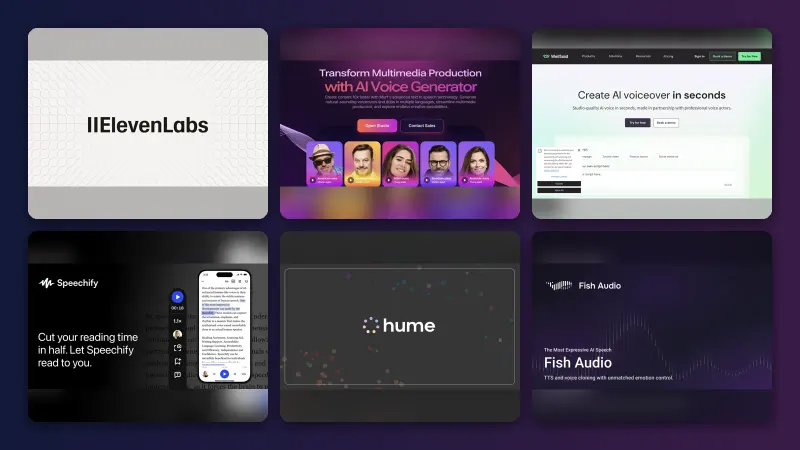
ElevenLabs – best for realistic voiceovers
ElevenLabs is an AI voice platform for text to speech, voice design, dubbing and more, with a free plan that lets you try its most realistic voices.
Why it stands out
ElevenLabs is the tool most people compare everything else against. Its pricing page lists text to speech, speech to text, sound effects, voice design and music on the free plan, plus 3 projects in its Studio editor and support for 74 languages. The free allowance is 10,000 credits a month. According to a breakdown by Dupple, that works out to roughly 10 minutes of speech, and every product draws from the same pool.
The big limit is rights. Dupple notes that the free plan carries no commercial license, so you cannot use the audio in a monetized video, ad or client project. User feedback is mixed: ElevenLabs holds a 3.0 rating from 1,219 Trustpilot reviews, where one recent reviewer summed it up as "Great product, confusing docs." Complaints there focus on credits running out faster than expected.
Key features
- Lifelike voices with emotional range, across 74 languages.
- Voice design on the free plan, so you can describe a voice and generate it.
- Studio projects for longer narration, capped at 3 on free.
- Instant voice cloning from the $6 Starter plan, for your own voice.
- One credit pool shared across speech, music and sound effects.
Pros
- Some of the most natural-sounding voices available.
- Wide language support.
- Cheap first upgrade at $6 a month.
Cons
- No commercial use on the free plan.
- About 10 minutes of speech a month goes quickly.
- Credit-based billing confuses some users.
ElevenLabs pricing: Free → paid plans from $6/month (checked October 2026). See pricing
Verdict: the best free way to hear what top-tier AI voices sound like, but plan to pay $6 if you publish anything.
Related: Best AI voice generators
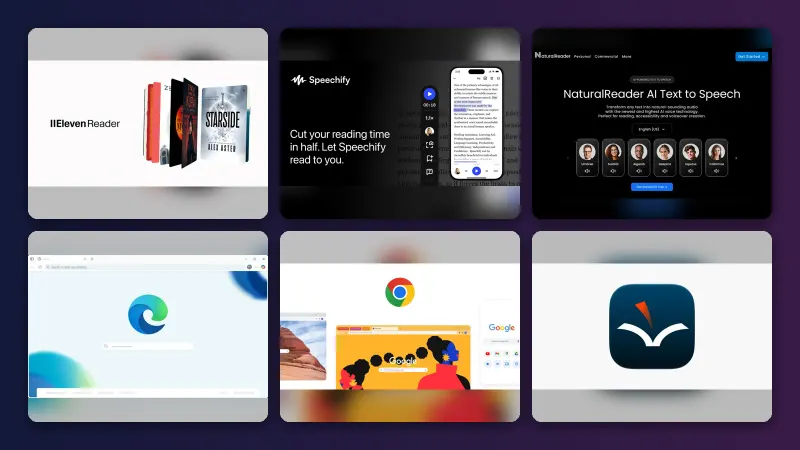
Microsoft Edge Read Aloud – best for free web and PDF reading
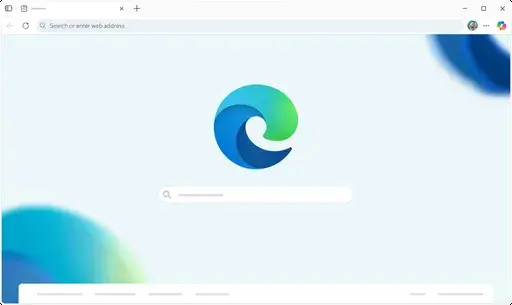
Microsoft Edge Read Aloud is a text-to-speech feature built into the Edge browser that reads web pages and PDFs aloud in natural-sounding voices.
Why it stands out
If you only want to listen, not download, Edge Read Aloud is hard to beat on price: it comes with the browser. Microsoft's feature page says it offers "a variety of natural-sounding voices and accents", works inside the Edge PDF reader, and lets you change the speed from the Voice options toolbar. It also works offline, although Microsoft notes that "only a few voice options are available while offline."
Users seem to like it for study. On the Microsoft Tech Community forum, a graduate student wrote: "I love this feature and the natural language sounds great, hitting most words effortlessly!" The same user flagged that hyphenated words and citation-heavy academic PDFs can trip it up.
Key features
- Built into Edge, with nothing to install or sign up for.
- PDF support in the browser's PDF reader.
- Speed and voice controls from the toolbar.
- Offline mode with a smaller set of voices.
- Read a selection by right-clicking highlighted text.
Pros
- Completely free with no usage caps mentioned.
- Natural voices that suit long articles.
- Works on PDFs as well as web pages.
Cons
- No audio download.
- Struggles with columns, hyphens and citations in academic PDFs.
- You need to use Edge.
Microsoft Edge Read Aloud pricing: Free, included with the Edge browser (checked October 2026). See details
Verdict: the best zero-cost reader for most people, as long as you don't need an MP3.
Related: Best AI reader tools
TTSMaker – best for free downloads for videos
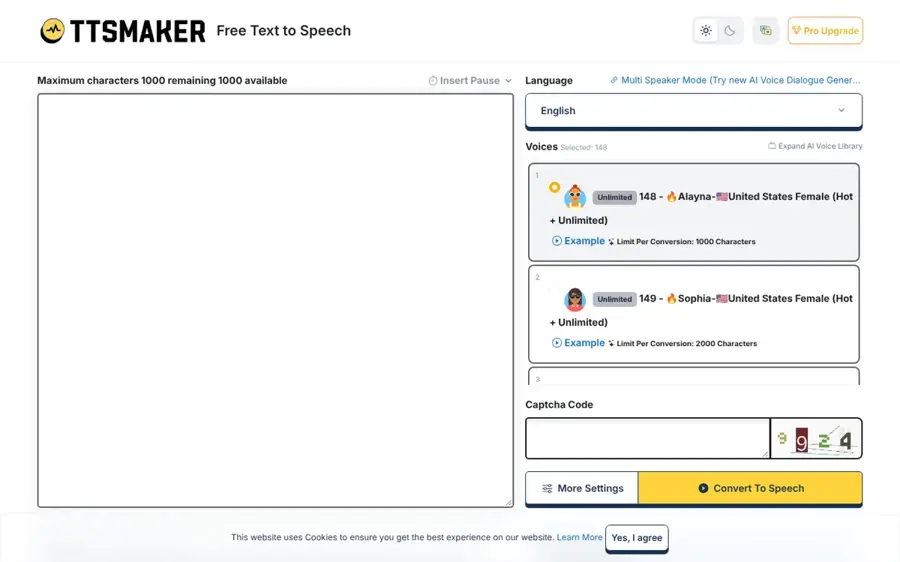
TTSMaker is a free online text-to-speech generator that turns typed text into downloadable audio in many languages and voice styles.
Why it stands out
TTSMaker is the most generous option here if you need files you can actually use. Its homepage says the free limit is 20,000 characters per week, that "some voices support unlimited free use", and that you can use the audio "for any lawful purpose, including commercial use, with no fees and no additional permission required." That makes it a practical pick for YouTube Shorts, TikTok voiceovers and classroom materials.
The trade-off is that there is little independent feedback to go on, so treat voice quality as something to judge for yourself: TTSMaker has just one Trustpilot review, which praised the free commercial rights but noted the character limit.
Key features
- 20,000 free characters a week, with some voices unlimited.
- Commercial use allowed on generated audio.
- Speed and volume controls under More Settings.
- Many languages with several voice styles each.
- API and email support for heavier users.
Pros
- Free downloads with commercial rights.
- Several voice styles per language.
- Simple interface.
Cons
- Weekly cap limits longer projects.
- Very little independent user feedback.
- Paid plan details are not clearly published.
TTSMaker pricing: Free, with a weekly character limit; we could not confirm current paid plan prices (checked October 2026). See details
Verdict: the best free choice when you need downloadable audio for short videos and can live with plainer voices.
Related: How to add AI voice in video
Speechify – best for listening on the go
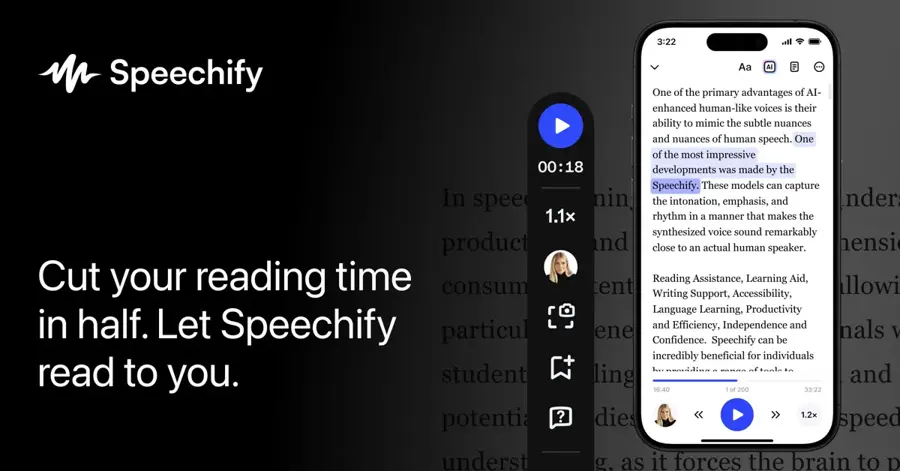
Speechify is a text-to-speech reading app for phones, browsers and desktops that reads documents, web pages and scanned text aloud.
Why it stands out
Speechify is built for people who read a lot, including those with ADHD or dyslexia. A 2026 review by RoboRhythms found that the free plan includes 10 basic voices and caps speed at 1.5x, while Premium unlocks more than 1,000 voices, 5x speed and AI summaries. The same review praised its cross-device sync and phone camera scanning for printed pages.
Users rate it highly: Speechify has a 4.7 rating from 7,252 Trustpilot reviews. One reviewer wrote, "I was AMAZED at how fast I got a response" from support. Several reviews mention billing and cancellations, so check your renewal date if you start a trial.
Key features
- Reads almost anything, including PDFs, web pages, Google Docs and email.
- Scan to listen with your phone camera.
- Synced listening across phone, laptop and browser.
- Highlighted text that follows the audio.
- AI summaries on Premium.
Pros
- Strong apps on every major platform.
- Helpful for accessibility needs.
- Highly rated support.
Cons
- Free plan is limited to basic voices and 1.5x speed.
- Premium is expensive on monthly billing ($29/month).
- Some users report trial billing surprises.
Speechify pricing: Free → Premium from about $139/year, or $29/month (checked October 2026, via RoboRhythms). See pricing
Verdict: the best reading app if you listen daily, but the free tier is a taster rather than a long-term home.
Related: Best AI reader tools Script Reader AI review
NaturalReader – best for students and documents
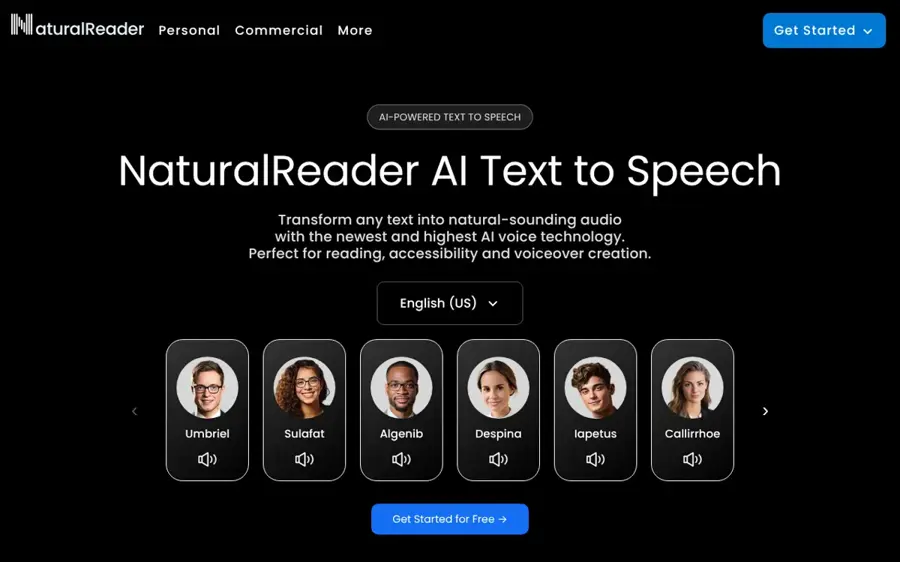
NaturalReader is a text-to-speech app that turns text, PDFs, images, web pages and printed books into audio, with separate plans for personal reading and commercial voiceovers.
Why it stands out
NaturalReader leans into study. Its homepage lists AI features such as document-to-podcast, summaries, quizzes and a camera scanner for physical books, plus discounted plans for schools. A May 2026 pricing breakdown by TextToLab says the free personal plan gives you 20 minutes a day of AI voices, with no MP3 export, and that personal and commercial plans are separate products.
Independent ratings are weak. NaturalReader's unclaimed Trustpilot profile shows a 1.5 rating from 59 reviews, and Trustpilot notes the company does not invite reviews, so the sample may skew negative. One September 2026 reviewer complained that when trying to export an MP3, "it says that Pro or Plus is required."
Key features
- Reads PDFs, images and web pages, plus printed text via the camera.
- Study tools such as summaries, quizzes and document chat.
- Voice design from a text prompt on HD voices.
- Mobile app with no ads, free to download.
- EDU licenses for classrooms and schools.
Pros
- Useful study features on top of reading aloud.
- Daily free listening allowance.
- School-wide licensing options.
Cons
- No MP3 downloads on the free plan.
- Personal plans do not allow commercial use.
- Poor Trustpilot rating, though from a small sample.
NaturalReader pricing: Free → personal plans from $9.92/month billed annually (checked October 2026, via TextToLab). See plans
Verdict: a solid free reader for students, but read the plan details before paying.
Related: Best AI reader tools
Murf AI – best for polished presentations
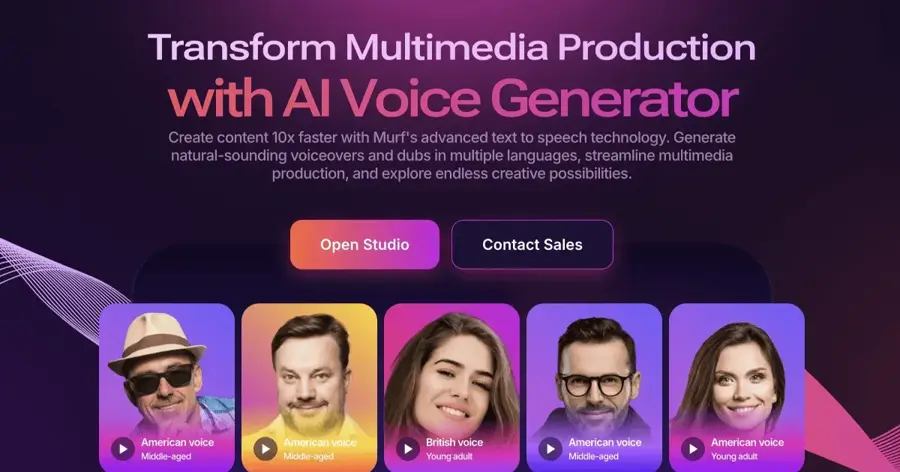
Murf AI is a voiceover studio and text-to-speech API for creating narration for videos, courses and presentations.
Why it stands out
Murf is aimed at people making training videos, explainers and slide decks. A 2026 pricing guide by Smallest.ai says its free Studio plan gives you 10 minutes of voice generation with no downloads and no commercial rights, so it works as a demo. The Creator plan costs $19 a month on annual billing. Developers get a separate deal: Murf's API pricing page offers $10 of free API credit with no credit card, then charges from $0.01 per 1,000 characters.
Users like the ease of use. Murf holds a 4.6 rating from 186 Trustpilot reviews. One reviewer wrote, "The voice quality is natural, the interface is straightforward." Another praised its pairing with Canva for class projects.
Key features
- Studio editor for timing voiceovers to slides and video.
- 150+ voices in 35+ languages through the API.
- $10 free API credit with no card required.
- Canva integration for quick presentations.
- Voice changer and translation endpoints.
Pros
- Clean, beginner-friendly interface.
- Good fit for course and training content.
- Generous free API credit for developers.
Cons
- Free Studio plan has no downloads.
- Creator plan caps voice generation hours.
- Pricier than ElevenLabs for light use.
Murf AI pricing: Free → Studio plans from $19/month billed annually (checked October 2026, via Smallest.ai). See pricing
Verdict: worth a look if you make presentations or courses, but the free tier is only for testing.
Related: Best AI voice generators How to add AI voice in video
Google Cloud Text-to-Speech – best for apps and bulk audio
Google Cloud Text-to-Speech is Google's developer API for turning text into speech, with a monthly free allowance on most voice types.
Why it stands out
For sheer free volume, Google is in a different class. Its pricing page lists 4 million free characters a month on Standard and WaveNet voices, and 1 million free characters a month on its newer Chirp 3 HD voices. After that, Standard and WaveNet cost $4 per million characters. The newer Gemini-TTS models have no free allowance.
This is not a consumer app. You must enable billing on a Google Cloud account, and you will be charged automatically if you go over the free limit. It suits developers building apps, or anyone comfortable with an API who needs a lot of audio. We could not find a reliable user rating for this specific product, so judge it on the documentation and a small trial.
Key features
- 4 million free characters a month on Standard and WaveNet voices.
- Chirp 3 HD voices with 1 million free characters a month.
- Gemini-TTS models that take text prompts for style control (paid).
- SSML support for fine control over pauses and pronunciation.
- Instant custom voice option at a higher per-character rate.
Pros
- Very large free monthly allowance.
- Low prices after the free tier.
- Many voice families to choose from.
Cons
- Requires a billing account and some technical setup.
- Easy to run up charges if you are not monitoring usage.
- No simple editor for non-developers.
Google Cloud Text-to-Speech pricing: Free monthly allowance → pay as you go from $4 per million characters (checked October 2026). See pricing
Verdict: the best free tier for developers, and the wrong choice for anyone who just wants to paste text and press play.
Related: Best AI voice generators
Kokoro – best for running TTS offline
Kokoro is a free, open-weight text-to-speech model with 82 million parameters that you can run on your own computer or server.

Why it stands out
Kokoro is the pick if you want no limits and no account. Its model page says the weights are Apache-licensed, so you can use them in personal and commercial projects, and that version 1.0 supports 8 languages and 54 voices. It is small enough to run quickly on modest hardware, and the page notes that hosted Kokoro APIs cost under $1 per million characters as of April 2025.
The developer community has taken notice: the Kokoro GitHub repository has about 9,800 stars. One warning from the model page itself: websites with "kokoro" in their domain name are not affiliated with the project and may be scams, so download it only from the official Hugging Face or GitHub pages.
Key features
- Apache license for personal and commercial use.
- 8 languages and 54 voices in version 1.0.
- Lightweight 82M-parameter model that runs locally.
- Python library you can install with pip.
- Free online demo on Hugging Face.
Pros
- Completely free with no usage caps.
- Your text never leaves your machine.
- Commercial use allowed.
Cons
- Needs some technical skill to install.
- Fewer languages than commercial tools.
- Fake look-alike websites to avoid.
Kokoro pricing: Free and open source (checked October 2026). See the project
Verdict: the best truly free option if you are comfortable with a little code.
How to choose the right AI text-to-speech tool
Decide whether you need to listen or to publish
This is the first fork. If you want to listen to articles, textbooks or email, pick a reader: Edge Read Aloud, Speechify or NaturalReader. If you need an audio file for a video, podcast or course, pick a generator: ElevenLabs, TTSMaker or Murf. Readers usually block downloads, and generators are clumsy for everyday reading.
Check the usage rights before you publish
Free plans often forbid commercial use. ElevenLabs and Murf both restrict free-plan audio, according to Dupple and Smallest.ai. If you run a monetized YouTube channel or make client work, choose TTSMaker or Kokoro, which allow commercial use for free, or budget for a paid plan.
Match the free limit to your workload
Do the maths. A 1,000-word script is roughly 6,000 characters, so ElevenLabs' 10,000 free credits cover one or two short scripts a month. TTSMaker's 20,000 characters a week covers three or four. If you need hours of audio, look at Google Cloud's free millions or run Kokoro yourself.
Clone only your own voice, or with clear consent
Voice cloning is now a standard paid feature. Use it for your own voice, or for someone who has given you clear permission. Cloning someone's voice without consent is harmful and illegal in many places. Tennessee's ELVIS Act, for example, extended the state's personal rights law to cover voices against AI misuse, and ElevenLabs' use policy lets people report when their voice has been used without consent.
Free vs paid: what you actually get
Free tiers are good for testing and light personal use. Paid plans mainly buy you three things: more minutes, download and commercial rights, and better voices. Here is how the free and entry-level paid plans compare, based on the sources above.
| Tool | What free gets you | Cheapest paid plan | What paying adds |
|---|---|---|---|
| ElevenLabs | 10,000 credits a month (about 10 minutes), no commercial license | $6/month | Commercial license, 30,000 credits, instant voice cloning |
| Speechify | 10 basic voices, 1.5x speed | About $139/year | 1,000+ voices, 5x speed, AI summaries |
| NaturalReader | 20 minutes a day of AI voices, no MP3 | $119/year | Better voices, MP3 export, OCR |
| Murf AI | 10 minutes, no downloads | $19/month (annual) | Downloads, commercial rights, more hours |
| TTSMaker | 20,000 characters a week, commercial use allowed | Not confirmed | Higher limits |
| Google Cloud | Up to 4 million characters a month | $4 per million characters | Usage beyond the free limit, Gemini-TTS voices |
Choose free if you listen to a few articles a week or need the occasional short voiceover. Choose paid if you publish audio regularly, need commercial rights, or listen for hours every day. For video projects, our guide to AI video dubbing tools covers the next step up. And if you want music instead of speech, see our Suno AI review.
Final verdict
If you only pick one, pick ElevenLabs for creating audio and Edge Read Aloud for listening. ElevenLabs gives you the most realistic free voices, and its $6 Starter plan is the cheapest way to unlock commercial use. Edge costs nothing and reads web pages and PDFs well.
Choose TTSMaker if you need free downloads you can use in monetized videos. Choose Speechify or NaturalReader if you want a dedicated reading app on your phone. Choose Google Cloud or Kokoro if you can write a little code and want large volumes for free. Everything else is a specialist.
FAQ
What is the best free AI text-to-speech tool?
For realistic voices, ElevenLabs has the strongest free plan, with about 10 minutes of speech a month. For unlimited free listening, Microsoft Edge Read Aloud is the simplest choice because it is built into the browser.
Which free text-to-speech AI lets me download MP3s?
TTSMaker lets you download audio for free within a 20,000-character weekly limit, and Kokoro saves audio files on your own computer. NaturalReader and Murf block downloads on their free plans.
Can I use free AI voices on YouTube?
It depends on the tool's license. ElevenLabs and Murf free-plan audio cannot be used commercially, while TTSMaker says its audio can be used commercially at no cost. Kokoro's Apache license also allows commercial use. Always check the current terms before you monetize.
Is there a completely free text-to-speech AI with no limits?
Edge Read Aloud has no stated usage limits for listening, and Kokoro has no limits because you run it on your own hardware. Online generators almost always cap free usage.
Is it legal to clone someone else's voice with AI?
Only with their consent. Cloning a person's voice without permission is harmful and illegal in many places, and laws such as Tennessee's ELVIS Act specifically protect voices from AI misuse. Stick to cloning your own voice or a voice you are licensed to use.
Sources
- ElevenLabs Pricing for Creators & Businesses of All Sizes (ElevenLabs)
- Is ElevenLabs Free in 2026? Free Plan Limits and Cheapest Paid Tier (Dupple)
- ElevenLabs Reviews (Trustpilot)
- ElevenLabs Usage Policy (ElevenLabs)
- Read aloud (Microsoft Edge)
- Microsoft Edge Read aloud: Now with PDF support (Microsoft Community Hub)
- Free Text to Speech Online (TTSMaker)
- Ttsmaker Reviews (Trustpilot)
- Speechify Review 2026: Is the Premium Plan Worth $139 a Year? (RoboRhythms)
- Speechify Pricing (Speechify)
- Speechify Reviews (Trustpilot)
- AI Voices - NaturalReader Home (NaturalReader)
- NaturalReader Pricing at a Glance (TextToLab)
- Naturalreaders Reviews (Trustpilot)
- Murf AI Pricing: Plans, Cost & What You Get in 2026 (Smallest.ai)
- Murf AI Pricing & Plans (Murf AI)
- Murf.ai Reviews (Trustpilot)
- Review pricing for Text-to-Speech (Google Cloud)
- hexgrad/Kokoro-82M (Hugging Face)
- hexgrad/kokoro (GitHub)
- Elvis Act Signed Into Tennessee Law to Protect Musicians From AI Deepfakes (Rolling Stone)