The 8 best AI business assistants in 2026, compared
The best AI business assistants for 2026, from ChatGPT Business and Claude Team to Copilot and Gemini, with business pricing, a 10-seat cost example and limits.
 Written byFahad HashmiContributing writer, AI in energy and industry
Why you can trust The AI Future
Our writers research every product, link each claim to its source and correct mistakes openly. Companies can't pay for coverage or see reviews before they're published.
Read our editorial policy
Here is the short version. An AI business assistant is a chatbot or agent that drafts, summarizes, schedules and automates routine work using your company's own email, files and apps. For most small teams the best AI business assistant is ChatGPT Business or Claude Team at about $20 per seat per month on annual billing, unless you already pay for Microsoft 365 or Google Workspace, in which case the assistant built into that suite is usually the cheaper first step.
Think of the market as three layers. General assistants (ChatGPT, Claude) do the thinking and writing. Suite assistants (Microsoft 365 Copilot, Gemini, Notion AI) do it inside the documents and inboxes you already use. Specialists (Zapier, Otter.ai, Reclaim.ai) handle one job, such as automation, meetings or calendars. Below are eight picks across those layers, with business pricing, a 10-seat cost example and failure modes.
Key takeaways
- Buy one general assistant first. ChatGPT Business and Claude Team both list at $20 per seat per month billed annually, and most teams do not need both.
- Check what your suite already includes. Google bundles Gemini into every Workspace business plan, and Microsoft sells Copilot as an add-on to Microsoft 365 business plans.
- Sticker price is not the bill. One price index found realized costs ran 1.7x to 3x the per-seat price once base licenses and usage meters were counted.
- Prove specialists on free plans. Zapier, Otter.ai and Reclaim.ai all have one.
How we ranked them
Nobody at The AI Future ran hands-on tests for this roundup, and we have not taken our own screenshots. We compared each AI assistant for business using official pricing and product pages, published pricing analyses, independent reviews and verified user reviews on Capterra, Trustpilot and G2, as of late October 2026. We scored each tool on six criteria:
- Coverage: how many everyday business tasks it handles.
- Context: how well it uses your company's data.
- Admin and data controls: SSO, central billing, and whether your business data is excluded from model training.
- Cost per seat: the published business price, plus any base license or usage meter you also pay.
- Small business fit: whether a team of 2 to 20 can buy it without a sales call.
- User sentiment: ratings and recurring complaints in verified reviews.
Prices are in US dollars, exclude tax, and change often: a Coworker price index warns that pricing articles more than a quarter old "should be assumed wrong until verified".
Our top picks at a glance
| # | Tool | Category | Best for | Free tier | Starts at |
|---|---|---|---|---|---|
| 1 | ChatGPT | General assistant | All-round business work | Yes | $20/seat/mo |
| 2 | Claude | General assistant | Writing and long documents | Yes | $20/seat/mo |
| 3 | Microsoft 365 Copilot | Suite assistant | Microsoft 365 teams | Yes (limited) | $18/user/mo |
| 4 | Gemini for Google Workspace | Suite assistant | Google Workspace teams | No | $7/user/mo |
| 5 | Notion AI | Workspace AI | Team docs and wikis | Yes (limited) | $20/member/mo |
| 6 | Zapier | Automation | Cross-app workflows | Yes | $19.99/mo |
| 7 | Otter.ai | Meeting assistant | Meeting notes | Yes | $8.33/mo |
| 8 | Reclaim.ai | Calendar assistant | Team scheduling | Yes | $10/seat/mo |
Notes: "Starts at" is the cheapest business plan on annual billing. Copilot's $18 is a promotional add-on on top of a Microsoft 365 license. Gemini's $7 (Business Starter) covers Gmail but not Docs or Meet.
The 8 best AI business assistants in 2026, ranked
ChatGPT – best for all-round business work
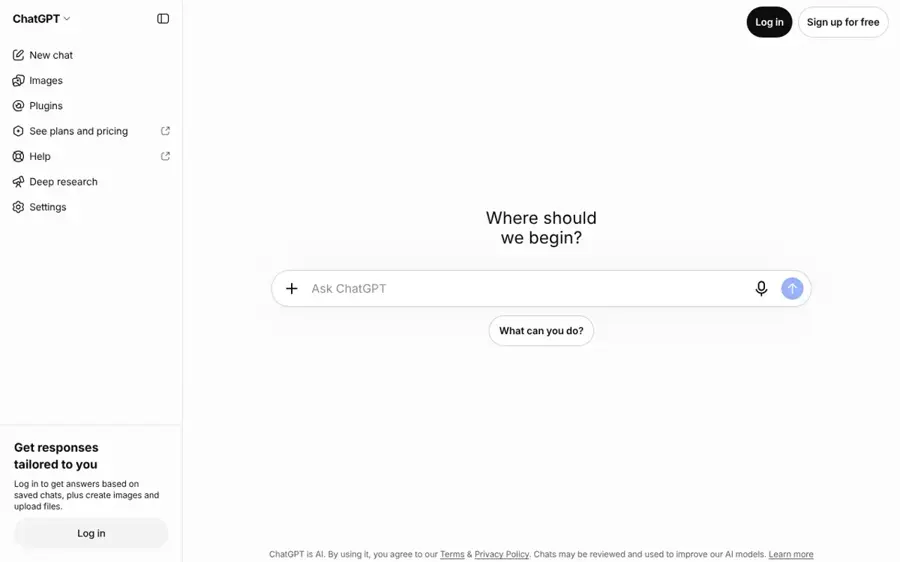
ChatGPT Business is OpenAI's team plan: a shared workspace with company context, admin controls and agents that can take a task from goal to finished output. Start at chatgpt.com/business.
Why it stands out
ChatGPT covers the widest spread of business tasks in this list. OpenAI's Business page describes ChatGPT Work, which can "gather context, make a plan, complete the work, and check in when it needs your input or approval", plus a shared Space and Codex for code. OpenAI says business data is never used for training.
Seats come in two sizes. Standard is $25 per seat monthly or $20 billed annually, and Premium is $125 or $100 annually with 5x the usage and always-on agents called "dots" (The AI Career Lab, eWeek). On Capterra, ChatGPT scores 4.4 from 408 reviews. One verified executive assistant calls it "a powerful multiplier for ideation, research, and technical execution, provided you treat its outputs as high-quality drafts rather than unverified final facts."
Key features
- ChatGPT Work: hands off multi-step tasks and asks for approval when needed.
- Space: shared files, pages and context for a team.
- Mixed seats: Standard for most staff, Premium for heavy users.
- Codex: code changes and pull requests for technical teams.
Pros
- Broadest range of tasks of any pick
- Business data excluded from training
- Mix-and-match seats keep costs down
Cons
- Confident errors still need human review
- Premium seats are five times the Standard price
- SCIM and data residency need Enterprise
ChatGPT pricing: Free plan for individuals → Business from $20/seat/month billed annually or $25 monthly; Premium seats $100 annually (checked October 2026). See pricing
Related: ChatGPT with GPT-6 review Best AI like ChatGPT
Claude – best for writing and long documents
Claude is Anthropic's assistant, sold to businesses through a Team plan with shared projects, enterprise search and admin controls. Start at claude.com.
Why it stands out
Claude is the stronger pick when the work is reading and writing long material: contracts, reports, proposals and policy documents. Anthropic's pricing page lists a context window of up to 1M tokens on every plan, and Team adds project sharing, enterprise search, SSO and central billing, with no model training on your content by default.
According to Vantage Point, Team standard seats cost $20 per seat per month billed annually ($25 monthly) and premium seats $100 annually ($125 monthly), for teams of roughly 2 to 150. It holds a 4.4 rating from 63 reviews on Capterra. One small financial services owner wrote that it "helped me put together a real business plan to leverage AI and save countless hours each day by integrating it with MS Office, Slack, DocuSign, Chrome, and more."
Key features
- Long context: up to 1M tokens for large files.
- Projects: shared, team-wide knowledge and instructions.
- Connectors: links to tools such as Microsoft 365 and Outlook.
- Claude Docs and Slides: create business documents directly.
Pros
- Strong on long documents and careful writing
- No training on Team data by default
- Same entry price as ChatGPT Business
Cons
- Answers can run long
- Audit logs and SCIM need Enterprise
- Usage limits apply even on paid seats
Claude pricing: Free plan → Team from $20/seat/month billed annually or $25 monthly; premium seats $100 annually (checked October 2026). See pricing
Related: Claude AI review
Microsoft 365 Copilot – best for Microsoft 365 teams
Microsoft 365 Copilot puts an AI assistant inside Word, Excel, Outlook and Teams, grounded in your company's email, files and meetings. See Microsoft 365 Copilot Business.
Why it stands out
For Microsoft 365 shops, Copilot needs no new app. In September Microsoft unveiled a Copilot "super app" that can work on Excel sheets and Word layouts, with an Autopilot agent feature in testing, Fortune reported. The most autonomous features will cost extra based on usage.
The price needs care. eWeek lists Copilot Business at about $21 per seat per month on annual billing, discounted to $18, as an add-on to an existing Business plan. GeoToolbox works out an all-in figure of $32 per user per month on Business Standard ($14 base plus $18 Copilot). On Capterra it rates 4.5 from 28 reviews, though one reviewer cites "high cost, sometimes inaccurate answers".
Key features
- In-app assistance: Word, Excel, PowerPoint, Outlook and Teams.
- Work grounding: answers based on your email, files and meetings.
- Copilot Chat: free with an eligible Microsoft 365 plan.
- Autopilot agents: named agents for follow-ups and prep, in testing.
Pros
- No new app to roll out for Microsoft shops
- Uses the documents and mail you already have
- Free Copilot Chat tier for business users
Cons
- Add-on cost on top of a base license
- Pricing paths are fragmented and change often
- Agent features billed by usage
Microsoft 365 Copilot pricing: Copilot Chat free with eligible plans → Copilot Business from $18/user/month promotional ($21 list) on annual terms, plus a Microsoft 365 business license (checked October 2026). See pricing
Related: Microsoft Copilot review
Gemini for Google Workspace – best for Google Workspace teams
Gemini is Google's AI model, built into Gmail, Docs, Sheets, Slides, Drive and Meet on every Google Workspace business plan. See workspace.google.com.
Why it stands out
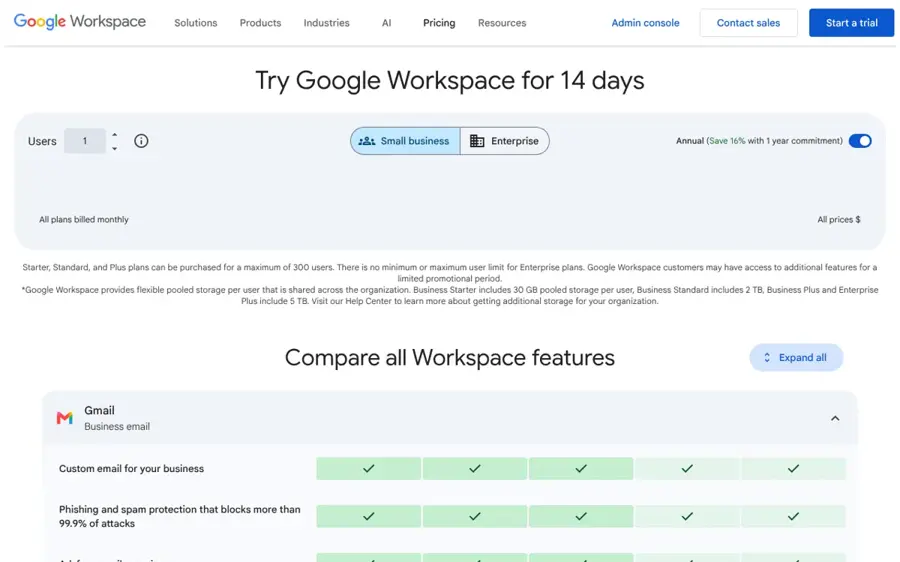
If you also need email, storage and video calls, this is the best value here. Gemini is now bundled into Workspace rather than sold as an add-on, as eesel AI explains. Google's pricing page shows Gemini in Gmail on all business plans, while Gemini in Docs, Sheets, Slides, Drive and Meet starts at Business Standard.
Dupple, citing Google's US help center on 12 October, lists Business Starter at $7 per user per month on a one-year commitment ($8.40 flexible), Business Standard at $14 ($16.80) and Business Plus at $22 ($26.40), each for up to 300 users. Gemini scores 4.6 from 98 reviews on Capterra, where one non-profit user says it "feels less like using a rigid search box and more like collaborating with a sharp, adaptable partner."
Key features
- Gemini in Gmail: summarize threads and draft replies.
- Gemini in Docs and Sheets: drafting and data analysis from Standard up.
- Gemini in Meet: notes, summaries and translation from Standard up.
- Gemini in Drive: find and summarize files.
Pros
- Cheapest route to a suite-wide assistant
- Email, storage and meetings included in the price
- Clear published per-user pricing
Cons
- Starter misses Gemini in Docs and Meet
- You pay for AI on every seat, used or not
- No free business edition, only a 14-day trial
Gemini for Google Workspace pricing: No free business plan (14-day trial) → Business Starter from $7/user/month, Standard $14/user/month on annual commitment (checked October 2026). See pricing
Notion AI – best for team docs and wikis
Notion AI is the assistant inside Notion's workspace, with an agent, AI meeting notes and enterprise search on the Business plan. See notion.com.
Why it stands out
Notion AI makes sense when your team's knowledge already lives in Notion. The Business plan adds Notion Agent, AI Meeting Notes and Enterprise Search, and Custom Agents can run repetitive tasks on their own.
Krater reports that the standalone AI add-on is gone, so full AI now means the Business plan at $20 per member per month for every member, with Custom Agents metered separately at $10 per 1,000 monthly Notion credits. Notion has a 4.7 rating from 2,843 reviews on Capterra, where a reviewer praises "an exceptionally flexible, all-in-one workspace".
Key features
- Notion Agent: chat, generate, autofill and translate inside pages.
- AI Meeting Notes: transcripts and summaries saved to your workspace.
- Enterprise Search: answers across Notion and connected apps.
- Custom Agents: autonomous agents billed by credits.
Pros
- AI works on the docs your team already keeps
- Meeting notes, wiki and tasks in one place
- Strong user ratings for the core product
Cons
- Every member pays Business prices for full AI
- Custom Agents add a second meter
- Performance can slow on heavy pages
Notion AI pricing: Free plan with a limited AI trial → Business from $20/member/month; Custom Agents $10 per 1,000 credits (checked October 2026). See pricing
Related: Notion AI review Best AI tools for productivity
Zapier – best for cross-app workflows
Zapier is an automation platform that connects business apps and lets you build AI agents that act across them. See zapier.com.
Why it stands out
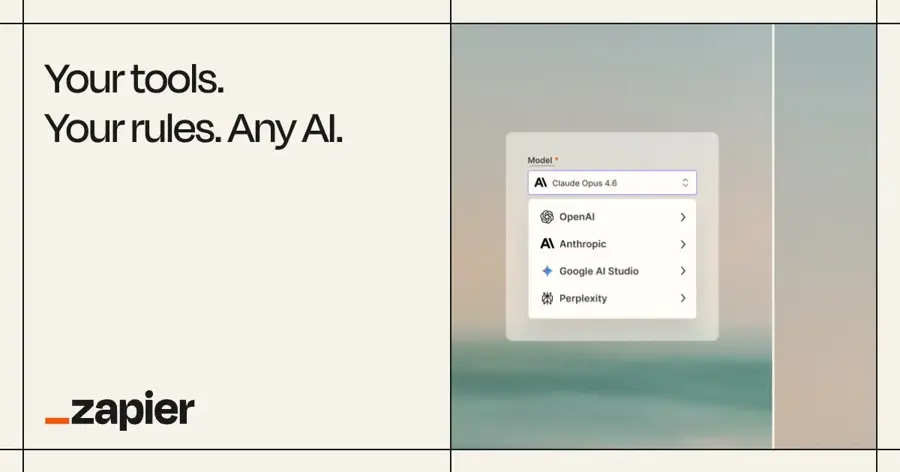
The assistants above mostly answer and draft. Zapier is the layer that moves data and triggers actions. Its Agents page says agents can do work across "9,000+ apps" using your company knowledge, and Zapier Copilot helps you build them. Typical first jobs: lead routing, CRM updates and support triage.
Zapier's pricing page lists a free plan with 100 tasks a month and two-step Zaps, Professional from $19.99 a month with multi-step Zaps and premium apps, and Team at $69 a month for 25 users with shared Zaps and SSO. On Capterra it scores 4.7 from 3,083 reviews. One user says the "Copilot builder and reliable error handling have made both getting started and maintaining automations at scale easier than expected."
Key features
- Zaps: multi-step automated workflows between apps.
- Agents: AI teammates that act across connected apps.
- Copilot: describe a workflow in plain English to build it.
- Tables and Forms: lightweight data and intake built in.
Pros
- Huge app catalog
- Free plan to prove a workflow first
- Turns assistant output into real actions
Cons
- Task-based billing grows with volume
- Complex flows need care to maintain
- Data limits on some built-in tools
Zapier pricing: Free (100 tasks/month) → Professional from $19.99/month; Team $69/month (checked October 2026). See pricing
Related: Build your own AI assistant tools
Otter.ai – best for meeting notes
Otter.ai is a meeting assistant that joins Zoom, Google Meet and Teams calls to transcribe, summarize and answer questions about what was said. See otter.ai.

Why it stands out
According to Castmagic, which checked Otter's pricing page in August, the free Basic plan gives 300 minutes a month with a 30-minute cap per conversation. Pro is $8.33 per user per month billed annually ($16.99 monthly) with 1,200 minutes and a 90-minute cap, and Business is $19.99 annually ($30 monthly) with unlimited transcription and admin features.
Lindy gives Otter 4 out of 5 and notes a 4.4/5 rating on G2, where reviewers praise the summaries and Zoom and Meet integration but complain about "speaker mislabeling in group calls and summaries that need manual cleanup before they're useful externally."
Key features
- Live transcription: speaker-labelled text during the call.
- AI summaries: notes and action items after each meeting.
- AI Chat: ask what was decided across meetings.
- CRM integrations: Salesforce, HubSpot and Zapier on Pro and up.
Pros
- Useful free plan for short calls
- Cheap annual Pro plan
- Works with the big three meeting apps
Cons
- 30-minute cap on the free plan cuts off normal meetings
- Accuracy drops with crosstalk
- Imports are rationed below Business
Otter.ai pricing: Free (300 minutes/month) → Pro from $8.33/month billed annually; Business $19.99/user/month annually (checked October 2026). See pricing
Related: Otter AI review Granola AI review
Reclaim.ai – best for team scheduling
Reclaim.ai is an AI calendar that schedules focus time, habits, tasks and meetings around your existing commitments. See reclaim.ai.

Why it stands out
Reclaim defends focus time, moves flexible blocks when meetings land, and books group meetings. The company says it is used by "+600,000 users across 70,000 companies" on its homepage, a vendor claim we could not verify independently. Its pricing page lists a free plan, Starter for up to 10 seats and Business for up to 100 seats.
Morgen, a competitor, lists Starter at $10 per seat per month, Business at $15 and Enterprise at $22. User opinion is split: Reclaim has a 2.1 TrustScore from just 24 reviews on Trustpilot, where one long-time subscriber writes "Absolutely love Reclaim.ai!" while another complains it added focus time and lunches to their calendar without warning.
Key features
- Focus Time: protected deep-work blocks that adapt to your week.
- Habits and tasks: auto-scheduled and rescheduled on conflict.
- Smart Meetings: finds slots that work for a group.
- Scheduling Links: booking pages, including round-robin on Business.
Pros
- Free plan for individuals
- Hands-off calendar automation
- Delegated access for executive assistants
Cons
- Autopilot can feel heavy-handed
- Mixed user reviews
- No mobile app, per G2 feedback cited by Morgen
Reclaim.ai pricing: Free plan → Starter from $10/seat/month (checked October 2026). See pricing
Related: Best AI scheduling assistants
What it actually costs: a worked example
Take a 10-person business on annual billing. Here is the yearly cost of the main AI assistant for business options at list prices, before tax and usage add-ons:
| Option | Per user per month | 10 users per year | What else you get |
|---|---|---|---|
| Google Workspace Business Standard | $14 | $1,680 | Email, 2 TB storage per user, Meet |
| ChatGPT Business (Standard) | $20 | $2,400 | AI only |
| Claude Team (standard) | $20 | $2,400 | AI only |
| Notion Business | $20 | $2,400 | Docs, wiki, projects |
| Microsoft 365 Business Standard + Copilot Business | $32 | $3,840 | Office apps, email, Teams |
Sources: Dupple, The AI Career Lab, Vantage Point, Krater and GeoToolbox. At Copilot's $21 list price, the last row becomes $4,200. The useful number is marginal cost: if you already pay for a suite, the AI costs only the gap to the plan that includes it.
Where it breaks
Plan for these failure modes before you roll anything out:
- Confident errors. Verified reviewers of ChatGPT, Copilot and Gemini all mention inaccurate answers. One ChatGPT reviewer on Capterra warns of "confident-sounding errors". Anything sent to a customer needs a human check.
- Usage meters on top of seats. Notion's Custom Agents, Microsoft's autonomous Copilot features and Zapier's tasks all bill by usage. Coworker found realized costs ran 1.7x to 3x the sticker where it could compute both.
- Idle seats. Workspace and Notion charge AI on every member, used or not.
- Data handling. Use business plans, not personal accounts, for company data. Consumer plans rely on account settings for training opt-outs.
- Agents that overreach. Automation and calendar agents act without asking, so start with narrow permissions.
How to choose the right AI business assistants
Start from the suite you already pay for
A suite assistant already has your files and mail. On Google, compare your plan with Business Standard; on Microsoft, price the Copilot add-on.
Pick one general assistant for heavy thinking
For drafting, analysis and research beyond the suite, choose ChatGPT or Claude, not both. See our Claude vs ChatGPT comparison.
Add a specialist for one measurable job
Pick the job that eats the most hours and trial a free plan for two weeks. Keep it only if you can name the hours saved.
Check the admin basics before you buy
You want SSO, central billing and a clear training-data policy. Our guide on how to choose AI assistants for business has a fuller checklist, and the enterprise AI solutions roundup covers larger rollouts.
Use this decision table
| If you... | Start with |
|---|---|
| Run on Google Workspace | Gemini via Business Standard |
| Run on Microsoft 365 | Microsoft 365 Copilot Business |
| Need a standalone all-rounder | ChatGPT Business |
| Work mostly with long documents | Claude Team |
| Keep your knowledge base in Notion | Notion Business |
| Want tasks done across apps | Zapier |
| Lose hours to meetings or calendars | Otter.ai or Reclaim.ai |
Free vs paid: what you actually get
Free plans are for testing, not running a business:
- ChatGPT and Claude: free plans handle occasional drafting but lack shared workspaces and admin controls; Claude's pricing page reserves SSO and project sharing for Team and above.
- Microsoft: Copilot Chat is free with eligible plans, per GeoToolbox; in-app help grounded in your data needs the add-on.
- Notion: Free and Plus get only a limited AI trial; full AI starts at Business.
- Zapier: 100 tasks a month and two-step Zaps, enough to prove one workflow.
- Otter.ai: 300 minutes a month, capped at 30 minutes per conversation.
- Reclaim.ai: a one-week scheduling range, fine for a solo user.
Paid business tiers buy three things: higher limits, shared team context, and admin and data controls. If you only need the first, an individual plan may do.
Final verdict
For most small businesses, the best AI business assistant is the one that matches the software you already pay for. On Google Workspace, Business Standard at $14 per user gives you Gemini across email, documents and meetings for less than any standalone tool. On Microsoft 365, Copilot Business is the natural add-on, though the all-in cost is higher. If you use neither, or want a stronger general assistant on top, ChatGPT Business is the most versatile choice and Claude Team is the better writer for long documents, both at $20 per seat on annual billing.
Then add one specialist where you lose the most time: Zapier for repetitive app-to-app work, Otter.ai for meetings, Reclaim.ai for calendars. Measure the hours saved and keep a human check on anything that leaves the building. For more options, see our best AI tools for productivity and best AI executive assistants.
FAQ
What is an AI business assistant?
An AI business assistant is software that uses large language models to handle routine work such as drafting emails, summarizing documents and meetings, analyzing data, scheduling and running automations. Business versions add shared workspaces, admin controls and protections that keep company data out of model training.
What is the best AI assistant for small business?
It depends on your existing tools. Google Workspace users get Gemini from $7 per user per month, with full Docs and Meet support at $14. Microsoft 365 users can add Copilot Business. Otherwise, ChatGPT Business or Claude Team at $20 per seat per month on annual billing are the strongest standalone choices as of October 2026.
Is my company data safe with an AI work assistant?
Business plans are safer than personal accounts. OpenAI says ChatGPT Business data is never used for training, and Anthropic does not train on Claude Team content by default. You should still check SSO, retention settings and connector permissions, and avoid pasting sensitive customer data into consumer accounts.
How much does an AI assistant for business cost per user?
Most business plans cost $18 to $25 per user per month as of October 2026. ChatGPT Business and Claude Team are $20 on annual billing, Copilot Business is $18 to $21 on top of a Microsoft 365 license, and Notion Business is $20 per member. Usage-based agent features can add more.
Sources
- Enterprise AI Price Index, Q3 2026 (Coworker AI)
- AI Pricing Cheat Sheet: Compare ChatGPT, Claude, Gemini, and More (eWeek)
- ChatGPT Business (OpenAI)
- ChatGPT pricing (OpenAI)
- ChatGPT Go vs Plus vs Pro, Oct 2026 (The AI Career Lab)
- ChatGPT Reviews 2026 (Capterra)
- Plans & pricing (Claude by Anthropic)
- Claude plans and tiers explained for business (Vantage Point)
- Claude Reviews 2026 (Capterra)
- Microsoft 365 Copilot Business (Microsoft)
- Microsoft Copilot Pricing in 2026 (GeoToolbox)
- Microsoft unveils Copilot super app, targeting business users with AI agents (Fortune)
- Microsoft 365 Copilot Reviews 2026 (Capterra)
- Compare Flexible Pricing Plan Options (Google Workspace)
- Google Workspace Pricing in 2026: Every Plan per User (Dupple)
- Gemini for Workspace pricing 2026: Plans and costs (eesel AI)
- Gemini Reviews 2026 (Capterra)
- Notion Pricing Plans (Notion)
- Notion AI Pricing 2026: What It Really Costs Now (Krater)
- Notion Reviews 2026 (Capterra)
- Plans & Pricing (Zapier)
- Build AI teammates with Zapier Agents (Zapier)
- Zapier Reviews 2026 (Capterra)
- Pricing (Otter.ai)
- Otter.ai Pricing 2026: Free Plan, Pro & Business Costs Explained (Castmagic)
- Otter AI Review 2026 (Lindy)
- Reclaim: AI Calendar for Work & Life (Reclaim.ai)
- Pricing (Reclaim.ai)
- Reclaim Pricing & Features: Is It Worth It in 2026? (Morgen)
- reclaim.ai Reviews (Trustpilot)