Best AI for science research in 2026: 7 tools that do the actual science
From Claude Science and AlphaFold to AI co-scientists, these are the seven best AI tools for analysing data, predicting structures and testing hypotheses in 2026.
 Written byMuhammad Usman SiddiquiFounder and editor-in-chief
Why you can trust The AI Future
Our writers research every product, link each claim to its source and correct mistakes openly. Companies can't pay for coverage or see reviews before they're published.
Read our editorial policy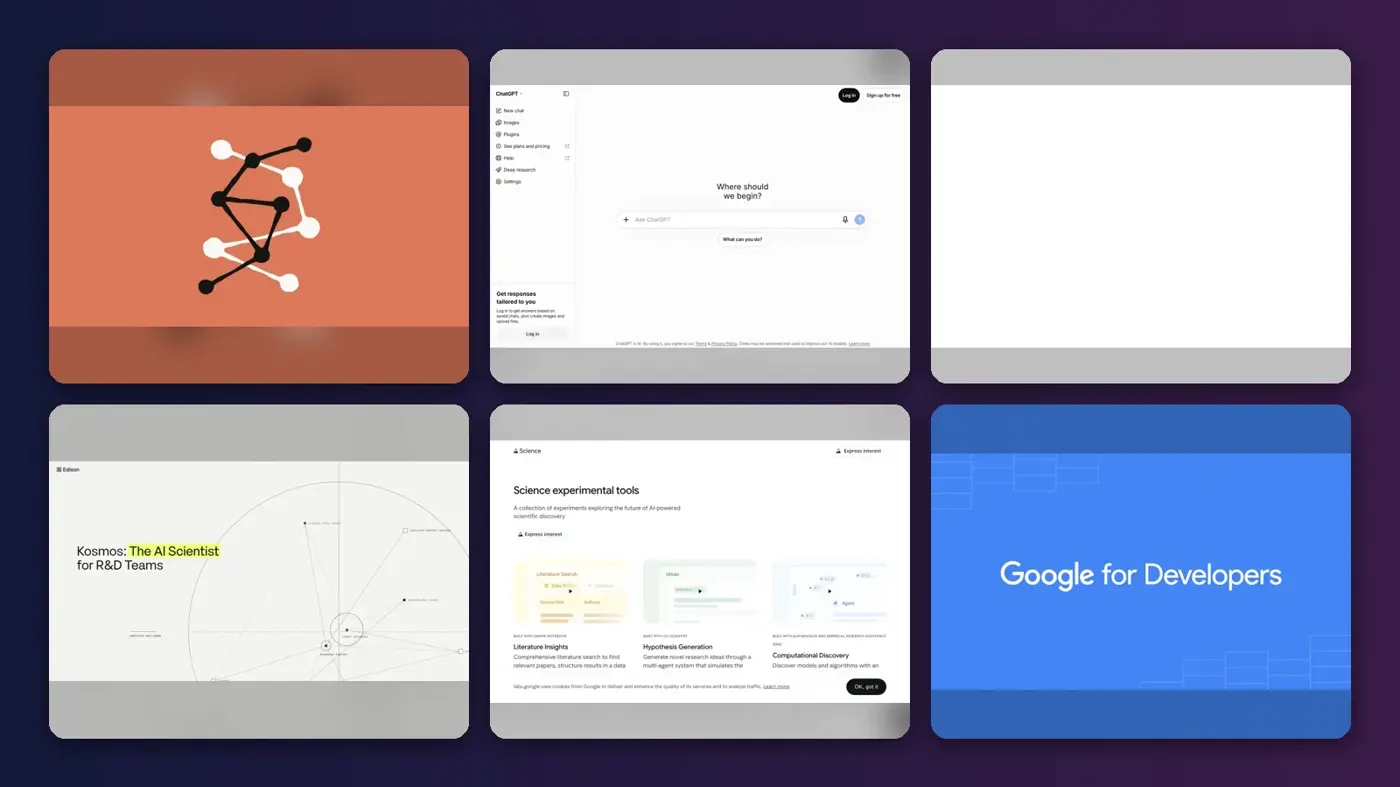
Short answer: the best AI for science research in 2026 depends on whether you need a thinking partner or a pair of hands. If you run computational analyses, start with Claude Science, which runs pipelines, queries 60+ scientific databases and keeps the code behind every figure. If you work on proteins, AlphaFold Server is free and still the reference tool. If you want an AI that runs a whole investigation on its own, look at Edison Scientific’s Kosmos.
This guide is about AI that does the science itself: predicting structures, analysing data, writing and running code, and proposing hypotheses. If what you need is help finding and reading papers, see our sister guide to AI scientific research tools, which covers Elicit, Consensus, Scite and other literature tools. We have kept overlap with that list to a minimum.
Key takeaways
- Agentic workbenches are the big 2026 shift. Anthropic, OpenAI and Google all launched science-specific products this year that connect models to databases, code and compute.
- Your budget can be close to zero. AlphaFold Server, the AlphaFold Database and Google Colab are free, and Edison offers a free academic tier.
- $20 a month buys a lot. Claude Pro, ChatGPT Plus and Google AI Pro each cost about that, and each now ships serious science features.
- Autonomous discovery is still early. AI co-scientists can generate and test ideas, but humans still design the real experiments and own the conclusions.
How we ranked them
Nobody at The AI Future ran hands-on tests for this roundup, and we did not take screenshots of our own sessions. We compared each tool using official product pages, documentation, published independent tests and launch coverage, as of late October 2026. We scored them on six criteria:
- Does real scientific work: runs code, predicts structures or tests hypotheses, rather than only summarising text.
- Traceability: can you see the code, data and sources behind each result?
- Scientific connections: access to databases such as UniProt, PDB or PubMed, and to domain models.
- Evidence: peer-reviewed papers, independent tests or named early users.
- Access: can an ordinary researcher sign up today, or is it gated?
- Cost for academics: free tiers, academic discounts and the price of the cheapest useful plan.
General workbenches that cover the most of the research cycle rank highest. Specialist tools rank lower overall but are often the best choice for their one job. Prices are in US dollars and can change, so check the vendor page before you buy.
The 7 best AI tools for science research at a glance
| # | Tool | Category | Best for | Free tier | Starts at |
|---|---|---|---|---|---|
| 1 | Claude Science | Agentic science workbench | Reproducible computational analysis | No | $20/mo |
| 2 | ChatGPT | General assistant and coding agent | All-round science assistant | Yes (limited) | $8/mo |
| 3 | AlphaFold Server | Scientific foundation model | Protein and molecule structures | Yes | Free |
| 4 | Edison Scientific | Autonomous AI scientist | End-to-end investigations on your data | Yes (limited) | $200/run |
| 5 | Gemini for Science | AI co-scientist | Hypothesis generation | Yes (limited) | Free |
| 6 | Google Colab | AI coding notebook | Free Python notebooks with AI help | Yes | $20/mo |
| 7 | Julius AI | No-code data analysis | Stats and charts without coding | Yes (limited) | $35/mo |
Notes: Edison’s $200 per run is launch pricing reported in late 2025; academics get free credits. Gemini for Science is an experiment in Google Labs with gradual access. Colab’s $20 figure is the Google AI Pro plan, which bundles extra Colab compute.
The best AI for science research in 2026, ranked
Claude Science – best for reproducible computational analysis
Claude Science is Anthropic’s desktop workbench for scientists: it runs analyses, queries scientific databases and keeps the code behind every result. Find it at claude.com/science.
Why it stands out
Most chatbots can talk about biology. Claude Science can actually run the pipeline. According to Anthropic’s product page, it ships with specialists for genomics, single-cell, proteomics, structural biology and cheminformatics, connects to 60+ scientific databases, and submits jobs to your laptop, an HPC cluster over SSH or a Modal account. Raw data stays on your machines. The feature that matters most for research integrity is this one: “A background reviewer flags incorrect citations, untraceable numbers, and figures that don’t match their underlying code.”
It launched on 30 June 2026, according to a launch explainer by Mervin Praison, building on Claude for Life Sciences from October 2025. The same write-up summarises early user reports, including an Allen Institute team that used around 20 custom skills to produce roughly 10 computational reviews of more than 100 pages each. Those are vendor-highlighted results, not independent benchmarks, so treat them as a ceiling, not an average.
Key features
- Provenance on every artifact: figures and tables carry the exact code, environment and conversation that made them.
- Native viewers: proteins, alignments, genome tracks and chemical structures render in the app.
- Domain models built in: uses NVIDIA BioNeMo skills to reach Evo 2, Boltz-2 and OpenFold3.
- Reusable skills: save a lab pipeline once and every future session inherits it.
- Bring your own code: reads and runs existing Python, R and shell workflows.
Pros
- Covers analysis, figures and write-up in one auditable session
- Compute stays on your own infrastructure
- Discounted Team plan for academic and nonprofit scientists
Cons
- Still a public beta
- Not on the free Claude plan
- Strongest in life sciences; other fields get less out-of-the-box support
Claude Science pricing: No free plan; included with Claude Pro from $20/month ($17/month billed annually), plus Max, Ultra, Team and Enterprise (checked October 2026). See pricing
Related: Claude AI review
Verdict: if you write analysis code for a living and care about reproducibility, this is the one to try first.
ChatGPT – best for an all-round science assistant
ChatGPT is OpenAI’s general assistant, and with Codex and OpenAI’s life sciences tools it now doubles as a capable research coding agent. Try it at chatgpt.com.
Why it stands out
ChatGPT is the broadest tool here. It handles data analysis, deep research, code and writing in one place, and even the free plan can analyse data and files, within tight limits. For biology, OpenAI added a freely accessible Life Sciences research plugin for Codex that connects models to more than 50 scientific tools and data sources. In an R&D World test of those plugins, Codex turned a UniProt ID into an interactive AlphaFold confidence viewer in about 11 minutes, and built a live PubMed evidence map in about seven.
The specialist layer is GPT-Rosalind, OpenAI’s life sciences model. On September 11, 2026 OpenAI said it was coming out of research preview for eligible organisations through a trusted-access programme. On October 15 OpenAI launched a Rosalind Academic Plan that gives eligible US university labs up to 30 complimentary ChatGPT Business seats for up to 12 months, with Rosalind access subject to approval. If you are outside the US or outside a lab, you get the standard models.
Key features
- Data analysis: upload spreadsheets and files and get code, stats and charts back.
- Codex: a coding agent that can build and run scientific scripts and tools.
- Life Sciences plugin: AlphaFold, PubMed/NCBI, UniProt, PRIDE and more inside Codex.
- Deep research: multi-step web research with cited reports.
- GPT-Rosalind: a gated model tuned for chemistry, protein engineering and genomics.
Pros
- Widest range of tasks of any pick
- Cheap entry point, with a usable free tier
- Free academic seats for eligible US labs
Cons
- GPT-Rosalind is gated behind approval
- Less built-in provenance than Claude Science
- Free plan limits run out quickly in real analysis
ChatGPT pricing: Free → paid plans from about $8/month (Go), with Plus at $20/month and Pro from $100/month (checked October 2026). See pricing
Related: ChatGPT with GPT-6 review Best AI like ChatGPT
Verdict: the safest single subscription if your work spans more than one field.
AlphaFold Server – best for protein and molecule structures
AlphaFold Server is Google DeepMind’s free web tool for running AlphaFold 3 structure predictions, no code or GPU needed. Use it at alphafoldserver.com.

Why it stands out
AlphaFold is the clearest case of AI doing science rather than describing it. AlphaFold 3 predicts how proteins, DNA, RNA, ligands and ions fit together, and Google DeepMind reported it was 50% more accurate than the best traditional methods on the PoseBusters benchmark. The Server gives scientists the majority of its capabilities, for free. Google says AlphaFold has helped over 3 million researchers.
If the structure you need already exists, skip the prediction entirely. The AlphaFold Protein Structure Database holds over 200 million predicted structures under a CC-BY-4.0 licence, and an October 2026 update links individual residues to the papers that describe them.
Key features
- Multi-molecule complexes: proteins with DNA, RNA, ligands, ions and chemical modifications.
- Browser-based: paste sequences, get 3D structures with confidence scores.
- Free database: 200M+ precomputed structures to download.
- Literature-linked residues: new in the database as of October 2026.
Pros
- Free for researchers
- The most cited name in AI structure prediction
- No setup or hardware
Cons
- Does one job only
- Read the Server terms before any commercial use
- Predictions still need experimental validation
AlphaFold Server pricing: Free (checked October 2026). See pricing
Related: Best free AI models Best open-source AI
Verdict: if you touch structural biology at all, bookmark it. It costs nothing.
Edison Scientific – best for end-to-end investigations on your data
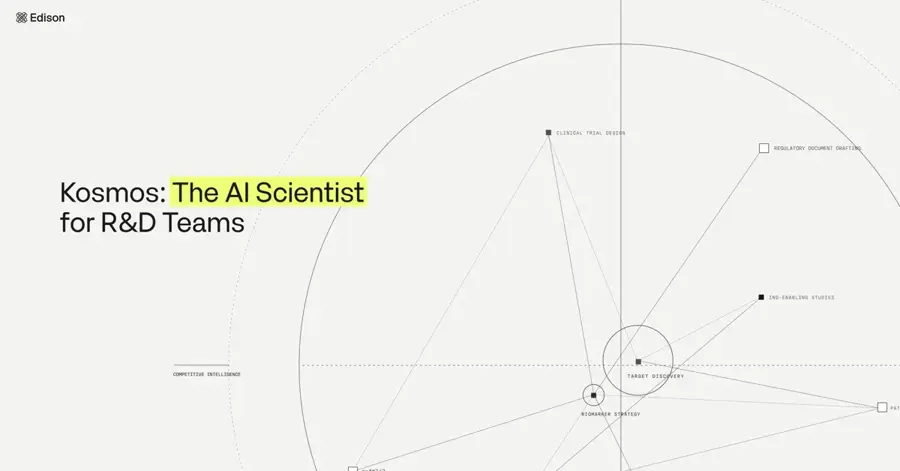
Edison Scientific, the commercial spinout of FutureHouse, runs Kosmos, an "AI Scientist" that reads literature, writes and runs analysis code and produces cited reports. See edisonscientific.com.
Why it stands out
Kosmos is the closest thing on this list to an autonomous researcher. Give it an objective and datasets, and Edison’s documentation says a single run reads about 1,500 papers and executes about 42,000 lines of code, with every conclusion traceable to the code or passage behind it. Beta users estimated a run is equal to roughly six months of PhD or postdoc work. That is the company’s own estimate, so read it as a claim.
One named user is more specific. MIT professor Tonio Buonassisi is quoted on Edison’s site: “Within 24 hours, at a fraction of the equivalent human cost, Kosmos executed roughly 292 independent analysis trajectories — work that revealed insights our human team had missed despite weeks of analysis.” The platform also includes Literature, Analysis, Precedent (novelty checks) and Molecules agents. Edison raised $70 million in December 2025.
Key features
- Kosmos AI Scientist: long, autonomous runs from objective to cited report.
- Analysis agent: flow cytometry, RNA-seq and other biological datasets.
- Precedent: checks whether an idea has already been tried.
- Molecules: a chemistry agent for molecular design.
- Full audit trail: trace findings back to code or literature.
Pros
- Runs a whole investigation, not one step
- Strong traceability by design
- Free tier for academics
Cons
- Per-run pricing adds up if you need several runs
- Built mainly around biology and drug discovery
- Enterprise features are aimed at biopharma, not small labs
Edison Scientific pricing: Free academic tier → Kosmos launched at $200 per run, with paid plans for higher limits (checked October 2026). See pricing
Related: What is agentic AI?
Verdict: worth a free academic trial if you have a dataset and a question bigger than a week of analysis.
Gemini for Science – best for hypothesis generation
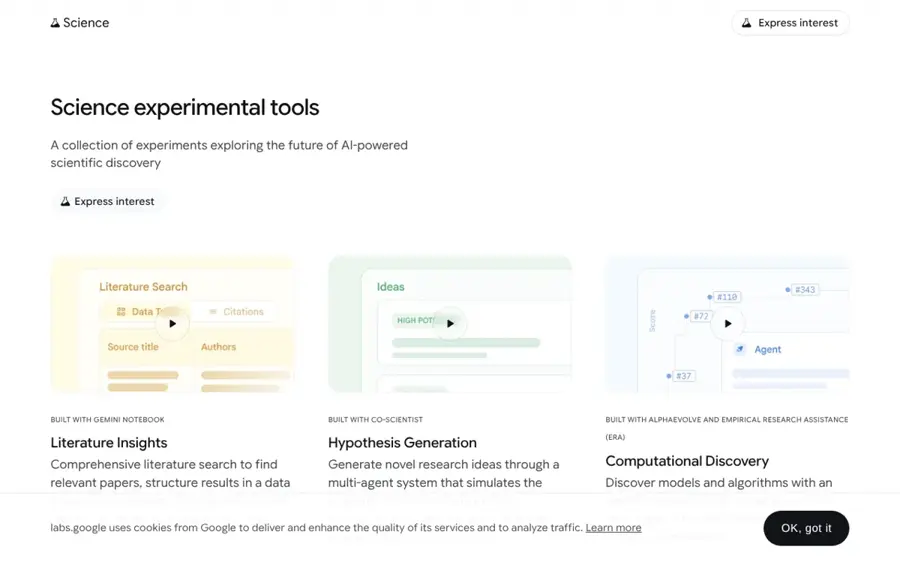
Gemini for Science is a set of Google Labs experiments, including Hypothesis Generation built on Google’s AI co-scientist. Register at labs.google/science.
Why it stands out
Google announced Gemini for Science at I/O in May 2026. Its Hypothesis Generation experiment uses a multi-agent “idea tournament” to generate, debate and evaluate hypotheses, with claims backed by clickable citations. Computational Discovery, built with AlphaEvolve and ERA, generates and scores thousands of code variations in parallel to test modelling approaches.
The evidence is unusually strong for a new tool. HPCwire reports that the ERA paper in Nature describes 40 new single-cell analysis methods that beat the top human-built methods on a public leaderboard, and the Co-Scientist paper describes drug repurposing candidates for acute myeloid leukaemia that were validated in vitro. The catch is access: Google is opening the experiments gradually, so you may wait. Its Literature Insights experiment overlaps with paper tools, which our sister guide covers.
Key features
- Hypothesis Generation: agents propose, critique and rank research ideas.
- Computational Discovery: automated search over models and algorithms against your metric.
- Science Skills: 30+ life science databases, including UniProt and AlphaGenome, for use in Google Antigravity.
- Cited outputs: claims link back to sources.
Pros
- Backed by two Nature papers
- Covers fields beyond biology, such as forecasting
- No price announced for the Labs experiments
Cons
- Waitlist, with gradual access
- Experimental, so features can change or disappear
- Enterprise version is private preview only
Gemini for Science pricing: No published price; access is by registration in Google Labs (checked October 2026). See pricing
Verdict: sign up now; it is the most rigorous idea generator if you get in.
Google Colab – best for free Python notebooks with AI help
Google Colab is a hosted Jupyter notebook with free compute and Gemini built in to write, explain and run code. Open it at colab.google.
Why it stands out
For most students and early-career researchers, the cheapest way to do AI-assisted analysis is still a notebook. Colab is free of charge with access to GPUs and TPUs, though resources are not guaranteed. Google says Gemini in Colab can generate and run the code to find an answer, from charts to insights, and explain or fix errors along the way.
Heavier users get a better deal in 2026. Google AI Pro, about $20 a month, now includes 200 Colab compute units a month that can drive A100 GPUs, according to INSIDE, and a Colab command-line tool released in June 2026 lets agents call that compute from a terminal.
Key features
- Zero setup: Python, common libraries and GPUs in the browser.
- Gemini assistance: generate, explain and debug code in plain English.
- Autonomous analysis: ask a question about your data and let Gemini write and run the code.
- Easy sharing: notebooks live in Google Drive.
- Colab CLI: run scripts on cloud GPUs from your terminal.
Pros
- Free, with real GPU access
- Your code stays visible and reusable
- Standard tool in teaching and many labs
Cons
- Free resources fluctuate and sessions can be cut
- You still need some Python
- Sensitive data needs care in a hosted service
Google Colab pricing: Free → extra compute via Google AI Pro from about $20/month (checked October 2026). See pricing
Related: Best free AI tools for students Best AI tools for data visualization
Verdict: the default free starting point for anyone who can write a little Python.
Julius AI – best for stats and charts without coding
Julius AI is a chat-based data analyst: upload a dataset or connect a database, ask in plain English, and get analyses and charts back. Try it at julius.ai.
Why it stands out
Not every researcher wants to touch code. Julius is built for that person. It connects to Snowflake, BigQuery, Postgres and other sources and is SOC 2 Type II compliant. For students the price is the big draw: Coefficient reports that students and educators get 50% off all plans.
The same Coefficient analysis flags the main limitation. The free plan allows only 15 messages a month, and a single analysis session can use 10 to 15 of them, so it says to treat the free plan as a preview rather than a working tool.
Key features
- Plain-English analysis: regressions, summaries and charts from a prompt.
- Database connectors: live connections on higher plans.
- Notebooks: save and rerun analysis workflows (Pro and up).
- Reports and slides: turn results into presentations.
Pros
- No coding needed
- 50% academic discount
- Fast way to explore a new dataset
Cons
- Very small free allowance
- Less transparent than writing your own code
- Steep jump to team pricing
Julius AI pricing: Free (15 messages/month) → paid plans from $35/month, Pro at $45/month (checked October 2026). See pricing
Related: Best AI tools for data visualization
Verdict: pick it if you need quick, defensible statistics and do not want to learn Python this semester.
How to choose the right AI for science research tools
Match the tool to the stage of your research
Use this as a quick decision table. Choose Gemini for Science if you are stuck on ideas. Choose AlphaFold if your question is about molecular structure. Choose Claude Science, Colab or Julius when you have data to analyse. Choose Edison when you want a full investigation run end to end. Choose ChatGPT if you need one tool for everything. For finding and reading papers, use a literature tool from our AI scientific research tools guide.
Demand traceability
Pick tools that show their working. Claude Science, Edison and Colab all expose the code behind a result, which means you can check it, rerun it and describe it in your methods section. A chart with no code behind it is hard to defend in peer review.
Know where your data goes
Check data handling before you upload patient, proprietary or embargoed data. Claude Science runs compute on your own machines, but prompt content is still processed by Anthropic. OpenAI’s academic plan says research data is not used for training by default, but it does not support zero data retention. Ask your institution what is approved.
Keep humans in the loop on real experiments
AI is already being wired into robotic labs. MIT Technology Review reports that OpenAI connected GPT-5 to Ginkgo Bioworks’ automated labs, and the system found a recipe that cut the cost of making one protein by 40%. Still, Stanford’s 2026 AI Index, as quoted by R&D World, says autonomous discovery “remains at an early stage.” Treat AI output as a hypothesis until you test it.
Free vs paid: what you actually get
You can do real science for free. Here is what the money changes.
| Need | Free option | What paying adds |
|---|---|---|
| Protein structures | AlphaFold Server and Database | Nothing essential for academic use |
| Coding notebooks | Colab free tier | Guaranteed, faster GPUs via Google AI Pro (~$20/mo) |
| General AI help | ChatGPT or Claude free plans | Higher limits, stronger models, Codex or Claude Science ($20/mo) |
| No-code analysis | Julius (15 messages/mo) | Hundreds of messages or unlimited use ($35–$45/mo) |
| Autonomous investigations | Edison academic tier | Higher rate limits and more runs |
| Hypothesis generation | Gemini for Science (waitlist) | Enterprise Co-Scientist via Google Cloud, in private preview |
The budget rule is simple. If you will pay for one thing, make it a $20 general plan that includes a science workbench or coding agent. Use the free specialist tools for everything else.
Final verdict
If you only pick one, pick Claude Science for computational research. It does the most of the actual work and keeps the evidence trail you need. Pick ChatGPT instead if your work is broad or you qualify for OpenAI’s free academic seats. Add AlphaFold Server and Colab because they are free. Then watch Edison and Gemini for Science closely. They are where autonomous science is heading, and both are worth trying today if you can get access.
FAQ
Which AI tool is best for academic research?
It depends on the task, but for hands-on analysis Claude Science is our top pick in 2026 because it runs code, queries scientific databases and records how every figure was made. ChatGPT is the best general choice. For finding and reading papers, a literature tool such as Elicit or Consensus is a better fit.
Which AI tools are best for academic research?
A strong, low-cost stack is a general assistant (Claude or ChatGPT), Google Colab for notebooks, AlphaFold Server for structures and a literature tool from our AI scientific research tools guide. Add Julius if you prefer no-code statistics, or Edison if you want autonomous investigations.
Is AlphaFold free to use?
Yes for researchers. Google DeepMind offers AlphaFold Server as a free tool covering most of AlphaFold 3’s capabilities, and the AlphaFold Database’s 200 million+ predicted structures are free under a CC-BY-4.0 licence. Check the Server terms before using predictions in commercial work.
Can AI run scientific experiments by itself?
Partly. Tools like Kosmos and Google’s Computational Discovery run computational experiments with little supervision, and OpenAI has linked models to automated wet labs. But published results still rely on humans to set goals, check output and validate findings in the lab. Read more in our guide to AI in research.
Sources
- Claude Science (beta) (Anthropic)
- Plans & pricing (Anthropic)
- Claude pricing plans (BenchLM)
- Claude Science Explained: Anthropic's AI Workbench for Reproducible Research (Mervin Praison)
- Introducing GPT-Rosalind for life sciences research (OpenAI)
- OpenAI Launches Rosalind Academic Plan for U.S. University Labs (Unite.AI)
- As OpenAI releases GPT-Rosalind, we test out the new AlphaFold and PubMed plugins (R&D World)
- ChatGPT Pricing 2026: Free vs Go vs Plus vs Pro (CometAPI)
- AlphaFold 3 predicts the structure and interactions of all of life’s molecules (Google)
- AlphaFold Protein Structure Database (EMBL-EBI)
- Gemini for Science: AI experiments and tools for a new era of discovery (Google)
- Experiments on the future of AI-driven science (Google Labs)
- Google advances AI for science with new tools and tech (HPCwire)
- Google launches Gemini for Science AI tools (EdTech Innovation Hub)
- Overview (Edison Scientific Documentation)
- The AI Platform for scientific R&D (Edison Scientific)
- AI Scientist Kosmos links every conclusion to code and citations (Digital Watch)
- Edison Scientific raises $70M to build autonomous AI scientists (SiliconANGLE)
- Colab (Google for Developers)
- Colaboratory FAQ (Google Research)
- Google AI Pro users get 200 Colab compute units a month (INSIDE)
- The Google AI Ultra plan now starts at $100 a month (Engadget)
- Julius AI Pricing (Julius)
- Julius AI Pricing (2026): Plans, Message Limits and What Teams Actually Pay (Coefficient)
- Artificial scientists: 10 Things That Matter in AI Right Now (MIT Technology Review)