Vidnoz AI review 2026: features, pricing, free plan and is it worth it?
Vidnoz AI makes talking-avatar videos from a script, free to start. We weigh its credits-based plans, the shrunken free tier, independent tests and user complaints.
 Written byBurhan AqibSenior writer, policy and analysis
Why you can trust The AI Future
Our writers research every product, link each claim to its source and correct mistakes openly. Companies can't pay for coverage or see reviews before they're published.
Read our editorial policy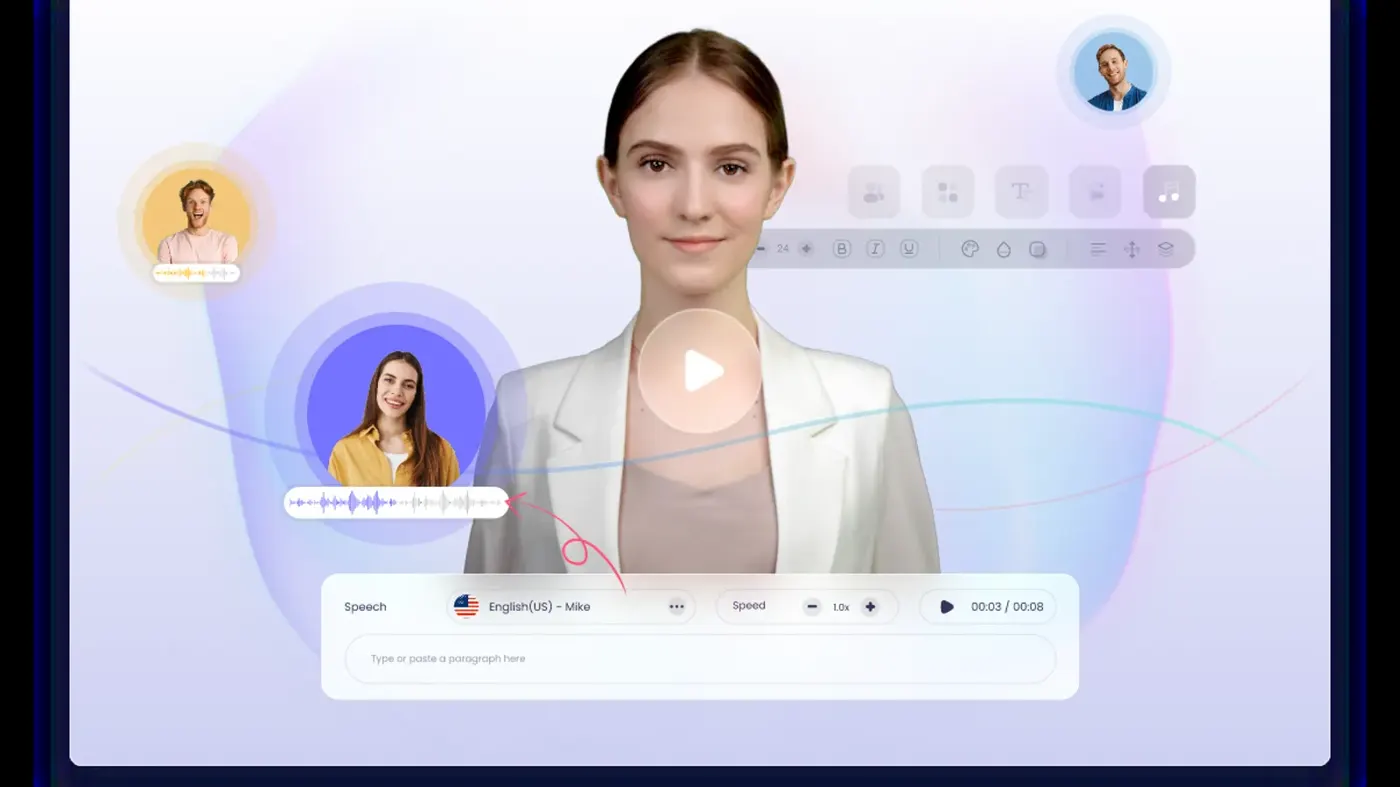
Our verdict on Vidnoz AI
Vidnoz AI is a capable, beginner-friendly avatar video tool with a big library and a useful free plan for testing. Teachers, trainers and small teams making simple explainers should try it; skip it if you need top-tier realism, pay-as-you-go credits or worry-free billing.
Pricing Free (30 credits/day, watermarked 720p); Starter $26.99/mo or $19.99/mo billed yearly (450 credits); Business $74.99/mo or $56.99/mo billed yearly (900 credits); Enterprise custom
Visit Vidnoz AIShort answer first: Vidnoz AI is a browser-based AI video generator that turns a typed script into a talking-avatar video, and its free plan is one of the easiest ways to try avatar video without paying. Paid plans start at $19.99 a month billed yearly ($26.99 month to month). The catch is that everything runs on credits, the free allowance is smaller than older reviews suggest, and user reviews about billing are rough.
I'll be upfront: nobody on our team ran hands-on tests for this review, so you won't find stopwatch timings or screenshots from me. Instead, we pieced Vidnoz together as it stands in late October 2026 from its official pricing page, terms and feature pages, other reviewers' hands-on tests and about 50 user reviews. When someone else did the testing, I'll say who.
My one-line take? Great for trying avatar video for free and knocking out simple training or explainer clips. Less great if you need polished realism, flexible pay-as-you-go credits or a company that makes cancelling painless.
Vidnoz AI at a glance
- Our rating: 3.5 out of 5
- Best for: beginners, teachers and small teams making simple presenter-style videos on a budget
- Pricing: Free; Starter from $19.99/mo yearly or $26.99/mo monthly; Business from $56.99/mo yearly or $74.99/mo monthly; Enterprise custom (checked October 2026)
- Website:vidnoz.com
What is Vidnoz AI?
Vidnoz AI is an online platform for making videos with AI presenters. You pick an avatar, paste or generate a script, choose a voice, and the avatar reads it with lip sync. No camera, no microphone, no editing timeline to learn. The Vidnoz homepage pitches it at training, marketing, sales and education teams, and quotes customers such as the University of Halle, which uses avatars made from photos for medical communication training.
Around that core sits a growing toolbox. There's a text and prompt-to-video wizard, PowerPoint and PDF import, video translation with lip sync, voice cloning and custom "digital twin" avatars. A separate set of tools called Vidnoz Gen adds image-to-video, an AI image generator and photo effects. If you came here searching for the "vidnoz ai video generator", this is all the same product.
Want the wider picture first? Our roundup of the best AI video generators shows where avatar tools like this sit next to text-to-video models.
Key features
Stock AI avatars and templates
The avatar library is the headline. The pricing page lists 1,600+ avatars on the free plan and 1,700+ on paid plans in its plan cards (its comparison table says 1,900+), plus 3,400+ video templates. That's a lot of faces, ages and outfits to choose from, and it's the thing reviewers praise most often. Unite.AI called the selection "plenty of solid options" for most use cases.
Expressive and photo avatars
Expressive avatars add gestures and body language to the usual talking head, and photo avatars animate a still image into a speaking presenter. Expressive avatars cost more to render: 2 credits per second, against 0.5 credits per second for standard video. Free users get one expressive avatar use and five photo avatars a day.
Voices, voice cloning and translation
Free users get 890 voices; paid plans get 2,680+, plus emotional voices and a pronunciation dictionary. Voice cloning and the AI video translator (which the pricing page says covers 140+ languages with lip sync) are included on Business, while Starter users pay for voice cloning as an add-on. Reviewers are split on the voices: Unite.AI noted that AI voiceovers "sometimes feel too fast".
Custom avatars of yourself
Avatar Lite lets you build a high-resolution digital twin from your own footage, with up to three on Starter and ten on Business, and Avatar Pro is a paid add-on. I like that Vidnoz is clear about whose face this should be. Its custom avatar page says it "suggests users avoid using others' faces and heads" even with consent, and answers "No" to making avatars of celebrities or friends.
Face swap and photo tools: use them only with consent
Vidnoz also offers face swap and other photo-editing tools. Use them on your own photos, on people who have clearly agreed, or on content you're licensed to use, for things like trying on a look or making a fun clip of yourself. Making intimate or deceptive images or videos of real people without their consent is harmful and illegal in many places, and Vidnoz's terms require you to hold "all rights, licenses, consents, permissions" for anything you upload. We cover safer options and the rules in more depth in our guide to AI face swap video tools.
Business extras
The Business plan adds a brand kit, branded video pages with call-to-action buttons, embeds that update when you edit, team workspaces, video analytics and SAML/SSO. Every paid plan also gets SCORM export, which matters if you drop training videos into a learning management system.
Vidnoz AI pricing and plans
Here's how the plans look on the official Vidnoz pricing page, checked October 2026. Prices are in US dollars and exclude tax. Credits are the real currency: standard video costs 0.5 credits per second, so 450 credits buys roughly 15 minutes of standard avatar video, or under four minutes of expressive avatars.
| Plan | Price | Credits | Key limits and extras |
|---|---|---|---|
| Free | $0 | 30 credits a day (about 60 seconds of video) | 720p export with watermark, max 3 minutes per video, 890 voices, 2,000 characters per scene |
| Starter | $26.99/month, or $19.99/month billed yearly | 450 a month, with bigger credit tiers available | 1080p, no watermark, 60-minute videos, SCORM export, 3 Avatar Lite |
| Business | $74.99/month, or $56.99/month billed yearly | 900 a month, with bigger credit tiers available | Everything in Starter plus voice clone, video translation, brand kit, team seats, analytics, SSO |
| Enterprise | Custom (book a demo) | Custom | Avatar Pro, dedicated account manager, dedicated data center |
What the free plan really includes
The free plan is generous on choice and stingy on minutes. You get the big avatar and template libraries, but only about a minute of standard video a day, watermarked, at 720p. That's a big change from the "3 minutes a day" you'll still see in many older reviews, including Smart Remote Gigs' pricing breakdown, so don't plan around those numbers.
It also explains some of the anger in user reviews. One Trustpilot reviewer in October 2025 complained of a "BAIT AND SWITCH" after finding the free allowance was "ONLY 20 seconds free", while another in August 2026 said generating a single free video had been "impossible". Treat the free plan as a test drive, not a production tool.
Vidnoz AI coupon codes: what's actually real
If you're hunting for a vidnoz ai coupon code, here's what I could verify. The official discount is billing yearly, which the pricing page labels "25% Off" and which takes Starter from $26.99 to $19.99 a month. The pricing page also shows add-ons marked "50% OFF". A coupon page on vidnoz.com that turns up in searches returned a "page you tried to access is inexistent" error when we checked. Be wary of third-party coupon sites promising bigger codes, and read the checkout carefully: a Trustpilot reviewer said they meant to pay $19.99 for one month but were charged about $220 for a year because the "billed yearly" note was in small print.
Cancelling and refunds
Vidnoz's terms of service say you can cancel a paid subscription at any time in your account, and that payments are "non-refundable, except where required by law". As of early 2026 you also can't just buy credits on their own: Vidnoz confirmed in a Trustpilot reply that credit packs are now an add-on to a subscription. If you only make a video every few months, that's annoying.
Performance and independent testing
Since I didn't test it myself, I leaned on people who did. The most detailed recent walkthrough comes from Unite.AI, which built a full corporate training video with the AI Video Wizard. The reviewer said the result "made sense and looked good", the avatar "looked professional" and the lip sync was "on-point". But the video "felt a bit rushed and lacked engagement", and some of the auto-picked images didn't fit, so they swapped them using the built-in AI image generator. Their verdict: good for beginners, but it "can feel robotic at times" and "works best for simple videos rather than high-quality production."
Smart Remote Gigs reports three weeks of testing aimed at freelancers and reached a similar place. They liked the free sandbox and the multilingual lip sync, and drafted a 60-second product demo from a one-sentence brief in under four minutes. Their worries were credits that don't roll over and the feeling that HeyGen and others have "caught up or surpassed Vidnoz on avatar realism". Note that their plan prices are older than the current pricing page.
Users echo both sides. On Trustpilot, one reviewer liked the steady stream of new avatars but said "the lip sync can be improved", while another wrote that cloned voices sounded "really realistic". Others reported slowdowns, browser crashes and odd results from the newer generative tools, such as a free music video that dropped in "baby chick's crossing a road" without being asked.
On privacy, Vidnoz told a Trustpilot reviewer in December 2025 that it does not use user input data for AI training unless users submit it for features like custom avatars or voice clones, that it holds ISO 27001 certification and that it hosts data on AWS in the United States. That's the company's own statement, so weigh it accordingly.
Who it's for
- Teachers and trainers who want to turn slides or a script into a narrated lesson, with SCORM export for the LMS.
- Small businesses and marketers making quick explainers, product intros or social clips without hiring a presenter.
- Curious beginners who want to see what avatar video can do before paying for anything.
- Teams localising videos into other languages, if they're on Business for the translator.
Skip it if you need the most lifelike avatars for client-facing brand work, if you make videos only now and then and want pay-as-you-go credits, or if you can't tolerate the risk of a billing headache. If you mostly need narration rather than a face on screen, our list of the best AI voice generators may suit you better.
Vidnoz AI alternatives worth considering
- HeyGen is the best-known avatar video platform and the one reviewers most often say has pulled ahead on realism. It scores 4.2 on Trustpilot from around 5,000 reviews, according to the "people also looked at" panel on Vidnoz's Trustpilot page. Our HeyGen AI review covers its plans.
- Synthesia is the enterprise favourite for training and internal comms, with a Trustpilot score of 3.8 from about 2,000 reviews on that same panel. Expect to pay more for polish and compliance features.
- Akool mixes avatars, translation and face tools in one subscription. See our Akool AI review for the details.
If cost is what's stopping you, our guide to free AI video generators lists tools with more useful free tiers.
Verdict
Vidnoz AI does what it says on the tin. You can get a decent talking-avatar video out of it quickly, the libraries are huge, and Business packs in translation, voice cloning and team features at a price below the big names. Independent testers agree it's beginner-friendly and fine for simple training and explainer videos.
The weak spots are just as clear. Realism trails the leaders, the free plan has shrunk to about a minute a day, credits are subscription-only now, and the Trustpilot score of 2.1 from 82 reviews is dragged down by billing and cancellation complaints. My scores: features 8, ease of use 8, value 6, performance 6.5. Try the free plan first, pick monthly billing until you're sure, and only then think about the yearly discount.
FAQ
Is Vidnoz AI free?
Yes, there's a free plan. As of October 2026 it gives you 30 credits a day, which the pricing page says equals about 60 seconds of video, exported at 720p with a Vidnoz watermark. Removing the watermark and getting 1080p needs a paid plan, starting with Starter at $19.99 a month billed yearly or $26.99 monthly.
Is Vidnoz AI safe and legit?
It's a real, established product with a published privacy policy, and the company says it holds ISO 27001 certification. Still, its Trustpilot rating is 2.1, with complaints mostly about billing, cancellations and the size of the free allowance. Pay with a method you can dispute, check whether you're on monthly or yearly billing, and avoid uploading photos of other people.
Is there a working Vidnoz AI coupon code?
The only discounts we could confirm on the official site are the 25% saving for yearly billing and add-ons marked 50% off. A coupon page that turns up in searches showed an error when we checked, and we couldn't verify codes from third-party coupon sites.
How long can Vidnoz AI videos be?
Free videos max out at 3 minutes each, though your daily credits only cover about a minute. Starter and Business allow up to 60 minutes per video, limited in practice by your monthly credits: 450 credits covers roughly 15 minutes of standard avatar video.
Can I make an avatar of someone else with Vidnoz?
Vidnoz advises against it. Its custom avatar page says you shouldn't use other people's faces, including celebrities and friends, and its terms make you responsible for having permission for anything you upload. Only use your own likeness, or that of someone who has clearly agreed, and never create deceptive or intimate content of a real person.
Does Vidnoz use my videos to train its AI?
According to a statement Vidnoz posted on Trustpilot in December 2025, it doesn't use user input for AI training unless you voluntarily submit content for features like custom avatars or voice clones, and you can ask for that data to be deleted by emailing support.
What video reviewers say
Videos load from YouTube only when you press play.
Ratings around the web
Ratings as of 2 Nov 2026. Scores change over time; follow the links for the latest.
What users are saying
We read 51 Trustpilot reviews across the first three pages (April 2024 to August 2026). Most positive reviews are short posts from mid-2024; reviews from late 2025 onwards are mostly negative, focusing on the shrunken free allowance, subscription-only credits and cancellations. We could not access G2, Product Hunt or a live App Store listing, so this sample is Trustpilot-only.
Common praise
- Very large choice of avatars and templates
- Easy for beginners with no video skills
- Realistic voice cloning and dubbing for some users
Common complaints
- Free allowance smaller than advertised or hard to use
- Billing surprises and difficulty cancelling subscriptions
- Uneven quality: lip sync, odd generated results and slowdowns
Based on: Trustpilot reviews of Vidnoz, Trustpilot reviews of Vidnoz (page 2), Trustpilot reviews of Vidnoz (page 3)
What we like
- Huge library of 1,600+ stock avatars and 3,400+ templates, even on the free plan
- Free plan needs no payment to try avatar video
- Business plan bundles voice cloning, lip-synced translation, brand kit and SSO
- SCORM export on every paid plan suits training teams
- Clear policy against making avatars of other people's faces
What could be better
- Free allowance is now about 60 seconds of video a day, watermarked at 720p
- Credits are subscription-only and don't suit occasional users
- Avatar realism and voices trail leaders like HeyGen, per independent reviewers
- Trustpilot score of 2.1 with repeated billing and cancellation complaints
Sources
- Vidnoz AI Pricing - Choose A Plan That Perfectly Fit Your Needs (Vidnoz)
- Vidnoz AI: Create FREE AI Videos 10X Faster Online (Vidnoz)
- Custom AI Avatar (Vidnoz)
- Terms of Service (Vidnoz)
- Vidnoz Reviews (Trustpilot)
- Vidnoz Reviews, page 2 (Trustpilot)
- Vidnoz Reviews, page 3 (Trustpilot)
- Vidnoz Review: This Avatar Tool Crushes Video Creation (Unite.AI)
- Vidnoz AI 2026: Plans, Pricing & Limits (Smart Remote Gigs)
- Vidnoz AI Software Pricing, Alternatives & More 2026 (Capterra)